How to Prompt AI for Better Landscapes
It's incredibly frustrating, isn't it, when you punch in a prompt for a "beautiful landscape," and what you get back is… generic? You envision sweeping vistas, dramatic skies, or serene forests, but your AI image generator coughs up something that looks like a stock photo from 2005. If you've been struggling to coax truly breathtaking and unique landscapes out of your AI tools, this comprehensive guide is for you. We're going to dive deep into the art and science of crafting prompts that transform bland into magnificent, ensuring your AI-generated landscapes finally match the vision in your head.
Understanding the Basics of Landscape Prompting
Getting started with AI image generation can feel like learning a new language. You know the words, but arranging them into a coherent, evocative sentence is the real challenge. When it comes to landscapes, it's not just about naming a place; it's about describing the experience of that place.
The Core Elements of a Landscape Prompt
Think of your prompt as a recipe. Every good recipe has core ingredients that define the dish. For landscapes, these fundamental components are crucial for giving the AI a solid foundation to build upon.
Firstly, you need to clearly define your Subject or Scene. This is the absolute bedrock of your prompt. Are we talking about a mountain range, a coastal view, a dense forest, or an urban cityscape? Be specific. Instead of just "mountains," try "rugged snow-capped peaks" or "rolling green hills." The more precise you are here, the less work the AI has to do guessing your intent. Consider the time of day and general weather conditions even at this stage; "a misty morning forest" sets a much clearer scene than just "forest."
Secondly, consider the Style or Artistic Direction. Do you want a photorealistic image, a watercolor painting, an oil painting, or perhaps a fantastical render? This element profoundly shapes the aesthetic of your final image. Saying "photorealistic mountain landscape" gives the AI a clear direction on rendering detail and lighting, aiming for something you'd see in National Geographic. Conversely, "impressionistic watercolor landscape" will produce something with soft edges and painterly brushstrokes. Without this guidance, the AI defaults to a general style that might not align with your vision. If you're looking to explore different visual approaches, our guide on AI Image Prompt Examples by Style offers a fantastic starting point.
Beyond the Basics: Adding Detail and Specificity
Once you have your core elements down, it’s time to layer in the details that make an image truly sing. This is where you move from a generic scene to a memorable one, painting a picture with words that the AI can then interpret visually.
Start by thinking about Specific Geographical Features or Objects. If it’s a coastal scene, are there jagged cliffs, a sandy beach, or crashing waves? For a forest, are there ancient gnarled trees, a hidden waterfall, or dappled sunlight filtering through leaves? Mentioning things like "a winding river cutting through the valley," "a lone lighthouse on a rocky outcrop," or "ancient ruins nestled in the jungle" adds immediate depth and interest. These details act as anchor points for the AI, helping it populate the scene with intentional elements rather than random filler.
Then, consider Sensory Details. While AI can't feel the crisp mountain air or smell the pine trees, describing these sensations implicitly guides its visual output. Words like "serene," "vibrant," "ancient," "eerie," "majestic," or "tranquil" infuse the scene with an emotional tone. A "tranquil lakeside scene at dawn" will likely feature softer light, calmer water, and perhaps a subtle mist, evoking a sense of peace. This nuanced approach goes a long way in creating images that resonate. For more ideas on how to craft effective descriptions, check out our AI Image Prompt Guide for Beginners.
Crafting Atmosphere and Mood in Your Landscapes
The difference between a snapshot and a piece of art often comes down to atmosphere and mood. These are the intangible qualities that make a landscape feel alive, evoking emotion in the viewer. AI can absolutely capture these nuances, but you have to guide it with intentional prompting.
Leveraging Lighting and Time of Day
Lighting is arguably the most powerful tool you have for shaping the mood of any image, and landscapes are no exception. The sun's position and the quality of light it casts can transform the same scene entirely.
Time of Day is your primary lever. A "sunset over a desert canyon" will have warm, golden, and orange hues with long shadows, creating a dramatic and often melancholic feel. In contrast, a "sunrise over a misty valley" suggests soft, diffused light, cool tones, and a sense of fresh beginnings. Midday light can be harsh and contrasty, perfect for crisp, clear views, but less suited for dramatic effects. Think about "golden hour" for warm, soft light, "blue hour" for cool, ethereal tones, or "moonlight" for dramatic, shadowed scenes. To really nail these effects, you'll want to dive into guides like How to Add Lighting to AI Prompts to understand the specific terminology AI models respond to.
Beyond the time, consider the Quality of Light. Is it "dramatic rim lighting," "soft diffused light," "harsh direct sunlight," or "glowing ethereal light"? Each phrase guides the AI to render shadows, highlights, and color palettes differently. For instance, "a forest bathed in dappled sunlight" will have bright patches filtering through the canopy onto a darker forest floor, creating a dynamic interplay of light and shadow. If you're struggling to get that perfect golden glow, our article on How to Prompt for Golden Hour Lighting can provide detailed examples and prompt structures.
Incorporating Weather and Seasonal Elements
Weather and seasons are fantastic ways to introduce dynamism, texture, and a distinct atmosphere into your AI landscapes. They add layers of visual interest and emotional context that a static "sunny day" might miss.
Imagine a "winter wonderland landscape" – this immediately brings to mind snow-covered trees, perhaps a frozen lake, and a crisp, cold light. Compare that to a "vibrant spring meadow," bursting with wildflowers, fresh green foliage, and bright, clear skies. Specifying the season radically shifts the color palette and elements present in the scene. "Autumn foliage in a misty forest" creates a stunning blend of reds, oranges, and yellows, softened by atmospheric haze.
Similarly, Weather Conditions can dramatically alter the mood. "Stormy skies over a rugged coast" implies dark, brooding clouds, turbulent seas, and a sense of raw power. A "gentle rain falling on a cobbled village street" suggests coziness, reflection, and a subdued palette. Consider adding elements like "dense fog," "snowfall," "light drizzle," "blizzard," or "clear starlit night" to enhance the environmental narrative. Don't be afraid to combine these; a "foggy autumn morning in the Scottish Highlands" creates a particularly evocative scene.
Guiding Composition and Perspective
Even the most beautiful subject can fall flat with poor composition. Just like a human photographer or artist, the AI benefits greatly from guidance on how to frame the scene.
Perspective and Angle are paramount. Do you want a "wide-angle panoramic view" that captures the grandeur of a vast landscape? Or perhaps a "close-up shot of wildflowers in the foreground with mountains in the background" to create depth and draw the viewer in? Terms like "aerial view," "worm's-eye view," "dramatic low-angle shot," or "eye-level perspective" all instruct the AI on camera placement. An "ultra-wide landscape shot" will give a sweeping vista, while a "telephoto shot of a distant mountain peak" focuses on detail and compresses the scene. To master these framing techniques, consult guides like How to Control Composition in Prompts and How to Use Camera Angles in Prompts.
Furthermore, think about Foreground, Midground, and Background elements. A "solitary tree in the foreground, rolling hills in the midground, and a distant castle in the background" creates visual layers and depth, making the image more engaging. You can also specify principles of composition, such as "rule of thirds," "leading lines," or "symmetry," though these might require more advanced models or specific phrasing to be consistently recognized. Using "leading lines of a winding path through a field" gives the AI a clear visual cue for how to arrange elements within the frame.
Advanced Techniques for Stunning AI Landscapes
Once you've mastered the fundamentals, it's time to push the boundaries and explore more sophisticated prompting techniques to create truly unique and artistic landscapes.
Blending Styles and Influences
This is where AI image generation truly shines, allowing you to create visuals that would be incredibly difficult or impossible to achieve through traditional means. Why stick to one style when you can create a fusion?
Consider combining a real-world location with a famous artist's style. Imagine "Yosemite Valley in the style of Vincent van Gogh" – you'd expect swirling skies, thick impasto brushstrokes, and vibrant, emotive colors. Or perhaps a "futuristic cityscape at night, painted like a classical Japanese ukiyo-e woodblock print," which would blend modern neon with traditional linework and flat color fields. The possibilities are endless. Don't be afraid to experiment with combinations like "oil painting of a serene lake at sunset, inspired by the Hudson River School" or "digital art, abstract expressionism, a stormy sea." This blending of influences often produces surprisingly original and captivating results.
You can also blend different visual aesthetics that aren't tied to specific artists. Try a "minimalist landscape with strong geometric shapes" or a "maximalist fantasy landscape overflowing with bioluminescent flora." These stylistic descriptors instruct the AI on the overall visual language to adopt, leading to images that stand out from the crowd. For those eager to delve deeper into different artistic approaches, exploring resources on How to Prompt for Specific Art Styles can open up a world of creative possibilities.
Utilizing Negative Prompts for Refinement
Sometimes, it's not about what you want in your image, but what you don't want. This is where negative prompts become an incredibly powerful tool, allowing you to steer the AI away from undesirable elements or aesthetics. This is particularly helpful when the AI has a tendency to include certain artifacts or common tropes.
For landscapes, you might want to exclude common visual clichés or elements that detract from the natural beauty. For example, if you're trying to achieve a pristine wilderness scene, you might add negative prompts like "no people, no roads, no buildings, no power lines, no trash, no cars, no signs." This helps ensure the AI doesn't accidentally place human-made elements in your untouched nature shot. If you find your images look too artificial, you could try "not artificial, ugly, distorted, blurry, poor quality" in your negative prompt.
Negative prompts are also excellent for fine-tuning the visual quality or avoiding common AI generation pitfalls. If you're consistently getting odd textures or unnatural colors, a negative prompt like "blurry, low resolution, artifacts, cartoonish, oversaturated" can help push the AI towards a cleaner, more realistic output. Understanding how to effectively use this feature is crucial for elevating your generations, and our guide on How to Use Negative Prompts offers a detailed explanation.
Iteration and Experimentation
The truth about AI image generation is that it's rarely a one-and-done process. The most stunning results often come from a process of iterative refinement, where you generate an image, analyze its shortcomings, adjust your prompt, and generate again.
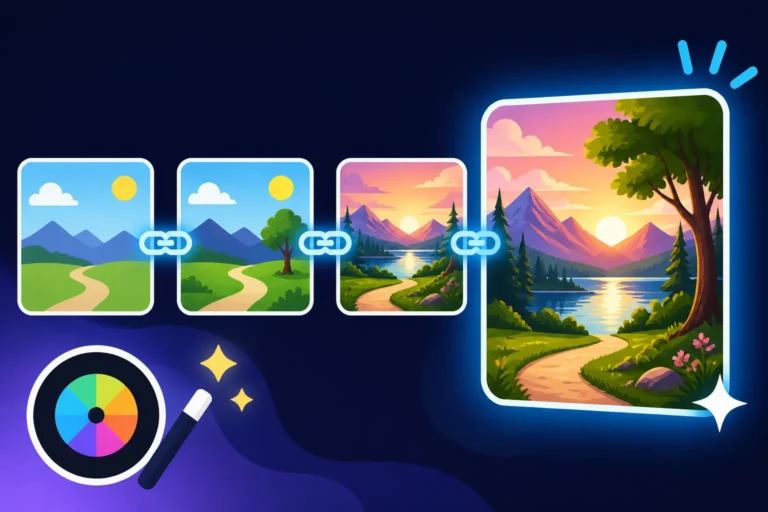
Start Broad, Then Refine: Don't expect perfection on your first try. Begin with a simpler prompt to get a general idea, then progressively add more detail, adjust lighting, or introduce stylistic elements. If your initial prompt for "mountain landscape" yields a decent but generic image, your next step might be to add "with dramatic stormy clouds and a vibrant alpine lake," then further refine by specifying "photorealistic, cinematic lighting, rule of thirds." This incremental approach allows you to pinpoint exactly which parts of your prompt are having the desired effect. If you're encountering images that just aren't hitting the mark, our advice on How to Fix Bad AI Image Results can provide actionable strategies for improvement.
Vary Parameters: Many AI image generators offer parameters beyond just the text prompt, such as aspect ratios, stylization levels, or seed numbers. Experimenting with these can yield vastly different results even with the same core prompt. Changing the aspect ratio from a standard 16:9 to a dramatic 21:9 can entirely alter the feel of a panoramic landscape. Adjusting the "chaos" or "stylize" settings can push the image from photorealistic to artistic. Learning to iterate effectively is a key skill, and you can find more guidance in articles like How to Iterate on AI Image Prompts to streamline your creative process. Embrace the journey of discovery – each iteration is a step closer to your masterpiece.
Here's a quick reference table to help you structure your landscape prompts:
| Prompt Element | Description | Example Phrase | Impact on Image |
|---|---|---|---|
| Subject/Scene | The main focus of your landscape | "rugged coastline," "dense redwood forest" | Defines the primary geographical features and overall setting. |
| Artistic Style | The visual aesthetic of the image | "photorealistic," "oil painting," "digital art" | Determines rendering quality, texture, and overall artistic interpretation. |
| Lighting/Time | How light interacts with the scene | "golden hour," "dramatic rim lighting," "moonlit" | Sets mood, highlights features, influences color palette. |
| Weather/Season | Environmental conditions | "misty autumn," "snowfall at dawn," "stormy skies" | Adds atmosphere, influences colors, introduces specific environmental elements. |
| Composition/Angle | How the scene is framed and viewed | "wide-angle panoramic," "low-angle shot," "leading lines" | Guides the viewer's eye, creates depth, establishes perspective. |
| Detailed Elements | Specific objects or features within the scene | "ancient gnarled trees," "cascading waterfall," "distant ruins" | Populates the scene with intentional, interesting focal points and textures. |
| Mood/Atmosphere | The emotional tone or feeling of the landscape | "serene," "eerie," "majestic," "vibrant" | Infuses the image with an emotional quality, guides overall visual tone. |
| Negative Prompts | Elements you specifically want to exclude | "no people, no roads, blurry, low quality" | Helps remove unwanted objects, improves overall quality, and refines focus. |
Getting better landscapes from your AI image tools is a journey of understanding, experimentation, and refinement. It's about moving beyond simple descriptors and learning to articulate the subtle nuances of light, atmosphere, and composition that make a scene truly captivating. With these techniques in your toolkit, you’re well on your way to generating landscapes that are not just beautiful, but truly spectacular.
Disclaimer
The information provided in this guide is for general informational purposes only and is based on current understanding and capabilities of AI image generation tools. As AI technology is rapidly evolving, specific features, prompt effectiveness, and tool behaviors may change over time. Always refer to the latest documentation and community guidelines for the AI image generator you are using.