AI Image Prompt Examples by Style
It’s a tale as old as AI itself: you have this amazing vision for an image, a perfectly clear picture in your head, but when you type it into your favorite AI generator, what comes out is… well, not quite it. You’re trying for a vibrant pop art piece, and you get something that looks like a stock photo with a filter. Or you’re aiming for a serene Ghibli-esque watercolor, and the AI serves up a generic digital painting. This guide is here to bridge that frustrating gap, offering concrete examples and strategies to help you communicate your desired artistic style to AI image tools, moving beyond simple descriptions to truly unlock your creative potential.
The Art of Guiding AI: Beyond Basic Descriptions
Let’s be honest, when you first start playing with AI image generators, the sheer magic of seeing anything appear is captivating. But quickly, you realize that getting exactly what you want, especially in a specific artistic style, is a whole different ball game. It feels like the AI has its own default aesthetic, and coaxing it away from that can be tough.
Why Style Matters More Than You Think
Artistic style isn't just a fancy flourish; it's the very soul of an image, dictating its mood, message, and how it resonates with your audience. Think about it: a photograph of a bustling city street evokes a different feeling than an oil painting of the same scene, or a pixel art rendition. Each style communicates something distinct. When you prompt generically, like "a dog in a field," the AI defaults to what it "thinks" is an average or common depiction, which often results in images that lack character or a strong visual identity.
The frustration is real when your "whimsical fantasy forest" comes back looking like a generic photo of trees. This happens because without specific stylistic cues, the AI fills in the blanks with its broadest interpretation. If you’re trying to brand a new product or create engaging social media content, a generic image simply won't cut it. It won't stand out, it won't tell your story effectively, and it won't capture the unique vibe you're going for. Mastering style allows you to transform average output into something truly intentional and impactful.
Deconstructing a Prompt for Artistic Intent
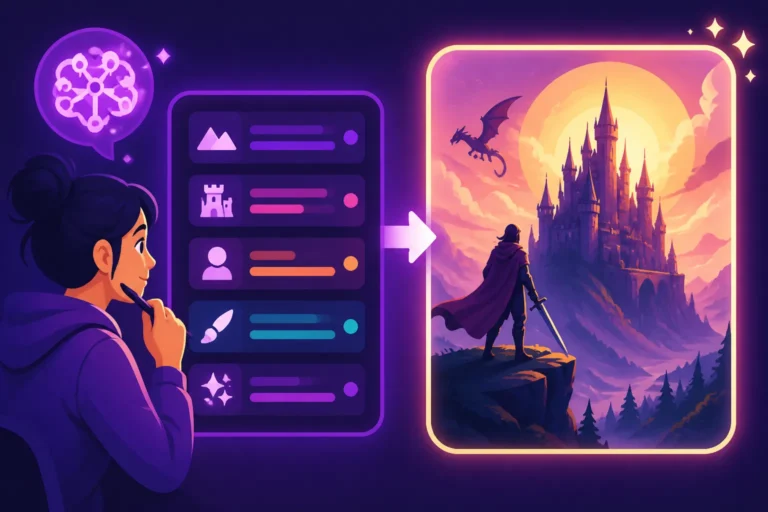
To get the AI to understand your artistic vision, you need to speak its language—and that means understanding the anatomy of an effective prompt. It’s not about finding one magical word; it’s about layering descriptive elements to paint a complete picture for the AI. Think of your prompt as a script for a movie director who's never seen a movie before. You need to be incredibly detailed.
A robust prompt typically includes several key components:
- Subject: What is the main focus? (e.g., "a majestic lion," "a steaming cup of coffee")
- Action/Interaction: What is the subject doing? (e.g., "roaring into the sunset," "sitting on a rustic wooden table")
- Environment/Background: Where is this happening? (e.g., "in the African savanna," "a cozy cafe interior")
- Lighting: How is the scene lit? (e.g., "golden hour," "soft studio lighting," "dramatic chiaroscuro")
- Camera Angle/Perspective: How is it being viewed? (e.g., "low angle shot," "wide-angle lens," "close-up portrait")
- Style Modifiers: This is where we truly define the artistic style (e.g., "impressionistic painting," "cyberpunk aesthetic," "pixel art").
- Artist Names/Art Movements: Referencing specific artists or movements can heavily influence style (e.g., "in the style of Van Gogh," "Bauhaus architecture").
- Medium/Technique: Specify the art medium (e.g., "oil on canvas," "watercolor illustration," "digital render").
The real power comes from combining these. For example, instead of "a forest," try: "a mystical ancient forest, dense with towering luminescent trees, illuminated by ethereal glowing moss, rendered as a fantastical digital painting, intricate details, cinematic lighting, wide-angle, enchanted atmosphere." You can also consider using negative prompts to steer the AI away from undesirable elements, like adding "ugly, deformed, blurry, low quality" to prevent common AI artifacts. This iterative process of generation, analysis, and refinement is crucial for success, as highlighted in guides like How to Iterate on AI Image Prompts.
Achieving Stunning Photorealism and Hyperrealism
The quest for images that look indistinguishable from real photographs is a common one, especially for marketing, product visualization, or architectural rendering. AI has made incredible strides in this area, but it still requires careful prompting to get truly convincing results.
Key Elements for Believable Imagery
To achieve photorealism, your prompts need to be saturated with details that define the real world. Think about what makes a photo look real: textures, natural light, depth, imperfections, and the way light interacts with surfaces. Start with modifiers like "ultra realistic," "photographic," "hyperdetailed," "4K," "8K," "cinematic photo," or "shot on [specific camera brand, e.g., Canon EOS R5] with a [specific lens, e.g., 50mm f/1.4]."
Beyond these general terms, consider the specific textures of your subject. Is it "rough concrete," "smooth polished chrome," "dew-kissed grass," or "wrinkled linen"? The more descriptive you are about materials and surfaces, the more authentic the AI's rendition will be. For instance, instead of "a car," try "a gleaming vintage sports car, deep emerald green metallic paint, reflecting city lights, on a wet cobblestone street, shot with a shallow depth of field." The precision in these descriptions helps the AI construct a believable scene. For a deep dive into this, check out How to Write Prompts for Photorealistic Images.
Mastering Lighting and Composition for Authenticity
Lighting is arguably the most critical component for photorealism. A perfectly rendered object can still look artificial if the lighting is off. Specify the light source, its quality, and its effect:
- Soft, Diffused Lighting: "softbox lighting," "overcast day," "natural window light."
- Dramatic Lighting: "chiaroscuro lighting," "spotlight," "hard shadows," "noir aesthetic."
- Warm/Cool Lighting: "golden hour," "sunset glow," "blue hour," "cool fluorescent light."
- Specific Effects: "volumetric lighting," "lens flare," "rim light," "backlit."
For example, "a lone wolf howling at a full moon, bathed in cold moonlight, harsh shadows, hyperrealistic, cinematic still."
Composition also plays a massive role. Professional photography adheres to principles like the rule of thirds, leading lines, and balanced framing. Incorporate camera terminology into your prompts:
- Depth of Field: "shallow depth of field," "bokeh background," "deep focus."
- Angles: "low angle shot," "dutch angle," "bird's eye view," "eye-level shot."
- Lenses: "wide-angle view," "telephoto compression," "macro photography."
Imagine you want a portrait. Instead of "a woman's face," try "a beautiful woman, mid-twenties, laughing gently, natural freckles, soft studio lighting, shallow depth of field, 85mm portrait lens, award-winning photograph." The specificity transforms it from generic to genuinely photographic. It can be frustrating when you want a crisp subject but the background is equally sharp, blurring the focus. Adding "bokeh" or "shallow depth of field" can help guide the AI.
Bringing Anime and Manga Visions to Life
The world of anime and manga is incredibly rich and diverse, with distinct styles ranging from the whimsical narratives of Studio Ghibli to the intense action of Shonen series. Translating these highly stylized aesthetics to AI requires understanding their core visual language.
Capturing the Essence of Anime Styles
Anime and manga styles are characterized by expressive large eyes, stylized hair, dynamic poses, and often vibrant or specific color palettes. To prompt for these, focus on:
- Eye Style: "large expressive eyes," "sparkling eyes," "anime eyes."
- Character Proportions: "anime character design," "manga art style," "chibi style."
- Color Palette: "vibrant anime colors," "pastel tones," "limited color palette."
- Line Work: "clean anime line art," "bold outlines," "sketchy manga style."
You can also reference specific subgenres or well-known aesthetics. For instance:
- "A determined young hero, spiky hair, dynamic pose, in a battle scene, Shonen anime style, vibrant colors, lens flare, epic."
- "A serene girl sitting by a window, looking out at a fantastical village, Ghibli studio art style, soft lighting, detailed background, watercolor."
- "A futuristic cityscape at night, neon signs, rainy streets, cyberpunk anime aesthetic, highly detailed, dramatic lighting."
It’s about more than just saying "anime"; it’s about specifying which kind of anime, drawing on the visual tropes and artistic conventions that define different styles. For more examples and tips, you might find How to Write AI Prompts for Anime Images particularly helpful.
From Character Design to Epic Scenes
One of the biggest challenges in AI art is maintaining character consistency, but you can get closer by being incredibly detailed in your initial character descriptions. Focus on unique features, clothing, hair, and even personality traits that should be reflected in their expression:
- "A stoic knight with long silver hair and intricate elven armor, standing guard, anime character design, full body shot, heroic pose."
- "A mischievous witch with emerald eyes and a pointed hat, casting a spell, Shoujo manga style, glowing magic, whimsical."
When it comes to backgrounds and environments, anime often features highly detailed, fantastical, or incredibly atmospheric settings. Don't just say "city"; say "a sprawling futuristic Neo-Tokyo cityscape, bathed in neon glow and perpetual rain, with flying vehicles, highly detailed, atmospheric perspective, in the style of Ghost in the Shell."
A common frustration for many trying to generate anime characters is getting the eyes just right. AI often struggles with the intricate balance of size, shine, and expression that defines anime eyes. Prompting specifically for "detailed sparkling anime eyes" and iterating on your results can gradually improve this. You might also find that some tools or models are simply better equipped for anime styles; it’s worth experimenting to see which one delivers the best results for your particular vision.
Crafting Unique Digital Paintings and Illustrations
Digital painting and illustration encompass a vast spectrum of artistic expressions, from lush, textural mimics of traditional mediums to crisp, graphic novel aesthetics. AI has become incredibly adept at generating images that capture these diverse styles, but it still relies on your guidance to hit the mark.
Emulating Traditional Brushwork and Artistic Techniques
Many AI artists love to recreate the tactile feel of traditional art mediums digitally. When you want your AI image to look like an oil painting or a watercolor, you need to describe not just the subject, but also the characteristics of the paint and brushwork.
- Oil Painting: "thick impasto brushstrokes," "rich color palette," "textured canvas," "in the style of Van Gogh," "Rembrandt lighting." Example: "A serene coastal landscape, dramatic stormy skies, thick impasto oil painting, vibrant blues and greys, painted on canvas, highly textural, in the style of J.M.W. Turner."
- Watercolor: "soft washes of color," "delicate brushstrokes," "bleed effects," "on textured watercolor paper." Example: "A whimsical forest scene, a curious fox peeking from behind a tree, soft watercolor illustration, light and airy, ethereal quality."
- Acrylic/Gouache: "bold, flat colors," "clean edges," "graphic quality," "vibrant hues." Example: "A stylized portrait of a jazz musician, expressive, bold acrylic painting, vibrant blues and yellows, painted with clean lines."
Don’t be afraid to reference famous artists or art movements directly. The AI has been trained on massive datasets that include countless masterpieces, allowing it to interpret "in the style of Frida Kahlo" or "cubist painting" with surprising accuracy. For more guidance on stylistic prompting, consider exploring resources like How to Prompt for Specific Art Styles.
Modern Illustration and Graphic Novel Aesthetics
Beyond traditional mediums, AI excels at a wide range of modern illustration styles, including clean vector-like graphics, cel-shaded art, and the distinct look of comic books and graphic novels.
- Vector/Flat Design: While true vector output is still emerging from AI tools, you can prompt for images that mimic the aesthetic: "flat design illustration," "clean lines, minimalist," "geometric shapes," "bold color blocks." Example: "A minimalist city skyline at sunrise, flat design illustration, crisp lines, geometric shapes, vibrant orange and purple palette."
- Comic Book/Graphic Novel: "comic book art style," "bold ink outlines," "halftone dots," "speech bubble," "dynamic action pose," "cell-shaded." Example: "A superhero in flight, powerful stance, dramatic perspective, classic American comic book art style, bold lines, vibrant colors, pop art influence."
- Children's Book Illustration: "whimsical children's book illustration," "soft colors, friendly characters," "storybook art." Example: "A friendly dragon playing with a group of children in a sunny meadow, charming children's book illustration, gentle pastel colors, detailed scenery."
The key is to use keywords that evoke the characteristics of these styles, focusing on line quality, color treatment, and overall visual complexity. If you're designing a book cover, you might want a bold, eye-catching graphic novel style. For an editorial piece, perhaps a softer, more nuanced digital painting. The versatility of AI means you can generate diverse artistic expressions, provided you know how to ask for them.
Diving into Retro and Niche Art Forms
Sometimes, you want to evoke a specific era or a highly specialized art form. AI image generators can transport your visuals back in time or into unique aesthetic niches, but you need to be precise about the historical or stylistic context.
The Charm of Pixel Art and 8-bit Aesthetics
Pixel art, with its distinctive blocky charm, is a beloved retro aesthetic that has found a new life in indie games, digital art, and even branding. Recreating it with AI requires specific instructions to prevent the AI from "smoothing" out the edges and losing its inherent pixelated quality.
To achieve authentic pixel art:
- Core Keywords: "pixel art," "8-bit," "16-bit," "retro game art," "low resolution pixels."
- Perspective/Composition: "isometric pixel art," "top-down view," "side-scrolling game art."
- Subject Matter: "pixelated character sprite," "retro arcade scene," "pixelated landscape."
- Color Palette: "limited color palette," "NES color palette," "vaporwave colors" (for a modern twist).
Example: "An 8-bit knight battling a dragon, pixel art style, retro video game graphics, isometric view, limited color palette, 16×16 pixel resolution." A common frustration is when the AI tries to make the pixels look like actual squares, but then adds too much detail or shading, losing the rigid, blocky charm. Emphasize "flat colors" or "no anti-aliasing" if your tool supports such negative modifiers. The goal is to make it look like it genuinely belongs on an old console screen.
Vintage Aesthetics and Pop Art Vibrancy
From the elegant curves of Art Deco to the bold statements of Pop Art, evoking historical or culturally significant styles requires understanding their defining characteristics.
- Art Deco: "Art Deco poster," "geometric patterns," "luxurious," "flapper fashion," "metallic accents," "streamlined forms," "in the style of Erté." Example: "A chic woman in a cloche hat, holding a champagne glass, Art Deco poster style, geometric sunburst background, metallic gold and deep teal colors."
- Mid-Century Modern: "mid-century modern illustration," "atomic age," "minimalist," "organic shapes," "muted color palette." Example: "A family sitting in a stylized living room, clean lines, minimalist mid-century modern illustration, muted greens and oranges, retro-futuristic."
- Pop Art: "Pop Art style," "bold primary colors," "comic book influence," "Andy Warhol style," "Roy Lichtenstein dots," "graphic novel aesthetic." Example: "A close-up portrait of a woman crying, bold black outlines, vibrant primary colors, halftone dots, Pop Art comic book style."
- Vintage Travel Poster: "vintage travel poster," "retro advertisement," "grainy texture," "distressed effect," "stylized landscape." Example: "A majestic mountain range, clear lake, vintage travel poster for Lake Tahoe, bold typography, warm muted colors, 1950s aesthetic."
Adding keywords like "grainy texture," "faded colors," or "distressed look" can further enhance the vintage feel, while "halftone dots" specifically reference the printing techniques of older comic books and advertisements. It's about more than just the subject; it's about the entire visual language of the era or movement.
Precision with Vector Art, Logos, and Typography
Creating clean, scalable graphics like vector art, logos, and legible typography has historically been a significant challenge for AI image generators. However, with advancements and specialized tools, it's becoming increasingly feasible to generate vector-like output and more reliable text.
Generating Clean Vector-Inspired Graphics
True vector art (where images are mathematically defined and can scale infinitely without pixelation) is a specific file format (SVG, AI, EPS). While most AI image generators produce raster images (pixel-based), they can be prompted to create images that look like vector art, characterized by clean lines, solid colors, and scalable aesthetics.
To achieve this "vector-like" look:
- Keywords: "vector art," "flat design illustration," "line art," "minimalist graphic," "SVG style," "clean lines," "geometric shapes."
- Subject Treatment: "stylized icon," "abstract illustration," "simplified forms."
- Negative Prompts: Use "photo, realistic, textured, blurry, grainy" to avoid photographic qualities.
Example: "A minimalist forest landscape, vector art style, flat design illustration, geometric trees, clean lines, two-tone color palette, abstract."
Another example: "A simple icon of a coffee cup, clean vector lines, flat color, white background, minimalist branding."
Some newer AI tools, like Recraft, are specifically designed to output actual vector graphics, which is a game-changer for designers. If your workflow requires true SVG files for logos or illustrations, exploring dedicated platforms like Recraft could be highly beneficial, as discussed in a Recraft SVG and Logo Review. Even without true vector output, you can generate stunning, crisp images that can then be vectorized using external software.
Prompting for Text and Logos
The bane of many an AI artist's existence has been the struggle with generating legible, correctly spelled text within images. Early AI models were notorious for producing garbled, nonsensical squiggles. Fortunately, some platforms have made remarkable progress.
-
For Text-Heavy Images: When you absolutely need clear text, tools like Ideogram are your best bet. They have been specifically optimized for typography.
- Prompt Structure: Clearly state the text you want and its style. Example: "A vintage soda advertisement poster, with the words 'Refreshing Taste' in a bold script font, retro design, vibrant colors, 1950s aesthetic."
- Keywords for Text Style: "bold typography," "elegant script font," "minimalist sans-serif," "handwritten text," "neon sign text."
- For a deeper dive into this, check out Ideogram 3.0 Text Rendering Review.
-
For Logos: Generating a complete logo directly with AI is still challenging if you need very specific, intricate details or brand guidelines. However, AI is excellent for generating logo concepts or elements.
- Keywords for Logos: "minimalist logo design," "abstract emblem," "company logo," "monogram icon," "branding symbol," "vector logo concept."
- Elements: Describe the shape, color, and central idea. Example: "A minimalist logo concept for a tech startup, abstract geometric fox head, clean lines, gradient colors (blue to purple), vector art style."
- You can generate various iterations and then refine them in traditional design software. The AI provides an excellent starting point for visual exploration.
Remember, even with the best AI for text, proofread rigorously. AI can still occasionally make subtle spelling errors, especially with less common words or long sentences. Using a combination of AI for initial concepts and human editing for final touches often yields the best results for text and logos.
Advanced Techniques for Style Control
Getting your AI images to consistently match your desired style isn't always a one-and-done process. It often requires advanced prompting techniques, a keen eye for detail, and a willingness to iterate and refine.
Utilizing Negative Prompts and Parameters
Think of negative prompts as your AI's "do not" list. They tell the model what not to include or what characteristics to avoid, which can be just as powerful as telling it what to include. This is especially crucial for refining style and cleaning up common AI artifacts.
- Common Negative Prompts for Style and Quality:
ugly, deformed, blurry, low resolution, bad anatomy, extra limbs, mutated, disfigured, poorly drawn, grainy, noisy, watermarks, text, cartoon, anime(if you want realism)realistic, photo, detailed, texture, shadows, 3D(if you want flat design or pixel art)monochromatic, dull colors, black and white(if you want vibrancy)
By adding a negative prompt like "cartoon, anime, painting" when you're aiming for photorealism, you significantly reduce the chances of the AI injecting those stylistic elements. Similarly, if you want a clean, minimalist illustration, negatively prompting "textured, realistic, busy background" can help. Many AI image tools allow for negative prompts, and learning to use them effectively is a cornerstone of advanced prompting, as detailed in guides like How to Use Negative Prompts.
Beyond negative prompts, many AI platforms offer specific parameters that allow for more granular control over the output. For example:
- Midjourney has parameters like
--style raw(to reduce its default aesthetic bias for a more literal interpretation),--chaos(to increase variation), and--stylize(to control how artistic the AI makes the image). - Stable Diffusion often uses a CFG (Classifier Free Guidance) scale, where a higher number makes the AI adhere more strictly to your prompt (which can be great for style consistency), and a lower number allows for more creativity.
- Leonardo AI allows you to choose from various fine-tuned models (e.g., "Leonardo Creative," "Absolute Reality," "Alchemy"). Each model has its own strengths and biases, so picking the right one is a form of style control.
Experimenting with these parameters is essential for fine-tuning your results and achieving very specific artistic directions.
Blending and Iterating Styles Effectively
Sometimes, your vision isn't just one style; it's a unique fusion. Blending styles can lead to incredibly creative and distinctive images, but it requires careful prompting.
- Combining Two Styles: Simply listing two styles often works surprisingly well. Example: "A futuristic city street at night, cyberpunk aesthetic, rendered as a watercolor painting, neon glow, wet pavement reflections, dystopian vibe." The AI will attempt to combine the visual language of both.
- Adding Artistic Influences: You can also blend by adding an artist's style to a specific subject or scene. Example: "A bustling market scene in Marrakesh, in the vibrant color palette and expressive brushwork of Henri Matisse."
- Using Image Prompts (Img2Img): Many tools allow you to start with an existing image (either your own photo or a previous AI generation) and then apply a text prompt to it. This "image-to-image" (Img2Img) technique is incredibly powerful for maintaining elements of an original image while transforming its style. You could upload a photo of a person and prompt it "in the style of a comic book hero" to get a stylized version.
The process of blending and iterating is rarely perfect on the first try. It’s an art in itself. You might generate an image, see what works and what doesn't, tweak your prompt (adding more descriptive words, removing conflicting ones, adjusting negative prompts), and then generate again. This cyclical process of refinement, often referred to as prompt engineering, is how you truly master the AI to bring your most complex artistic visions to life. It's about slowly sculpting the AI's output until it aligns with your internal vision, making use of all the prompt components and parameters at your disposal.
Recommended Tools for Specific Artistic Styles
With so many AI image generators on the market, choosing the right one for your specific artistic style can feel overwhelming. Different tools, and even different models within those tools, excel at different aesthetics. Knowing which one to reach for can save you a lot of time and frustration.
Best AI for Photorealism and Detailed Imagery
When photorealism is your ultimate goal, you need a tool that can render intricate details, nuanced lighting, and convincing textures.
- Midjourney: Often considered the gold standard for high-quality, aesthetically pleasing images, Midjourney (especially its latest versions like V7, as explored in Midjourney V7 Features and Updates) excels at photorealism. Its images often have a "cinematic" quality and handle complex lighting and natural imperfections beautifully. It's particularly strong for portraits, landscapes, and conceptual photography. The learning curve can be a bit steep if you're not used to Discord-based interfaces, but the results are frequently stunning.
- Stable Diffusion: While it requires a bit more technical know-how (especially if running locally or using specific models), Stable Diffusion is incredibly versatile for photorealism. With access to a vast array of community-trained models (like RealVision, Juggernaut XL, or Realistic Vision), you can fine-tune its output to achieve astonishing levels of realism. It offers immense control, making it a favorite for those who want to push the boundaries of photographic authenticity.
- Flux AI Image Generator: This relatively newer player is gaining significant traction for its ability to produce highly photorealistic images quickly and efficiently. Many users find its default outputs to be very impressive in terms of realism and detail, making it a strong contender, especially for those seeking photorealism without overly complex prompting. You can read a thorough assessment in Flux for Photorealism: Honest Review.
These tools, when given precise prompts, can create images that are genuinely hard to distinguish from real photographs, making them invaluable for commercial use cases like product photography or architectural visualization.
Tools Excelling in Stylized and Niche Art
Not every project calls for photorealism. For more stylized, illustrative, or niche art forms, other tools shine.
- Ideogram: If your project involves generating images with legible text or well-designed logos, Ideogram is currently the top contender. Its unique strength in typography makes it invaluable for creating posters, social media graphics, book covers, or branding elements where text integration is crucial. It also handles a variety of illustrative styles well, making it a great all-rounder for graphic designers and marketers.
- Leonardo AI: This platform stands out for its extensive range of fine-tuned models, giving artists incredible control over specific styles. Whether you want fantasy art, sci-fi concepts, or realistic renders, Leonardo AI often has a model optimized for that look. It’s particularly strong for game artists, illustrators, and anyone who wants to experiment with specific artistic aesthetics beyond just generic "painting." Its user-friendly interface also makes model exploration accessible.
- Canva AI Image Generator: For simpler, graphic-design-oriented styles, especially for non-designers or those needing quick social media graphics, Canva AI is an excellent integrated solution. While it might not offer the hyper-detailed realism of Midjourney or the deep control of Stable Diffusion, it's superb for generating illustrative styles, patterns, icons, and compositions that blend seamlessly into Canva's design ecosystem. For everyday content creators, it’s often more than good enough, as discussed in Is Canva AI Good Enough for Pros.
Ultimately, the "best" AI image generator often depends on the specific style you're trying to achieve and your level of comfort with prompt engineering. Many professionals find that a combination of tools offers the most versatility, using one for photorealism and another for stylized graphics, or even starting with one and refining in another. This comprehensive approach often yields the best results, ensuring you have the right tool for every artistic vision. When considering an overall solution, exploring options like Best AI Image Generator Overall can help you narrow down your choices.
Style Guide Cheat Sheet for AI Prompts
Here’s a quick reference table to help you craft prompts for various artistic styles, along with common issues to avoid.
| Artistic Style | Key Prompt Modifiers (Include) | Negative Prompts (Exclude) | Best Use Cases | Common Pitfalls & Tips |
|---|---|---|---|---|
| Photorealism | ultra realistic, photographic, 4K, 8K, cinematic photo, studio lighting, shallow depth of field, natural texture, hyperdetailed |
cartoon, anime, painting, illustration, drawing, abstract, blurry, low resolution |
Product shots, portraits, landscapes, architectural renders | Too artificial/plastic look; emphasize imperfections & natural light. Specify lens (e.g., 85mm f/1.4). |
| Anime/Manga | anime art style, manga illustration, large expressive eyes, vibrant colors, dynamic pose, clean line art, Studio Ghibli style, shonen |
realistic, photo, ugly, deformed, Western cartoon |
Character art, fantasy scenes, webcomics, fan art | Inconsistent characters, distorted eyes/hands. Focus heavily on eye description and use character sheets if tool supports. |
| Digital Painting | digital painting, oil on canvas, watercolor illustration, acrylic art, impasto brushstrokes, in the style of [artist], vibrant colors |
photo, realistic, 3D render, cartoon, crude, poorly drawn |
Concept art, book covers, editorial illustrations, fine art | Too generic digital look; specify brush type, texture, and artist reference. |
| Pixel Art | pixel art, 8-bit, 16-bit, retro game graphics, isometric view, limited color palette, blocky, sprite |
smooth, blurry, realistic, anti-aliasing, detailed shading, photo |
Game assets, retro aesthetics, social media icons | AI trying to "smooth" pixels. Emphasize low resolution pixels and flat colors. |
| Vintage/Retro | vintage poster, retro advertisement, mid-century modern, art deco, grainy texture, faded colors, sepia tone, 1950s aesthetic, halftone |
modern, futuristic, clean, realistic, vibrant colors |
Posters, album art, branding, themed social posts | Not capturing the era's specific design elements. Reference specific decades or art movements. |
| Vector/Flat Design | vector art, flat design illustration, clean lines, minimalist, geometric shapes, line art, solid colors, icon |
photo, realistic, textured, blurry, busy background, 3D render |
Logos, icons, infographics, web graphics, presentations | Often generates raster images that look vector. Use minimalist, crisp edges and consider dedicated vector tools. |
| Pop Art | pop art, vibrant colors, bold outlines, halftone dots, comic book style, in the style of Andy Warhol, graphic, expressive |
realistic, muted colors, soft, painterly, blurred |
Posters, social media, t-shirt designs, branding | Not bold enough, lacking specific Pop Art elements. Explicitly mention halftone dots and primary colors. |
This table is a starting point, of course, but it provides a solid foundation for thinking about the crucial elements that will help your AI image generator understand your stylistic intentions. Remember to iterate, experiment, and refine your prompts as you go!
Disclaimer
The information provided in this article is for general informational purposes only and does not constitute professional advice. AI technology is rapidly evolving, and the capabilities and features of various AI image generators may change over time. Always refer to the latest documentation and terms of service for any specific AI tool.