AI Image Prompt Guide for Beginners
You've dabbled with AI image generators, right? You type in a few words, hit "generate," and sometimes you get pure magic. Other times? Well, let's just say you end up with a six-fingered mutant holding a melting ice cream cone in a surreal, unidentifiable landscape. It's frustrating when your vision doesn't translate. This guide is here to strip away the mystery and give you a beginner-friendly roadmap to writing effective AI image prompts, ensuring you consistently get the stunning visuals you're dreaming of.
Understanding the AI's "Mindset": It's Not Human
When you're first getting started with AI image generation, it's easy to assume the AI understands nuance and context the way a human artist would. You might type "happy dog in a park" and expect a picture of a golden retriever frolicking near a tree, perhaps with a soft, sunny glow. Instead, you might get a slightly unsettling canine with a forced grin on a strangely empty patch of green, or perhaps a dog wearing a party hat. The core issue is that AI doesn't "understand" in the human sense; it processes data, patterns, and probabilities. It's a highly sophisticated algorithm trying to match your text input to billions of images it has been trained on, generating something new from those learned associations. It doesn't have emotions, memories, or cultural references like we do.
How AI Interprets Your Words
Think of an AI image generator as an incredibly literal, yet incredibly vast, dictionary and image database. Every word you type, every descriptor, is a keyword it uses to pull up concepts and visual elements from its training data. If you say "dog," it looks for "dog." If you say "happy," it looks for visual cues associated with "happiness"—bright colors, upward curves, certain expressions, perhaps even specific breeds or common happy dog scenarios it's seen. However, it doesn't intuitively connect "happy" with a specific breed like a golden retriever unless you tell it. It's like asking a librarian for a "good book" without specifying genre or author; they'll likely ask you for more details.
The AI essentially breaks down your prompt into tokens, each token carrying a certain weight or meaning based on its training. It then tries to combine these tokens visually. This is why abstract terms can sometimes lead to abstract or unexpected results. For example, "dreamy forest" might give you something ethereal but lacking concrete detail, whereas "lush green forest with ancient trees and a misty morning light" provides far more specific visual anchors for the AI to grasp onto. The AI is a powerful tool, but it needs clear instructions, like a highly skilled artisan who's never seen the world, relying solely on your verbal blueprint.
The Importance of Clarity and Specificity
This literal interpretation means clarity and specificity are your absolute best friends when writing prompts. Vague prompts lead to vague images, or worse, images that miss the mark entirely. If you want a specific outcome, you need to describe it with precision. Instead of "car," specify "a vintage 1960s Ford Mustang, cherry red, parked on a cobblestone street." Instead of "flower," try "a single delicate red rose with dew drops on its petals, macro photography style, soft bokeh background."
Being specific also helps reduce ambiguity. Words can have multiple meanings, and without context, the AI might pick the "wrong" one from its vast dataset. For instance, "bank" could mean a river bank or a financial institution. Your surrounding words provide the necessary context. The more descriptive you are about the subject, its environment, the lighting, the style, and even the mood, the better the AI can align its generated image with your internal vision. This isn't about writing a novel for every prompt, but about selecting the most impactful words that paint a clear picture for the AI.
The Anatomy of a Great Prompt: Building Blocks
Crafting an effective AI image prompt isn't just about throwing words at a machine; it's about strategically arranging specific components to guide the AI toward your desired outcome. Think of it like a recipe: you need the right ingredients in the right order and quantities. Understanding these building blocks will transform your AI art generation from a lottery into a much more predictable and enjoyable process.
Subject, Style, and Setting
These three elements form the foundational layer of almost any good prompt. If you get these right, you're already halfway there.
-
Subject: This is the absolute core of your image – what or who is the main focus? Be as precise as possible. Instead of just "dog," consider "a fluffy golden retriever puppy," "an imposing Doberman with cropped ears," or "a playful beagle chasing a ball." If there are multiple subjects, list them clearly, perhaps separated by commas, and consider their relationship to each other. For example, "a young girl reading a book next to a roaring fireplace." The more detail you provide about the subject's appearance, action, or expression, the better. Is the person smiling? What color is their hair? What are they wearing?
-
Style: This defines the aesthetic and artistic characteristics of your image. This is where you tell the AI whether you want a photograph, a painting, a sketch, or something else entirely. Common style descriptors include "photorealistic," "oil painting," "watercolor," "cartoon," "pixel art," "3D render," "anime style," "concept art," "digital illustration," or even specific art movements like "impressionistic" or "surrealist." You can also specify the artist, like "in the style of Vincent van Gogh" or "by Studio Ghibli." Combining styles can also yield interesting results, such as "a photorealistic image with painterly brushstrokes." The style heavily influences the overall mood and texture of the generated image. Learning how to write prompts for photorealistic images can significantly elevate your output.
-
Setting: This describes the environment or background where your subject is located. Just like with the subject, specificity is key. Instead of "forest," try "a dense, ancient forest bathed in dappled sunlight," or "a futuristic cityscape at dusk with neon lights reflecting on wet streets." Consider the time of day ("golden hour," "midnight," "early morning"), the weather ("stormy," "sunny," "misty"), and any architectural or natural features ("Gothic cathedral interior," "beach at sunset," "snowy mountain peak"). The setting often establishes the atmosphere and depth of the image, providing crucial context for the subject.
Details, Modifiers, and Parameters
Once you have the core subject, style, and setting, you can layer on rich details, modifiers, and specific parameters to fine-tune your results. This is where your prompt truly comes alive and differentiates your vision.
-
Details and Modifiers: These are adjectives, adverbs, and descriptive phrases that add layers of information to your core elements. They can describe:
- Lighting: "Dramatic chiaroscuro lighting," "soft rim lighting," "bright studio lighting," "backlit," "volumetric light rays," "moonlight."
- Composition/Angle: "Close-up shot," "wide-angle view," "low-angle," "Dutch angle," "cinematic shot," "full body shot," "portrait," "rule of thirds."
- Colors: "Vibrant color palette," "monochromatic," "sepia tone," "pastel colors," "deep blues and purples."
- Texture/Materials: "Rough concrete," "smooth glass," "glowing embers," "weathered wood," "silky fabric."
- Mood/Atmosphere: "Serene," "chaotic," "mysterious," "joyful," "eerie," "calm."
- Quality: "High detail," "8K resolution," "unreal engine," "octane render," "hyperrealistic," "intricate."
For example, taking our "fluffy golden retriever puppy" from before, we could add: "a fluffy golden retriever puppy, sitting playfully, with bright inquisitive eyes, warm sunlight illuminating its fur, shallow depth of field, photorealistic, outdoor park setting." Each added detail guides the AI further, preventing it from making assumptions that might diverge from your intent.
-
Parameters (Tool-Specific): Many AI image generators, like Midjourney or Stable Diffusion, offer specific parameters that allow you to control aspects beyond descriptive text. These are usually added at the end of your prompt and often start with a special character or command. Common parameters include:
--aror/ar: Aspect Ratio (e.g.,--ar 16:9for widescreen,--ar 9:16for portrait,--ar 1:1for square).--seed: A number that allows you to regenerate a very similar image or maintain consistency across generations.--stylizeors: Controls how artistic or abstract the image is.--chaos: Influences the randomness or variety of the initial image grid.--v: Specifies the model version (e.g., Midjourney V7).--no: A powerful negative prompt parameter (see next section).
These parameters offer a layer of technical control that can dramatically affect your output. For instance, using
--ar 9:16is essential if you're trying to create AI Image Generators for Social Media Graphics for platforms like Instagram Stories or TikTok. Always check the specific documentation for the AI tool you're using, as parameters vary greatly between platforms.
Negative Prompts: Telling the AI What Not to Do
Sometimes, it's not enough to tell the AI what you want; you also need to tell it what you don't want. This is where negative prompts come in, acting as a filter to remove undesirable elements or characteristics. This is a crucial skill for getting better AI image results.
-
How They Work: Negative prompts specify concepts, objects, or styles that should be excluded from the generated image. Most tools have a dedicated way to implement this, such as using
noin Midjourney, or having a separate "negative prompt" box in tools like Leonardo AI or Stable Diffusion. For example, if you're generating a portrait and find the AI keeps adding glasses, you'd add "no glasses" to your prompt. -
Common Use Cases:
- Removing Artifacts: "no blurry," "no distorted," "no ugly," "no bad anatomy," "no extra limbs," "no mutated," "no text" (especially useful if you're trying to achieve How to Write Prompts for Text in Images accurately elsewhere).
- Excluding Objects: "no cars," "no trees," "no crowds," "no hats" (if you want a bare head).
- Avoiding Specific Styles: "no cartoon," "no anime," "no photorealism" (if you want a painterly look and the AI leans photographic).
- Controlling Color/Mood: "no dull colors," "no dark," "no gloomy."
-
Strategic Application: While tempting to list everything you dislike, a long negative prompt can sometimes constrain the AI too much, leading to less creative or even empty results. Focus on the most prevalent and annoying issues you're facing. For instance, if you're constantly battling wonky hands, then including "ugly hands, extra fingers, mutated hands" in your negative prompt is a wise move. Over time, you'll develop a standard set of negative prompts that you use regularly to improve image quality. It’s all about finding that sweet spot between guidance and artistic freedom for the AI.
Crafting Your First Prompts: Step-by-Step
Jumping into AI image generation can feel a bit like learning a new language. You know what you want to say, but finding the right words and structure can be daunting. The key is to start simple and build your way up. Don't expect perfection on your first try; prompt engineering is an iterative process.
Starting Simple and Iterating
The biggest mistake beginners make is trying to craft the perfect, ultra-detailed prompt right out of the gate. This often leads to frustration when the result doesn't match the grand vision. A much more effective approach is to start with a very basic concept and then incrementally add details. Think of it as sculpting: you start with a rough block and slowly refine it.
For instance, let's say your goal is to generate an image of "a majestic dragon."
- Initial Prompt (Basic):
dragon- Result: You'll likely get a very generic dragon, possibly a bit weird, in a default style the AI prefers. It’s a starting point, but probably not what you envisioned.
- First Iteration (Add Style/Setting):
majestic dragon, fantasy art, flying over a mountain- Result: Much better! Now the dragon has a sense of grandeur, and the background is more defined. You're giving the AI more to work with regarding composition and genre.
- Second Iteration (Add Details/Modifiers):
majestic red dragon, breathing fire, fantasy art, intricate scales, golden hour lighting, flying over a snowy mountain range, cinematic shot- Result: Even closer to the vision! The color, action, texture, lighting, and camera angle are all specified. You’ve taken a generic idea and started to mold it into something unique.
This iterative process allows you to see how each additional word or phrase impacts the outcome. It's a learning experience that builds your intuition for how the AI responds. Don't be afraid to generate multiple images from the same prompt (most tools do this by default) and pick the best one to refine further. This method is incredibly effective for learning Best AI Image Prompt Formulas.
Experimenting with Core Elements
Once you grasp the iterative approach, the next step is to actively experiment with the core elements we discussed: subject, style, and setting. Changing just one of these can drastically alter your results, giving you a deeper understanding of the AI's capabilities and limitations.
- Subject Variations: Try different types or breeds of your subject. For "dragon," what about "ice dragon," "cybernetic dragon," or "cute baby dragon"? For a "person," try "elderly man," "young woman," "child," or specify ethnicity. Play with their actions: "dragon sleeping," "dragon roaring," "dragon guarding treasure."
- Style Swaps: This is where you can have a lot of fun. Take your current prompt and swap out the style descriptor. If you had "fantasy art," try "photorealistic," "pixel art," "watercolor painting," or "anime style." Notice how the entire aesthetic shifts. A "majestic red dragon, breathing fire, photorealistic, intricate scales, golden hour lighting, flying over a snowy mountain range, cinematic shot" will look vastly different from the same prompt with "watercolor painting." This direct comparison helps you understand which styles work best for your concept and which AI tool performs best for certain styles, like comparing Midjourney vs DALL-E: Which Is Better for artistic diversity.
- Setting Changes: Move your subject to different environments. Our dragon could be "in a volcanic cavern," "perched on a skyscraper," or "swimming in a deep ocean trench." Each setting presents new opportunities for lighting, atmosphere, and interaction with the environment.
By systematically changing these core elements, you quickly build a mental library of what kind of language produces what kind of visuals. This experimentation is crucial for developing your own unique prompting style and becoming proficient.
Refining with Specific Descriptors
After establishing your core elements, the real magic happens when you start layering on specific, descriptive words. These are the adjectives, adverbs, and detailed phrases that add nuance, mood, and high-fidelity detail to your images. This is how you make an image truly yours.
- Sensory Details: Think about how you'd describe the scene using your senses. What does it look like? What textures are present?
- Visual: "Luminous," "vibrant," "shadowy," "gritty," "smooth," "weathered," "glowing," "sparkling," "muted," "ethereal."
- Tactile (implied): "Rough bark," "silken robes," "cold steel," "soft fur."
- Emotional/Atmospheric Descriptors: How should the image feel?
- "Serene," "mysterious," "ominous," "joyful," "melancholy," "peaceful," "dynamic," "tense."
- Technical Descriptors: Mimic professional photography or art terms.
- "Bokeh background," "depth of field," "rule of thirds," "leading lines," "dramatic lighting," "soft focus," "macro shot," "wide-angle lens," "cinematic composition," "hyperdetailed," "8K," " volumetric lighting."
Let's refine our dragon prompt even further: A majestic red dragon, scales shimmering with infernal light, breathing roaring golden fire, intricate obsidian scales, piercing amber eyes, steam rising from its nostrils, dynamic pose, fantasy art, highly detailed, sharp focus, volumetric golden hour lighting, flying dramatically above a rugged, snow-capped mountain range at twilight, atmospheric perspective, cinematic shot, unreal engine 5, 8k.
Notice how much more specific and evocative this prompt is. Each word contributes to a clearer vision for the AI. This level of detail, while seeming extensive, guides the AI to produce results that are far more aligned with your creative intent. It's about being a director for your digital canvas.
Mastering Style and Aesthetics
One of the most exciting aspects of AI image generation is the ability to instantly transform an idea into countless visual styles. From the hyper-realistic to the abstract, the possibilities are vast. Understanding how to articulate these aesthetic choices in your prompts is key to unlocking the full potential of these tools.
Exploring Artistic Movements and Mediums
When you think about the "style" of an image, don't just limit yourself to "cartoon" or "painting." The history of art is a rich tapestry of movements and mediums, all of which can be leveraged in your prompts. This is essential for getting results that genuinely stand out.
- Artistic Movements: Think about specific periods or schools of art and their defining characteristics.
- Impressionism: (e.g., "a vibrant Parisian cafe scene, impressionistic style, with soft, broken brushstrokes and emphasis on light and color, like Monet")
- Surrealism: (e.g., "a melting clock draped over a tree branch, surrealist painting, dreamlike, by Salvador Dali")
- Cubism: (e.g., "a fractured portrait of a woman, cubist style, geometric shapes, by Picasso")
- Baroque: (e.g., "a dramatic portrait of a king, baroque style, rich colors, deep shadows, opulent detail, like Rembrandt")
- Art Nouveau: (e.g., "an elegant peacock feather design, Art Nouveau style, flowing lines, natural motifs, like Alphonse Mucha")
- Mediums and Techniques: Beyond broad "painting" or "drawing," you can specify the exact medium or technique.
- "Oil painting," "watercolor," "acrylic on canvas," "pastel drawing," "charcoal sketch," "pen and ink illustration," "linocut print," "woodcut," "mosaic," "stained glass."
- Even digital mediums: "digital illustration," "vector art," "3D render," "pixel art," "voxel art," "cel-shaded."
Mixing and matching these can lead to truly unique results. Imagine "a cyberpunk street scene, watercolor painting, rainy night, neon reflections." The contrast between the futuristic subject and the traditional medium creates an intriguing aesthetic. Don't be afraid to combine elements or reference specific artists directly. Many AI models have been trained on vast datasets of art history, making them surprisingly adept at capturing the essence of a particular style or artist.
Controlling Lighting and Composition
Beyond the overall style, granular control over lighting and composition can dramatically elevate your image quality, moving it from good to truly professional. These are elements that photographers and artists meticulously plan, and you can mimic that control through clever prompting.
-
Lighting: Lighting is paramount for setting mood, highlighting subjects, and creating depth.
- Time of Day: "Golden hour lighting" (soft, warm glow), "blue hour" (cool, tranquil), "midday sun" (harsh shadows), "moonlight" (mysterious).
- Source & Direction: "Backlit" (silhouette, halo effect), "rim light" (highlights edges), "soft studio lighting" (even, flattering), "hard light" (dramatic shadows), "volumetric lighting" (light rays through fog or dust), "cinematic lighting," "dramatic chiaroscuro."
- Color of Light: "Warm light," "cool light," "neon glow," "iridescent light."
For example,
a lone wolf howling on a rocky outcrop, backlit by a full moon, dramatic shadows, mystical atmospherewill produce a very different image thana lone wolf howling on a rocky outcrop, illuminated by warm morning sunlight, soft focus, peaceful. This fine-tuning is crucial for creating Best AI Image Generator for Blog Images that capture attention. -
Composition and Camera Angles: These terms mimic photography techniques and directly influence how your subject is framed and presented.
- Framing: "Close-up shot," "medium shot," "full body shot," "wide-angle view," "establishing shot."
- Angle: "Low-angle shot" (makes subject appear powerful/large), "high-angle shot" (makes subject appear small/vulnerable), "eye-level shot," "Dutch angle" (tilted horizon for disorientation).
- Rules of Composition: "Rule of thirds" (subject off-center), "leading lines" (guides the eye), "symmetrical composition," "asymmetrical balance."
- Depth: "Shallow depth of field" (blurry background, focus on subject), "deep depth of field" (everything in focus), "bokeh background."
A prompt like
a young wizard casting a spell, low-angle shot, looking up heroically, cinematic lighting, magical sparks, in a crumbling ancient library, 8Kuses composition and lighting to create a powerful, narrative image. Remember that AI Image Prompt Engineering Basics delve deeply into these aspects.
Achieving Photorealism vs. Artistic Styles
Deciding whether you want a photograph-like image or a stylized artwork is one of the most fundamental choices in prompting. Both have their specific language requirements.
-
Photorealism: To achieve a photorealistic look, you need to use terms associated with photography and high-fidelity rendering.
- Keywords: "Photorealistic," "hyperrealistic," "ultra-realistic," "8K photo," "shot on Canon EOS R5," "cinematic still," "documentary photography," "National Geographic photo," "award-winning photograph," "detailed skin texture," "realistic lighting," "natural bokeh," "shallow depth of field."
- Avoid: Artistic style names like "painting," "cartoon," "illustration," unless you're trying to achieve a hyperrealistic painting effect.
- Context: Ensure the subject and setting are also realistic. A "dragon in a medieval castle, photorealistic" will look very different from a "cat on a sofa, photorealistic."
For example,
a close-up portrait of an elderly man with weathered skin and kind eyes, natural sunlight, photorealistic, 8K, captured with a prime lens, shallow depth of field, detailed skin pores, realistic lighting.This prompt is packed with terms that scream "photograph." If you're struggling, consider internal links like How to Write AI Prompts for Photorealistic Images. -
Artistic Styles: For anything that isn't a photograph, you lean into artistic descriptors, as discussed in the "Artistic Movements and Mediums" section.
- Keywords: "Oil painting," "watercolor," "sketch," "comic book art," "anime," "pixel art," "abstract art," "impressionistic," "surrealist," "Art Deco," "cubist," "woodcut print," "digital painting."
- Reference Artists: "in the style of Van Gogh," "by Hayao Miyazaki," "by Andy Warhol."
- Exaggeration: Artistic styles often allow for more stylized or exaggerated features, colors, and compositions compared to photorealism.
For example,
a whimsical forest spirit with glowing eyes, watercolor painting, vibrant greens and blues, delicate brushstrokes, ethereal atmosphere, concept art, by Arthur Rackham.This prompt clearly signals an artistic, imaginative aesthetic. The choice between these two broad categories dictates the vast majority of your prompt's vocabulary.
Advanced Prompting Techniques for Better Control
Once you've mastered the basics of subject, style, and setting, and can iterate effectively, you're ready to dive into more sophisticated techniques. These methods offer finer control, allowing you to achieve complex visions and maintain consistency across multiple generations.
Using Weights and Emphasis
Not all words in your prompt are equally important. Sometimes you need to tell the AI to prioritize certain elements over others. Many AI tools allow you to assign "weights" or "emphasis" to specific terms.
- How it Works: The syntax varies by tool, but it often involves parentheses, colons, or specific commands. For example, in some tools,
(word)might increase its weight, while(word:1.2)could give it a specific boost. Conversely,[word]or(word:0.8)might decrease its emphasis. - Practical Application:
- Prioritizing a Subject: If you want a "cat on a laptop," but the AI keeps focusing more on the laptop, you might try
(cat:1.4) on a laptop. This tells the AI to give more visual attention to the cat. - Emphasizing a Style: If your "oil painting of a cyberpunk city" keeps looking too much like a photograph, you could try
oil painting::1.5 of a cyberpunk city. - Balancing Elements: Imagine you want a "forest fire with a lone deer watching." You might need to balance the "forest fire" and "lone deer" elements to ensure both are prominent without one overshadowing the other.
forest fire::1.2 with a lone deer watching::1.0.
- Prioritizing a Subject: If you want a "cat on a laptop," but the AI keeps focusing more on the laptop, you might try
Using weights strategically helps prevent the AI from misinterpreting your intent or under-representing a crucial part of your vision. It's a powerful way to nudge the AI in the right direction without adding excessive, repetitive words. This is particularly useful when you need to combine specific details and need to tell the AI which elements are non-negotiable.
Incorporating Reference Images and Multi-Prompts
Sometimes, words alone aren't enough to convey a complex visual idea, a specific aesthetic, or a desired composition. This is where using reference images and multi-prompts comes into play.
- Reference Images (Image-to-Image / Image Prompts): Many advanced AI tools allow you to upload an image and use it as part of your prompt. The AI then attempts to generate new images that incorporate the style, composition, color palette, or even the subject matter of the uploaded image.
- How it Works: You typically provide a URL to an image or upload it directly, then follow it with your text prompt. Most tools allow you to control the "image weight" or "style weight," determining how much the AI should adhere to the reference image versus your text prompt.
- Use Cases:
- Style Transfer: Take a photo of your dog and generate it "in the style of Van Gogh."
- Composition Guidance: Provide a rough sketch or wireframe image to guide the layout of your generated image, then add text details.
- Character Consistency: Upload an image of a character you created, then generate new scenes with that same character. This is invaluable for How to Prompt for Consistent Characters.
- Mood Boards: Use a collection of images to convey a complex mood or aesthetic that's hard to describe in words alone.
- Multi-Prompts (Prompt Weighting/Blending): This technique involves combining multiple, distinct prompts into a single generation, often with different weights for each. This is distinct from simply putting multiple phrases in one prompt.
- How it Works: Tools like Midjourney use
::to separate different parts of a prompt, allowing you to assign separate weights. For example,/imagine prompt: beautiful woman :: mysterious forest :: elegant gown :: 2would blend these three distinct ideas. - Use Cases:
- Complex Concepts: Blending "futuristic city" with "ancient ruins" to create a unique blend.
- Forced Perspective: Combining a close-up of one object with a distant landscape to create a specific visual effect.
- Artistic Blends: Merging two distinct artistic styles or moods that might conflict if put in a single, unstructured prompt.
- How it Works: Tools like Midjourney use
These techniques push beyond simple text-to-image, offering powerful ways to exert creative control and produce highly sophisticated results. They require a bit more experimentation but yield incredibly rewarding outcomes.
Maintaining Consistency Across Generations
One of the biggest headaches for creators is generating multiple images that share a consistent look, character, or style – especially for projects like comic strips, story illustrations, or marketing campaigns where brand consistency is paramount.
- Using a Seed Value: Almost every AI image generator uses a "seed" number to initialize the random noise from which an image is generated. If you use the same prompt and the same seed, you should get a very similar (if not identical) image.
- How it Works: After you generate an image you like, look for the seed value (often displayed in the image's metadata or accessible via a command like
/infoor reactions in Discord-based tools). Then, for subsequent generations, add--seed <your_seed_number>to your prompt. - Limitations: Changing even a single word in your prompt, or using a different model version, can dramatically alter the outcome even with the same seed. Seeds are most effective for minor tweaks or maintaining variations on a very specific image.
- How it Works: After you generate an image you like, look for the seed value (often displayed in the image's metadata or accessible via a command like
- Character References (CharRef/StyleRef): Some advanced tools are developing specific features to help maintain character consistency. For instance, Midjourney's
—cref(character reference) and—sref(style reference) parameters allow you to point to an image and have the AI try to carry over the character's features or the style from that reference into new generations.- How it Works: You typically specify
—cref [URL_to_image]or—sref [URL_to_image]at the end of your prompt. You might also be able to adjust the "weight" of the reference to determine how strongly the AI adheres to it. - Benefits: This is a game-changer for narrative projects, allowing you to create a series of images featuring the same character in different poses, expressions, or settings without them looking like entirely different people or creatures.
- How it Works: You typically specify
- Consistent Prompt Structure and Keywords: Even without specific technical parameters, maintaining a highly consistent and detailed prompt structure is crucial.
- Standardized Descriptors: Always use the same specific keywords for key elements. If you define your character as "a nimble elven ranger with emerald eyes and braided auburn hair," use that exact phrase in every relevant prompt.
- Style Guide: Develop a personal "style guide" for your prompts, detailing preferred lighting, color palettes, camera angles, and rendering styles (e.g., "cinematic lighting," "muted color palette," "3/4 portrait view," "Unreal Engine 5 render").
- Batch Processing: When possible, generate a series of similar images in one go, rather than individual prompts over time. This can sometimes lead to more cohesive results from the AI model in a single session.
Achieving consistency is an ongoing challenge in AI image generation, but by combining these strategies, you can significantly improve your chances of creating a cohesive body of work. For more on this, check out how to Prompt for Consistent Characters.
Troubleshooting Common AI Image Prompt Problems
Even with the best prompting techniques, AI image generators can sometimes produce unexpected or outright bizarre results. It's part of the learning curve! Knowing how to diagnose and fix these common problems is an essential skill for any aspiring AI artist. Don't worry, everyone faces these frustrations; the trick is knowing how to iterate past them. If you’re often seeing issues, a guide on How to Fix Bad AI Image Results can be incredibly helpful.
Dealing with Distorted Faces and Hands
This is probably the most notorious and frustrating issue in AI image generation. Humans are incredibly good at recognizing faces and hands, and even subtle errors make them look uncanny or monstrous.
- The Problem: AI models, despite their vast training, struggle with the intricate anatomy and symmetry of human faces and, especially, hands. The sheer complexity of fingers, joints, and natural poses often leads to extra digits, melting hands, mismatched eyes, or skewed features.
- Troubleshooting Strategies:
- Be Specific in Your Prompt:
- For faces: "beautiful expressive face," "symmetrical face," "clear eyes," "detailed face," "perfect eyes."
- For hands: "realistic hands," "perfect hands," "five fingers," "detailed fingers."
- Use Negative Prompts: This is often the most effective first line of defense. Add terms like: "ugly face," "distorted face," "asymmetrical eyes," "extra fingers," "mutated hands," "deformed hands," "missing fingers," "bad anatomy," "ugly."
- Zoom Out/Change Composition: Generating full-body shots or images with subjects further away often reduces the prominence of facial and hand details, making imperfections less noticeable. Close-ups (especially of hands) are inherently harder for the AI.
- Reference Images (for faces): If you're trying to generate a consistent character, using image prompts or character reference features can help guide the AI towards a more stable facial structure.
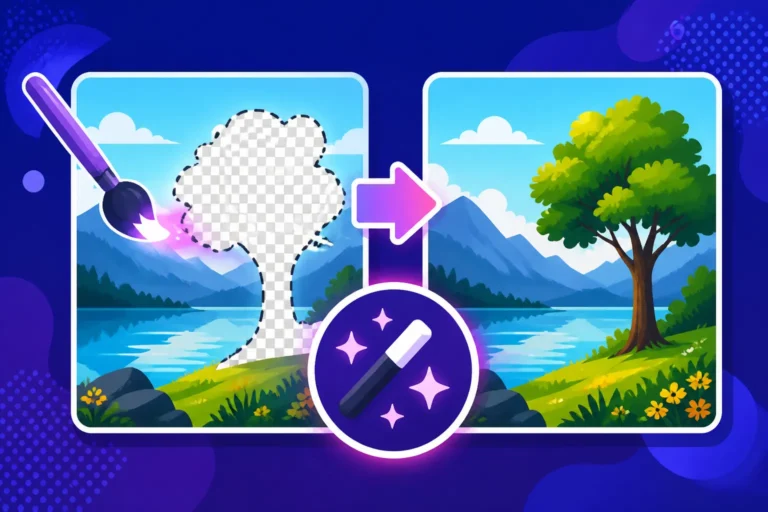
- Inpainting/Outpainting (Post-Generation): Many tools offer editing features that allow you to "repaint" specific areas of an image. If a hand is almost perfect but has an extra finger, you can use inpainting to select that area and re-prompt just for that section, or manually adjust it in a separate photo editor like Photoshop or GIMP. This is a common method for How to Fix AI Hands and Faces.
- Try Different Models/Tools: Some AI models are significantly better at generating realistic human anatomy than others. If you're consistently struggling with one tool, try another (e.g., comparing Midjourney vs DALL-E: Which Is Better for character fidelity).
- Be Specific in Your Prompt:
Fixing Garbled Text and Odd Artifacts
Getting AI to generate coherent, readable text within an image is notoriously difficult. Similarly, strange visual "artifacts" can crop up, disrupting an otherwise perfect image.
- Garbled Text:
- The Problem: AI image models are designed to generate images, not to understand or render alphanumeric characters as readable text. They see text as a visual pattern and try to mimic its appearance, often resulting in nonsensical symbols or squiggles.
- Troubleshooting Strategies:
- Use Tools Specialized in Text: If text in images is your primary goal, use tools specifically designed for it, such as Ideogram.ai. This tool is built from the ground up to handle typography much better than general image generators. Explore Ideogram Review: Best for Text in Images for more insights.
- Keep it Simple and Prominent: If you must generate text with a general AI, try very short, simple words, and make the text a very large, prominent element in your prompt. For instance,
a poster with the word "HELLO" in bold, sans-serif font. - Negative Prompts for Text: Often, it's better to generate an image without text and then add the desired text using a graphic design tool (like Canva or Adobe Photoshop) afterward. Use negative prompts like "no text," "no words," "no letters," "no typography" to prevent the AI from attempting it.
- Inpainting/Outpainting: You can generate a space for text and then use inpainting to add the text separately, carefully prompting for it, or simply use a graphic design tool to overlay it.
- Odd Artifacts (Glitches, Distortions, Unidentifiable Objects):
- The Problem: These are often remnants of the AI's training data, or strange interpolations when it struggles to connect disparate concepts. They can appear as visual noise, mismatched elements, or things that just don't belong.
- Troubleshooting Strategies:
- Increase Quality/Detail in Prompt: Terms like "high quality," "8K," "highly detailed," "sharp focus" can sometimes reduce artifacts by pushing the AI to generate a more refined image.
- Use Negative Prompts: "no blurry," "no blurry background," "no artifacts," "no noise," "no grain," "no ugly," "no bad anatomy" can help.
- Reduce "Chaos" or "Stylize" Parameters: If your tool has parameters for randomness or artistic interpretation (like
--chaosor--stylizein Midjourney), try reducing their values. Higher values can sometimes lead to more creative but also more artifact-prone results. - Simplify Your Prompt: If your prompt is overly complex or contradictory, the AI might struggle to resolve it, leading to artifacts. Break it down and simplify.
- Regenerate: Sometimes, it's just a bad roll of the dice. Generate a few more variations with the same prompt; one of them might be clean.
- Inpainting/Outpainting: For minor artifacts, you can often paint them out using post-processing tools.
When to Regenerate vs. Refine
This is a critical decision point for efficiency and sanity in your AI art journey. Knowing when to simply hit "regenerate" versus when to painstakingly "refine" your prompt can save you a lot of time and frustration.
-
When to Regenerate (Start Over / Reroll):
- Major Discrepancy: If the generated image is wildly off-topic, fundamentally misses the core concept, or is an unsalvageable mess (e.g., you asked for a cat, and got a toaster).
- Persistent Major Flaws: If you're consistently getting distorted faces/hands, terrible composition, or overwhelming artifacts even after minor prompt tweaks. It might be better to get a fresh set of initial variations.
- Lack of Inspiration: Sometimes, the variations you get simply aren't inspiring, and you need a completely new direction.
- Exploring Options: If you're still early in the creative process and want to see a broader range of interpretations for your prompt, regenerating multiple times is a good strategy.
-
When to Refine (Tweak Your Prompt):
- Close, But Not Perfect: If the image is largely good, but needs minor adjustments – a different color, a slightly different angle, a small object added or removed.
- Specific Element Improvement: You like the overall image, but a specific detail (like the lighting, the background texture, or the subject's expression) needs improvement. This is where adding specific modifiers, weights, or negative prompts comes in handy.
- Iterative Learning: When you want to understand the impact of specific keywords or parameters. Refining allows you to see cause-and-effect more clearly.
- Consistency is Key: If you're trying to maintain a consistent style or character across multiple images, refining previous successful prompts is crucial (often by using seeds or style references).
The general rule of thumb: If the image is fundamentally wrong or bad, regenerate. If it's almost right and just needs specific adjustments, refine. Don't waste time trying to fix a broken foundation. Learn to identify the point of diminishing returns in refining a flawed image. Remember, the journey of AI Image Prompt Guide for Beginners is all about learning from each attempt, successful or not.
Ethical Considerations and Best Practices
As powerful and exciting as AI image generation is, it also comes with a host of ethical considerations and best practices that responsible creators should be aware of. Navigating this landscape thoughtfully ensures you're not only creating amazing visuals but doing so responsibly and sustainably.
Understanding Copyright and Commercial Use
The legal landscape around AI-generated content is still evolving and can be quite complex. It's not as simple as "if AI made it, it's free."
- Who Owns AI Art? This is a hotly debated topic. In many jurisdictions, including the U.S. Copyright Office, human authorship is a prerequisite for copyright protection. This means that a purely AI-generated image (without significant human creative input beyond the prompt) might not be copyrightable. However, if a human heavily edits, curates, or guides the AI in a creative way, their unique human contribution may be eligible for copyright. The specific interpretation can vary by country and even by judge.
- Commercial Use Rights: This is perhaps the most critical concern for many users.
- Tool-Specific Licenses: Each AI image generator has its own Terms of Service and licensing agreements regarding commercial use.
- Some, like Adobe Firefly, explicitly state that generated images can be used commercially, and even offer indemnification for copyright infringement (meaning they'll cover legal costs if someone sues you for using their AI-generated image). This makes Adobe Firefly Commercial Safety Review a must-read for business users.
- Others, like Midjourney, typically grant commercial rights to paying subscribers, but their stance on the copyrightability of the output itself remains in the gray area of legal precedent.
- Free tiers often have stricter limitations, sometimes prohibiting commercial use or requiring attribution.
- Derivative Works: Be mindful if your prompt requests images "in the style of" a living artist or incorporates recognizable copyrighted characters. While the AI generates a new image, it could still be considered a derivative work or infringe on trademark/character rights.
- Best Practice: Always check the Terms of Service for the specific AI tool you are using before you use any AI-generated image for commercial purposes (e.g., selling prints, using in marketing materials, incorporating into a product). If in doubt, consult a legal professional specializing in intellectual property. Err on the side of caution.
- Tool-Specific Licenses: Each AI image generator has its own Terms of Service and licensing agreements regarding commercial use.
Avoiding Bias and Harmful Content
AI models are trained on vast datasets of existing images and text, and unfortunately, these datasets often contain biases present in human society and historical data. These biases can inadvertently be amplified in AI-generated content.
- Racial and Gender Bias: AI models can sometimes default to specific demographics (e.g., generating only white men in professional roles, or sexualizing certain genders) if not prompted explicitly. If you ask for a "CEO," you might get a middle-aged white man by default. To counteract this, be inclusive and specific in your prompts: "a diverse group of CEOs," "a female CEO of color," "a non-binary scientist."
- Stereotypes: The AI might reinforce stereotypes based on its training data. For example, prompting "person from X country" might lead to stereotypical imagery rather than diverse representations.
- Harmful Content: Most reputable AI image generators have safeguards in place to prevent the creation of explicit, violent, hateful, or illegal content. However, these filters aren't perfect, and users should always aim to use the tools responsibly and ethically. Do not attempt to bypass these filters or generate content that could be harmful or offensive.
- Best Practice:
- Conscious Prompting: Actively strive for diversity and inclusivity in your prompts when appropriate. Think critically about the assumptions the AI might be making.
- Review and Iterate: If an AI generates a biased or stereotypical image, reflect on why that might have happened and adjust your prompt to be more specific and inclusive.
- Report Issues: If you encounter harmful content or persistent bias from an AI tool, report it to the platform's developers. This helps them improve their models and safeguards.
- Transparency: If you share AI-generated images, consider being transparent about their origin. This helps educate others and fosters a more informed conversation around AI's capabilities and limitations.
Developing Your Unique Prompting Voice
While many prompts might share common elements, your unique perspective and creative choices are what truly set your AI art apart. Developing your "prompting voice" is akin to an artist developing their signature style.
- Experiment Beyond the Obvious: Don't just stick to the most common styles. Dive into obscure art movements, specific historical periods, niche photography techniques, or even blend unlikely genres (e.g., "steampunk fantasy," "futuristic baroque").
- Curate Your Keywords: Keep a running list of keywords and phrases that consistently produce results you love. This could include specific lighting conditions, atmospheric effects, artistic textures, or stylistic modifiers. For example, you might discover that adding "iridescent hues" or "volumetric fog" consistently enhances your images.
- Develop a Workflow: How do you typically start a prompt? Do you begin with subject, then style, then setting? Or do you focus on mood first? Establishing a consistent workflow can streamline your creative process.
- Study Others (and then adapt): Look at successful prompts shared by other creators. Analyze why they work, but don't just copy them. Instead, extract the underlying principles and apply them to your own unique ideas. What specific adjectives, technical terms, or stylistic references are they using?
- Embrace Iteration and Learning: Every single prompt, whether successful or not, is a learning opportunity. Pay attention to how the AI responds to different inputs. Keep track of what works and what doesn't. Over time, you'll develop an intuitive understanding of how to "speak" to the AI most effectively to bring your distinctive visions to life.
By thoughtfully considering these ethical guidelines and actively cultivating your unique prompting approach, you'll not only create incredible AI art but also contribute positively to the evolving world of AI creativity.
Disclaimer
Please note that the information provided in this guide is for general informational purposes only. The field of AI image generation is rapidly evolving, and specific tool features, pricing, and legal considerations (including copyright and commercial use) can change frequently. Always refer to the most up-to-date terms and conditions of any AI tool you use and consult with a legal professional for specific advice regarding commercial projects.