How to Build a Reusable Prompt Library
Let's be honest, trying to generate that perfect AI image again can feel like searching for a needle in a haystack. You remember creating something brilliant last week, but the exact prompt? Gone, lost in a sea of Discord messages or forgotten tabs. This common frustration wastes precious time and leads to inconsistent results. This guide is here to solve that by walking you through the practical steps to build a robust, reusable prompt library, ensuring your best creations are always at your fingertips.
Why a Prompt Library Is Essential for AI Image Creation
If you've spent any significant time with AI image generators, you've likely experienced the agony of a "one-hit wonder" – that incredible image you generated once, but can't replicate no matter how hard you try. Or perhaps you find yourself typing out the same detailed descriptions over and over again for different projects. This inefficiency is not just annoying; it directly impacts your productivity and the quality of your output. A well-organized prompt library isn't just a nice-to-have; it's a fundamental tool for anyone serious about leveraging AI for visual content.
The Frustration of Forgotten Prompts
We've all been there. You craft an elaborate prompt for a striking cityscape with specific lighting, a unique artistic style, and a particular atmospheric effect. The AI spits out something breathtaking. You save the image, perhaps share it, and move on. A few days later, a new project needs a similar aesthetic. You start from scratch, fumbling with keywords, trying to recall the exact combination that worked magic before. Sometimes you get close, but often, the magic is lost. This cycle of trial and error, exacerbated by the sheer volume of prompts we generate, is incredibly draining. It's like a chef trying to recreate a signature dish without a recipe – possible, but far from efficient or consistent. This is where a prompt library truly shines, acting as your personal recipe book for digital art.
Boosting Consistency and Efficiency
The primary benefit of a prompt library is the massive boost in consistency and efficiency it provides. Imagine needing a series of product shots for an e-commerce store, all with the same clean, minimalist background and soft studio lighting. Instead of re-engineering the prompt for each item, you pull up your saved "studio product shot" base prompt, tweak the subject, and generate a consistent set of images in minutes. This consistency is vital for branding, storytelling, and maintaining a professional aesthetic across all your visual assets.
Beyond consistency, think about the time savings. When you understand How to Write AI Image Prompts effectively, you realize that good prompts are often complex. They involve not just the subject, but also style, composition, lighting, camera angles, color palettes, and even negative prompts. Crafting these from scratch every time is a huge time sink. With a library, you're not just copying and pasting; you're building upon a foundation of proven success. You're starting 80% of the way there, freeing up your mental energy to focus on the truly creative aspects of your project. This efficiency becomes even more critical when you're working on tight deadlines or managing multiple client projects, where every minute counts.
Evolving Your AI Art Style
For many artists and creators, AI isn't just a tool; it's a new medium for developing a unique artistic voice. A prompt library is instrumental in this journey. By systematically saving and categorizing your prompts, you can start to identify patterns in what works best for your desired aesthetic. Perhaps you discover a particular combination of keywords and parameters that consistently produces the painterly texture you adore, or the cinematic lighting that defines your visual storytelling.
As you experiment and learn, your library becomes a dynamic record of your artistic evolution. You can revisit older prompts, modify them, and see how your style has shifted or refined. This iterative process is crucial for growth. It allows you to build a signature look, making your AI-generated art instantly recognizable. For instance, if you're exploring different artistic styles, having a section dedicated to prompts for "impressionistic landscapes" versus "cyberpunk cityscapes" allows you to quickly switch gears while maintaining a high standard of output. It's a structured way to push the boundaries of your creativity and develop a truly distinct portfolio. If you're looking for ways to refine your artistic expression, checking out resources like How to Prompt for Specific Art Styles can provide excellent inspiration to add to your growing library.
Essential Components of a Powerful Prompt Library
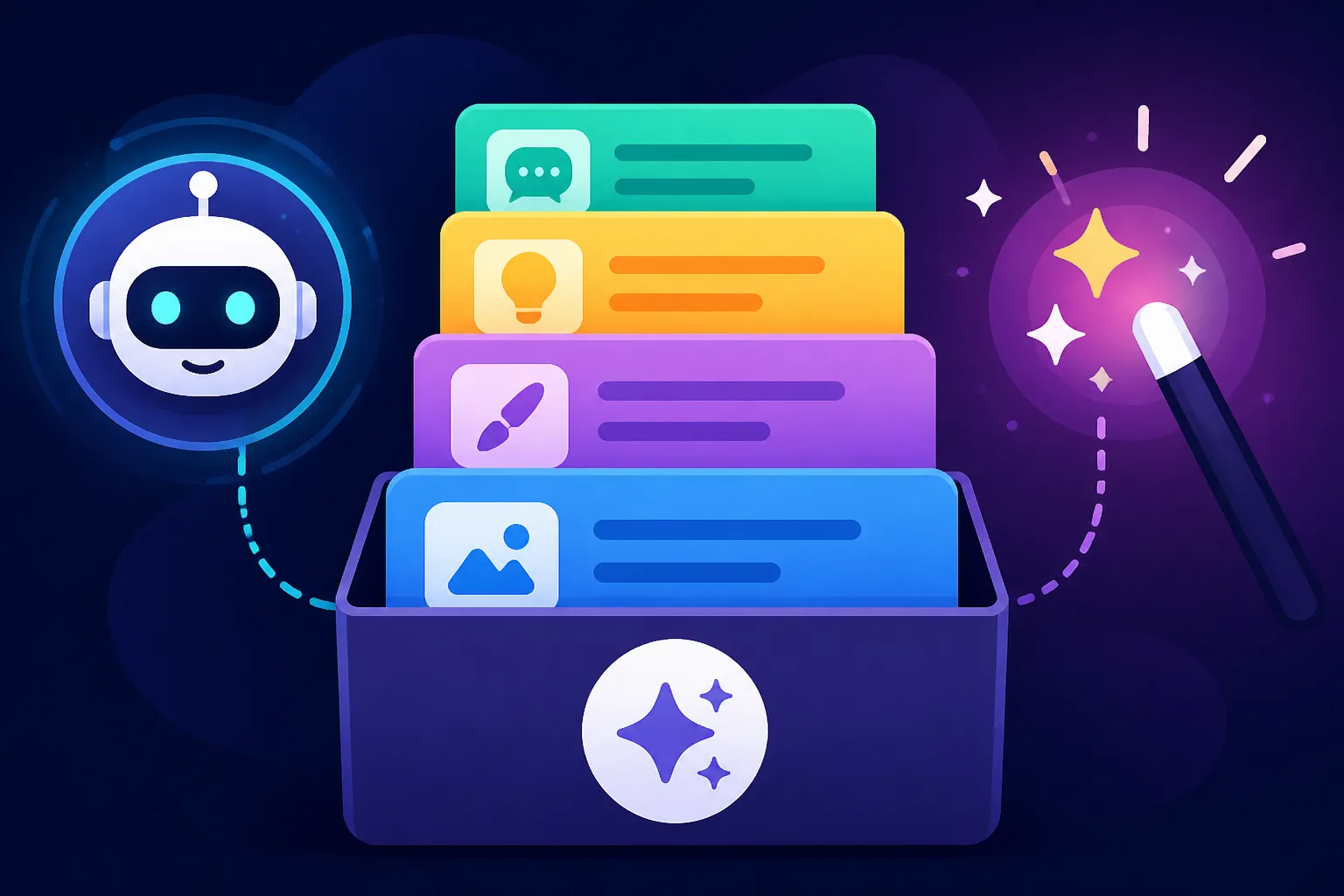
Building an effective prompt library isn't just about saving text files; it's about creating a structured system that makes your prompts easy to find, understand, and reuse. Think of it as developing a systematic approach to your creative process, transforming chaos into clarity. The more thought you put into its structure now, the more valuable it will become as your collection grows.
Categorization Strategies: Tags, Themes, and Styles
The backbone of any good library is its organization. Without a solid categorization system, your prompt library will quickly become as unwieldy as a messy desktop. You need a way to quickly identify and retrieve prompts based on their characteristics.
- Tags: Tags are incredibly versatile. You can tag prompts by subject matter (e.g., "fantasy creature," "product photography," "architectural render"), by mood ("dreamy," "intense," "minimalist"), or even by specific technical parameters ("–ar 16:9," "cinematic lighting"). The beauty of tags is that a single prompt can have multiple tags, allowing for flexible searching and cross-referencing. For example, a prompt might be tagged "fantasy," "dragon," "epic," and "fire effects."
- Themes: Grouping prompts by overarching themes can be highly effective, especially for ongoing projects or niche interests. If you primarily generate images for a blog about gardening, you might have themes like "floral arrangements," "garden landscapes," "insect close-ups." For a graphic designer, themes could be "website headers," "social media banners," "logo concepts."
- Styles: This is perhaps one of the most important categories for AI art. A prompt for an "oil painting" will be vastly different from one for a "pixel art" image. Categorizing by style (e.g., "photorealism," "anime," "watercolor," "concept art," "3D render") allows you to quickly jump between different aesthetic approaches. This becomes particularly useful when you're trying to achieve specific artistic visions or blend different styles, as discussed in How to Blend Styles in One Prompt. When developing your library, it's a good idea to create a master list of your preferred styles and use those consistently in your tags or folders.
A good strategy is to use a combination of these. You might have main folders for "Photorealism" and "Abstract Art," and then within those, use tags for "portraits," "landscapes," and specific lighting conditions.
Deconstructing Your Prompts: Elements to Track
Simply copying the full prompt isn't enough for a truly reusable library. To make a prompt truly useful, you need to understand why it worked. This means breaking down your successful prompts into their core components and tracking additional metadata. This granular approach allows for surgical adjustments and iterative improvements.
Consider tracking these elements for each prompt:
- Full Prompt Text: The complete prompt string used.
- Core Subject/Concept: What the image is fundamentally about.
- Style Modifiers: Keywords relating to artistic style (e.g., "cinematic," "hyperrealistic," "oil painting," "anime").
- Lighting/Atmosphere: Descriptions like "golden hour," "studio lighting," "dramatic shadows," "foggy," "ethereal."
- Composition/Angle: "Close-up," "wide shot," "from above," "rule of thirds."
- Color Palette: "Monochromatic," "vibrant pastels," "dark academia tones."
- Negative Prompts: Crucial for avoiding unwanted elements. Knowing How to Use Negative Prompts effectively is key here.
- Parameters: Any specific settings used by your AI tool (e.g.,
--ar 16:9,--v 5.2,--s 750in Midjourney). If you're a Midjourney user, understanding Midjourney Parameters Explained can significantly improve your prompt breakdown. - AI Tool Used: Midjourney, DALL-E, Stable Diffusion, etc. (especially if you use multiple tools).
- Version/Model: Which specific model or version of the AI tool was used (e.g., Midjourney V6, DALL-E 3, Stable Diffusion XL).
- Seed: If reproducible results are important, noting the seed can be invaluable.
- Notes/Observations: What worked well, what didn't, ideas for future tweaks.
- Reference Image (if applicable): A small thumbnail of the best generated image from that prompt for quick visual recall.
Here's a simplified example of how you might track these elements:
| Field | Example Value |
|---|---|
| Full Prompt Text | "A majestic dragon flying over a medieval castle at sunset, highly detailed, fantasy art, volumetric lighting, golden hour, wide angle, epic, masterpiece, unreal engine, octane render –ar 16:9 –v 6.0" |
| Core Subject | Dragon, medieval castle |
| Style Modifiers | highly detailed, fantasy art, masterpiece, unreal engine, octane render |
| Lighting/Atmosphere | sunset, volumetric lighting, golden hour |
| Composition/Angle | flying over, wide angle |
| Color Palette | warm, golden, epic tones |
| Negative Prompts | ugly, blurry, deformed, cartoon |
| Parameters | --ar 16:9 --v 6.0 |
| AI Tool Used | Midjourney |
| Model Version | V6.0 |
| Notes/Obs. | Excellent detail on scales, castle architecture is strong. Next time, try adding "–stylize 250" for more artistic flair or experiment with different Midjourney Prompt Guide techniques. |
| Reference Image | (Link or placeholder for a small thumbnail) |
Version Control for Prompt Evolution
Just like software development, prompts often evolve. What works today might be refined tomorrow, or a slight tweak could lead to a breakthrough. Implementing a simple version control system prevents you from losing previous successful iterations and helps you track what changes led to which results.
This doesn't need to be overly complicated. For instance, in a text file or a dedicated notes app, you could simply label your prompts with dates or version numbers:
- Prompt_FantasyDragon_V1_InitialDraft (2024-03-10): [Original prompt text]
- Prompt_FantasyDragon_V2_AddedVolumetricLighting (2024-03-12): [Modified prompt text with lighting keywords]
- Prompt_FantasyDragon_V3_RefinedStyle (2024-03-15): [Further refined with specific art movement references]
Another approach is to have a "base prompt" and then list modifications and their outcomes below it. This allows you to see the progression and understand which elements yielded the best How to Get Better AI Image Results. This iterative process is key to mastering AI image generation and avoiding common pitfalls detailed in articles like Common AI Image Prompt Mistakes. By keeping track of changes, you'll learn faster and build a more robust understanding of prompt engineering.
Practical Tools and Methods for Building Your Library
Choosing the right tool for your prompt library depends heavily on your existing workflow, your technical comfort, and how extensively you plan to use AI image generation. There's no single "best" tool, but rather the best tool for you. The goal is to make it easy to capture, organize, and retrieve your prompts, not to add another layer of complexity.
Low-Tech Solutions: Spreadsheets and Text Files
You don't need fancy software to start building a valuable prompt library. Sometimes, the simplest solutions are the most effective, especially when you're just starting out or prefer a minimalist approach.
- Text Files (.txt, .md): For sheer simplicity, plain text files are hard to beat. You can create a folder structure on your computer (e.g., "AI Prompts/Photorealism/Portraits") and save individual
.txtor Markdown (.md) files for each prompt or category. Markdown files are great because you can add basic formatting like headings, bullet points, and code blocks for your prompts. The downside is that searching and tagging capabilities are limited to what your operating system's file search offers, and visual references (like small thumbnails of your best images) aren't as integrated. However, for a quick and dirty solution, or if you primarily rely on a few core prompts, this method works just fine. - Spreadsheets (Google Sheets, Excel): This is a powerful, yet still low-tech, option that provides excellent structure. Using a spreadsheet, you can create columns for each prompt element we discussed earlier (Full Prompt, Subject, Style, Lighting, Negative Prompts, Parameters, Notes, etc.). This allows for easy sorting, filtering, and searching. You can even include a column for a direct link to the generated image if it's hosted online. Google Sheets, in particular, offers easy access from any device and collaborative features if you're working with a team. It's a fantastic middle-ground solution that offers significant organizational power without requiring you to learn a new application. Many find it invaluable for managing detailed prompt breakdowns and keeping track of specific AI generation settings, much like how you might track data for DALL-E Prompt Guide or Best AI Image Prompt Formulas.
Digital Tools: Notion, Obsidian, and Dedicated Apps
For those who want more advanced features, better integration with other notes, or a more visual experience, dedicated digital tools offer a significant upgrade.
- Notion: Notion is an incredibly versatile workspace that can be customized to act as a powerful prompt library. You can create databases with custom properties (just like spreadsheet columns) for all your prompt elements. But Notion goes further: you can embed images directly, link to related pages (e.g., a page for "cinematic lighting styles" that links to all prompts using that style), and create different views (table, gallery, kanban board) to browse your prompts visually. Its tagging system is robust, and the ability to add rich text notes, code blocks, and even checklists makes it ideal for comprehensive prompt documentation. Many content creators already use Notion for general organization, making it a seamless addition to their workflow.
- Obsidian: For those who prefer a local, Markdown-based knowledge base with powerful linking capabilities, Obsidian is an excellent choice. It allows you to create individual Markdown files for each prompt, but its real power lies in bidirectional linking. You can link keywords in one prompt to a master definition page (e.g., linking "volumetric lighting" to a page explaining what that means and showing examples). This creates a "graph view" of your knowledge, making connections between different concepts and prompts clear. It's perfect for building a deeply interconnected library and for users who appreciate owning their data locally.
- Dedicated AI Prompt Management Apps: The ecosystem for AI tools is growing rapidly, and dedicated prompt management apps are emerging. These might offer features like direct integration with certain AI generators, built-in preview windows, or community features for sharing and discovering prompts. While the landscape is still evolving, a quick search for "AI prompt manager" or "prompt library software" might reveal new, tailored solutions that fit your specific needs. Look for tools that allow easy capture from your AI generator of choice and offer robust search and filtering capabilities.
Integrating with Your Workflow
The best prompt library is one you actually use. It needs to seamlessly integrate into your daily AI image generation workflow. If it's a hassle to save or retrieve prompts, you simply won't do it.
- Make Saving a Habit: As soon as you generate a successful image, make it a habit to copy the prompt and relevant metadata into your library. Don't wait. The excitement of a good result is the perfect time to capture the details.
- Easy Access: Keep your chosen tool readily accessible. If it's a spreadsheet, bookmark it. If it's Notion or Obsidian, keep the app open or pinned. Minimize the friction between generating and archiving.
- Templates for New Entries: Create templates within your chosen tool for new prompt entries. This ensures you consistently capture all the necessary information (subject, style, lighting, parameters, negative prompts, notes, etc.) every time, saving you mental effort and ensuring completeness. This ties directly into advice on how to structure prompts, such as in the Midjourney V7 Features and Updates documentation or detailed guides on specific model functionalities.
- Use Hotkeys or Shortcuts: If your tool allows, set up hotkeys or shortcuts for quick access to your library or for adding new entries. For example, a global hotkey that brings up a quick entry form for a new prompt can be a game-changer for speed and consistency.
By making your prompt library a natural part of your creative loop, you transform it from a chore into an invaluable asset that enhances every AI image you generate.
Maintaining and Expanding Your Prompt Library
Building your prompt library is just the first step; keeping it alive, relevant, and growing requires ongoing effort. Think of it as cultivating a garden – you plant the seeds, but consistent tending ensures a bountiful harvest. A static library quickly becomes outdated and less useful as AI models evolve and your own skills improve.
Regular Review and Refinement
AI image generation models are constantly being updated and refined. What worked perfectly with Midjourney V5 might need tweaking for Midjourney V6, and DALL-E 3 operates quite differently than its predecessors. This means your prompts aren't set in stone.
- Schedule Quarterly Reviews: Set aside time, perhaps once every quarter, to go through your library. Test older prompts with newer AI models. You might find that a prompt that was "good" is now "great" or, conversely, needs significant adjustment.
- Update and Consolidate: Look for redundant prompts. Perhaps you have five slightly different prompts for "cinematic portraits." Can they be consolidated into one core prompt with clear notes on how to modify it for specific nuances? Update obsolete keywords or parameters. For instance, if you're heavily invested in Midjourney, staying current with changes (like those covered in Midjourney V7 vs V6: What Improved) is crucial for optimizing your prompts.
- Archive vs. Delete: Don't delete prompts immediately if they stop working as expected. Instead, move them to an "archive" or "legacy prompts" section. They might provide historical context, or perhaps a future AI model will make them relevant again. This also prevents the frustration of accidentally losing a prompt you thought was useless but turns out to be salvageable.
Refinement isn't just about technical updates; it's also about improving the quality of your prompt descriptions. Learning How to Write a Detailed Image Prompt can help you articulate better ideas within your existing library entries.
Learning from Others and Experimentation
A great way to expand and improve your prompt library is to learn from the wider AI art community and to actively experiment. You don't have to reinvent the wheel every time.
- Community Inspiration: Platforms like Discord channels, Reddit communities (r/midjourney, r/stablediffusion), and online galleries often share successful prompts. When you see an image you love, try to deconstruct the prompt if it's available. Save interesting prompt structures or keyword combinations that you encounter. Just make sure to credit where credit is due if you're adapting someone else's prompt for your own learning!
- Prompt Hacking: Take a prompt you find online or one of your own, and start intentionally changing single elements. What happens if you change "cinematic lighting" to "soft Rembrandt lighting"? What if you swap "cyberpunk city" for "steampunk village"? This systematic experimentation is how you discover new effects and build a deeper understanding of how AI models interpret different keywords. Document these experiments and their outcomes in your library.
- Dedicated Experimentation Section: Consider having a separate "Experimentation Lab" section in your library. Here, you can throw new ideas, test hypotheses (e.g., "Does adding '8K' truly make a difference?"), and document the results. This keeps your main library clean while still preserving valuable learning experiences. Don't be afraid to try out tools you haven't used much before, for example, running comparisons like DALL-E vs Stable Diffusion Compared to see how different models interpret similar prompts. This also helps when you need to Fix Bad AI Image Results from your experiments.
Collaborative Prompt Building
If you work as part of a team, or even if you just share AI art with friends, collaborating on a prompt library can be incredibly beneficial.
- Shared Resources: Using cloud-based tools like Google Sheets or Notion allows multiple users to contribute to and access the same prompt library. This ensures everyone on the team is using consistent branding, styles, and high-quality prompts.
- Knowledge Sharing: Different team members will have different strengths and discover different prompt "tricks." A collaborative library becomes a central repository of this shared knowledge, elevating the quality of work across the board. For instance, one team member might excel at How to Prompt for Consistent Characters, while another might master How to Upscale AI Images and document the best prompts for high-resolution output.
- Version Control for Teams: With collaboration, version control becomes even more critical. Ensure your chosen tool can track who made which changes, or establish clear guidelines for making updates to avoid overwriting valuable information. This ensures that the library remains a reliable source of information for everyone involved.
By actively maintaining, expanding, and potentially collaborating on your prompt library, you transform it from a static collection into a dynamic, living asset that continuously enhances your AI image creation capabilities.
Disclaimer
The information provided in this article is for general informational purposes only and does not constitute professional advice. AI technologies and their capabilities are rapidly evolving, and specific tool functionalities, pricing, and terms of use may change over time. Always consult the official documentation and terms of service for any AI image generation tool you choose to use.