How to Use Seeds for Reproducible Images
It's incredibly frustrating, isn't it? You spend time crafting the perfect prompt, hit generate, and there it is – that one stunning image that perfectly captures your vision. You try to regenerate it, maybe with a tiny tweak, and suddenly it's gone, replaced by something close but not quite right. This common headache in the world of AI image generation can leave you feeling like you're chasing ghosts. But what if I told you there's a simple, yet powerful, solution to this reproducibility puzzle? This guide is all about demystifying the "seed" value in AI image tools and showing you exactly how to use it to get consistent, repeatable results, so you never lose that perfect image again.
Understanding the "Seed" in AI Image Generation
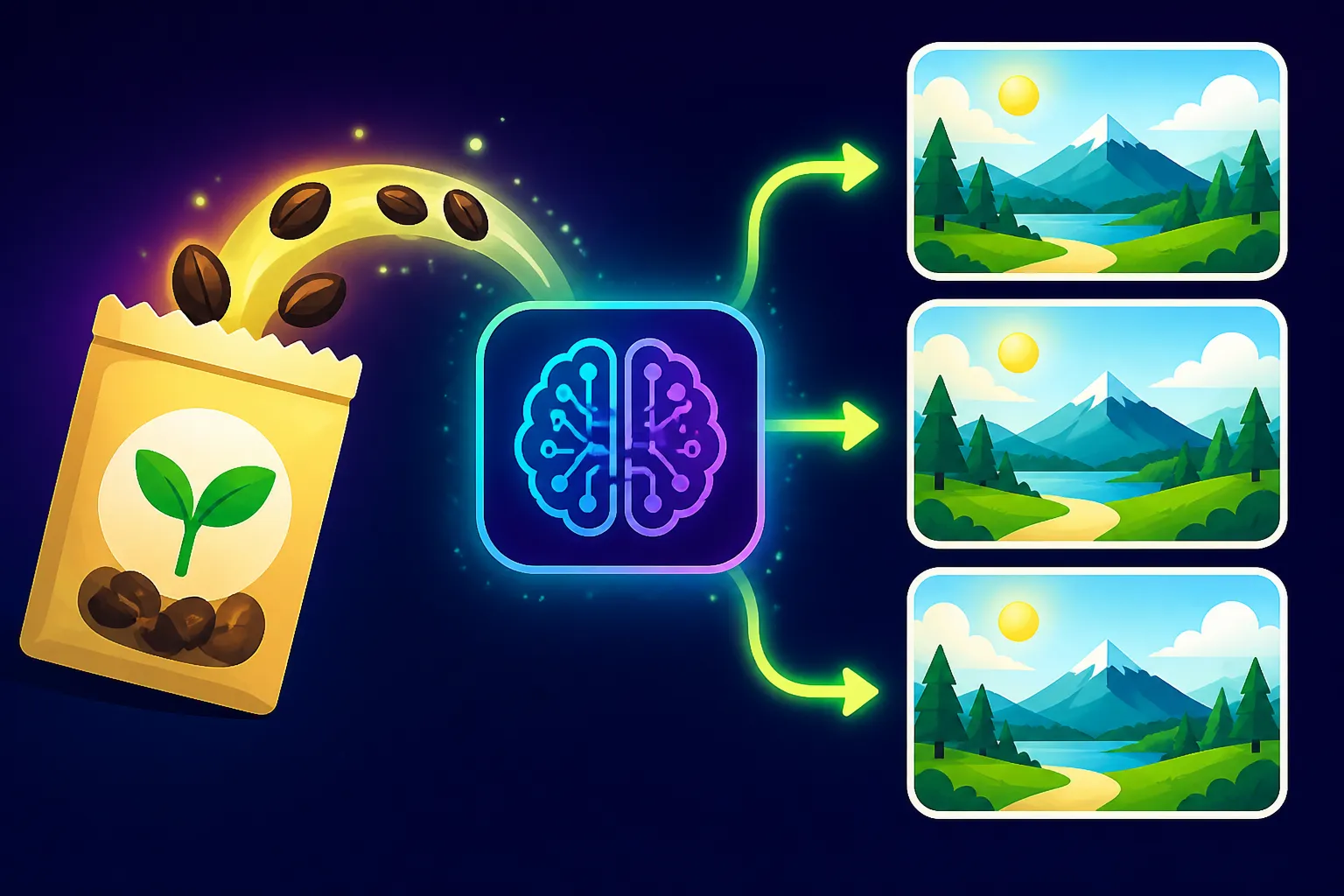
When you ask an AI image generator to create something, it doesn't just pull an image out of thin air. It starts with a blank canvas, often filled with what looks like random noise. This "noise" isn't truly random in the computer sense; it's based on a numerical starting point. This starting point is what we call the "seed." Think of it as the foundational ingredient list and initial instructions for baking a complex cake. Every cake baked with that exact same seed and recipe will turn out precisely the same, assuming all other conditions are equal.
What is an AI Image Seed and Why Does it Matter?
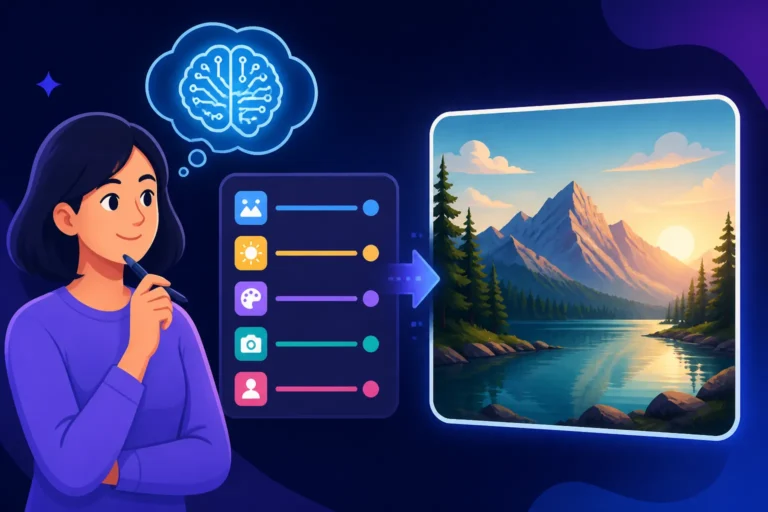
An AI image seed is essentially a number that initializes the noise pattern from which your image begins to form. When an AI tool like Midjourney, DALL-E, or Stable Diffusion receives your prompt, it interprets your words into concepts and then uses that seed number to kickstart the diffusion process. This process gradually transforms the initial noise into the image described by your prompt. If you don't specify a seed, most AI tools will simply pick a random one for you each time, which is why your results vary wildly between generations, even with the exact same prompt.
Why does it matter? Because without knowing and specifying the seed, reproducing a specific image is like trying to find a needle in a haystack blindfolded. You might get something similar, but the exact composition, lighting, and details that made that one image special will be lost to the digital ether. For content creators, designers, or anyone needing consistency, understanding and utilizing the seed is absolutely critical. Imagine you're designing a series of social media graphics or illustrations for a children's book. You need your main character to look the same in every frame. That's where the magic of the seed comes in, allowing you to maintain continuity. To truly master your AI art, you'll want to dive deep into how to get better AI image results, and seeds are a huge part of that.
The Problem of Reproducibility Without Seeds
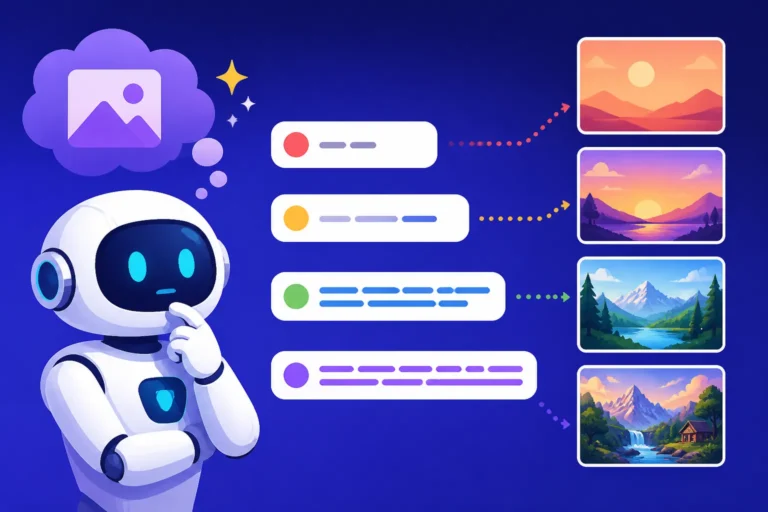
The default behavior of AI image generators, which is to use a new, random seed for each generation, is fantastic for exploration. It's how you stumble upon unexpected gems and explore a vast array of possibilities. However, this strength becomes a major frustration when you land on something truly exceptional and then can't recreate it. You tweak a word in your prompt, regenerate, and the entire aesthetic shifts. You want to make a slight color adjustment, or change an expression, but without the seed, you're essentially starting from scratch.
This lack of control can be incredibly time-consuming. Bloggers, for instance, might need several images featuring a consistent visual style for a single post. Without seeds, they might generate dozens of images, hoping to get lucky again, only to find the "perfect" one they had a moment ago is now unattainable. For those building a brand, ensuring consistent visual assets is paramount. It can be like trying to create a coherent narrative or a unified product line when every new piece looks like it came from a different universe. This frustration is precisely why learning about tools like Stable Diffusion and its prompt guides, which emphasize seed usage, becomes so valuable.
Practical Applications of Seeds for Consistent Results
The power of seeds truly shines when you move beyond mere experimentation and into deliberate creation. By fixing the seed, you gain a level of control that transforms AI image generation from a game of chance into a refined artistic process.
Maintaining Character Consistency Across Multiple Images
One of the most common and challenging tasks in AI image generation is keeping characters consistent across different scenes or poses. Whether you're illustrating a story, creating a series of marketing visuals, or just building out a portfolio, character consistency is vital. Without a consistent seed, your character's facial features, clothing details, and even their general aura can change dramatically from one image to the next, making a cohesive narrative impossible.
Let's say you're working on a series of images for a local cafe's promotional campaign, featuring their mascot: a whimsical barista squirrel named Nutty. You've generated a fantastic image of Nutty pouring coffee, and you love his bushy tail, cheerful grin, and tiny apron. You extract the seed (let's say it's 45678). Now, you want another image of Nutty greeting a customer. By keeping the prompt largely the same, but adding --seed 45678 (if using a tool like Midjourney), you can ensure that Nutty's core appearance remains consistent. You can then adjust the pose, background, and actions in your prompt, like "a whimsical barista squirrel named Nutty greeting a customer in a cozy cafe, latte art on counter, warm morning light, cinematic –seed 45678". You'll find that Nutty's distinct features carry over, even as his environment and actions change. For more advanced techniques, explore how to prompt for consistent characters.
Iterating on an Image While Keeping Core Elements
Sometimes, an AI-generated image is almost perfect, but it needs a subtle tweak. Maybe the lighting isn't quite right, the composition feels slightly off, or you want to experiment with a different art style for a specific element. Without seeds, making these iterative changes feels like walking a tightrope without a net. You risk losing the strong foundational elements of the image you already like.
With a fixed seed, however, you can experiment freely. Imagine you've generated a beautiful landscape painting of a serene mountain lake at sunset, and the seed was 98765. You love the composition, the reflections, and the mountains, but you feel the sunset could be more dramatic, or perhaps you want to add a small boat. You can take your original prompt, add --seed 98765, and then modify only the aspect you want to change: "a serene mountain lake at fiery dramatic sunset, reflections on water, a small rowboat in the foreground, highly detailed, oil painting –seed 98765". The AI will use the same initial noise pattern, retaining the overall structure and feel of the original image, but apply your new prompt instructions to the specified elements. This targeted iteration saves immense time and allows for precise artistic refinement without losing your core creative vision. Learning to craft effective prompts is key here, so make sure to check out guides like How to Write AI Image Prompts.
Replicating a Specific Style or Aesthetic
Beyond individual characters, seeds can also help you anchor a particular visual style or aesthetic. While a good prompt is essential for defining style, a specific seed, especially when combined with a well-honed prompt, can often capture a nuance that's hard to articulate purely through text. If you find a generation that nails a specific blend of realism and impressionism, or a unique textural quality, saving that seed allows you to reliably return to that starting point.
For instance, a particular seed might consistently produce images with a dreamy, ethereal glow when combined with a "fantasy forest" prompt. You can then use this seed as a base for generating various fantastical scenes, knowing they will all share that distinctive atmospheric quality. This is less about replicating an exact image and more about leveraging a seed that, when paired with your chosen prompt, yields a desired stylistic fingerprint. It's a powerful way to develop a signature look across your AI-generated content, much like artists develop their own unique brushstrokes. If you're looking to consistently generate stunning photorealistic images, understanding how seeds contribute to specific aesthetic outcomes is invaluable, making resources like how to write prompts for photorealistic images highly relevant.
How to Find and Implement Seeds in Popular AI Tools
The process of finding and using seeds varies slightly between different AI image generators. However, the underlying principle remains the same: identify the seed from a successful generation and then re-input it for subsequent generations.
Locating the Seed Value After Generation
Most reputable AI image generators provide a way to retrieve the seed value. This is a crucial feature that enables reproducibility.
- Midjourney: When you generate an image in Midjourney, especially through its Discord bot, you can react to the image with an envelope emoji (✉️). Midjourney will then send you a direct message containing the image, its full prompt, style details, and, crucially, the seed number. For users of the new Midjourney web app, the seed is usually visible in the image's metadata or details panel after generation. Understanding Midjourney prompt guide and its parameters is essential for this.
- DALL-E (via ChatGPT/API): When using DALL-E through ChatGPT, the seed isn't always explicitly shown in the chat interface. However, for those using the DALL-E API directly or certain integrations, the seed value is part of the generation response metadata. Some third-party wrappers or advanced plugins for DALL-E might expose it more readily. For general DALL-E usage, explicitly asking it to include the seed in its output description can sometimes work, or you might need to rely on the "V" (variations) button to iterate from a previous image, which implicitly uses the previous image's seed. For deeper insights into this tool, check out the DALL-E prompt guide.
- Stable Diffusion: Stable Diffusion, especially community versions like Automatic1111's web UI, is excellent for seed transparency. After generating an image, you'll typically find the seed number prominently displayed, often in a log or directly below the image preview. It's usually labeled "Seed." The flexibility of Stable Diffusion makes it a favorite for many users who want explicit control, and its prompt guide elaborates on this extensively.
- Adobe Firefly: Adobe Firefly, integrated into Creative Cloud apps, often provides the seed in the properties panel or metadata of the generated image. As a tool geared towards commercial use, ensuring reproducibility is a high priority, so they generally make the seed accessible for iterative design.
- Leonardo AI: Leonardo AI offers a robust platform for image generation, and you can usually find the seed associated with your generated images in the image details or history section. This allows users to easily revisit and refine their creations.
Inputting Seeds for Future Generations
Once you have that golden seed number, using it again is usually straightforward, though the syntax varies.
- Midjourney: To use a seed in Midjourney, you simply add the
--seedparameter followed by your desired seed number to the end of your prompt.- Example:
/imagine prompt: a futuristic city at night, neon lights, flying cars, cyberpunk style --seed 12345
- Example:
- DALL-E: If you're using DALL-E through an interface that allows explicit seed input (not always the case with basic ChatGPT integrations), there will be a dedicated field or a specific prompt instruction. If not, the "generate variations" button often acts as an implicit seed re-use.
- Stable Diffusion: In most Stable Diffusion web UIs (like Automatic1111), there's a clear "Seed" field where you can input the number. You can also click a "recycle" or "clipboard" icon next to a generated image's seed to automatically copy it to the input field for your next generation.
- Adobe Firefly & Leonardo AI: These tools typically have a dedicated "Seed" input field within their generation interface, often under an "Advanced" or "More Settings" tab. You simply paste your saved seed number into this field.
Here's a quick comparison of how common tools handle seeds:
| AI Tool | How to Find Seed | How to Input Seed | Notes |
|---|---|---|---|
| Midjourney | Envelope emoji reaction, web UI image details | --seed <number> parameter in prompt |
Crucial for precise iterations and consistent characters |
| DALL-E | Via API response metadata; sometimes described | "Generate variations" button; some integrations allow | Direct input less common in basic chat interfaces |
| Stable Diffusion | Displayed in UI (e.g., Automatic1111), generation logs | Dedicated "Seed" input field in UI | Excellent for control, often has "recycle seed" button |
| Adobe Firefly | Image properties/metadata in UI | Dedicated "Seed" input field in UI | Good for commercial consistency, robust UI |
| Leonardo AI | Image details in generation history | Dedicated "Seed" input field in UI | User-friendly, good for iterative design and character consistency |
Advanced Tips for Mastering Seed-Based Generation
While simply using a seed offers a huge leap in reproducibility, there's an art to truly mastering seed-based generation. It's about combining seeds with other controls to achieve even finer results.
Combining Seeds with Other Parameters for Finer Control
Using a seed is like having a consistent starting point, but you can also guide the AI's journey from that starting point with various other parameters. This is where the real magic happens, allowing you to iterate intelligently rather than just repeating.
For instance, in Midjourney, you can combine a seed with --stylize or --chaos parameters. A low --stylize value might keep the image very close to your prompt, while a higher value allows the AI more artistic freedom from that same seed. Adding --chaos introduces more varied results even with the same seed, perfect for exploring a wider range of ideas that still stem from the same core "essence." Additionally, parameters like aspect ratios (e.g., --ar 16:9) ensure your reproducible images maintain consistent dimensions. You can learn more about these in the Midjourney Parameters Explained guide.
With Stable Diffusion, the possibilities are even more granular. You can fix a seed while adjusting the "CFG Scale" (Classifier-Free Guidance Scale), which controls how strictly the AI follows your prompt. A higher CFG Scale makes it follow the prompt more closely, while a lower one allows more room for interpretation, all from that same seed. You can also experiment with "Sampler" methods; different samplers will interpret the noise initiated by the seed in subtly different ways, even with the same seed. For sophisticated control, exploring concepts like ControlNet with a fixed seed allows you to impose structural, pose, or depth information onto your reproducible images. If you're using a tool like Flux AI Image Generator, they also offer various parameters to fine-tune your output from a given seed.
When to Avoid Using the Same Seed
While seeds are fantastic for consistency, there are times when you should actively avoid reusing them. Over-reliance on a single seed can stifle creativity and limit the diversity of your output.
- When you need fresh ideas: If you're in an exploratory phase, brainstorming different concepts, or trying to break out of a creative rut, letting the AI generate with random seeds is invaluable. This allows for unexpected combinations and novel interpretations you might not have considered. Think of it as throwing spaghetti at the wall to see what sticks – sometimes the "random" splatters are the most interesting.
- When you want diverse variations: If your goal is to generate a gallery of broadly different images around a theme, a fixed seed will often yield variations that are too similar in composition or structure. You might get different colors or minor detail changes, but the core layout will persist. In this case, embracing random seeds or explicitly using tools' variation features (without fixing a seed) is better.
- When iterating on a prompt that isn't working: If your prompt isn't giving you the desired results, endlessly reusing the same seed will likely produce slight variations of the same undesirable outcome. It's better to change the prompt and allow a new seed to be generated, shaking up the entire process to see if a different starting point combined with your refined prompt leads to a breakthrough.
Troubleshooting Common Seed Issues
Even with seeds, you might encounter situations where things don't go exactly as planned. Don't worry, it's usually solvable!
- Seed not working / Images are too different:
- Typo in the seed: Double-check that you've entered the exact seed number. A single digit off can lead to a completely different image.
- Changed AI model version: AI models are constantly being updated. If you generated an image with Midjourney V6 and then try to reproduce it with Midjourney V7, the seed might yield wildly different results because the underlying algorithm has changed. The same applies to major updates in Stable Diffusion or DALL-E. For example, a seed that worked perfectly in Stable Diffusion 2.1 might produce something entirely different in Stable Diffusion 3.5. This is a common pitfall.
- Other parameters changed: Ensure all other parameters in your prompt (like aspect ratio, stylize, chaos, negative prompts, CFG scale) are identical to the original generation. Even subtle changes can alter the output significantly, even with the same seed. If you're unsure about negative prompts, it's worth a refresher on how to use negative prompts.
- Platform differences: If you're moving a seed from one platform to another (e.g., taking a seed from a local Stable Diffusion setup to an online one), it might not work as expected due to differences in minor underlying configurations or model implementations. Seeds are generally tied to the specific model and environment they were generated in.
- Images are too similar, not enough variation:
- If you're using a seed and just changing minor words in the prompt, the results can be very subtle. To get more noticeable changes while retaining some consistency, try making bolder changes to your prompt text, adjusting parameters like
--stylizeor--chaos(in Midjourney), or slightly altering the CFG scale (in Stable Diffusion). You're telling the AI, "Start from the same foundation, but build something significantly different on top of it."
- If you're using a seed and just changing minor words in the prompt, the results can be very subtle. To get more noticeable changes while retaining some consistency, try making bolder changes to your prompt text, adjusting parameters like
- Seed is missing or not visible:
- Some free or simplified AI tools might not expose the seed value to the user. If reproducibility is crucial for your workflow, you might need to explore more advanced tools that offer this control. Always check the tool's documentation or community forums for how to access seed information.
Mastering seeds, like understanding the nuances of how to write prompts for AI image tools, transforms you from a casual user into a deliberate creator. It gives you the reins, allowing you to truly steer your artistic vision.
Disclaimer
Please note that the information provided in this guide is for general informational purposes only and is based on current understanding and publicly available information regarding AI image generation tools. The landscape of AI technology is rapidly evolving, and features, functionalities, and best practices for using seeds and other parameters may change over time. Always refer to the official documentation and community guidelines for the specific AI image generation tool you are using.