AI Image Prompt Engineering Basics
Have you ever typed a seemingly perfect description into an AI image generator, only to be met with an image that looks absolutely nothing like what you envisioned? It's a frustrating experience, like talking to someone who just doesn't get it, no matter how clearly you think you're speaking. This guide is here to demystify the process, teaching you the foundational principles of AI image prompt engineering so you can finally create the visuals you truly want.
What is AI Image Prompt Engineering Anyway?
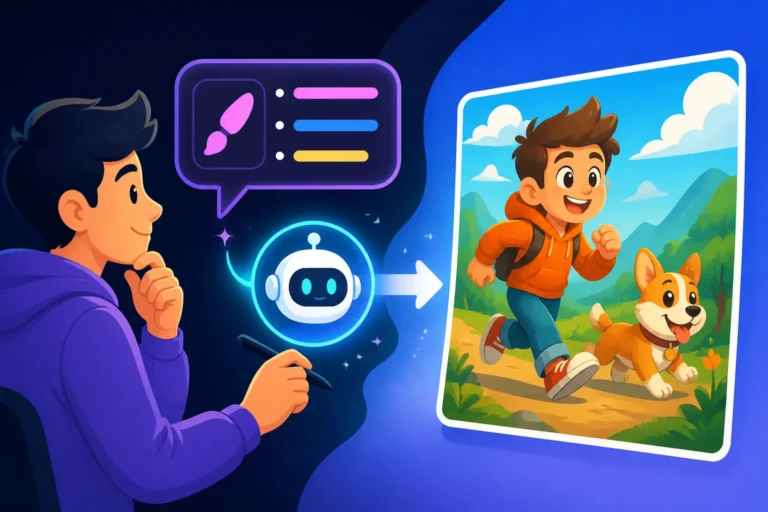
In its simplest form, AI image prompt engineering is the art and science of communicating effectively with an artificial intelligence model to generate desired images. It’s not just about throwing a few keywords at the machine and hoping for the best. Instead, it involves a deep understanding of how these powerful models interpret language, synthesize concepts, and render visuals. Think of it less like a simple search query and more like crafting a detailed set of instructions for a highly skilled, yet incredibly literal, artist.
Many of us start our journey with AI image tools by typing in something like "cat playing with yarn." And sure, you'll get a cat playing with yarn. But what kind of cat? What color is the yarn? Is it photorealistic, a cartoon, or an oil painting? Is it indoors or outdoors? This is where the frustration often sets in – the AI gives you a result, but rarely the result you had in your mind's eye. Prompt engineering bridges that gap, allowing you to move from generic outputs to precise, artistic creations. It's about taking control and steering the AI's immense creative power in the direction you intend.
Beyond Simple Keywords: The Art of Specificity
The initial allure of AI image generators is their ease of use: just type what you want! However, the real magic, and the real challenge, lies in moving beyond those simple, surface-level keywords. Imagine you're trying to describe a dream sequence to a film director; you wouldn't just say "dream." You'd elaborate on the mood, the lighting, the strange objects, the feeling of weightlessness, the color palette. This is the level of specificity AI models often crave, though not always in the poetic language we might use for a human.
Specificity in prompt engineering means breaking down your desired image into its core visual components and articulating each one. Instead of "forest," consider "dense, ancient redwood forest, dappled sunlight filtering through the canopy, mist rising from the forest floor." Each added detail refines the AI's understanding, narrowing down the infinite possibilities to something much closer to your vision. It's like giving GPS coordinates instead of just a city name; the more data points you provide, the more accurately the AI can pinpoint the exact image you're aiming for. This detailed approach is a fundamental part of learning How to Write AI Image Prompts that truly resonate with the model.
The Dialogue with the Machine: Understanding AI's "Language"
At its heart, prompt engineering is a dialogue. You offer words, and the AI responds with images. But to have a productive conversation, you need to understand the AI's "language" – how it processes and prioritizes the information you provide. Different AI models might emphasize certain keywords more than others, or interpret stylistic cues in unique ways. Some models might be excellent at photorealism, while others excel at stylized art. Recognizing these nuances is crucial for success.
The AI doesn't understand in the human sense; it recognizes patterns and associations within its vast training data. When you type "majestic lion," the AI retrieves and blends elements from millions of images it has seen that are labeled "majestic," "lion," or both. Your job as a prompt engineer is to guide this retrieval and blending process. This means learning which descriptive adjectives, artistic styles, camera angles, lighting conditions, and even numerical parameters tend to yield the best results for a given model. It's an iterative process of trial and error, a dance where you constantly refine your input based on the AI's output, gradually getting closer to a seamless creative partnership. Many resources like the AI Image Prompt Guide for Beginners can help you start this exciting journey.
Deconstructing the Perfect Prompt: Core Components
Crafting an effective AI image prompt isn't just about listing words; it's about structuring them in a way that the AI can best interpret. While different tools might have slightly varied syntaxes, most successful prompts share a common structural backbone. Understanding these core components is like having a recipe for success – you can then adjust ingredients and techniques to suit your taste. Think of it as breaking down your mental image into digestible chunks for the AI. This systematic approach is essential for anyone looking for How to Get Better AI Image Results.
A well-engineered prompt typically includes information about the subject, the style, the setting or context, and often specific artistic elements like lighting or camera angles. Each piece of information acts as a guiding hand, steering the AI further towards your desired outcome. It’s a process of gradually painting a picture with words, layer by layer, until the AI has enough detail to render something truly compelling.
The Subject: What Are We Looking At?
This is often the easiest part, but it's also where many prompts fall short in detail. The subject is the main focus of your image. It could be a person, an animal, an object, or even an abstract concept. But simply naming the subject is rarely enough. To guide the AI effectively, you need to enrich your subject description with key characteristics.
For instance, instead of "dog," consider "a fluffy golden retriever puppy, playful expression, tilting its head curiously." Every adjective, every active verb, adds another brushstroke to the AI's internal canvas. Consider the breed, age, color, specific actions, emotions, and unique features of your subject. Are they wearing clothes? What is their posture? Are they alone or interacting with something else? The more vivid and precise your description of the subject, the less room there is for the AI to make assumptions, and the more likely you are to get an image that truly captures the essence of what you imagined. This detailed subject description is a cornerstone of any effective Prompt Structure: Subject, Style, Lighting.
The Style and Medium: How Should It Look?
Once you've defined your subject, the next crucial step is to dictate the aesthetic. This is where you tell the AI how you want the image to look, not just what is in it. The style and medium can drastically alter the final output, transforming the same subject into countless different artistic interpretations. Are you aiming for realism, or something more artistic?
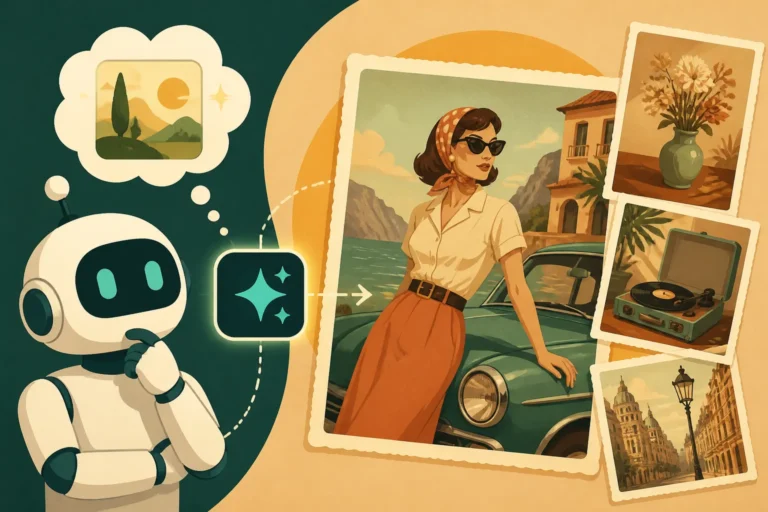
Think about common art movements and visual styles: "photorealistic," "oil painting," "watercolor," "cartoon," "anime," "cyberpunk," "impressionistic," "minimalist," "3D render," "pixel art." You can also specify artistic influences, like "in the style of Van Gogh" or "inspired by Studio Ghibli." Don't forget the medium itself – "digital art," "pencil sketch," "charcoal drawing." Combining these elements creates a rich stylistic directive. For example, "a stoic knight, in the style of a medieval tapestry, hand-embroidered details, muted colors." This level of stylistic detail ensures that your "majestic lion" isn't just a lion, but perhaps "a majestic lion, depicted as a classical Greek marble sculpture," or "a majestic lion, rendered as a vibrant pop art illustration." Experimenting with different styles is a huge part of learning how to use tools effectively, especially with guides like Midjourney Prompt Guide or DALL-E Prompt Guide.
The Context and Environment: Where Is It?
The setting provides the backdrop and atmosphere for your subject, grounding it in a believable (or fantastical) world. The environment greatly influences the mood, lighting, and overall composition of the image. Don't leave your subject floating in a void unless that's your explicit intention!
Consider the location: "bustling city street at night," "serene mountain lake at sunrise," "cozy reading nook with a fireplace," "alien jungle with bioluminescent flora." Beyond just the location, think about the time of day, weather conditions, and general ambiance. Is it a "gloomy, rainy afternoon" or a "bright, sun-drenched beach"? What elements are present in the background or foreground? "Scattered autumn leaves," "steam rising from a hot cup of coffee," "distant city skyline." Each detail contributes to building a holistic scene around your subject. For example, if your subject is "a curious puppy," adding "in a sunlit meadow, wildflowers gently swaying, distant rolling hills" paints a much richer and more evocative picture for the AI than simply "dog outdoors."
Advanced Prompting Techniques for Finer Control
Once you've grasped the fundamental components of a good prompt, it's time to delve into some more advanced techniques that offer an even greater degree of control over your AI-generated images. These methods allow you to sculpt the output more precisely, ensuring the AI understands not just what you want, but also how to prioritize different elements and what to avoid entirely.
These techniques are often what separate a good prompt engineer from a beginner, allowing for truly customized and refined results. They're essential for anyone who's ever felt like their AI images are almost there, but just need a little extra nudge in the right direction. It's about moving from broad strokes to intricate detailing, much like a seasoned artist uses different brushes and glazes to perfect their masterpiece.
Negative Prompts: Saying What You Don't Want
One of the most powerful yet often underutilized tools in prompt engineering is the negative prompt. While your main prompt tells the AI what to include, a negative prompt tells it what to exclude. This is incredibly useful for refining images, removing unwanted elements, or correcting common AI artifacts. We've all seen images with strange, distorted hands, or bizarre textual elements when we didn't ask for them. Negative prompts are your first line of defense against these issues. If you want to dive deeper into this, check out How to Use Negative Prompts.
Common negative prompts often include terms like "mutated," "deformed," "ugly," "bad anatomy," "extra limbs," "low quality," "blurry," "text," "watermark," or "poorly drawn." You can also use negative prompts to remove specific colors, objects, or styles you dislike. For example, if you're trying to generate a serene landscape but keep getting images with people in them, you could add "people, crowd, human" to your negative prompt. This acts as a filter, guiding the AI away from undesirable visual concepts present in its training data, resulting in cleaner, more focused images.
Parameters and Weights: Fine-Tuning the Output
Many AI image generators allow you to go beyond just descriptive text by incorporating numerical parameters or assigning weights to different parts of your prompt. These advanced controls give you granular command over various aspects of the image generation process, from aspect ratio to stylistic influence.
- Aspect Ratio: This parameter (often like
--ar 16:9orratio=3:2) determines the width-to-height ratio of your image. This is crucial for different platforms or applications, whether you need a wide banner, a square social media post, or a vertical phone wallpaper. - Stylization: Some tools offer parameters (e.g.,
--s 750orstyle=high) to control how much the AI leans into its inherent "artistic" flair versus adhering strictly to your prompt. A higher stylization might yield more visually striking, unique images, while lower values keep it closer to a literal interpretation. - Chaos/Variety: Parameters for "chaos" or "variety" allow you to dictate how much creative freedom the AI takes. A higher chaos value will produce more diverse and unexpected results, which can be great for brainstorming, while a lower value will stick closer to the core prompt and generate more similar images in a batch.
- Weights: Assigning weights involves using specific syntax (like
::in Midjourney or parentheses in Stable Diffusion) to tell the AI that certain keywords or phrases are more important than others. For example,a red car::2 a blue car::1would make the red car twice as prominent in the image as the blue car. This is incredibly powerful for emphasizing key elements or balancing competing concepts within a single prompt.
Understanding and leveraging these parameters can dramatically improve your results, helping you overcome challenges like getting the right image dimensions or ensuring a specific element takes center stage.
Using Reference Images: Guiding the AI Visually
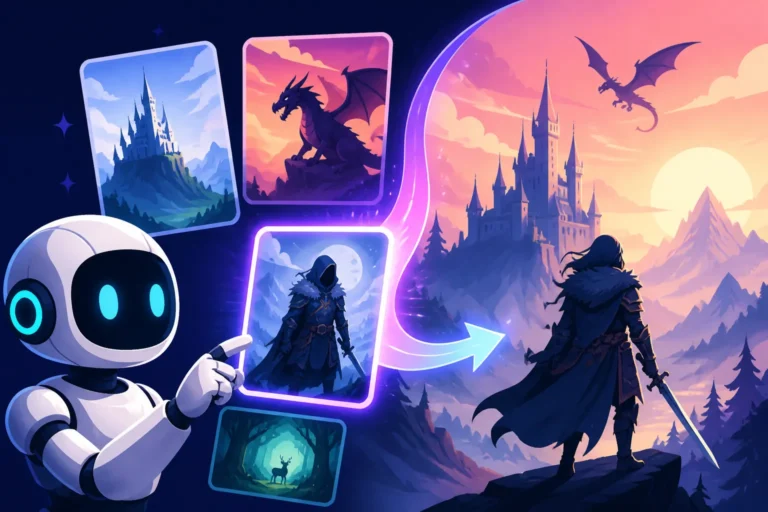
Sometimes, words alone aren't enough to convey the precise aesthetic or compositional idea you have in mind. This is where the ability to use reference images comes into play. Many advanced AI image generators allow you to upload one or more images alongside your text prompt. The AI then uses these visual cues as inspiration, blending their style, composition, or specific elements with your textual instructions.
This technique is invaluable for achieving a consistent visual style across a series of images, maintaining a specific character's appearance, or guiding the AI towards a particular artistic mood that's hard to describe with words. For example, you could upload a photograph of a particular lighting setup and then prompt for a product shot of a new gadget, asking the AI to adopt the lighting of the reference. Or, you might upload an image of a character you designed and then prompt them into various scenarios, helping the AI maintain their features. It's a fantastic way to bridge the gap between purely textual instructions and visual intuition, creating a harmonious collaboration between your vision and the AI's generation capabilities.
Iterative Prompting: The Key to Mastering AI Image Generation
Generating the perfect image rarely happens on the first try. In fact, relying on a single prompt and expecting flawless results is one of the quickest ways to get frustrated. The true mastery of AI image generation lies in a process called iterative prompting – a cycle of generating, evaluating, and refining. Think of it like a sculptor gradually chipping away at a block of marble, making small adjustments with each pass until the desired form emerges. It's a dynamic, conversational approach that acknowledges the unpredictable nature of AI and embraces continuous improvement.
This iterative workflow is not about admitting defeat; it’s about leveraging the AI’s speed and flexibility to explore a vast creative space. Each generation provides valuable feedback, revealing how the AI interprets your words and where your prompt might need sharpening. This hands-on process is what allows you to really get a feel for how different models respond, paving the way for truly unique and high-quality outputs. This is also how you learn How to Get Better AI Image Results over time.
Analyze and Adjust: Learning from Each Generation
After you hit 'generate,' resist the urge to immediately dismiss an imperfect result. Instead, take a moment to analyze what the AI produced. What aspects are good? What went wrong? Why do you think it made those choices? Perhaps the lighting is off, the subject is in the wrong position, or the style isn't quite what you envisioned. Every image generated, even the "bad" ones, offers a learning opportunity.
Based on your analysis, you then adjust your prompt. If the image is too cluttered, consider adding negative prompts like "busy background" or simplifying your positive prompt. If the colors are dull, add terms like "vibrant colors," "rich palette," or "dynamic lighting." Maybe you need to increase the weight of your subject, or try a different aspect ratio. This cycle of observation and modification is central to prompt engineering. It's like debugging code – you identify the problem, make a change, and then test it again. Over time, you'll develop an intuitive understanding of how specific words and parameters influence the AI's output, making your adjustments more targeted and effective.
Small Tweaks, Big Changes: The Power of Incrementalism
It can be tempting to overhaul your entire prompt when a generation goes awry. However, more often than not, small, incremental tweaks yield the best results. A subtle change to an adjective, the addition of a single negative keyword, or a minor adjustment to a parameter can dramatically shift the AI's interpretation and lead to a breakthrough image. Changing too many variables at once makes it difficult to pinpoint exactly which modification had the desired effect, slowing down your learning process.
For example, if you're trying to generate "a serene forest scene with mist," and the mist isn't prominent enough, try changing it to "thick, ethereal mist" or adding a weight to "mist::2." Instead of rewriting the whole prompt to "forest with fog and spooky trees," try refining the existing prompt first. This disciplined approach allows you to systematically test the impact of individual words and phrases, building a robust understanding of your chosen AI tool. It's how seasoned prompt engineers fine-tune their work, inching closer to perfection one small adjustment at a time. This iterative process is also helpful when you want to achieve How to Prompt for Consistent Characters or specific visual elements.
Experimentation and Creativity: Breaking the Rules
While understanding prompt structure and techniques is vital, don't be afraid to experiment and even "break the rules" occasionally. The AI is a creative partner, and sometimes the most unexpected combinations of words can lead to astonishing, novel results. What happens if you combine two seemingly unrelated styles, like "cyberpunk renaissance painting"? Or if you prompt for a concept that seems nonsensical, like "a gentle storm of butterflies"?
The beauty of AI image generation is its ability to interpret and fuse disparate ideas in ways a human artist might not immediately conceive. Use the AI as a brainstorming tool, a catalyst for new creative directions. Generate a dozen variations of a prompt, even if you think some might be "bad," just to see what surfaces. Often, a small, unexpected element in a seemingly "failed" image can spark an entirely new and brilliant idea. The more you experiment, the better you'll understand the AI's capabilities and limitations, and the more you'll uncover unique artistic avenues. It's through this playful exploration that true innovation often arises, and it's a core aspect of mastering the Best AI Image Prompt Formulas.
Common Pitfalls and How to Avoid Them
Even with a solid grasp of prompt engineering basics, it's easy to fall into common traps that lead to subpar or frustrating results. These pitfalls aren't failures of your creativity but rather misunderstandings of how AI models interpret your instructions. Recognizing these common stumbling blocks early on can save you a lot of time and help you refine your prompting strategy more quickly. Nobody wants to spend precious generation credits on images that just don't hit the mark.
Many of these issues stem from a fundamental difference between human communication and AI instruction. Humans can infer, understand context, and fill in gaps. AI, however, is incredibly literal and relies solely on the patterns it learned from its training data. Overcoming these hurdles is about learning to "think like the AI" – anticipating how it might interpret your words and adjusting your language accordingly. It's a critical step in moving from basic prompting to AI Image Generation Tips and Tricks.
Vague Prompts: The Enemy of Good Images
This is perhaps the most common pitfall for beginners. A vague prompt is like asking a chef to "make some food" – you'll get something, but it's unlikely to be what you wanted. Prompts like "beautiful landscape," "cool car," or "abstract art" leave far too much to the AI's discretion. While this can sometimes lead to interesting surprises, it rarely produces consistent, high-quality results tailored to a specific vision.
The problem with vagueness is that the AI has millions of "beautiful landscapes" in its training data. Without more specific instructions, it defaults to a kind of average or common representation, which might be generic or uninspired. To combat this, always ask yourself: "What specific details would make this 'beautiful' to me?" Is it "a dramatic mountain landscape at sunset, vibrant orange and purple hues, reflecting in a still lake, with a single ancient pine tree in the foreground"? The more descriptive adjectives, specific nouns, and contextual details you can add, the better. Remember, the AI can't read your mind, so paint the clearest picture you can with words. This is a foundational concept when you explore Common AI Image Prompt Mistakes.
Over-Prompting: Too Much Information Can Be Detrimental
On the flip side of vagueness is over-prompting, where you pack too many conflicting or unnecessary details into a single prompt. While specificity is good, excessive detail can sometimes confuse the AI or dilute the impact of your most important keywords. Imagine trying to give directions to someone by listing every single tree, pebble, and blade of grass along the way – they'd get lost in the noise!
When you over-prompt, particularly with too many distinct subjects or contradictory styles, the AI struggles to reconcile all the information. It might produce a jumbled mess, an image where no single element stands out, or it might simply ignore parts of your prompt. For example, "a photorealistic oil painting of a cartoon superhero on a spaceship fighting a medieval knight in a futuristic cityscape during a blizzard" is likely to be a confusing prompt. Instead, focus on the core elements first, get those right, and then gradually add complexity. If you have many disparate ideas, consider generating them separately and then using image editing tools or inpainting to combine them. A good rule of thumb is to prioritize clarity and impact over sheer volume of words.
Ignoring AI's Limitations: Knowing When to Pivot
Despite their incredible power, AI image generators still have limitations. Recognizing these limitations is crucial for effective prompt engineering and avoiding unnecessary frustration. For instance, many AIs still struggle with accurately rendering text within images, or consistently generating anatomically perfect human hands and faces, though these are improving rapidly. Another common issue is maintaining strict consistency of a character across multiple different poses or scenes without advanced techniques like LoRAs or character sheets.
If you find yourself repeatedly prompting for perfect, legible text in an image and getting gibberish, it might be time to acknowledge that particular AI's current limitation and pivot your strategy. Perhaps you generate the image and then use a separate editing tool to overlay the text. Similarly, if realistic hands are a recurring issue, you might try prompting for specific camera angles that de-emphasize hands or use stylistic choices (like distant shots or cartoon styles) where imperfections are less noticeable. Knowing when to work with the AI's strengths and around its weaknesses is a hallmark of an experienced prompt engineer. Instead of battling the AI, find creative workarounds. This pragmatic approach is essential for anyone dealing with How to Fix Bad AI Image Results.
Disclaimer
The information provided in this article about AI image prompt engineering basics is for general informational purposes only. While we strive to offer accurate and up-to-date guidance, the field of artificial intelligence is rapidly evolving. The capabilities, best practices, and limitations of AI image generation tools can change frequently. Always refer to the specific documentation and community guidelines for the AI image generator you are using, as techniques and parameters may vary between platforms.