How to Prompt for a Vintage Aesthetic
It's incredibly frustrating, isn't it? You punch in "vintage photo" into your favorite AI image generator, hoping for that dreamy, nostalgic vibe, and instead, you get something that looks like a modern picture with a cheap sepia filter slapped on top. It’s flat, it’s generic, and it completely misses that authentic, lived-in feel. The truth is, "vintage" isn't a single switch you can flip; it's a rich tapestry of eras, textures, and subtle visual cues. This comprehensive guide will delve deep into the art of crafting AI prompts that truly capture a genuine vintage aesthetic, helping you move beyond the generic and into truly evocative imagery.
Understanding the Essence of Vintage Aesthetics
Before we can even think about typing a single word into a prompt box, we need to understand what "vintage" really means in a visual sense. It's not just old; it's about a specific kind of old, often imbued with a sense of nostalgia, charm, and a distinct stylistic signature from a bygone era. When an image successfully evokes a vintage feel, it transports you, even if just for a moment, to another time.
What Makes an Image Feel "Vintage"?
So, what are those magic ingredients that transform a run-of-the-mill image into something that whispers stories of the past? It's a combination of several factors, and mastering these is the first step to becoming a true vintage prompting connoisseur.
First off, color plays a monumental role. Modern digital photography often boasts vibrant, true-to-life colors, but older methods had their limitations and unique characteristics. Think about the faded glory of old photographs, where colors might be muted, desaturated, or have a distinct warm or cool cast depending on the photographic process and how the prints aged. Sepia tones are the most obvious example, but there's also the soft, pastel palette of mid-century advertising or the gritty, desaturated tones of 1990s grunge photography. It's about imperfection and the passage of time influencing the color.
Secondly, texture and imperfections are non-negotiable. Film grain, for instance, is a hallmark of analog photography that digital images often lack. Beyond grain, consider dust, scratches, light leaks, vignetting (darkening at the edges), or even the subtle yellowing of paper prints. These aren't flaws; they're character marks that tell a story about the image's journey through time. A pristine, perfectly clean image, no matter its subject, will struggle to feel truly vintage.
Then there's the subject matter and composition. While AI can generate anything, placing a modern smartphone in a 1920s setting will instantly break the illusion. Vintage aesthetics often imply a certain era's fashion, technology, architecture, and even social dynamics. The way people dressed, the cars they drove, the furniture they owned – all contribute to the overall authenticity. Compositionally, older photographs sometimes had different rules, perhaps more formal portraits or less dynamic action shots compared to today's fast-paced imagery. Understanding how to integrate these elements without making it look anachronistic is critical. For more general guidance on structuring your prompts, check out our guide on how to write AI image prompts.
Common Vintage Eras and Their Visual Signatures
"Vintage" isn't a monolith; it's a vast category that spans centuries, each period boasting its own distinct visual language. To truly prompt for a vintage aesthetic, you need to get specific.
The Victorian Era (1837-1901), for example, often conjures images of solemn portraits, elaborate clothing, and ornate settings. Photography itself was still new, and exposures were long, leading to posed, often serious expressions. Think sepia tones, dark, rich colors, and a sense of formality. Imagine a prompt for a "Victorian family portrait, formal attire, muted sepia tones, heavy drapery in background, slight film grain."
Moving into the Art Deco period (1920s-1930s), the aesthetic shifts dramatically. Here, we see sleek lines, geometric patterns, bold contrasts, and a sense of luxury and modernity for its time. Think of The Great Gatsby – sophisticated flapper dresses, gleaming chrome, stylized cityscapes. Colors might be richer, perhaps with golds, blacks, and deep reds, or strong black and white contrasts. A good prompt might be "Art Deco jazz club scene, flapper dancers, geometric patterns, stark black and white photography, smoky atmosphere."
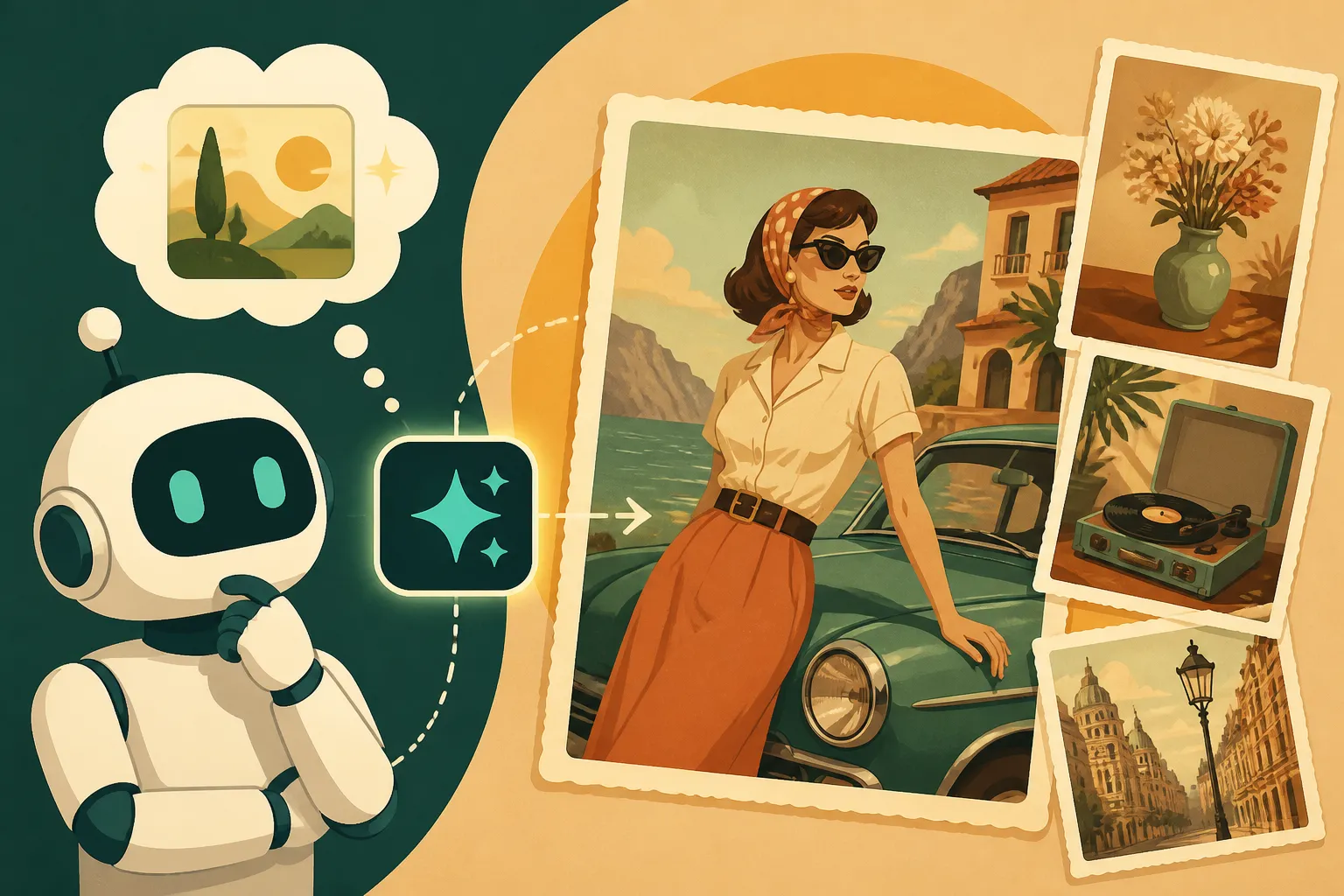
The Mid-Century Modern era (1940s-1960s) brought a different kind of optimism and design. This period is characterized by clean lines, organic shapes, and a distinctive color palette often featuring muted pastels, olive greens, teals, and oranges. Advertising from this era often had a hand-drawn, illustrative quality mixed with photography. Think suburban bliss, sleek furniture, and a cheerful, yet slightly restrained, vibe. Consider "1950s housewife in a modern kitchen, vibrant pastel colors, slight film grain, retro advertising style."
Jumping ahead to the 1970s and 1980s, we get into "retro" territory with its own unique flair. The 70s brought earthy tones, disco glam, and a more natural, sometimes grainy, photographic style. The 80s were all about neon, synthwave, bold graphics, and often a slightly over-saturated or metallic look. For the 70s, you might prompt for "1970s street photography, warm orange and brown tones, wide-angle lens, slight film grain, candid scene." For the 80s, perhaps "1980s arcade scene, neon lights, glowing arcade machines, retro synthwave aesthetic, vibrant purple and pink hues, low-light photography."
Finally, the 1990s brought us grunge, lo-fi aesthetics, and a rise in casual, often raw, photography. Think desaturated colors, high contrast, documentary style, and a sense of urban grit. Prompts for this era might include terms like "1990s grunge concert, grainy black and white film, raw aesthetic, mosh pit, stage lighting." Each era demands its own specific attention to detail, and a thorough AI image prompt guide for beginners can help you start your journey into these detailed stylistic explorations.
Crafting Your Prompts for Vintage Vibes
Now that we've explored the diverse landscape of vintage aesthetics, let's get down to the brass tacks of writing prompts that will actually make your AI art sing with the echoes of the past. It's not just about adding "vintage" at the end; it's about layering specific details that build the visual narrative.
Essential Keywords for Vintage Style
Think of your prompt as a recipe, and these keywords are your essential ingredients. The more precise you are, the better the result.
Era-Specific Terms:
1920s,1930s,1940s,1950s,1960s,1970s,1980s,1990s(the most straightforward way to define a period).Victorian,Art Nouveau,Art Deco,Mid-Century Modern,Bauhaus,Retrofuturism,Steampunk.Flapper,Greaser,Pin-up,Mod,Hippie,Punk,Grunge.
Photographic Medium/Technique Terms:
Film photography,analog photography,Polaroid photo,Daguerreotype,Tintype,Cyanotype,Lomography,Disposable camera photo.Black and white photograph,sepia tone,monochrome,duotone.Kodachrome,Ektachrome,FujiFilm,Ilford HP5(specific film stocks can evoke particular color casts and grains).Cross-processed film,push-processed film.
Atmosphere & Quality Terms:
Nostalgic,retro,classic,timeless,antique.Worn,aged,faded,distressed.Dreamy,ethereal,gritty,raw.
Remember, the goal is not to just list these, but to combine them thoughtfully. Instead of just "vintage car," try "1950s convertible, Kodachrome film photograph, faded colors, parked outside a classic diner." For those aiming for photorealism, but with a vintage twist, it's worth exploring how to write prompts for photorealistic images and then adding vintage modifiers.
Harnessing Color Palettes and Tones
Color is perhaps the most immediate indicator of an image's age. Modern cameras capture a vast spectrum, but vintage photography had a more limited, and often more charming, color language.
Muted and Desaturated Colors:
Muted color palette,desaturated colors,faded colors,subtle hues.Soft pastel tones(especially for mid-century).Earthy tones,warm tones,cool tones.Limited color palette.
Specific Color Overlays/Filters:
Sepia filter,sepia tone,monochromatic.Black and white(often followed byhigh contrastorsoft contrast).Gothic black and white,noir film.Cross-processed look(often results in strong greens, purples, and yellows).
For example, if you want a subtle vintage feel, you might prompt: "a bustling city street, 1960s architecture, muted color palette, faded Kodachrome film effect." If you're going for something much older and dramatic, try: "an old cobblestone alleyway in London, gaslight lanterns, deep sepia tones, high contrast black and white, noir film aesthetic." The key is to be explicit about not just what colors you want, but how those colors should appear – aged, faded, vibrant (for its time), or restricted.
Adding Authentic Textures and Imperfections
This is where many generic "vintage" images fall flat. Without the gritty reality of film, dust, and time, an image can look too perfect to be truly old. These details are crucial for authenticity.
Film and Processing Imperfections:
Film grain,heavy grain,subtle grain.Light leaks(often in red, orange, or yellow hues, especially around the edges).Vignetting(darkened edges).Dust and scratches,scratched film,dirt smudges.Color shifts,color fringing.Out of focus areas,shallow depth of field.Uneven exposure.
Think about a Polaroid photo – it inherently has certain qualities: a distinct border, often slightly muted or shifted colors, and sometimes a softness around the edges. When you prompt for "a child holding a teddy bear, smiling, Polaroid photo aesthetic, slight light leak in top right corner, faded colors," you're building a whole world of details that the AI can interpret.
It's about embracing the flaws. A truly vintage image isn't sterile. It has character from its medium and its journey through time. When you're trying to refine your results and the AI is giving you overly clean images, leveraging negative prompts can be incredibly helpful. You might use --no clean --no modern --no pristine to guide the AI away from sterile outcomes. You can learn more about this technique in our dedicated article on how to use negative prompts.
Advanced Prompting Techniques for Specific Vintage Looks
Moving beyond basic keywords, truly mastering vintage aesthetics in AI art involves a more nuanced approach. It’s about being a director, not just a requester, guiding the AI to understand the subtle interplay of elements.
Combining Era-Specific Elements with Modern Subjects
This is where the magic of AI really shines, allowing for creative anachronisms that can be both striking and thought-provoking. You don't have to stick to historically accurate scenarios; you can blend the old with the new in captivating ways.
Imagine taking a contemporary subject, like a person working on a laptop, and placing them in a distinctly vintage setting or applying an old photographic style. Instead of just "person with laptop," try: "a young woman typing on a modern laptop, sitting in a 1950s retro diner booth, Kodachrome film photography, faded colors, light leaks, slight grain." Here, the modern subject (laptop) clashes playfully with the vintage environment and photographic style, creating a unique visual narrative.
Another powerful approach is to apply a vintage treatment to an entirely modern concept. For instance, you could prompt for "a futuristic cityscape, Art Deco architecture style, monochromatic black and white, high contrast, noir film aesthetic." This creates a retro-futuristic look, a popular subgenre that combines vintage design principles with speculative future technology. The key here is specificity in both the modern and vintage components, ensuring the AI understands which parts of your image should reflect which era. This blending technique can produce truly unique results, making your creations stand out.
Leveraging Negative Prompts for Refinement
Sometimes, telling the AI what you don't want is just as important as telling it what you do want. This is particularly true when aiming for a specific vintage look, as AI models often default to generating clean, contemporary images.
To combat this, a robust set of negative prompts can steer your output away from undesirable "modern" traits. Consider adding terms like:
--no modern, --no digital, --no contemporary--no vibrant colors, --no oversaturated(if you want muted tones)--no sharp focus, --no perfect, --no pristine(to encourage imperfections)--no clean, --no new, --no sleek--no perfect skin, --no flawless(for portraits, to avoid overly airbrushed looks)
For instance, if you're trying to achieve a gritty 90s aesthetic, but the AI keeps giving you polished, clean images, you might use: "A band playing in a grungy club, 1990s aesthetic, grainy film photography, desaturated colors, raw, authentic. --no clean, --no polished, --no digital, --no vibrant colors, --no sharp focus." This helps to strip away the default cleanliness and push the image towards the desired, unrefined look. Experimenting with different negative prompts, much like iterating on positive ones, is crucial for fine-tuning your results. You can find more specific examples and strategies in our guide on how to fix bad AI image results.
Iteration and Experimentation: The Key to Success
No one gets a perfect vintage image on the first try, and frankly, expecting to is a recipe for frustration. AI image generation is an iterative process, especially when you're aiming for something as nuanced as a specific vintage aesthetic.
Think of it like being a film photographer in the darkroom, making adjustments to exposure, development, and printing. Each generation from the AI is like a test print.
- Start Broad, Then Refine: Begin with a more general prompt (e.g., "1950s street scene, film photography"). Analyze the results.
- Identify Missing Elements: Does it lack grain? Are the colors too bright? Is the composition too modern?
- Add Specific Keywords: Integrate the texture, color, and era-specific keywords we discussed earlier. "1950s street scene, Kodachrome film, faded colors, subtle light leaks, street photography style, vignetting."
- Adjust and Repeat: If the grain is too heavy, try "subtle grain." If the colors are still too vibrant, add more negative prompts like
--no vibrant colors. - Learn from Reference Images: Don't hesitate to pull up actual vintage photos from the era you're trying to replicate. Analyze their characteristics, then try to translate those into prompt terms. Some AI tools even allow you to use reference images directly to guide your generations. You can learn how to use reference images in prompts for better results.
This process of continuously tweaking, adding, and removing details in your prompts is how you'll move from generic "old-looking" images to truly authentic and captivating vintage pieces. It's a journey of discovery, and each iteration brings you closer to your vision.
Practical Examples and Prompt Formulas
Let's put all this theory into practice. Sometimes seeing a full prompt in action, or understanding how to troubleshoot, makes all the difference.
Step-by-Step Vintage Prompt Construction
Let's say we want to create an image that feels like a classic 1940s film noir detective scene.
- Define the Core Subject: A detective in a trench coat, shadowed.
- Set the Era: 1940s.
- Choose a Photographic Style: Film noir, which immediately implies certain lighting and color.
- Add Specific Visual Cues:
- Color/Tone: Black and white, high contrast.
- Lighting: Dramatic shadows, chiaroscuro lighting (a strong contrast between light and dark).
- Atmosphere: Rainy city street, smoky office.
- Imperfections: Slight film grain, a bit of vignetting.
- Composition: Low angle, wide shot.
Putting it all together, a strong prompt could be:
"A lone private detective in a fedora and trench coat, standing on a dimly lit, rain-slicked 1940s city street at night. Film noir aesthetic, high contrast black and white photography, dramatic chiaroscuro lighting, long shadows, heavy film grain, subtle vignetting, wide shot, cinematic."
Let's try another for a totally different vibe: 1970s psychedelic concert poster.
- Core Subject: Crowd at a concert, band playing.
- Era/Movement: 1970s, psychedelic art.
- Photographic Style: Hand-drawn poster, vibrant colors, optical illusions.
- Add Specific Visual Cues:
- Color/Tone: Saturated, trippy, fluorescent colors, earthy tones mixed with brights.
- Art Style: Psychedelic poster art, flowing lines, distorted perspective.
- Elements: Swirling patterns, peace signs, lava lamp effects.
- Imperfections: Distressed print texture, slight misregistration.
The prompt:
"A 1970s psychedelic concert poster, featuring a band on stage with a swirling, vibrant crowd in front. Trippy, saturated fluorescent colors, flowing lines, distorted perspective, lava lamp effects, hand-drawn illustration style, distressed print texture, --no photorealistic, --no digital art." Notice the negative prompts here to push it away from a modern, clean digital look. For more examples across different styles, our AI Image Prompt Examples by Style article is a great resource.
Troubleshooting Common Vintage Prompting Issues
Even with the best prompts, you might encounter some common pitfalls. Don't worry, these are learning opportunities!
Issue 1: The Image Looks Too Clean/Modern.
- Problem: The AI is defaulting to its modern training data.
- Solution: Double down on negative prompts like
--no clean, --no digital, --no perfect, --no modern. Add more specific texture keywords likeheavy film grain, dust and scratches, light leaks. Explicitly state the type of photography:analog film photograph, old darkroom print.
Issue 2: The Colors Aren't Right (Too Bright, Wrong Hue).
- Problem: AI misinterprets "vintage" as just "sepia" or generic desaturation.
- Solution: Be very specific about your color palette. Instead of just
faded colors, trymuted pastel palette, soft faded blues and yellows. If it's too vibrant, use--no vibrant, --no saturated. If you want sepia, clearly statesepia tone, monochromatic brown hues. For a quick overview of how different tools handle specific styles, you might find a Best AI Image Generator for Artistic Quality: Head-to-Head comparison helpful.
Issue 3: Anachronisms (Modern Objects Appear).
- Problem: The AI pulls in modern elements from its vast knowledge.
- Solution: Add negative prompts for modern items:
--no smartphone, --no laptop, --no LED lights. Be very specific in your positive prompts about the period-appropriate items:rotary phone, vintage car, antique lamp. Sometimes, a subtle negative prompt like--no anachronismscan help, though it's less reliable than specific exclusions.
Issue 4: The Image Looks AI-Generated and Artificial.
- Problem: Lack of subtle human imperfections or the distinct "AI sheen."
- Solution: Focus on keywords that imply naturalness and imperfection:
candid photography, documentary style, natural light, uneven lighting. Add descriptive terms for texture and wear. Sometimes, simply iterating and generating more variations can help you stumble upon a less artificial result. Learning how to iterate on AI image prompts is a skill that will serve you well across all your creative endeavors. For Midjourney users, diving into a Midjourney Prompt Guide or a DALL-E Prompt Guide for those using OpenAI's tools, can provide specific parameter and syntax advice to further refine your outputs and avoid common pitfalls. You might also consider building a How to Build a Reusable Prompt Library for common vintage terms.
| Vintage Era | Key Visual Characteristics | Example Prompt Keywords |
|---|---|---|
| Victorian (1837-1901) | Formal, somber, ornate, long exposures, sepia/monochrome | Victorian photograph, daguerreotype, tintype, sepia, monochrome, formal portrait, heavy drapery, solemn expression |
| Art Deco (1920s-1930s) | Sleek, geometric, luxurious, high contrast, bold patterns | Art Deco poster, Gatsby era, geometric patterns, black and gold, chrome, stark black and white, sleek lines, flapper |
| Mid-Century Modern (1940s-1960s) | Optimistic, clean lines, organic shapes, muted pastels | 1950s photograph, Kodachrome, muted pastel colors, suburban home, atomic age, minimalist design, retro advertisement |
| 1970s Retro | Earthy tones, psychedelic, grainy, disco, natural light | 1970s photography, film grain, warm earthy tones, desaturated, disco era, psychedelic poster, candid street photography |
| 1980s Synthwave | Neon, glowing, gridlines, bold graphics, futuristic | 1980s aesthetic, neon lights, synthwave, vibrant purple and pink, glow, arcade, chrome, retrofuturistic, vaporwave |
| 1990s Grunge | Raw, desaturated, high contrast, lo-fi, documentary | 1990s grunge, grainy black and white film, raw aesthetic, desaturated, high contrast, documentary style, urban decay |
Getting that perfect vintage look takes practice, but by understanding the core elements and applying these specific prompting techniques, you'll be creating evocative, time-traveling images in no time.
Disclaimer
Please be aware that the information provided in this article is for general guidance and informational purposes only. While AI image generation tools are powerful, the output can sometimes be unpredictable, and achieving specific aesthetic results often requires iterative refinement and experimentation. Always review the terms of service and usage rights for any AI tool you use, especially if you intend to use generated images for commercial purposes.