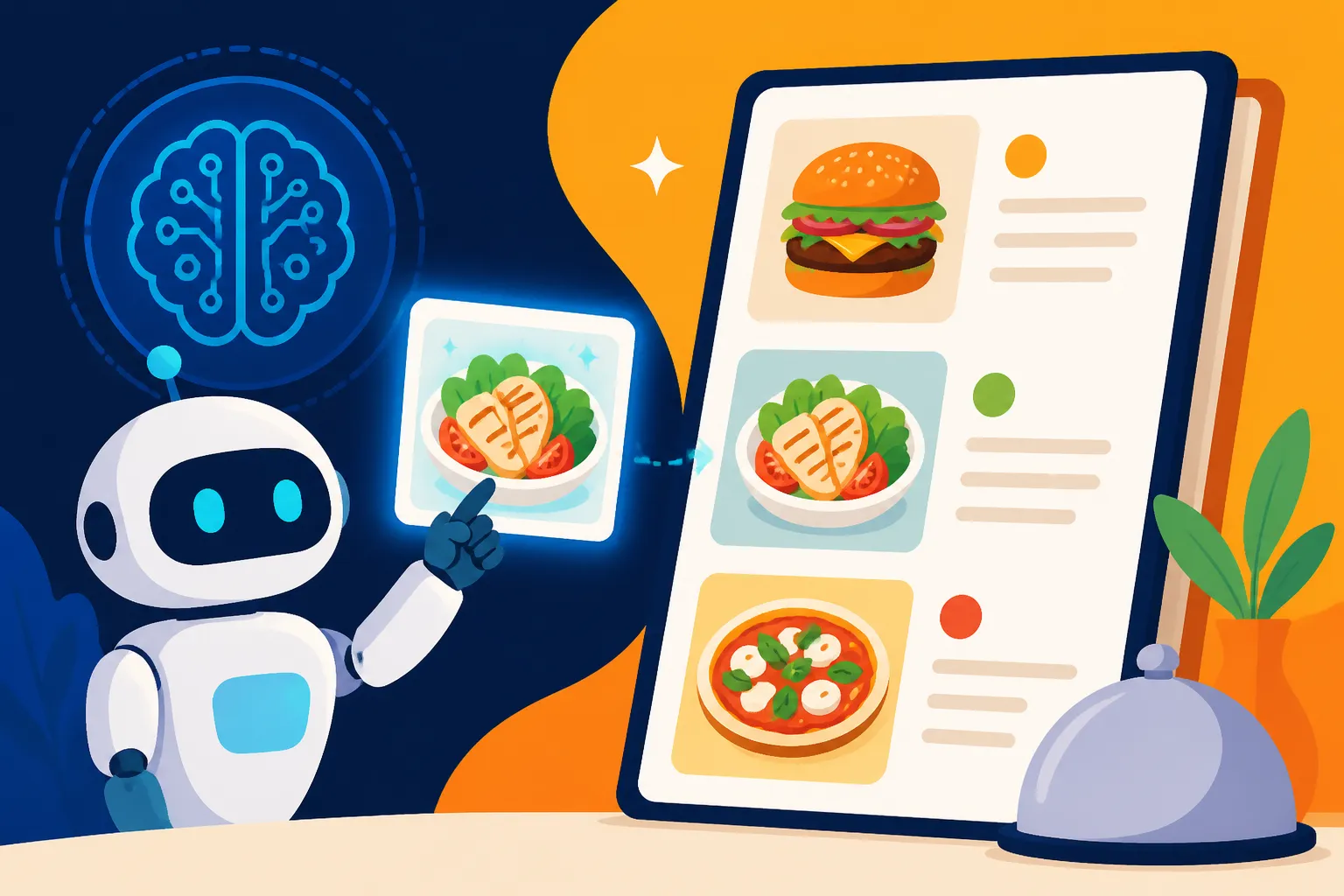
How to Use AI Images for a Restaurant Menu
Let's be real for a moment: creating a stunning restaurant menu with mouth-watering photos can feel like an insurmountable challenge. You're either shelling out a small fortune for a professional food photographer who might not quite capture your vision, or you're left wrestling with amateur shots taken under less-than-ideal lighting, making your gourmet dishes look, well, not so gourmet. This guide is here to unravel that frustration, showing you exactly how AI image generators can transform your menu design, making it more appealing, professional, and crucially, affordable.
Why AI Images Are a Game-Changer for Restaurant Menus
For years, getting high-quality imagery for a restaurant menu was a significant hurdle. Small businesses and even established eateries often struggled with the cost, time, and logistical nightmares of professional food photography. But with the advent of AI image generation, the landscape has completely shifted. Now, you have the power to create bespoke, visually stunning images that perfectly complement your culinary offerings, all without breaking the bank or scheduling a complex photoshoot.
Overcoming Traditional Hurdles of Menu Photography
Think about the traditional process. You’d hire a photographer, coordinate schedules, arrange food styling, pay for ingredients, and then hope the lighting and angles were just right. If a dish changed, or a seasonal special came and went, you’d have to start that whole expensive, time-consuming process all over again. It was a barrier to agility and innovation for many restaurateurs.
With AI, those days are largely behind us. Imagine you're running a bistro in Portland, Oregon, known for its seasonal, farm-to-table dishes. Every quarter, your menu shifts significantly. Traditionally, you’d need a new photoshoot, adding hundreds, if not thousands, to your operational costs. Now, with a few well-crafted prompts, you can generate fresh, high-quality images for each new item, maintaining a consistent, professional aesthetic without the overhead. This flexibility allows you to highlight your specials, introduce new desserts, or even revamp your cocktail list with engaging visuals, all on demand.
The Visual Appeal and Engagement Boost
Customers eat with their eyes first, right? A beautifully designed menu with vibrant, appealing images doesn't just look good; it actively drives sales. When a customer sees a gorgeously plated dish, artfully lit and perfectly composed, their appetite is instantly stimulated. It elevates their perception of your restaurant and its offerings before they even take the first bite.
Consider a cozy Italian restaurant in Boston's North End. They've always had fantastic food, but their menu images were, frankly, a bit lackluster. Using AI, they could generate images that truly convey the rich textures of their pasta, the glistening sauce on their lasagna, or the perfectly caramelized crust of their crème brûlée. These images don't just show the dish; they evoke an emotional response, making customers more likely to try new items or choose a more premium option. AI allows you to project a modern, sophisticated image, even if your restaurant is a beloved, decades-old establishment.
Agility in Updating and Experimenting with Menu Items
One of the most exciting aspects of using AI for your menu is the unparalleled agility it provides. Restaurants, especially those focused on seasonal ingredients, daily specials, or trendy items, need to update their menus frequently. AI image generators make this process incredibly simple and fast.
Let's say you own a popular café in Austin, Texas, and you want to test out a new avocado toast recipe with a sprinkle of chili flakes and microgreens. Instead of preparing and photographing it multiple times until you get the perfect shot, you can simply describe your ideal vision to an AI tool. Within minutes, you'll have several high-quality image options. You can then easily swap out images on your digital menu, print updated paper menus, or even use these visuals for social media promotions for your AI Images for Social Media campaigns. This ability to rapidly experiment and refresh your menu visuals means you can always keep your offerings looking fresh and exciting, responding quickly to customer preferences and culinary trends without incurring significant design costs or delays.
Choosing the Right AI Image Tool for Culinary Creations
Navigating the world of AI image generators can feel a bit like exploring a new city without a map – exciting but potentially overwhelming. Not all tools are created equal, especially when it comes to the nuanced task of generating photorealistic food images that entice rather than deter. Finding the right fit for your restaurant's specific needs is paramount.
Key Features to Look For in a Generator
When you're looking for an AI tool to create images for your restaurant menu, there are a few non-negotiable features you should prioritize. First and foremost is the ability to generate photorealistic images. While stylized or artistic renderings have their place, for food, realism is key. You want images that make the viewer feel like they could reach out and grab a bite. Tools like Midjourney, DALL-E, and some specialized models within Stable Diffusion are often lauded for their photorealistic capabilities. You might find a detailed exploration in a guide like Best AI Image Generator for Quality.
Secondly, style control is incredibly important. Can you guide the AI to produce images that match your brand's aesthetic? Do you want rustic, home-style shots, or sleek, fine-dining presentations? The tool should allow you to dictate lighting, composition, and overall mood through your prompts. Some platforms excel at this more than others, offering advanced parameters or in-built style options.
Finally, commercial use rights are absolutely critical. This isn't just for fun; these images will be used to promote your business. Ensure the generator's terms of service explicitly grant you commercial usage rights for the images you create. Without this, you could face copyright issues down the line. Many of the top platforms offer commercial rights with their paid subscriptions, but it's always worth double-checking. For a deeper dive, check out Adobe Firefly Commercial Safety Review, which discusses this crucial aspect.
Top Contenders for Food Photography
While the AI image generation landscape is constantly evolving, a few tools consistently stand out for their ability to produce high-quality food imagery.
- Midjourney: This tool is renowned for its artistic prowess and can produce incredibly high-quality, often stunning, photorealistic images. It's fantastic for generating gourmet dishes, intricate plating, and atmospheric shots. Many users find it produces very "magazine-ready" results. You can learn more about its capabilities in a comprehensive Midjourney Review: Features, Pricing, and Quality. Its strength lies in its ability to interpret subtle stylistic cues from your prompts.
- DALL-E: Integrated into platforms like ChatGPT, DALL-E is known for its versatility and user-friendliness. It can be quite good at generating diverse food concepts and often handles various styles well. While it might sometimes require a bit more prompt refinement to achieve perfect photorealism compared to Midjourney, its accessibility makes it a strong contender for many. For more specifics, consider reading a DALL-E Review: Is It Worth It.
- Leonardo AI: This platform offers a robust free tier and excellent control for users, often providing compelling photorealistic outputs. It's particularly strong for product-style shots and offers various models that can be fine-tuned for specific aesthetics. The ability to upload "image prompts" (reference images) can be a game-changer for maintaining consistency in your food shots. A thorough Leonardo AI Review can give you more insights into its features.
- Adobe Firefly: If you're already in the Adobe ecosystem, Firefly is a natural fit. Its integration with Photoshop and other Adobe products can streamline your workflow significantly. It's designed with commercial use in mind, often providing clearer pathways for business applications and a focus on safety regarding IP. Its strength lies in its seamless integration and Adobe's commitment to commercial reliability.
For those on a tighter budget, don't despair! There are also excellent Best Free AI Image Generators that can produce impressive results, though they might require more patience with prompting or have certain limitations. The key is to experiment with a few to see which one "clicks" with your style and workflow. For those specifically looking for tools great for food, exploring Best AI Tool for Food Photography in 2026 could provide even more tailored recommendations.
Understanding Licensing and Commercial Use
This is perhaps the most critical section for any business owner considering AI images for their menu. When you generate an image, who owns it? Can you legally use it on your printed menus, your website, your social media, and your advertisements? The answer depends entirely on the AI tool's terms of service.
Most reputable paid AI image generators, like Midjourney, DALL-E, Adobe Firefly, and Leonardo AI, explicitly state that users retain commercial rights to images generated under a paid subscription. This means you can use those images for your restaurant menu, marketing materials, and any other business-related purpose without fear of copyright infringement from the AI company itself.
However, be cautious with completely free tools or those with ambiguous terms. Some free tiers might restrict commercial use, require attribution, or even retain partial ownership of the generated images. Always, always read the fine print. Don't assume that just because you generated it, you own it entirely for commercial purposes. For a restaurant, intellectual property clarity is non-negotiable. It's always a good idea to maintain records of your subscription and the terms of service at the time of image generation, just in case you ever need to prove your rights.
Crafting Mouth-Watering Prompts for Your Menu Items
Generating truly stunning food photography with AI isn't just about picking the right tool; it's an art form in itself, rooted in the language you use. Think of your prompts as the recipe for your visual dish – the more precise and flavorful your ingredients (words), the more delicious the outcome.
Deconstructing the Perfect Food Prompt
A great food prompt is like a carefully constructed sentence, detailing every element you want in your image. It typically includes:
- The Dish: Start with the star of the show. Be specific. Instead of "pasta," try "hand-rolled tagliatelle with wild mushroom ragu."
- Plating/Composition: Describe how it's presented. "Artfully arranged on a rustic ceramic plate," or "elegantly drizzled with olive oil." Mention the perspective, e.g., "overhead shot," "close-up," or "eye-level."
- Lighting: This is crucial for food. "Warm, natural sunlight from a window," "dramatic chiaroscuro lighting," "soft, diffused studio lighting." Lighting can make or break the appetite appeal.
- Background/Setting: What's around the dish? "Blurry bokeh background of a bustling kitchen," "dark wooden table with a linen napkin," "simple white backdrop." The environment sets the mood.
- Style/Atmosphere: Add adjectives that convey the overall feeling. "Photorealistic," "gourmet photography," "food photography masterpiece," "vibrant," "cozy," "luxurious."
- Details/Garnishes: Don't forget the little things! "Sprinkle of fresh parsley," "grated Parmesan cheese falling lightly," "delicate steam rising."
Here's an example: "Photorealistic close-up food photography of a perfectly seared scallops dish, three plump scallops on a bed of vibrant pea puree, garnished with crispy bacon bits and a lemon wedge, soft natural window light, shallow depth of field, rustic ceramic plate, dark wooden table, high detail, studio quality." For a more general approach to improving your prompt writing, check out How to Write AI Image Prompts or even specialized guides like How to Write AI Prompts for Photorealistic Images.
Techniques for Achieving Photorealism and Appeal
To move beyond generic AI output and truly capture that "I need to eat this now" feeling, you need to employ specific techniques in your prompting.
- Descriptive Keywords: Use highly evocative and sensory words. Instead of "tasty," think "succulent," "crispy," "tender," "glistening." For colors, be precise: "golden brown," "ruby red," "forest green."
- Artistic Directives: Incorporate photography terms. "Shallow depth of field" (to blur the background), "bokeh," "macro shot," "golden hour lighting," "cinematic." These cues help the AI understand the quality of the image you're seeking.
- Emphasize Freshness: Words like "freshly baked," "just picked," "homemade," "straight from the oven" infuse vitality into your images. If you want steam, explicitly ask for "delicate steam rising."
- Consistency is Key: If you're generating multiple dishes for one menu, try to maintain a consistent style by using similar elements in your prompts (e.g., "rustic ceramic plate, dark wooden table, soft natural window light" for all). This creates a cohesive look for your entire menu.
Prompt Structure Example Table
| Component | Example Keywords for a Dessert | Example Keywords for a Main Course | Example Keywords for a Drink |
|---|---|---|---|
| Main Subject | "Decadent chocolate lava cake" | "Pan-seared salmon" | "Refreshing mint mojito" |
| Plating/Comp. | "Warm, gooey center, dusted with powdered sugar, on a white plate, close-up, top-down view" | "Flaky skin, served with roasted asparagus and lemon, eye-level shot, side view" | "Tall glass, ice cubes, lime wedge garnish, condensation on glass, shallow depth of field" |
| Lighting | "Soft, inviting cafe lighting" | "Bright, airy kitchen light" | "Sunny outdoor patio ambiance" |
| Background | "Blurry cafe interior, subtle warm tones" | "Clean, minimalist white backdrop" | "Lush green foliage in background" |
| Style/Mood | "Gourmet, indulgent, photorealistic" | "Healthy, vibrant, elegant food photography" | "Tropical, refreshing, high-resolution" |
| Extra Details | "Fresh raspberry garnish, a small scoop of vanilla bean ice cream melting" | "Dill sprig, hint of steam rising" | "Muddled mint leaves, sparkling water bubbles" |
Iterating and Refining Your Image Generations
The first prompt you write might not give you the perfect image, and that's completely normal! AI image generation is an iterative process. Think of it as a conversation where you provide feedback to get closer to your ideal.
- Analyze the Results: Look at what the AI produced. What works? What doesn't? Are the colors right? Is the plating appealing? Do the textures look authentic?
- Adjust Your Prompt: If the salmon looks too dry, add "juicy" or "moist" to your prompt. If the background is too busy, add "minimalist background" or "blurred background, bokeh." If the lighting is off, try "dramatic overhead lighting" instead of "natural light." Sometimes, just moving a keyword to a different position in the prompt can significantly alter the outcome.
- Utilize Negative Prompts: Many advanced AI tools allow for "negative prompts" – telling the AI what not to include. For food, this can be incredibly useful. You might prompt for
--no ugly food, --no messy plate, --no dark shadows on foodto ensure a clean, appetizing result. This is a powerful technique for troubleshooting common issues, like the dreaded AI "blob food" or oddly rendered garnishes. Knowing How to Fix Bad AI Image Results often involves mastering negative prompting. - Experiment with Parameters: Tools like Midjourney offer various parameters (e.g.,
--arfor aspect ratio,--style rawfor less artistic interpretation). Learn these and experiment to fine-tune your output. Different models within tools like Stable Diffusion or Leonardo AI can also yield vastly different results for the same prompt, so try switching them up.
The journey from a vague idea to a stunning menu image is one of continuous refinement, but the payoff in terms of visual appeal and cost savings is immense.
Integrating and Optimizing AI Images into Your Menu
Generating beautiful AI images is just the first step. The true magic happens when you flawlessly integrate them into your menu design, ensuring they not only look fantastic but also contribute to a seamless customer experience, both on screen and in print.
Designing Your Menu Around AI-Generated Visuals
Once you have your incredible AI-generated images, the next step is to thoughtfully incorporate them into your menu. This isn't just about dropping them in; it's about making them part of a cohesive design strategy.
- Strategic Placement: Images should enhance, not distract. Consider placing a hero image next to your signature dish or a collection of smaller, appealing images near an appetizer section to encourage sharing. For a long-tail menu, perhaps one high-quality image per category (starters, mains, desserts) is sufficient to make an impact without clutter.
- White Space is Your Friend: Don't overcrowd your menu. Allow ample white space around your images and text. This gives the eyes a place to rest and makes the menu feel premium and easy to read. A cluttered menu with too many images can feel overwhelming and cheapen the perception of your restaurant.
- Consistent Aesthetics: Remember those consistent prompts? That consistency should carry over into your overall menu design. Use a complementary color palette, typography that matches the mood of your restaurant, and a layout that's intuitive. If your restaurant is rustic, pair your AI images with earthy tones and classic fonts. If it's modern, opt for clean lines and contemporary typography.
- Digital vs. Print Considerations: If you have both digital and physical menus, think about how the images will translate. Digital menus can often handle more images and interactive elements, while print menus require careful consideration of resolution and layout for readability and cost. AI images are perfect for Best AI Image Generator for Website Graphics as well as print materials.
Post-Generation Enhancements and Editing
While AI tools are incredibly powerful, they aren't always perfect right out of the gate. Sometimes, your images might need a little polish to truly shine.
- Upscaling for Print Quality: AI-generated images, especially from free tiers or initial drafts, might not always be at the highest resolution needed for crisp print quality. Tools like Magnific AI Upscaler or features within Adobe Photoshop and other image editors can significantly increase the resolution and detail without making the image blurry or pixelated. This is crucial for ensuring your printed menus look professional and sharp. Learning How to Upscale AI Images is an essential skill for any creator using AI.
- Minor Retouching: Occasionally, an AI might generate a tiny artifact, an odd texture, or a slightly off-color spot. Traditional image editing software can easily fix these minor imperfections. You might want to adjust brightness, contrast, or color saturation to better match your brand's palette or simply to make the food 'pop' more. These small tweaks can make a huge difference in the perceived quality.
- Adding Text Overlays: If you plan to add dish names or descriptions directly onto your images (e.g., for a special's board or a prominent menu feature), ensure your AI images have sufficient empty space or a suitable area where text can be placed legibly without obscuring the food. You can sometimes prompt the AI to leave "empty space for text" in specific areas.
These post-generation steps ensure that your AI images are not just good, but perfect for their intended use, seamlessly blending into your professional brand identity.
Printing Considerations for High-Quality Output
The final frontier for your AI-generated menu images is the actual printing process. All your hard work in generation and integration can be undone by poor printing choices.
- Resolution and DPI: For professional print quality, your images should ideally be 300 Dots Per Inch (DPI) at the size they will be printed. While screen images might look fine at 72 DPI, they will appear pixelated and blurry when printed. Always check the resolution of your final images. Upscaling tools become invaluable here, turning a 72 DPI web-friendly image into a print-ready masterpiece.
- Color Profiles (CMYK vs. RGB): Digital images are typically in RGB (Red, Green, Blue) color space, optimized for screens. Professional printers, however, use CMYK (Cyan, Magenta, Yellow, Black). Converting your images from RGB to CMYK is often necessary to avoid unexpected color shifts or dullness when printed. Many graphic design programs allow you to do this, and your print shop can guide you on the best practices.
- Paper Stock and Finish: The type of paper and finish you choose will significantly impact how your AI images appear. A glossy finish can make food photos vibrant and rich, while a matte finish might give a more sophisticated, subdued look. Discuss options with your printer – they can often provide samples or advice based on your restaurant's brand and budget. High-quality paper stock ensures the investment in your AI images truly pays off in a luxurious feeling menu.
- Proofing: Never send a large print order without reviewing a physical proof first. This allows you to check colors, resolution, text legibility, and overall layout one last time before committing to the full run. It's an essential step to prevent costly mistakes and ensure your menu looks as appetizing in print as it does on your screen.
By paying attention to these details, your AI-generated menu images will not only save you money and time but will also present your culinary creations in the best possible light, enticing your customers and elevating their dining experience from the moment they pick up your menu.
Disclaimer
The information provided in this article is for general guidance and informational purposes only. While AI image generation tools offer significant capabilities for commercial use, users are responsible for understanding and complying with the specific terms of service and licensing agreements of any AI tool they choose to use, especially concerning commercial rights and intellectual property. It is always recommended to review the most current terms directly on the platform's website.