How to Use AI Image Generators for Coloring Pages
Trying to find that perfect coloring page for a specific theme, a quirky character, or a unique learning moment can feel like searching for a needle in a haystack, right? You scour the internet, buy books, only to find pages that are almost what you want but not quite. This guide is here to tell you that those days are over. We’re going to dive deep into how you can harness the incredible power of AI image generators to create custom, high-quality coloring pages for any imaginable purpose, from a simple afternoon activity to a professional educational resource.
Why AI is a Game-Changer for Coloring Pages
Let's be honest, before AI, getting a truly specific coloring page meant either finding an artist to commission (hello, budget!), or spending hours trying to draw something yourself (goodbye, free time!). AI fundamentally changes this equation, putting the power of custom creation directly into your hands. It's not just about convenience; it's about unlocking a whole new level of creative freedom that was simply out of reach for most of us.
Customization Beyond Imagination
Think about it: traditional coloring books and free online resources, while plentiful, are often generic. You might find a cat, but can you find a cat wearing a tiny top hat, juggling flaming rubber chickens, while riding a unicycle on the moon? Probably not. This is where AI truly shines. It allows you to specify details that would be impossible to find anywhere else.
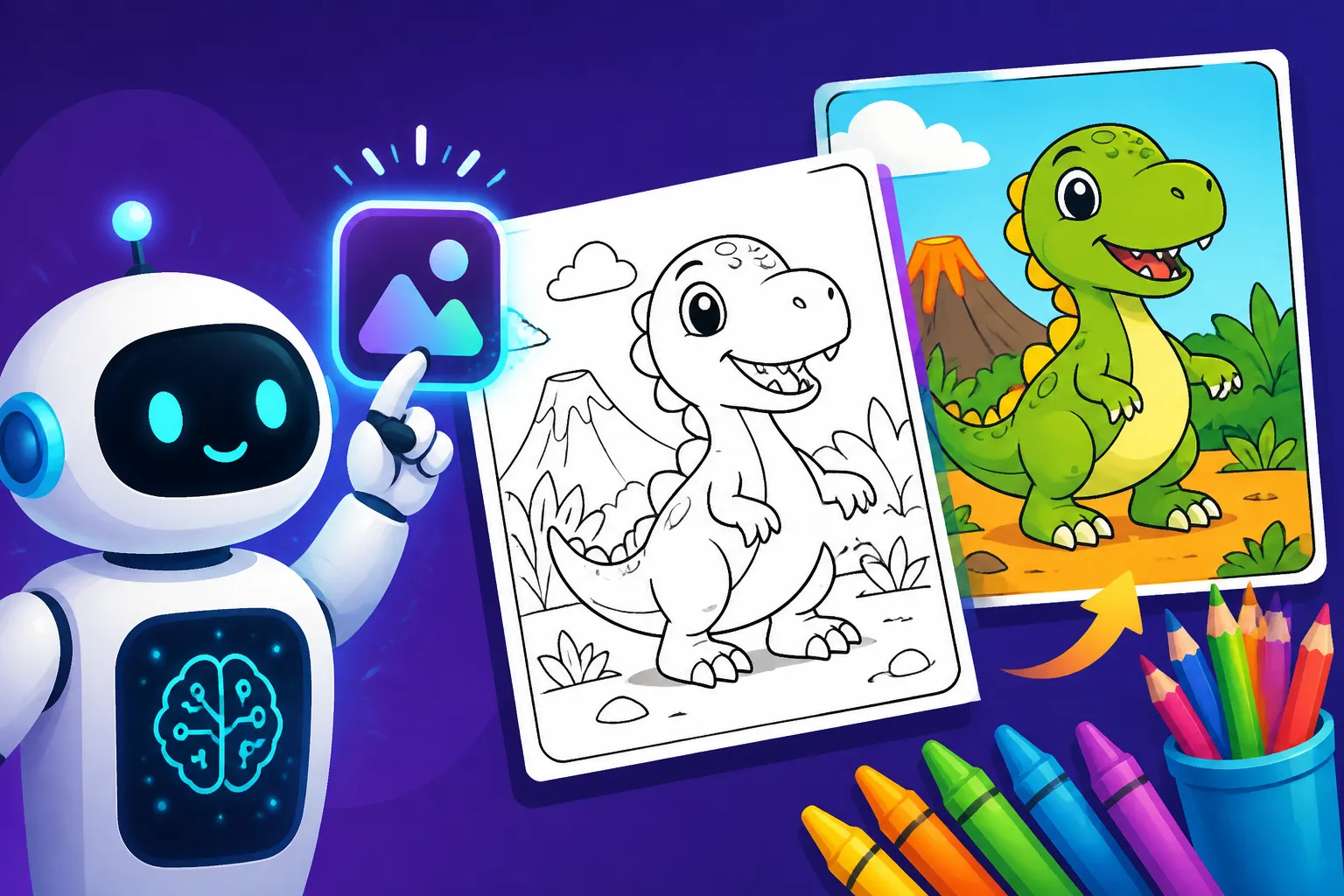
Imagine you're a parent whose child is obsessed with a specific, obscure dinosaur that barely anyone knows about, let alone features in coloring books. With AI, you can generate a detailed, accurate outline of that very dinosaur, engaged in any activity your child dreams up. Or perhaps you're a teacher preparing a lesson on ancient Egyptian pharaohs and want a coloring page featuring a specific pharaoh and historical artifacts for your students. An AI image generator can create exactly that, tailored to your curriculum and age group. This level of granular control means you're no longer settling for "close enough"; you're getting precisely what you envision. The possibilities are truly endless, catering to niche interests, educational themes, or just plain whimsical ideas that only you could dream up.
Speed and Efficiency
The other massive benefit of using AI for coloring pages is the sheer speed and efficiency it offers. If you were to commission an artist, you’d wait days or even weeks. If you tried to draw it yourself, unless you're a seasoned illustrator, you’re looking at a significant time investment per page, often with frustrating results. AI tools, however, can generate multiple variations of a complex image in mere seconds.
This rapid turnaround is invaluable for a variety of scenarios. Hosting a last-minute birthday party and need a unique activity? You can generate a dozen themed coloring pages in minutes. Running a small business and want to offer custom, branded coloring sheets as a fun giveaway? AI makes it feasible and cost-effective. You can quickly iterate on designs, making small adjustments to prompts and instantly seeing new versions until you hit the perfect one. This ability to generate, review, and refine almost instantly not only saves immense amounts of time but also encourages more experimentation and creativity, leading to even better and more varied results without the usual creative roadblocks or time constraints.
Crafting Effective Prompts for Coloring Pages
The magic of AI image generation truly lies in the prompts you provide. Think of the prompt as your conversation with the AI, guiding it to create exactly what you envision. For coloring pages, there are specific keywords and phrasing that make a huge difference in getting that clean, printable line art you’re looking for. It’s not just about telling it what to draw, but how to draw it for this particular use case.
Key Elements of a Coloring Page Prompt
To get those crisp, clear lines perfect for coloring, you need to be very intentional with your prompt. Simply asking for "a cat" will likely give you a full-color, shaded image. You need to guide the AI towards the specific aesthetic of a coloring page.
Here are the essential ingredients:
- Specify the Format: Always start by clearly stating that you want a "coloring page." This keyword is crucial.
- Emphasize Line Art: Add terms like "line art," "outline," "black and white lines," "bold lines," or "thick lines." These tell the AI to focus on boundaries and shapes, not color or texture.
- Exclude Shading and Color: Use phrases like "no shading," "no gradients," "flat colors," or "no color" to prevent the AI from adding intricate shadows or filling in the image with tones that make it unsuitably complex for coloring.
- Describe the Subject: Be detailed about what you want to be drawn. "A majestic lion standing proudly on a rock, in a jungle setting" is much better than just "lion."
- Define the Style (Optional but Recommended): Do you want it cartoony? Realistic? Chibi? Kawaii? A simple style will often result in cleaner lines for coloring. For example, "cute cartoon style."
- Consider the Background: Often, simple or sparse backgrounds are best for coloring pages to keep the focus on the main subject. You might specify "simple background," "white background," or "minimal background details."
Let’s put it together. Instead of "cat in space," try: "coloring page of a cute cat astronaut floating in space, wearing a detailed helmet, black and white line art, thick outlines, no shading, simple stars in the background, cartoon style." This prompt leaves little to interpretation and guides the AI directly to the desired output. Tools like Ideogram Review: Best for Text in Images are particularly good for handling precise textual instructions within prompts.
Fine-Tuning for Optimal Results
Getting a great coloring page isn't always a one-shot deal. It often requires a bit of fine-tuning, especially if you’re aiming for something very specific or if your initial results have minor flaws. This iterative process is where you really start to master AI image generation for this niche.
One powerful technique is using negative prompts. These tell the AI what not to include. For coloring pages, common negative prompts might be "no colors," "grayscale," "shading," "photorealistic," "complex textures," or "watermark." These help reinforce the "line art" instruction and prevent the AI from defaulting to its more typical full-color, shaded outputs. Many AI tools, including those covered in a Midjourney Prompt Guide or a DALL-E Prompt Guide, offer robust negative prompting capabilities.
Another crucial consideration is aspect ratio. Coloring pages are usually printed on standard paper sizes like 8.5×11 inches (US Letter) or A4. When generating images, aim for aspect ratios that match these dimensions, such as 2:3 or 3:4 for portrait orientation, or 3:2 or 4:3 for landscape. This ensures your generated image fits well on the page without awkward cropping. You might include "–ar 2:3" in your Midjourney prompt, for instance.
Don’t be afraid to iterate. If the first batch of images isn’t perfect, don’t give up! Tweak your prompt. Maybe the lines aren’t bold enough—add "ultra bold lines." Perhaps there's too much detail in the background—add "extremely simple background." Trying different synonyms or rephrasing parts of your prompt can yield surprisingly different results. Some platforms like Stable Diffusion, detailed in a Stable Diffusion Prompt Guide, even allow for more granular control over specific elements, which can be fantastic for iterating.
Finally, remember that different AI models have their own strengths and weaknesses. If one tool isn't quite hitting the mark for line art, try another. Exploring different platforms can significantly broaden your creative options and help you find the one that best suits your specific needs for creating custom coloring pages. You can find many options in guides like Best AI Image Generator Overall.
Step-by-Step Guide to Generating Your First Coloring Page
Ready to create your own coloring page masterpiece? The process is surprisingly straightforward once you understand the basic steps. It involves choosing the right tool, crafting your prompt, generating, and then preparing your image for printing. Let’s walk through it together.
Choosing Your AI Tool
The first step is selecting an AI image generator. There are many fantastic options available, each with its own interface, pricing, and specific strengths. For creating coloring pages, you generally want a tool that excels at generating clear line art and offers good control over prompt details.
Some popular choices include:
- Midjourney: Known for its artistic capabilities and high-quality outputs, Midjourney is excellent for generating creative and visually appealing line art. It primarily operates via Discord, which can be a learning curve for some, but its results are often worth it. You can explore its features in Midjourney Review: Features, Pricing, and Quality.
- DALL-E (via ChatGPT Plus or directly): This tool is very accessible, especially if you're already a ChatGPT Plus subscriber. It's generally good at understanding natural language prompts and producing decent line art, though sometimes it might add a bit of shading you'll need to prompt against.
- Ideogram: This one stands out particularly for its superior ability to render text accurately within images, which can be a huge bonus if you want coloring pages with labels, names, or educational content. Its line art generation is also quite robust.
- Stable Diffusion: This open-source model offers immense flexibility and customization, especially if you're willing to delve into more advanced settings or run it locally. Many free online versions or interfaces built on Stable Diffusion are available.
- Bing Image Creator / Microsoft Designer: These free tools, powered by DALL-E, are incredibly easy to use and a great starting point for beginners. They provide a simple web interface and are completely free. You can learn more about its free tier in Bing Image Creator Free Tier Explained.
For beginners, I often recommend starting with a free and easy-to-use option like Bing Image Creator or the free tier of Ideogram or Leonardo AI. This allows you to experiment with prompting without any financial commitment. You can check out a comprehensive list in Best Free AI Image Generators.
Inputting Your Prompt and Generating
Once you've picked your tool, it's time for the fun part: inputting your prompt!
- Access the Generator: Open your chosen AI image generator. This might mean logging into a web interface (like Ideogram or Bing Image Creator), or opening Discord for Midjourney.
- Locate the Prompt Input: Find the text box where you enter your commands. For Midjourney, it's typically
/imagine prompt:followed by your text. For web-based tools, it's usually a prominent text field. - Enter Your Carefully Crafted Prompt: Type or paste your prompt, incorporating all the elements we discussed earlier. Remember to be specific about the subject, style, and crucially, include keywords like "coloring page," "line art," "black and white," and "no shading."
- Example Prompt: "coloring page, intricate line art of a whimsical forest scene with fairies, mushrooms, and flowing rivers, black and white, no shading, thick outlines, highly detailed, fantasy style –ar 2:3"
- Hit Generate: Press Enter or click the "Generate" button. The AI will then work its magic, usually producing a few variations of your image within seconds to a minute.
- Review and Select: Look at the generated images. Do they match your vision? Are the lines clean? Is there any unwanted shading or color? Select the image you like best. Most tools will give you options to upscale a chosen image or generate more variations based on one you like.
Remember, starting simple is key. Get a feel for how the AI responds to basic coloring page prompts before adding too many complex elements.
Post-Generation Refinements and Downloads
After generating your coloring page, there are a few important steps to take to ensure it's ready for printing and enjoyment.
- Inspect the Image: Carefully examine the selected image. Look for any unintended artifacts, blurry lines, or areas that might be too complex or too simple for coloring. Sometimes, AI can generate strange distortions, especially in intricate details like hands or faces. If you spot any issues, you might need to try generating again with a tweaked prompt, perhaps adding negative prompts like "no distorted hands" or "clean lines."
- Upscale for Quality: AI images are often generated at a lower resolution to save processing power. To ensure your coloring page prints clearly and sharply, you'll almost always want to upscale it. Most AI tools have an "upscale" button (often labeled "U1," "U2," "U3," "U4" in Midjourney, or similar on other platforms) that will increase the resolution. High-resolution images are crucial for print quality. This process is covered in more detail in articles like How to Upscale AI Images.
- Basic Editing (Optional): For minor imperfections that the AI couldn't quite fix, you can always take your upscaled image into a simple photo editor (like Canva, GIMP, or even Paint on Windows) to make small adjustments. This could include erasing tiny stray marks, darkening a faint line, or adding a simple border. Some AI tools even offer built-in editing features like inpainting or outpainting, allowing you to modify specific areas directly.
- Download the High-Resolution File: Once you're satisfied, download the image. Make sure you're downloading the upscaled version, typically in PNG or JPEG format, at its highest available resolution.
- Print and Enjoy: Now you have a perfectly custom-designed coloring page, ready to be printed and brought to life with colors! You can print it on standard printer paper or even a slightly thicker cardstock for a more premium coloring experience.
Advanced Tips for Stunning Coloring Pages
Once you've got the hang of generating basic coloring pages, you might want to push the boundaries a bit. Advanced techniques can help you create entire themed sets, incorporate educational text, or even prepare your images for commercial use.
Achieving Consistent Style and Characters
One of the biggest challenges with AI image generation, particularly for series or stories, is maintaining consistency across multiple images. If you want a coloring book featuring the same character in different poses or settings, you'll need a strategy.
Many AI tools offer a "seed" value, which is a numerical code that influences the initial noise pattern the AI uses to generate an image. By using the same seed for subsequent prompts, you can often get more consistent results, especially if your prompt remains similar. For instance, in Midjourney, after generating an image, you can react with an envelope emoji to reveal its seed, then add --seed [number] to your future prompts.
Some advanced tools also offer character reference features or "style references" where you can provide an image of your desired character or style, and the AI will attempt to replicate it. This is a game-changer for creating cohesive sets of coloring pages. For more detailed guidance, check out resources like How to Prompt for Consistent Characters. Experiment with keeping the core subject description very similar in each prompt, only changing the action or background, to help the AI maintain the character's appearance.
Incorporating Educational or Thematic Elements
Coloring pages aren't just for fun; they can be powerful educational tools! AI makes it incredibly easy to tailor pages to specific learning objectives or themes.
If you want to add text, like the names of planets for a solar system page or simple words for a toddler's alphabet coloring sheet, tools like Ideogram are particularly strong. Their text rendering capabilities are often superior to other generators, which can sometimes produce "gibberish" text. You can include text directly in your prompt, for example: "coloring page of a friendly alien holding a sign that says 'HELLO WORLD', clear black and white line art, cartoon style."
Consider the age group for whom you're creating the pages. For younger children, simpler designs with thicker lines and larger areas to color are best. For older kids or adults, you can request "highly intricate," "detailed," or "zentangle style" coloring pages that offer a greater challenge and more creative freedom. You might prompt for "a detailed mandala coloring page with floral patterns and geometric shapes" for adults, or "a simple drawing of a happy teddy bear with bold outlines for toddlers." This flexibility ensures your coloring pages are appropriate and engaging for their intended audience.
Commercial Use Considerations
If you're thinking about using your AI-generated coloring pages for commercial purposes—perhaps selling them on Etsy, including them in an educational product, or using them for a business promotion—it's absolutely critical to understand the licensing terms of the AI tool you're using.
- Check Terms of Service: Every AI image generator has its own terms regarding commercial use. Some, like Adobe Firefly, explicitly offer commercial rights and even provide indemnification for certain plans, as detailed in Adobe Firefly Commercial Safety Review. Others, especially free tiers, might restrict commercial use or require attribution.
- Attribution: Some platforms might require you to disclose that the image was AI-generated. Always check the fine print to ensure you're compliant.
- Originality and Copyright: While AI generates unique images, the legal landscape around AI art and copyright is still evolving. It's generally safer if your prompt is highly original and doesn't explicitly mimic copyrighted characters or styles owned by others. While some Free AI Image Generators with Commercial Use exist, ensure you understand their specific limitations.
Being informed and careful about these aspects will protect you and your potential business ventures. When in doubt, always err on the side of caution or consult legal advice regarding intellectual property.
AI Image Generators for Coloring Pages: A Comparison
To help you decide which tool might be best for your coloring page projects, here's a quick comparison of some popular AI image generators, focusing on their strengths for line art, text rendering, and overall ease of use.
| Feature / Tool | Best for Line Art Quality | Text Rendering Capability | Ease of Use | Pricing Model | Notes |
|---|---|---|---|---|---|
| Midjourney | Excellent | Poor | Moderate (Discord) | Paid subscription | Produces highly artistic and detailed line art. Requires careful prompting for clean, no-shading output. Learning curve with Discord interface. Great for intricate designs. |
| DALL-E (ChatGPT/Web) | Good | Fair | High | ChatGPT Plus (subscription) | User-friendly, good for straightforward prompts. Sometimes adds subtle shading that needs negative prompts. Integrated into ChatGPT for easy access. |
| Ideogram | Very Good | Excellent | High | Free tier, then paid plans | Stands out for its superior text rendering, making it ideal for educational coloring pages with labels. Strong for logos and graphics. Offers a generous free tier. |
| Stable Diffusion | Excellent (with control) | Poor | Low (many interfaces) | Free (open-source), paid APIs | Highly customizable, can produce exceptional line art with fine-tuning (e.g., ControlNet). Best for users who want maximum control and don't mind a steeper learning curve. Many free online versions exist, like Playground AI. |
| Bing Image Creator | Good | Fair | Very High | Free | Excellent for beginners due to its ease of use and free nature. Powered by DALL-E, so similar output quality. Good for quick, simple coloring pages. |
| Leonardo AI | Very Good | Fair | High | Free tier, then paid plans | Offers a user-friendly interface and various models, including some optimized for line art. Good for generating a wide range of styles. Generous free credits. |
| Adobe Firefly | Good | Fair | High | Free tier, then paid plans | Integrated with Adobe ecosystem. Offers commercial safety features. Focuses on quality and usability, often producing clean results with less effort. |
This table isn't exhaustive, but it highlights some of the key players you might consider when diving into AI-generated coloring pages. For overall ease of use, you might consider something like Best AI Image Generator for Ease of Use. Remember to experiment and see which tool's workflow and output style resonate most with your creative vision. Don't forget to utilize How to Use Negative Prompts in any of these tools to ensure you get clean line art without unwanted shading!
Disclaimer
The information provided in this guide is for general informational and educational purposes only and does not constitute professional advice. While AI image generators offer incredible creative potential, users should always be mindful of copyright, intellectual property rights, and the terms of service of any platform they use, especially when considering commercial applications. The AI landscape is rapidly evolving, and best practices may change over time.