How to Create AI Food Photography
Let's be real: creating stunning food photography can feel like trying to catch smoke. The costs of professional photographers, intricate styling, perfect lighting setups, and the sheer waste of food often make it an unattainable dream for small businesses, bloggers, and even large restaurants. This guide is here to show you exactly how to use AI image generators to produce mouth-watering food photos that look professionally styled, without the traditional headaches and hefty price tag.
Understanding the Basics of AI Food Photography
The world of culinary content is incredibly visual, and for years, getting those perfect shots of a steaming bowl of ramen or a perfectly seared steak required significant investment. But times have changed, and AI is here to democratize delicious visuals.
Why AI is a Game-Changer for Food Content
Think about the traditional workflow for food photography. You'd hire a photographer, a food stylist, perhaps rent a studio, buy all the ingredients, cook the dish, and then race against time before it wilts, melts, or cools. It's a logistical nightmare, not to mention expensive. A single professional photoshoot for a menu might cost thousands of dollars, making it out of reach for many budding restaurateurs, home bakers, or food bloggers.
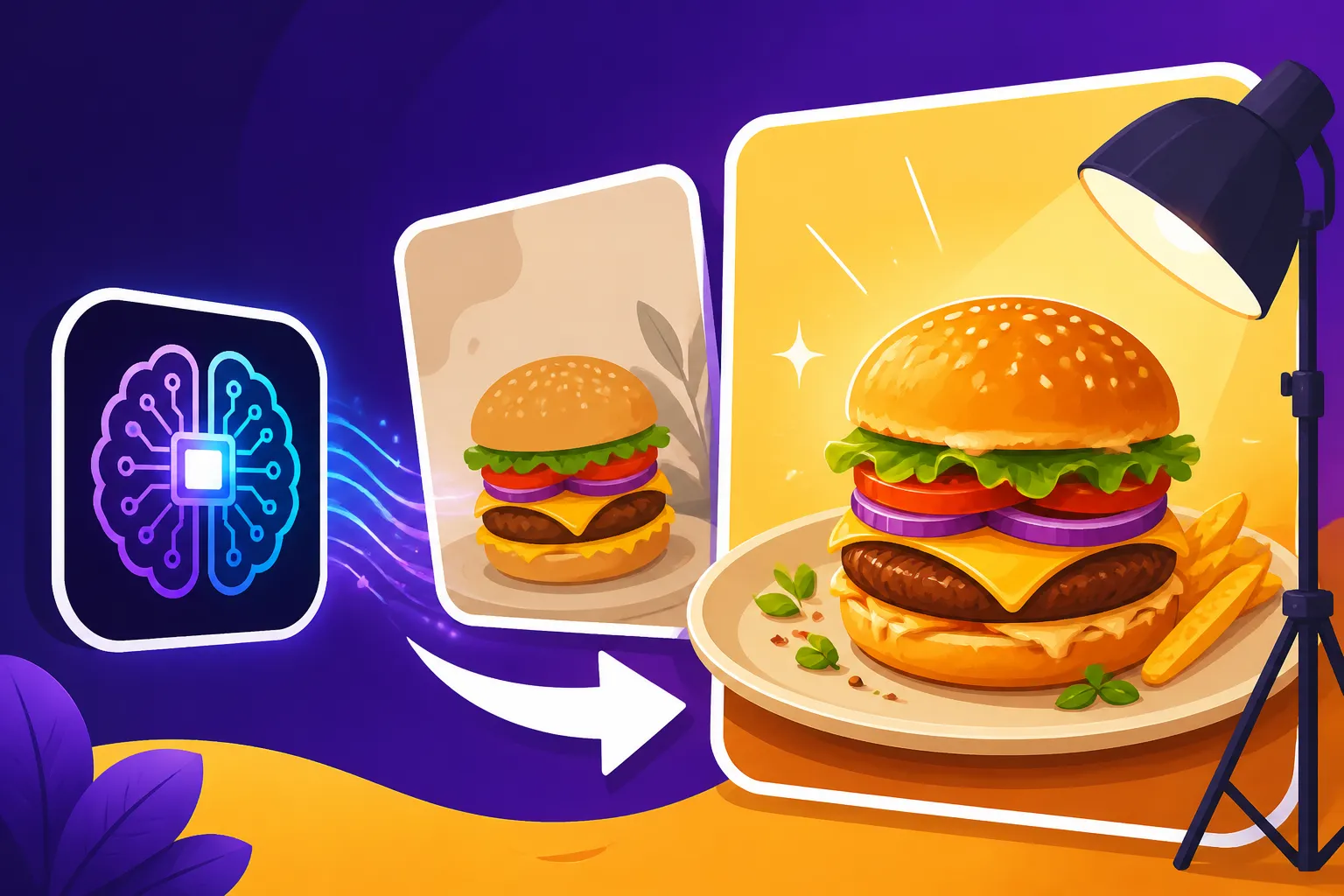
AI image generators completely flip this script. Instead of painstakingly arranging actual ingredients, you describe your desired dish and scene, and the AI conjures it into existence. This means you can experiment with endless angles, lighting, and plating styles without wasting a single ingredient or an ounce of time on physical setup. Want to see your pasta dish under warm, rustic lighting on a wooden table? Done. How about a minimalist shot of a gourmet dessert against a pastel background? Easy. This technology offers incredible flexibility, speed, and cost-effectiveness, making it a true game-changer for anyone in the food industry, from small cafes designing their first menu to established brands creating marketing campaigns. It's truly a leap forward for creating visuals for everything from your Instagram feed to a new cookbook.
Essential Concepts Before You Start Prompting
Before you dive into typing away, it’s helpful to understand what these AI tools are actually doing. At their core, AI image generators like Midjourney, DALL-E, or Stable Diffusion take your text description (called a "prompt") and translate it into a visual image. They've been trained on billions of images and corresponding text descriptions, learning the relationships between words and visual elements. This massive dataset allows them to understand concepts like "photorealistic," "steaming," "gourmet," or "rustic table."
The magic, and sometimes the frustration, lies in how you communicate your vision to the AI. It's not just about naming the dish; it's about describing every nuance: the texture, the temperature, the plating, the setting, the lighting, and the overall mood. Think of it like directing a phantom photoshoot. The more detailed and evocative your instructions, the closer the AI will get to your ideal image. You'll quickly learn that a vague prompt like "pizza" will yield vastly different results than "photorealistic close-up of a Neapolitan pizza, bubbling crust, melted mozzarella, fresh basil, steam rising, shallow depth of field, natural light from side, rustic wooden table background." Understanding this fundamental concept of prompt engineering is your first step toward becoming a master of AI food photography. If you're looking for a general overview, our guide on Best AI Image Generators Reviewed can help you choose a tool to start with.
Crafting Perfect Prompts for Delectable Dishes
The secret sauce to incredible AI food photography isn't necessarily having the fanciest AI tool, but rather knowing how to talk to it. It's all about your prompts.
Structuring Your Food Photography Prompts
A well-structured prompt is like a detailed recipe for your visual. It ensures all the key ingredients are present and cooked to perfection. Generally, a strong food photography prompt should include several components, building from the core subject outward:
- Subject/Dish: Start with the specific food item. Be precise. "A slice of chocolate cake" is better than "cake." "A vibrant, colorful smoothie bowl topped with berries and granola" is even better.
- Style: How do you want it to look? "Photorealistic," "food photography," "studio lighting," "cinematic," "macro shot," "close-up." You might also specify an artistic style if you're not going for realism, like "watercolor illustration" or "cartoon style."
- Key Descriptors: What makes this dish special? "Steaming hot," "freshly baked," "gooey cheese pull," "crispy skin," "caramelized edges." These sensory details bring the image to life.
- Composition/Angle: How should the shot be framed? "Flat lay," "overhead shot," "eye-level," "from above," "shallow depth of field," "bokeh background."
- Lighting: This is crucial for food. "Soft natural daylight," "warm ambient light," "dramatic backlighting," "studio lighting," "golden hour."
- Background/Props: What's the environment? "Rustic wooden table," "marble countertop," "minimalist white background," "linen tablecloth," "scattered ingredients," "cutlery," "coffee cup in background."
- Atmosphere/Mood: What feeling should the image evoke? "Cozy," "elegant," "fresh," "indulgent," "healthy."
For example: "Photorealistic, close-up food photography of a perfectly grilled salmon fillet, flaky texture visible, fresh dill garnish, lemon wedge on the side, served on a white ceramic plate, soft natural window light, shallow depth of field, dark rustic wooden table background, cozy kitchen atmosphere." This detailed approach leaves little to chance. For more in-depth guidance, check out our How to Write AI Image Prompts article.
Describing Your Food for Maximum Realism and Appeal
This is where you channel your inner food critic and get truly descriptive. The AI doesn't taste the food, but it understands visual cues that suggest deliciousness. Focus on sensory details that trigger hunger and appreciation:
- Texture: Is it "fluffy," "crispy," "creamy," "gooey," "crusty," "smooth," "crumbly," "tender," "juicy"? These words help the AI render believable surfaces. For instance, a "crispy golden-brown fried chicken" is far more impactful than just "fried chicken."
- Temperature: Does it look "steaming hot," "chilled and refreshing," "freshly baked," or "ice-cold"? Visible steam, condensation, or melting elements can convey temperature effectively.
- Color and Freshness: Use words like "vibrant," "bright," "golden," "deep red," "earthy green," "freshly picked." Specify the ripeness or quality of ingredients. "Ripe red cherry tomatoes" versus just "tomatoes."
- Garnishes and Details: Don't forget the small things that elevate a dish. "Sprinkle of paprika," "drizzle of olive oil," "fresh mint leaves," "toasted sesame seeds." These add authenticity and visual interest.
- Plating: Describe how the food is arranged. Is it "artfully plated," "generously portioned," "stacked high," "messy but appealing"?
By being specific about these details, you help the AI avoid generic, sometimes unappetizing, interpretations. You want the AI to visualize the food as if it's ready to be devoured, not just a blob on a plate.
Setting the Scene: Lighting, Angles, and Mood
Beyond the food itself, the surrounding environment, lighting, and camera angle are paramount in food photography. These elements dictate the entire feel of the image.
-
Lighting Techniques:
- Soft Natural Light: Often from a window, creating gentle shadows and an inviting feel. Use terms like "soft diffused light," "north-facing window light." This is a popular choice for bloggers and home cooks.
- Dramatic Harsh Light: Can create deep shadows and highlights for a more artistic, high-contrast look. Think "hard light," "directional light," "chiaroscuro."
- Backlighting: Positions the light source behind the food, creating a beautiful glow and emphasizing steam or liquids. Use "backlit," "rim light."
- Studio Lighting: Implies controlled, often bright and even, illumination. Use "professional studio lighting," "softbox lighting."
-
Camera Angles:
- Overhead/Flat Lay: Looking straight down onto the dish. Perfect for showcasing intricate plating or multiple items. "Flat lay photography," "overhead view."
- Eye-Level: As if you're sitting at the table. Great for showing depth and connection. "Eye-level shot," "straight on view."
- Close-up/Macro: Highlights textures and specific details. "Macro photography," "extreme close-up."
-
Creating Atmosphere and Mood:
- Use adjectives to set the tone: "cozy," "elegant," "rustic," "vibrant," "minimalist," "luxurious," "healthy."
- Incorporate elements that support the mood: "warm wooden table," "crisp linen tablecloth," "gourmet restaurant setting," "bustling cafe background," "outdoors picnic."
For instance, if you want to showcase a gourmet dessert, you might prompt for "Elegant food photography, close-up of a deconstructed chocolate lava cake, molten center visible, garnished with edible flowers and raspberry coulis, soft studio backlighting creating a gentle glow, shallow depth of field, dark marble countertop background, luxurious atmosphere." Being this specific with the lighting and environment can dramatically improve the output, helping you achieve truly [photorealistic images].
Advanced Techniques and Tools for Professional Food Shots
Once you've mastered the basics, you can elevate your AI food photography even further by focusing on consistency, refinement, and strategic application.
Incorporating Brand Aesthetics and Consistency
For businesses, maintaining a consistent visual brand is crucial. If you're a bakery with a rustic, warm aesthetic, you don't want your AI images of croissants to suddenly appear in a stark, minimalist setting. This is where advanced prompting comes in.
To achieve consistency, you'll want to use a set of "style keywords" that you apply to all your food prompts. For instance, if your brand is "farm-to-table rustic," you might always include terms like "natural light," "wooden table," "earthenware plates," "linen," "organic textures," and "warm tones" in your prompts. Some AI tools, like Midjourney, even allow you to create a "style reference" from an existing image, helping the AI replicate that look across new generations. This ensures that whether you're creating images for a new menu item, a social media campaign, or a blog post, all your visuals sing the same tune. You can experiment with tools like Midjourney or DALL-E vs Stable Diffusion: Full Comparison to see which one aligns best with your stylistic needs.
This level of control is invaluable for creating cohesive marketing materials. Imagine generating a series of photos for a new seasonal menu, all adhering to the same beautiful, consistent visual identity without ever needing to coordinate multiple photoshoots. It simplifies branding and makes your visual content instantly recognizable.
Editing and Enhancing AI-Generated Food Images
While AI can generate incredibly impressive images, they're not always perfect right out of the gate. Think of the AI output as a highly polished raw file. Often, a little post-processing can take an image from great to truly exceptional.
Minor adjustments in traditional photo editing software, like Adobe Photoshop or Lightroom, can make a huge difference. You might want to:
- Color Correct: Fine-tune white balance or color saturation to make the food look even more appetizing.
- Sharpen: Add a touch of sharpening to bring out textures and details.
- Adjust Contrast and Brightness: Enhance the overall pop and depth of the image.
- Minor Retouching: Sometimes, AI can leave behind tiny artifacts or slightly unnatural details. These can often be easily removed or smoothed out.
Many AI tools also offer in-platform editing features like "inpainting" and "outpainting." Inpainting allows you to select a specific area of the image (e.g., a slightly imperfect garnish) and re-prompt the AI to generate a new element within that area. Outpainting lets you extend the canvas beyond the original image, which is fantastic for adjusting composition or adding more background elements. If you encounter issues like strange textures or unnatural colors, you might refer to our guide on How to Fix Bad AI Image Results for troubleshooting tips.
Leveraging AI for Menu Design and Marketing
The power of AI food photography extends far beyond just pretty pictures. It can be strategically integrated into various business applications to save time and money.
For restaurants and cafes, generating high-quality images for your menu design has never been easier. You can create images for every single dish, showcasing them in their best light, rather than relying on stock photos or subpar homemade shots. This significantly elevates the professionalism of your menu.
Beyond menus, AI-generated food images are perfect for all your marketing needs. Think about:
- Social Media Graphics: Quickly churn out engaging visuals for Instagram, Facebook, and Pinterest. You can create different versions of the same dish for various campaigns.
- Ad Creatives: Design compelling images for online ads that stop scrollers in their tracks. A/B testing different image styles becomes incredibly efficient.
- Blog Post Heroes: Illustrate your recipes and articles with unique, high-quality images that match your blog's aesthetic.
- Recipe Cards and Cookbooks: Imagine generating bespoke illustrations or photos for every recipe in your cookbook without needing a professional food stylist for months.
- Website Graphics: Enhance your website with stunning visuals that make your offerings irresistible.
This enables you to maintain a dynamic and fresh visual presence across all your channels. For those looking to optimize their marketing visuals, exploring Best AI Image Generator for Marketing Images can provide valuable insights into specific tools that excel in this area.
Overcoming Challenges and Ethical Considerations
While AI food photography is a powerful tool, it's not without its quirks. Navigating potential issues and understanding the broader implications is part of being an informed creator.
Troubleshooting Common AI Food Photography Issues
You'll inevitably encounter moments where the AI doesn't quite nail the vision. This could manifest as:
- Distorted or Unnatural Food: Sometimes the AI struggles with complex textures or the geometry of certain dishes, resulting in images that look… off. A pizza might have too many olives, or a soup might have an odd consistency.
- Repetitive Elements: You might notice similar background elements, plates, or cutlery appearing across multiple generations if your prompts aren't varied enough.
- Unappetizing Colors: The AI can sometimes produce colors that don't look fresh or appealing, making your virtual food look less than delicious.
When these issues arise, don't despair. Here are some troubleshooting strategies:
- Refine Your Prompt: Go back to your prompt and add more specific details about the texture, color, and plating. Less ambiguity often leads to better results.
- Use Negative Prompts: Many AI tools allow you to specify what you don't want to see. For instance,
—no weird textures, —no blur, —no repetitive elements. - Generate More Variations: Often, simply generating multiple versions of an image will give you a better selection. AI generation can be a bit of a lottery, and sometimes the next roll of the dice is exactly what you need.
- Experiment with Different Models: If one AI model isn't consistently giving you good food images, try another. Some models excel at photorealism, while others are better for more artistic styles. Consider trying a free tier from a different service, such as exploring the Leonardo AI Free Tier Review to see if it suits your needs better.
- Iterate and Learn: Pay attention to what works and what doesn't. Keep a log of successful prompt elements and build your own library of effective phrases.
| Common AI Food Photography Issue | Potential Cause | Troubleshooting Tip |
|---|---|---|
| Unnatural Textures/Shapes | Vague descriptors, AI hallucination | Add more specific textural words (e.g., "flaky," "crispy," "smooth"). Use —no distorted or —no mutated in negative prompts. |
| Dull/Unappetizing Colors | Lack of color descriptor, poor lighting | Specify "vibrant colors," "fresh ingredients," "golden-brown." Include lighting (e.g., "bright natural light," "warm ambient light"). |
| Repetitive/Generic Backgrounds | Insufficient background details | Describe specific props, tables, environments (e.g., "rustic wooden table," "marble countertop with blurred kitchen background," "scattered herbs"). |
| Lack of Realism/Depth | Missing photographic terms | Include "photorealistic," "food photography," "shallow depth of field," "bokeh background," "macro shot," "cinematic lighting." |
| Too "AI-generated" look | Over-reliance on simple prompts | Combine multiple descriptive elements. Add nuances like "subtle imperfections," "hand-prepared." Consider post-processing for final touch-ups. |
Navigating Copyright and Commercial Use
This is perhaps the trickiest, and most rapidly evolving, aspect of AI-generated content. The question of who owns the copyright to AI-generated images, and whether they can be used commercially, is still being debated legally worldwide.
As a creator or business owner, it's paramount that you thoroughly check the Terms of Service (ToS) of every AI image generator you use. These policies can vary wildly:
- Some tools grant you full commercial rights to the images you generate, especially on paid plans.
- Others might retain some rights for themselves or their underlying AI models.
- A few might prohibit commercial use entirely on their free tiers.
- Some, like Adobe Firefly, offer indemnification, meaning they will cover legal costs if a copyright dispute arises from an image generated using their commercial versions, providing a layer of security for businesses. Our in-depth Adobe Firefly Commercial Safety Review explains this in more detail.
Generally, for commercial use, you'll want to lean towards paid subscriptions of reputable platforms that explicitly grant commercial licenses. If you're using a free service, double-check its ToS carefully. Ignorance of these terms could lead to legal issues down the line. While the field is new and often ambiguous, prioritizing tools that explicitly support commercial use and staying informed about legal updates is your best bet for peace of mind. For a more general discussion on this topic, you might find our article How to Use AI Images Without Copyright Issues helpful.
Disclaimer
Please remember that the information provided in this article is for general guidance and informational purposes only. The landscape of AI technology, pricing, terms of service, and legal considerations (especially concerning copyright and commercial use) is constantly changing. Always consult the most up-to-date terms and conditions of any AI image generation platform you choose to use.