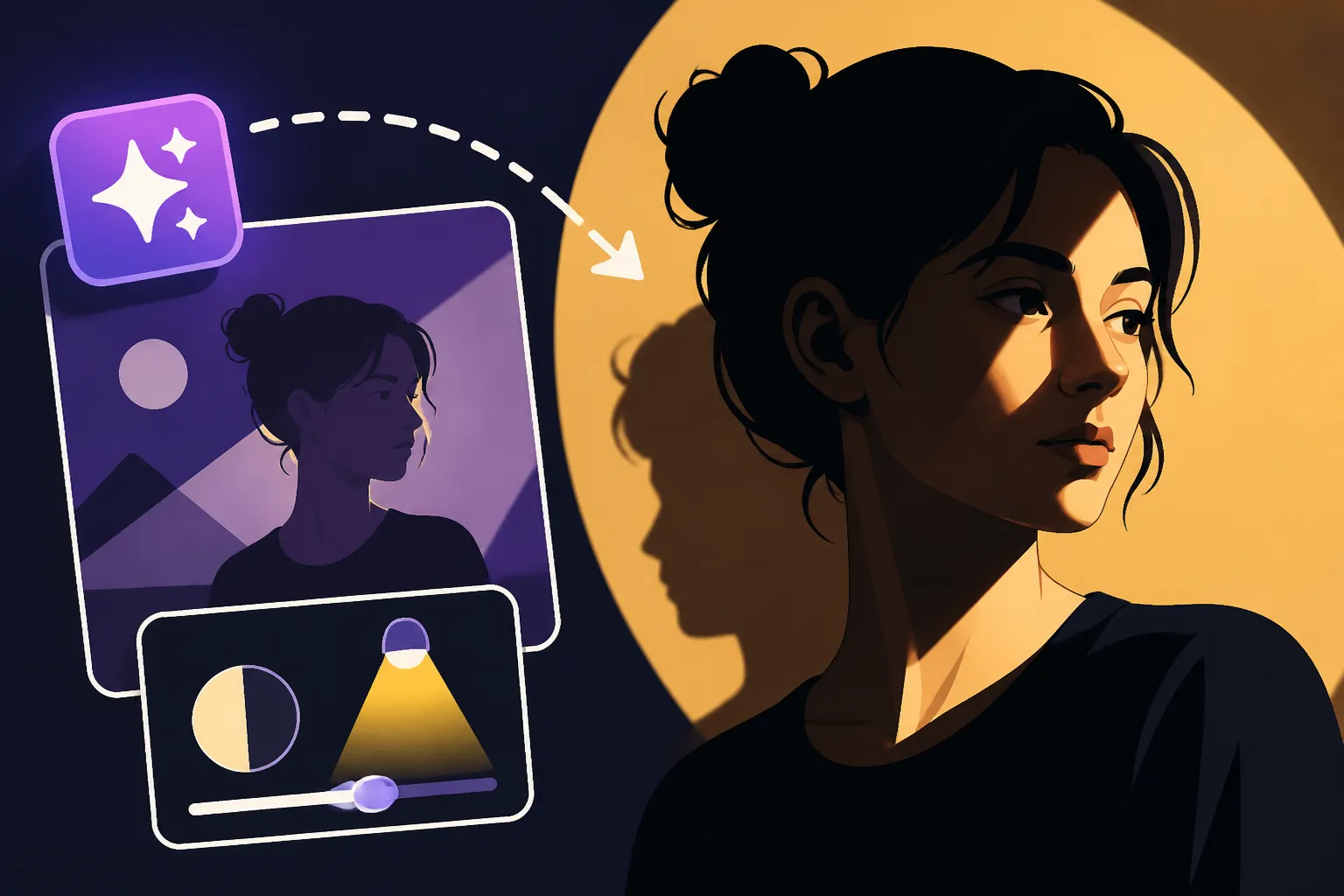
How to Prompt for Dramatic Shadows
Have you ever generated an image with AI, only to find it looks a little… flat? Like someone just painted everything under a bright, even sky with no sense of drama or depth? It's a common frustration when starting out with AI art, where your brilliant vision gets lost in a sea of generic lighting. This guide is all about fixing that, diving deep into how to write prompts that master dramatic shadows, transforming your images from mundane to magnificent.
Understanding the Essence of Dramatic Shadows in AI Art
Before we start throwing around fancy prompt words, it’s really important to grasp why dramatic shadows work and what they actually achieve. Think of it like a seasoned photographer or painter—they don't just happen upon incredible lighting; they sculpt it, understanding its power to evoke emotion and tell a story. With AI, you become the lighting director, instructing the digital canvas where to place its deepest hues.
Why Dramatic Shadows Matter for Visual Impact
Dramatic shadows aren't just for looking cool; they're fundamental to compelling visual storytelling. When an image has strong, purposeful shadows, it immediately adds layers of meaning and intrigue. Imagine a detective standing in a dimly lit alley, half his face obscured by shadow. What does that tell you? Mystery, danger, perhaps a hidden motive. The shadow isn't just darkness; it's a narrative device.
These deep contrasts also play a psychological trick on the viewer. They create a sense of depth that makes a 2D image feel three-dimensional, pulling the eye into specific areas while concealing others. This guiding of the viewer's gaze is crucial. Shadows can highlight a subject by surrounding it in darkness, or they can minimize distractions, allowing the focal point to shine—quite literally. Without them, everything tends to blend, and the eye has nowhere interesting to land. Think of iconic film noir cinematography, where every shadow is meticulously placed to build tension, or the classical paintings of Caravaggio, where subjects emerge from profound darkness, brimming with emotional intensity. These artists understood that true drama often lies not in what is illuminated, but in what is shrouded.
The Core Elements AI Needs to Grasp for Shadow Play
To effectively prompt for dramatic shadows, you need to break down the concept into components that AI can understand. It's not enough to just say "dramatic shadows"; you need to tell the AI how to create them.
First and foremost is the light source. This is the absolute king of shadow creation. Where is the light coming from? Is it high above, casting short shadows directly below, or low on the horizon, stretching shadows across the scene? Is it a single, focused beam or a diffused, ambient glow? The direction (e.g., "backlight," "side light"), intensity ("harsh," "intense"), and type ("spotlight," "window light," "moonlight") of the light source will fundamentally dictate the nature of your shadows. A harsh, direct light source will yield sharp, well-defined shadows, while a softer light source will produce more gradual, less dramatic transitions.
Next, consider the subject itself and its interaction with the light. The shape of your subject, its texture, and its position relative to the light source are critical. A person standing with their back to a strong light will often be silhouetted, their features lost in shadow. A rough, textured surface will catch light and shadow differently than a smooth, reflective one. A subject positioned to intentionally block light will naturally create prominent cast shadows.
Finally, the environment plays a massive role. What surfaces are present? Are there walls, trees, buildings, or other objects that can cast shadows, or does the environment absorb light? Are there reflective surfaces that might bounce light back into the shadows, softening them slightly? Even the overall color palette influences how shadows are perceived. A scene with warm, vibrant colors might make even deep shadows feel less oppressive, while a cool, desaturated palette can amplify their brooding nature. The AI needs hints about these environmental factors to convincingly render a shadowy scene.
Crafting Your Prompts: Keywords for Unleashing Dramatic Shadows
Now that we understand the mechanics, let's talk about the words and phrases that will actually get your AI image generator to produce those coveted dramatic shadows. It’s all about being specific, evocative, and sometimes, a little bit technical. If you're looking for broader advice, remember to check out resources like How to Write AI Image Prompts or AI Image Prompt Guide for Beginners.
Specifying Light Sources for Maximum Effect
The fastest way to get dramatic shadows is to explicitly describe your light source. This is where you become the director of photography.
- Harsh Light: Terms like "harsh backlight," "intense spotlight," "razor-sharp side lighting," or "strong directional light" tell the AI to create distinct, hard-edged shadows. Imagine a single bare bulb in a dark room—that's harsh light.
- Directional Light: Clearly state where the light is coming from.
- "Rim lighting" or "contre-jour" is fantastic for outlining your subject with a glow while leaving the front in shadow, creating a powerful silhouette effect. This is particularly effective for figures or objects where you want to emphasize their outline against a bright background.
- "Side lighting" brings out texture and depth, splitting the subject into light and shadow. Think of a human face with one side brightly lit and the other plunged into darkness, creating a stark, moody portrait.
- "Low-key lighting" is a classic photography term for scenes dominated by dark tones and shadows, with only minimal areas of light. It's inherently dramatic and perfect for mystery or suspense.
- "High-contrast lighting" or "cinematic lighting" are also great general terms that imply a strong separation between light and dark areas.
Here are some examples of how to integrate these:
A solitary figure standing in a vast, empty street at dusk, illuminated by a **harsh streetlamp from behind**, casting **long, exaggerated shadows** forward.Close-up portrait of an old fisherman, his face weathered, under **dramatic side lighting**, **deep shadows** accentuating every wrinkle.A mystical forest scene, with ancient trees, **rim lit** by a hidden, ethereal light source, creating a sense of wonder and **deep, enigmatic shadows** throughout.
Remember, the intensity of the light is just as important as its direction. Using words like "intense," "bright," or "powerful" in conjunction with your light source description will reinforce the dramatic effect you're aiming for.
Describing the Shadows Themselves
Beyond the light source, you can directly describe the shadows you want to see. This helps the AI understand the quality and placement of the darkness.
- Quality of Shadows:
- "Deep shadows," "heavy shadows," or "crushing blacks" (a photography term for shadows so dark they lose all detail) are excellent for conveying profound darkness.
- "Sharp shadows" or "hard shadows" emphasize crisp edges, often indicating a clear, unobstructed light source.
- "Long shadows" are perfect for evoking a specific time of day (sunrise/sunset) or creating a sense of dramatic scale, making subjects appear grander or more imposing.
- "Geometric shadows" can be useful when you want shadows from architectural elements to create abstract, striking patterns.
- Placement and Effect:
- "Cast shadows" explicitly tells the AI to project shadows from objects onto surfaces. You can even specify where they fall: "shadows falling across the face," "long cast shadows stretching across the floor."
- "Obscuring shadows" or "figure partially in shadow" directs the AI to use shadows to hide parts of the scene or subject, building mystery.
- "Silhouetted" or "silhouette effect" is a powerful choice when you want the subject to appear as a dark shape against a brighter background, emphasizing form over detail.
Consider adding negative prompts to enhance your results. If you're getting soft, diffused shadows, try adding --no soft shadows, diffused lighting to guide the AI away from unwanted styles. Learn more about How to Use Negative Prompts for better control.
Influencing Mood and Atmosphere Through Shadows
Dramatic shadows are not just visual elements; they are mood generators. By linking your shadow descriptions to emotional or atmospheric terms, you guide the AI toward the overall feeling you want to evoke. This is where your inner storyteller shines.
- Keywords for Mood:
- "Mysterious atmosphere," "ominous shadows," "suspenseful lighting," or "brooding mood" immediately signal a certain emotional tone.
- "Dramatic chiaroscuro" directly references the artistic technique of using strong contrasts between light and dark, usually bold contrasts affecting a whole composition, to create a sense of drama.
- "Film noir style," "gothic lighting," or "tenebrism" (an artistic style using stark, high-contrast light and shadow to create dramatic effect, where darkness is a dominant feature of the image) are powerful stylistic cues that inherently include dramatic shadow play. These are great for generating specific artistic vibes.
- For a sense of isolation or vulnerability, phrases like "figure emerging from shadows" or "lost in shadow" can be incredibly effective.
Think about how these words contribute to the narrative of your image. A prompt like An abandoned manor, bathed in **ominous moonlit shadows**, creating a **brooding, gothic atmosphere** paints a very specific and evocative picture. Similarly, A lone detective, smoking in a dimly lit office, his face half-hidden by **dramatic chiaroscuro shadows**, evoking a **film noir style** tells a story through its lighting alone. For more on this, check out How to Prompt for Different Moods.
Here's a quick reference table for some of these powerful shadow-related prompt terms:
| Prompt Term | Primary Effect | Ideal Use Case | Keywords to Pair With |
|---|---|---|---|
| Harsh backlight | Strong silhouette, bright outline | Mysterious figures, dramatic entrances | Rim lighting, contre-jour, intense, severe |
| Side lighting | Emphasizes texture, creates depth | Portraits, architectural details, gritty scenes | Dramatic, sharp, deep shadows, textural |
| Low-key lighting | Dominance of dark tones, minimal light | Mystery, suspense, dramatic portraits, minimalist art | Moody, brooding, ominous, tenebrism |
| Chiaroscuro | Strong contrast light/dark, dramatic composition | Classical art style, high drama, intense emotion | Caravaggio style, intense, rich blacks, painterly |
| Deep shadows | Areas of profound darkness, obscured detail | Secrecy, mystery, isolation, nighttime scenes | Crushing blacks, heavy, consuming |
| Long shadows | Exaggerated shadows, time-of-day indication | Sunrise/sunset, vast landscapes, dramatic scale | Stretching, sprawling, elongated, golden hour, dusk |
| Sharp shadows | Crisp, well-defined shadow edges | Clear light source, graphic style, strong contrast | Hard light, razor-sharp, distinct |
| Silhouetted | Subject as dark shape against bright background | Dramatic impact, anonymity, iconic imagery | Outline, rim lit, against bright sky, stark |
| Ominous shadows | Creates a sense of foreboding, unease | Horror, suspense, dramatic narratives | Brooding, menacing, sinister, mysterious |
| Cinematic lighting | High production value, dramatic and artful | Film stills, dramatic scenes, storytelling | HDR, film grain, dramatic, epic |
Advanced Techniques for Mastering Shadow Prompts
Once you've got the basics down, you can start experimenting with more sophisticated ways to generate truly stunning images with dramatic shadows. It’s all about layering concepts and understanding how AI interprets complex instructions. If you're struggling to get results, learning How to Get Better AI Image Results is a great next step.
Combining Lighting Styles and Artistic Influences
Don't be afraid to mix and match! Sometimes the most unique and dramatic shadows come from blending different techniques or drawing inspiration from specific artistic movements.
- Referencing Artists: Explicitly mentioning artists known for their mastery of light and shadow can yield incredible results.
- "Rembrandt lighting" is a classic portrait lighting technique where a small triangle of light is visible on the shadowed side of the face. It's incredibly dramatic and adds depth.
- "Caravaggio style" or "tenebrism" is perfect for profound, almost theatrical darkness, where figures emerge dramatically from deep shadows.
- You could even try something like "neo-noir cinematography" or "chiaroscuro photography" to give the AI a strong stylistic anchor.
- Integrating Photography Terms: Photographers have a rich vocabulary for describing lighting.
- "High contrast photography" or "black and white photography, extreme contrast" will naturally push the AI to maximize the difference between light and dark.
- "Staged lighting" or "theatrical lighting" implies intentional, often exaggerated, light and shadow for dramatic effect, reminiscent of a play or film set.
- "Low-key studio portrait with intense shadows" combines several elements for a very specific, powerful outcome.
For example, A lone samurai in a misty bamboo forest, illuminated by a single, **dramatic shaft of moonlight**, creating **long, sharp shadows** and a **Kurosawa film aesthetic**. Here, "Kurosawa film aesthetic" brings in a director renowned for his striking black and white cinematography and dramatic use of light and shadow, giving the AI a comprehensive visual brief. Experiment with different combinations, and don't forget that resources like Best AI Image Prompt Formulas can offer great starting points.
Iteration and Refinement: The Path to Perfect Shadows
Let's be realistic: you won't always hit perfection on the first try. AI image generation is an iterative process, especially when dealing with nuanced effects like dramatic shadows. The key is to learn from each generation and refine your prompts.
- Small Tweaks: Instead of rewriting your entire prompt, make small, targeted adjustments. If your shadows aren't deep enough, try adding "deep black shadows" or "crushing blacks." If they're too soft, swap "soft" for "sharp" or "hard light." Changing one word can often have a significant impact.
- Using Parameters (Where Available): Some AI tools offer specific parameters that can influence contrast or stylization. For instance, in Midjourney, the
--style rawparameter can sometimes give you more direct control over lighting without the AI imposing its own stylistic flourishes. While specific parameters vary by tool, the general idea of using "raw output" or "less stylized" output helps. - Seed Numbers: If an image has almost the right shadows but needs a slight adjustment, most AI tools allow you to use a "seed" number to regenerate the image with minor prompt changes while retaining a similar composition. This is invaluable for fine-tuning.
- Prompt Iteration Tools: Many platforms offer variations or "remix" features, which can be useful for exploring different shadow interpretations of your initial prompt. Think of it as generating a new version of the image, keeping the core idea but allowing for new takes on the lighting. You'll find great strategies for this in guides like How to Fix Bad AI Image Results.
Troubleshooting Common Shadow Issues
It's inevitable: you'll run into situations where your dramatic shadow prompts don't quite land the way you hoped. Here are some common problems and how to tackle them:
- Shadows Not Dark Enough: This is a frequent complaint. If your shadows are coming out grey or washed out, reinforce your prompt with stronger terms. Use "deep black shadows," "inky shadows," "crushing blacks," or "absolute darkness in shadows." Sometimes, it means telling the AI to use an even more intense or focused light source, like "pinpoint spotlight" or "single, powerful light source."
- Shadows Too Soft or Fuzzy: If you're aiming for crisp, defined shadows but getting blurry edges, emphasize the sharpness of the light. Try "razor-sharp shadows," "hard light source," "crisp edges," or "defined shadows." You might also need to explicitly remove "soft lighting," "diffused light," or "ambient light" using negative prompts.
- Unnatural Shadow Placement or Shape: This is often a matter of specifying the light source's direction more precisely. If the shadows don't make sense, try adding "light from the upper left," "light source below," or "sunlight coming through a narrow gap." You might also need to describe the objects casting the shadows more clearly: "long, thin shadow cast by a lamppost."
- Losing Subject Detail in Shadows: While dramatic shadows are about contrast, you don't always want your subject to be a featureless black blob. If you're losing too much detail, you can try to subtly balance it. Use terms like "detailed shadows," "subtle shadow details," "volumetric lighting with deep shadows," or "bounce light subtly illuminating the shadowed areas." This tells the AI to maintain some form or texture within the darkness, preventing it from becoming a pure void. This balance is key when you want a moody atmosphere but still need your subject recognizable. For more on creating realism, check out How to Add Realism to AI Images or How to Make AI Images Look Less AI.
Ultimately, mastering dramatic shadows in AI art is about intentionality. Each word in your prompt is a brushstroke of light or a dab of darkness. Keep experimenting, keep observing how light and shadow play in the real world and in great art, and soon you'll be conjuring images with depth and drama that truly captivate.
Disclaimer
The information provided in this guide is for general informational purposes only. While we strive to offer accurate and helpful advice on AI image generation and prompting, the capabilities and outputs of AI tools are constantly evolving. Results may vary depending on the specific AI model, version, and individual prompt phrasing. Always review the terms of service for any AI image generator you use, especially regarding commercial rights and usage.