How Long Should an AI Image Prompt Be
It's incredibly frustrating when you're trying to coax a specific image out of an AI tool, and you feel like you're either typing a novel or just grunting single words, with neither approach yielding the masterpiece in your head. The truth is, there's no magic number for the "perfect" AI image prompt length, and wrestling with this uncertainty can be a real roadblock to creativity. This comprehensive guide will dive deep into understanding prompt length, its impact on AI image generation, and practical strategies for crafting prompts that consistently deliver the results you're after.
The Myth of the "Perfect" Prompt Length
One of the biggest misconceptions when you start generating AI images is that there’s a universally ideal prompt length. You might scroll through galleries of stunning AI art, see a short, pithy prompt, and think, "Aha! Less is more!" Or, conversely, you might stumble upon an incredibly detailed prompt that reads like a short story and conclude that you need to be exhaustively descriptive. The reality is far more nuanced, and chasing a mythical "perfect" length can actually hinder your progress rather than help it. The frustration often stems from seeing inconsistent results even when you try to emulate what others are doing. It's enough to make you throw your hands up!
Why Shorter Prompts Can Be Deceptively Simple
When you see a short prompt like "majestic lion in the savannah" and a breathtaking image appears, it’s easy to assume that brevity is always the key. And sometimes, for very common or archetypal concepts, it absolutely can be. These tools are trained on vast datasets, so they have a strong understanding of widely recognized subjects, styles, and scenarios. If you ask for a "sunset over mountains," the AI already has countless examples to draw from, and it can fill in the blanks with aesthetically pleasing defaults.
However, this simplicity can be deceptive. A short prompt often works best when you’re not particularly attached to specific details. If you just need a lion, a sunset, or a futuristic city, a concise prompt gives the AI a lot of creative freedom. The downside is that you might get something beautiful but not quite what you envisioned. It’s like telling a chef "make me dinner"—they'll make something good, but it might not be your favorite dish because you didn't specify "pasta primavera with sun-dried tomatoes." You sacrifice control for speed and ease, which isn't always a bad trade-off, but it's important to understand what you're getting into.
The Pitfalls of Overly Long, Unfocused Prompts
On the other end of the spectrum, many beginners (and even seasoned pros on an off day!) fall into the trap of writing overly long prompts, hoping that more words equal more control. You might write something like, "A beautiful, ethereal woman with long, flowing golden hair, wearing a shimmering gown made of starlight, standing in a magical forest at dusk with fireflies glowing around her, intricate details, highly detailed, fantasy art, volumetric lighting, epic scene, realistic, photorealistic, 8K, cinematic." While this contains a lot of descriptive elements, an unstructured wall of text can confuse the AI.
The problem with overly long, unfocused prompts is that the AI might struggle to prioritize information. It can get lost in the sheer volume of descriptors, potentially diluting the impact of key elements. Sometimes, the later words in a very long prompt might even be given less weight than those at the beginning, depending on the model. It's like trying to tell a story to someone who keeps interrupting you with new details before you've finished your thought – the core message can get muddled. You end up with a mishmash of ideas rather than a cohesive vision, and that’s a frustrating outcome when you've invested so much effort into the prompt. If you're struggling to get specific results, you might want to review some Common AI Image Prompt Mistakes.
Finding the Sweet Spot: Quality Over Quantity
Ultimately, the goal isn't to hit a specific word count, but to convey your vision with clarity and efficiency. The "sweet spot" for prompt length is less about the number of words and more about the quality and relevance of those words. Think of it like this: you're trying to give the AI just enough information to understand your intent without overwhelming it with redundancy or conflicting instructions.
This means being deliberate about every word you include. Does it add a meaningful detail? Does it clarify a style or mood? Or is it just filler? For some images, a concise phrase might be perfect, while for others, a more elaborate paragraph is necessary. The key is to be intentional. We'll explore various strategies for crafting effective prompts later, but always remember: every word should earn its place. A good starting point is to focus on How to Write AI Image Prompts effectively.
Understanding AI's Interpretation of Prompt Elements
To truly master prompt length, you need a basic understanding of how AI image generators actually "read" and interpret your input. It's not like talking to a human; these models operate on patterns, weights, and associations derived from their training data. This technical backbone influences how much information they can effectively process from your prompt.
Keywords and Their Impact
Keywords are the bedrock of any good prompt. These are the core nouns, adjectives, and verbs that define the subject, style, and general attributes of your desired image. For example, "cat," "space," "cyberpunk," "oil painting," "dramatic lighting." Each keyword carries a significant amount of semantic weight from the AI's training data. The model recognizes these keywords and attempts to generate an image that aligns with their learned representations.
The impact of keywords isn't just about presence; it's about prominence. Placing crucial keywords at the beginning of your prompt often gives them more weight. If you want a "cat playing a guitar," putting "cat" and "guitar" early on ensures they are central to the composition. Adding too many similar keywords, or keywords that contradict each other, can dilute their individual impact. For instance, "photorealistic oil painting" might lead to a confusing result because "photorealistic" and "oil painting" are often at odds. Think of keywords as the anchors for your image, guiding the AI's initial creative direction.
The Role of Modifiers and Descriptors
Once you have your core keywords, modifiers and descriptors are what add richness, nuance, and specificity. These are the adjectives, adverbs, and short phrases that elaborate on your main subjects. For example, instead of just "cat," you might say "fluffy ginger cat." Instead of "space," you might say "deep space, swirling galaxies." These details are crucial for refining the AI's output and making it align more closely with your mental picture.
The careful selection of modifiers allows you to control aspects like color ("vibrant red dress"), texture ("rough stone wall"), mood ("serene landscape"), and lighting ("golden hour glow"). While they add to the prompt's length, they are essential for moving beyond generic interpretations. However, there's a fine line: too many modifiers, especially redundant ones (e.g., "very big enormous gigantic tree"), don't necessarily improve results and simply inflate the prompt. Focus on unique, impactful descriptors that genuinely add new information. To get a better grasp, check out this AI Image Prompt Guide for Beginners.
Structure and Order: Does It Matter?
Yes, the structure and order of your prompt absolutely matter, even if it's not always immediately obvious. Most AI models tend to give more weight to words that appear earlier in the prompt. This means your most critical elements—the subject, the core action, and the primary style—should generally come first. Think of it as telling the AI the most important things upfront.
A common structural approach is to move from general concepts to specific details:
- Subject & Action: "A person riding a bicycle"
- Environment/Setting: "down a winding forest path"
- Style/Artistic Direction: "in the style of a watercolor painting"
- Additional Details/Modifiers: "with dappled sunlight, soft focus, dreamlike atmosphere."
This logical flow helps the AI build the image layer by layer. Experimenting with different structures can yield surprisingly different results, even with the same set of words. For example, placing a style modifier like "photorealistic" at the very beginning might give the entire image a realistic treatment, whereas placing it later might only apply it to specific elements. Understanding Prompt Structure: Subject, Style, Lighting can make a huge difference in your results.
Practical Strategies for Crafting Effective Prompt Lengths
Moving beyond theory, let's talk about actionable strategies you can use right now to find the right prompt length for your specific needs. It’s less about a magic formula and more about a thoughtful, iterative process that makes you a better prompt engineer.
Start Simple, Then Elaborate
This is arguably the most effective strategy, especially when you're dealing with a new concept or a challenging image. Don't try to cram everything into your first prompt. Instead, begin with a concise, core idea.
For example, if you want to generate an image of a futuristic city:
- Start simple: "futuristic city" (See what the AI generally understands this to be.)
- Add core details: "futuristic city, neon lights, flying cars" (Refine the main elements.)
- Introduce style/mood: "futuristic city, neon lights, flying cars, cyberpunk aesthetic, rainy night" (Start to define the atmosphere.)
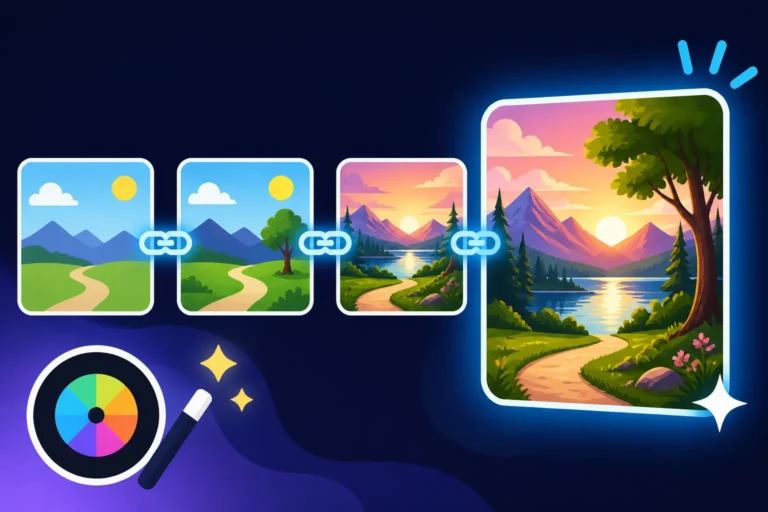
- Refine and add specific descriptors: "A sprawling futuristic city at night, bathed in the glow of vibrant neon signs, sleek flying cars traverse between towering skyscrapers, heavy rain creating reflections on wet streets, cyberpunk aesthetic, atmospheric, cinematic, highly detailed."
This iterative process, where you add complexity incrementally, allows you to observe how each additional element influences the output. It helps you pinpoint which words are truly impactful and which might be redundant or even detrimental. You can gradually increase your prompt length as needed, ensuring every word serves a purpose. It's an excellent way to How to Get Better AI Image Results over time.
The Power of Negative Prompts and Their Effect on Length
Negative prompts are an often-underutilized but incredibly powerful tool for refining your images, and they definitely impact how you think about overall prompt length. Instead of telling the AI what to include, a negative prompt tells it what to avoid. This is particularly useful for steering clear of common AI artifacts or undesirable elements.
For example, if you're generating a character and they keep appearing with extra fingers or distorted faces, your negative prompt might include: "ugly, deformed, bad anatomy, extra limbs, mutated hands, low quality." While this adds to the overall "length" of your input, it acts as a filter, allowing your positive prompt to remain cleaner and more focused on what you do want. Sometimes, a shorter positive prompt combined with a strong negative prompt can be more effective than a very long, convoluted positive prompt trying to prevent all those issues internally. Learn more about How to Use Negative Prompts to gain better control.
Iteration is Your Best Friend
No one gets a perfect image on the first try, not even the most experienced prompt engineers. Iteration is the core of successful AI image generation. Think of each prompt as an experiment. You try something, analyze the results, and then adjust your prompt based on what you see.
This might mean:
- Adding more descriptive words: If the image is too generic.
- Removing unnecessary words: If the image feels cluttered or confused.
- Reordering words: To give different elements more weight.
- Experimenting with synonyms: Sometimes "vibrant" works better than "bright," or "majestic" better than "grand."
The goal is to continuously refine your understanding of how the AI interprets your words. Don't be afraid to make small changes and re-run your prompt. This process of trial and error is what truly develops your prompting skill and helps you understand the optimal length for different scenarios. It's a key part of How to Iterate on AI Image Prompts effectively.
When to Go Long (and When to Keep It Concise)
Knowing when to expand your prompt length and when to pull back is a skill that develops with practice. It depends heavily on the complexity of your vision and the degree of control you need.
Detailed Scenes and Specific Artistic Styles
There are definitely times when a longer, more detailed prompt is absolutely necessary. If your vision involves:
- Complex compositions: Imagine a bustling marketplace scene, with distinct characters, specific architectural details, and a particular time of day or weather condition. A short prompt simply won't capture that level of intricacy. You'll need to describe each key element and its relationship to others.
- Niche artistic styles: If you want an image in the style of "Art Nouveau poster by Alphonse Mucha with chiaroscuro lighting," you need those specific stylistic cues. For a generic "painting," a few words might suffice, but for a unique blend, you'll need a longer prompt to properly define it. For those aiming for photorealism, mastering How to Write AI Prompts for Photorealistic Images often requires more descriptive language.
- Exact emotions or moods: Conveying subtle feelings often requires more than just one word. "A solitary figure gazing at a melancholic cityscape at dawn, feelings of quiet introspection and hope" is much more evocative than "person, city, sad." The nuances require a longer string of descriptors.
In these cases, the length of your prompt is a direct reflection of the complexity and specificity of your creative brief to the AI.
Simple Concepts and Quick Ideation
Conversely, there are plenty of situations where keeping your prompt concise is the best approach. If you're:
- Brainstorming ideas: Just need a quick visual representation of a concept. "Robot barista" or "treehouse in space" can kickstart your imagination without needing extensive detail.
- Generating variations on a theme: If you're exploring different looks for a core subject, a short prompt allows the AI more room to explore. "Abstract geometric patterns" will give you a wide range of options to choose from.
- Using the AI for basic stock imagery: For a blog post, you might just need "person typing on laptop," and a short, direct prompt will get you there fastest. You can always Upscale AI Images later if needed for higher quality.
For these purposes, a long prompt would be counterproductive, potentially limiting the AI's creative interpretations or simply taking more time to write without adding significant value.
Using Parameters to Control Complexity
Many advanced AI image generators offer parameters that allow you to control aspects of the image generation without adding more descriptive words to your main prompt. These can include:
- Aspect Ratio: (
--ar 16:9in Midjourney, or simple dropdowns in other tools) - Stylization: (
--s 750in Midjourney, or a "style" slider) - Chaos/Variety: (
--c 20) - Weighting: (e.g.,
(cat:1.5) playing guitarto emphasize "cat") - Image Prompts: Providing an initial image to influence the style or composition.
By using these non-textual controls, you can keep your descriptive prompt focused on the content of the image, while offloading stylistic and compositional instructions to parameters. This can lead to a more concise and powerful prompt overall. Understanding these parameters, especially for tools like Midjourney, can dramatically improve your results. Many tools also offer the ability to control Midjourney Aspect Ratios Explained or similar settings.
Here’s a quick table to help you decide when to lengthen or shorten your prompts:
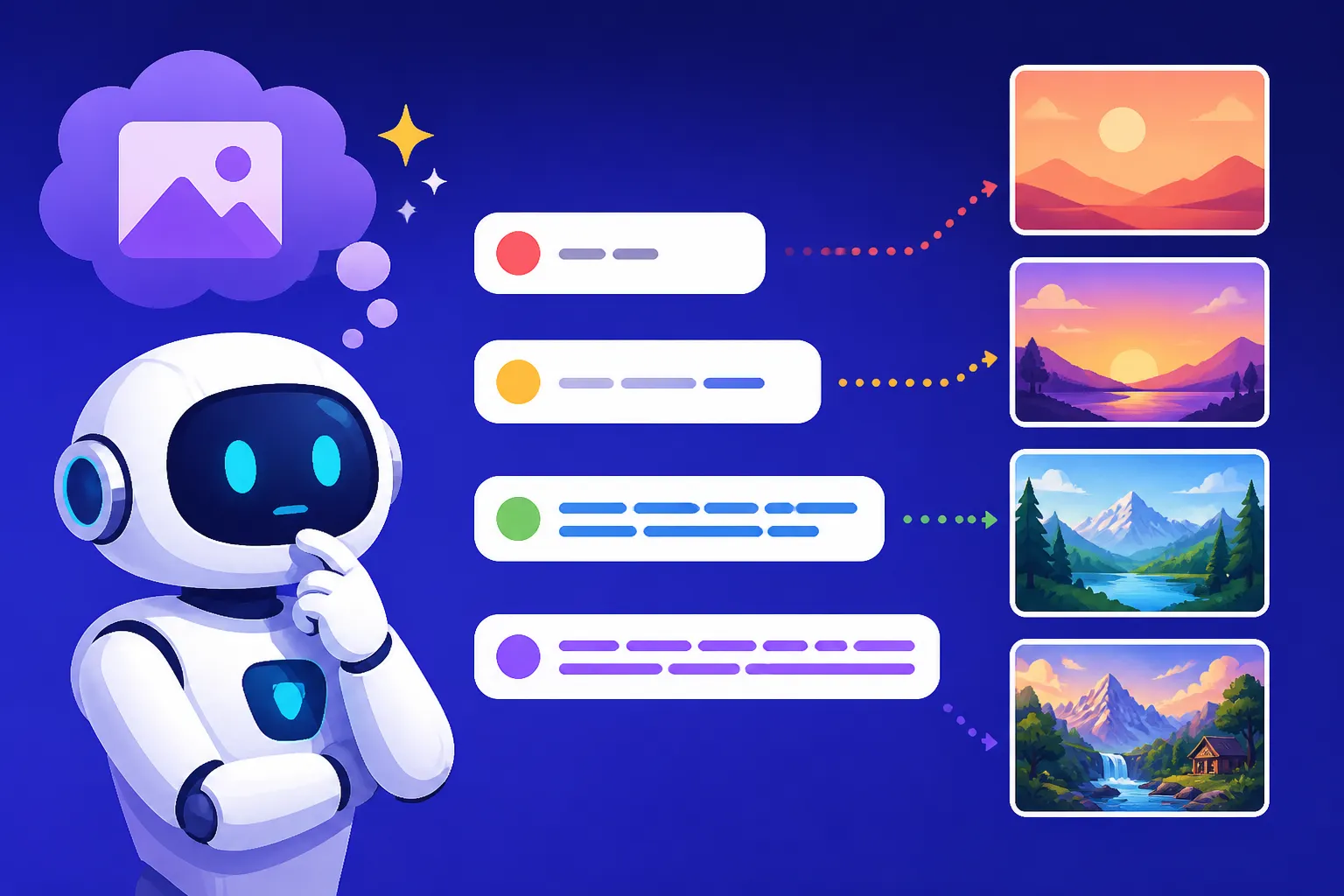
| Scenario / Goal | Recommended Prompt Length | Why | Example Prompt |
|---|---|---|---|
| Quick Ideation / Generic Image | Short | AI fills in details, allows broad exploration. | ancient ruins |
| Specific Subject/Basic Style | Medium | Balances specificity with AI creativity. | happy dog running on beach, golden retriever, cartoon style |
| Detailed Scene/Niche Art Style | Long | Essential for intricate details, unique styles, or complex compositions. | A bustling fantastical market at night, steampunk aesthetic, vendors selling glowing potions, diverse creatures haggling, intricate clockwork mechanisms, volumetric smoke, dramatic rim lighting, vibrant colors, highly detailed. |
| Photorealistic Output | Medium to Long | Requires precise descriptions of light, texture, and environment to achieve realism. | portrait of an old man, weathered face, deep wrinkles, kind eyes, soft studio lighting, ultra-realistic, shot with an 85mm lens |
| Controlling Undesired Elements | Keep main prompt clean, use negative prompt | Prevents common AI issues without cluttering main instructions. | Positive: majestic eagle soaring over mountains Negative: blurred, distorted, ugly, extra feathers |
| Exploring Mood/Emotion | Medium to Long | Subtle emotional cues require more descriptive words. | lone figure standing on a desolate hill, stormy sky, feeling of quiet despair and profound solitude, oil painting |
Ultimately, the best approach for prompt length is adaptive. It's not about adherence to a rigid rule, but about thoughtfully applying words and parameters to achieve your artistic vision. The more you experiment and understand how your chosen AI tool interprets different inputs, the more intuitive this process will become.
Disclaimer
The information provided in this guide is for general informational purposes only and does not constitute professional advice. AI technology is rapidly evolving, and the behavior of different AI image generators can vary. Always refer to the specific documentation and terms of service for any AI tool you use.