AI Prompt Examples for Cyberpunk Art
Ever found yourself trying to conjure up a gritty, neon-drenched cyberpunk masterpiece with an AI image generator, only to end up with something that looks more like generic sci-fi or a clean futuristic city? It’s a frustrating experience when the AI just doesn’t get the nuance of the genre. This comprehensive guide is here to solve that problem by providing you with specific, actionable AI prompt examples and strategies to generate stunning cyberpunk art that truly captures its unique aesthetic.
Decoding the Cyberpunk Aesthetic for AI Prompts
The cyberpunk aesthetic isn't just about robots and flying cars; it's a deep, rich tapestry of social commentary woven into advanced technology. To master AI-generated cyberpunk art, you first need to understand its core components.
Core Visual Elements and Themes
Cyberpunk is inherently about "high tech, low life." This means incredible technological advancements coexisting with societal decay, stark inequality, and urban squalor. When translating this to AI prompts, think about juxtaposing elements. You want to see the gleaming chrome of advanced prosthetics against the peeling paint of a cramped apartment building.
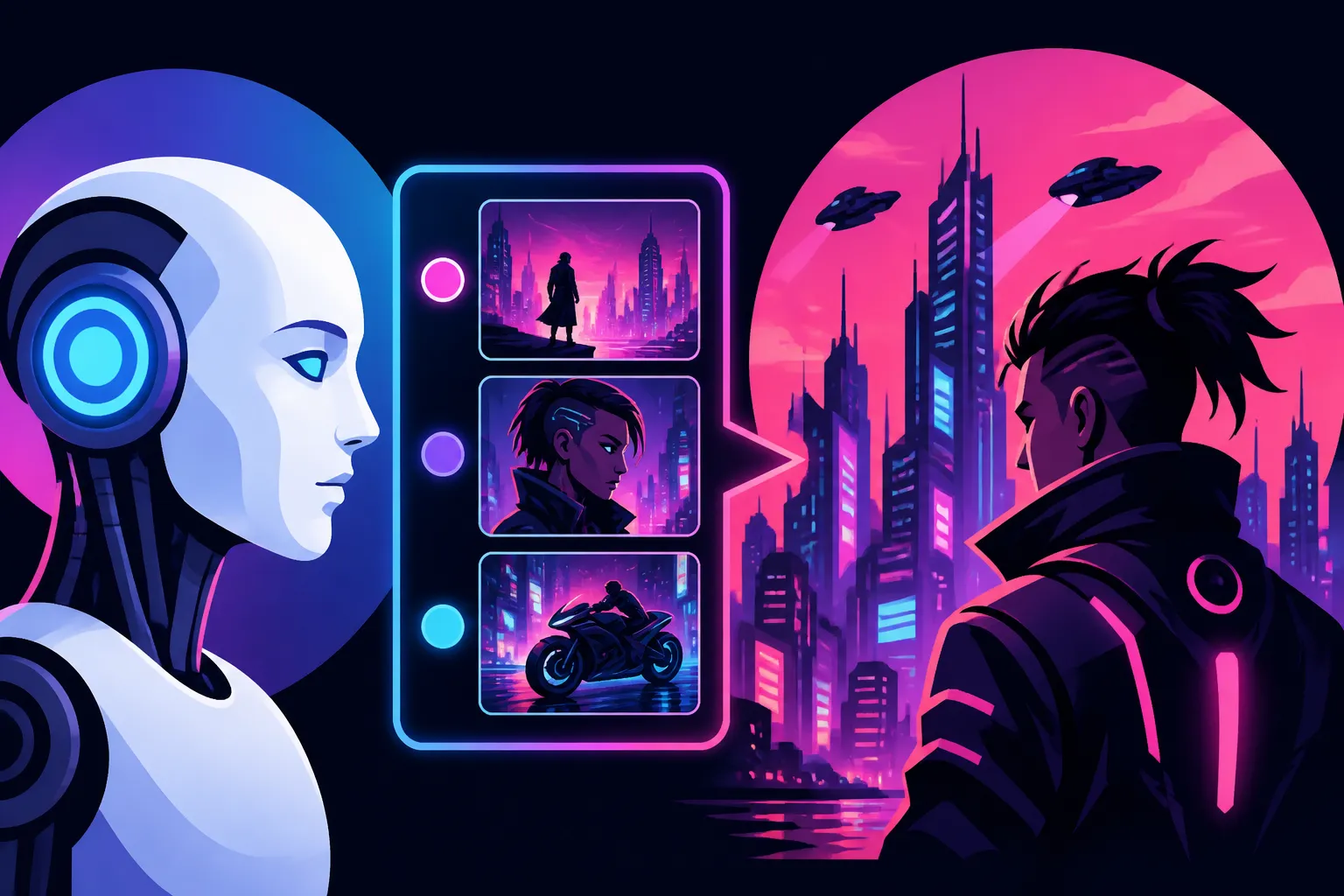
Visually, this often manifests as dense, sprawling megacities perpetually shrouded in rain or smog, illuminated by an overwhelming assault of neon signs and holographic advertisements. Imagine towering skyscrapers piercing murky clouds, their surfaces reflecting the chaotic glow of the street below. Data streams, exposed wires, intricate circuitry, and glowing screens are omnipresent. Characters are often augmented with cybernetic enhancements, their bodies a fusion of flesh and machine, often clad in practical yet stylish tech-wear or trench coats. Street markets teem with activity, selling illicit goods and synthetic food. The key is the grittiness—it's not clean, utopian futurism. It's often dark, damp, and a little dangerous.
For your prompts, this translates into keywords like: "rain-slicked streets," "neon-lit alleyways," "holographic billboards," "cybernetic implants," "augmented human," "high-rise slums," "futuristic slum," "data streams," "chrome reflections," "intricate wiring," "graffiti-covered walls," and "dystopian cityscape." The more specific you are in combining these elements, the less likely you are to get a generic sci-fi rendering. It’s not just "city at night," it's "a rainy night in Neo-Kyoto, huge holographic geishas advertising noodle shops, wires hanging from fire escapes."
Essential Mood and Atmosphere Keywords
Beyond the visual objects, the feeling of cyberpunk is crucial. It's often melancholic, oppressive, yet strangely alluring. There's a pervasive sense of surveillance, rebellion, and a struggle for individual identity in a dehumanizing world. Capturing this mood requires carefully selected atmospheric keywords.
Think about the lighting: it's rarely bright, natural sunshine. Instead, it's often low-key, with dramatic shadows cast by the dazzling, artificial light sources. Volumetric fog or rain adds to the dense, claustrophobic atmosphere, making the neon glow feel almost tangible. The color palette is typically dominated by deep blues, purples, and intense pinks and greens from the neon, often contrasted with the muted grays and browns of concrete and metal. The wetness of the environment is almost a character in itself, reflecting the harsh lights and amplifying the sense of desolation.
Keywords to incorporate for mood and atmosphere include: "dystopian," "noir," "gritty," "melancholic," "oppressive," "rebellious," "cyberpunk aesthetic," "volumetric fog," "rainy," "wet ground reflections," "neon glow," "chromatic aberration," "low-key lighting," "dark shadows," "cyberpunk colors," and "urban decay." By combining these, you tell the AI not just what to draw, but how it should feel. For instance, "a lonely hacker, sitting in a dimly lit apartment, screens reflecting on their augmented face, melancholic atmosphere" paints a much more vivid picture than just "hacker in a room."
Crafting Effective Cyberpunk Prompts: A Step-by-Step Approach
Now that we understand the ingredients, let's look at how to mix them into powerful prompts. This isn't just about listing keywords; it's about structuring them to guide the AI effectively. If you're struggling to get started, you might find some useful foundational tips in "How to Write AI Image Prompts" or even "AI Image Prompt Guide for Beginners".
The Building Blocks of a Strong Prompt
A robust AI image prompt for cyberpunk art typically consists of several key components, each playing a vital role in shaping the final output. Think of it like building a complex dish – each ingredient has its place.
- Subject: Clearly define the main focus of your image. Is it a character, a vehicle, a building, or a specific object? Be precise. Instead of "person," use "cybernetic samurai," "data courier," or "rebellious hacker."
- Action/Context: What is your subject doing? Where are they? This provides narrative and helps ground the image. "Walking through a bustling market," "gazing out over the city," or "repairing their cybernetic arm."
- Environment: Describe the setting in detail. This is where the cyberpunk elements truly shine. "Rain-soaked neon alley," "inside a bustling tech market with holographic vendors," "atop a skyscraper overlooking a polluted metropolis."
- Style & Aesthetic: This is critical for differentiating cyberpunk from other sci-fi. Use terms like "cyberpunk art," "sci-fi noir," "Akira-style," "Ghost in the Shell aesthetic," "Bladerunner inspired," "dieselpunk tech-wear," "retrofuturism." Don't just say "futuristic."
- Lighting & Color: Crucial for mood. "Neon pink and blue lighting," "deep shadows," "volumetric light rays," "wet street reflections," "high contrast," "ambient glow."
- Composition & Perspective: Guide the camera angle. "Close-up portrait," "wide-angle cityscape," "dynamic action shot," "low angle," "cinematic view."
- Quality Enhancers: These are almost always beneficial. "Highly detailed," "8K," "photorealistic," "cinematic lighting," "masterpiece," "unreal engine," "octane render," "hyper-realistic."
- Negative Prompts (Optional but Recommended): Tell the AI what not to include. This is especially useful for refining realism and avoiding unwanted elements. Check out "How to Use Negative Prompts" for more in-depth guidance. Common negative prompts for cyberpunk might include: "cartoon," "blurry," "low quality," "deformed," "generic sci-fi," "clean city," "bright sunlight."
By combining these elements thoughtfully, you create a powerful instruction set for the AI. Remember, specificity is your friend here.
Prompt Examples for Different Cyberpunk Subgenres and Scenarios
Let’s put these building blocks into action with some specific examples. You'll notice how each prompt is constructed to evoke a particular scene or feel within the broader cyberpunk genre. These examples focus on different aspects, from sweeping cityscapes to detailed character portraits.
Example 1: The Gritty Urban Landscape
- Prompt:
A sprawling, rain-slicked cyberpunk metropolis at night, towering brutalist skyscrapers pierce perpetual smog, interwoven with countless neon signs and holographic advertisements for synth-noodles. Flying vehicles streak across the sky, leaving light trails. Gritty street markets below are bustling with augmented pedestrians. Moody, atmospheric, cinematic, 8k, volumetric fog, deep shadows, neon glow, blue and pink dominant colors. - Breakdown:
- Subject/Environment: "sprawling, rain-slicked cyberpunk metropolis," "towering brutalist skyscrapers," "holographic advertisements," "flying vehicles," "gritty street markets."
- Mood/Atmosphere: "perpetual smog," "moody, atmospheric, cinematic, volumetric fog, deep shadows, neon glow."
- Colors: "blue and pink dominant colors."
- Quality: "8k."
- This prompt specifically asks for a wide view, emphasizing the scale and the overwhelming visual noise of a cyberpunk city, perfectly capturing the high-tech, low-life aspect.
Example 2: A Cybernetic Character Portrait
- Prompt:
Close-up portrait of a female street samurai, intricate cybernetic arm gleaming with chrome in the rain, wearing worn leather tech-wear and a glowing visor. Her face is stoic, illuminated by a flickering neon sign from a ramen shop. Wet hair, subtle facial scars, realistic details, photorealistic, cinematic lighting, sharp focus, 8k, cyberpunk aesthetic. - Breakdown:
- Subject: "female street samurai," "cybernetic arm," "worn leather tech-wear," "glowing visor," "stoic face," "wet hair," "subtle facial scars."
- Environment/Lighting: "flickering neon sign," "ramen shop," "rain," "illuminated by."
- Style/Quality: "intricate," "chrome," "realistic details," "photorealistic," "cinematic lighting," "sharp focus," "8k," "cyberpunk aesthetic."
- This prompt focuses on a character, ensuring the AI emphasizes human-machine fusion and the harsh, realistic details of a life lived on the fringes of society, a cornerstone of cyberpunk storytelling.
Example 3: Futuristic Tech and Action
- Prompt:
Dynamic action shot of a modified cyber-bike speeding through a narrow, neon-lit alleyway in a future Tokyo. Rain splashes from the tires, reflecting the vibrant signs. Rider is a silhouette in sleek combat armor. Motion blur on background, high contrast, cinematic, dramatic lighting, purple and green neon, 8k, cyberpunk concept art. - Breakdown:
- Subject/Action: "modified cyber-bike speeding," "rider is a silhouette."
- Environment: "narrow, neon-lit alleyway," "future Tokyo," "rain splashes," "vibrant signs."
- Mood/Effect: "Dynamic action shot," "motion blur on background," "high contrast," "dramatic lighting."
- Colors: "purple and green neon."
- Style/Quality: "cinematic," "8k," "cyberpunk concept art."
- This prompt aims for a sense of speed and excitement, highlighting the advanced yet rugged technology often seen in cyberpunk settings, with a strong focus on movement and atmosphere.
Example 4: Interior Scene with Data and Surveillance
- Prompt:
Interior of a dimly lit, cluttered hacker's den, multiple glowing screens displaying complex code and data streams. Empty synth-noodle containers on a desk. A lone figure, hunched over a keyboard, wears augmented reality glasses, their face illuminated by the screen glow. Exposed wires, ventilation pipes, futuristic clutter, claustrophobic atmosphere, moody blue and green light, 4k, cyberpunk realism. - Breakdown:
- Subject/Environment: "cluttered hacker's den," "glowing screens displaying complex code and data streams," "empty synth-noodle containers," "lone figure hunched over keyboard," "augmented reality glasses."
- Details: "exposed wires," "ventilation pipes," "futuristic clutter."
- Mood/Lighting: "dimly lit," "claustrophobic atmosphere," "moody blue and green light," "face illuminated by screen glow."
- Quality: "4k," "cyberpunk realism."
- This prompt shifts to an interior scene, emphasizing the "data" aspect of cyberpunk, the hidden struggles, and the often lonely existence of those living within the digital frontier.
Advanced Techniques for Mastering Cyberpunk AI Art
Getting consistent, high-quality cyberpunk art isn't just about good prompts; it's also about understanding how to manipulate the AI and refine your vision. If you're looking for broader strategies to improve your outputs, you'll find useful information in "How to Get Better AI Image Results" and "How to Write a Detailed Image Prompt".
Leveraging Parameters and Stylistic Weights
Many AI image generators allow for parameters or weighting systems that can significantly influence the output. While the exact syntax varies between tools, the concept remains the same: emphasizing certain parts of your prompt.
For instance, in some tools, repeating a word like "neon neon neon glow" might make the neon elements more prominent. In others, you might use a specific syntax like (neon glow:1.5) to give "neon glow" 1.5 times the weight of other terms. Experimenting with these weights can drastically change the focus. If your cityscapes aren't gritty enough, try boosting "gritty" or "urban decay." If the rain isn't prominent, try (heavy rain:1.2).
Aspect ratios are also crucial for framing your cyberpunk narrative. Widescreen ratios (like 16:9 or 21:9) are excellent for expansive cityscapes, giving a cinematic feel to your sprawling urban jungles. Portrait ratios (like 2:3 or 9:16) work wonderfully for character studies, allowing you to capture intricate details of cybernetic enhancements or unique fashion. Always consider what kind of story you want to tell with your image and choose an aspect ratio that supports it. A character profile often benefits from a vertical format, while a car chase needs a horizontal canvas.
Iteration and Refinement: The Art of Prompt Evolution
Rarely will your first prompt yield the perfect image. AI art generation is an iterative process, much like traditional art where artists sketch and refine. Start with a relatively simple core concept, generate a few images, and then analyze what worked and what didn't.
If you generated "A cyberpunk city at night with neon lights," and it looks too clean, you might add: ", rainy, wet ground reflections, high contrast, wires hanging, graffiti." If the characters look too generic, refine your subject description with more specific details: "a grizzled detective in a trench coat, cybernetic eye glowing, walking through a smoky alley." Make small, incremental changes rather than overhauling the entire prompt at once. This allows you to isolate which changes are having the most impact.
Learning from your results is key. If the AI consistently misinterprets a term, try rephrasing it or using synonyms. For example, if "flying cars" gives you something too fantastical, try "hovering vehicles" or "aerial transports." Many platforms also allow you to use a "seed" number to recreate or iterate on a specific image, which is invaluable for developing a series or maintaining consistency for characters. You can also explore how to use AI image editing tools to further refine your results once you have a good base image.
Common Pitfalls and How to Avoid Them
Even with the best intentions, generating perfect cyberpunk art with AI can hit snags. Knowing the common issues can save you a lot of time and frustration.
Steering Clear of Generic Sci-Fi
One of the most frequent frustrations is when your AI-generated "cyberpunk" image ends up looking like something out of a generic sci-fi movie or even just a modern city at night. The distinction is subtle but critical. Cyberpunk isn't just about technology; it's about the impact of that technology on society and the environment.
The pitfall here is relying too heavily on general terms like "futuristic," "high-tech," or "advanced city." These terms lack the inherent grittiness and dystopian undertones that define cyberpunk. To avoid this, always pair technological advancements with signs of decay, hardship, or social commentary. Instead of "futuristic city," try "dystopian megacity," "overcrowded future urban sprawl," or "high-rise slums." Emphasize the low life aspect alongside the high tech.
Similarly, avoid keywords that imply cleanliness, order, or utopian ideals unless you are specifically trying to create a contrast. Words like "pristine," "sleek," "clean lines," or "bright sunshine" will push your image away from the true cyberpunk aesthetic. Focus on terms that suggest wear, tear, struggle, and artificial illumination. For an example of how to make images appear more realistic, you might consider contrasting with techniques found in "AI Prompt Examples for Photorealistic Images" but remember to add the grit back in.
Fixing Common AI Artifacts and Distortions
AI image generators, while powerful, aren't perfect. You might encounter odd distortions, particularly with complex elements like hands, faces, or intricate machinery. Sometimes, text rendered in the scene will be garbled or nonsensical. These "artifacts" can break the immersion of your cyberpunk world.
For issues with hands or faces, one strategy is to simplify the prompt initially, focusing on the overall scene, and then use inpainting or outpainting features in more advanced editing tools to refine those specific areas. Another approach is to explicitly add negative prompts like "deformed hands," "ugly face," "blurry details," or "poor anatomy." If the AI struggles with specific textual elements (like a neon sign displaying a company name), it’s often best to generate the image without the text and then add the text in a separate image editor. This ensures clarity and avoids the common AI "gibberish" text issue.
If your image lacks detail or looks "too AI," consider adding quality-enhancing terms as mentioned earlier, such as "hyper-realistic," "ultra-detailed," "photorealistic," or using specific render engine names like "Unreal Engine 5." Sometimes, increasing the number of generation steps or iterations (if your AI tool allows this) can also lead to more refined outputs. For more general advice on polishing your AI art, consider reading "How to Make AI Images Look Less AI" or "How to Enhance AI Image Details". The goal is to create a believable, immersive cyberpunk scene, free from uncanny valley distractions.
| Cyberpunk Element | Core Keywords for Prompts | Negative Keywords to Avoid |
|---|---|---|
| Cityscape/Environment | Rainy, neon-lit, dystopian, towering, brutalist, congested, smoggy, holographic, wet ground reflections, high-rise slums, alleyways, crowded markets, urban decay, cyberpunk megacity | Clean, pristine, minimalist, spacious, bright sun, utopian, rural, suburban, natural, tranquil |
| Characters/People | Augmented human, cybernetic, tech-wear, hacker, street samurai, bounty hunter, rebel, stoic, gritty, prosthetics, glowing eyes/visors, worn, futuristic fashion, trench coat | Smiling, happy, clean-cut, generic, traditional clothing, natural, old-fashioned, simple |
| Mood/Atmosphere | Melancholic, oppressive, noir, dramatic lighting, volumetric fog, deep shadows, high contrast, surveillance, futuristic noir, gritty realism | Cheerful, bright, airy, soft lighting, sunny, peaceful, clean, idyllic, minimalist |
| Technology | Chrome, wires, circuits, data streams, glowing screens, fiber optics, advanced weaponry, cyber-bike, flying vehicles, retro-futuristic tech, exposed mechanics | Simple, primitive, rustic, organic, natural, wooden, clean tech, invisible tech |
| Color Palette | Neon pink, electric blue, vibrant green, deep purple, dark reds, muted grays, metallic, high saturation on lights, desaturated shadows | Pastel, earthy tones, primary colors (unless used for neon), naturalistic, monochrome (unless intended) |
Disclaimer
The information provided in this article is for general guidance and informational purposes only. While AI image generation tools are powerful, the actual output can vary significantly based on the specific AI model, platform, and continuous updates. Always review the terms of service and commercial use policies of any AI tool you utilize.