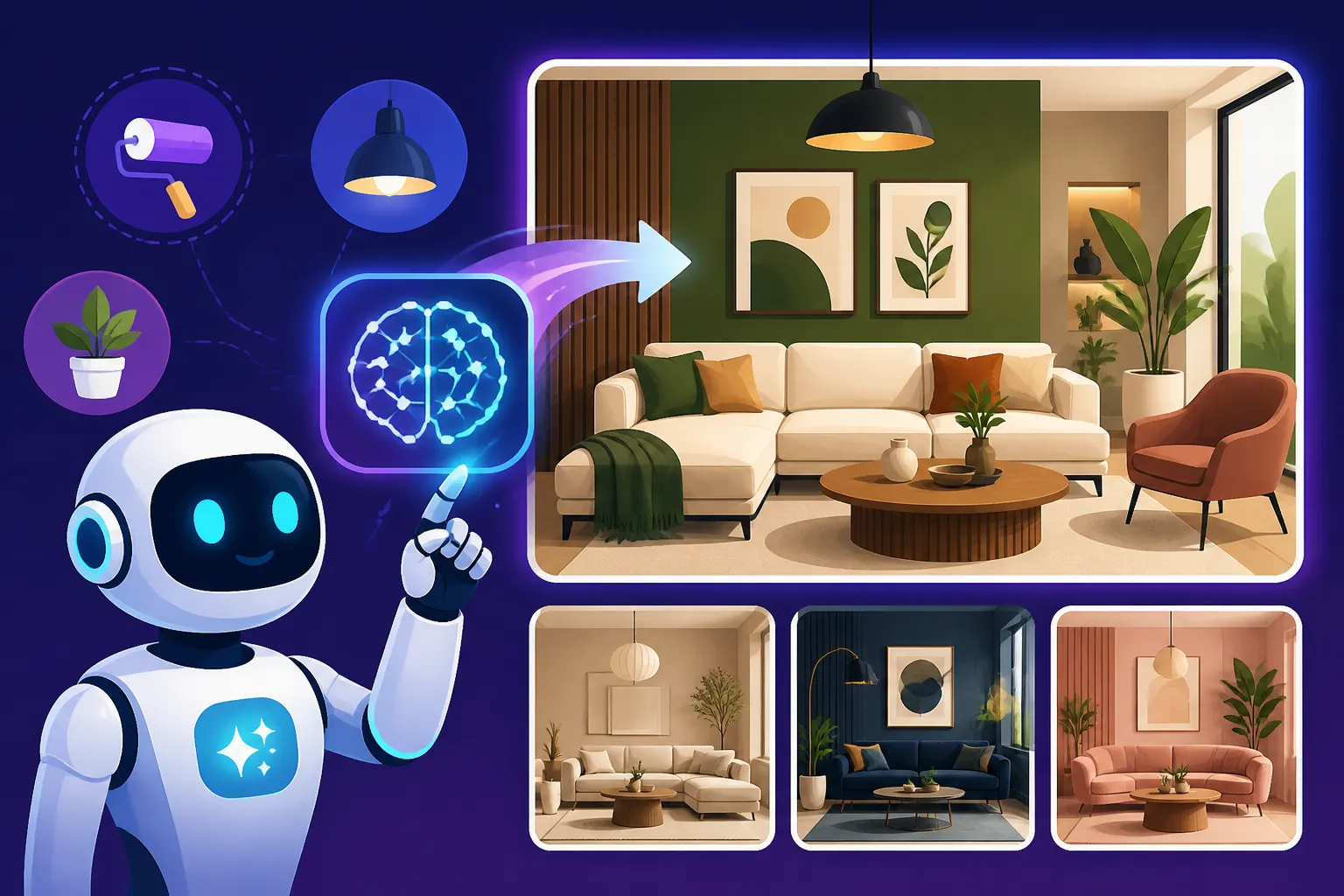
How to Create AI Interior Design Concepts
It’s a common frustration, isn't it? You have a brilliant vision for a room—a cozy reading nook, a sleek modern kitchen, or a serene bedroom retreat—but articulating it, let alone visualizing it, can feel like trying to catch smoke. Traditional design processes often involve endless mood boards, expensive 3D renders, or trying to piece together a coherent picture from dozens of furniture catalogs. This guide is all about cutting through that creative fog, showing you exactly how to harness AI image generators to effortlessly bring your interior design concepts to life, giving you a clear, tangible starting point for your next project.
The Transformative Role of AI in Interior Design Visualization
For anyone who’s ever stared at a blank wall, or a cluttered room, and tried to imagine its potential, the advent of AI image generators feels nothing short of miraculous. Gone are the days of laboriously sketching ideas or wrestling with complex architectural software. Now, with a few well-chosen words, you can conjure up sophisticated, photorealistic, or artistically stylized interior spaces in moments. It’s like having an infinite team of interior designers and render artists at your beck and call, ready to experiment with every fabric swatch, lighting scheme, and furniture arrangement you can dream of.
Bridging the Gap Between Concept and Reality
Think about it: before AI, conveying a nuanced design idea meant a lot of back-and-forth. You might describe "a mid-century modern living room with warm, diffused lighting and a touch of bohemian flair," but what does that really look like? Does "bohemian flair" mean macramé, or a collection of globally-inspired textiles, or both? AI tools translate these subjective descriptions into concrete visuals, closing that often-frustrating gap between your mental image and a shareable, tangible concept. This isn't just about pretty pictures; it's about clear communication. Clients can immediately see if your vision aligns with theirs, or you, as a homeowner, can validate your own ideas before committing to costly purchases or renovations. The iterative nature of AI generation means you can quickly try dozens of variations of a single concept, tweaking elements until it's just right.
Who Benefits Most from AI-Generated Concepts?
Frankly, anyone with an interest in interior spaces can benefit, but certain groups find these tools particularly invaluable. Professional interior designers are using AI to rapidly prototype ideas, create stunning presentations for clients, and explore novel design directions that might have been too time-consuming or expensive to visualize previously. Imagine being able to show a client ten distinct options for a kitchen backsplash in minutes rather than days. Homeowners embarking on a DIY renovation project can experiment with different aesthetics, colors, and furniture layouts without moving a single piece of furniture or painting a wall. Even real estate agents can utilize AI to virtually stage empty homes, making them more appealing to potential buyers. Bloggers and content creators can generate unique, inspiring visuals for articles about home decor trends or specific room makeovers. Truly, the applications are as vast as your imagination.
Essential Steps to Generate Your First AI Interior Design Concept
Jumping into AI image generation might seem intimidating at first, but with a structured approach, you'll be creating stunning interiors in no time. It starts with understanding your goals, selecting the right tool, and then learning the art of crafting effective prompts.
Choosing the Right AI Image Tool for Your Needs
There's a growing universe of AI image generators out there, and they each have their own strengths and quirks. Some excel at photorealism, others at artistic styles, and some offer more granular control over specific elements. For interior design, you’ll generally want a tool that can handle detailed descriptions, varying lighting conditions, and specific aesthetic styles. While many tools can generate impressive interior concepts, some popular choices include Midjourney for its artistic quality and mood creation, DALL-E for its versatility and integration with text, and Adobe Firefly for its commercial safety features and integration with the Adobe ecosystem. You might even find value in exploring options like Leonardo AI, which offers excellent customization, or Ideogram, which is increasingly good with integrated text, should you want to label parts of your design. For an overview of how some of these tools compare, you might want to read about the Best AI Image Generator Overall.
Think about your priorities:
- Ease of Use: Are you a beginner looking for intuitive interfaces?
- Cost: Do you need a free tier, or are you willing to invest in a paid subscription for more features?
- Style: Do you lean towards photorealistic renders, artistic interpretations, or something highly stylized?
- Control: How much control do you need over camera angles, specific objects, or material textures?
Most platforms offer free trials or tiers, so don't be afraid to experiment to find your perfect fit. Consider checking out Is Leonardo AI Really Free: What to Know or Is Bing Image Creator Really Free: What to Know for popular free options.
Crafting Effective Prompts for Interior Spaces
This is where the magic truly happens. Your prompt is the instruction set you give the AI, and the more descriptive and precise you are, the better your results will be. Think of it like talking to an interior designer who understands every nuanced detail. You'll want to specify:
- The Room Type: Kitchen, living room, bedroom, home office, bathroom, dining area, etc.
- Architectural Style: Modern, minimalist, Scandinavian, industrial, farmhouse, bohemian, traditional, Victorian, brutalist, Art Deco, etc.
- Key Furniture/Elements: Sofa, armchair, coffee table, fireplace, kitchen island, built-in shelving, large windows, Persian rug, hardwood floors, pendant lighting, etc.
- Color Palette: Warm neutrals, cool blues and grays, vibrant primary colors, muted pastels, earthy tones, monochromatic, etc.
- Lighting: Natural light, ambient lighting, soft diffused light, dramatic shadows, golden hour, bright and airy, spotlight, sconces, etc.
- Mood/Atmosphere: Cozy, inviting, luxurious, serene, vibrant, functional, sophisticated, playful, rustic, eclectic, etc.
- Artistic Style (if not photorealistic): Digital painting, watercolor, concept art, photography, 3D render, studio shot, ultra-realistic, etc.
For instance, a good starting prompt might be: "A cozy living room, Scandinavian design, large comfortable sectional sofa, wool rug, floor-to-ceiling windows with soft natural light, warm neutral color palette, hygge aesthetic, ultra-realistic photography." Don't worry if your first prompts don't yield perfect results; it's an iterative process. Mastering the art of How to Write AI Image Prompts will significantly improve your output.
Incorporating Existing Layouts and Inspiration
Sometimes you’re not starting from scratch. You might have a photo of your current living room and want to see how it would look with different furniture, or a rough sketch of a floor plan you’re hoping to furnish. Many AI tools allow you to use an existing image as an "image prompt" or "style reference." This is incredibly powerful for maintaining consistency or experimenting with specific elements within a given context.
For example, you can upload a photo of your empty dining room and then prompt: "Dining room, same layout as reference image, industrial style, large concrete dining table, black metal chairs, exposed brick wall, pendant lighting, raw textures." The AI will attempt to interpret your image and apply your textual prompt to it. This fusion of visual and textual input can lead to incredibly tailored and useful design concepts. Some tools even offer inpainting or outpainting features where you can select an area of an image and instruct the AI to change only that section, perfect for replacing an old sofa or adding a new bookshelf. This falls under the broader topic of How to Use Reference Images in Prompts.
Advanced Prompting Techniques for Detailed Design Concepts
Once you've mastered the basics, you'll want to dive deeper into controlling the nuances of your AI-generated interiors. This is where subtle changes in your prompts can lead to dramatically different and more refined outcomes.
Mastering Style, Mood, and Architectural Elements
Moving beyond simple descriptive words, you can start to invoke specific design philosophies or architectural details to push your concepts further. Instead of just "modern," try "Bauhaus-inspired modern" or "De Stijl architectural style." For mood, phrases like "suffused with a sense of calm," "exuding understated luxury," or "a space designed for creative flow" can guide the AI to inject more emotional depth into the visuals.
Consider the intricate details:
- Wall Treatments: "Textured plaster walls," "board and batten accent wall," "geometric wallpaper," "exposed concrete."
- Flooring: "Light oak herringbone parquet," "polished concrete floors," "large format porcelain tiles," "distressed Persian rug over dark hardwood."
- Window Treatments: "Sheer linen curtains blowing gently," "roman blinds," "plantation shutters," "no window treatments for maximum light."
- Ceiling Details: "Vaulted ceiling with exposed beams," "coffered ceiling," "minimalist flat ceiling."
By being specific with these elements, you're building a rich visual narrative for the AI to interpret. For more precise control over aesthetic elements, exploring How to Prompt for Specific Art Styles can provide valuable insights.
Controlling Lighting and Material Textures
Lighting can make or break an interior design. AI tools are surprisingly adept at rendering various lighting conditions, but you need to guide them. Don't just say "good lighting"; specify what kind of good lighting.
- Natural Light: "Soft morning light streaming through tall windows," "golden hour glow illuminating the room," "bright, indirect daylight," "dramatic shadows cast by strong sunlight."
- Artificial Light: "Warm ambient light from recessed fixtures," "statement chandelier as a focal point," "backlit shelving units," "cozy glow from a table lamp," "integrated LED strips."
Pairing specific lighting with materials can elevate the realism. Describe textures meticulously: "Velvet sofa with deep tufting," "rough-hewn concrete countertop," "polished marble island," "matte black metal accents," "sheen of brushed brass hardware." The AI will often interpret these details, adding reflections, shadows, and subtle textural variations that make the image pop. Remember, understanding How to Add Lighting to AI Prompts is crucial for creating atmospheric and realistic scenes.
Here's a quick reference table for prompt components:
| Category | Examples of Keywords to Use | Impact on Output |
|---|---|---|
| Room Type | living room, kitchen, bedroom, home office, bathroom, dining area, hallway, nursery | Defines the functional space and typical elements within it. |
| Style/Era | minimalist, mid-century modern, bohemian, industrial, Scandinavian, Art Deco, farmhouse, colonial | Sets the overarching aesthetic and design principles. |
| Key Elements | sectional sofa, kitchen island, built-in shelving, fireplace, grand piano, four-poster bed, vanity | Specifies prominent objects and features in the room. |
| Materials | marble, concrete, oak, walnut, brass, velvet, linen, rattan, distressed leather, wool | Dictates textures, finishes, and tactile qualities. |
| Color Palette | muted greens, warm neutrals, cool blues, terracotta and beige, monochromatic, vibrant jewel tones | Establishes the dominant color scheme and mood. |
| Lighting | soft natural light, dramatic backlighting, golden hour, pendant lights, recessed lighting, moody | Controls ambiance, highlights features, and defines shadows. |
| Mood/Vibe | cozy, luxurious, serene, vibrant, functional, playful, sophisticated, rustic, inviting, avant-garde | Infuses emotional context and overall feeling of the space. |
| Composition | wide-angle shot, close-up, eye-level, from above, symmetry, rule of thirds, clean lines | Influences the visual framing and artistic presentation of the scene. |
Iteration and Refinement: Getting Exactly What You Envision
Very rarely will your first prompt yield a perfect image. The true power of AI lies in its iterative nature. Think of each generation as a conversation: you make a suggestion, the AI shows you something, and you respond with refinements.
- Minor Tweaks: Change a single word or add a small detail. If you asked for a "blue sofa" and it’s too dark, try "light blue sofa" or "sky blue velvet sofa."
- Negative Prompts: Many tools allow you to specify things you don't want to see. For example, if your kitchen keeps generating a cluttered countertop, you could add "–no clutter, –no messy wires" to your prompt.
- Seed Numbers/Variations: Most AI tools provide a "seed" number for each image, allowing you to regenerate a very similar image or create slight variations from a specific seed. This is invaluable when you get a result you almost love and want to build upon it.
- Parameter Adjustments: Some advanced tools offer parameters like
--stylizeor--chaosto control the artistic interpretation or variability of the output. Experimenting with these can lead to unexpected and delightful results.
Don't be afraid to generate dozens of images. It's fast, and it’s how you hone your prompting skills. Learning How to Get Better AI Image Results is largely about this cycle of prompting, observing, and refining. If you're encountering common issues, like distorted elements or an overall "AI look," you might find help in guides like How to Fix Bad AI Image Results.
Real-World Applications and Overcoming Common Challenges
Using AI for interior design isn't just about dreaming; it's about practical application and problem-solving. While incredibly powerful, these tools aren't without their quirks.
Designing for Specific Rooms and Aesthetic Goals
Each room in a home presents its own design challenges and opportunities, and AI can be tailored to address them.
- Kitchens: Focus on functionality, material combinations (countertops, cabinetry, backsplash), and appliances. Prompt examples: "Modern minimalist kitchen, large waterfall island with integrated seating, dark wood cabinetry, brass hardware, herringbone tile backsplash, stainless steel appliances, abundant natural light, industrial chic."
- Bedrooms: Emphasize comfort, mood lighting, and personal touches. Prompt examples: "Serene bohemian bedroom, queen-sized bed with linen bedding, macramé wall hanging, natural wood nightstands, soft diffused lighting, potted plants, cozy atmosphere, muted earthy tones."
- Living Rooms: Consider focal points (fireplace, entertainment center), seating arrangements, and flow. Prompt examples: "Luxurious contemporary living room, white modular sofa, large abstract art piece, floor-to-ceiling windows overlooking city, velvet cushions, polished concrete floor, dramatic evening lighting."
You can also use AI to explore very specific aesthetic goals, like integrating smart home tech seamlessly, designing accessible spaces, or creating unique storage solutions. By describing the function and feeling alongside the style, you guide the AI towards more effective designs.
Troubleshooting and Enhancing Your AI-Generated Designs
Even with the best prompts, AI can sometimes produce oddities. Misplaced objects, strange proportions, or unrealistic textures are common.
- Inpainting/Outpainting: If a small section isn't right (e.g., a lamp that looks odd), many tools allow you to "repaint" or extend the image with new prompts, focusing only on that area. This is a game-changer for fixing minor flaws. You can dive deeper into this with How to Edit AI Images with Inpainting.
- Upscaling: AI-generated images often come at a lower resolution. To make them print-ready or suitable for high-quality presentations, you'll need an upscaler. Many AI tools have built-in upscalers, or you can use dedicated external tools to enhance clarity and detail without losing quality. Look into How to Upscale AI Images for detailed instructions.
- Post-processing: Don't be afraid to take your AI-generated images into traditional photo editing software like Adobe Photoshop or Canva. A little color correction, contrast adjustment, or even adding a subtle vignette can further enhance the realism and polish of your concepts. This also helps in How to Make AI Images Look Less AI.
Integrating AI Concepts into Your Design Workflow
AI shouldn't replace your creativity; it should augment it. Think of these generated images as powerful starting points, not necessarily final deliverables.
- Mood Boards: AI images are perfect for creating dynamic and diverse mood boards that immediately convey a design direction.
- Client Presentations: Use high-quality AI renders to illustrate your vision in a compelling way, making it easier for clients to grasp the proposed design.
- Ideation and Brainstorming: Quickly generate hundreds of variations to explore possibilities you might not have considered, fostering fresh ideas for AI Image Generators for Every Use Case.
- Visualizing Changes: If a client requests a change (e.g., "What if the walls were green instead of white?"), you can generate that variation almost instantly, reducing revision cycles.
By embracing AI as a collaborative design partner, you can streamline your workflow, explore more creative avenues, and ultimately deliver more impactful interior design concepts. The key is to see it as a powerful tool in your creative arsenal, helping you move from abstract ideas to concrete, inspiring visuals with unprecedented speed and flexibility.
Disclaimer
Please note that the information provided in this guide is for general informational purposes only. While AI image generation tools are powerful, the quality and commercial viability of generated images can vary. Always review the terms of service and licensing agreements of any AI tool you use, especially if you intend to use the images for commercial projects. It is your responsibility to ensure compliance with all applicable laws and regulations regarding copyright and usage.