How to Make AI Stickers to Sell
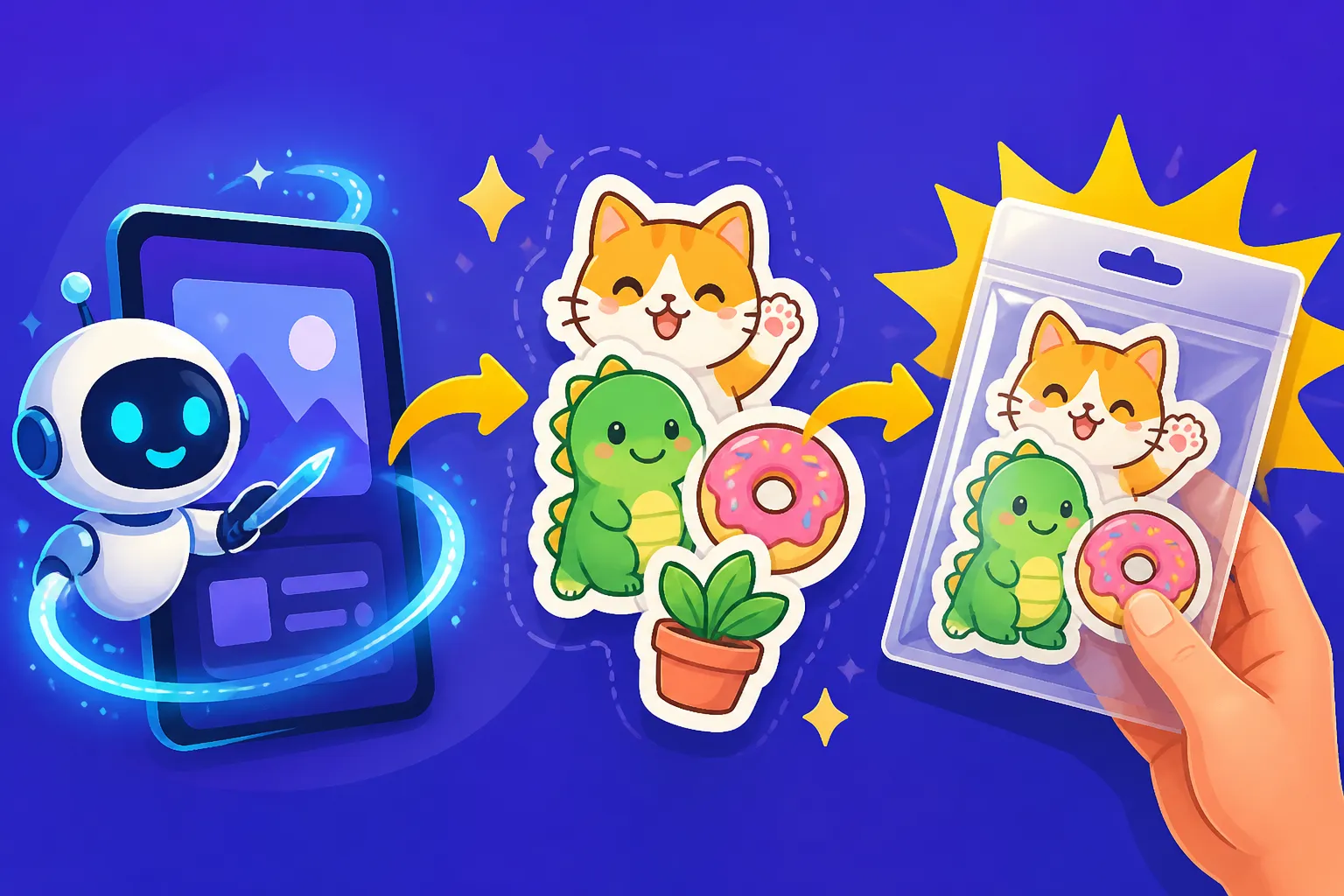
Ever dreamed of having your own line of super cool, unique stickers but felt stuck trying to design them? Maybe you're not a graphic design guru, or hiring an artist feels too pricey for a new venture. The good news is, you don't need to be a seasoned illustrator or break the bank. This guide is all about harnessing the magic of AI to create awesome, sellable stickers, transforming your wildest ideas into tangible art you can share and sell!
Understanding the AI Advantage for Sticker Design
Let's be real, creating custom sticker designs used to be a pretty specialized skill. You either needed to spend countless hours learning complex design software, master drawing techniques, or fork over a significant chunk of change to a graphic designer. For many aspiring entrepreneurs or creative hobbyists looking to dip their toes into the world of e-commerce or craft fairs, these hurdles could feel insurmountable. It was a barrier to entry that often stifled fantastic ideas before they even had a chance to bloom.
Why AI is a Game-Changer for Sticker Creators
This is precisely where AI swoops in like a superhero. Imagine having a digital art assistant that can whip up design concepts in mere seconds, based purely on your written descriptions. AI image generators dramatically reduce the time, skill, and cost traditionally associated with creating unique artwork. Suddenly, that elaborate floral design, that quirky cartoon character, or that intricate pattern you've been dreaming of for a sticker is within reach, even if your drawing skills are limited to stick figures.
The beauty of AI isn't just in its speed; it's also in its ability to unlock creative potential. You can experiment with an endless array of styles, color palettes, and themes without committing hours to a single design. Want to see that grumpy cat design as a retro cartoon? Done. How about in a watercolor style? Easy! This iterative process allows for rapid prototyping and helps you zero in on designs that truly resonate with your vision and potential customers. It truly levels the playing field, making creative entrepreneurship more accessible than ever before.
Beyond just the initial design, AI can also help generate countless variations once you have a core concept you love. This is incredibly useful for creating themed sticker packs, offering different poses for a character, or simply exploring subtle changes that might make a design pop even more. The sheer volume of unique, high-quality designs you can produce in a short amount of time means you can quickly build a diverse product catalog, appealing to a wider audience without feeling overwhelmed by the design process.
Navigating Copyright and Commercial Use with AI
Now, I know what you're thinking: "This sounds amazing, but can I actually sell something generated by AI?" This is a perfectly valid and incredibly important question, and it's one of the most frequently asked in the AI art community. The legal landscape surrounding AI-generated art and copyright is still evolving, with different jurisdictions and platforms taking various stances. It's not a simple yes or no answer, so you need to be informed and proactive.
Generally, for commercial use, you'll want to choose AI tools that have clear terms of service outlining commercial rights. Some platforms explicitly grant commercial rights to users, especially those on paid subscription plans. For instance, tools like Adobe Firefly are designed with commercial users in mind, often providing clear guidelines and even indemnification in some cases, which is a huge advantage for businesses. Similarly, platforms like Midjourney generally allow commercial use for paid subscribers, though it's always wise to double-check their latest policies.
To ensure you're on the right side of things, always, always read the specific terms and conditions of the AI image generator you plan to use. Look for explicit statements regarding commercial use, licensing, and ownership of the generated output. Prioritize tools that offer clear language and a straightforward path for using your creations in a for-profit venture. If you're serious about building a business, it's worth investing in a paid tier of a reputable tool where commercial rights are more explicitly granted. This will save you a lot of potential headaches down the line. To delve deeper into this, you might find our guide on How to Use AI Images Without Copyright Issues particularly helpful.
Choosing Your AI Image Generator for Sticker Creation
With so many AI image generators popping up, picking the right one for your sticker business can feel a bit like trying to find a specific needle in a digital haystack. Not all tools are created equal, especially when it comes to the nuances of creating print-ready designs that actually sell. You want a tool that not only generates beautiful images but also provides the features you need for a smooth workflow from concept to commerce.
Key Features to Look for in a Sticker-Friendly AI Tool
When evaluating AI image generators for sticker creation, several features stand out as absolutely critical. First and foremost, high-resolution output is non-negotiable. Stickers are physical products, and blurriness or pixelation will make them look cheap and unprofessional. You need images that can be printed crisply without losing detail, ideally at 300 DPI (dots per inch) or higher at your desired print size. Some tools generate lower resolution by default, requiring an additional upscaling step, which is an important consideration.
Next, image editing capabilities directly within the AI tool or via easy integration are incredibly valuable. Features like inpainting (to fix small errors or add elements), outpainting (to expand the canvas), and robust variation generation can save you immense amounts of time. Imagine you love a design, but a small detail is off, or you need to extend the background slightly for a die-cut shape – built-in editing makes these adjustments much simpler than starting from scratch. These features also allow you to fine-tune your designs to perfection.
Furthermore, consider the level of control over style, composition, and detail the AI offers. Can you specify a particular artistic movement, lighting conditions, or camera angles? Does it allow for negative prompts (telling the AI what not to include)? The more control you have, the closer you can get to your precise vision without endless re-generations. Some tools excel at specific styles, like photorealism or cartoon aesthetics, so match the tool to the type of stickers you want to create.
Finally, think about ease of use, especially if you're a beginner. A steep learning curve can be frustrating and slow down your creative process. Look for intuitive interfaces, helpful tutorials, and an active community that can offer support. While some powerful tools might require a bit more learning, the payoff in quality and control can be worth it. Ultimately, the best tool is one you'll actually enjoy using consistently.
Top AI Tools for Generating Sellable Stickers
Now that we know what to look for, let's explore some of the leading AI image generators that are particularly well-suited for crafting sellable stickers.
Midjourney has carved out a significant reputation for generating stunning, highly artistic, and often ethereal images. Its output tends to have a distinctive aesthetic, which can be fantastic for creating unique, stylized stickers that stand out. While it operates primarily through Discord, its powerful models can produce incredibly detailed and visually rich results. You might find yourself needing to do some minor touch-ups or background removal in an external editor, but the raw artistic quality is often unparalleled. For a deeper dive, check out our Midjourney Review: Features, Pricing, and Quality.
DALL-E, especially its latest iterations, offers impressive versatility and can generate a wide range of styles, from realistic photos to whimsical illustrations. Its integration into platforms like ChatGPT makes it incredibly accessible, allowing you to generate images directly within your chat interface. DALL-E is great for general-purpose sticker design, offering reliable results and often good adherence to prompts. It's a solid all-rounder for diverse sticker needs. To understand if it's the right fit for you, our DALL-E Review: Is It Worth It provides valuable insights.
When it comes to stickers that incorporate text, Ideogram is often the unsung hero. Historically, AI image generators struggled with rendering coherent and accurate text, often resulting in garbled, unreadable messes. Ideogram has made significant strides in this area, making it an excellent choice for designing quote stickers, brand logos, or any design where legible typography is crucial. This feature alone makes it incredibly valuable for a subset of sticker creators. Take a look at our Ideogram Review: Best for Text in Images for more detail.
Leonardo AI is another strong contender, offering a robust platform with a wide array of models and customization options. It allows users to fine-tune models, upload reference images, and has various settings that give you granular control over the output. This makes it particularly good for creators who want to develop a very specific aesthetic or ensure a consistent style across a collection of stickers. The free tier is also quite generous, allowing you to experiment before committing. Curious about this tool? Read our Leonardo AI Review.
For those prioritizing commercial safety and seamless workflow integration, Adobe Firefly is a standout. Built into the Adobe ecosystem, Firefly offers a familiar interface for designers and creators already using tools like Photoshop or Illustrator. Its focus on generating commercially safe content and, for paid users, offering IP indemnification, provides a significant layer of security for those selling their creations. This peace of mind is invaluable when building a business. When considering which tool is best, looking at the Best AI Image Generator for Commercial Use can guide your choice.
Here's a quick comparison of these top contenders to help you decide:
| AI Tool | Best For | Text Rendering | Style Control | Commercial Use (Paid) | Ease of Use |
|---|---|---|---|---|---|
| Midjourney | Highly artistic, stylized, unique concepts | Poor | Excellent (via prompts) | Yes | Moderate (Discord) |
| DALL-E | Versatile, general-purpose, diverse styles | Fair | Good | Yes | High (web/chat) |
| Ideogram | Text-heavy stickers, logos, typography | Excellent | Good | Yes | High |
| Leonardo AI | Specific aesthetics, fine-tuning, consistent characters | Fair | Excellent (models) | Yes | Moderate |
| Adobe Firefly | Commercial safety, Adobe workflow, specific filters | Good | Good (generative fill) | Yes (indemnified) | High (web/Adobe) |
Crafting Effective Prompts for Sticker Designs
Getting great images from an AI generator isn't just about wishing for the best; it's about learning the language of the AI. This "language" is what we call prompt engineering, and it's the most crucial skill you'll develop when using AI for creative projects. For stickers, where clarity, style, and sometimes specific compositions are paramount, mastering your prompts is a game-changer.
The Art of Prompt Engineering for Stickers
Think of prompt engineering as giving clear, concise, and creative instructions to a super-talented but literal artist. You need to break down your vision into manageable components: the subject (what is it?), the style (how should it look?), and specific details (colors, background, mood, composition). For stickers, a key piece of advice is to explicitly mention "sticker" or "die-cut sticker" in your prompt to guide the AI towards appropriate layouts and aesthetics. Adding "no background" or "transparent background" can also be incredibly helpful, though not all AIs will perfectly adhere to this.
Let's look at an example. A bad prompt might be: "cat drawing cute." This is too vague. The AI has millions of cat drawings to choose from and no specific direction. A much better prompt for a sticker would be: "Kawaii chibi cat, holding a tiny boba tea, vibrant pastel colors, happy expression, clean line art, white outline, die-cut vinyl sticker, transparent background, studio lighting." See the difference? We've specified the subject (chibi cat, boba), the style (kawaii, pastel, clean line art), and important sticker-specific details (white outline, die-cut, transparent background).
Iteration is absolutely key in this process. Don't expect perfection on your first try. Generate a few images, analyze what you like and what you don't, then refine your prompt. Did the cat's expression not quite match? Add "joyful and playful" to your next prompt. Did the colors feel dull? Try "saturated, bright neon colors." It's a conversation with the AI, a process of guiding it closer and closer to your ideal design. For a fantastic starting point, definitely check out our comprehensive How to Write AI Image Prompts guide, or if you're just getting started, the AI Image Prompt Guide for Beginners can be incredibly useful.
Specific Prompt Techniques for Sticker Success
Beyond the basic structure, there are several advanced techniques you can use to optimize your prompts specifically for stickers. One of the biggest challenges with AI for stickers is ensuring a transparent or easily removable background. While you can prompt for "transparent background," some AI tools may still generate a simple white or solid color background. Often, the best approach is to prompt for a clean, simple background that is easy to remove later with an editing tool. Phrases like "isolated on white background," "minimalist background," or "single object, no distracting elements" can help create designs that are easier to cut out or process for print.
To achieve specific artistic styles, be as descriptive as possible. Instead of just "cartoon," try "vintage 1930s cartoon rubber hose style," or "modern minimalist vector illustration." If you want a textured look, specify "watercolor painting texture," "distressed grunge aesthetic," or "smooth gradient pop art." The more precise you are with your stylistic descriptors, the better the AI can match your vision. Our guide on How to Prompt for Specific Art Styles can give you even more ideas.
As mentioned, incorporating text effectively is a huge hurdle for many AI tools. If your sticker design must include legible text, prioritize tools like Ideogram that excel in this area. Even with Ideogram, you'll need to be very clear with your text input. For example: "A friendly ghost saying 'Boo!' in a speech bubble, retro cartoon style, bold black outline, die-cut sticker. Text: Boo!" For tools that struggle with text, consider generating the image first and then adding the text in a graphic design software like Canva or Adobe Illustrator. This workflow often yields better results. For more specific guidance, read How to Write Prompts for Text in Images.
Finally, think about creating sticker sheets or themed collections. You can use prompt variations or consistent styling to generate a series of related designs. For instance, after creating your "Kawaii chibi cat" sticker, you might then prompt for "Kawaii chibi dog, holding a tiny bone, vibrant pastel colors, happy expression, clean line art, white outline, die-cut vinyl sticker, transparent background, studio lighting," to maintain a cohesive look. Some tools also allow you to use "seed" values to generate variations of a specific image, which is excellent for creating a family of designs that share a visual DNA.
Post-Generation Steps: Refining and Preparing Your Stickers for Sale
Generating a fantastic image with AI is a huge step, but it's rarely the final one. For stickers, especially those you intend to sell, there are crucial post-generation steps to ensure your designs are high-quality, print-ready, and truly professional. Skipping these steps can lead to disappointing prints and unsatisfied customers.
Essential Editing and Upscaling for Print Quality
The first and most important consideration is resolution. A beautiful image on your screen might look terrible when printed if it's not high-resolution enough. For professional printing, you generally need images to be 300 DPI at the final print size. Many AI tools generate images at a lower resolution, or at 72 DPI (dots per inch) which is standard for web use. This means you'll almost certainly need to upscale your AI-generated sticker designs.
There are excellent dedicated upscaling tools available, both free and paid, that use AI to intelligently increase image resolution without introducing pixelation or blurriness. Magnific AI Upscaler is a popular choice for its ability to add incredible detail while enlarging images, making them perfect for print. Alternatively, professional photo editing software like Adobe Photoshop or free alternatives like GIMP also offer robust upscaling and image refinement capabilities. Beyond upscaling, you’ll want to perform minor touch-ups. This includes cleaning up any stray pixels, smoothing out edges, or correcting any small artifacts that the AI might have left behind. Even the best AI tools can sometimes produce slightly imperfect lines or details that need a human eye for perfection. Our article on Magnific Upscaler: Worth the Price can give you a detailed breakdown of one of the best tools for this task, and if you're interested in boosting your output, check out How to Upscale AI Images to 4K.
Preparing Files for Print-on-Demand or Local Printers
Once your designs are high-resolution and polished, it's time to prepare them for printing. This involves understanding common file formats and printer specifications. For stickers, the most common and versatile file format is PNG because it supports transparent backgrounds. This is crucial for "die-cut" stickers where the sticker outline follows the shape of your design rather than being a square or circle. If your sticker has a solid background, a JPG might suffice, but PNG offers more flexibility. For designs that require crisp, scalable lines like logos, consider if your AI tool or an external editor can convert them to SVG (Scalable Vector Graphics), which ensures perfect quality at any size.
You'll also need to understand printing terminology like bleed, cut lines, and safe zones. The "cut line" is where your sticker will be physically cut. "Bleed" is an extra margin of your design that extends beyond the cut line, ensuring that if there's any slight shift during printing, you don't end up with an unprinted white edge. The "safe zone" is the area where all critical design elements should be placed to ensure they aren't cut off. Most professional sticker manufacturers will provide templates or detailed guidelines for these specifications.
When working with sticker manufacturers, whether it's a local print shop or a popular print-on-demand service like Sticker Mule, VistaPrint, Printful, or Printify, always review their specific file requirements. They'll often provide templates or detailed instructions on how to submit your artwork. Some services, especially those for print-on-demand, can even handle the die-cut lines for you if you provide a clean PNG with a transparent background. Learning How to Start a Print-on-Demand Store with AI can be incredibly beneficial for your journey, and you might also be interested in how AI helps with similar products, like in How to Design AI T-Shirts That Sell. These platforms handle the printing, packaging, and even shipping, allowing you to focus on design and marketing your fabulous new AI-generated stickers!
Disclaimer
Please note that the information provided in this article is for general guidance and informational purposes only. While we strive to offer accurate and up-to-date advice, the field of AI technology, legal interpretations of AI-generated content, and specific tool features are constantly evolving. Always perform your own due diligence, read the terms of service for any AI tools you use, and consult with legal professionals regarding copyright and commercial use questions for your specific jurisdiction and business needs.