AI Images for Bloggers
Finding captivating, high-quality images for your blog posts can feel like an endless, frustrating chore. You spend hours sifting through generic stock photo sites, struggling to find visuals that genuinely connect with your content and resonate with your readers, all while trying to stay within a tight budget and avoid copyright woes. This comprehensive guide is here to change that, showing you exactly how AI image tools can revolutionize your blogging workflow and bring your articles to life with unique, on-brand imagery.
The Blogger's Image Problem: Why AI is a Game-Changer
For years, bloggers have faced a significant hurdle: how to consistently source compelling visuals that enhance their written content without breaking the bank or running afoul of licensing agreements. This isn't just about making a post pretty; it's about drawing readers in, breaking up text, and conveying complex ideas at a glance.
The Endless Hunt for Stock Photos
Remember those days (or maybe you're still living them!) of scrolling through countless pages on stock photo sites? You'd type in a seemingly simple keyword like "productivity" and be bombarded with an ocean of smiling people pointing at pie charts or perfectly arranged desk setups that felt utterly devoid of personality. The images often felt generic, overused, and lacked the specific nuance your article needed. It was like trying to find a needle in a haystack, and even when you found something "good enough," it rarely felt truly yours.
The problem escalates when you need something highly specific – perhaps an abstract concept, a niche product, or a unique character for a storytelling piece. Stock photo libraries often fall short, offering only broad categories. This forces bloggers to compromise on their vision or spend even more time trying to manipulate existing images, which can lead to a disjointed visual experience for readers. Ultimately, this time sink reduces your capacity to write more fantastic content, which is your core mission as a blogger.
Copyright Headaches and Budget Constraints
Beyond the sheer volume of searching, there's the constant worry about copyright and licensing. Using an image without proper rights can lead to legal troubles, which is the last thing any blogger wants. Navigating different licenses – royalty-free, extended, editorial, commercial – adds another layer of complexity. Sometimes, what seems "free" or "cheap" comes with hidden restrictions or poor quality.
Then there's the budget. Premium stock photo subscriptions can be incredibly expensive, especially for a blogger who might need dozens of unique images a month across various posts. Free stock photo sites are an option, but they often come with limitations in quality, originality, or commercial use rights. This financial pressure often forces bloggers to reuse images, making their content less fresh, or to settle for less impactful visuals, diluting their message. AI image generation steps in here as a powerful equalizer, offering a way to bypass these traditional bottlenecks.
The Power of Visual Storytelling
In today's fast-paced digital world, attention spans are shorter than ever. A blog post without strong visuals is like a book without a cover – it might have a great story inside, but fewer people will pick it up. Images are critical for breaking up long blocks of text, guiding the reader's eye, and conveying emotion or information quickly. They can create a mood, set a scene, or even serve as a visual metaphor for your ideas.
Think about how much more impactful a post on "mindfulness techniques" is with a serene, custom-generated image of a person meditating by a calm lake, rather than a generic photo of hands clasped together. AI image tools empower bloggers to tell richer, more immersive stories. They allow you to create visuals that are not just complementary, but integral to your narrative, ensuring your message sticks with your audience long after they've scrolled away.
Key Ways Bloggers Can Leverage AI for Images
AI image tools aren't just for creating "art"; they're incredibly versatile instruments that can be tailored to a blogger's specific needs. From eye-catching banners to intricate diagrams, the possibilities are vast and transformative.
Creating Engaging Featured Images and Banners
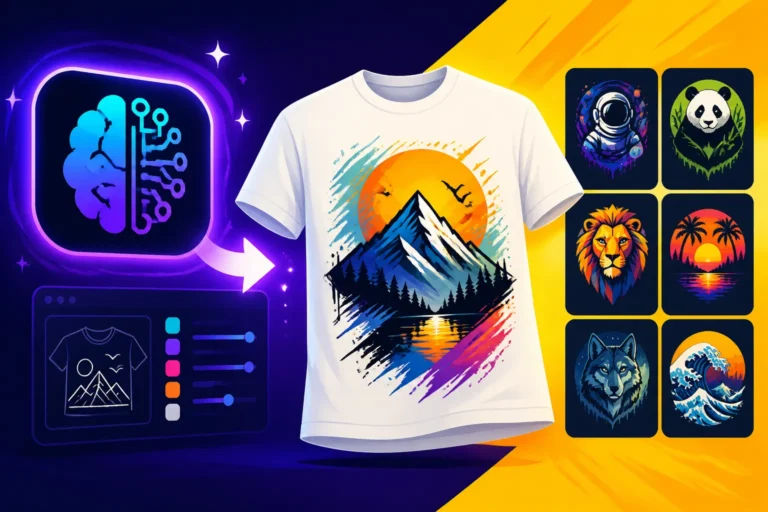
The featured image is often the first visual impression a reader gets of your blog post, whether it's on your homepage, social media, or in search results. It needs to be captivating, relevant, and stand out in a sea of content. Relying on AI to generate these can give your blog a unique edge. You can create images that perfectly encapsulate your post's topic, mood, and brand aesthetic, rather than settling for something vaguely related from a stock library.
For example, if you're writing about "sustainable travel tips," instead of a standard airplane photo, you could generate a vibrant image of a solar-powered campervan parked by an untouched mountain lake, complete with stylistic elements that match your blog's branding. This level of specificity and control ensures your featured images are not only attractive but also highly effective at communicating your article's core idea instantly. You can even generate multiple variations quickly to A/B test which ones perform best on social media or in newsletters.
Illustrating Complex Concepts and Data
Some topics are notoriously difficult to visualize. Imagine trying to find a stock photo that accurately represents "the psychological impact of digital overload" or "the intricate pathways of neural networks." AI shines here, allowing you to create abstract or metaphorical images that make complex information more accessible and digestible. You can design custom infographics, conceptual illustrations, or even simple icons that break down dense topics into bite-sized visual chunks.
Consider a post explaining the latest blockchain technology. Instead of dry text, you could generate a stylized image of interconnected digital blocks forming a secure chain, perhaps with glowing lines representing data flow. This not only makes the topic more engaging but also aids in comprehension, helping your readers grasp difficult concepts more easily. Tools like Midjourney or DALL-E can interpret abstract prompts remarkably well, turning esoteric ideas into visual reality. For those looking to dive deeper into how to formulate these ideas, checking out a guide on How to Write AI Image Prompts can be incredibly beneficial.
Developing Consistent Brand Visuals
A strong blog brand isn't just about your logo or color palette; it's about a consistent visual identity that readers recognize and trust. Achieving this with disparate stock photos can be a nightmare. AI image generators, however, allow you to create images that adhere strictly to your brand's aesthetic. You can specify art styles, color schemes, lighting, and even photographic techniques in your prompts, ensuring every image feels like it belongs to your brand.
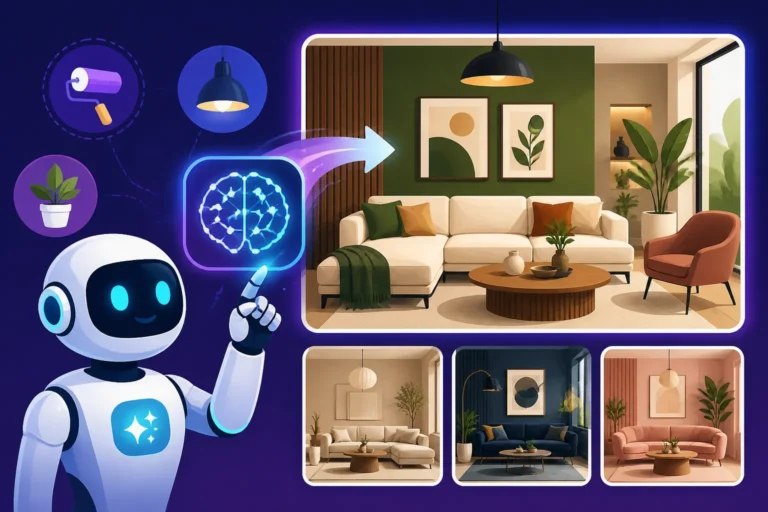
For a lifestyle blogger focusing on "bohemian home decor," you could generate images of cozy living spaces featuring specific textures, muted color palettes, and natural lighting, all with a consistent artistic interpretation. This level of consistency helps reinforce your brand identity, making your blog instantly recognizable across all platforms. Over time, this builds a cohesive visual narrative that strengthens your brand's presence and makes your content more memorable. If you're struggling to maintain a cohesive look, exploring How to Create Consistent AI Product Shots (which can be adapted for any visual asset) can offer useful insights.
Generating Unique Social Media Graphics
Social media is a crucial traffic driver for many blogs, and eye-catching graphics are paramount for standing out in crowded feeds. Manually designing these can be time-consuming, but AI tools can churn out a multitude of unique social media visuals in minutes. You can create different versions of a graphic optimized for Instagram, Facebook, Pinterest, or X (formerly Twitter), all while maintaining your brand's visual identity.
For a food blogger, instead of just sharing a photo of their finished dish, they could use AI to generate a dynamic graphic showcasing ingredients, a step-by-step visual, or an inviting scene of people enjoying the meal, perfectly sized for a carousel post on Instagram. This capability means you can keep your social media content fresh and engaging without needing a dedicated graphic designer. For specific strategies, understanding How to Use AI Image Generators for Social Media Graphics can really elevate your presence.
Choosing the Right AI Image Tool for Your Blog
With an ever-growing landscape of AI image generators, selecting the perfect tool for your blogging needs can feel overwhelming. It's not a one-size-fits-all situation; what works for a graphic designer might not be ideal for a blogger focused on quick, high-quality content.
Factors to Consider: Quality, Speed, and Control
When evaluating AI image tools, think about what truly matters for your blogging workflow.
- Image Quality: This is often paramount. Do the generated images look professional, high-resolution, and free of common AI artifacts (like distorted hands or strange anatomical features)? Some tools excel at photorealism, while others are better for stylized art. For a professional blog, pixelated or uncanny images are a no-go. You'll want to review examples thoroughly and understand the output resolution capabilities.
- Generation Speed: As a blogger, time is precious. How quickly can the tool generate images? Some tools offer near real-time generation, while others might take a minute or two. Batch generation capabilities can also be a huge time-saver if you need multiple images for a single post or several posts at once.
- Creative Control: How much influence do you have over the final output? Can you specify aspect ratios, styles, colors, lighting, or even exclude certain elements (negative prompting)? Advanced users often prefer tools that offer more parameters for fine-tuning. However, beginners might appreciate tools with simpler interfaces and strong default settings. Look for features like inpainting (editing parts of an image) or outpainting (extending an image) if you need more post-generation flexibility.
For a detailed dive into what makes a good image, exploring topics like Midjourney Image Quality Tested and Reviewed or DALL-E Image Quality Tested and Reviewed can offer valuable insights.
Understanding Different AI Model Strengths
Not all AI image generators are built the same. Each model often has its own strengths and weaknesses, making some more suitable for certain types of blogging content.
- Photorealism: If your blog relies heavily on realistic imagery, like product reviews or travel guides, you'll want a tool known for its photorealistic capabilities. Some models excel at rendering lifelike faces, textures, and lighting.
- Stylized Art and Illustrations: For blogs that lean into artistic expression, comics, or infographics, a tool strong in various art styles (e.g., watercolor, digital painting, pixel art) would be more appropriate. These tools can often interpret artistic descriptors in your prompts more effectively.
- Text Rendering: This is a big one for bloggers who need to embed titles, quotes, or captions directly into their images (think thumbnails or social media banners). Many AI models still struggle with coherent text, often producing garbled letters. However, tools like Ideogram have made significant strides in this area. If text is critical, prioritize tools that specifically boast strong text-rendering capabilities. For a deeper understanding, check out Best AI Image Generator for Text.
- Vector Art and Logos: If you're a small business blogger needing logos or scalable vector graphics for branding, certain tools might offer better results or dedicated features for this purpose.
Understanding these distinctions will help you align the tool's strengths with your blog's visual needs. A helpful resource for broader comparisons is Best AI Image Generator Comparison.
Free vs. Paid Options: What's Best for You
The financial aspect is a major consideration for many bloggers. The good news is there's a spectrum of options, from entirely free tools to robust paid subscriptions.
| Feature/Tool Type | Free Options (e.g., Bing Image Creator, Ideogram Free) | Budget Paid (e.g., Leonardo AI, Playground AI premium) | Premium Paid (e.g., Midjourney, Adobe Firefly) |
|---|---|---|---|
| Image Quality | Variable, often good for general use | High, often close to premium tools | Excellent, industry-leading |
| Speed | Moderate to Fast, sometimes slower during peak times | Fast, priority processing | Very Fast, dedicated resources |
| Control | Basic to moderate | Moderate to Advanced | Advanced, extensive parameters |
| Commercial Use | Often allowed but check specific terms | Generally allowed with clearer licensing | Often explicit commercial indemnification |
| Daily Limits | Common, daily credit caps | Higher limits, or "fast" vs. "relax" modes | High limits, or truly unlimited |
| Text in Images | Improving, some tools better than others | Generally good with specific models | Variable, improving, sometimes requires tricks |
| Editing Features | Limited in-tool editing | Basic inpainting/outpainting, upscaling | More robust editing, variations, upscaling |
Many tools offer a free tier with daily credits or limited features. These are fantastic for getting started, experimenting, and generating simpler visuals. Some, like the Bing Image Creator Free Tier Explained, can be quite powerful for no cost. However, free tiers often come with limitations: daily caps, slower generation speeds, watermarks, or less sophisticated models.
Paid subscriptions, such as those for Midjourney Pricing and Plans Explained or Leonardo AI Pricing and Plans Explained, typically offer faster generation, higher quality outputs, more advanced features, and clearer commercial use rights. They often come with different tiers, allowing you to choose a plan that matches your usage and budget. For a serious blogger who relies on consistent, high-quality visuals, investing in a budget-friendly paid option might be worthwhile. It's often a balance between cost, quality, and the specific needs of your blog. If you're looking for free options, Best Free AI Image Generators is a great place to start.
Practical Tips for Generating Blog-Ready AI Images
Once you've chosen your AI image tool, the real fun begins: creating stunning visuals for your blog. However, it's not simply a matter of typing a few words and hitting "generate." There's an art and science to getting the best results.
Mastering the Art of Prompt Engineering
Think of prompt engineering as speaking the AI's language. The more precise and descriptive you are, the better the AI can understand and fulfill your vision. A short, vague prompt like "dog running" will give you generic results, but a detailed prompt like "a golden retriever joyfully leaping through a field of lavender at sunset, cinematic lighting, f/1.8, bokeh background, highly detailed fur, hyperrealistic, warm tones" will yield something far more specific and professional.
Break down your vision into key components:
- Subject: What is the main focus? (e.g., "a young woman, thoughtful expression")
- Action/Context: What are they doing or where are they? (e.g., "sitting at a rustic wooden desk, typing on a vintage typewriter")
- Style/Medium: What aesthetic are you aiming for? (e.g., "impressionistic oil painting," "minimalist digital art," "photorealistic")
- Composition/Camera: How should the image be framed? (e.g., "close-up portrait," "wide-angle shot," "from above")
- Lighting/Mood: What's the atmosphere? (e.g., "soft natural light," "dramatic chiaroscuro," "golden hour glow")
- Details: Any specific elements, colors, or textures? (e.g., "steaming coffee cup," "lush green plants," "sepia tones")
- Negative Prompts (if available): What do you not want? (e.g., "ugly, deformed, blurry, extra limbs")
Start broad, then add details. Experiment with synonyms and descriptive adjectives. Don't be afraid to iterate and refine your prompts. Resources like AI Image Prompt Guide for Beginners and How to Write AI Prompts for Photorealistic Images can provide excellent starting points for developing your prompt skills.
Iterating and Refining for Perfect Results
Rarely will your very first prompt generate the perfect image. AI image generation is an iterative process, much like sketching and refining a drawing. Generate several variations from your initial prompt. Observe what works and what doesn't. Did the lighting come out right? Is the subject in the correct pose? Is the style consistent?
Take your favorite result and use it as a basis for further refinement. Many tools allow you to "vary" an image or use an image as a "seed" for new generations. You can also modify your prompt, adding or removing elements, adjusting parameters, or specifying different styles. For instance, if you generated "a serene forest path, misty, morning light" but it's too dark, you might add "bright and airy" or "sunbeams breaking through trees" to your next prompt. This back-and-forth process is where the magic happens, allowing you to gradually hone in on the exact visual you envision for your blog post. If you find yourself consistently getting undesirable results, understanding How to Fix Bad AI Image Results can save you a lot of time and frustration.
Post-Generation Editing and Upscaling
Even the best AI-generated images can sometimes benefit from a little post-processing. This might involve minor cropping to fit your blog's layout, color correction to match your brand, or removing small imperfections. Tools like Adobe Photoshop or Canva (which also offers its own AI image generator, Canva AI Image Generator Review) can be invaluable for these finishing touches.
One of the most common post-generation tasks for bloggers is upscaling. While AI tools are getting better at generating high-resolution images, sometimes you might get a great image that's just a bit too small for print or for a hero image on your blog without looking pixelated. AI upscalers use sophisticated algorithms to enlarge images while adding detail, rather than simply stretching pixels. This can turn a good image into a great, high-quality asset for your blog. Learning How to Upscale AI Images is a crucial skill for any blogger leveraging AI.
Overcoming Challenges and Best Practices for AI in Blogging
While AI image generators offer incredible potential, there are important considerations and best practices to keep in mind to ensure you're using them effectively, ethically, and responsibly for your blog.
Navigating Ethical and Copyright Concerns
The ethical landscape around AI-generated content is still evolving, and it's something every blogger needs to be aware of. The biggest concern often revolves around the data used to train these AI models. Some models are trained on vast datasets that may include copyrighted works, leading to questions about originality and fair use.
For bloggers, it's crucial to:
- Check Commercial Use Rights: Ensure the AI tool you're using explicitly states that images generated with its paid or free tier can be used commercially. Many do, but always verify. Free AI Image Generators with Commercial Use provides a good overview of tools that offer this.
- Understand Indemnification: Some premium tools, like Adobe Firefly, offer IP indemnification, meaning they will cover legal costs if an image generated by their tool infringes on a third party's copyright. This offers a significant layer of protection for businesses and professional bloggers.
- Disclose When Appropriate: While not always legally required, transparently disclosing that images are AI-generated can be a good ethical practice, especially if your blog prides itself on authenticity or human-created content. This is a nuanced area, and societal norms are still forming.
Staying informed about the latest developments in AI ethics and intellectual property law is key to using these tools responsibly and avoiding future complications.
Maintaining Authenticity and Uniqueness
One common criticism of AI-generated content is that it can feel generic or lack the "human touch." While AI is excellent at creating visuals, it doesn't always inherently understand the subtle nuances, emotions, or specific cultural contexts that a human creator might.
To maintain authenticity and uniqueness in your blog's visuals:
- Infuse Your Personality: Don't just generate generic images. Use prompts that reflect your blog's voice, niche, and unique perspective. If your blog is quirky, make your AI images quirky.
- Combine AI with Human Elements: AI images can serve as a fantastic starting point. You can then add your own elements, text overlays, branding, or even combine them with your own photography. This hybrid approach often yields the most unique and personalized results.
- Iterate Beyond the Obvious: Avoid sticking with the first "good enough" image. Push the AI to generate something truly original by experimenting with unusual prompts, unexpected combinations, or specific artistic directions that reflect your blog's distinct style. Sometimes, the most unique images come from prompts that are a bit "out there." To avoid the common "AI look," exploring tips like How to Make AI Images Look Less AI can be incredibly helpful.
Integrating AI Images Seamlessly into Your Workflow
The goal of using AI is to make your blogging life easier, not more complicated. Integrating AI image generation into your content creation workflow should feel natural and efficient.
- Plan Your Visuals Early: As you outline a blog post, consider what types of images you'll need. Will it be a featured image, an in-content illustration, a social media graphic? Having a clear visual plan before you start prompting will save time.
- Batch Generate When Possible: If you need multiple images with a similar style or theme for a series of posts, try to batch generate them. Many tools allow you to run multiple prompts or variations simultaneously, streamlining the process.
- Create a Prompt Library: Keep a record of successful prompts, especially those that align with your brand's aesthetic. This prompt library can be a huge time-saver for future posts, allowing you to quickly recall effective phrasing and parameters.
- Automate Where You Can: Some advanced users might explore API integrations or custom scripts to automate parts of their image generation, especially for large-scale content strategies. While this might be overkill for many individual bloggers, it's a testament to the versatility of these tools.
By thoughtfully planning and integrating AI image tools, you can significantly enhance your blog's visual appeal, save countless hours, and ultimately create more compelling content for your audience.
Disclaimer
The information provided in this guide is for general informational purposes only and does not constitute professional advice. While we strive to provide accurate and up-to-date information, the field of AI technology is rapidly evolving. Always conduct your own research and due diligence when selecting AI tools and interpreting their terms of service, especially regarding commercial use and copyright.