Best AI Tool for T-Shirt Designs in 2027
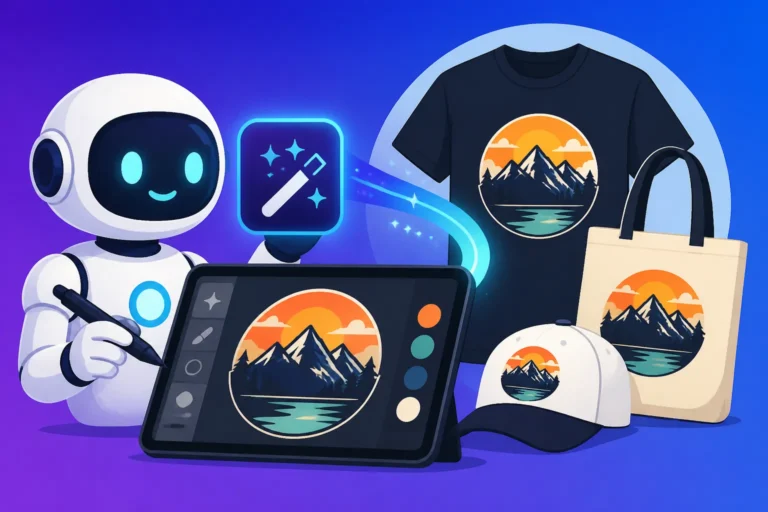
Trying to come up with fresh, eye-catching T-shirt designs can feel like an uphill battle. You’re constantly juggling creativity with technical constraints, worrying about licensing, and spending hours on concepts that might not even pan out. It’s expensive to hire designers, and if you’re doing it yourself, the learning curve for graphic design software can be steep and frustrating. This guide is here to cut through that complexity, helping you discover the best AI tools to generate stunning, print-ready T-shirt designs efficiently and affordably.
Why AI is a Game-Changer for T-Shirt Designers
Let's be real, the world of T-shirt design has always been a blend of art and commerce, and it often comes with a hefty dose of headache. Whether you're a small business owner launching a new clothing line, a content creator looking for unique merchandise, or just someone who loves making custom tees for friends, the traditional path can be slow and costly. That's where AI image tools step in, completely transforming how we approach design.
Overcoming Traditional Design Hurdles
Remember those days spent staring at a blank canvas, desperately trying to conjure up a new idea, or wrestling with complex vector software just to get a simple graphic right? Perhaps you've even outsourced designs, only to find the results didn't quite match your vision, or the costs spiraled out of control. These are common frustrations that AI is specifically designed to alleviate. It’s like having an infinite brainstorming partner and a lightning-fast illustrator right at your fingertips. Instead of agonizing over every pixel or waiting days for revisions, you can generate dozens of concepts in minutes, giving you a huge advantage in a fast-paced market.
Consider a scenario where you run a niche online store selling merchandise for dog lovers. Historically, you'd need to commission an artist for each new design, hoping they capture the exact breed and aesthetic you're aiming for. With AI, you can input a prompt like "minimalist golden retriever silhouette, retro sunset background, vintage T-shirt design," and within moments, you'll have several unique options to choose from. This not only saves money but also dramatically reduces the time from idea to market.
The Power of Rapid Prototyping and Iteration
One of the most powerful aspects of using AI for T-shirt design is the ability to rapidly prototype and iterate. Imagine you have a general concept, say, a cyberpunk-themed cat playing a guitar. In the past, refining this vision would involve numerous sketches, digital mock-ups, and potentially several back-and-forths with a designer. Each iteration costs time and money.
With AI tools, you can generate an initial set of images, then quickly refine your prompts based on what you like and dislike. Maybe you want the cat to be more futuristic, or the guitar to be a neon-lit bass. You can tweak the prompt, add specific modifiers, and regenerate new versions almost instantly. This iterative process allows you to explore countless creative avenues without significant investment, ensuring you land on the perfect design faster than ever before. It's like having an army of designers working simultaneously on your project, each presenting a slightly different interpretation of your vision, giving you unparalleled creative control and speed.
What Makes an AI Tool Great for T-Shirt Graphics
Choosing the right AI tool for T-shirt designs isn't just about picking the one that generates the prettiest pictures. It's about finding a platform that specifically addresses the unique demands of apparel design. There are several key features you need to prioritize to ensure your AI-generated art translates beautifully from screen to fabric.
Essential Features for Print-Ready Designs
When you're designing for print, resolution is paramount. A stunning image on your screen can look pixelated and unprofessional on a T-shirt if it's not generated at a high enough resolution or if it can't be upscaled effectively. Therefore, any top-tier AI tool for T-shirt design must offer high-resolution output or robust upscaling capabilities. Nobody wants a blurry tee! Beyond raw resolution, the clarity and crispness of lines and details are crucial, especially for intricate designs that need to stand out. Some tools inherently produce cleaner images, while others might require post-processing.
Another often-overlooked but incredibly important feature is the ability to generate transparent backgrounds or easily remove backgrounds. T-shirts aren't usually a solid block of color behind your graphic. You need your design to sit cleanly on the fabric without a distracting white or black box around it. Tools that offer this directly or have excellent background removal features save you a massive amount of time in editing. For complex designs, look for tools that can export SVG files or high-quality PNGs with transparency built-in, ready for your print-on-demand service or local printer.
Balancing Quality, Text, and Commercial Viability
T-shirts often feature text – slogans, brand names, witty sayings, or dates. And let's be honest, early AI models were notoriously terrible at generating legible text. They'd give you gibberish or strangely distorted letters. This is why a key differentiator for an AI tool in 2026 is its proficiency in Best AI Image Generator for Text and incorporating text smoothly into designs. Not only should the text be readable, but it should also integrate stylistically with the overall graphic, whether that's a retro font for a vintage design or a sleek, modern typeface for a minimalist look.
Beyond the aesthetics and technical specifications, the commercial viability of your generated images is non-negotiable. If you're planning to sell these T-shirts, you must have the legal right to do so. This means looking for tools that explicitly grant commercial use licenses for the images you create. Many free AI image generators might restrict commercial use or have confusing terms. Prioritize tools that offer clear commercial rights, and ideally, provide IP indemnification, giving you peace of mind against potential copyright disputes. Understanding Free AI Image Generators with Commercial Use is crucial here.
Top AI Tools for Crafting T-Shirt Designs in 2026
Alright, let's get down to the brass tacks: which AI tools are truly standing out for T-shirt design in 2026? While the landscape is always shifting, a few platforms have consistently proven their mettle, each bringing unique strengths to the table that cater to different design needs and skill levels.
Ideogram for Standout Typography and Graphics
If your T-shirt designs frequently incorporate catchy slogans, brand names, or intricate typographical elements, then Ideogram should be at the very top of your list. This platform has made incredible strides in generating accurate and stylized text within images, something many other AI tools still struggle with. It's not just about legibility; Ideogram can seamlessly integrate text into complex scenes and even generate logos with impressive consistency. If you've ever tried to generate a T-shirt with a specific quote using other tools, you know the pain of garbled letters – Ideogram largely solves this.
Their advanced models, particularly Ideogram 3.0 Text Rendering Review, are specifically optimized for typography, allowing designers to specify fonts, styles, and even intricate layouts directly in their prompts. Imagine wanting a shirt that says "Adventure Awaits" with a specific vintage script overlaid on a mountain landscape. Ideogram can execute this with remarkable precision, saving you the headache of adding text in a separate design program. For creators focused on text-heavy or logo-centric T-shirts, Ideogram is truly a game-changer.
Midjourney for Artistic Flair and Visual Impact
When it comes to pure artistic quality, intricate details, and creating truly stunning visuals that grab attention, Midjourney remains a dominant force. For T-shirt designers who prioritize a high level of aesthetic appeal, complex scenes, or unique art styles, Midjourney consistently delivers. Its ability to interpret nuanced prompts and render them with incredible detail, lighting, and composition makes it perfect for T-shirts that are more about the art than the text. Think intricate fantasy illustrations, photorealistic animals, abstract patterns, or unique character designs.
While Midjourney excels at visual impact, it historically hasn't been the strongest for perfect text rendering directly within the image, though continuous updates are improving this. Many designers use Midjourney to generate the core graphic and then add text overlays using a separate design software like Adobe Photoshop or Canva. However, for a graphic-heavy T-shirt that aims to tell a story or evoke a strong emotion through its visuals, Midjourney's output is often unparalleled. Diving deeper into Midjourney Image Quality Tested and Reviewed reveals why it's a favorite among artists. Its community and extensive parameter controls also offer a rich environment for exploring diverse artistic directions for your apparel.
Adobe Firefly for Commercial Confidence and Ecosystem Integration
For designers and businesses deeply embedded in the Adobe ecosystem, or those who prioritize rock-solid commercial safety and integration, Adobe Firefly is an incredibly strong contender. What sets Firefly apart, especially for T-shirt design, is its explicit focus on commercial-grade content and its unique IP indemnification. This means Adobe stands behind the originality of your Firefly-generated images, offering a level of legal protection that is invaluable for commercial ventures. If you're selling T-shirts, this peace of mind is worth its weight in gold.
Firefly seamlessly integrates with other Adobe Creative Cloud applications like Photoshop and Illustrator, making it a natural extension of an existing design workflow. You can generate elements in Firefly and then easily pull them into your preferred editing software for final touches, text addition, or mock-ups. Its features like Text to Image, Generative Fill, and Generative Expand are incredibly useful for refining T-shirt graphics, adding backgrounds, or adjusting aspect ratios to fit specific tee dimensions. You can learn more about its reliability in Adobe Firefly Commercial Safety Review. For a professional setup where commercial use is paramount, Firefly offers a robust and secure solution.
Canva AI for User-Friendly Creation and Speedy Workflows
Not everyone is a professional graphic designer, and that's perfectly okay! For small business owners, casual creators, or those who need to whip up T-shirt designs quickly without a steep learning curve, Canva AI is an excellent choice. Built into the incredibly popular and user-friendly Canva platform, its AI image generator simplifies the design process dramatically. You can generate images directly within the same environment where you'll be laying out your T-shirt mock-ups, adding text, and selecting fonts.
Canva AI might not offer the hyper-realistic detail of Midjourney or the advanced text rendering of Ideogram, but its strength lies in its accessibility and integrated workflow. It’s fantastic for creating simple, clean graphics, illustrative styles, and combining them with Canva's vast library of fonts, elements, and templates. For quickly churning out social media graphics or even Best AI Image Generator for Blog Images, Canva AI is a solid choice. The ability to go from an AI-generated graphic to a complete T-shirt design mockup in minutes, all within one platform, is a huge time-saver. Check out Is Canva AI Good Enough for Pros for a deeper dive into its capabilities for serious users.
| AI Tool | Best For | Key Strengths for T-Shirts | Text Quality (In-Image) | Commercial Use | Integration / Workflow |
|---|---|---|---|---|---|
| Ideogram | Text-heavy designs, logos, typography | Excellent text rendering, integrated text/graphic designs | Excellent | Yes | Web-based, easy sharing |
| Midjourney | Artistic, complex, visually stunning graphics | High-quality art, intricate details, wide range of styles | Good (improving) | Yes (paid tiers) | Discord-based, extensive parameters, post-processing often needed |
| Adobe Firefly | Commercial projects, professional workflows | IP indemnification, seamless Adobe CC integration, consistent quality | Good | Yes (indemnified) | Adobe Creative Cloud ecosystem, web-based |
| Canva AI | Ease of use, quick designs, general graphics | User-friendly interface, all-in-one design platform, fast iteration | Fairly Good | Yes (paid tiers) | Integrated with Canva's extensive design tools |
Maximizing Your AI T-Shirt Design Workflow
Generating an image is one thing, but turning it into a successful T-shirt design ready for sale requires a structured approach. It's not just about the raw output from the AI, but how you guide it, refine it, and prepare it for the physical world. Let's explore how to get the most out of these powerful tools.
Crafting Effective Prompts for Apparel Art
The key to unlocking amazing AI-generated T-shirt designs lies in your prompts. Think of a prompt as your conversation with the AI, where specificity and descriptive language are your best friends. Don't just type "cat on a skateboard." Instead, try to visualize the final T-shirt and describe every detail you can. Consider the style, colors, composition, and even the mood. For instance, "vintage illustration of a grumpy cat riding a skateboard down a city street, bold graphic style, distressed textures, retro color palette, centered for a T-shirt print."
It's helpful to structure your prompts. Start with the subject, add stylistic descriptors, mention composition, lighting, and finally, explicitly state it's for a T-shirt design. You might even add "-–ar 1:1" for a square aspect ratio often suitable for T-shirts in tools like Midjourney, or specify "transparent background” if the tool supports it. Don't be afraid to experiment with negative prompts (e.g., “no blurry details, no ugly text”) to steer the AI away from undesirable elements. Mastering how to write AI prompts for T-shirt designs will dramatically improve your results and save you countless hours of regeneration.
From Generation to Print: Refinement and File Prep
Once you've generated a design you love, the journey isn't over. Most AI-generated images will benefit from some level of post-processing to make them truly print-ready. This might involve using an upscaler tool to increase the resolution without losing quality, ensuring sharp lines and fine details for printing. Many AI tools have built-in upscalers, but dedicated tools like Magnific AI Upscaler can work wonders for getting professional-grade resolution.
Beyond resolution, you'll often need to clean up edges, remove any subtle AI artifacts, or adjust colors to match specific print profiles (CMYK for print versus RGB for screens). If your AI tool didn't generate a transparent background, this is the stage where you'll use a tool like Adobe Photoshop or even free online editors to remove it meticulously. Finally, exporting your design in the correct file format (usually high-resolution PNG or SVG for vector designs) and dimensions required by your chosen print-on-demand service or local printer is crucial. Paying attention to these details ensures your digital masterpiece translates into a high-quality physical product.
Navigating Copyright and Commercial Use
This is perhaps the most critical section for anyone looking to sell AI-generated T-shirts. The legal landscape around AI art is still evolving, but a few principles are clear. Always verify the commercial use terms of the specific AI tool you're using. As mentioned earlier, tools like Adobe Firefly offer explicit IP indemnification, which is a huge benefit for businesses. For other tools, you typically retain commercial rights to images generated under a paid subscription.
However, a gray area exists when AI models are trained on vast datasets that may include copyrighted material. While most platforms assert that their outputs are unique, being aware of this is important. To mitigate risk, always strive for original concepts in your prompts rather than asking the AI to replicate existing copyrighted characters or styles. Some designers combine AI elements with their own original art or photography to create derivative works, adding a layer of human creativity and originality. Understanding How to Use AI Images Without Copyright Issues is fundamental to building a sustainable T-shirt business. Additionally, consider trademarks. If you’re generating a logo with text, ensure the text itself isn’t a registered trademark.
Disclaimer
The information provided in this article is for general informational purposes only and does not constitute legal, financial, or professional advice. While we strive to provide accurate and up-to-date content, the field of AI technology, including its legal and commercial implications, is rapidly evolving. Always consult with relevant professionals and review the terms and conditions of any AI tool or platform before making decisions based on this information, especially concerning commercial use and copyright.