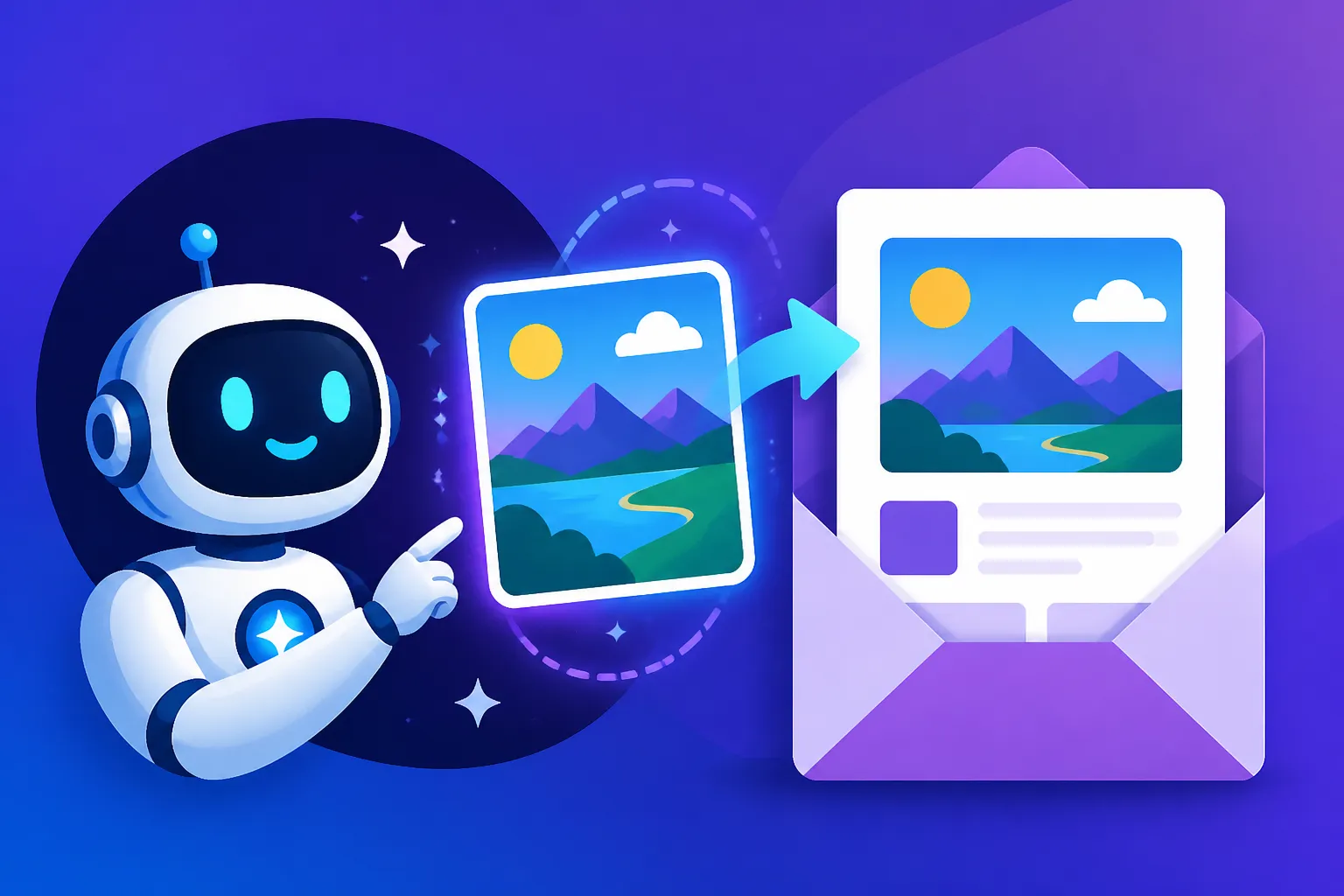
AI Images for Newsletters
Let's be real, in today's overflowing inboxes, getting your newsletter noticed feels like trying to shout across a packed concert hall. You pour your heart and soul into the copy, but if your visuals don't grab attention the second someone scrolls, all that effort can go to waste. This guide is all about tackling that common frustration, showing you exactly how AI image tools can be your secret weapon to create stunning, engaging visuals for your newsletters, making your content shine and stand out in a sea of emails.
Why Visuals Matter So Much in Your Newsletter
Think about your own email habits. Do you open every newsletter? Probably not. When you do, what makes you stop scrolling and actually read? Often, it's a compelling image that catches your eye and piques your curiosity. In the fast-paced world of digital communication, visuals aren't just nice-to-haves; they're essential components of effective engagement.
Capturing Attention in a Crowded Inbox
Your subscribers' inboxes are digital battlegrounds, with countless brands and creators vying for their precious attention. A strong visual, especially one that's unique and directly relevant to your message, can be the difference between your newsletter being opened and immediately archived, or worse, deleted. It's the first impression, that split-second decision-maker that tells your reader, "Hey, this is worth a look!" Imagine scrolling through dozens of text-heavy emails, and then suddenly, a vibrant, interesting image pops up – your thumb naturally pauses, doesn't it? That's the power we're talking about.
Moreover, our brains process images significantly faster than text. A striking visual can convey the essence of your newsletter's topic much quicker than a headline alone. For instance, if your newsletter is about new travel destinations, a breathtaking landscape image can instantly evoke wanderlust and make a reader eager to learn more, far more effectively than just the words "New Travel Destinations." This immediate cognitive processing helps break through the noise and establishes an initial connection before a single word is read.
Enhancing Engagement and Readability
Beyond the initial hook, visuals play a crucial role in keeping your readers engaged throughout the newsletter. Large blocks of text can be intimidating and lead to scanning rather than deep reading. Strategically placed images break up text, making your content less daunting and more digestible. They provide visual cues, guiding the reader's eye down the page and highlighting key sections or ideas.
Consider how a well-chosen graphic can illustrate a complex concept or add an emotional layer to your narrative. For a newsletter discussing personal growth, an image of someone overcoming an obstacle can resonate deeply, reinforcing your message in a way that words alone might struggle to achieve. By making your newsletter more visually appealing and easier to navigate, you encourage subscribers to spend more time with your content, increasing the likelihood that they'll absorb your message and take action. This isn't just about aesthetics; it's about optimizing the user experience for better results.
Common Challenges for Newsletter Creators
As powerful as visuals are, generating them regularly for newsletters comes with its own set of hurdles. Many creators find themselves stuck in a loop of using generic stock photos or simply skipping visuals altogether, which ultimately diminishes their newsletter's potential impact.
Time and Resource Constraints
Let's face it: creating high-quality, original images takes time, skill, and often, money. Not every newsletter creator is a graphic designer or has the budget to hire one for every email campaign. Manually searching through stock photo libraries can be a time sink, and even when you find something "okay," it often doesn't perfectly align with your specific message or brand aesthetic. The pressure to consistently deliver engaging content often means visuals get deprioritized or rushed, leading to subpar results.
For small businesses or solo entrepreneurs running newsletters, every minute counts. The hours spent trying to design a custom graphic or meticulously comb through licensing agreements for stock photos could be spent on crafting more compelling copy, engaging with subscribers, or developing their core product or service. This resource crunch often forces a compromise on visual quality, making it incredibly difficult to maintain a fresh, exciting look for every send.
The Struggle for Originality and Variety
Another significant challenge is avoiding visual fatigue – both for yourself and your audience. Relying heavily on free stock photo sites means you're often using images that hundreds, if not thousands, of other businesses are also using. How many times have you seen that same "person smiling at a laptop" stock photo? This lack of originality makes it hard for your newsletter to stand out and reinforce your unique brand identity. You want your subscribers to instantly recognize your content, not just another generic email.
Furthermore, maintaining variety across your newsletters is crucial to keep things fresh. If every email features a similar style of image or adheres too strictly to a narrow theme, it can become predictable and uninspiring. The desire to experiment with different visual styles, moods, or concepts is often hampered by the limitations of available resources or the difficulty in finding unique visuals that accurately represent diverse topics. This constant struggle for originality and variety can be a major creative roadblock for even the most dedicated newsletter creators.
How AI Image Generators Solve Newsletter Visual Woes
This is where AI image generators truly shine, swooping in like a digital superhero to address those persistent visual challenges. They offer a revolutionary way to produce unique, high-quality images tailored specifically for your newsletter content, and they do it faster and more efficiently than ever before.
Speeding Up Content Creation
One of the most immediate and impactful benefits of AI image tools is the sheer speed at which you can generate visuals. Gone are the days of endlessly sifting through stock photo sites or waiting for a designer. With a simple text prompt, you can conjure up multiple image options in seconds or minutes. This dramatically cuts down on the time spent on visual asset creation, freeing you up to focus on other critical aspects of your newsletter, like crafting engaging headlines or refining your call to actions.
Imagine needing a unique header image for an announcement about a spring sale. Instead of searching for "spring sale banner" and settling for a generic graphic, you can prompt an AI tool to create "vibrant, whimsical spring sale banner with blooming flowers and subtle sparkle, e-commerce style." Within moments, you'll have several distinct options to choose from, perfectly aligned with your vision. This efficiency makes it possible to maintain a consistent publishing schedule without sacrificing visual quality, making your content workflow much smoother. For those looking to optimize their visual production, exploring tools like those mentioned in our guide on the Best AI Image Generator for Speed can be incredibly beneficial.
Tailoring Images to Specific Topics and Audiences
The ability to generate custom images means you can create visuals that are hyper-specific to your newsletter's topics and your target audience's preferences. No more trying to force a vaguely relevant stock photo to fit your message. AI allows for unparalleled precision, ensuring your images truly resonate.
For example, if your newsletter is aimed at cat owners and features an article on "The Joy of Senior Cats," you can generate an image of "a serene, fluffy senior cat napping in a sunbeam, cozy indoor setting, warm tones." This level of specificity helps to build a stronger connection with your audience because they see images that directly reflect their interests and experiences. This customization capability also extends to niche topics, where finding suitable stock imagery can be nearly impossible. Whether you're discussing quantum physics or artisanal cheese making, AI can create an image that perfectly illustrates your point, enhancing understanding and engagement. This capability is a game-changer compared to relying on generic imagery.
Maintaining Brand Consistency
A strong brand identity is crucial for recognition and trust. AI image generators, when used strategically, can help you maintain a consistent visual style across all your newsletter communications. By using specific descriptive elements in your prompts, you can guide the AI to produce images that align with your brand's aesthetic, color palette, and overall mood.
For instance, if your brand uses a minimalist, modern aesthetic with a specific color scheme, you can include phrases like "minimalist design, clean lines, corporate branding, [your brand's primary color] accents" in your prompts. Over time, this consistent approach to image generation will help your subscribers instantly recognize your newsletter, even before they read the sender's name. This fosters a sense of professionalism and strengthens your brand recall. For deeper insights into this, check out our piece on How to Keep Brand Consistency with AI Images, which offers comprehensive strategies for maintaining a cohesive visual identity.
Choosing the Right AI Tool for Newsletter Visuals
With so many AI image generators popping up, it can feel a bit overwhelming to pick the right one. The key is to consider what features are most important for your newsletter needs and budget.
Features to Look For
When you're evaluating AI image tools for your newsletter, think about what truly matters for your specific workflow.
- Ease of Use: As a newsletter creator, you're likely not a prompt engineering expert or a professional designer. You need a tool that has an intuitive interface and is easy to learn. Look for platforms with clear instructions, helpful tooltips, and perhaps even preset styles or templates to get you started quickly. Tools that offer a straightforward text-to-image experience without too many complex parameters are often best for beginners. Many tools focus on being user-friendly, which can make a big difference, as highlighted in our guide on the Best AI Image Generator for Ease of Use.
- Image Quality and Style Options: This is paramount. Your newsletter images need to look professional and engaging, not amateurish. Check if the tool can produce high-resolution images suitable for web use, and critically, if it offers a variety of artistic styles. Can it do photorealism when you need it? What about cartoon, illustration, or watercolor styles? The more versatile the tool, the better it can adapt to different newsletter topics and your evolving brand aesthetic. Some tools excel at photorealism, while others are better for more stylized art, so consider your typical needs.
- Text Rendering Capabilities: This is a big one for newsletters! Sometimes you need an image with embedded text, perhaps for a banner or a call-to-action graphic. Many AI tools still struggle with accurate text rendering, often producing garbled or nonsensical words. If including text in your images is important, specifically look for tools known for strong typography features, such as Ideogram, which has made significant strides in this area.
- Commercial Use Rights: Before you get too excited about all the cool images you can make, ensure the AI tool's terms of service allow for commercial use. Most paid plans include commercial rights, but free tiers can be more restrictive. Always double-check this, especially if your newsletter promotes products, services, or generates revenue. You don't want any copyright headaches down the line. Our guide on Free AI Image Generators with Commercial Use is an excellent resource for navigating these tricky waters.
- Editing and Iteration Features: Rarely will your first AI-generated image be perfect. Tools that offer in-platform editing, such as inpainting (to change specific parts of an image) or outpainting (to extend an image's canvas), can save you a ton of time. The ability to easily generate variations of an image or tweak your prompt and regenerate without starting from scratch is also incredibly valuable for refining your visuals.
Free vs. Paid Options
The choice between free and paid AI image generators largely depends on your budget, your volume needs, and the level of quality and control you require.
Free Options:
Many excellent free AI image generators are available, perfect for those just starting out or working with a very limited budget. Tools like Bing Image Creator, Ideogram's free tier, or Playground AI offer generous daily credits and robust capabilities that can certainly get the job done for many newsletter needs. They are fantastic for experimentation, learning prompt engineering, and generating basic visuals. The main trade-offs often include limitations on image resolution, slower generation speeds, daily usage caps, or fewer advanced features compared to their paid counterparts. For a comprehensive overview, you might want to explore our article on the Best Free AI Image Generators.
Paid Options:
If your newsletter is a core part of your business, or if you need higher volumes of images, commercial usage rights, faster generation, and more advanced features, investing in a paid subscription might be worthwhile. Premium tools like Midjourney, DALL-E, or Adobe Firefly offer superior image quality, more creative control through advanced parameters, faster processing, and typically unlimited or very high credit allowances. They also tend to have better consistency features for character or brand elements and dedicated support. For example, a subscription to a tool like Midjourney provides access to advanced models and features that can elevate your newsletter's visual appeal significantly. Many paid tools also offer better features for things like How to Upscale AI Images, ensuring your visuals are always crisp and clear.
Here's a quick comparison of some popular options suitable for newsletters:
| Feature/Tool | Bing Image Creator (Free) | Ideogram (Free/Paid) | Leonardo AI (Free/Paid) | Midjourney (Paid Only) | Adobe Firefly (Free/Paid) |
|---|---|---|---|---|---|
| Cost | Free | Free tier, Paid plans | Free tier, Paid plans | Starts ~$10/month | Free tier, Paid plans |
| Ease of Use | Very High | High | Medium-High | Medium (Discord-based) | High |
| Image Quality | Good | Good-Excellent | Good-Excellent | Excellent | Excellent |
| Text Rendering | Limited | Excellent | Limited | Limited | Good |
| Commercial Use | Yes (Microsoft TOS) | Yes (with attribution) | Yes (with attribution) | Yes | Yes (with indemnity) |
| Styles Offered | Varied | Varied | Varied (custom models) | Highly Varied | Varied |
| Control/Editing | Basic | Basic | Advanced (Inpainting) | Advanced | Advanced (Generative Fill) |
Remember, the "best" tool isn't universal; it's the one that fits your specific needs, budget, and desired workflow.
Practical Steps to Integrate AI Images into Your Newsletter Workflow
Bringing AI-generated images into your newsletter doesn't have to be complicated. With a clear process, you can seamlessly weave these unique visuals into your content strategy.
Crafting Effective Prompts for Newsletter Graphics
The quality of your AI-generated images hinges almost entirely on the quality of your prompts. Think of a prompt as your creative brief to the AI.
- Be Specific and Descriptive: Instead of "dog," try "a golden retriever puppy, looking adorable, sitting in a field of sunflowers, golden hour lighting, hyperrealistic." The more details you provide about the subject, setting, style, and mood, the better the AI can interpret your vision.
- Specify Style and Medium: Want a particular artistic vibe? Add keywords like "oil painting," "watercolor illustration," "vector art," "cinematic photo," "3D render," or "pixel art." This helps steer the AI towards the aesthetic you desire. For example, for a newsletter about digital art, you might specify "digital painting, vibrant colors, cyberpunk aesthetic." Our guide on How to Write AI Image Prompts dives deep into crafting effective prompts.
- Include Technical Details: Think like a photographer or artist. What kind of lighting? "Soft studio lighting," "dramatic chiaroscuro," "natural daylight." What about camera angles? "Wide-angle shot," "close-up portrait," "low-angle." These details add depth and professionalism to your images.
- Use Negative Prompts (if available): Some tools allow you to specify what you don't want to see. For instance, if you're trying to generate a realistic human but keep getting odd hands, you might add something like "ugly, deformed, extra fingers, blurry" to your negative prompt. This helps refine the output and avoid common AI quirks.
- Iterate and Refine: Your first prompt might not yield perfect results. That's okay! Analyze what the AI produced, then adjust your prompt. Add more details, remove elements that aren't working, or try a different style keyword. It's an iterative process, much like creative writing. If you're struggling to get the results you want, our AI Image Prompt Guide for Beginners offers practical advice.
Editing and Refining Your AI-Generated Images
Raw AI outputs, while impressive, often need a little polish to be truly newsletter-ready. Think of the AI as your assistant providing the initial draft; you're the editor.
- Minor Adjustments in the AI Tool: Many tools now offer in-platform editing capabilities. If a small detail is off, try using features like "vary (strong)" or "remix" to generate slightly different versions. Some tools also offer basic cropping or aspect ratio adjustments. For instance, if you used Leonardo AI, you might use its inpainting feature to fix a small anomaly or enhance a specific area.
- External Image Editing Software: For more significant tweaks, you'll likely want to use external software like Adobe Photoshop, GIMP, or even Canva's built-in editing tools. This is where you can:
- Crop and Resize: Ensure the image fits your newsletter layout and file size requirements.
- Color Correction: Adjust brightness, contrast, and saturation to match your brand's color palette and overall mood.
- Remove Imperfections: AI images can sometimes have subtle artifacts, strange blurs, or minor distortions. Use healing or cloning tools to clean these up.
- Add Overlays or Text: If the AI struggles with text, you can always add it cleanly in an external editor.
- Upscaling for Higher Resolution: Often, the images generated by AI tools (especially on free tiers) might not be high enough resolution for all your needs. Using an AI upscaler can enhance the image quality without losing detail, making your visuals look crisp and professional. This is especially important if your newsletter might be viewed on larger screens or if you intend to repurpose the image for other marketing materials. You can learn more about this process in our guide on How to Upscale AI Images.
Best Practices for Usage and Attribution
Navigating the ethical and practical aspects of using AI images in your newsletter is essential.
- Respect Copyright and Licensing: As mentioned, always verify the commercial usage rights for the specific AI tool and plan you're using. Some tools may require attribution (crediting the AI), especially on free tiers. While the legal landscape is still evolving, adhering to the platform's terms protects you.
- Compress Images for Web: Large image files can slow down your newsletter's loading time, leading to higher bounce rates and frustrated readers. Always compress your images before uploading them to your email service provider. Tools like TinyPNG or compressor.io can significantly reduce file size without noticeable loss of quality.
- Use Alt Text: For accessibility and SEO, always include descriptive alt text for your newsletter images. This helps screen readers describe the image to visually impaired readers and can also help with email deliverability and search engine indexing if your newsletter is archived online.
- Balance AI and Original Content: While AI is fantastic for efficiency, don't let it completely replace unique photography or illustrations. A mix often works best, providing both efficiency and a personal touch.
- Test and Monitor: Different images will perform differently with your audience. A/B test various AI-generated visuals to see what resonates most effectively. Pay attention to open rates, click-through rates, and engagement metrics to continuously refine your visual strategy.
Advanced Tips for Newsletter Image Generation
Once you're comfortable with the basics, you can start exploring more advanced techniques to truly elevate your newsletter visuals and make them a powerful brand asset.
Creating Consistent Character or Product Imagery
One of the biggest challenges in AI image generation is maintaining consistency, especially for characters, models, or specific products across multiple images. If your newsletter features a recurring mascot, a specific product line, or a consistent human element, you don't want them looking wildly different from one email to the next.
- Using a "Seed" or "Style Reference" Image: Many advanced AI tools allow you to use a "seed" number or upload a reference image to help guide subsequent generations. If you generate a character you love, save its seed number. When creating new images featuring that character, use the same seed along with your new prompt. Similarly, uploading a high-quality, existing image of your product or mascot can serve as a visual guide for the AI to emulate its style and features in new scenarios. This is a core technique to ensure your visuals remain on-brand and instantly recognizable. You can find more specific guidance in our post about How to Create Consistent Character or Product Imagery.
- Prompt Engineering for Consistency: Beyond seeds, meticulous prompt engineering is key. Break down the core visual attributes of your character or product (e.g., "a cheerful, ginger cat with emerald green eyes," or "a sleek, matte black coffee maker with chrome accents"). Include these core descriptions in every prompt where you want that specific element to appear. Add stylistic elements like "shot in the style of professional product photography" or "cartoon style, thick outlines" to ensure stylistic continuity. The more consistently detailed you are in your prompts, the better the AI will perform.
- Leveraging AI for Mockups: For e-commerce newsletters, AI can generate realistic product mockups. Instead of expensive photoshoots, you can prompt for "a matte black coffee maker on a rustic wooden kitchen counter, natural sunlight, depth of field, minimalist aesthetic." This allows you to quickly visualize and showcase products in various appealing settings without physical photography, perfect for new product announcements or seasonal promotions.
Leveraging AI for A/B Testing Visuals
A/B testing is crucial for optimizing your newsletter's performance, and AI-generated images make it incredibly easy to test different visual hypotheses without significant effort or cost. This empowers you to truly understand what resonates with your audience.
- Generate Multiple Visual Concepts: For a single newsletter section, create 2-3 distinct AI images based on different prompt interpretations or artistic styles. For example, if you're announcing a new online course, one image could be a "person learning at a computer, energetic," another "abstract representation of knowledge growth," and a third "friendly mentor figure offering guidance."
- Test Different Emotional Appeals: Use AI to generate images that evoke different emotions. One image might be "calm and serene," while another is "dynamic and exciting." Test which emotional tone drives more engagement for specific content pieces. This helps you fine-tune your messaging beyond just the text.
- Experiment with Color Palettes and Composition: Perhaps your audience responds better to warmer tones, or maybe a wider shot versus a close-up makes a difference. AI allows you to quickly iterate on these visual elements and test them in real-world scenarios. Tools that enable you to generate AI Images for Blog and Article Images can be particularly useful here, as they allow for quick variations suitable for testing.
- Analyze Performance and Adapt: Integrate your AI-generated images into your A/B testing strategy within your email service provider. Track metrics like open rates, click-through rates on specific image links, and even conversions if the image is tied to a product. The data you gather will inform your future AI image generation strategies, ensuring you're consistently using visuals that perform best for your audience. This iterative process of generating, testing, and refining is how you truly master the art of using AI for impactful newsletter visuals.
Disclaimer
The information provided in this article is for general guidance and informational purposes only, and does not constitute professional advice. While we strive to provide accurate and up-to-date content, the field of AI technology is rapidly evolving. We recommend verifying specific tool features, pricing, and terms of service directly with the providers. Users should exercise their own judgment and consult with legal professionals regarding copyright and commercial use of AI-generated content.