How to Write AI Prompts for Pop Art Images
Have you ever tried to generate a vibrant, iconic Pop Art image with an AI tool, only to end up with something that feels… off? It’s frustrating when your vision of bold colors and graphic lines gets lost in translation, resulting in a generic cartoon or a muddy mess. This guide is here to unravel the secrets of writing effective AI prompts specifically designed to capture the dynamic and distinctive essence of Pop Art, helping you create stunning images every time.
Understanding the Essence of Pop Art for AI Generation
Before we dive into the nitty-gritty of prompt engineering, it’s crucial to understand what Pop Art truly is and why it can sometimes be a challenge for AI. Pop Art, emerging in the mid-20th century, was a revolutionary movement that challenged traditional fine art by incorporating imagery from popular and commercial culture. Think advertising, comic books, mundane objects, and celebrity portraits. It was a reaction against abstract expressionism, bringing art back to the everyday.
Deconstructing Pop Art's Core Characteristics
Pop Art isn't just one look; it's a philosophy translated into several distinct visual characteristics. At its heart, it celebrates consumerism, mass media, and the superficiality of modern life. When you're trying to describe this to an AI, you need to break down those characteristics into tangible, descriptive terms.
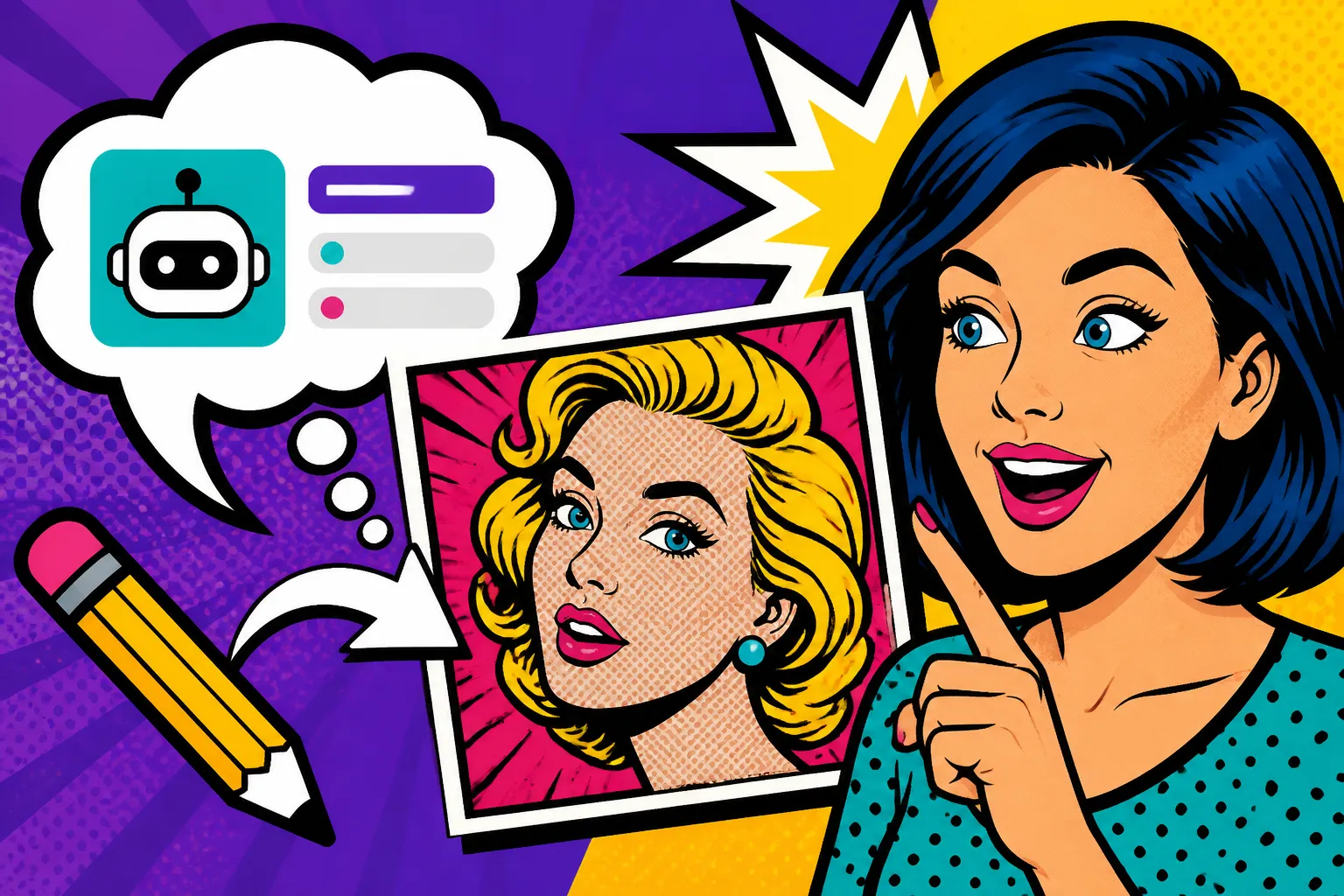
First, consider the bold, vibrant color palettes. Often, Pop Art uses primary and secondary colors in stark, high-contrast combinations. We're talking about bright reds, blues, yellows, and greens that jump off the canvas. These aren't subtle, blended hues; they are flat, unmodulated blocks of color, reminiscent of printing techniques like silkscreening. Second, there's the graphic quality and strong outlines. Many Pop Art pieces have a very illustrative feel, often borrowing techniques from comic books, such as thick black outlines (like those found in Roy Lichtenstein's work) or halftone dots, also known as Ben-Day dots, to simulate shading. Third, the subject matter is paramount. Everyday objects (Andy Warhol's Campbell's Soup Cans), consumer products, celebrities (Warhol's Marilyn Monroe), and comic strip panels are recurring themes. It's about taking something commonplace and elevating it to art, often with a sense of irony or satire. Lastly, don't forget the composition. Pop Art often features simplified forms, repetition, and a flattened perspective, avoiding deep realism in favor of immediate, impactful visuals.
Why AI Struggles with Nuance in Artistic Styles
You might wonder why a sophisticated AI image generator, which can render photorealistic scenes or intricate fantasy landscapes, sometimes struggles with something seemingly straightforward like Pop Art. The truth is, AI models learn from vast datasets, and while they can identify "Pop Art," they might not grasp the underlying why or the specific nuances that define different sub-styles within the movement.
For instance, an AI might generate something colorful and bold, but miss the iconic Ben-Day dots that are a hallmark of Lichtenstein's style, or it might fail to replicate the distinct brushwork (or lack thereof) that gives a Warhol print its commercial polish. The AI might also default to a more generic "cartoon" style if your prompt isn't precise enough, blurring the lines between Pop Art and other graphic art forms. It needs explicit instructions. It's like asking a chef to make "comfort food" – without further guidance, you might get mac and cheese, chicken noodle soup, or a shepherd's pie, all valid but vastly different interpretations. This is why learning how to write AI image prompts is so important; it's about being the precise executive chef for your AI artist.
Essential Prompt Elements for Generating Pop Art
Crafting compelling Pop Art images with AI is all about providing the right ingredients in your prompt. You need to think like an art historian and a graphic designer rolled into one, detailing the visual attributes that are non-negotiable for the style.
Key Artists and Influences in Prompts
One of the most effective ways to guide an AI toward a specific artistic style is to reference famous artists known for that style. For Pop Art, certain names instantly conjure distinct visual aesthetics. For example, simply including "by Andy Warhol" in your prompt can steer the AI towards flat, vibrant colors, silkscreen effects, and a focus on iconic consumer goods or celebrity portraits. If you're aiming for that classic comic book look with speech bubbles and halftone dots, "by Roy Lichtenstein" is your magic phrase.
Don't stop there, though. Consider other influential Pop Artists. "By Keith Haring" will likely introduce dynamic, simplified figures with bold outlines, often conveying social messages. "By James Rosenquist" might give you large-scale collages of fragmented imagery from advertising, while "by Robert Indiana" is excellent for bold, graphic typography (think his iconic "LOVE" sculpture). Even contemporary artists influenced by Pop Art, like KAWS or Shepard Fairey, can be excellent prompt additions to give a modern twist. The trick is to know which artist's signature style aligns best with your vision. This detailed approach is a key part of how to get better AI image results.
Color Palettes and Graphic Styles
Beyond referencing artists, explicitly describing the visual elements of Pop Art is crucial. Colors, as mentioned, are paramount. Instead of just "bright colors," try "vibrant primary colors," "high-contrast color palette," or "neon colors." You can even specify hex codes in some advanced AI tools, though natural language usually suffices for general guidance.
For graphic styles, be very descriptive. Think about the textures and effects you want. Here are some terms to consider:
- Halftone dots or Ben-Day dots: Essential for that comic book print aesthetic.
- Thick black outlines: Defines shapes clearly, another comic book staple.
- Flat colors or block colors: Emphasizes the two-dimensional, printed look.
- Silkscreen print effect: Mimics the printing technique often used by Warhol, giving a slightly grainy, layered look.
- Bold typography or graphic lettering: If you want text integrated into the image, like in a poster or an ad.
- Comic book panel style: For a sequential art feel.
Subject Matter and Composition Cues
The subject of your Pop Art image is just as important as the style. Are you depicting an everyday object, a celebrity, or a scene from a comic? Be explicit.
For example, instead of just "a dog," try "a golden retriever, stylized like a Pop Art icon, against a vibrant yellow background." Or for people, "portrait of a woman, in the style of 1960s advertising, Pop Art." Consider adding specific details that echo the consumerist themes of the movement, like "cola bottle," "canned soup," "washing machine," or "retro television set."
Compositionally, Pop Art often plays with repetition, close-ups, and a sense of flatness. You can include terms like:
- "Multiple repeated images"
- "Close-up portrait"
- "Bold, central subject"
- "Simplified background"
- "Dynamic composition"
- "Flat perspective"
By combining these elements – artists, colors, graphic styles, and subject matter – you give the AI a rich vocabulary to work with, moving beyond generic interpretations to truly specific, iconic Pop Art. If you're looking to compare the nuances of different tools for such specific artistic goals, you might want to check out resources like Midjourney vs DALL-E: Which Is Better.
Step-by-Step Guide to Crafting Your Pop Art Prompts
Now that we've covered the individual components, let's put it all together into an actionable, step-by-step process. Think of this as your recipe for success in generating fantastic Pop Art images.
Starting with a Basic Pop Art Prompt
The first step is always to establish the core style. Don't overcomplicate it initially. A simple, foundational prompt will set the stage. Start by clearly stating the desired style and your subject.
Example 1: Basic Subject
Pop Art style, a retro robot, vibrant colors
Example 2: Basic Portrait
Pop Art portrait of a young woman, bold colors
These simple prompts tell the AI the general direction. You'll likely get something that resembles Pop Art, but it might lack the specific flair you're envisioning. This is where refinement comes in. Many beginners find it helpful to start simple and then build up, which is a common tip in any AI image prompt guide for beginners.
Adding Specificity: Artists, Techniques, and Media
Once you have your basic subject and style, it's time to layer on the specifics using the elements we discussed earlier. This is where you bring in the unique characteristics of Pop Art.
Adding Artists:
Let's take our retro robot. If we want it to look like a comic book character, we add Lichtenstein:
Retro robot, in the style of Roy Lichtenstein, vibrant colors, comic book art, thick black outlines, Ben-Day dots
For a more Warhol-esque take on a famous figure:
Portrait of Marilyn Monroe, silkscreen print, by Andy Warhol, electric blue and hot pink, flat colors
Adding Techniques and Media:
Don't just rely on artist names; describe the effect.
A bustling city street, Pop Art style, highly graphic, bold typography, limited color palette, screen print textureVintage soda bottle, Pop Art poster, halftone dots, primary colors, sharp lines, advertising art
Remember to specify the kind of colors and the graphic qualities. "Vibrant colors" is good, but "vibrant primary colors" or "high-contrast bold colors" is better. The more descriptive you are, the more likely the AI is to hit your target. For deeper insights into prompt construction, exploring resources like Best AI Image Prompt Formulas can be incredibly beneficial.
Refining Your Prompts for Desired Results
After generating your initial images, you'll inevitably want to tweak them. This is an iterative process. Look at what the AI produced and identify what's missing or what needs adjustment.
Example Iteration:
- Initial Prompt:
Pop Art style, a cat, vibrant colors - Result (likely): A colorful, somewhat cartoonish cat.
- Refinement 1 (adding artist and technique):
A cute cat, Pop Art style, in the style of Roy Lichtenstein, Ben-Day dots, thick black outlines, limited color palette - Result (better): A cat that looks more like it jumped out of a 60s comic.
- Refinement 2 (adding mood/composition):
A cute cat, Pop Art style, in the style of Roy Lichtenstein, Ben-Day dots, thick black outlines, limited color palette, looking surprised, close-up, bold and graphic
You can also use negative prompts if your AI tool supports them. For instance, if you're getting too much realism, you might add --no realistic, detailed texture to your prompt. Always keep experimenting. Think of your prompt as a conversation with a highly skilled, but very literal, artist. The more clearly and specifically you articulate your vision, the closer you'll get to your desired Pop Art masterpiece. When you're trying to achieve specific effects like these, understanding Midjourney Parameters Explained can be a game-changer for finer control.
| Pop Art Artist/Influence | Key Visual Characteristics | Prompt Keywords to Use |
|---|---|---|
| Andy Warhol | Silkscreen, repetition, flat colors, celebrity portraits, consumer products, vivid contrasting colors | silkscreen print, by Andy Warhol, repeated image, iconic portrait, pop culture, bold block colors |
| Roy Lichtenstein | Ben-Day dots, comic book style, thick black outlines, speech bubbles, dramatic action, primary colors | Ben-Day dots, by Roy Lichtenstein, comic book panel, speech bubble, thick black lines, halftone, graphic novel |
| Keith Haring | Dynamic dancing figures, bold outlines, simplified forms, social commentary, vibrant flat colors | by Keith Haring, dancing figures, minimalist forms, bold graphic lines, street art, vibrant flat colors |
| James Rosenquist | Large-scale collages, fragmented advertising imagery, surreal combinations, vibrant colors, consumer culture | by James Rosenquist, fragmented collage, advertising art, consumer products, surreal composition, bold colors |
| Robert Indiana | Graphic typography, iconic word art (e.g., "LOVE"), hard-edge painting, bold colors, simple forms | by Robert Indiana, graphic typography, word art, bold block letters, hard-edge painting, geometric shapes |
| Eduardo Paolozzi | Collage, machinery, human forms, surrealism, vibrant colors, found imagery | by Eduardo Paolozzi, collage art, mechanical forms, surreal figures, fragmented images, industrial pop art |
Troubleshooting and Advanced Pop Art Prompting
Even with the best prompts, AI can sometimes surprise you with unexpected results. Learning to troubleshoot and apply advanced techniques will help you master Pop Art generation.
Dealing with Undesired Outputs and AI "Bleed"
One common issue with AI image generation is what I like to call "AI bleed," where elements from different styles or common interpretations subtly creep into your desired output. For example, you might ask for Pop Art, but get a generic cartoon, or too much realism, or even abstract elements if your prompt isn't strong enough.
If your images are coming out too cartoonish and less like classic Pop Art, consider strengthening your style descriptors. Instead of just "cartoon," try specifying "graphic novel art style" or explicitly adding "no childish cartoon." If it's too realistic, add --no photo realistic, detailed texture. Conversely, if it's too abstract, try --no abstract art, blurred effects. Sometimes, simply reordering your prompt elements can make a difference, placing the most critical stylistic keywords at the beginning. Don't be afraid to add more negative prompts to exclude what you don't want. If you're consistently getting issues, reviewing how to fix bad AI image results might offer solutions specific to your chosen tool.
Incorporating Text and Speech Bubbles (a Pop Art Staple)
Pop Art, especially the work inspired by comic strips, often features integrated text, bold typography, or iconic speech and thought bubbles. This can be one of the trickier aspects for AI to handle accurately, as text rendering capabilities vary wildly between different models.
When prompting for text, be as explicit as possible.
- For Speech Bubbles:
Roy Lichtenstein style, a woman crying into a phone, with a speech bubble above her head saying "Oh, Brad!" - For Bold Typography:
A vintage advertisement poster, Pop Art style, featuring a giant burger, with bold yellow text "Eat More" across the bottom, in the style of Robert Indiana
You might need to iterate several times to get legible and well-integrated text. Some AI tools, like Ideogram, are specifically designed to handle text better than others. If your primary tool struggles, consider using a secondary tool for text-heavy Pop Art or editing the text in post-production with graphic design software. For more on this, check out Ideogram Prompts for Text and Logos.
Experimenting with Blended Pop Art Styles
Once you've mastered the basics, you can start blending different Pop Art influences or even mixing Pop Art with other styles for a unique effect. This is where your creative vision truly comes into play.
-
Blending Pop Art Artists:
A portrait of a celebrity, half in the style of Andy Warhol, half in the style of Roy Lichtenstein, vibrant colors, split compositionUrban landscape, Pop Art infused with graffiti elements, by Keith Haring and Jean-Michel Basquiat, bold colors, dynamic energy
-
Mixing Pop Art with Other Genres:
Cyberpunk city scene, Pop Art aesthetic, neon glow, bold graphic lines, futuristic consumerismVintage pin-up girl, Pop Art style, with surreal elements reminiscent of René Magritte, high contrast, vibrant colors
The key here is harmonious integration. The AI needs to understand how these styles should coexist, not just be mashed together randomly. Use descriptive words to explain the desired blend, like "infused with," "melded with," or "with elements of." This advanced prompting technique allows for incredible creative freedom, pushing the boundaries of what AI can achieve. Don't forget that consistent experimentation and refining your approach, as detailed in How to Iterate on AI Image Prompts, will lead to the best results.
Disclaimer
Please note that AI image generation tools are constantly evolving. The specific performance and features mentioned in this guide may change over time. Always refer to the latest documentation and community guidelines for your chosen AI platform. The commercial use of AI-generated images, especially those based on copyrighted art styles or existing works, may have legal implications. It is your responsibility to understand and comply with all applicable copyright laws and platform terms of service.