How to Write AI Prompts for Watercolor Images
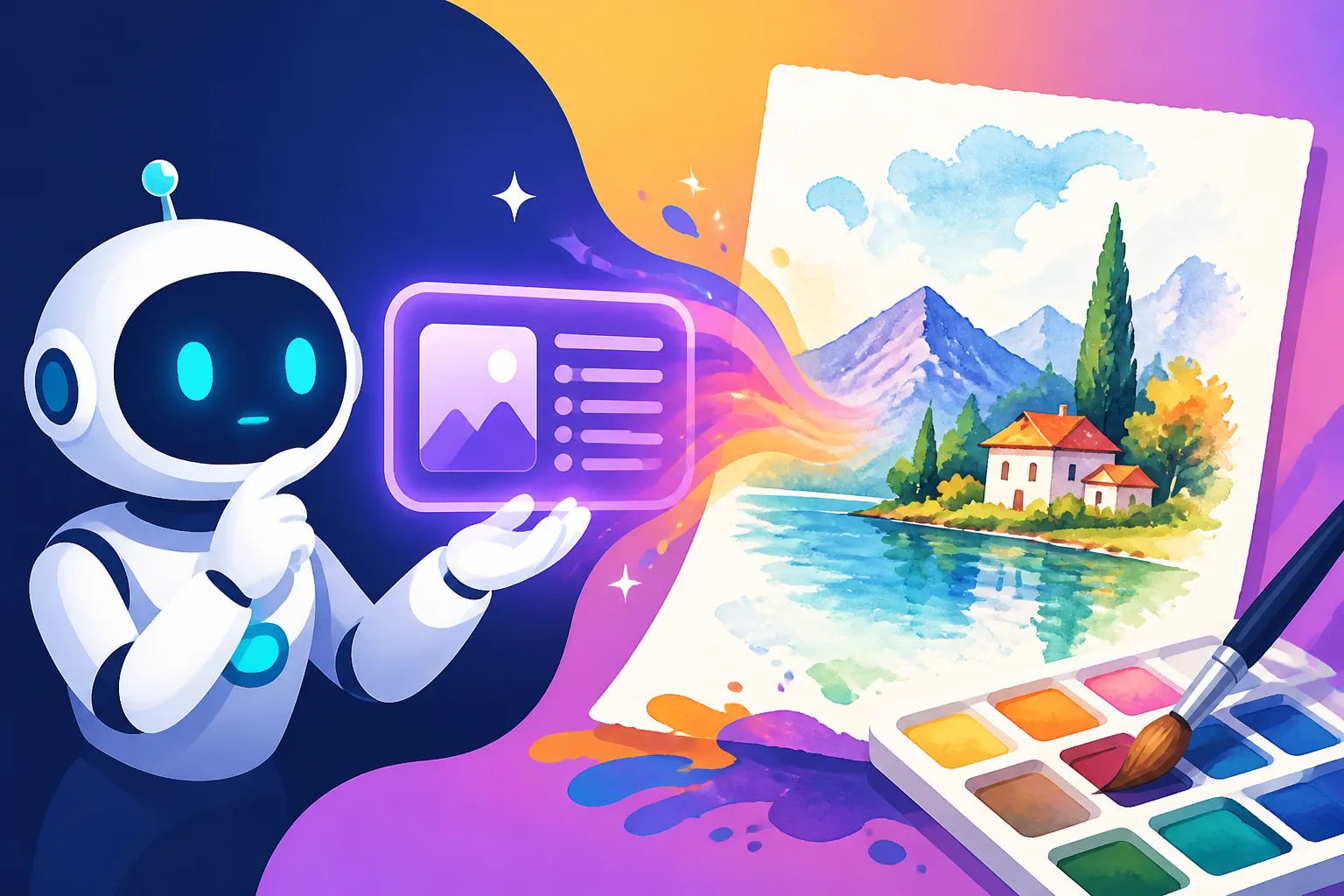
It’s incredibly frustrating when you have a beautiful vision for an AI-generated image, perhaps a delicate watercolor scene, and what comes out is… well, not quite it. You might get something that looks more like a digital painting trying to mimic watercolor, rather than genuinely capturing its ethereal charm. This guide is here to demystify the process, helping you craft powerful AI prompts that truly evoke the unique, flowing beauty of watercolor art.
Understanding the Essence of Watercolor Art
Before we dive into the specific keywords and prompt structures, it’s crucial to understand what makes a watercolor painting a watercolor painting. This isn't just about throwing the word "watercolor" into a prompt; it's about understanding the artistic principles and how they translate into a language an AI can process. If you don't grasp the fundamental characteristics, you'll constantly struggle to achieve that authentic look.
Key Characteristics of Traditional Watercolor
Think about a true watercolor piece. It's often characterized by a unique blend of control and unpredictability, a dance between pigment, water, and paper.
First and foremost is translucency. Unlike opaque mediums like oils or acrylics, watercolor pigments allow light to pass through them, reflect off the white of the paper beneath, and bounce back, creating a luminous glow. This transparency is vital. You’re not just seeing the color; you’re seeing through the color. When an AI generates a flat, opaque image, it immediately loses this watercolor signature.
Then there are the soft edges and gradual transitions. Watercolors are famous for how colors bleed into one another, creating seamless gradients and feathered edges when applied wet-on-wet. This organic blending is a hallmark that separates it from the crisp lines often found in digital art or even pen and ink. When you see harsh, defined lines in an AI image you intended to be watercolor, that's a sign the prompt isn't quite hitting the mark.
Pigment granulation and texture also play a huge role. Depending on the pigment and paper, you might see tiny speckles where the pigment settles, creating a granular effect. The texture of the paper itself, whether it's rough, cold-press, or hot-press, greatly influences how the paint behaves and dries, adding another layer of visual interest. These subtle details, often overlooked, contribute significantly to the authenticity of a watercolor piece. Consider how the paper absorbs the water, creating subtle blooms or backwashes that are almost impossible to recreate perfectly with other mediums.
Finally, the layered washes and the way colors build upon each other, often creating new hues where they overlap, are fundamental. Artists often start with light washes and gradually add darker, more concentrated layers. This layering contributes to the depth and richness of the colors without losing that essential translucency. Capturing this depth, this sense of multiple transparent layers, is a key challenge and a key success factor when prompting AI.
Common Pitfalls with AI and Watercolor Prompts
Even with a basic understanding, many people run into similar snags when asking an AI to create watercolor art. It’s like telling a chef to make "soup" – there are so many variations, and without specific instructions, you might end up with something perfectly edible but not what you truly craved.
One of the most common issues is generating images that look flat or overly digital. The AI might understand "watercolor" as a style rather than a medium, applying a filter-like effect that lacks the true depth, luminescence, and organic imperfections. You get the colors, perhaps even some splotches, but it doesn't feel like paint on paper; it feels like pixels. This often happens because the prompt is too simplistic, focusing only on the subject and the general style without delving into the characteristics of the medium itself.
Another frequent problem is the lack of genuine translucency and luminosity. Instead of light shining through the paint, the colors appear solid and muted, losing that vibrant, airy quality. This can make the image feel heavy or dull, a stark contrast to the light and often pastel-like quality of many watercolor works. The beauty of watercolor is often in how little paint is used, allowing the white of the paper to shine through and become part of the art.
You might also encounter harsh lines or artificial blending. Instead of soft, bleeding edges, the AI produces sharply defined shapes that don't transition naturally, or it attempts a blend that looks more like a digital gradient tool was used rather than water and pigment. This completely undermines the organic flow that is so iconic in watercolor art. Sometimes, the AI struggles with the natural "imperfections" that give watercolor its charm, such as water blooms or slight unevenness in washes. If you want to learn more about improving your AI art, consider exploring our guide on How to Get Better AI Image Results.
Lastly, sometimes the AI misinterprets the prompt entirely, giving you something that looks like an oil painting or acrylic with some watery elements, or even a child's crude drawing. This usually means the defining keywords aren't strong enough or are being overridden by other elements in the prompt. Understanding these common struggles helps us refine our approach, moving from general requests to highly specific instructions that guide the AI toward our desired outcome.
Crafting Your Core Watercolor Prompt
Now that we know what we're aiming for and what to avoid, let's get into the nitty-gritty of building effective prompts. Think of your prompt as a recipe; the right ingredients in the right order make all the difference.
Essential Keywords for the Watercolor Style
The magic often lies in the descriptive adjectives and artistic terms you use. Don't just say "watercolor"; tell the AI how it should look and feel.
Start with the absolute basics: "watercolor" and "aquarelle". While seemingly redundant, using both can sometimes reinforce the desired style, especially with models that might have slightly different training data. "Aquarelle" sounds more formal and artistic, often pushing the AI towards a more traditional, refined look.
To capture the fluidity, consider keywords like "wet-on-wet watercolor" or "wet-on-dry technique". "Wet-on-wet" implies bleeding, blending, and soft edges, where colors mingle beautifully on a wet surface. "Wet-on-dry" suggests more controlled lines, distinct layers, and crisp edges, which can be useful for finer details within a watercolor piece. If you want to achieve the most ethereal look, leaning heavily on "wet-on-wet" is usually the way to go.
For the visual texture and feel, try "delicate washes," "layered washes," "transparent layers," or "luminous watercolors." These terms specifically address the translucency and depth we discussed earlier. "Delicate washes" suggests light, airy applications of color, while "layered washes" encourages the AI to build up color with multiple transparent coatings, creating richer tones without losing clarity.
Don't forget the imperfections that make watercolor so charming. Keywords like "pigment granulation," "blooming effects," "water stains," or "bleeding colors" can instruct the AI to incorporate those organic, slightly unpredictable qualities. Imagine a landscape where the blue sky subtly bleeds into the distant mountains, or a floral piece with soft blooms where water gathered on the paper. These details elevate the image from a digital representation to something truly artistic.
Finally, think about the paper itself. "Textured paper," "cold press watercolor paper," "rough paper," or even specific types like "Arches watercolor paper" can guide the AI to render the painting on a surface that interacts realistically with the "paint." This adds another layer of authenticity and can significantly enhance the overall tactile feel of the image. For instance, prompting for "cold press watercolor paper" often results in images with a visible, subtle texture that beautifully complements the paint.
Structuring Your Prompt for Clarity and Detail
A well-structured prompt is like a carefully composed sentence, with each part building upon the last to create a clear picture. For watercolor images, a good framework is: Subject + Style + Lighting/Composition + Specific Watercolor Details + Mood/Aesthetic.
Let's break it down:
-
Subject: This is the core of your image. Be descriptive but not overly complex yet.
- Example: "A serene forest path," "a single red poppy," "a bustling city street."
-
Style: This is where you bring in your primary watercolor keywords. Reinforce the style repeatedly.
- Example: "A serene forest path, masterful watercolor painting," "a single red poppy, delicate aquarelle illustration," "a bustling city street, loose wet-on-wet watercolor sketch." Notice how I’m not just saying "watercolor" but adding adjectives like "masterful" or "delicate" and techniques like "wet-on-wet."
-
Lighting and Composition: How should the scene be lit? What's the viewpoint? These elements are just as crucial in AI as in traditional art.
- Example: "A serene forest path, masterful watercolor painting, golden hour light filtering through trees, soft focus, wide shot."
- Example: "A single red poppy, delicate aquarelle illustration, bright natural light, close-up, minimalist background."
- Example: "A bustling city street, loose wet-on-wet watercolor sketch, overcast lighting, impressionistic brushstrokes, from a high angle looking down."
-
Specific Watercolor Details: This is where you inject the fine points that make it truly feel like a watercolor. Refer back to our keyword list.
- Example: "A serene forest path, masterful watercolor painting, golden hour light filtering through trees, soft focus, wide shot, translucent washes, visible pigment granulation, soft bleeding edges on cold press paper."
- Example: "A single red poppy, delicate aquarelle illustration, bright natural light, close-up, minimalist background, airy transparent petals, waterbloom effects, soft tonal transitions."
- Example: "A bustling city street, loose wet-on-wet watercolor sketch, overcast lighting, impressionistic brushstrokes, from a high angle looking down, splatters and drips, uneven washes, dynamic color bleeding."
-
Mood/Aesthetic (Optional but Recommended): What feeling do you want to evoke?
- Example: "…serene forest path… peaceful and dreamy aesthetic."
- Example: "…single red poppy… vibrant and elegant mood."
- Example: "…bustling city street… energetic and dynamic feel."
By building your prompts in this layered fashion, you provide the AI with increasingly specific instructions, guiding it away from generic interpretations and towards the authentic watercolor aesthetic you envision. This systematic approach is much more effective than just a long string of disconnected keywords. If you're looking for more general prompt tips, check out our AI Image Prompt Guide for Beginners.
Advanced Prompting Techniques for Authenticity
Once you've mastered the basic structure, it's time to layer in more nuanced techniques to really make your AI watercolors sing. This is where you go beyond just "watercolor" and start telling the AI how the watercolor should behave.
Incorporating Specific Techniques and Effects
Real watercolor artists employ a myriad of techniques, and many of these can be translated into AI prompts. Understanding these allows you to fine-tune your results significantly.
Consider the interplay of water and pigment. For dynamic, spontaneous effects, try keywords like "splashes of watercolor," "watercolor drips," "ink and wash," or "wet watercolor splatters." These tell the AI to introduce organic, uncontrolled elements that are characteristic of the medium. Imagine a vibrant splash of indigo bleeding down the paper, or subtle drips adding texture to a distant skyline. These aren't just aesthetic choices; they're inherent behaviors of watercolor.
Another powerful technique is "lifting." This is where an artist removes wet paint to create highlights or soften areas. You can prompt for this by saying "lifted highlights in watercolor," "areas of paint gently lifted," or "softened edges through lifting." This helps to create that distinctive luminosity and sense of layered transparency, preventing the image from looking too dense or overworked.
For unique textural elements, consider prompting for "salt effects watercolor," "alcohol drips," or "granulated pigments." Salt applied to wet watercolor creates starburst or snowflake-like patterns as it absorbs water, and alcohol can create interesting textural resist effects. These are highly specific visual cues that many AI models have learned to associate with watercolor. Mentioning the type of pigments can also help: "transparent pigments," "semi-transparent watercolors," or even "Winsor & Newton watercolors" (though be careful with specific brand names, as AI's knowledge might vary).
Don't forget about masking fluid (often used for crisp white areas) or resists (like crayon or wax). While harder to prompt directly, you can imply their effect: "crisp white areas untouched by paint," "sharp edges around certain elements," or "wax resist texture." This can be useful for keeping specific parts of your image pristine and bright, mimicking the look of areas that were protected from washes.
Guiding Color Palettes and Moods
The choice of color palette and the overall mood of a painting are paramount in traditional art, and the same holds true for AI. You can guide the AI to generate images with a specific emotional resonance.
To define your color scheme, be explicit. Instead of just "colorful," try "muted earth tones watercolor," "vibrant spring palette watercolor," "cool blues and greens watercolor," or "warm autumnal hues, transparent washes." You can also refer to specific watercolorists known for their palettes, like "Turner-esque watercolors" for atmospheric blues and yellows, or "Zoltan Szabo style" for wet, expansive landscapes. Always remember to append "watercolor" to these descriptions so the AI knows to apply the palette within the desired medium. For example, a prompt like "a tranquil lake, deep cerulean blue and emerald green watercolor palette" will yield different results than just "deep cerulean blue and emerald green."
For the mood, use emotive adjectives. "Serene watercolor landscape," "moody and atmospheric watercolor," "joyful abstract watercolor," "ethereal dreamlike watercolor portrait." Combining these with color descriptions can create a powerful synergy. For instance, "a foggy morning scene, soft muted pastels, atmospheric and mysterious watercolor" will produce something far more evocative than a simple "foggy morning watercolor." Think about how the light and the colors work together to create an emotional impact. If you want to explore different artistic expressions, our guide on How to Prompt for Specific Art Styles offers a broader perspective.
Mastering the Canvas and Resolution
The "canvas" and technical aspects are often overlooked in prompt writing, but they are crucial for a realistic watercolor output. The type of paper and the perceived resolution can dramatically alter the final image.
The type of paper is incredibly important for watercolor. As mentioned earlier, "cold press," "hot press," or "rough watercolor paper" are excellent descriptors.
- Cold press often means a slightly textured surface, visible when dry.
- Hot press is smoother, suitable for finer details.
- Rough paper has a pronounced texture, lending itself to granulating pigments and bold strokes.
By specifying "painted on rough Arches 300lb watercolor paper," you're telling the AI to not just render the paint, but also the interaction of the paint with a specific, high-quality surface. This level of detail helps create a convincing illusion of a physical painting.
Aspect ratio is another key consideration. While not unique to watercolor, it influences composition significantly. A landscape (16:9 or 21:9) might benefit from broad, expansive washes, while a portrait (2:3 or 9:16) might focus on delicate features. You'll usually specify this with parameters like --ar 16:9 in tools like Midjourney, but you can also include descriptive phrases in your prompt like "wide panoramic watercolor landscape" or "vertical composition watercolor portrait."
Finally, perceived resolution and detail can be controlled. While AI tools have inherent output resolutions, you can influence the look of the detail. Phrases like "highly detailed watercolor," "intricate watercolor washes," or "fine brushwork in watercolor" can push the AI to render more precise details within the watercolor style. Conversely, "broad washes," "loose strokes," or "abstract watercolor" will lean towards less defined forms. Don't confuse "high resolution" with "high detail" in prompting; AI can generate a high-resolution image that still looks abstract or loosely painted. For true clarity, focus on "intricate details" within the watercolor paradigm. For more on prompt structure, consider reading our advice on How to Write a Detailed Image Prompt.
Troubleshooting and Refining Your Watercolor Prompts
Even with all these tips, you'll inevitably hit a few bumps. AI image generation is an iterative process, especially when trying to capture something as nuanced as watercolor. Don't get discouraged! Think of it as collaborating with a digital artist; sometimes you just need to explain yourself better.
Common Issues and How to Fix Them
Let's address some of the most frequent problems you might encounter and how to tweak your prompts to overcome them.
Issue 1: The image looks too digital, flat, or like a graphic design element.
- Why it happens: The AI might be defaulting to a more stylized "graphic" interpretation of "watercolor" rather than a painterly one. It's missing the organic feel.
- How to fix it:
- Reinforce authenticity: Add keywords like "authentic watercolor painting," "hand-painted," "traditional watercolor artwork," "painted on paper."
- Emphasize texture: Include "visible paper texture," "cold press paper," "rough edges," "pigment settling."
- Focus on translucency: Use "luminous washes," "transparent layers," "airy and light."
- Use negative prompts: Add
--no digital art, --no vector art, --no illustration (unless you want that specific style of illustration), --no sharp lines, --no flat colors, --no gradients (unless they are watercolor gradients).
Issue 2: Lack of depth, muddy colors, or colors not blending naturally.
- Why it happens: The AI isn't creating the layered, luminous quality of watercolor, or it's not handling color mixing well.
- How to fix it:
- Emphasize layering and light: "Layered transparent washes," "colors building up naturally," "light shining through pigments," "luminous shadows."
- Specify clean blending: "Soft transitions," "seamless color blending," "fresh washes."
- Avoid over-prompting colors: Sometimes listing too many distinct colors makes the AI combine them poorly. Try focusing on a general palette ("muted greens and blues") rather than specific color names for every element.
- Consider "clean watercolor" or "vibrant watercolor" to counteract muddiness.
Issue 3: Edges are too sharp, or there's no sense of water interaction.
- Why it happens: The AI isn't capturing the characteristic soft edges, bleeding, or other water-induced effects.
- How to fix it:
- Explicitly state techniques: "Wet-on-wet technique," "bleeding edges," "soft focused transitions," "diffused watercolor."
- Mention water elements: "Water blooms," "water stains," "pigment migration."
- If you want some crispness for details, balance it: "Crisp details within soft watercolor washes," "controlled wet-on-dry elements on top of wet-on-wet background."
Issue 4: The subject or composition is not what you intended, or parts look weird (e.g., distorted hands in a character).
- Why it happens: This can happen with any AI image generation, not just watercolor. The AI struggles with complex anatomical features or interpreting spatial relationships.
- How to fix it:
- Simplify the prompt first: Get the watercolor style right, then slowly add complexity to the subject.
- Be hyper-specific about composition: "Close-up portrait," "full body shot," "from eye level."
- Use negative prompts for specific distortions:
--no extra limbs, --no distorted hands. - Re-roll or vary the prompt: Sometimes a slight rephrasing or generating multiple variations can yield a better result.
- For more general fixes, check out our guide on How to Fix Bad AI Image Results.
Iteration and Experimentation for Best Results
Nobody gets perfect results on the first try, and that's perfectly okay! AI image generation is an art in itself, and it requires a curious, experimental mindset.
Start Simple: Don't throw every keyword into your first prompt. Begin with your subject and core watercolor descriptors (e.g., "A tranquil forest, beautiful watercolor painting, wet-on-wet technique"). See what the AI produces.
Add Details Incrementally: Once you have a baseline, start adding more specific elements one by one.
- "A tranquil forest, beautiful watercolor painting, wet-on-wet technique, golden hour lighting."
- "A tranquil forest, beautiful watercolor painting, wet-on-wet technique, golden hour lighting, on textured cold press paper."
- "A tranquil forest, beautiful watercolor painting, wet-on-wet technique, golden hour lighting, on textured cold press paper, with soft bleeding edges and luminous washes."
This incremental approach helps you understand which keywords have the most impact and allows you to troubleshoot specific issues more easily. If you add "pigment granulation" and the result looks bad, you know that keyword might be the culprit, or it needs to be combined with others differently.
Leverage AI Tools' Features: Most advanced AI image generators offer features like image-to-image prompting, where you can provide a reference image (perhaps a real watercolor piece you admire) and then add your text prompt to guide the AI towards that style. You can also use seeds to lock down a particular image's composition or style and then make small prompt changes to iterate on it without completely starting over. Many tools also have --stylize or --chaos parameters that can affect how much artistic freedom the AI takes, which can be useful for dialing in the perfect amount of "painterly" feel.
Review and Learn: Take notes on what works and what doesn't. Build a "cheat sheet" of successful watercolor prompt elements. What combination of words consistently gives you the translucency you seek? Which phrases lead to unwanted digital artifacts? This continuous learning process will make you a much more effective AI artist. Remember, the journey of mastering AI art, much like traditional art, is one of continuous practice and refinement. For more on refining your prompts, our article on How to Iterate on AI Image Prompts is a great resource. You might even discover that combining different AI tools, like using a base image from one and refining it with another's watercolor capabilities, yields the best results.
Here's a quick reference table for common watercolor prompt elements:
| Element Category | Keywords to Use | Effect Achieved | Avoid/Negative Prompts |
|---|---|---|---|
| Overall Style | watercolor, aquarelle, hand-painted, traditional watercolor, painterly | Authentic, artistic look | --no digital art, --no graphic design, --no photography |
| Techniques | wet-on-wet, wet-on-dry, layered washes, bleeding colors, pigment granulation, lifting, splatters, drips | Organic blending, visible paint interaction, textural depth | --no sharp lines, --no perfect blends, --no solid colors |
| Translucency | luminous washes, transparent layers, airy, delicate, glowing, light shining through | Bright, ethereal quality, depth | --no opaque, --no flat color, --no heavy paint |
| Paper Texture | cold press paper, rough paper, textured paper, Arches paper, visible paper grain | Realistic canvas feel | --no smooth surface, --no canvas texture (unless desired) |
| Edges | soft edges, feathered edges, diffused, blurry background, crisp details within watercolor | Gentle transitions, depth of field | --no hard edges, --no stencil |
| Mood/Palette | vibrant, serene, moody, pastel, earthy tones, monochromatic, cool blues, warm golden light | Emotional resonance, specific color scheme | --no drab colors, --no primary colors (unless intended) |
| Refinement | masterful, exquisite, detailed, intricate brushwork, minimalist, impressionistic | Level of detail and artistic quality | --no messy, --no child drawing, --no crude |
Disclaimer
Please note that this guide provides informational content on AI image generation and prompt writing. The capabilities and outputs of AI tools can vary significantly between platforms and evolve rapidly. Always check the terms of service and usage rights for any AI image generator you use, especially if you intend to use generated images for commercial purposes.