Midjourney Style Reference Explained
It can be incredibly frustrating to finally nail that perfect visual vibe for a project in Midjourney, only to find yourself struggling to replicate it across a series of images. You tweak your prompts, copy-paste descriptions, and still, each new generation feels subtly off, lacking that cohesive spark you initially captured. This guide is here to melt away that frustration by meticulously explaining Midjourney's powerful Style Reference feature (--sref), offering practical insights and advanced techniques to help you achieve seamless stylistic consistency in all your creative endeavors.
Understanding the Challenge of Consistent AI Art
When you're diving deep into the world of AI art generation, especially with a powerhouse tool like Midjourney, one of the earliest hurdles you hit isn't about getting a good image—it's about getting a consistent collection of good images. You might generate a stunning hero shot for your blog, perhaps a vibrant illustration of a fantasy character, but then when you try to create companion pieces, they just don't quite match. The lighting shifts, the color palette drifts, or the overall aesthetic feels disconnected, even if you’re using very similar prompts.
The underlying challenge here stems from how these advanced AI models operate. Each prompt, in essence, is a fresh starting point for the algorithm. While it tries its best to interpret your text, there are countless subtle variables—like the precise interplay of colors, the texture of surfaces, the specific quality of light, or the abstract composition—that are incredibly difficult to convey purely through words. You can spend hours meticulously crafting your prompts, adding descriptive adjectives and stylistic cues, but the results can still feel like a lucky roll of the dice each time, making large projects a true headache.
The "Style Reference" solution then emerges as a true game-changer for anyone serious about creating cohesive visual narratives, whether you're an independent artist building a portfolio or a marketer designing a campaign. Before --sref, achieving a unified look often involved extensive post-processing in tools like Photoshop, or an incredible amount of prompt engineering trial and error. This new feature allows you to essentially "show" Midjourney the style you want, rather than just "telling" it, leading to a much more predictable and efficient workflow. It transforms the creative process from a series of individual image generations into a holistic design experience where your aesthetic vision can truly shine through consistently.
What Exactly is Midjourney Style Reference sref?
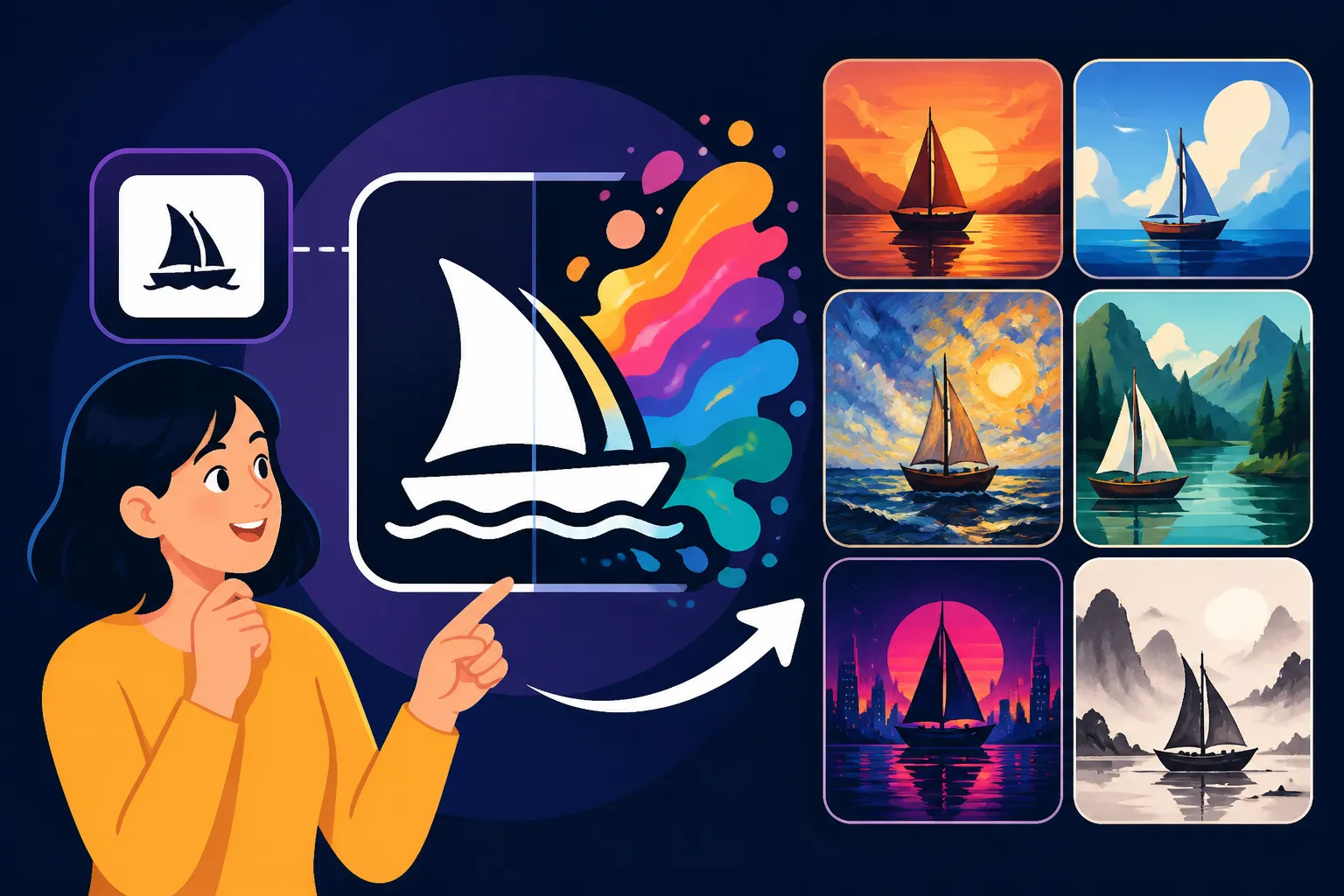
The Midjourney Style Reference feature, denoted by the --sref parameter, is a sophisticated tool designed to help users maintain a consistent aesthetic across multiple image generations. At its core, --sref allows you to point Midjourney to an existing image (or multiple images) and instruct it to extract and apply the stylistic elements of that image to your new generations. Think of it not as copying the content of the image, but rather absorbing its visual DNA—its unique brushstrokes, color harmonies, lighting techniques, compositional rhythm, and overall mood.
How it works under the hood is quite fascinating. When you provide a --sref image URL, Midjourney analyzes that image to understand its inherent stylistic properties. This goes beyond simple color sampling; the AI identifies patterns, textures, artistic techniques, depth of field, and even abstract qualities that define the "look and feel." Then, as it generates your new image based on your text prompt, it subtly infuses these learned stylistic traits. This means you can create wildly different content (e.g., a cat, a cityscape, a spaceship) but have them all rendered in the distinctive style of your chosen reference image, whether that's a classic oil painting, a minimalist line art piece, or a gritty cyberpunk aesthetic.
The key difference from regular prompting is profound. With a typical prompt, you're relying entirely on descriptive language: "a futuristic city, neon lights, rainy, highly detailed, cinematic." While effective, the interpretation can vary with each run, and conveying nuanced stylistic influences like a specific artist's chiaroscuro or a particular anime studio's shading technique is nearly impossible with words alone. --sref bypasses this linguistic limitation by directly showing the AI what you mean by "cinematic" or "futuristic" through a visual example. It's a fundamental shift from abstract text descriptions to concrete visual guidance, dramatically improving control over the artistic output. Early on, users would try to achieve consistency by using fixed seeds or verbose style descriptions, but these methods often fell short compared to the direct visual communication --sref provides. This feature marks a significant evolution in how we interact with AI image tools, moving towards more intuitive and visually-driven control.
Getting Started with Style Reference: Your First Steps
Diving into --sref doesn't have to be intimidating. The process starts with identifying or creating the perfect source image that embodies the style you want to replicate. This could be an image you generated earlier in Midjourney, a picture you found online that perfectly captures a mood, or even a photograph you took. The crucial part is that this image should be easily accessible via a URL. Most users opt to upload their chosen style reference image to Discord, Imgur, or a similar image hosting service to get a direct link. If you're wondering how to craft that initial, perfect image, consider revisiting our guide on Midjourney Prompt Guide to get your base just right.
Once you have your source image's URL, applying the --sref parameter is straightforward. You simply add --sref followed by the URL(s) to your prompt. For example: /imagine prompt a cozy reading nook, fireplace, soft lighting --sref https://example.com/your-style-image.jpg. The magic happens as Midjourney takes your new content prompt ("a cozy reading nook, fireplace, soft lighting") and renders it through the stylistic lens of the image located at your provided URL. It's truly a "monkey see, monkey do" approach, but with an AI that understands "style" on a much deeper level than a simple copy function.
For your initial observations, don't be afraid to experiment. Start with a simple, clear style reference. Notice how the colors, the sharpness, the implied textures, and even the compositional feel transfer to your new images. You might generate an image of an astronaut in space using a style reference of a 19th-century oil painting, and see how the AI applies the painterly brushstrokes and dramatic lighting to the cosmic scene. Sometimes, the effect can be subtle; other times, it's immediately striking. Keep your expectations grounded for the first few tries, as finding the perfect synergy between your content prompt and style reference often requires a bit of iterative refinement. This hands-on experimentation is key to understanding the nuances of the --sref feature and unlocking its full potential for consistent and stunning visuals.
Advanced Techniques for Mastering Style References
Once you've got the basics down, you'll quickly realize that --sref is far more powerful than just applying a single style. One of the most exciting advanced techniques is combining multiple style references. This allows you to blend the aesthetics of several images into a unique, hybrid style. To do this, simply list multiple image URLs after the --sref parameter, separated by spaces: /imagine prompt a whimsical forest creature, glowing eyes --sref https://style1.jpg https://style2.jpg. Imagine combining the vibrant color palette of a classic animation still with the textured brushwork of a famous impressionist painting; the possibilities are truly endless, allowing for incredibly nuanced and personalized artistic expression that's hard to achieve otherwise.
Another crucial aspect of mastering --sref is understanding and adjusting the style weight using the --sw parameter. By default, Midjourney applies a certain level of stylistic influence from your reference image. However, you can fine-tune this influence to be stronger or weaker. The --sw parameter takes a numerical value, typically ranging from 0 to 1000, with higher numbers increasing the style's impact. For instance, --sref https://style.jpg --sw 200 would give a lighter stylistic touch, while --sref https://style.jpg --sw 800 would lean heavily into the reference's aesthetic. This allows you to find the perfect balance between retaining your prompt's core subject matter and infusing the desired stylistic flair, preventing your output from becoming too generic or, conversely, completely overridden by the reference.
Finally, integrating --sref with other Midjourney parameters unlocks a truly comprehensive approach to image generation. Parameters like --stylize (which controls how artistic or opinionated Midjourney is in its stylization), --chaos (which introduces more variety in initial generations), and aspect ratio parameters like --ar 16:9 can all work in conjunction with --sref. For example, you might use --sref to establish a base style, then use a lower --stylize value to keep the image closer to your textual prompt, or a higher --chaos to explore variations within that established style. You can even experiment with different Midjourney model versions using --v 7 or --v 6 to see how your chosen style reference translates through different underlying algorithms. This layered approach gives you an unparalleled level of control, allowing you to sculpt your visual output with precision, which is particularly useful if you’re trying to achieve something like a consistent look for a series of digital paintings or illustrations. For a deeper dive into these, check out our article on Midjourney Parameters Explained.
Practical Use Cases for Style Reference in Your Projects
The power of Midjourney's Style Reference truly shines when applied to real-world creative and commercial projects, offering solutions to common pain points creators face. One of the most impactful applications is in developing consistent branding and visual identity. Imagine you're a small business owner creating marketing materials. You've generated a fantastic hero image with a distinct color palette, lighting, and texture. Now, you need accompanying social media posts, website banners, and even product mockups that all feel like they belong to the same brand universe. With --sref, you can use that initial hero image as your style reference, ensuring that every new asset you generate automatically adopts that signature look, reinforcing your brand's presence across all touchpoints. This level of visual continuity is invaluable for professional presentation and recognition.
Beyond branding, --sref is a game-changer for character design and storyboarding. If you're working on a comic, an animated short, or a game, maintaining a consistent look for your characters, environments, and props is paramount. Manually drawing or even prompting each scene to match can be incredibly time-consuming and prone to slight variations. By establishing a core character image as your --sref, you can then prompt for different poses, expressions, and scenes, confident that the character's unique features, costume details, and the overall artistic rendering will remain uniform. This allows creators to rapidly iterate on visual concepts and maintain stylistic integrity throughout an entire narrative project, whether it’s for a detailed graphic novel or simple sketches for a presentation. This particular application can drastically cut down on production time, giving you more freedom to focus on the narrative itself. If you're exploring how to keep specific elements consistent, you might find our guide on How to Prompt for Consistent Characters helpful.
Finally, for artists and content creators, --sref is perfect for creating thematic art series and cohesive collections. Perhaps you want to explore a specific theme—say, "cities at night" or "mythical creatures"—but rendered in a very distinct artistic style. Instead of painstakingly trying to describe that style in every prompt, you can use one exemplary piece as your style reference. Every image you generate for that series will then inherit the chosen aesthetic, from the paint strokes to the color grading, ensuring that your collection feels unified and intentional. This not only enhances the viewer's experience but also streamlines your workflow, allowing you to produce a larger volume of stylistically aligned work with greater ease. This approach is excellent for building a professional portfolio or for artists looking to experiment with different visual languages without sacrificing coherence.
Troubleshooting Common Style Reference Issues
Even with a powerful tool like --sref, you might occasionally run into moments where it doesn't seem to be working as expected, or the results aren't quite what you envisioned. One of the most common frustrations is when --sref feels like it's being ignored entirely. If you’re providing a style reference and your new images bear no resemblance to its aesthetic, first double-check that your URL is correct and directly points to an image file (e.g., .jpg, .png). A common mistake is using a link to a webpage containing the image rather than the image itself. Also, ensure there are no typos in --sref and that you're using a Midjourney model (like V5.2, V6, or V7) that supports the feature. If you're using an older model, the parameter simply won't register.
Another issue many users encounter is "over-styling" or finding that the --sref feature completely dominates the prompt, making it difficult to control the actual content of the image. This is where the --sw (style weight) parameter becomes your best friend. If your images are becoming too abstract or losing the essence of your textual prompt, try lowering the --sw value. Start with a lower number, perhaps --sw 100 or --sw 250, and gradually increase it until you find the sweet spot where the style is evident but doesn't overshadow your prompt's core subject. It's a delicate balance, and finding it often involves generating a few iterations with varying --sw values to see what works best for your specific style and content combination. Sometimes, the issue isn't with the tool itself, but with finding the optimal blend of text and visual input.
Finally, refining your style reference images themselves can drastically improve your results. Not all images make equally good style references. An overly complex image with too many competing styles might lead to confused or inconsistent outputs. Consider using reference images that have a clear, dominant aesthetic. If you're aiming for a minimalist line art style, use a reference image that primarily features minimalist line art. If your initial reference isn't yielding the desired results, try simplifying it, or even generating a new, more focused style reference within Midjourney itself. Experiment with different types of source images—from photographs to illustrations—to see how they influence your outputs. Remember, the quality and clarity of your reference image directly impact the effectiveness of --sref. For tips on how to improve your overall results, our guide on How to Fix Bad AI Image Results might offer some valuable insights that apply here too.
Optimizing Your Workflow with Style Reference
Integrating --sref into your daily Midjourney workflow can dramatically boost your efficiency and creative output, especially for ongoing projects. One key optimization is to create and maintain a dedicated library of style reference URLs. Instead of generating a new style image or searching for one every time, curate a collection of links that represent your most frequently used or desired aesthetics. You could have folders for "Photorealistic Commercial," "Watercolor Illustrations," "Cyberpunk Noir," or "Vintage Poster Art." This saves immense time and ensures you’re always pulling from a consistent source, leading to a more streamlined and professional workflow, whether you are using Midjourney for quick social media graphics or detailed AI for Blog and Article Images.
Another fantastic way to optimize is by prototyping your styles. Before embarking on a large series of images, spend a little time explicitly generating and testing your style references. Create a few diverse images using your chosen --sref and different content prompts to ensure the style translates well across various subjects. This pre-validation step allows you to tweak your style reference image or its --sw value before committing to generating dozens of images, thereby minimizing wasted fast hours and the frustration of inconsistent results later down the line. It's like having a dedicated "style testing lab" within Midjourney. If you're thinking about the financial aspect, understanding Midjourney Pricing and Plans Explained might help you manage your resources during these tests.
Furthermore, consider how --sref can be combined with iterative prompting. Even with a strong style reference, you’ll still want to refine your content prompts for each specific image. For example, you might use a --sref for an overall consistent artistic look, but then use separate prompts for "a mischievous goblin," "a wise old wizard," and "a fiery dragon," all while keeping that unified aesthetic. This means you can focus your textual prompts purely on content and composition, trusting --sref to handle the stylistic details. This division of labor between text and visual reference makes prompt engineering more manageable and allows for higher-quality, more consistent results across an entire body of work, enhancing your overall creative control. This is particularly useful for artists who prioritize a specific visual language in their creations, making Midjourney an even more compelling tool for them, as discussed in our Best AI Image Generator for Artists post.
| Feature / Method | Description | Best Use Case | Consistency Level | Learning Curve |
|---|---|---|---|---|
| Text Prompting Only | Relying solely on descriptive words for style. | Quick, one-off images; exploration. | Low to Moderate | Low |
| Using Fixed Seed | Re-using the --seed parameter for variations. |
Generating subtle variations of the same image. | Moderate (for content) | Moderate |
Style Reference (--sref) |
Referencing an image's aesthetic for new generations. | Consistent branding, character design, art series. | High (for style) | Moderate |
Style Reference + Style Weight (--sw) |
Fine-tuning the influence of the style reference. | Balancing style adherence with prompt intent. | Very High | Moderate to High |
Model Versions (--v) |
Using specific Midjourney models for inherent styles. | Overall aesthetic preference for a project. | Moderate (inherent) | Low |
The Future of Style Consistency in AI Image Generation
The introduction and continued refinement of features like Midjourney's Style Reference represent a significant leap forward in AI image generation, moving us closer to a future where creative control is increasingly intuitive and powerful. As AI models become more sophisticated, we can anticipate even more granular control over stylistic elements. Imagine being able to specify not just a general style, but the exact thickness of lines, the specific texture of cloth, or the nuanced play of light on different materials, all by providing visual references rather than complex linguistic descriptions. This will empower artists and designers to bring their visions to life with unparalleled precision.
One area of exciting potential is the integration of more sophisticated style "learning" mechanisms. Currently, --sref is incredibly effective, but future iterations might allow for adaptive style references that evolve with your project, learning from your preferred edits and selections. For instance, if you consistently refine images generated with a --sref in a certain way, the AI could potentially learn those preferences and automatically apply them to subsequent generations, creating a truly personalized creative assistant. This would move beyond static reference points to a dynamic, collaborative styling process, pushing the boundaries of what's possible. As we see with updates like Midjourney V7 Features and Updates, these tools are constantly evolving.
Furthermore, we might see an expansion of --sref capabilities to include more complex stylistic concepts, such as animation styles, architectural blueprints, or even entire brand guidelines. Instead of just image URLs, perhaps future versions could accept video clips or even detailed style guides as references, allowing for incredibly intricate and multi-faceted stylistic consistency across diverse media. This would transform AI image generators from mere artistic tools into comprehensive visual development platforms, capable of supporting entire creative pipelines. As the AI evolves, so too will our methods for interacting with it, making the dream of perfectly consistent, high-quality visual content a very tangible reality. This ongoing development makes now an exciting time to be involved in AI art, and for many, Is Midjourney Worth the Subscription for these evolving capabilities.
Disclaimer
Please remember that while AI image generation tools like Midjourney are incredibly powerful, they are constantly evolving. The information provided in this guide is based on current understanding and features. Always refer to Midjourney's official documentation for the most up-to-date information on parameters and functionality. The output of AI models can vary, and successful results often depend on careful prompt engineering and iterative refinement.