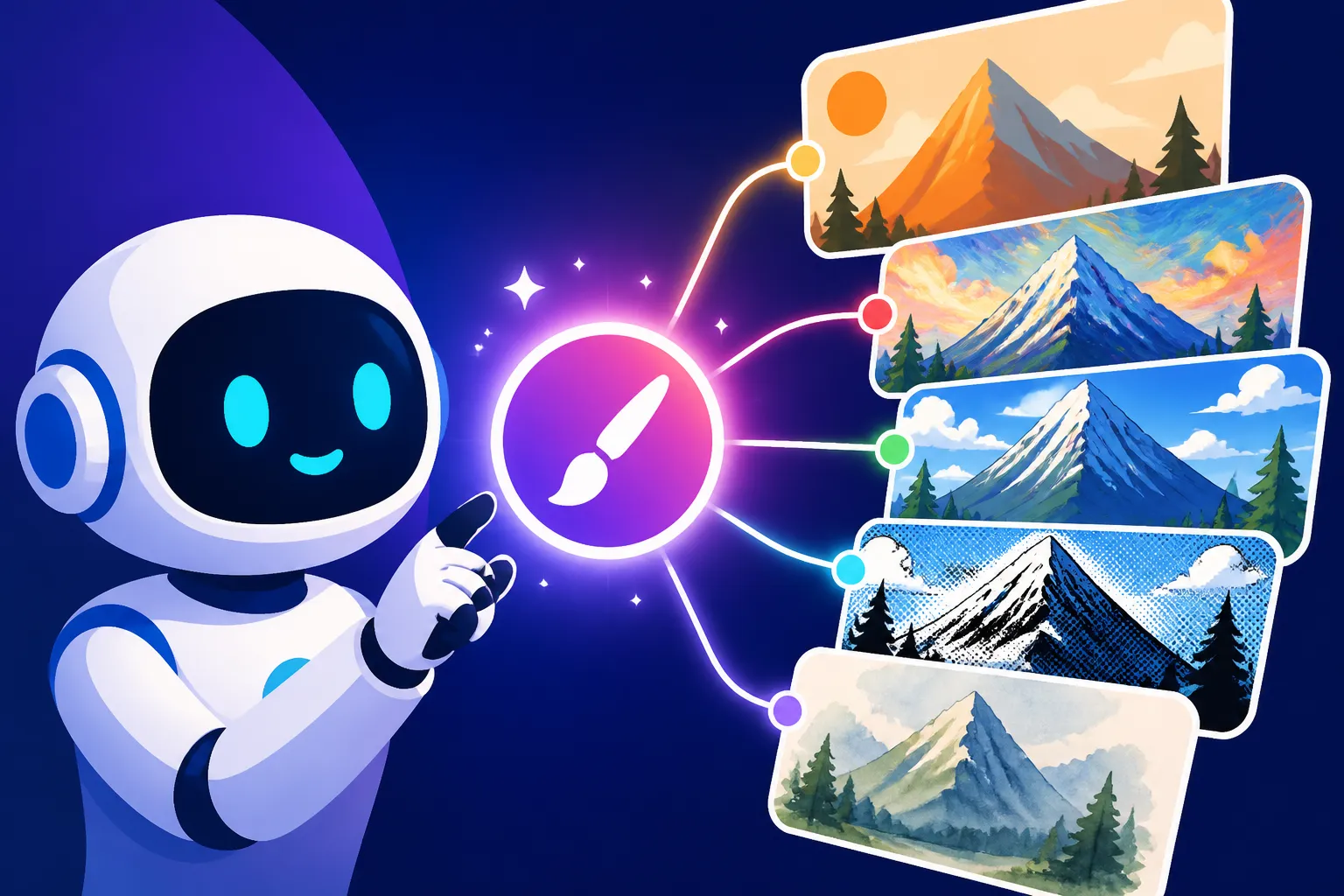
How to Prompt for Specific Art Styles
It's incredibly frustrating, isn't it, when you have a crystal-clear vision of an image in a specific art style – maybe a vibrant impressionistic landscape or a gritty cyberpunk city – and your AI image generator just spits out something generic or completely off the mark? You're not alone in feeling like you're yelling into a void sometimes. This guide is all about equipping you with the knowledge and techniques to communicate your artistic vision to AI tools, helping you unlock truly specific art styles in your generated images.
Understanding the Building Blocks of AI Art Styles
When we talk about art styles, we're not just throwing around fancy terms. Each style is a carefully constructed set of visual rules, principles, and aesthetics. For an AI to truly understand what you're asking for, you need to break down these styles into components that the model can process. It’s like being an art director for a digital artist who only understands keywords.
The Importance of Specificity in Your Prompts
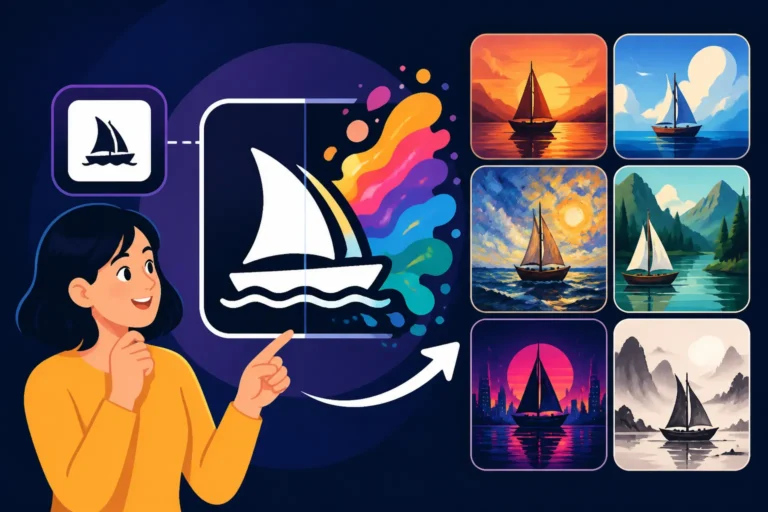
One of the biggest hurdles people face when trying to generate images in a particular style is being too vague. A prompt like "beautiful painting" will give you just that – a beautiful, but utterly generic, painting. The AI doesn't know what kind of beautiful painting you mean. Does it have the soft brushstrokes of a Monet, the dramatic chiaroscuro of a Rembrandt, or the bold lines of a comic book illustration? Without that specificity, the AI defaults to its most common training data, which often results in a sort of "average" artistic output.
Think of it this way: if you ask for "a house," you might get a suburban ranch. If you ask for "a Victorian-era haunted mansion in a gothic architectural style, rendered with intricate ironwork and dimly lit windows," you're giving the AI so much more to work with. The same principle applies to art styles. Every detail you can add helps narrow down the possibilities and guides the AI closer to your desired aesthetic. This level of detail is crucial for effectively learning how to write AI image prompts.
Deconstructing Art Styles: What Elements to Look For
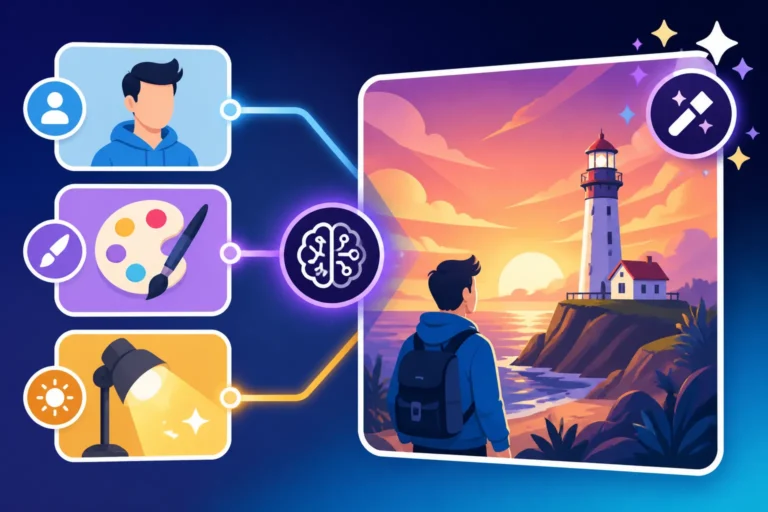
To be specific, you first need to understand what makes a style a style. Art styles aren't monolithic; they're composed of several distinct elements. When you examine a piece of art, whether it's a painting, a photograph, or a digital illustration, consider the following:
- Period/Movement: Is it part of a recognized art historical movement like Renaissance, Impressionism, or Cubism? Specifying these periods can immediately set the stage for the AI.
- Medium/Technique: Was it painted with oil on canvas, drawn with charcoal, sculpted from marble, or created digitally with vectors? The choice of medium deeply impacts the visual texture and feel. Don't forget to consider how to write AI prompts for photorealistic images if that's your goal, as the techniques differ significantly.
- Color Palette: Are the colors vibrant and saturated, muted and earthy, or monochromatic? Are there specific dominant colors or complementary schemes at play?
- Lighting and Shadow: Is the lighting soft and diffused, harsh and dramatic, or highly stylized? How are shadows used – to define form, create mood, or abstract reality?
- Brushwork/Texture: Is the brushwork visible and expressive (e.g., impasto), or smooth and blended? Are there specific textures, like rough canvas, smooth digital surfaces, or grainy film?
- Composition and Perspective: Is the image balanced and symmetrical, or dynamic and off-kilter? What's the perspective – a grand wide shot, an intimate close-up, or an unusual angle?
- Subject Matter/Motifs: While not strictly part of the style, certain subjects are strongly associated with specific movements (e.g., classical mythology for Renaissance, cityscapes for Impressionism). Mentioning these can reinforce the style.
- Artists/Art Schools: Referencing specific artists (e.g., "in the style of Van Gogh," "Rembrandt lighting") or art schools (e.g., "Bauhaus aesthetic") is an incredibly powerful shortcut for AI models that have been trained on vast datasets of art history.
By thinking through these elements, you can build a more robust and effective prompt. It’s about creating a rich, descriptive vocabulary that the AI can understand and interpret visually.
Prompting for Traditional Art Movements
Traditional art movements offer a rich tapestry of styles, each with its unique characteristics. Getting the AI to capture these nuances requires a careful selection of keywords that evoke their defining features.
Evoking Renaissance, Baroque, and Romanticism
These classical and post-classical periods are foundational to Western art, each with distinct visual signatures. To prompt for them, you need to emphasize specific historical contexts, techniques, and philosophical underpinnings.
Renaissance (c. 1300-1600): This period is characterized by a renewed interest in classical antiquity, humanism, and scientific naturalism.
- Key Prompt Elements: "Renaissance painting," "classical realism," "sfumato" (for soft, hazy transitions like Leonardo da Vinci), "chiaroscuro" (for strong contrasts between light and dark, especially in Italian Renaissance), "idealized figures," "linear perspective," "balanced composition," "religious themes," "mythological scenes," "portraiture," "fresco painting," "marble sculpture."
- Example Scenario: Imagine you want a modern subject but rendered with historical grandeur. You might try: "A bustling New York City street scene, Renaissance painting style, with a focus on linear perspective and idealized figures, chiaroscuro lighting, oil on canvas, in the style of Raphael." The addition of a specific artist helps tremendously.
- Nuance: The early Renaissance differs from the High Renaissance. You could specify "early Renaissance" for more rigid forms and brighter colors, or "High Renaissance" for greater naturalism and compositional harmony.
Baroque (c. 1600-1750): Following the Renaissance, Baroque art embraced drama, grandeur, and emotional intensity, often characterized by movement and rich detail.
- Key Prompt Elements: "Baroque art," "dramatic lighting," "tenebrism" (extreme chiaroscuro with dominant dark areas), "dynamic composition," "intense emotion," "opulence," "ornate details," "rich colors," "religious ecstasy," "mythological grandeur," "in the style of Caravaggio," "Rubens," "Bernini."
- Example Scenario: If you're looking for a dramatic still life: "A basket of overflowing fruit on a dark wooden table, Baroque painting style, with tenebrism lighting, dramatic shadows, rich, vibrant colors, opulent details, oil painting, in the style of Caravaggio."
- Nuance: Baroque can range from the intense realism of Caravaggio to the opulent, flowing forms of Rubens. Being specific with artist references helps guide the AI.
Romanticism (c. 1800-1850): A reaction against the rationalism of the Enlightenment, Romanticism emphasized emotion, individualism, glorification of nature, and often the sublime.
- Key Prompt Elements: "Romantic painting," "emotional intensity," "dramatic landscapes," "sublime nature," "heroic figures," "melancholy," "passion," "turbulent skies," "soft, atmospheric lighting," "vivid colors," "loose brushwork," "in the style of J.M.W. Turner," "Caspar David Friedrich," "Eugène Delacroix."
- Example Scenario: To create an image of powerful, wild nature: "A lone figure standing before a vast, storm-battered mountain range, Romantic painting style, evoking sublime nature and emotional intensity, with turbulent skies and dramatic, atmospheric lighting, oil on canvas, in the style of Caspar David Friedrich."
- Nuance: While many Romantic works feature grand landscapes, some also focus on historical events or intense personal emotion. Tailor your subject matter to match the specific facet of Romanticism you want to explore.
Capturing Impressionism, Cubism, and Surrealism
These modern movements broke away from traditional representation, offering new ways to perceive and depict reality.
Impressionism (c. 1860-1890): Focused on capturing the fleeting "impression" of a moment, emphasizing light, color, and atmospheric effects over precise detail.
- Key Prompt Elements: "Impressionist painting," "visible brushstrokes," "loose brushwork," "play of light," "fleeting moment," "atmospheric effects," "vibrant colors," "pastel palette," "outdoor scenes," "landscapes," "cityscapes," "water reflections," "in the style of Claude Monet," "Pierre-Auguste Renoir," "Edgar Degas."
- Example Scenario: For a serene nature scene: "A tranquil lily pond at dawn, Impressionist painting style, with visible, loose brushstrokes, capturing the fleeting play of light on the water, a vibrant pastel palette, oil on canvas, in the style of Claude Monet."
- Nuance: Different Impressionists had their own focuses. Monet is great for landscapes and water, Renoir for figures, Degas for ballet dancers. Mentioning them specifically refines the output. For more on this, you might explore "Midjourney vs DALL-E: Which Is Better" as they handle brushwork differently.
Cubism (c. 1907-1914): Pioneered by Picasso and Braque, Cubism deconstructed objects into geometric forms, depicting multiple viewpoints simultaneously.
- Key Prompt Elements: "Cubist art," "geometric forms," "fragmented perspective," "multiple viewpoints," "abstracted figures," "deconstructed objects," "monochromatic palette," "earth tones," "sharp angles," "overlapping planes," "analytical cubism," "synthetic cubism," "in the style of Pablo Picasso," "Georges Braque."
- Example Scenario: If you want a portrait with a distinct, fractured look: "A portrait of a musician playing a saxophone, Cubist art style, rendered with geometric forms and fragmented perspective, showing multiple viewpoints of the face and instrument, a monochromatic palette of earth tones, oil painting, in the style of Pablo Picasso."
- Nuance: Analytical Cubism is more abstract and monochromatic, while Synthetic Cubism introduced color and collage elements. Specifying "analytical cubism" or "synthetic cubism" helps distinguish.
Surrealism (c. 1920s-1960s): Explored the subconscious mind, dreams, and irrational juxtapositions to create bizarre, fantastical, and often unsettling imagery.
- Key Prompt Elements: "Surrealist art," "dreamlike," "irrational juxtapositions," "fantastical elements," "metamorphosis," "uncanny realism," "subconscious imagery," "disorienting perspectives," "symbolic meanings," "deep shadows," "muted or bizarre color palettes," "in the style of Salvador Dalí," "René Magritte," "Max Ernst."
- Example Scenario: To create a disquieting, dreamlike scene: "A melting clock draped over a barren tree branch in a vast desert landscape, Surrealist art style, highly dreamlike and irrational juxtaposition, with an uncanny realism, deep, elongated shadows, oil painting, in the style of Salvador Dalí."
- Nuance: Dalí is known for hyper-realistic dreamscapes, Magritte for philosophical puzzles, and Ernst for collage and frottage techniques. Choose the artist that best aligns with the specific surrealist feel you're aiming for.
Crafting Prompts for Digital and Contemporary Styles
The world of digital art has exploded, offering countless new styles that blend traditional techniques with modern technology. AI excels at these contemporary aesthetics.
Achieving Photorealism and Hyperrealism
These styles aim to replicate reality with extreme precision, often surpassing human perception in detail. It's not just about "realistic"; it's about hyper-realistic.
- Key Prompt Elements: "Photorealistic," "hyperrealistic," "ultra-realistic," "high detail," "fine texture," "sharp focus," "depth of field," "natural lighting," "cinematic lighting," "studio photography," "8K resolution," "unreal engine render," "octane render," "v-ray render," "film photography," "bokeh effect," "macro photography," "realistic skin texture," "detailed pores," "subsurface scattering."
- Example Scenario: To get a product shot that looks like it came from a professional studio: "A glistening chrome smart speaker on a minimalist white pedestal, photorealistic, studio lighting, sharp focus on the speaker, subtle bokeh effect in the background, 8K render, in the style of commercial product photography."
- Nuance: Photorealism implies a faithful reproduction of a photograph, while hyperrealism often adds a heightened sense of detail and vibrancy, making the image feel more real than reality. Specify "cinematic lighting" for dramatic movie-like aesthetics or "natural lighting" for outdoor scenes. Understanding how to use AI to create product photos often hinges on mastering these precise rendering terms.
Exploring Sci-Fi, Fantasy, and Cyberpunk Aesthetics
These genre-specific styles come with their own visual language, drawing heavily from literature, film, and gaming.
Sci-Fi: Encompasses futuristic technology, space exploration, alien worlds, and speculative futures.
- Key Prompt Elements: "Sci-fi art," "futuristic city," "space opera," "cybernetic enhancements," "advanced technology," "alien landscapes," "starship," "mecha," "neon lights," "holographic displays," "sleek design," "metallic sheen," "high-tech," "dystopian future," "utopian architecture," "concept art," "in the style of Syd Mead," "Moebius."
- Example Scenario: For a futuristic cityscape: "A vast, sprawling futuristic city at night, filled with towering skyscrapers, neon lights illuminating holographic billboards, flying vehicles, sci-fi art style, concept art, dystopian atmosphere, in the style of Blade Runner."
- Nuance: Sci-fi can be hard sci-fi (realistic physics), space opera (grandiose), or cyberpunk (dystopian tech). Adding specific sub-genres or movie/game influences works wonders.
Fantasy: Deals with magic, mythical creatures, medieval settings, and epic quests.
- Key Prompt Elements: "Fantasy art," "epic fantasy," "high fantasy," "dark fantasy," "magical creatures," "enchanted forest," "medieval castle," "dragon," "wizard," "elf," "dwarves," "glowing runes," "mystical atmosphere," "intricate armor," "ancient ruins," "heroic figures," "detailed illustration," "in the style of Frank Frazetta," "Boris Vallejo," "Dungeons & Dragons art."
- Example Scenario: For a classic fantasy scene: "A formidable dragon soaring over an ancient, enchanted forest towards a distant, medieval castle, bathed in mystical atmospheric lighting, epic fantasy art style, detailed illustration, in the style of Frank Frazetta."
- Nuance: Distinguish between "high fantasy" (Tolkien-esque) and "dark fantasy" (grim and gritty). Game art influences like "World of Warcraft art style" or "Elden Ring concept art" can also be effective.
Cyberpunk: A subgenre of sci-fi characterized by high-tech, low-life, gritty urban environments, corporate dominance, and technological dehumanization.
- Key Prompt Elements: "Cyberpunk," "neon-drenched city," "rainy streets," "augmented humans," "street samurai," "hacker," "dystopian aesthetic," "gritty realism," "fluorescent glow," "data streams," "tech-noir," "implants," "in the style of Akira," "Ghost in the Shell," "Cyberpunk 2077 concept art."
- Example Scenario: To capture the essence of a futuristic, grimy metropolis: "A lone figure walking through a neon-drenched, rainy cyberpunk street at night, surrounded by towering, dilapidated buildings and flickering holographic ads, gritty realism, tech-noir atmosphere, in the style of Blade Runner 2049."
- Nuance: Emphasize the contrast between high technology and societal decay. Specific visual cues like "rain-soaked chrome" or "glitch aesthetic" enhance the effect.
Mastering Vector Art, Low Poly, and Pixel Art
These digital styles are defined by their distinct graphical characteristics, often originating from digital tools or early computer graphics.
Vector Art: Characterized by clean lines, smooth curves, flat colors, and scalability without loss of quality.
- Key Prompt Elements: "Vector art," "flat design," "minimalist," "clean lines," "smooth gradients," "geometric shapes," "graphic design," "illustration," "logo design," "scalable vector graphics (SVG)," "Adobe Illustrator style."
- Example Scenario: For a crisp, modern illustration: "A minimalist landscape illustration of rolling hills and a single tree, vector art style, flat design, clean lines, using a limited, vibrant color palette, graphic design aesthetic, Adobe Illustrator style."
- Nuance: Vector art is perfect for logos, icons, and infographics. You might be interested in the "Recraft SVG and Logo Review" for specific tool recommendations.
Low Poly: Uses a small number of polygons to create 3D models, resulting in a distinct, angular, and often stylized look.
- Key Prompt Elements: "Low poly," "geometric 3D," "faceted," "minimalist 3D," "angular forms," "stylized," "video game art," "abstract landscape," "bright, block colors," "diorama style."
- Example Scenario: To create a charming, blocky landscape: "A serene forest scene with deer, rendered in low poly style, using geometric 3D forms, faceted trees and animals, a minimalist, stylized aesthetic, with a bright, vibrant color palette, video game art."
- Nuance: Low poly can range from very abstract to semi-realistic. Specifying "isometric low poly" can also achieve a popular diorama-like effect.
Pixel Art: Images created pixel by pixel, reminiscent of early video games.
- Key Prompt Elements: "Pixel art," "8-bit graphics," "16-bit graphics," "retro video game art," "blocky pixels," "limited color palette," "isometric pixel art," "sprite art," "arcade game style," "side-scrolling game art."
- Example Scenario: For a nostalgic game asset: "A detailed fantasy warrior character, standing heroically, rendered in pixel art style, specifically 16-bit graphics, with a limited color palette and clear, blocky pixels, retro video game art."
- Nuance: Specify 8-bit for older, cruder graphics, or 16-bit for more detailed, SNES/Genesis era aesthetics. Don't forget to mention if you want it "isometric" for a top-down, angled view.
Incorporating Artistic Mediums and Techniques
Beyond the broad "style" name, the chosen medium and specific techniques are crucial for directing the AI to render images with authentic textures and characteristics.
Simulating Paintings, Sketches, and Drawings
The tactile quality of traditional art mediums is something AI can emulate with remarkable precision, provided you give it the right cues.
Painting Styles:
- Oil Painting: "Oil painting," "rich textures," "visible brushstrokes," "impasto," "deep colors," "lustrous finish," "canvas texture." Oil paint has a particular depth and luminosity.
- Example: "A majestic portrait of an old mariner, oil painting, with heavy impasto brushstrokes, deep, rich colors, and a visible canvas texture, capturing his weathered face."
- Watercolor: "Watercolor painting," "transparent washes," "soft edges," "delicate colors," "bleeding effects," "wet-on-wet technique," "paper texture." Watercolor is all about translucency and fluidity.
- Example: "A serene mountain landscape at sunset, watercolor painting, showcasing transparent washes and soft, blending colors, with delicate wet-on-wet effects on textured paper."
- Acrylic Painting: "Acrylic painting," "vibrant colors," "bold strokes," "matte finish," "contemporary feel." Acrylics often have a more modern, direct look than oils.
- Example: "An abstract depiction of a bustling city street, acrylic painting, with bold, vibrant color blocks and a distinct matte finish, evoking urban energy."
- Gouache Painting: "Gouache painting," "opaque watercolors," "matte finish," "flat colors," "graphic quality," "storybook illustration." Gouache combines some properties of watercolor with the opacity of acrylics.
- Example: "A whimsical forest creature peeking from behind a mushroom, rendered in gouache painting style, with opaque, flat colors and a soft, graphic, storybook illustration aesthetic."
Sketching and Drawing Styles:
- Pencil Sketch: "Pencil sketch," "graphite drawing," "cross-hatching," "detailed shading," "hand-drawn lines," "paper texture."
- Example: "An architectural rendering of a gothic cathedral, detailed pencil sketch, showcasing intricate cross-hatching and fine graphite shading on textured paper."
- Charcoal Drawing: "Charcoal drawing," "smudged lines," "deep blacks," "soft tones," "expressive marks," "gritty texture."
- Example: "A dramatic figure study, charcoal drawing, with deep blacks, smudged, expressive lines, and a gritty texture that captures raw emotion."
- Ink Drawing: "Ink drawing," "pen and ink," "fine lines," "stippling," "cross-hatching," "calligraphy," "etching style," "monochromatic."
- Example: "A fantastical creature emerging from shadows, rendered as an intricate pen and ink drawing, with fine lines and extensive stippling for texture and depth."
- Pastel Drawing: "Pastel drawing," "soft colors," "chalky texture," "blended hues," "vibrant yet gentle."
- Example: "A delicate still life of flowers in a vase, pastel drawing, with soft, blended colors and a distinct chalky texture, evoking a gentle, vibrant feel."
Leveraging Photography, Film, and Digital Rendering
These modern approaches to image-making have their own distinct qualities that AI can replicate.
Photography Styles:
- Film Photography: "Film photography," "grainy texture," "vintage aesthetic," "sepia tone," "black and white film," "cinematic grain," "Kodak Portra 400," "Ilford HP5."
- Example: "A bustling street market in the 1950s, captured with black and white film photography, featuring a grainy texture and a nostalgic vintage aesthetic."
- Digital Photography: "Digital photography," "sharp focus," "clean image," "high resolution," "DSLR quality," "mirrorless camera," "studio lighting."
- Example: "A high-resolution shot of a gourmet dish, digital photography, with sharp focus and professional studio lighting, suitable for a food magazine."
- Cinematic Photography: "Cinematic photography," "film still," "wide aspect ratio," "dramatic lighting," "color grading," "bokeh," "anamorphic lens."
- Example: "A lone figure walking down a deserted highway at sunset, cinematic photography, captured as a film still, with a wide aspect ratio, dramatic golden hour lighting, and a subtle bokeh effect."
- Street Photography: "Street photography," "candid shot," "gritty realism," "urban environment," "documentary style," "black and white street photography."
- Example: "A candid shot of an elderly couple laughing in a crowded city square, street photography style, in gritty black and white, capturing the essence of urban life."
Digital Rendering Techniques:
- 3D Render: "3D render," "CGI," "Blender 3D," "Maya 3D," "V-Ray render," "Octane render," "Cycles render," "realistic textures," "polygonal mesh," "wireframe."
- Example: "A sleek, futuristic car design, presented as a high-detail 3D render, showcasing realistic metallic textures and intricate reflections, V-Ray render."
- Concept Art: "Concept art," "moody atmosphere," "pre-production design," "brush economy," "quick sketch quality," "digital painting," "cinematic concept art." This often has a slightly unfinished, illustrative quality.
- Example: "A new alien species standing in an otherworldly jungle, rendered as concept art, with a moody, atmospheric digital painting feel, focusing on creature design and environment."
- Matte Painting: "Matte painting," "photorealistic digital backdrop," "epic landscape," "seamless blend," "fantasy landscape," "sci-fi environment."
- Example: "A breathtaking vista of a hidden valley city nestled within colossal ancient trees, created as a digital matte painting, with photorealistic detail and an epic fantasy landscape feel."
- For more on the different aspects of realism and how to achieve them, exploring resources like "Flux for Photorealism: Honest Review" could be very insightful.
Advanced Prompting Techniques for Nuance and Blending
Once you're comfortable with the basics, you can start experimenting with more sophisticated techniques to achieve highly specific and unique artistic outcomes. This is where the magic truly happens, allowing you to move beyond simple style replication to genuine creative expression.
Using Artists' Names and Art Historical Periods
One of the most powerful shortcuts in AI art generation is referencing specific artists or even entire art historical periods. AI models are trained on vast datasets that include millions of artworks, so they often have a strong understanding of a particular artist's signature style.
- Direct Artist Reference: Simply adding "in the style of [Artist's Name]" to your prompt can dramatically transform the output. For example:
- "A serene landscape with rolling hills and a winding river, in the style of Claude Monet, Impressionist painting." This will likely produce an image with visible brushstrokes, soft light, and vibrant, natural colors.
- "A futuristic cityscape at night, with towering, grimy buildings and neon lights, in the style of Syd Mead, dystopian sci-fi art." This will evoke Mead's iconic, intricate vehicle and architectural designs.
- Combining Artists: You can even combine artists for a hybrid style, though results can vary and require experimentation. For example: "A portrait of a robot, in the style of Vincent van Gogh and Frida Kahlo." This might give you a robot with Van Gogh's swirling textures and Kahlo's surreal, emotional intensity. It's a fun way to push the boundaries of "Best AI Image Generator Overall."
- Art Historical Periods as Style Modifiers: Beyond individual artists, broad periods can serve as powerful style guides. "Renaissance," "Baroque," "Art Deco," "Bauhaus," "Pop Art" – these terms carry immense visual weight.
- "A vintage car driving through a cityscape, Art Deco style, with geometric patterns and streamlined forms." This will conjure images reminiscent of the roaring twenties.
- "An illustration of a cat, Egyptian mural art style, profile view, hieroglyphic elements." This will give you the flattened perspective and iconic symbolism of ancient Egyptian art.
- Regional Art Styles: Don't forget geographical or cultural art styles. "Japanese ukiyo-e," "Persian miniature painting," "African tribal art," "Celtic knotwork."
- "A samurai warrior in battle, Japanese ukiyo-e woodblock print style, dynamic composition, vibrant colors." This will produce images with bold outlines, flat areas of color, and dramatic perspectives typical of Hokusai or Hiroshige.
Remember, the AI's interpretation of an artist or period is based on its training data, so it might not perfectly match a human's understanding. Iteration and adjustment are key.
Combining Multiple Styles for Unique Outputs
Sometimes, you want something truly novel that doesn't fit neatly into a single category. This is where blending styles comes in. By combining two or more distinct art styles, you can create a unique aesthetic that is greater than the sum of its parts.
- Method 1: Direct Combination: List multiple styles in your prompt.
- "A dragon flying over a medieval castle, impressionist painting and cyberpunk art style, vibrant colors with neon accents." This could yield a soft, painterly image with unexpected futuristic glows and gritty details.
- "A portrait of a woman, cubist and comic book art style, bold lines, fragmented face, vibrant pop art colors." This might create a visually striking image with geometric abstraction and graphic novel energy.
- Method 2: Style as Modifier: Use one style to describe the subject and another to describe its rendition.
- "A highly detailed ancient Egyptian deity, rendered in graffiti street art style, vibrant spray paint textures, urban backdrop." Here, the subject is ancient, but the how it's presented is thoroughly modern.
- "A spaceship hovering over a planet, oil painting style, in the vibrant colors and whimsical feel of a children's book illustration." This blends the grandeur of sci-fi with an approachable, charming aesthetic.
- Consider Compatibility: Some styles blend more harmoniously than others. For instance, combining "photorealism" with "abstract expressionism" might result in a confusing mess rather than a coherent hybrid. Start with styles that have some common ground or clear contrasting elements that you want to highlight.
- Experiment with Weights (if supported by your tool): Some AI image generators, like Midjourney, allow you to assign weights to different parts of your prompt (e.g., "style A::2 style B::1"). This lets you tell the AI which style should be more dominant in the final image. Exploring resources like "Midjourney Prompt Guide" or "Stable Diffusion Prompt Guide" can provide details on how to implement weighting.
The key to successful style blending is to have a clear idea of the effect you want to achieve. What visual tension or harmony are you aiming for by bringing these styles together?
Negative Prompting for Style Refinement
Just as important as telling the AI what you do want is telling it what you don't want. Negative prompting is a powerful tool for refining your desired art style by excluding unwanted elements or characteristics. This is particularly useful when the AI tends to default to certain common aesthetics.
- Excluding Generic Qualities: If your images keep looking too "AI-generated" or sterile, you can use negative prompts to push them towards a more organic or artistic feel.
- Prompt: "A vibrant floral arrangement, oil painting, impressionistic style."
- Negative Prompt: "ugly, deformed, blurry, low resolution, generic, cartoon, digital art, photography."
- Removing Unwanted Mediums/Techniques: If you ask for a painting but the AI keeps adding digital effects or photographic elements, explicitly exclude them.
- Prompt: "A medieval knight in shining armor, watercolor painting."
- Negative Prompt: "photograph, digital render, CGI, 3D, vector art, pixel art."
- Refining Specific Style Elements: You can use negative prompts to subtly guide the AI away from certain aspects of a style you don't like.
- Prompt: "A dreamlike forest scene, surrealist art, vibrant colors."
- Negative Prompt: "gloomy, dark, scary, horror, disturbing." (If you want a more whimsical or gentle surrealism).
- Dealing with Common AI Artifacts: Often, AI struggles with things like hands, faces, or readability of text. While not strictly "style," preventing these common issues helps your desired style shine through.
- Negative Prompt (general): "extra fingers, bad hands, distorted face, ugly face, blurry text, incoherent text, watermark, signature."
- For more specific advice on this, check out "How to Fix Bad AI Image Results."
Negative prompting can be a process of trial and error. Start with a few key exclusions, generate, and then add more if you're still seeing undesirable traits. It's a crucial part of becoming a true prompt engineer.
Incorporating Art Style Keywords: A Quick Reference Table
This table offers a snapshot of various art styles and the core keywords you can use to prompt your AI image generator. Remember to combine these with subject matter, lighting, and other descriptive elements for best results.
| Art Style / Movement | Key Positive Prompt Keywords (Examples) | Key Negative Prompt Keywords (Examples) |
|---|---|---|
| Renaissance | classical realism, sfumato, chiaroscuro, idealized, linear perspective, fresco | cartoon, modern, abstract, vibrant neon, digital, rough sketch |
| Baroque | dramatic lighting, tenebrism, dynamic composition, opulent, intense emotion | minimalist, flat design, pastel, simple, cartoon, abstract |
| Romanticism | emotional intensity, sublime nature, turbulent skies, atmospheric lighting | scientific, objective, dull, industrial, sterile, cartoon |
| Impressionism | visible brushstrokes, loose brushwork, play of light, vibrant pastels, atmospheric | sharp focus, hyperrealistic, flat colors, hard edges, black and white |
| Cubism | geometric forms, fragmented perspective, multiple viewpoints, deconstructed | smooth, organic, realistic, soft curves, natural, blurry |
| Surrealism | dreamlike, irrational juxtapositions, fantastical, subconscious imagery, uncanny | logical, mundane, realistic, ordinary, clear narrative, common |
| Photorealism | ultra-realistic, high detail, sharp focus, cinematic lighting, 8K render, studio | blurry, impressionistic, cartoon, abstract, low resolution, painting, sketch |
| Sci-Fi | futuristic city, space opera, cybernetic, advanced technology, neon lights | fantasy, medieval, vintage, rustic, historical, natural |
| Fantasy | magical creatures, enchanted forest, medieval castle, epic, mystical, heroic | sci-fi, modern city, industrial, realistic everyday, mundane |
| Cyberpunk | neon-drenched, rainy streets, augmented humans, gritty, tech-noir, dystopian | utopian, bright, clean, fantasy, historical, natural |
| Vector Art | flat design, minimalist, clean lines, geometric shapes, graphic illustration | brushstrokes, realistic, photography, grainy, textured, messy |
| Low Poly | geometric 3D, faceted, angular, minimalist 3D, block colors | smooth curves, high detail, photorealistic, organic, rounded |
| Pixel Art | 8-bit, 16-bit, retro video game art, blocky pixels, sprite art | smooth, high resolution, photorealistic, painting, illustration, gradients |
| Oil Painting | rich textures, visible brushstrokes, impasto, deep colors, canvas texture | flat colors, digital art, photography, smooth blend, cartoon |
| Watercolor | transparent washes, soft edges, delicate colors, bleeding effects, paper texture | opaque, bold lines, harsh colors, digital, oil paint, sharp focus |
| Pencil Sketch | graphite drawing, cross-hatching, detailed shading, hand-drawn, paper texture | colorful, painting, photography, digital render, bold lines |
| Film Photography | grainy texture, vintage aesthetic, sepia tone, black and white film, bokeh | crisp, modern digital, vibrant colors, clear, untextured |
| Concept Art | mood painting, pre-production design, brush economy, digital painting, cinematic | polished, final render, photorealistic, highly detailed foreground, cartoon |
Troubleshooting Common Style Mismatches
Even with all the right keywords, AI can sometimes be stubborn. It’s a learning process, and just like working with a human artist, sometimes you need to provide clearer direction or adjust your expectations.
When Your AI Image Doesn't Match the Style
It happens to everyone. You type in "Baroque painting of a cat wearing a crown," and you get something that looks vaguely regal but more like a children's book illustration than a dramatic 17th-century masterpiece. Don't despair! There are several reasons why this might occur:
- Vague Keywords: As discussed, if your style keywords aren't specific enough, the AI will lean on its general training data. "Painting" isn't enough; you need "oil painting," "Baroque painting," etc.
- Conflicting Keywords: Sometimes you unintentionally add terms that contradict the style. For example, "Baroque painting, modern minimalist colors." The AI might struggle to reconcile the ornate Baroque with modern minimalism.
- Over-reliance on Subject: If your prompt is too focused on the subject and not enough on the style, the AI prioritizes the subject's depiction. "Cat wearing crown" might overshadow "Baroque painting."
- AI Model Limitations: Different AI models excel at different things. Some are fantastic with photorealism, while others shine with illustrative styles. If you're consistently getting poor results for a specific style, the model you're using might not be the best fit. For example, "Is Midjourney Worth the Subscription" is a common question because of its high artistic fidelity, which might be better for certain styles than free alternatives.
- Lack of Training Data: For very niche or obscure art styles, the AI might simply not have enough training data to generate accurate results. In such cases, you might need to break down the style into its fundamental visual components (color, texture, composition) rather than relying on the style name itself.
- Prompt Order/Weighting: In some tools, the order of keywords matters. Placing your style keywords earlier in the prompt or giving them higher weight (if the tool allows) can give them more emphasis. Check your tool's specific prompt guide for details on "Midjourney Parameters Explained" or how to handle prompt order.
The key is to approach it like a detective. What is the AI doing instead of what you asked for? Why might it be making that choice?
Iteration and Experimentation for Better Results
Generating AI images is rarely a one-shot process. It's an iterative loop of prompting, generating, evaluating, and refining. Think of it as a conversation with the AI, where you gradually lead it towards your vision.
- Start Broad, Then Refine: If you're unsure, start with a simpler style prompt. Once you get a basic understanding of how the AI interprets it, gradually add more specific details, artistic references, and negative prompts.
- Analyze the Output: Don't just discard images that aren't perfect. Look at what the AI did get right, and what it got wrong. Did it capture the color palette but miss the brushwork? Did it understand the lighting but not the composition?
- Adjust Keywords: Based on your analysis, modify your keywords. If it’s too painterly, add "photorealistic." If it's too dark, add "brightly lit" or "daylight." If it’s too busy, add "minimalist composition."
- Try Variations (Seeds/Remix): Many AI tools offer "seeds" to reproduce images or allow you to "remix" a generated image with new prompt elements. This is invaluable for making small, targeted changes without starting from scratch.
- Use Reference Images: Some advanced tools allow you to upload an image as a style reference. This can be a game-changer if you have a very specific visual in mind. This feature is often highlighted in reviews like "Leonardo AI Review" or when discussing different models.
- Experiment with Negative Prompts: If the AI is consistently adding an unwanted element (e.g., "cartoon style" when you want realism), add that to your negative prompt list.
- Take Breaks and Re-evaluate: Sometimes, you can get stuck in a loop. Step away for a bit, then come back with fresh eyes. You might spot a subtle keyword change that makes all the difference.
- Consult Community and Guides: The AI art community is vibrant! Look at how others are prompting for specific styles. Many tools have active Discord channels or online prompt libraries where users share their successful prompts. Guides like "Best AI Image Prompt Formulas" can also provide valuable inspiration.
Remember, mastering AI art generation is a skill, and like any skill, it improves with practice and persistent experimentation. Embrace the process, and you’ll be creating stunning images in any style you can imagine!
Disclaimer
The information provided in this guide is for general informational purposes only. While we strive to offer accurate and up-to-date advice on using AI image generators, the field of AI is rapidly evolving. The capabilities and behaviors of AI models can change frequently, and results may vary depending on the specific tool, model version, and user input. Always refer to the official documentation and community guidelines of the AI image generator you are using.