Recraft SVG and Logo Review
It's incredibly frustrating when you're trying to create a sleek, scalable graphic for your website or a crisp logo for your new side hustle, only to get bogged down in the complexities of traditional vector design software. You know the struggle: endless nodes, bezier curves, and learning curves that feel like climbing Mount Everest. This guide dives deep into Recraft, an AI-powered tool that promises to simplify the creation of SVG files and professional logos, exploring how well it actually delivers on that promise.
Understanding Recraft's Approach to Vector Graphics and SVGs
Recraft has emerged as an interesting player in the AI image generation space, particularly because it doesn't just focus on raster images like JPEGs or PNGs. Its core strength lies in its ability to generate vector graphics, specifically SVG (Scalable Vector Graphics) files. This is a game-changer for many, especially those who've wrestled with pixelation and resolution issues when trying to scale up AI-generated artwork.
The Vector Advantage: Why SVG Matters for Designers
Think about the last time you downloaded a logo from the internet and tried to make it bigger for a banner or smaller for a favicon. If it was a standard image file, chances are it got blurry, pixelated, or just plain messy. That's because raster images (like photos) are made of pixels, and when you stretch them, those pixels get stretched too. SVGs, on the other hand, are based on mathematical paths and points. This means they can be scaled up or down to any size without losing a single bit of clarity or quality.
For creatives, marketers, and small business owners, this difference is monumental. Imagine generating a beautiful graphic with AI, and then being able to use it perfectly on a business card, a massive billboard, or a tiny app icon – all from the same file. Recraft aims to provide this kind of flexibility right out of the gate. It's a fundamental shift from many other AI art generators that primarily output raster images, forcing you into extra steps like vectorization tools that don't always produce clean results. For anyone needing truly flexible assets, understanding Recraft's strengths in this area is key. You can learn more about this by comparing it to other tools that have limitations in this area, like by reading an Ideogram vs Recraft: Full Comparison.
Recraft's Vector Generation Workflow
So, how does Recraft actually make these magical SVGs? It starts, as with most AI image tools, with a prompt. You describe what you want, specifying that you're aiming for a vector output. Recraft's AI models are specifically trained to understand and generate art that adheres to vector principles. Instead of creating a grid of pixels, it generates shapes, lines, and curves that define your image.
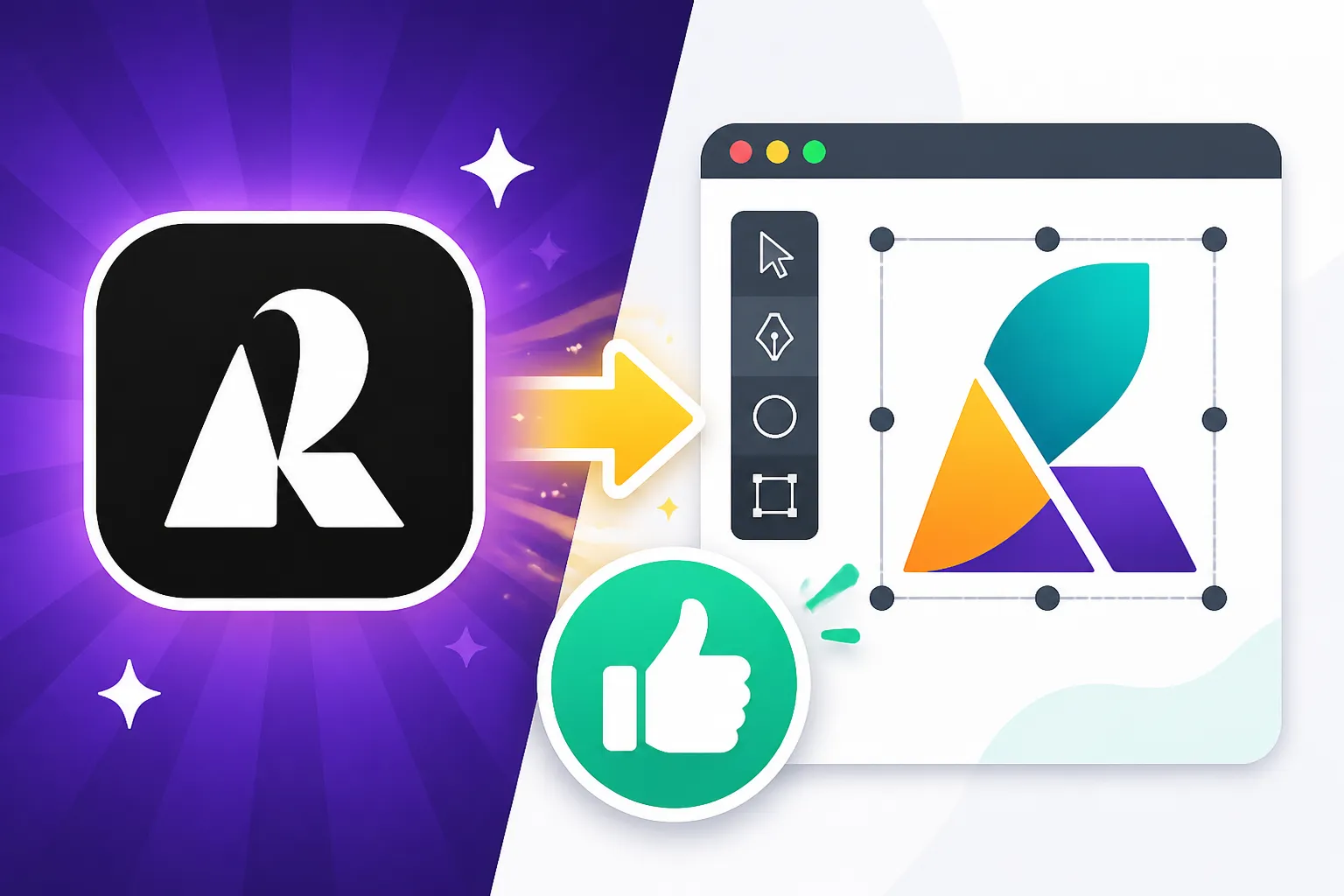
Once Recraft renders your design, it provides options to download it directly as an SVG file. This means you can then open it in vector editing software like Adobe Illustrator, CorelDRAW, or even free tools like Inkscape, and tweak it further. You can change colors, adjust shapes, or move elements around, much like you would with any traditionally created vector graphic. This ability to hand off a truly editable file is a huge benefit, saving countless hours that would otherwise be spent manually tracing or painstakingly converting raster images to vectors. For those interested in this hands-on aspect, our guide on How to Generate AI Vectors and SVGs delves deeper into the techniques.
Recraft's Logo Generation Capabilities
Creating a distinctive and memorable logo is often one of the biggest hurdles for new businesses and personal brands. Traditional logo design can be expensive and time-consuming, requiring multiple revisions with a human designer. AI tools like Recraft offer a compelling alternative by drastically speeding up the ideation and creation process.
Crafting Brand Identities with AI
Recraft positions itself as a strong contender for logo creation due to its vector-first approach. When you generate a logo in Recraft, you're not just getting a pretty picture; you're getting a scalable asset that's ready for various applications. You can prompt Recraft with descriptors of your brand, your industry, and your desired aesthetic—think "minimalist coffee shop logo with a vintage feel" or "modern tech startup logo with abstract lines." The AI will then generate several options, often in various styles, giving you a diverse set of starting points.
This rapid prototyping is invaluable. Instead of waiting days for initial concepts, you can iterate on dozens of ideas in an hour. You can tweak prompts, experiment with different visual elements, and quickly narrow down what works best for your brand's visual identity. While it might not replace a high-end branding agency for complex projects, for small businesses, startups, or individuals needing a quick, professional-looking logo, Recraft offers an efficient and cost-effective solution. Our article on How to Make AI Logos for a Business can give you more insights into this process.
From Concept to Commercial Ready
One of the persistent challenges with AI-generated logos is ensuring they are truly unique and polished enough for commercial use. Recraft attempts to address this by focusing on clean, often geometric or illustrative styles that lend themselves well to logo design. However, it's important to approach AI-generated logos with a critical eye. While Recraft generates good initial concepts, you might still need to refine them.
This usually involves downloading the SVG file and bringing it into a dedicated vector editor. Here, you can fine-tune details, adjust proportions, ensure perfect symmetry, or even combine elements from different Recraft outputs. For example, if Recraft generates a great icon but imperfect text, you can import the icon and add your own professionally typeset text. The fact that the output is already a vector is a massive head start. It mitigates the risk of legal issues down the line with pixelated, low-resolution assets that don't scale. If you're considering the commercial viability of AI-generated assets, it's worth reading our deep dive into Adobe Firefly Commercial Safety Review for comparison, as commercial rights and indemnification are crucial topics.
Pros and Cons of Using Recraft for SVG and Logos
Like any powerful tool, Recraft comes with its own set of advantages and limitations when it comes to generating SVG files and logos. Understanding these can help you decide if it’s the right fit for your specific design needs.
Advantages of Recraft's Vector and Logo Generation
The biggest draw for Recraft is undoubtedly its native SVG output. This bypasses the often-painful process of vectorizing raster images from other AI tools, saving significant time and ensuring crisp, scalable graphics from the get-go. This is a huge win for anyone needing flexible assets for print, web, or merchandise.
- Scalability without Quality Loss: As discussed, SVGs are infinitely scalable. This means your logo will look perfect on everything from a billboard to a business card without any degradation.
- Editability: Receiving an SVG file means you have a truly editable asset. You can open it in vector software (Illustrator, Inkscape, Figma) and easily change colors, shapes, paths, and text elements, giving you full control over the final design. This is a crucial distinction when considering tools reviewed in articles like Recraft Review for Vector Art.
- Rapid Prototyping and Ideation: For logo design, Recraft allows you to generate dozens of distinct concepts in minutes. This speed can dramatically accelerate the initial phases of a branding project, helping clients or internal teams visualize possibilities much faster.
- Cost-Effectiveness: Compared to hiring a professional designer for every logo concept or vector graphic, Recraft offers a more affordable solution for generating a wide range of options, especially for smaller projects or those on a tight budget.
- Variety of Styles: Recraft is generally quite versatile, capable of producing logos and vector graphics in various styles, from minimalist to illustrative, isometric to flat design.
Potential Limitations and Challenges
While Recraft offers significant advantages, it's not without its drawbacks. No AI tool is perfect, and setting realistic expectations is key.
- Text Integration: This is a common Achilles' heel for many AI image generators, and Recraft is no exception, though it's improving. Generating perfect, legible text within a logo directly from a prompt can still be hit or miss. Often, you'll get placeholder text or slightly mangled letters, requiring manual correction in a vector editor. For superior text rendering, you might want to consider specific tools highlighted in our guide on Best AI Image Generator for Text.
- Uniqueness and Copyright Concerns: While Recraft generates unique outputs based on your prompts, the underlying models are trained on vast datasets. This raises questions about true originality and potential (though rare) similarities to existing designs. For critical, high-stakes branding, a human review and perhaps additional customization are always advisable.
- Learning Curve for Prompts: Getting Recraft to produce exactly what you envision, especially for a specific logo style or intricate vector art, requires careful prompt engineering. It takes practice to learn how to articulate your vision in a way the AI understands best.
- Reliance on Post-Processing: While Recraft provides editable SVGs, most professional uses will still require some level of post-processing in traditional vector software. This isn't necessarily a con, but it means Recraft often functions best as a powerful starting point rather than an end-to-end solution.
- Artistic Nuance: For highly conceptual, symbolic, or emotionally driven logos that require a deep understanding of human psychology and brand storytelling, AI tools may lack the nuanced touch a seasoned human designer can provide.
Here's a quick overview of some key aspects:
| Feature | Recraft for SVG & Logos | Traditional Methods (e.g., Illustrator) | Other AI Image Generators (Raster) |
|---|---|---|---|
| Output Format | Native SVG (vector), PNG, JPEG, WEBP, PDF | Native SVG, AI, EPS (vector) | PNG, JPEG (raster) |
| Scalability | Infinite, no quality loss | Infinite, no quality loss | Limited, pixelates when scaled up |
| Editability | High (in vector editor post-generation) | Full control over every element | Low (requires manual tracing/vectorization for editing) |
| Speed of Ideation | Very fast, multiple concepts in minutes | Slow, requires manual creation of each concept | Fast, but results are raster and may need conversion for vector editing |
| Text Quality in Logos | Improving, but often requires refinement | Excellent, full control over typography | Generally poor, text often garbled |
| Cost | Subscription-based, generally more affordable than hiring a designer | Software subscription + designer fees (can be high) | Varies (free tiers to subscriptions), usually focused on raster |
| Commercial Use Rights | Generally allowed (check specific terms), but originality review advised for high stakes | Typically clear, but depends on designer contract | Varies by tool, requires careful checking |
Real-World Applications and Best Practices
So, you've got this AI tool that spits out vector graphics and logo concepts. How do you actually use it in the wild to make your life easier and your projects shine? Recraft, like any powerful utility, truly excels when you understand its sweet spot and integrate it thoughtfully into your workflow.
Maximizing Recraft for Professional Use
For professionals, Recraft isn't about replacing your entire design department; it's about augmentation. Think of it as an incredibly fast brainstorming partner or an initial sketch artist.
- Rapid Logo Prototyping for Clients: Imagine you're a freelance designer, and a client needs a logo for their new wellness brand. Instead of spending hours sketching, you can use Recraft to generate 10-20 diverse concepts in different styles (e.g., "minimalist yoga studio logo with a lotus flower," "abstract wellness icon," "hand-drawn botanical logo"). This allows you to present a wide range of initial directions almost instantly, getting valuable feedback much faster. Then, you can take the chosen concept into Illustrator or Figma for refinement. This can make the process of selecting the Best AI Image Generator for Logos much clearer.
- Creating Scalable Icons and Illustrations: Need a set of icons for a website redesign or a presentation? Prompt Recraft for "flat design icons for data analytics" or "line art illustrations of sustainable energy." You'll get SVGs that perfectly scale for various screen sizes, ensuring crisp visuals on high-resolution displays without manual tracing.
- Developing Brand Elements: Beyond the main logo, brands need consistent visual elements – patterns, textures, decorative motifs, or specific graphic styles. Recraft can generate these in vector format, allowing you to build a cohesive visual language quickly. You can then ensure brand consistency, a topic explored in depth in our guide on How to Keep Brand Consistency with AI Images.
- Print-on-Demand Designs: If you're running an Etsy shop or a similar print-on-demand business, generating scalable T-shirt designs, mug patterns, or greeting card graphics with Recraft can be a huge time-saver. Since the output is SVG, it's print-ready and can be easily adapted for different product dimensions.
Integrating Recraft into Your Design Workflow
Recraft isn't a standalone design suite; it's a powerful addition to your existing tools. The best way to use it is as a preliminary step, feeding its vector outputs into more specialized software.
- Ideation & First Draft: Start in Recraft. Experiment with various prompts and styles for your logo or vector graphic. Don't be afraid to generate many options to find the core idea that resonates.
- Selection & Refinement: Pick the strongest candidates. Download them as SVG files.
- Pro-Level Polishing: Open the SVG in your preferred vector editor (Adobe Illustrator, Affinity Designer, Figma, or even a simpler tool like Canva if you prefer). This is where you:
- Correct Text: If the text in your logo isn't perfect, delete it and add crisp, professional typography.
- Adjust Details: Fine-tune curves, align elements, ensure consistent stroke widths, and perfect the color palette.
- Ensure Uniqueness: If commercial use is critical, make sure there are no unintentional resemblances to existing logos or trademarks. This might involve significant modification of the AI-generated base.
- Prepare for Export: Optimize the SVG for web use, create different file formats (PNG, JPEG, PDF) for various applications, and prepare print-ready versions.
By using Recraft to handle the initial, often time-consuming, conceptualization and vectorization, you free up your valuable design time for the high-level creative decisions and meticulous refinements that only a human can truly master. It's about working smarter, not harder.
Disclaimer
Please note that the information provided in this article is for general guidance and informational purposes only. While we strive to provide accurate and up-to-date content, the field of AI image generation is rapidly evolving. Specific features, pricing, and terms of service for Recraft and other AI tools may change over time. Always refer to the official Recraft website or documentation for the most current and authoritative information.