Magnific AI Upscaler Review
You know the feeling, right? You've just spent precious minutes, maybe even hours, crafting the perfect prompt in your favorite AI image generator, and the result is almost perfect. The composition is stunning, the colors are vibrant, but then you zoom in just a little, and suddenly, it’s… soft. Blurry. Lacking that crisp, professional detail you desperately need. It’s a common frustration for anyone diving into the world of AI art, a barrier between a great concept and a truly production-ready image. This comprehensive guide is here to walk you through the Magnific AI Upscaler, exploring how this powerful tool aims to bridge that gap, taking your AI-generated images from 'pretty good' to 'absolutely breathtaking' by adding detail and resolution in ways you didn't think possible.
What is Magnific AI Upscaler and Why Does it Matter?
For creators and enthusiasts alike, the promise of AI image generation is incredible: conjure any visual from thin air with just a few words. But the reality often hits when you realize that many initial AI outputs, especially from free or lower-tier models, come out at resolutions that aren't quite suitable for print, high-definition displays, or commercial projects. This is where a dedicated AI upscaler like Magnific AI truly shines, offering a sophisticated solution that goes far beyond simple pixel doubling.
The Frustration of Low-Resolution AI Art
Let's be honest, we've all been there. You generate a fantastic image, perhaps a stunning landscape or a unique character design, only to find it rendered at a meager 1024×1024 pixels, or even less. If you try to simply resize it in a standard photo editor, you're met with pixelation, jagged edges, and a general loss of clarity. It looks amateurish, and that's the last thing you want when you're trying to showcase your creative vision or deliver professional-grade content. The problem isn't just about size; it's about the inherent lack of fine detail that prevents your AI art from truly standing out. You might even feel like you're constantly fighting against the limitations of the tools, rather than fully leveraging their potential. This struggle to achieve high-quality output from initial generative models is a pervasive challenge that can hinder workflows and stifle creative ambition.
Imagine you're designing a book cover. You've got an amazing concept from your AI generator, but it's too small and too soft to print clearly. Or maybe you're creating social media graphics, and while the image looks okay on a small phone screen, it loses all impact when viewed on a desktop monitor. The limitations of low resolution quickly become roadblocks to real-world application, forcing you to either compromise on quality or spend hours manually retouching images – which, let's face it, defeats the purpose of using AI for speed and efficiency in the first place. This is precisely the pain point that Magnific AI aims to alleviate, promising to deliver not just bigger images, but better images.
How Magnific AI Steps Up to the Challenge
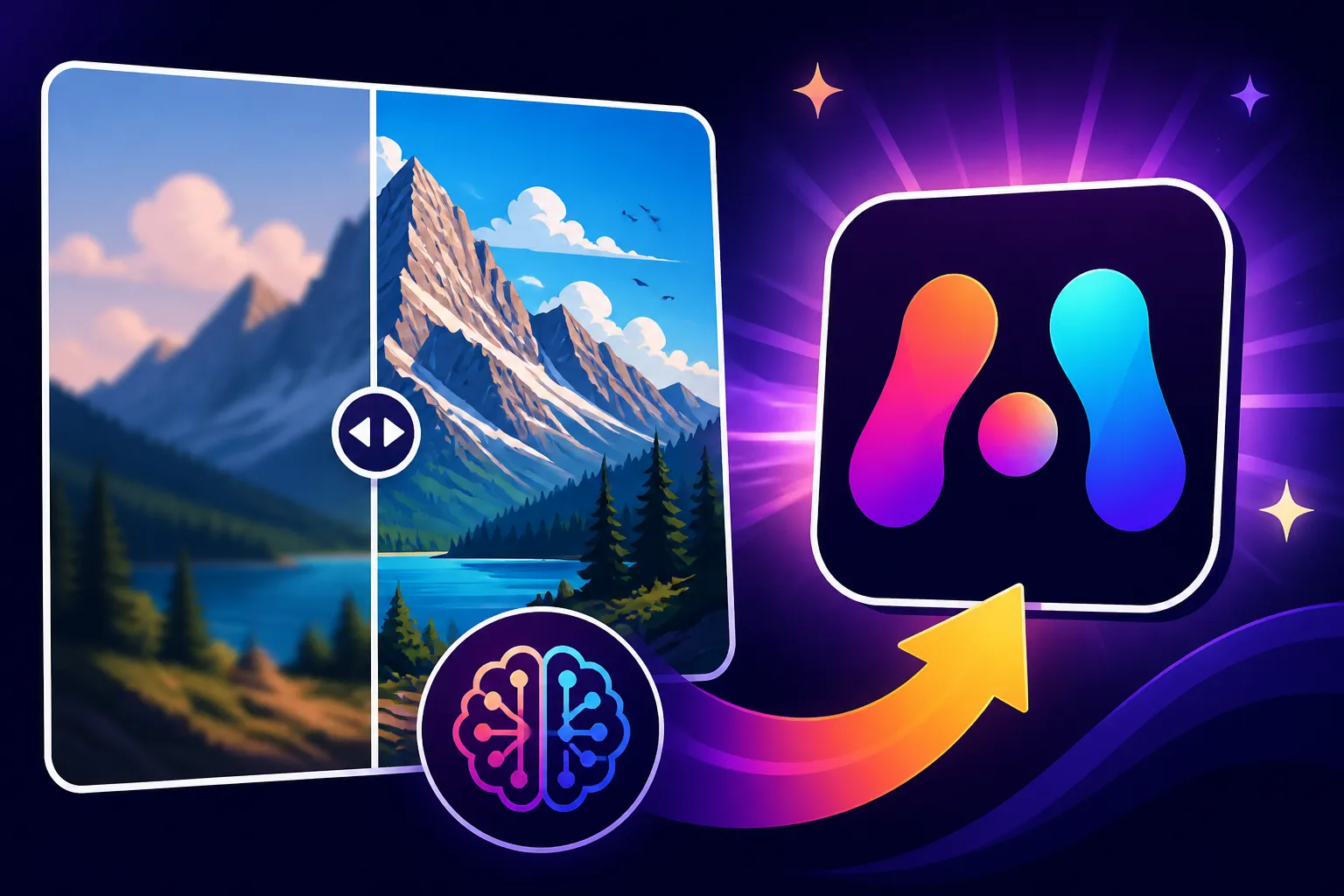
Magnific AI isn't just another image resizing tool; it's an advanced AI model specifically trained to intelligently reconstruct and enhance images at higher resolutions. Unlike traditional upscalers that essentially stretch pixels, Magnific AI analyzes the input image and uses its deep learning algorithms to predict and generate new details, textures, and sharper edges that weren't present in the original low-resolution file. It's like having an incredibly talented digital artist meticulously repainting your image with greater precision and richness, but in seconds.
What sets Magnific AI apart is its emphasis on realism and consistency. It doesn't just add arbitrary detail; it strives to maintain the artistic intent and style of the original image while introducing a level of intricacy that can make an AI-generated piece indistinguishable from a professionally shot photograph or a meticulously crafted digital painting. This capability is particularly valuable for fields like digital art, graphic design, and even product visualization, where fidelity to detail and aesthetic quality are paramount. It transforms a functional but flawed AI output into a polished, high-fidelity asset, opening up a world of possibilities for how AI images can be used commercially and artistically. When you compare it to simply hitting 'upscale' in your regular photo editing software, the difference is night and day.
Diving Deep into Magnific AI's Core Features
Understanding what makes Magnific AI tick means looking beyond the simple act of "upscaling." This tool is packed with intelligent features designed to give users unprecedented control over how their images are enhanced, ensuring the final output truly meets their specific vision. It’s not a one-size-fits-all solution; rather, it's a dynamic suite of tools that work in harmony to transform your visuals.
Intelligent Upscaling Beyond Simple Enlargement
The most fundamental feature, and perhaps the primary reason people turn to Magnific AI, is its intelligent upscaling capability. But it’s crucial to understand this isn't merely about making an image bigger. Traditional upscaling methods often rely on interpolation, which guesses missing pixels based on their neighbors. This usually leads to a softer, blurry result as the image is stretched. Magnific AI, on the other hand, employs sophisticated generative adversarial networks (GANs) or similar deep learning architectures to infer and create new pixel data.
When you feed a low-resolution image into Magnific AI, it doesn't just scale it by a factor of 2x or 4x; it rebuilds the image from the ground up, adding genuine detail where there was none before. For instance, if you have a blurry face in a crowd, Magnific AI can intelligently add sharper facial features, individual strands of hair, or even intricate patterns on clothing that were previously just indistinct blobs. This goes beyond simple sharpening; it's a creative re-interpretation that enhances realism and clarity, making the expanded image look naturally high-resolution, not just stretched. The algorithms are trained on vast datasets of high-resolution imagery, allowing them to understand how real-world objects and textures should appear, and then apply that knowledge to your AI art.
Unpacking Detail Enhancement and Realistic Textures
One of Magnific AI's most lauded features is its unparalleled ability to enhance details and render realistic textures. This is where the magic truly happens, elevating an image from a generic AI look to something with genuine depth and tactile quality. Imagine you've generated an image of a rugged mountain landscape. A basic upscaler might just give you bigger, blockier mountains. Magnific AI, however, can introduce granular rock textures, individual pine needles on distant trees, the subtle glint of sunlight on water, or even the nuanced imperfections that make natural elements feel authentic.
This detail enhancement isn't just applied uniformly; it's context-aware. The AI understands that skin textures should look different from fabric, and metal should reflect light differently than wood. It intelligently applies these textural nuances, resulting in images that don't just look higher resolution but feel more real. For product photographers, this means being able to take a basic AI-generated product shot and introduce intricate stitching on a leather bag, the subtle sheen on a ceramic mug, or the tiny reflective particles in a metallic finish. It’s about injecting a layer of tangible reality that’s often missing from initial AI outputs. This level of control and fidelity is why many artists consider it one of the Best AI Image Generator for Quality or a crucial companion to their preferred generator.
Mastering Coherence and Artistic Style Preservation
A significant challenge with any upscaling or enhancement process is maintaining the original image's artistic integrity and overall coherence. It's easy for an upscaler to introduce "AI artifacts" or drastically alter the style of the image in its attempt to add detail. Magnific AI, however, is designed with a strong focus on preserving the original vision while enhancing it. It understands that if your input image had a painterly, impressionistic style, the upscaled version should retain that aesthetic, just with more refined brushstrokes and clearer compositions.
Users can often guide this process with specific prompts or settings within the tool. For instance, if your original image was a moody, film noir-inspired scene, you wouldn't want the upscaler to suddenly introduce vibrant, hyper-realistic colors. Magnific AI strives to understand these stylistic cues and ensures that any added detail or resolution blends seamlessly with the existing artistic direction. This means your character designs retain their unique flair, your architectural renderings keep their intended atmosphere, and your abstract pieces maintain their original impact, simply with greater clarity. This commitment to coherence is what truly makes Magnific AI a powerful creative partner, rather than just a technical utility, ensuring your AI Image Quality Tested and Reviewed experience is consistently high.
The User Experience: How to Get Started and Optimize Results
Even the most powerful tools are only as good as their usability. Magnific AI understands that creators want to spend more time creating and less time wrestling with complex interfaces. While it offers deep control, it also aims for an intuitive experience, making the process of transforming your low-res images into high-fidelity masterpieces as smooth as possible.
Navigating the Magnific AI Interface
When you first log into Magnific AI, you'll find a clean, focused interface. The primary action is uploading your image, which can be done with a simple drag-and-drop. Once your image is loaded, you're presented with a series of controls that allow you to dictate how the upscaling and enhancement process will occur.
Typically, you'll see options for "Creativity," "HDR," "Sharpen," "Prompt," and various output settings. The layout is designed to be logical, with the most impactful settings front and center. For example, "Creativity" allows you to control how much the AI "imagines" new details versus sticking strictly to the original image data. A higher creativity setting might introduce more dramatic changes and novel elements, while a lower setting will provide a more faithful, albeit less transformative, upscale. The real trick is getting comfortable with these sliders and understanding how they interact. It’s not just about clicking buttons; it's about learning the language of the tool and seeing how your inputs translate into visual outputs.
Crafting Effective Prompts and Settings for Upscaling
This is where Magnific AI truly stands out from simpler upscalers and takes a page from popular AI image generators. Just as you prompt Midjourney or DALL-E to create an image, you can prompt Magnific AI to enhance an image. This means you don't just upscale; you guide the AI on how to upscale. For instance, if you have an image of a dog and you want to ensure the fur texture is incredibly detailed, you might add a prompt like "ultra-detailed fur texture, glistening eyes, wet nose, individual whiskers." This prompt acts as a directive, telling the AI what specific elements to focus on and improve.
Alongside prompting, you'll leverage the various sliders. The "HDR" slider can introduce more dynamic range and depth, making colors pop and shadows more pronounced. "Sharpen" is self-explanatory, but it's an intelligent sharpen, avoiding the harsh artifacts of traditional filters. Learning to combine these settings with precise prompts is key to unlocking Magnific AI's full potential. It’s an iterative process, much like refining an initial AI image generation prompt. You put in a prompt and some settings, see the result, and then tweak until it’s perfect. This powerful combination of creative prompting and fine-tuned settings is what allows users to achieve truly bespoke and high-quality results. If you're wondering how to get to the point of How to Upscale AI Images to 4K, this is the method.
Iteration and Refinement: Getting That Perfect Image
Very rarely will your first attempt with Magnific AI yield the exact perfect image you had in mind. Like any creative tool, it thrives on iteration. The platform encourages experimentation by allowing you to make small adjustments to your prompt or sliders and regenerate the upscale without having to re-upload your base image. This feedback loop is essential for fine-tuning.
For example, you might upscale an image of a futuristic city and realize the "Creativity" was too high, introducing elements you didn't want. You'd dial it back, perhaps refine your prompt to be more specific about the architectural style, and regenerate. Or maybe the initial upscale is a bit too soft, so you increase the "Sharpen" slider slightly. Many users find it helpful to generate several variations with slightly different settings or prompts, then compare them side-by-side to choose the best one. This iterative approach allows for a level of precision and artistic control that transforms the upscaling process from a simple technical step into a creative act, making Magnific AI a fantastic tool for refining even those tricky initial outputs from generative models like those reviewed in Midjourney Image Quality Tested and Reviewed or DALL-E Image Quality Tested and Reviewed.
Pros and Cons: A Realistic Look at Magnific AI
No tool is perfect, and Magnific AI, despite its impressive capabilities, comes with its own set of advantages and limitations. Understanding these can help you decide if it's the right solution for your specific needs and workflow. It's about setting realistic expectations and leveraging its strengths while being mindful of its weaknesses.
Where Magnific AI Truly Shines
Magnific AI truly excels in several key areas, making it a powerful asset for professionals and enthusiasts alike.
Firstly, its unrivaled detail enhancement is its crowning glory. As we discussed, it doesn't just enlarge pixels; it intelligently infers and generates new, intricate details that significantly elevate the quality of an image. This makes AI-generated art look far more professional and "finished," often indistinguishable from traditional high-resolution photography or digital art. Whether it's adding realistic skin pores, sharpening intricate fabric patterns, or defining architectural textures, Magnific AI delivers.
Secondly, the level of artistic control through prompting is a huge differentiator. The ability to guide the upscaling process with text prompts allows users to steer the AI's "imagination" and ensure that the enhanced details align with their creative vision. This is a game-changer for maintaining stylistic coherence and achieving very specific aesthetic outcomes. It’s akin to having a conversation with the AI about how you want your image to be improved, rather than just hitting a button and hoping for the best.
Thirdly, its ability to dramatically improve realism in AI-generated images is exceptional. For those aiming for photorealism, Magnific AI can take an AI image that looks somewhat synthetic and inject it with the nuances of real-world light, shadow, and texture, making it far more believable. This is particularly valuable for applications like product photography, architectural visualization, or character design where high fidelity is crucial. It’s a tool that helps you achieve How to Add Realism to AI Images effortlessly.
Finally, Magnific AI is fantastic at fixing common AI image flaws. We've all seen those images with blurry eyes, distorted hands, or generic backgrounds. With its intelligent enhancement, Magnific AI often corrects these issues by regenerating those problematic areas with improved detail and form, effectively cleaning up common artifacts that plague raw AI outputs.
Understanding Its Limitations and Potential Pitfalls
While Magnific AI is powerful, it's not without its drawbacks, and users should be aware of these before committing to the tool.
The most significant limitation for many users is often the cost. Magnific AI is a premium service, and its subscription tiers can be pricier than many other AI tools. This can be a barrier for hobbyists or those on a very tight budget, especially when compared to free alternatives or cheaper paid upscalers. You might ask yourself, Magnific Upscaler: Worth the Price? For many, the answer depends heavily on their usage volume and professional needs.
Another potential pitfall is the learning curve, especially concerning prompt engineering. While the ability to prompt is a strength, it also means there's a skill involved in getting the best results. New users might find themselves initially struggling to craft effective prompts and combine them with the sliders to achieve their desired outcome. It requires experimentation and a willingness to iterate, which can be time-consuming.
Furthermore, while it excels at adding detail, Magnific AI can sometimes over-interpret or hallucinate details that weren't intended, especially when the "Creativity" setting is pushed too high or the input image is of extremely poor quality. This can lead to unexpected elements or a departure from the original artistic intent. Users need to be vigilant and review the results carefully. You still might encounter issues like How to Fix Blurry AI Images if the initial image is extremely low quality.
Finally, the processing time for very large images or high upscale factors can be considerable. While it’s certainly faster than manual editing, it’s not always instantaneous, which can impact workflows that require rapid iteration or bulk processing. This is a common trade-off for such a computationally intensive task.
| Feature | Magnific AI Upscaler | Traditional Upscalers (e.g., Photoshop) | Basic AI Upscalers (e.g., free online tools) |
|---|---|---|---|
| Method | Deep learning, generative inference, detail creation | Interpolation (pixel stretching, averaging) | Simpler AI models, often less advanced detail generation |
| Output Quality | High-resolution with new, inferred details; enhanced realism | Enlarged, often blurry or pixelated | Better than traditional, but less consistent/detailed than Magnific |
| Artistic Control | High (via text prompts, creativity, HDR, sharpen sliders) | Low (basic resizing, sharpening filters) | Low to Medium (sometimes basic sliders, no prompting) |
| Detail Creation | Excellent; adds texture, sharpness, and fine elements | Poor; stretches existing pixels, no new detail | Moderate; can add some detail but often less convincing |
| Style Preservation | Good; aims to maintain original artistic intent | Poor; can degrade image style and introduce artifacts | Variable; can sometimes alter original style unintentionally |
| Complexity | Moderate (requires prompt learning) | Low (simple resize operations) | Low (point-and-click) |
| Cost | Premium subscription | Included in photo editing suite | Often free or low-cost |
| Best Use Case | Professional art, commercial images, fine detail enhancement | Basic resizing, quick web use | General use, simple enlargements for non-critical needs |
Pricing and Value: Is Magnific AI Worth the Investment?
When considering a premium tool like Magnific AI, the inevitable question arises: is it truly worth the money? The answer, as with most things, depends heavily on your individual needs, your budget, and the value you place on high-quality image output. It's not just about the sticker price; it's about the return on investment for your creative or professional endeavors.
Breaking Down Subscription Tiers
Magnific AI typically offers various subscription tiers, often structured to cater to different levels of usage and professional requirements. These tiers usually include a certain number of "credits" or "generations" per month, with higher tiers offering more capacity, faster processing, and sometimes access to more advanced features or higher resolution outputs.
For instance, a basic tier might be suitable for casual users or hobbyists who only need to upscale a few images now and then. This tier usually comes with a lower monthly fee but fewer credits. Mid-range tiers are generally designed for freelance artists, designers, or small businesses who have a consistent need for high-quality images but don't require industrial-scale processing. These offer a better per-image cost. The highest tiers are typically geared towards agencies, large studios, or power users who process hundreds, if not thousands, of images monthly. These often come with significantly more credits and prioritize speed and maximum resolution output. It's crucial to check their current pricing page, as these structures can evolve, but the core idea remains: the more you use it, the more cost-effective the higher tiers become on a per-image basis.
Comparing Value Against Other Upscalers
To truly assess Magnific AI's value, it's helpful to compare it against its competitors, both free and paid. Free upscalers, like those often found integrated into tools like Bing Image Creator or basic online platforms, generally provide a decent boost in resolution but lack the intelligent detail enhancement and artistic control that Magnific AI offers. They might make an image bigger, but often won't make it better in terms of realism or intricate detail. For simple, non-critical web images, they might suffice, but for anything professional, they usually fall short. This is an important distinction when looking at Free vs Paid AI Image Generators.
When it comes to other paid AI upscalers, the landscape is diverse. Some offer great value for speed or batch processing, others specialize in specific styles like anime or cartoons, and some focus heavily on photorealism. Magnific AI positions itself at the very top end for sheer detail, realism, and creative control through prompting. Tools like Topaz Gigapixel AI or similar offerings from Adobe might offer excellent upscaling, but they often lack the generative prompting capabilities that Magnific AI brings to the table, meaning less artistic guidance during the enhancement process.
The value proposition of Magnific AI becomes clear when you consider the time saved and the quality gained. For a professional artist who might spend hours manually retouching a low-res AI image, or a marketer who needs commercial-grade visuals that truly stand out, the investment in Magnific AI can easily pay for itself. It’s not just about getting a bigger image; it’s about getting an image that is fit for purpose and elevates the perceived quality of your work, making it a strong contender for the Best AI Image Generator Overall in terms of its upscaling and enhancement capabilities.
Who Benefits Most from Magnific AI Upscaler?
Understanding Magnific AI's unique capabilities naturally leads to the question: who is this powerful tool truly built for? While virtually anyone can benefit from a better-looking image, certain individuals and professions will find Magnific AI to be an indispensable part of their creative toolkit, transforming how they approach AI art and digital production.
Artists, Designers, and Content Creators
This group is arguably Magnific AI's core audience, and for good reason. For digital artists, the ability to take an initial AI sketch or concept and refine it with stunning detail is revolutionary. Imagine creating a foundational piece in Midjourney, then bringing it into Magnific AI to add intricate textures to armor, define individual strands of hair, or sharpen the gaze of a character's eyes. It pushes the boundaries of what AI art can achieve, making pieces more gallery-worthy or portfolio-ready. Artists working on commissions or personal projects can achieve a level of polish that would otherwise demand significantly more manual effort or a much higher base resolution from their primary generator. This could be a game-changer for those looking to create truly unique works, as detailed in Best AI Image Generator for Artists.
Graphic designers and content creators also stand to gain immensely. Whether it's crafting compelling YouTube thumbnails, eye-catching social media graphics, blog post hero images, or even elements for presentations, having access to high-resolution, visually rich assets is critical. No longer do they have to settle for slightly blurry or generic images. Magnific AI ensures that every visual component they integrate is crisp, professional, and impactful. For bloggers and online publishers, it means clearer images that improve readability and engagement, allowing them to truly illustrate their points effectively, a benefit explored in guides like Best AI Image Generator for Blog Images.
For those working on print projects like posters, brochures, or even merchandise, Magnific AI becomes a non-negotiable tool. Low-resolution images simply don't translate well to print, often resulting in pixelated or muddy output. Magnific AI allows creators to take AI-generated designs and prepare them for physical production, ensuring clarity and detail even at larger sizes.
Businesses and Commercial Applications
Beyond individual creators, Magnific AI offers significant advantages for businesses looking to leverage AI imagery for commercial purposes.
For ecommerce businesses, high-quality product photography is paramount. If you're using AI to generate product mockups or lifestyle shots, Magnific AI can elevate these images to rival professional photography. It can add realistic textures to fabrics, sharpen product details, and ensure brand consistency across various marketing materials. This means better-looking product listings, more engaging ads, and ultimately, a more polished brand image that can drive sales. Imagine generating a basic shoe mockup and then using Magnific AI to add the intricate stitching, subtle leather grain, and even reflections on the sole – making it appear as if it were a real studio shot.
Marketing agencies and advertisers can also find tremendous value. In the fast-paced world of digital advertising, creating numerous compelling ad creatives is essential for A/B testing and campaign optimization. Magnific AI allows agencies to generate a high volume of diverse AI visuals and then quickly upscale and refine the most promising ones to broadcast-quality standards. This can drastically reduce reliance on stock photography, provide unique visuals, and ensure every ad creative is optimized for visual impact. When the goal is to capture attention and convey professionalism, image quality is non-negotiable, and Magnific AI provides that edge.
Furthermore, businesses involved in game development, architectural visualization, or concept art can use Magnific AI to accelerate their workflows. Initial concept art or 3D renders can be quickly enhanced with finer details, leading to faster iterations and higher-quality assets for pitches or production. The ability to enhance textures and environmental details can breathe life into digital worlds, making Magnific AI a powerful tool for accelerating creative pipelines in these demanding industries.
Disclaimer
Please note that the information provided in this article is for general guidance and informational purposes only. The features, pricing, and performance of AI image upscaling tools, including Magnific AI, can change rapidly as technology evolves. Always refer to the official Magnific AI website for the most up-to-date information regarding their offerings, terms of service, and pricing models. While we strive to provide accurate and helpful content, individual results may vary, and it is recommended to conduct your own research and evaluate tools based on your specific needs before making any purchasing decisions.