How to Illustrate a Story with AI
Struggling to bring your story to life visually? For authors, indie game developers, content creators, or even just hobbyists, the challenge of illustrating a narrative can be daunting, time-consuming, and frankly, quite expensive if you're commissioning artists. This comprehensive guide is here to demystify the process, showing you exactly how to leverage powerful AI image generators to illustrate your stories, characters, and worlds with incredible detail and consistency, even if you’re not an artist yourself.
Understanding the AI Landscape for Story Illustration
Venturing into AI for story illustration can feel like stepping into a vast, ever-changing landscape. It’s not just one tool; it’s a whole ecosystem with different strengths and weaknesses. Understanding these nuances is key to choosing the right platform and approach for your unique narrative. You wouldn't use a paintbrush for sculpting, and similarly, you need to pick the right AI tool for your specific artistic goals.
Different AI Tools and Their Strengths
The world of AI image generation is bustling with contenders, each offering a unique flavor and capability. For story illustration, where consistency, style, and detail are paramount, certain tools shine brighter in specific areas.
Take Midjourney, for instance. It’s renowned for its incredible artistic output, often producing stunning, highly stylized, and aesthetically pleasing images. If your story leans into fantasy, sci-fi, or a distinct artistic flair, Midjourney can be a powerhouse. Its ability to interpret nuanced stylistic cues from prompts makes it excellent for establishing a strong visual identity for your story. However, achieving absolute character consistency across many different scenes can sometimes require a bit more finessing, though it has improved significantly with features like 'Style Reference' and 'Character Reference'. Imagine you're illustrating a magical forest adventure; Midjourney could conjure up breathtaking vistas and fantastical creatures with ease, capturing the whimsical or eerie mood you're aiming for. You might want to dive deeper into a full Midjourney Review: Features, Pricing, and Quality to see if it aligns with your vision.
Then there's DALL-E, often integrated into platforms like ChatGPT. DALL-E has a reputation for being quite literal in its interpretations, which can be a huge advantage when you need specific objects, scenes, or actions depicted accurately. It's often praised for its ability to handle complex compositional requests and for generating images with a more photographic or realistic lean, though it can also do stylized work. If your story requires very precise scene layouts, specific objects in exact positions, or a more grounded, realistic aesthetic, DALL-E might be your go-to. It’s also generally user-friendly, making it a good starting point for many. For those curious about its capabilities, exploring a DALL-E Review: Is It Worth It could be beneficial.
Stable Diffusion, on the other hand, is the open-source hero. Its power lies in its unparalleled customizability. If you're willing to delve into the technical side, you can download and run it locally, utilizing countless community-created models (LoRAs, checkpoints) to achieve virtually any artistic style imaginable. This means if your story demands a very specific niche art style – say, a particular manga aesthetic, a retro pixel art look, or even detailed architectural drawings – Stable Diffusion can be fine-tuned to deliver. The trade-off is a steeper learning curve, but the creative freedom is immense. It's truly for those who want granular control over every aspect of their visual narrative. For a deep dive into its potential, check out a Stable Diffusion Review: Free and Customizable.
Finally, Ideogram and Adobe Firefly are strong contenders for specific needs. Ideogram stands out for its impressive ability to render text within images accurately, a common pain point for many other AI generators. If your story involves signs, book covers, or captions integrated directly into the artwork, Ideogram is a phenomenal choice. Adobe Firefly, integrated into Adobe’s Creative Cloud suite, offers a strong commitment to commercial safety and content authenticity features, which is crucial if you plan to publish your illustrated story professionally. Firefly is also quite good at generating images that blend seamlessly with existing design workflows, making it a favorite for graphic designers and illustrators looking for AI assistance. You can learn more about its commercial potential in an Adobe Firefly Review for Commercial Use.
Each tool has its place, and often, the best approach might involve using a combination. You might generate initial scene concepts with Midjourney, refine specific objects with DALL-E, and use Ideogram for text elements. The key is to experiment and understand which tool resonates best with your story's visual requirements and your personal workflow.
The Learning Curve and Time Investment
Let's be real: while AI image generation is incredibly powerful, it's not a magic wand that instantly produces perfect illustrations from a vague idea. There's a definite learning curve involved, and it requires a significant time investment, especially in the beginning. This isn't just about typing in a few words; it's about learning the "language" of AI models and understanding how to coax the best results out of them.
Initially, you'll spend a fair amount of time experimenting with different prompt structures, keywords, and parameters. You’ll quickly realize that a subtle change in wording, like "vibrant colors" versus "muted palette," can dramatically alter the output. You’ll also need to get familiar with each tool's specific syntax, such as Midjourney's aspect ratio parameters (--ar 16:9) or Stable Diffusion's negative prompting capabilities. This trial-and-error phase can be frustrating, as you'll generate many images that don't quite hit the mark. It's like learning to communicate with a very intelligent, but sometimes quirky, assistant who only understands a specific dialect.
However, once you start to grasp the fundamentals of prompt engineering and become accustomed to your chosen tool, the efficiency gains are truly remarkable. That initial investment in learning pays off exponentially. What might have taken an artist hours or days to sketch and render can often be generated and refined in minutes or a few hours with AI. Imagine needing 50 illustrations for a children's book; once you've dialed in your style and character consistency, generating variations and new scenes becomes significantly faster. You're no longer starting from scratch with every single image. You're building upon a foundation of understanding, allowing you to iterate rapidly and focus your creative energy on storytelling rather than painstaking artistic execution. The more you practice, the more intuitive it becomes, transforming from a steep climb into a gentle ascent towards creative freedom.
Crafting Your Visual Story: Prompting Techniques for Narrative
Illustrating a story isn't just about creating pretty pictures; it's about weaving a visual narrative that enhances and supports your written word. This means moving beyond generic prompts to sophisticated techniques that ensure your characters, settings, and mood remain consistent and compelling throughout your entire story. This is where the real art of AI story illustration comes into play.
Developing Consistent Characters and Settings
One of the biggest hurdles when illustrating a story with AI is maintaining consistency, particularly for your characters. It's incredibly frustrating to generate a fantastic depiction of your protagonist, only to have them look completely different in the next scene. Thankfully, there are strategies to tackle this.
The first step is to create a detailed "character sheet" within your prompts. This isn't a visual sheet, but a textual description you'll reuse. Be highly specific about their appearance: "A young elven rogue, around 25 years old, with long silver hair braided down her back, piercing emerald green eyes, a faint scar over her left eyebrow, dressed in dark leather armor with intricate leaf patterns." Use this exact description every time you prompt for that character. For settings, similarly, establish a core set of descriptors: "A forgotten ancient library, filled with towering shelves of dust-covered scrolls, bathed in dim, ethereal light filtering through stained-glass windows, a stone archway in the distance."
Many advanced AI tools also offer features that aid consistency. Midjourney, for instance, has a "character reference" feature (often --cref) where you can provide an image of your character, and the AI will attempt to maintain their likeness across new prompts. Similarly, using the "seed" parameter (--seed) can help, as it dictates the initial noise pattern from which an image is generated. If you get a perfect character image, saving its seed value and reusing it for subsequent images can produce more consistent results. However, remember that even with seed values, subtle changes in prompts can still lead to variations, so continuous refinement is part of the process. This meticulous approach is what turns random generations into a cohesive visual journey. Mastering this is key to successfully illustrating your story, and you can delve deeper into methods for How to Prompt for Consistent Characters to truly nail down your protagonists' looks.
Mastering Scene Composition and Mood
Beyond consistent characters, the mood and composition of each scene are vital for conveying your story's emotional depth and narrative flow. AI tools offer powerful ways to direct these elements through clever prompting. Think like a film director or a photographer, not just an artist.
To control composition, you can specify camera angles and shots. Instead of just "a character in a forest," try "a wide shot of the elven rogue silhouetted against a setting sun in an ancient forest" or "a close-up portrait of the elven rogue's determined face, dirt smudged on her cheek, with the forest blurred in the background." Terms like "Dutch angle," "overhead shot," "eye-level perspective," or "low-angle perspective" can dramatically change the feel of a scene. For a more detailed guide on orchestrating your visual layout, explore How to Control Composition in Prompts.
Setting the mood is where lighting, color, and atmosphere come into play. Describe the light source: "dramatic chiaroscuro lighting," "soft, diffused moonlight," "harsh fluorescent glow," or "golden hour sunbeams filtering through leaves." The time of day significantly impacts mood too: "predawn fog," "midday harsh light," "twilight ethereal glow," or "midnight shadows." Colors can also be specified to evoke emotion: "desaturated tones for a somber mood," "vibrant, saturated colors for joy," or "cool blues and purples for mystery." For example, a battle scene might demand "dynamic, high-contrast lighting with deep shadows and fiery explosions," while a quiet moment of reflection could be "soft, warm ambient light, diffused through a window, with a gentle glow." Understanding How to Add Lighting to AI Prompts can profoundly impact the emotional resonance of your illustrations.
Incorporating Text and Specific Details
Adding text and ensuring specific, intricate details appear in your AI-generated images has historically been one of the trickiest aspects of AI illustration. Many early models struggled with legible text, often producing garbled, unreadable squiggles. However, advancements in models like Ideogram have made this much more manageable.
When your story requires signs, book titles, or even character dialogue integrated directly into the artwork, tools like Ideogram are your best friend. They are specifically trained to handle typography, allowing you to specify the exact text you want to appear in your image. For example, you might prompt: "a weathered wooden sign pointing to a dusty road, text reads 'Whispering Pines Ahead', old Western style font, midday sun." Without a specialized tool, this would likely result in gibberish. Even with advanced tools, it often requires generating multiple variations and selecting the cleanest output, as perfection isn't always guaranteed on the first try. You can learn more about prompting for legible text by checking out How to Write Prompts for Text in Images.
Beyond text, specifying intricate details is crucial for story progression and world-building. Don't just say "a wizard's staff"; instead, describe "a gnarled oak staff, intricately carved with ancient runes that glow faintly blue, topped with a raw, pulsating amethyst crystal." For an important plot device, every detail matters. If a character wears a locket, describe it: "a tarnished silver locket with a rose etched into its surface, catching the light." The more descriptive and specific your prompt, the better the AI can render the exact elements needed to tell your story visually. Sometimes, you might need to generate an image of a specific object separately and then use inpainting (editing a specific area of an image) to seamlessly integrate it into a larger scene, especially if that object needs to be consistent across multiple illustrations.
The Workflow: From Idea to Illustrated Story
Bringing an entire story to life visually with AI isn't a single step; it's a process, much like writing itself. It involves planning, generating, refining, and ensuring a cohesive final product. Establishing a solid workflow will save you countless hours and prevent you from feeling overwhelmed by the sheer number of possibilities.
Planning Your Visual Narrative Arc
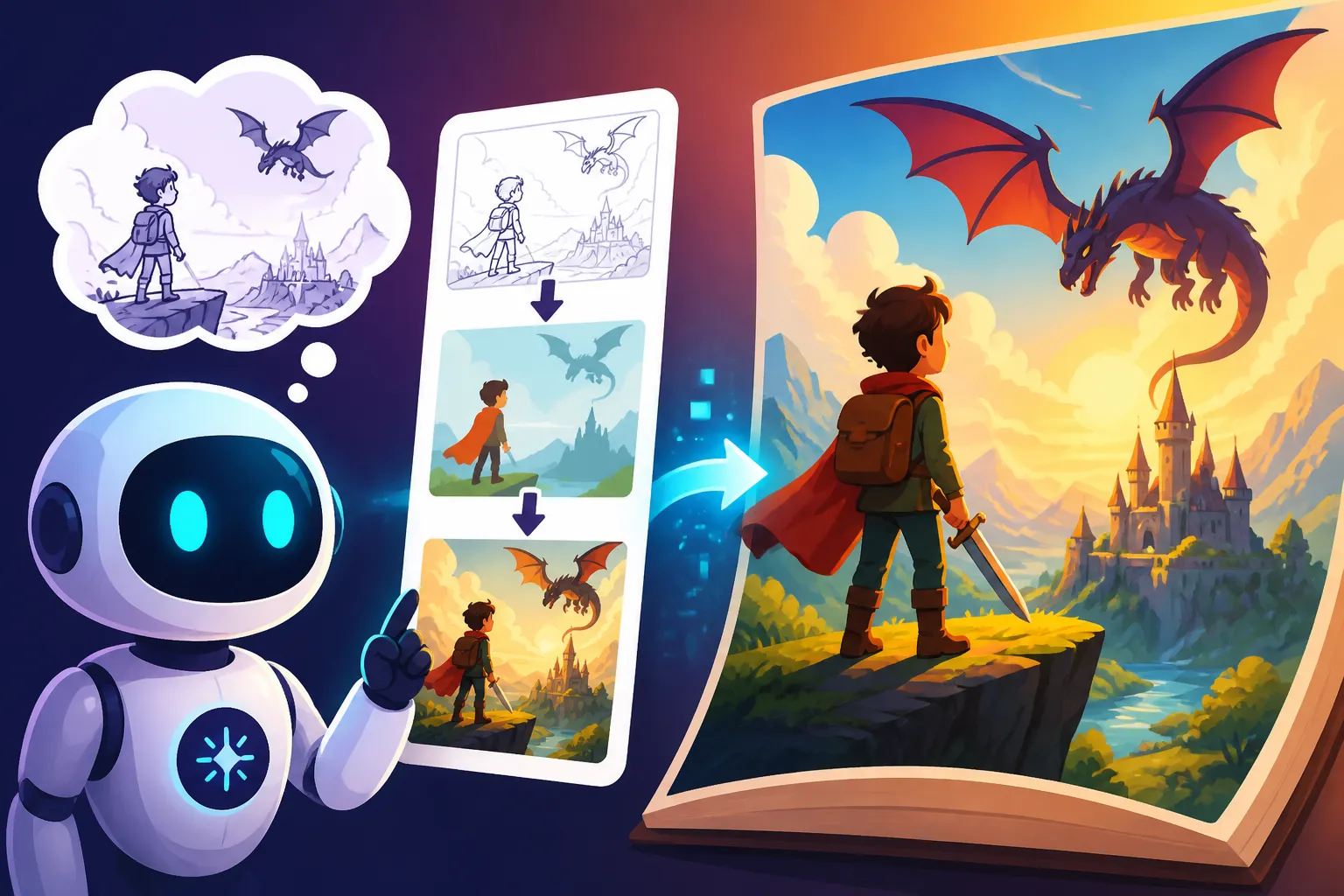
Before you even touch an AI image generator, the most crucial step is to plan your visual narrative arc. Think of it like storyboarding a film or sketching out a comic book. You wouldn't write a novel without an outline, and you shouldn't illustrate one without a visual plan.
Start by breaking your story down into key scenes or moments that absolutely need an illustration. These are your 'hero shots' – the turning points, character introductions, major revelations, or climactic events. For each of these key moments, jot down a brief description of what needs to be depicted visually. Consider the setting, the characters involved, their emotions, and any critical objects or actions.
Then, think about the overall visual style and tone you want for your entire story. Is it dark and gritty, whimsical and colorful, realistic and grounded, or abstract and dreamlike? This overarching style will inform your base prompts and help ensure visual cohesion later. Creating a simple mood board (even with existing images or AI test generations) can solidify this vision. For example, if you're illustrating a noir detective story, your plan might include scenes with "shadowy figures in trench coats," "rain-slicked city streets at night," and "a smoky, dimly lit office." By outlining these elements, you create a roadmap, making the AI generation process much more focused and less like a shot in the dark.
Iteration, Refinement, and Upscaling
Once you have your visual plan, the real work of generation begins, and it's rarely a one-and-done deal. The process is highly iterative, involving cycles of generation, evaluation, and refinement.
You’ll start by creating initial batches of images for a particular scene or character based on your detailed prompts. It's common to generate several variations and find that none are exactly perfect. Don't get discouraged! This is normal. Your task is to review these outputs, identify what works and what doesn't, and then adjust your prompt. Maybe the character's expression isn't right, or the background is too busy, or the lighting is off. These observations become your next prompt modifications. You might add negative prompts ("–no blurry, –no extra limbs" in some tools) or refine keywords ("instead of 'forest,' try 'dense ancient redwood forest, moss-covered ground'").
After you've achieved a generation that's close to your vision, you'll often need to refine specific elements. This is where tools like inpainting and outpainting become incredibly valuable. Inpainting allows you to select a specific area of an image and regenerate only that part with a new prompt. For example, if your character's hand looks distorted, you can mask just the hand and prompt for "a perfectly rendered human hand holding a scroll." Outpainting extends the canvas beyond the original image, allowing you to expand the scene or change the aspect ratio while maintaining stylistic consistency. This is fantastic for turning a close-up portrait into a wider scene. For practical steps on fixing common issues, exploring How to Fix Bad AI Image Results can be a lifesaver.
Finally, once you have your refined images, you'll likely need to upscale them. Many AI tools generate images at a lower resolution by default for speed. Upscaling uses AI to increase the image size without losing detail, making them suitable for print or high-resolution digital displays. Tools like Magnific AI or even built-in upscalers in Midjourney or Stable Diffusion can take a decent image and make it look professional. Knowing How to Upscale AI Images is crucial for publishing your work. Similarly, mastering specific edits like How to Edit AI Images with Inpainting can turn a nearly perfect image into a truly perfect one.
Maintaining Style and Cohesion
The ultimate goal of illustrating a story with AI is to create a collection of images that look like they belong together, forming a cohesive visual narrative. Without deliberate effort, your illustrations can end up looking like a random assortment of pictures.
One primary strategy is to develop a "style guide" within your prompts. This includes consistent descriptors for your chosen art style ("detailed oil painting," "minimalist vector art," "cinematic photorealism," "anime style with vibrant colors"), color palette ("muted earth tones," "bright pastels," "dark gothic hues"), and lighting ("dramatic studio lighting," "soft natural light," "neon cyberpunk glow"). Once you've established these core stylistic keywords, include them in every prompt for every illustration in your story. This consistency in your prompts translates to consistency in the AI's output.
Many advanced AI tools also offer features specifically designed to help maintain style. Midjourney's Style Reference feature (often --sref) allows you to provide an image whose style you want to emulate across new generations. You might generate one perfect image that encapsulates your desired aesthetic and then use it as a style reference for all subsequent illustrations. For Stable Diffusion users, consistent use of a specific model (checkpoint) and LoRAs (Low-Rank Adaptation models) is crucial. These models are trained on specific art styles, ensuring that all your outputs adhere to that particular aesthetic.
Beyond prompt engineering, simple organizational habits can make a huge difference. Keep a master document of your key character and setting descriptions, along with your chosen style parameters. When reviewing images, look at them side-by-side to ensure they feel like part of the same world. If you find a scene deviates too much, it’s a cue to re-evaluate your prompt or adjust the image. The aim is to create a visual thread that runs seamlessly through your entire story, providing a consistent experience for your audience. For broader strategies on maintaining a visual identity, a guide on How to Keep Brand Consistency with AI Images can offer valuable insights.
Practical Considerations and Best Practices
As incredible as AI image generation is, it's not a silver bullet without its own set of responsibilities and challenges. Understanding the practical considerations, from legalities to workflow integration, is essential for any serious storyteller leveraging these tools.
Copyright, Commercial Use, and Ethical Concerns
Navigating the legal and ethical landscape of AI-generated art is perhaps one of the most talked-about and complex aspects right now. When you're illustrating a story with the intent to publish or commercialize, these concerns become paramount.
The core issue revolves around copyright. The legal status of AI-generated images varies significantly by jurisdiction and is still evolving. In many places, human authorship is a prerequisite for copyright protection. This means that if an AI exclusively generated an image without significant human creative input, it might not be copyrightable in the traditional sense. This can be a double-edged sword: it might mean you can't claim copyright on the AI-generated elements, but it also might mean no one else can. However, if you significantly transform, modify, or combine AI-generated elements with your own original human creativity, you might be able to claim copyright on the resulting composite work.
For commercial use, it's crucial to understand the terms of service for each AI tool you use. Many tools offer commercial licenses with their paid plans, explicitly allowing you to use the generated images for your books, games, or merchandise. However, some free tiers might have restrictions. Platforms like Adobe Firefly have gone a step further by offering IP indemnification for images generated with their commercial plans, meaning they stand behind the legal safety of their outputs and will cover legal costs if a claim arises from the generated content. This offers a significant peace of mind for creators. Always read the fine print!
Ethical concerns also play a role. There's ongoing debate about whether AI models, trained on vast datasets of human-created art, are "derivative" works or whether they infringe on the original artists' rights. While the legal system catches up, many creators feel a moral obligation to be transparent about their use of AI. Simply stating that your illustrations were "AI-assisted" or "AI-generated" can go a long way in fostering trust with your audience and acknowledging the complex nature of this technology. For a comprehensive overview of how to navigate these tricky waters, explore resources like How to Use AI Images Without Copyright Issues and How to Make AI Images Commercially Safe.
Integrating AI Images with Traditional Methods
While AI is powerful, it doesn't have to be an all-or-nothing proposition. Many artists and storytellers find the most compelling results come from a hybrid approach, where AI complements traditional artistic methods rather than replacing them entirely.
Consider using AI as a phenomenal ideation and brainstorming tool. If you're stuck on a visual concept for a scene or a character design, AI can generate dozens of possibilities in minutes. You might prompt for "a fantastical flying ship" and get multiple unique designs that spark your imagination, even if you never use the AI output directly. It can act as a visual mood board generator, helping you solidify the aesthetic before you commit to drawing or painting.
AI can also serve as a base layer or rough sketch. An artist might generate a basic composition, character pose, or background environment with AI, then bring that image into traditional editing software like Photoshop or Procreate. From there, they can paint over it, refine details, add their unique artistic touch, and completely transform the AI's starting point into something entirely their own. This can drastically cut down on the initial time spent on blocking out elements and allow the artist to focus on the more nuanced aspects of their craft. For example, a comic artist might use AI to generate consistent backgrounds, then hand-draw and ink their characters over them, maintaining their unique style while speeding up production. This blend of human creativity and technological efficiency often yields results that are both unique and high-quality.
Overcoming Common AI Image Generation Hurdles
No matter how advanced AI image generators become, they still have their quirks and often produce peculiar results. As you illustrate your story, you'll inevitably encounter these hurdles. Knowing how to identify and troubleshoot them is a key part of the workflow.
One of the most infamous issues is distorted anatomy, particularly hands and faces. AI models have gotten much better, but they still occasionally generate characters with too many fingers, strange facial features, or contorted limbs. When this happens, your first line of defense is re-rolling or regenerating the image. Often, a slight variation in the prompt or simply asking the AI to try again will produce a better result. If the issue persists, consider using inpainting to selectively regenerate just the problematic area, providing a very specific prompt for it (e.g., "a perfectly proportioned human hand holding a cup"). You can find more targeted solutions for these issues in guides like How to Fix Extra Fingers in AI Images.
Inconsistent character appearances across different scenes, as discussed, is another major challenge. Beyond consistent prompting and character reference features, sometimes you just need to accept that a slight artistic interpretation will occur. For truly critical scenes, you might need to generate many variations and pick the best match, or even manually edit the chosen images to align features more closely.
Garbled or illegible text is a hurdle, especially if you're not using text-optimized tools like Ideogram. If your AI tool struggles with text, it's often better to generate the image without any text, then add the desired text overlay using a graphic design program like Canva or Adobe Photoshop. Trying to force AI to perfectly render complex text often leads to frustration and wasted generations.
Finally, a common hurdle is simply getting images to look "less AI." Sometimes, AI outputs can have a sterile, overly smooth, or uncanny valley quality. To combat this, experiment with prompts that introduce imperfections and textures: "gritty realism," "slightly imperfect skin texture," "brushstrokes visible," "film grain," "natural light, unfiltered." Adding elements that mimic real-world photographic or artistic limitations can make your AI images feel more organic and authentic, better integrating them into a natural storytelling aesthetic.
Comparison Table: AI Tools for Story Illustration Needs
To help you choose the right tool for specific challenges in story illustration, here's a quick comparison of popular AI image generators based on common needs:
| Feature/Need | Midjourney | DALL-E 3 (ChatGPT) | Stable Diffusion (Self-hosted) | Ideogram | Adobe Firefly | Leonardo AI |
|---|---|---|---|---|---|---|
| Artistic Quality | Excellent, highly stylized | Very Good, diverse | Excellent (with good models) | Good, often unique | Good, commercially safe | Very Good, customizable |
| Character Consistency | Good (with --cref) |
Moderate | Excellent (with LoRAs/seeds) | Moderate | Moderate | Good (with character locks) |
| Text Generation | Poor | Poor | Poor (unless specialized) | Excellent | Moderate | Poor |
| Photorealism | Very Good | Good | Excellent (with specific models) | Moderate | Good | Very Good |
| Customization | Moderate | Low | Excellent | Low | Moderate | Good |
| Ease of Use | Moderate (Discord-based) | High (integrated) | Low (technical setup) | High (web app) | High (integrated) | Moderate (web app) |
| Commercial Safety | Generally Yes (paid plans) | Check OpenAI terms | User responsibility | Check terms | Excellent (indemnification) | Check terms |
| Best For | Unique artistic styles | Quick, specific objects | Niche styles, maximum control | Text in images, logos | Safe commercial use | Game assets, fine control |
Disclaimer
The information provided in this article is for general informational purposes only and does not constitute professional advice. While we strive to offer accurate and up-to-date content regarding AI image generation, the field is rapidly evolving, and specifics regarding tool capabilities, pricing, and legal aspects (such as copyright and commercial use) can change frequently. Always refer to the official terms of service and current policies of any AI tool you choose to use. It is recommended to consult with legal or industry professionals for advice pertaining to your specific situation, especially concerning commercial use and intellectual property.