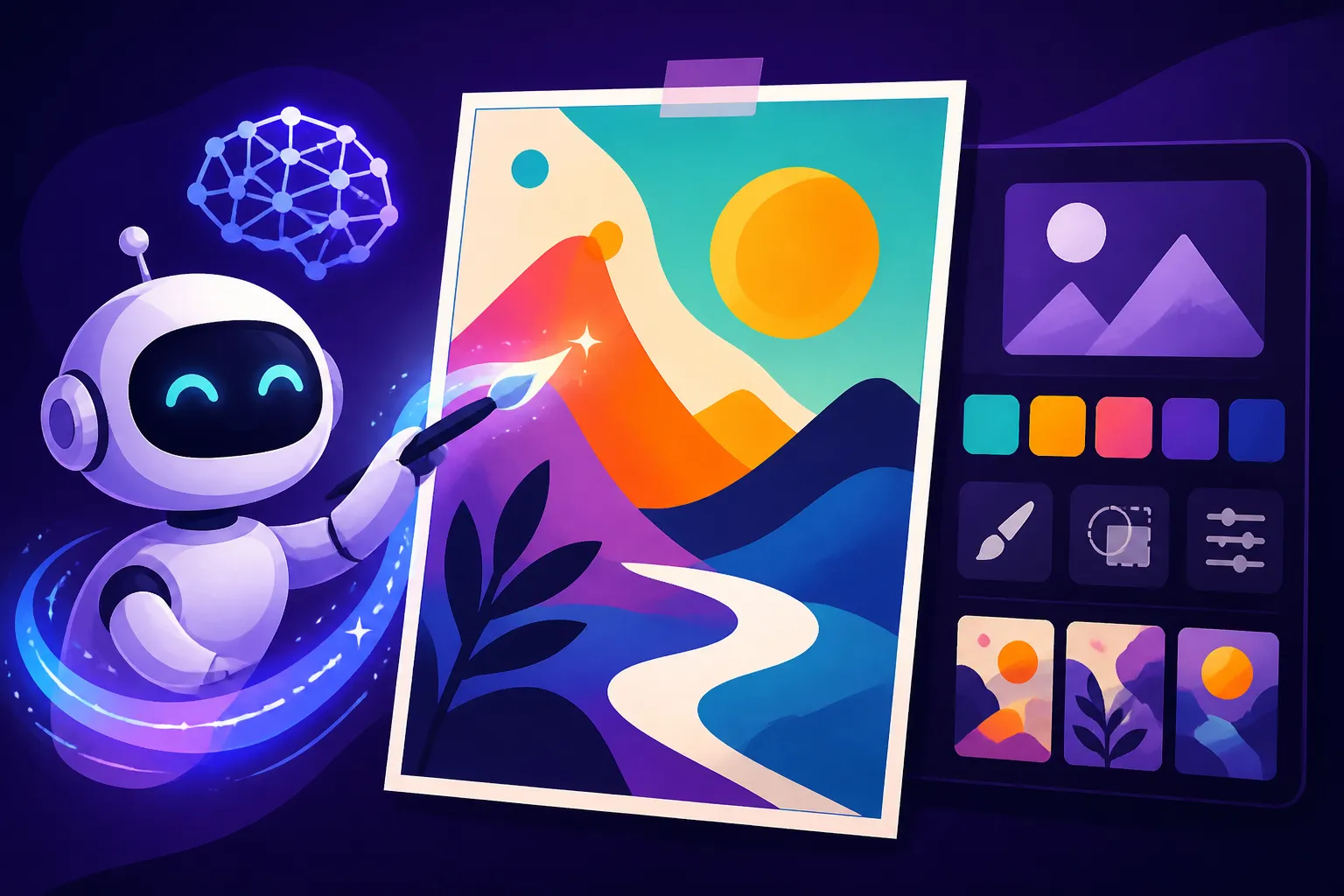
How to Design AI Posters
Have you ever needed a striking poster for an event, a product launch, or even just a cool piece of art for your wall, but felt completely stumped by the design process? Maybe you’ve faced the frustration of hiring an expensive graphic designer or wrestling with complex software like Adobe Photoshop, only to end up with something that just wasn't quite right. The good news is, you don't have to be a design guru to create compelling visuals anymore. AI image generation tools are democratizing the world of graphic design, making it possible for anyone to craft stunning posters with just a few well-chosen words. This guide will walk you through designing incredible AI posters, from envisioning your concept to perfecting the final output.
The Power of AI for Poster Design
Let's be real, traditional graphic design can be a high barrier to entry for many. It often requires a specialized skillset, a keen eye for aesthetics, and a significant investment in software licenses and training. But what if you could bypass all that and still produce high-quality, professional-looking posters? That's where the magic of AI comes in.
Why AI is a Game Changer for Visuals
Think about the typical roadblocks you face when needing a poster: budget constraints for hiring a professional, the time suck of learning intricate design programs, or simply a lack of creative inspiration to start from scratch. AI image tools demolish these hurdles. They offer an unprecedented level of accessibility, allowing you to generate diverse visual concepts in mere seconds, rather than hours or days. You can experiment with countless styles, color palettes, and compositions without committing to any single direction prematurely. This rapid prototyping capability means you can quickly iterate on ideas, refining your vision until it perfectly matches what you have in mind. For individuals, small business owners, or even seasoned marketers, AI empowers you to create captivating marketing materials, engaging event promotions, or unique personal artwork that would otherwise be out of reach.
Core AI Capabilities for Poster Creation
When it comes to designing posters with AI, several key capabilities stand out, forming the backbone of your creative workflow.
First and foremost is image generation. This is the primary function of these tools: translating your descriptive text prompts into visual masterpieces. You type in what you want, and the AI conjures it up. It's like having an infinitely skilled artist at your beck and call, ready to bring any scene or concept to life. The versatility here is astounding, from photorealistic landscapes to abstract digital art, making it perfect for setting the visual tone of any poster.
Next, we have inpainting and outpainting. These advanced features allow you to modify existing images or expand their canvas seamlessly. Imagine you've generated a fantastic visual, but it's a bit too cramped, or you need more space at the top for a headline. Outpainting can intelligently extend the background, maintaining style and coherence. Conversely, inpainting lets you "paint over" specific areas to remove unwanted elements, replace objects, or add new details, ensuring your composition is just right for poster dimensions and text placement.
Upscaling is another non-negotiable feature, especially if your poster is destined for print. Most initial AI generations, while visually appealing, might be produced at a lower resolution to save computation time. Upscaling takes these images and intelligently enhances their size and detail, making them sharp and clear enough for large-format printing without pixelation. A blurry poster is a no-go, so ensuring your AI image tool has robust upscaling capabilities, or pairing it with a dedicated upscaler, is crucial. You might find our guide on How to Upscale AI Images particularly helpful here.
Finally, style control is vital. This capability allows you to guide the AI towards a specific aesthetic. Whether you're aiming for a vintage travel poster look, a gritty cyberpunk vibe, a minimalist concert promotion, or a painterly movie poster, you can integrate keywords into your prompts that steer the AI towards the desired artistic direction. This control ensures that your generated image aligns perfectly with the mood and message of your poster. Understanding these core capabilities is your first step toward mastering AI poster design, and many of the best AI image generators offer these features in various forms.
Crafting Effective Prompts for Poster Art
The secret sauce to incredible AI posters isn't just the tool itself, but how you communicate your vision to it. This communication happens through your prompts, and getting them right is an art in itself. Don't worry, it's easier than it sounds once you understand the basic building blocks.
Deconstructing the Perfect Poster Prompt
Think of your prompt as a detailed blueprint for the AI. The more specific and evocative you are, the better the AI can translate your ideas into a visual reality. Here’s how to break down an effective poster prompt:
- Subject: Start with the main focus. What's the central element or scene? "A rock band performing on a brightly lit stage," "a serene mountain lake at sunrise," "a futuristic cityscape bustling with flying cars." Be as clear as possible.
- Style/Artistic Direction: This is where you dictate the overall look and feel. Use descriptive adjectives and art movements: "vintage travel poster style," "neo-noir aesthetic," "minimalist graphic design," "impressionistic oil painting," "pixel art," "3D render." Want a specific artist's influence? Try "in the style of Alphonse Mucha" or "inspired by Hayao Miyazaki."
- Composition/Layout: This is critical for posters, as you often need specific arrangements or space for text. Consider camera angles ("wide shot," "close-up," "from above"), depth of field ("shallow depth of field, bokeh background"), and negative space. Phrases like "centered composition," "rule of thirds," "ample negative space at the top for text," "vertical poster format," or "dynamic diagonal composition" are incredibly useful.
- Color Palette/Mood: What colors convey your message? "Vibrant neon colors," "muted sepia tones," "dark and dramatic palette," "bright and cheerful pastels." How do you want people to feel? "Mysterious atmosphere," "joyful and energetic," "calm and peaceful."
- Lighting: Lighting dramatically impacts mood. "Dramatic spotlight," "soft natural light," "golden hour glow," "harsh chiaroscuro lighting," "ambient volumetric lighting."
- Details: Add any specific elements you want to include or exclude. "Intricate floral patterns," "glowing ethereal dust," "ancient runes," "no human figures."
Let's look at an example. A less effective prompt might be: "Concert poster, band playing."
A much better prompt would be: "A vibrant concert poster, featuring a silhouetted rock band on stage, bathed in dynamic purple and blue stage lights, surrounded by cheering crowd energy. Retro-futuristic art style with sharp geometric elements. Ample negative space at the top and bottom for text. Cinematic, high contrast, 1980s synthwave aesthetic, vertical format." You can see how much more detailed this is! For more insights, check out our comprehensive guide on How to Write AI Image Prompts and our AI Image Prompt Guide for Beginners.
Tackling Text and Typography in AI Posters
Here's where many AI image tools used to stumble: generating legible, well-placed text directly within the image. It's a common frustration to see beautiful visuals marred by garbled, unreadable words. While some tools are getting much better at this, it's still a nuanced area.
Historically, AI models struggled with understanding letterforms and context, often producing nonsense glyphs or distorted words. However, advancements have led to tools that excel in this specific area. For instance, some platforms are designed with enhanced text rendering capabilities, allowing for more precise typography directly in your generated image. You might find our Ideogram Review: Best for Text in Images particularly insightful if text is a primary concern for your posters.
Even with improved AI, a multi-faceted approach is often best:
- Design for Text Overlay: The most reliable strategy is to design your AI image as a background for your poster. Prompt the AI to leave generous "negative space" or blank areas where you intend to place text. For example, "A dramatic landscape with an open sky at the top, clear space for text," or "A minimalist geometric design with a central blank rectangle for typography." Once the image is generated, you can then take it into a dedicated graphic design program (like Canva, Adobe Express, Affinity Designer, or even simple online editors) to add your headlines, dates, and other information using proper fonts and layouts. This gives you absolute control over legibility and branding.
- Generate Abstract Text/Glyphs: Sometimes, you want the look of text integrated into the design without needing it to be perfectly legible via AI. You can prompt for "futuristic glowing glyphs" or "ancient alien script" to add visual interest, and then overlay your actual readable text on top.
- Utilize Advanced AI Text Features: If you are using a tool specifically designed for text in images, like Ideogram or the latest versions of others, experiment with prompts that include the exact text you want. Be explicit: "A vintage travel poster for Paris, with the text 'Visit Paris' clearly displayed at the top, in an elegant art deco font." Generate several variations and pick the best one. However, always double-check for any subtle distortions or spelling errors that might slip through. For common issues, our guide on How to Fix Garbled Text in AI Images can provide further troubleshooting tips.
Remember, the goal is clarity. If the AI-generated text isn't perfect, don't force it. It's always better to have a stunning visual background from AI and then perfectly readable text added in post-production.
Refining and Finalizing Your AI Poster
Generating an initial image is just the first step. To create a truly professional and impactful poster, you'll need to move into a phase of refinement and polish. This involves iterating on your designs, making crucial post-processing adjustments, and finally, integrating your textual information seamlessly.
Iterating and Selecting the Best Generations
Rarely will your first prompt yield the perfect poster. This is where the iterative nature of AI generation becomes your superpower. Don't be afraid to generate many variations. Most AI tools provide multiple options from a single prompt, often four or more. Analyze these options critically.
When selecting, consider:
- Does it convey the intended message or emotion? A concert poster should feel energetic, a wellness poster serene.
- Is the composition balanced and visually appealing? Are elements too crowded or too sparse? Is there enough negative space for your text?
- Is the style consistent with your vision? If you asked for "vintage," does it genuinely look vintage?
- Are there any glaring artifacts or distortions? Sometimes AI can produce strange anomalies, especially in hands or complex structures.
If none of the initial generations hit the mark, don't give up. Make small, strategic adjustments to your prompt. Adding an adjective like "vibrant" or "muted," changing the lighting to "dramatic studio lighting," or explicitly removing an element with a negative prompt (e.g., "–no people") can dramatically alter the outputs. Experiment with different parameters if your tool allows them, such as aspect ratios, stylization levels, or seed numbers for consistent variations. Generating multiple sets of images with minor tweaks helps you zero in on that perfect visual. For further strategies on getting better outputs, our article on How to Get Better AI Image Results is a fantastic resource.
Essential Post-Processing for Print-Ready Posters
Once you have your hero image, it's time to prepare it for its final destination, especially if that involves physical printing. This is where post-processing becomes absolutely essential.
The most critical step for print is upscaling. As mentioned earlier, initial AI images might be low-resolution. To avoid a pixelated, blurry mess on a large poster print, you must upscale the image. High-quality upscalers leverage AI to intelligently add detail and increase resolution without simply stretching pixels. Aim for at least 300 DPI (dots per inch) for print quality, especially for large formats. This ensures crisp lines and clear details.
Inpainting and outpainting continue to be valuable here. You might find that your chosen image is a perfect visual, but the aspect ratio isn't quite right for a standard poster size like 18×24 inches or 24×36 inches. Outpainting can seamlessly extend the edges of your image to fit these dimensions, preventing awkward cropping or white borders. Conversely, inpainting can be used for final clean-up, removing any tiny imperfections, stray pixels, or minor elements that distract from your main message. Perhaps a small, unwanted detail appeared in the corner – inpainting can make it disappear as if it was never there.
Lastly, color correction and adjustments can take your poster from good to great. You might want to fine-tune the vibrancy, adjust the contrast, or slightly shift the color balance to better match your brand guidelines or the desired mood. Sometimes, what looks good on screen needs a slight tweak for print, as print colors can vary. Tools like Adobe Photoshop, GIMP, or even robust online editors offer these capabilities.
Adding Final Text and Branding Elements
This is the stage where your AI-generated visual truly becomes a finished poster. You've got your stunning background; now it's time to add the crucial information.
You'll want to take your upscaled, post-processed AI image into a dedicated graphic design program or an easy-to-use online editor like Canva or Adobe Express. These tools are perfect for:
- Adding legible headlines and calls to action: This is where you put your event name, product slogan, or inspirational quote. Choose fonts that complement the visual style of your AI image and are easy to read from a distance. Consider font size, weight, and color to ensure maximum contrast against your background.
- Incorporating essential details: Dates, times, locations, websites, social media handles—all the practical information your audience needs. Arrange these logically and hierarchically so the most important details stand out.
- Placing your logo or branding elements: If this is for a business or organization, ensure your logo is clearly visible but doesn't overwhelm the design. Maintain brand consistency with colors and typography.
- Creating visual hierarchy: Use varying font sizes, weights, and colors to guide the viewer's eye through the poster, ensuring they grasp the most critical information first.
Think about layering. Your AI image forms the foundation, and your text and branding are carefully placed on top. Experiment with text placement (top, bottom, centered, offset), background transparency behind text if needed, and subtle text effects to make it pop. The combination of powerful AI visuals with thoughtful, human-directed typography results in a truly professional and effective poster. For those looking to create marketing materials, our guide on Best AI Image Generator for Commercial Use offers additional insights into tools suitable for this final stage.
| Poster Type | Key Prompt Elements | AI Focus (Generation) | Post-Processing Need |
|---|---|---|---|
| Concert Poster | Band, genre, lights, crowd, energy, color scheme, "psychedelic art style," "grunge" | Dynamic imagery, unique aesthetic, mood | Text overlay for dates/venues, upscaling for large print |
| Movie Poster | Character, dramatic scene, mood (suspense, action), lighting, "cinematic realism" | Compelling character/scene, strong atmosphere | Text overlay for title/credits, aspect ratio adjustment |
| Motivational | Inspiring landscape, minimalist design, abstract concepts, "bokeh background," "serene" | Visually soothing or impactful background | Text overlay for quote, clean typography, potentially framing |
| Event Poster | Specific objects (ferris wheel, balloons), cheerful atmosphere, "folk art style" | Recognizable elements, inviting mood | Clear event details, dates, times |
| Product Launch | Product in focus, futuristic setting, "sleek design," "clean background" | Highlight product, convey innovation | Text overlay for product name/features, branding |
| Travel Poster | Iconic landmark, vibrant colors, "vintage travel poster," "art deco style," "wanderlust" | Evoke sense of place and adventure | Text overlay for destination/tagline, upscaling |
Disclaimer
The information provided in this guide is for general informational purposes only. While AI image generation tools are constantly evolving, users should be aware of potential limitations, including occasional inaccuracies in generated images or text, and should always review and refine outputs for quality and suitability. Copyright and commercial use policies vary between AI platforms; it is the user's responsibility to understand and comply with the terms of service of any AI tool they utilize.