How to Use AI for Comic Art
Creating comic art has always been a labor of love, but let's be honest, it's also a massive undertaking that can be incredibly time-consuming and often feels like an uphill battle against skill limitations or constant art blocks. If you've ever dreamt of bringing your stories to life in vibrant panels but felt daunted by the sheer amount of work involved, you're not alone. This guide will walk you through exactly how AI image tools can become your secret weapon, streamlining the comic creation process and helping you overcome those frustrating hurdles to finally tell your visual stories.
The Frustration of Traditional Comic Art Creation
Let's talk frankly about why so many aspiring comic artists, illustrators, and even seasoned professionals feel perpetually behind or overwhelmed. The traditional path to creating a comic is incredibly demanding, requiring a diverse skillset and an almost limitless amount of time. It's not just about drawing a few cool characters; it's about world-building, storytelling, consistency, and a million other details that can grind your creative momentum to a halt.
Time-Consuming Process
Think about the workflow for even a single page of a comic. First, there's the conceptualization, sketching out layouts, defining character poses, and blocking out backgrounds. Then comes the meticulous inking phase, where every line needs to be crisp and intentional. After that, you're looking at coloring, which can involve complex shading, lighting, and texture work. And this is all before lettering, paneling, and ensuring continuity across multiple pages! It’s a marathon, not a sprint, and many artists find themselves burnt out or giving up halfway through a project because of the sheer time commitment. Imagine trying to produce a weekly webcomic entirely by hand while also juggling a day job or family responsibilities. It’s an almost impossible feat, leading to missed deadlines, inconsistent releases, and ultimately, a loss of audience engagement.
Skill Barriers and Art Blocks
Beyond the time sink, there are the very real skill barriers. Perhaps you're fantastic at character design but struggle immensely with perspective drawings for backgrounds. Or maybe you're a wizard with line art but find coloring to be an absolute nightmare, never quite getting the mood or lighting right. We all have our strengths and weaknesses, and traditional comic art demands a high level of proficiency in all areas. This often leads to "art blocks" where you simply can't push past a particular challenge, or you compromise on your vision because you lack the skill to execute it. This self-doubt and frustration can be incredibly demotivating, making you feel like your grand comic idea might just have to stay a dream. The barrier to entry for aspiring comic artists can feel impossibly high when confronted with the immense talent showcased by established artists.
How AI Transforms Comic Art Creation
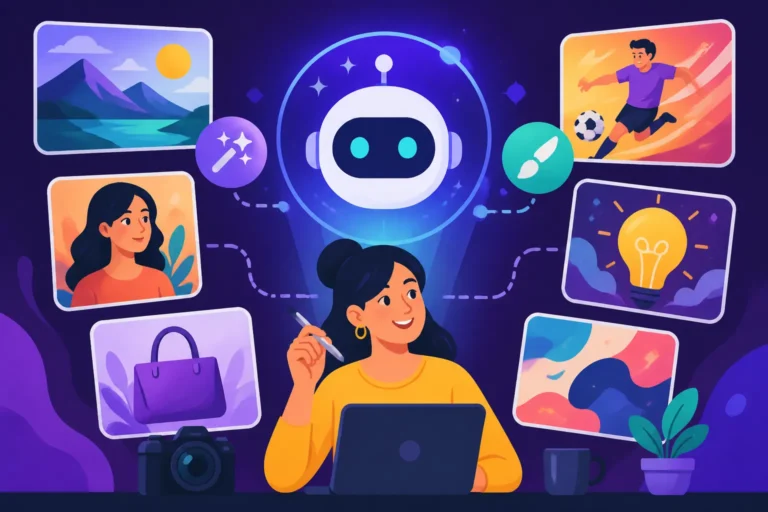
Here's where AI steps in as a genuine game-changer, not to replace your creativity, but to augment it and lift those heavy burdens. AI image tools aren't just for generating pretty pictures; they're becoming sophisticated allies for visual storytelling, helping you bridge skill gaps, accelerate workflows, and unlock creative possibilities you might not have thought possible. They can act as a tireless assistant, generating options and filling in gaps so you can focus on the overarching narrative and artistic direction.
Concept Generation and Character Design
One of the most exciting applications of AI in comic creation is its ability to rapidly generate concepts and refine character designs. Instead of staring at a blank page for hours, trying to conjure the perfect look for your protagonist or an intricate alien species, you can use AI to explore countless variations in minutes. Want a grumpy wizard with a glowing staff and a penchant for purple robes? Describe it in a prompt, and the AI will offer dozens of interpretations. This iterative process allows you to quickly home in on the exact aesthetic you're going for. You can create detailed character sheets, exploring different expressions, poses, and outfits without having to redraw everything from scratch each time. Tools like Midjourney or Leonardo AI excel at this, producing a wide range of stylistic options. For instance, you could prompt for "a stoic female warrior, intricate silver armor, long flowing red hair, epic fantasy art style, dynamic pose" and then iterate on facial features or armor details. If you're struggling to even begin, understanding How to Write AI Image Prompts can make all the difference, helping you translate your ideas into actionable commands for the AI.
Backgrounds, Environments, and Paneling
Environmental art is notoriously difficult, especially maintaining consistency across many panels and ensuring proper perspective. AI can generate stunning, consistent backgrounds and complex environments almost instantly, saving you countless hours. Imagine needing a bustling futuristic city street for one panel, a serene alien forest for the next, and a dilapidated spaceship interior after that. Traditionally, each would be a massive drawing project. With AI, you can generate detailed backdrops that match your comic's style, then integrate your characters into them. This frees you up to focus on the foreground action and character interactions. Furthermore, AI can assist with panel layouts by generating different compositions based on your scene description. While it won't perfectly panel your entire comic automatically yet, it can offer compelling visual angles and settings. For those looking to dive deeper, exploring resources like How to Write Prompts for Product Photos (the principles can be adapted for scene composition) or a broader AI Image Prompt Guide for Beginners can be incredibly helpful.
Inking, Coloring, and Styling
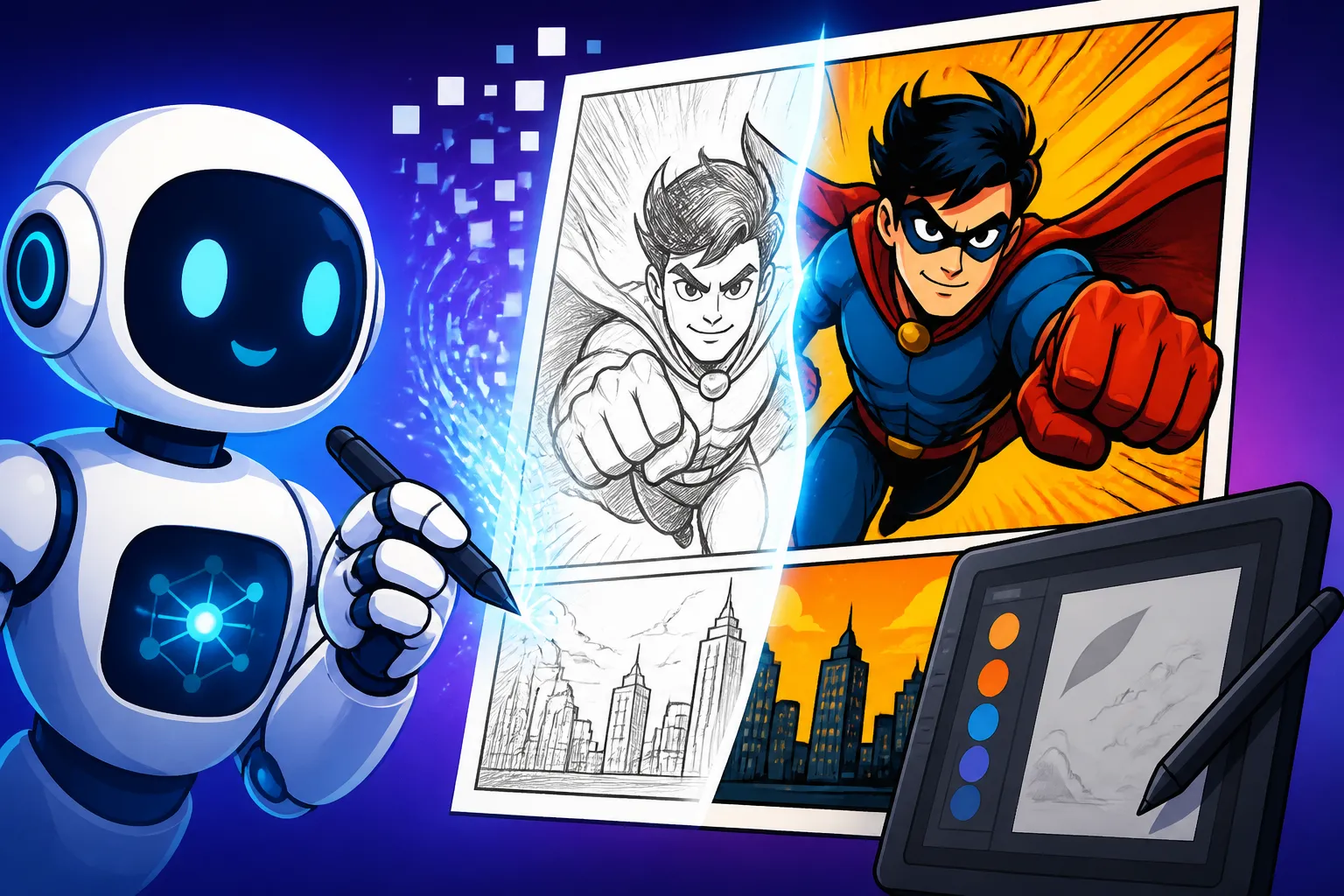
This is where AI truly shines in accelerating the often tedious post-sketching phases. After you've got your basic line art (either drawn by hand or AI-assisted), AI tools can:
- Ink Generation: Some tools can take rough sketches and "ink" them, converting shaky lines into clean, crisp outlines that look professionally drawn. This is still an emerging feature, but dedicated inking models are improving rapidly.
- Automatic Coloring: This is perhaps the biggest time-saver. You can provide a black-and-white image, and AI can intelligently color it, applying appropriate hues, shadows, and highlights based on your specified style (e.g., "vibrant comic book coloring," "muted watercolor style," "gritty noir palette"). This can provide a fantastic base layer that you can then refine, or even a finished product for simpler scenes.
- Style Transfer: Want your comic to have a distinct look, perhaps like a classic pulp comic or a modern digital painting? AI can apply artistic styles to your images, transforming them with a consistent aesthetic across all your panels. This is incredibly powerful for maintaining brand identity and visual coherence without needing to master every single art technique yourself. This capability is key to ensuring your comic has a unique and memorable visual signature.
Practical Steps to Integrate AI into Your Comic Workflow
Alright, so how do you actually start weaving this magic into your own comic creation process? It’s not about handing over your entire artistic control; it's about smart collaboration. Think of AI as an incredibly powerful assistant that learns from your input and helps you execute your vision more efficiently.
Choosing the Right AI Tool for Comic Art
This is a crucial first step, as different AI tools excel at different things. There isn't a single "best" tool for everything, but many offer robust features for comic artists.
- Midjourney: Widely praised for its artistic output and incredible aesthetics, Midjourney is excellent for generating high-quality concept art, character designs, and rich, atmospheric backgrounds. It has a strong understanding of artistic styles and can produce very consistent results with the right prompting. However, it's run via Discord, which might not be ideal for everyone, and it's a paid service. If you're wondering Is Midjourney Worth the Subscription, many comic artists find its capabilities indispensable.
- Stable Diffusion: This is an open-source powerhouse, offering immense flexibility. You can run it locally, use various models (checkpoints), and employ advanced techniques like ControlNet to dictate poses, composition, and specific lines. This level of control is invaluable for comic artists who need precise image generation to maintain continuity. It has a steeper learning curve but offers unparalleled customization. For a deep dive, check out Stable Diffusion Review: Free and Customizable.
- DALL-E 3 (via ChatGPT): Integrated directly into ChatGPT, DALL-E 3 is known for its excellent understanding of natural language prompts. It's fantastic for generating diverse concepts and can often handle complex scenes quite well. Its ease of use makes it a great starting point, especially if you're already a ChatGPT subscriber. Want to know more? Read about DALL-E in ChatGPT: How Good Is It.
- Adobe Firefly: If you're already deep in the Adobe ecosystem, Firefly is an increasingly powerful option. Its integration with Photoshop and other Adobe products makes it seamless for professional workflows, especially for tasks like generative fill and text-to-image. Adobe is also very focused on commercial viability and indemnification, which is a big plus for creators. Find out if Is Adobe Firefly Worth It for your needs.
- Ideogram: While perhaps not as versatile for complex scenes, Ideogram excels at generating images with integrated, legible text, which can be a huge advantage for logos, titles, or even speech bubbles within your panels, a common pain point for many other AI image generators.
Consider what aspect of comic creation you struggle with most or want to accelerate, and then research which tool aligns best with that need. It's often beneficial to use a combination of tools, leveraging each one's strengths.
| AI Tool | Strengths for Comic Art | Best Use Cases | Learning Curve | Cost (as of late 2023/early 2024) |
|---|---|---|---|---|
| Midjourney | Artistic quality, stylistic consistency, character concepts | Concept art, character design, atmospheric backgrounds | Medium | Paid subscription |
| Stable Diffusion | Control, customization, pose adherence (ControlNet), local use | Precise character poses, consistent environments, fine-tuning | High | Free (local) / Paid (cloud) |
| DALL-E 3 | Prompt understanding, diverse concepts, ease of use | Rapid concepting, diverse visual exploration, quick ideas | Low | Paid (ChatGPT Plus) |
| Adobe Firefly | Adobe ecosystem integration, generative fill, commercial focus | Editing existing art, creating variations, professional workflow | Medium | Free credits / Paid subscription |
| Ideogram | Text generation within images, logos, typography | Comic titles, speech bubbles (concept), graphic elements | Low | Free / Paid subscription |
Crafting Effective Prompts for Comic Panels
Once you've picked your tools, the real art begins: prompt engineering. This is how you communicate your vision to the AI. For comic art, this often means being incredibly specific to ensure consistency and storytelling coherence.
- Be Descriptive and Specific: Instead of "man running," try "a lean male superhero with a crimson cowl and glowing eyes, sprinting through a rain-slicked Gotham alleyway, dynamic angle, dramatic lighting, comic book art style."
- Reference Artists and Styles: Don't be afraid to name-drop artists or styles. "In the style of Frank Miller's Sin City" or "inspired by Moebius's intricate sci-fi worlds" can yield powerful results. Learn How to Prompt for Specific Art Styles to get better results.
- Focus on Character Consistency: This is paramount. Define your character clearly in the initial prompt and try to include key descriptors every time you prompt for them. Using consistent seeds or reference images can also help. Resources like How to Prompt for Consistent Characters are invaluable here.
- Specify Mood and Lighting: "Gritty noir," "bright and optimistic," "eerie moonlight," "harsh fluorescent lights" – these details profoundly impact the emotional tone of your panels.
- Consider Camera Angles and Composition: "Wide shot," "close-up," "dutch angle," "from below" can help frame your scene effectively.
Remember, prompting is an iterative process. You won't get it perfect on the first try. Experiment, refine, and learn what works best for your chosen tool and desired aesthetic.
Iteration and Refinement
The first image an AI generates is rarely the final one. Think of it as a starting point.
- Generate Variations: Most AI tools allow you to generate variations of an image you like. This is excellent for exploring subtle changes in expression, pose, or environmental details.
- Inpainting and Outpainting: These advanced editing techniques are incredibly useful. Inpainting allows you to select a specific area of an image (e.g., a character's hand that looks weird) and re-prompt just that section, blending the new generation seamlessly. Outpainting lets you extend the canvas of your image, expanding a background or adding new elements beyond the original frame. For more on this, check out How to Edit AI Images with Inpainting.
- Human Touch: AI is a tool, not a replacement. Once you have a strong AI-generated base, bring it into your preferred editing software (like Photoshop, Clip Studio Paint, or Procreate) to add your personal artistic flair. Clean up any AI artifacts, refine details, add speech bubbles, and integrate your unique lettering. This blend of AI efficiency and human artistry is where the magic truly happens. You might also want to learn How to Upscale AI Images if your initial generations aren't high-resolution enough for print.
Overcoming Challenges and Ethical Considerations
While AI offers incredible potential for comic artists, it's not without its complexities. It's important to approach these tools with a clear understanding of their limitations and the broader implications.
Maintaining Artistic Consistency
This is perhaps the biggest technical challenge when using AI for comics. Unlike a human artist who inherently understands character models and recurring settings, AI doesn't have a persistent "memory" of previous generations unless specifically guided. Every prompt is essentially a new request. This can lead to:
- Character Drift: Your hero might look slightly different from one panel to the next, gaining a new scar or having a different hair color, which breaks immersion.
- Environmental Changes: A recurring location might shift its architectural details or lighting inconsistently.
To combat this, you need a meticulous approach:
- Detailed Style Guides: Create a comprehensive document outlining your characters' appearances, common poses, and environmental details.
- Consistent Prompting: Use the exact same core descriptors for characters and settings in every relevant prompt.
- Reference Images and Seeds: Leverage features that allow you to use an initial AI-generated image as a reference or use specific "seeds" to guide subsequent generations towards a similar aesthetic.
- Post-Production Editing: Be prepared to spend time in image editing software, digitally drawing over inconsistencies or using AI-editing features to match elements across panels. This often involves careful masking, compositing, and manual touch-ups to ensure that the AI's output seamlessly integrates with your vision.
Copyright and Ownership Concerns
The legal landscape around AI-generated art is still evolving, and it's a critical area for comic artists who plan to publish their work commercially.
- Training Data Concerns: Many AI models are trained on vast datasets of existing art, often without the explicit consent or compensation of the original artists. This raises ethical questions about "fair use" and derivative works. While some models are trying to address this (e.g., Adobe Firefly uses Adobe Stock, public domain content, and openly licensed content), it's a hot topic.
- Ownership of AI-Generated Output: In many jurisdictions, human authorship is still a requirement for copyright. If an AI creates an image entirely on its own, who owns it? The prompt creator? The AI developer? For now, the general understanding is that significant human creative input and editing are necessary for copyright protection of AI-assisted works.
- Commercial Use Rights: Always check the terms of service for any AI tool you use, especially if you intend to sell your comic. Some free tiers may not allow commercial use, or paid tiers might have specific stipulations. For instance, Adobe Firefly Commercial Safety Review delves into their approach to indemnification, which is important for business users.
It's vital to stay informed on these evolving legal and ethical discussions. When in doubt, lean towards tools and practices that prioritize transparency and artist rights. For now, the most commercially safe approach is to use AI as a tool for creation and assistance, but to ensure your own unique artistic input, editing, and storytelling form the core of your final comic.
Disclaimer
Please note that the field of AI image generation is rapidly evolving. Information regarding specific tool features, pricing, and legal considerations like copyright and commercial use can change frequently. Always refer to the official websites and terms of service for the most up-to-date and accurate information. This guide provides general advice and insights based on the current landscape.