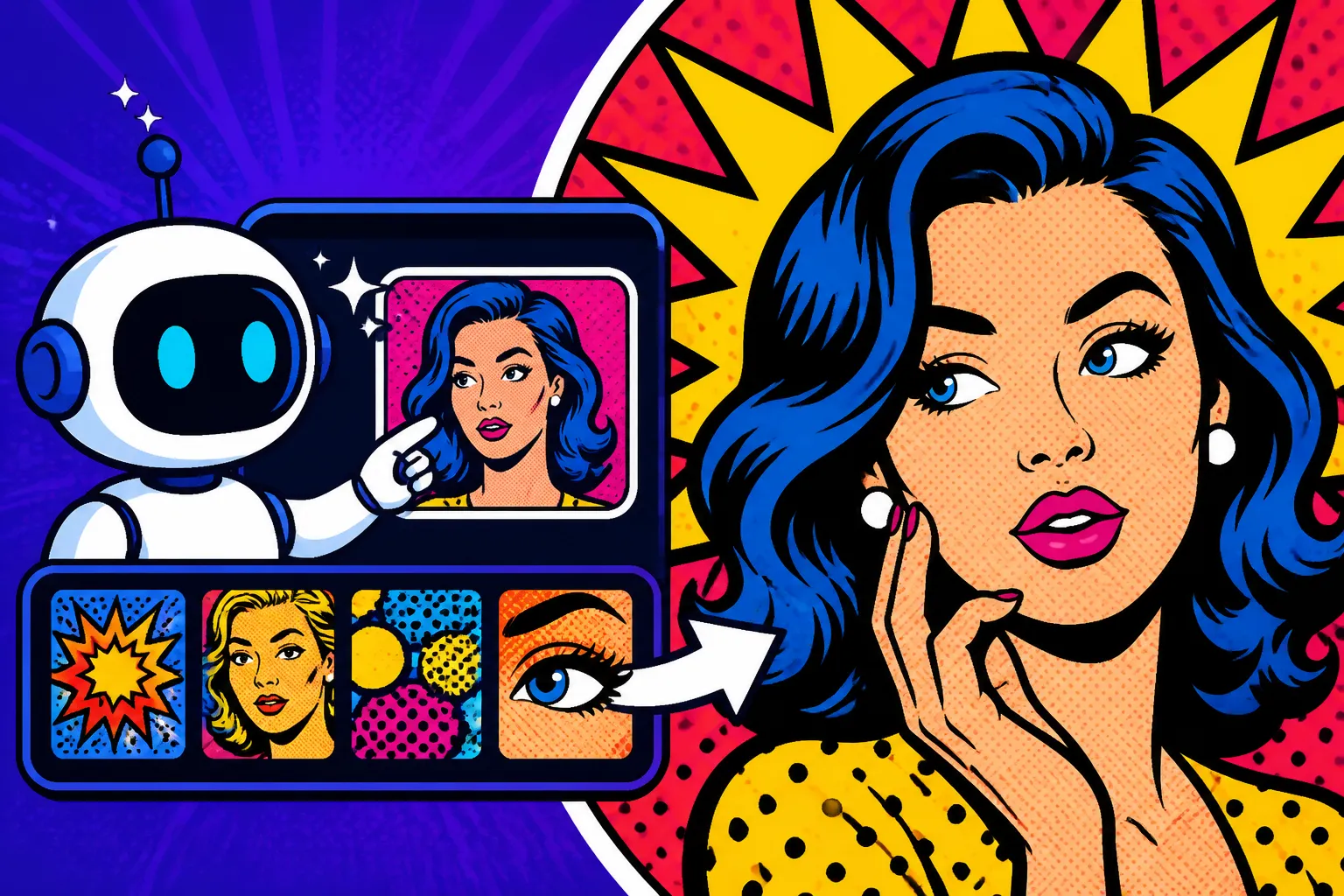
AI Prompt Examples for Pop Art Art
Have you ever tried to generate an image with AI, aiming for that distinctive, vibrant Pop Art vibe, only to end up with something that looks… well, just a bit flat or generic? It’s a common frustration! Getting AI to truly capture the essence of a specific art movement like Pop Art, with its bold colors, iconic imagery, and graphic sensibilities, can feel like a puzzle. This guide is here to unravel that mystery, providing you with detailed prompt examples and strategies to help your AI-generated art burst with authentic Pop Art energy.
Understanding Pop Art and Its Core Elements
Before we dive headfirst into crafting the perfect prompts, it’s really helpful to get a firm grasp on what Pop Art actually is and what makes it tick. Originating in the mid-1950s in Britain and blossoming in the 1960s in America, Pop Art wasn't just another art movement; it was a cultural phenomenon. It challenged traditional fine art by incorporating imagery from popular and mass culture, like advertising, comic books, and mundane cultural objects. Artists were basically saying, "Hey, commercial stuff can be art too!"
Key Characteristics of Pop Art
Pop Art is instantly recognizable, but what are the specific ingredients that give it that unmistakable flavor? When you're thinking about prompting an AI, breaking down the style into its core visual components is absolutely essential. These aren't just art history facts; they're your building blocks for effective prompts.
First off, think about bold and vivid colors. We're talking about a palette that often leans into primary colors – reds, blues, yellows – with stark contrasts. This isn't subtle pastels or muted earth tones; it's an explosion of color designed to grab your attention, much like an advertisement. When you're prompting, using terms like "vibrant color palette," "primary colors," "neon hues," or "high contrast colors" can really guide the AI to the right visual output. Imagine a depiction of a classic American diner, but instead of realistic lighting, the ketchup bottle is an impossibly bright red, the mustard bottle a shocking yellow, and the counter a gleaming, electric blue. That's the kind of color statement Pop Art makes.
Secondly, everyday objects and commercial imagery are central to Pop Art. This movement elevated the mundane to the magnificent. Think soup cans, soda bottles, comic book panels, and celebrity portraits. The beauty was in finding art in the supermarket aisle or on a movie poster. So, when you're thinking of a subject for your AI image, don't shy away from the ordinary. A simple prompt like "a vintage toaster" won't be enough; you need to add modifiers like "Pop Art style," "bold outlines," and "flat color fields" to transform it into something truly Pop. The goal is to take something familiar and present it in a way that makes you look at it differently, with a sense of playful irony or commercial slickness.
Third, hard-edged outlines and flat areas of color are a signature look. Pop Art often mimics the aesthetic of commercial printing techniques, which historically relied on clear lines and solid blocks of color. There's less emphasis on chiaroscuro or subtle shading. This gives Pop Art a graphic, almost poster-like quality. When you're constructing your prompts, terms like "bold black outlines," "flat graphic style," "screen-printed texture," or "block colors" are your friends. This specific characteristic helps avoid the AI from adding too much realism or complex shading that would detract from the Pop Art feel. Think of Roy Lichtenstein's work, where figures and objects are delineated with strong, clean lines, and colors fill distinct, ungraduated areas, often punctuated by Ben-Day dots.
Influential Pop Art Artists and Their Styles
To truly master AI Pop Art prompting, it's incredibly useful to know the titans of the movement. Each artist brought their unique flair, and understanding these nuances allows you to fine-tune your prompts for specific sub-styles within Pop Art. It's like having a secret weapon in your prompting arsenal. If you're looking for How to Write Prompts for Specific Art Styles, learning about these artists is a fantastic starting point.
Undoubtedly, Andy Warhol is the king of Pop Art. His work often explored celebrity culture, advertising, and repetition. Think of his iconic Campbell's Soup Cans, Marilyn Monroe portraits, or silk-screened images of dollar signs. What makes Warhol's style so compelling for AI prompts is his use of seriality and vibrant, often mismatched color palettes in his silkscreen prints. He wasn't afraid to take the same image and reproduce it with slight variations in color, creating a striking, almost manufactured aesthetic. When you want that particular Warholian feel, you might include phrases like "Andy Warhol style," "silk-screen print," "multiple panels," "pop art portrait of [celebrity name]," or "vibrant, repetitive imagery." This is particularly effective if you want to emphasize commercialism or the mass production aspect of art.
Then there's Roy Lichtenstein, whose work is instantly recognizable for its comic book aesthetic. He famously appropriated panels from comic strips, blowing them up to monumental sizes and meticulously reproducing the Ben-Day dots (a printing technique used in comics to create shading and color). His pieces often feature speech bubbles, dramatic action, and emotional figures. If your vision for AI Pop Art leans towards a graphic, narrative, or comic-book feel, Lichtenstein is your go-to reference. Your prompts should definitely include "Roy Lichtenstein style," "Ben-Day dots," "comic book panel," "speech bubble," "bold lines," or "graphic novel aesthetic." This particular style is fantastic for conveying a sense of story or capturing a dynamic moment with a stylized, almost mechanical precision.
Don't forget Keith Haring, who emerged a bit later but undeniably falls under the Pop Art umbrella with his distinct graphic style. His bold, cartoon-like figures, often depicted in action poses, dancing, or interacting with various symbols, are iconic. His work is characterized by strong lines, dynamic compositions, and a recurring motif of "radiant babies" or barking dogs. Haring's art is accessible, vibrant, and carries a strong sense of movement and energy. If you're aiming for something more playful, street-art inspired, and less focused on commercial products, "Keith Haring style," "graphic figures," "dynamic poses," "bold lines," and "street art aesthetic" would be excellent prompt additions. His simplicity yet powerful message makes his style very adaptable for clear, impactful AI images.
Crafting Your First Pop Art AI Prompts
Alright, armed with a better understanding of Pop Art’s visual language and its key players, it’s time to put that knowledge into action. Generating good AI images isn't just about throwing a few keywords together; it's about structuring your requests in a way that the AI can truly interpret your artistic intent. Think of it as guiding a very talented, but sometimes literal, artist.
Basic Pop Art Prompt Structure
When you’re just starting out, a solid prompt structure can make all the difference. You want to give the AI enough information without overwhelming it. The general rule of thumb is to start with your subject, then add the style, and finally layer on descriptive elements that enhance the Pop Art feel. For beginners, understanding AI Image Prompt Guide for Beginners can be incredibly helpful.
Let’s break it down. Your most basic Pop Art prompt should look something like this:[Subject], Pop Art style, [specific Pop Art characteristic 1], [specific Pop Art characteristic 2]
For example, if you want a simple but effective Pop Art image of a classic American car, you might try:Vintage car, Pop Art style, vibrant colors, thick black outlines.
This prompt establishes the subject ("vintage car"), clearly states the desired style ("Pop Art style"), and then adds two fundamental Pop Art characteristics: "vibrant colors" and "thick black outlines." This gives the AI a clear direction, ensuring it doesn't just produce a realistic car. The result should be a car that looks like it's jumped straight out of a graphic novel, perhaps bathed in unrealistic but eye-catching hues.
Another example could be a simple still life:Coffee cup on a saucer, Pop Art style, flat colors, Ben-Day dots texture.
Here, we're specifying a mundane object, the Pop Art style, and then two strong Pop Art identifiers: "flat colors" and "Ben-Day dots texture." This helps prevent shading and encourages the AI to use that iconic comic book printing effect. The image might feature a plain white coffee cup and saucer, but with an unexpected burst of yellow or blue Ben-Day dots forming the shadow or background, making the everyday object feel extraordinary and artful. These foundational prompts are great for learning how each element influences the final output, allowing you to gradually add more complexity as you get a feel for your chosen AI tool.
Incorporating Famous Pop Art Motifs
One of the quickest ways to achieve an authentic Pop Art look is to lean into the motifs that are already deeply embedded in the movement's history. These are the visual shortcuts that AI models have been extensively trained on, making them highly effective in your prompts. This is where you can start getting really creative, drawing inspiration from the masters.
Think about the iconic imagery used by artists like Andy Warhol or Roy Lichtenstein. For instance, comic book panels are a classic Lichtenstein motif. Instead of just saying "comic book," you can be more specific:Close-up of a surprised woman's face, Roy Lichtenstein style, comic book panel, explosion sound effect in speech bubble, heavy Ben-Day dots, bold black outlines.
This prompt goes beyond just the style; it describes a specific scenario and includes elements like a "speech bubble" and a "sound effect," which are quintessentially comic-book Pop Art. The AI will likely generate an image reminiscent of a dramatic frame from an old comic, complete with the textual elements that define the genre. This level of detail helps the AI understand not just the aesthetic but the narrative context that often accompanied these visual motifs.
Another incredibly famous motif is the Campbell's Soup Can, famously immortalized by Andy Warhol. While you might not want to reproduce a copyrighted brand, you can evoke the idea of it:Repetitive pattern of stylized soup cans, Pop Art style, bright primary colors, Andy Warhol influence, silk-screen print effect.
Here, we're asking for a "repetitive pattern" and "stylized soup cans" to echo Warhol's seriality, combined with the "Andy Warhol influence" and "silk-screen print effect" for that specific textured, mass-produced look. The AI will then generate a grid of cans, each perhaps slightly different in color, but clearly inspired by that famous series. This approach allows you to capture the spirit of well-known artworks without directly infringing on specific designs, providing a fresh take on classic themes. For more advanced ideas, checking out Best AI Image Prompt Formulas can offer deeper insights into combining various stylistic elements.
| Pop Art Characteristic | Prompt Element Example(s) | Visual Impact |
|---|---|---|
| Vibrant Colors | bright primary colors, neon hues, high contrast |
Eye-catching, energetic, bold palette |
| Bold Outlines | thick black outlines, graphic lines, hard-edged |
Defined shapes, comic-book feel |
| Flat Color Fields | flat block colors, no shading, solid color areas |
Poster-like, two-dimensional look |
| Ben-Day Dots | Ben-Day dots texture, comic book halftone dots |
Retro comic strip aesthetic, printed feel |
| Commercial Imagery | vintage soda bottle, advertisement style, consumer product |
Elevates everyday objects, satirical |
| Repetition/Seriality | grid of objects, multiple panels, repeated image |
Mass production feel, visual rhythm |
| Celebrity Portraits | iconic celebrity portrait, Warhol-esque celebrity |
Focus on fame, popular culture icon |
| Speech Bubbles | with a speech bubble saying 'POP!' |
Narrative element, comic book dialogue |
Advanced Techniques for AI Pop Art Prompts
Once you've got the hang of the basics, you'll naturally want to push the boundaries and create truly unique Pop Art pieces with your AI. This is where a deeper understanding of modifiers, context, and iterative prompting really comes into play. You’re moving beyond just asking for "Pop Art style" to describing how you want that style to manifest, which is a key part of getting How to Get Better AI Image Results.
Using Specific Artists' Styles as Modifiers
As we discussed earlier, different Pop Art masters had distinct styles. Leveraging their names as stylistic modifiers in your prompts can yield incredibly specific and nuanced results. It's not just about saying "Pop Art" anymore; it's about saying "Pop Art like Warhol" or "with the graphic sensibility of Lichtenstein."
When you want that signature Warholian repetition and celebrity focus, be explicit. Imagine you want a modern twist on his iconic celebrity prints:Portrait of a contemporary pop star, Andy Warhol style, vivid silk-screen print, four-panel grid, each panel with a different neon color scheme, slightly distorted features.
This prompt takes the "Andy Warhol style" and combines it with specific elements: "vivid silk-screen print" for texture, "four-panel grid" for repetition, and "different neon color scheme" for that bold, experimental palette. The "slightly distorted features" can add a layer of commentary or a more artistic, less photographic feel, echoing some of Warhol's later explorations with celebrity images. This specificity helps the AI understand the complete aesthetic you're aiming for, beyond just the basic style.
If your heart is set on the comic book drama of Lichtenstein, you can refine your prompts even further to capture his essence:Dynamic scene of a woman crying, Roy Lichtenstein style, close-up, dramatic lighting, Ben-Day dot texture on skin and background, thought bubble with text 'He forgot my birthday!', bold black outlines.
This prompt doesn't just ask for Lichtenstein's style; it describes a specific emotional scene, adds "dramatic lighting" (which Lichtenstein often implied through stark contrasts), and precisely calls for "Ben-Day dot texture on skin and background." The "thought bubble" and specific text elevate it from a generic comic image to one with narrative depth, directly referencing Lichtenstein's characteristic use of text and emotional storytelling. This level of detail helps prevent the AI from defaulting to generic comic art and instead focuses on the specific artistic decisions Lichtenstein made.
Integrating Text and Brand Elements
Pop Art famously incorporated text and commercial brand elements, often with irony or celebration. However, getting AI to render text correctly can be a tricky beast. Many tools struggle with legible, well-placed text. When trying to incorporate text, remember that less is often more, and simpler fonts tend to work better.
For a Pop Art piece with integrated text, focus on short, punchy words or phrases:Retro soda bottle advertisement, Pop Art style, vibrant red and blue, bold text 'REFRESH!' emblazoned across the bottle, stylized explosion in background.
In this prompt, "bold text 'REFRESH!'" is specifically called out, with a clear instruction for its placement. You're also guiding the AI with "retro soda bottle advertisement" to ensure the context is right. While AI can still occasionally garble text, specifying "bold" and keeping the phrase short increases your chances of success. The "stylized explosion" in the background further enhances the energetic, commercial feel of the ad. This is a great way to mimic those vintage advertisements that often had slogans integrated directly into the product imagery.
When you want to evoke brand imagery without using copyrighted logos, focus on the type of product and its aesthetic:Pop Art cereal box design, bright yellow and orange colors, cartoon mascot character waving, stylized 'Crunchy Bits' text, flat graphic style.
Here, you're not asking for a specific cereal brand but for a "Pop Art cereal box design." You're specifying the colors, adding a "cartoon mascot character" (common in cereal packaging), and asking for "stylized 'Crunchy Bits' text." This allows the AI to generate a brand-new, Pop Art-infused cereal box that feels like a familiar product without actually being one. This is a smart workaround for commercial use, allowing you to capture the essence of consumer culture without legal headaches. For more on getting text right, consider exploring Ideogram Prompts for Text and Logos as some tools are specifically better at this.
Experimenting with Color Palettes and Textures
Beyond just "vibrant colors," you can get really specific about your color choices and the textures you want to evoke. This is where you can infuse a lot of personality into your Pop Art pieces. Don't be afraid to experiment with color combinations that might seem unusual, as Pop Art often thrives on unexpected pairings.
To specify a unique color palette, describe the colors you want to dominate:Portrait of a woman, Pop Art style, highly contrasted, limited palette of electric blue, fuchsia, and stark yellow, with a grainy screen-printed texture.
This prompt not only requests "Pop Art style" and "highly contrasted" but gives the AI a very specific, bold color trio: "electric blue, fuchsia, and stark yellow." Adding "grainy screen-printed texture" further refines the aesthetic, moving it beyond a purely digital look to something that feels handmade, reminiscent of traditional printing methods. The limited, unconventional color choice forces the AI to be creative within those constraints, often leading to striking and memorable results that truly stand out.
You can also play with different textures to give your Pop Art an added dimension:Abstract cityscape, Pop Art style, composed of overlapping shapes, textured with halftone dots and a subtle newspaper print pattern, bold red, black, and white.
Here, the textures are key. "Halftone dots" are a classic Pop Art element, but adding "subtle newspaper print pattern" suggests another layer of mass-media influence. The "overlapping shapes" add to the graphic quality, while "bold red, black, and white" provides a strong, graphic color scheme. This isn't just a flat image; it hints at the layers and history of printed media, giving the Pop Art a deeper visual narrative. Think about how these layers might interact and influence each other in your final output, creating a more dynamic and engaging image. Iterating on these elements, as discussed in How to Iterate on AI Image Prompts, is crucial for finessing the look.
Common Challenges and Troubleshooting for AI Pop Art
It's rare that your very first prompt will deliver exactly what you envisioned, especially with a nuanced style like Pop Art. There will be times when the AI misses the mark, producing images that are too generic, lack the specific visual punch, or simply don't have that iconic Pop Art flair. Don't worry, this is a normal part of the process, and understanding how to troubleshoot can save you a lot of frustration. Even experienced prompt engineers often go back and refine their queries multiple times.
Overcoming Generic or Flat Results
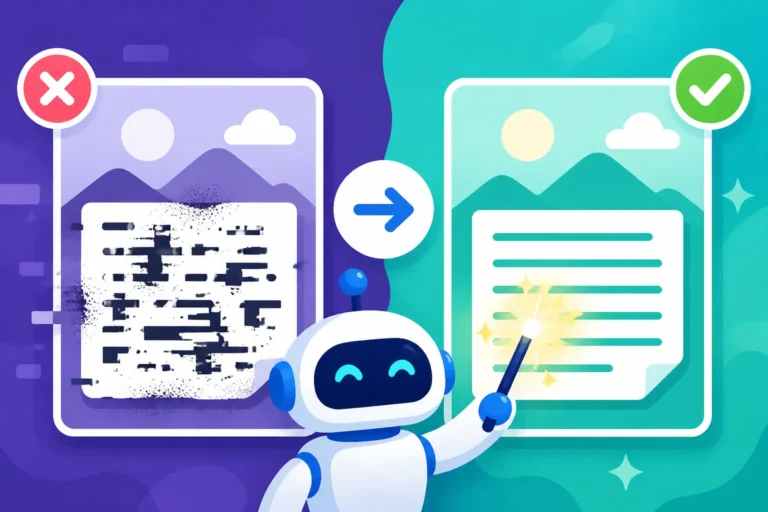
One of the most common issues you'll encounter is the AI generating something that technically fits "Pop Art" but lacks the dynamism, boldness, or specific characteristics that make the style so captivating. It might look more like a cartoon or a simplified graphic, rather than a true Pop Art piece. This often happens because the prompt was too broad or didn't emphasize the right details.
If your results are looking too bland or generic, the first thing to do is add more descriptive adjectives and specific Pop Art terminology. Don't just say "Pop Art"; say "dynamic Pop Art," "bold graphic Pop Art," or "hyper-saturated Pop Art."
Consider this initial prompt: Woman walking, Pop Art style.
The AI might give you a simplified drawing, but it likely won't have the punch. To fix this, you'd refine it:Woman walking down a city street, **dynamic and vibrant Pop Art style, Roy Lichtenstein inspired,** with **thick black lines, sharp edges, Ben-Day dots on background, and a limited palette of bright red, yellow, and blue.**
By adding "dynamic and vibrant," specifying "Roy Lichtenstein inspired," and detailing the "thick black lines," "sharp edges," "Ben-Day dots," and a "limited palette," you're giving the AI a much clearer roadmap. You’re telling it how to be Pop Art, not just to be Pop Art. The key is to be as specific as possible about the visual elements that define the style.
Another reason for flat results can be a lack of contrast or energy. Pop Art thrives on visual impact. To counter this, emphasize contrast and vividness in your prompts.
If your current image is: A flower, Pop Art style, colorful. (Likely to be too soft)
Try: A single large flower, **bold Pop Art style, extreme color contrast, day-glo pink petals against a stark lime green background, graphic novel shading, strong black outlines.**
The terms "extreme color contrast," "day-glo pink," "stark lime green," and "graphic novel shading" all push the AI towards a much more aggressive and energetic visual. "Strong black outlines" reinforces the graphic nature. The goal is to make the flower visually pop off the canvas, demanding attention rather than blending in. This is about injecting that raw, in-your-face quality that Pop Art is famous for. For more general advice on tackling these issues, exploring How to Fix Bad AI Image Results can provide broader strategies.
Refining Details and Composition
Even when you get the overall Pop Art feel right, you might find that certain details are off or the composition isn't quite what you had in mind. Perhaps the Ben-Day dots aren't consistently applied, or the subject isn't framed dramatically enough. This is where iterative prompting and understanding composition modifiers become crucial. Effective composition is vital, and topics like How to Control Composition in Prompts can provide valuable guidance.
If the details aren't crisp or the textures are inconsistent, you need to be very direct in your next prompt iteration.
For an image with blurry or inconsistent Ben-Day dots:
Original prompt: Comic book character, Pop Art style, Ben-Day dots.
Refined prompt: **Crisp close-up** of a comic book hero, **highly detailed** Roy Lichtenstein style, **perfectly uniform and prominent Ben-Day dots** covering the skin and background, **precision bold outlines, dynamic angle.**
Adding "crisp close-up," "highly detailed," "perfectly uniform and prominent Ben-Day dots," and "precision bold outlines" tells the AI to pay much closer attention to these specific elements. The "dynamic angle" also helps to create a more engaging composition, mirroring the dramatic framing often found in comic books. This level of precision helps the AI generate images where the small, critical elements of Pop Art are executed flawlessly.
When the composition feels static or doesn't have the visual punch you want, use terms that imply movement, angle, or dramatic framing.
If your initial prompt produced a flat, head-on view: Soup can, Pop Art style, on a table.
Try this: A single, **oversized Campbell's soup can, Pop Art style, dramatically lit from below, low angle shot looking up, against a vibrant, explosive background, graphic lines, high contrast.**
By requesting an "oversized" can, "dramatically lit from below," and a "low angle shot looking up," you're instructing the AI to create a more imposing and dynamic composition. The "vibrant, explosive background" further adds to the Pop Art energy, preventing the can from just sitting there blandly. This approach ensures that the object isn't just depicted but is presented in a way that aligns with the Pop Art ethos of making the ordinary extraordinary through impactful visuals. Sometimes, knowing How to Use Negative Prompts can also help you exclude unwanted elements that might make a composition too busy or dull.
Conclusion
Diving into AI image generation for Pop Art is a fantastic journey, full of vibrant possibilities. It truly allows you to tap into the spirit of a movement that celebrated everyday life and popular culture in an explosively colorful and graphic way. By understanding the core elements, leveraging the styles of iconic artists like Andy Warhol and Roy Lichtenstein, and mastering the art of detailed prompting, you're well on your way to creating stunning AI-generated Pop Art. Don't be afraid to experiment, iterate, and inject your own creative spin into the process. The digital canvas is yours to fill with bold lines, vivid colors, and iconic imagery.
Disclaimer
Please note that this article provides general guidance for AI image generation. The capabilities and outputs of AI tools can vary significantly. While efforts are made to ensure accuracy and helpfulness, users should always review and verify generated content. Additionally, be mindful of copyright and intellectual property rights when generating and using AI images, especially when referencing specific artists or commercial products.