AI Images for Game Development
It's no secret that crafting a compelling video game is a monumental task, often feeling like an endless juggle of creativity, technical skill, and sheer resource management. For many developers, especially indie studios or solo creators, one of the biggest bottlenecks can be the sheer volume of art assets needed to bring a world to life. From character designs to environmental textures and UI elements, the demand for visual content is insatiable, and that's where AI image generation steps in, offering a truly revolutionary way to streamline your art pipeline and push past those creative hurdles. This guide will dive deep into how AI image tools can become an indispensable part of your game development toolkit, helping you conjure everything from initial concepts to polished in-game visuals.
The Transformative Power of AI in Game Art Creation
Let's face it, the traditional approach to game art development can be incredibly time-consuming and expensive. Whether you're a seasoned studio or a passionate individual developer, you've likely felt the crunch of deadlines and budget constraints when it comes to visual assets. This is where AI image generation isn't just a novelty; it's a genuine game-changer, offering tangible solutions to some of the industry's most persistent problems.
Bridging the Resource Gap for Indie Developers
For small teams and independent game developers, the dream of creating visually rich and immersive worlds often clashes with the reality of limited resources. Hiring a full team of concept artists, character designers, environment artists, and UI/UX specialists is simply out of reach for many. Even licensing stock assets can become a significant expenditure, and the available options might not always perfectly fit your game's unique aesthetic. The frustration of having a brilliant game idea but lacking the visual firepower to execute it is very real.
AI image generators provide a powerful alternative, democratizing access to high-quality visuals. Imagine being able to generate dozens of distinct character designs or environmental textures in minutes, rather than hours or days. This capability means that even a solo developer, working on a passion project from their garage, can achieve a visual fidelity that was once the exclusive domain of larger studios. It allows you to maintain creative control over your vision while significantly cutting down on both the time and financial investment required for early-stage art production, effectively leveling the playing field.
Accelerating Iteration and Prototyping
Game development is an inherently iterative process. You rarely get things perfect on the first try, especially when it comes to visual styles, character designs, or level layouts. Traditional art pipelines can make this iteration painfully slow. Waiting days for a new concept sketch or a revised texture can stall an entire development cycle, costing valuable time and momentum. This can lead to developers sticking with "good enough" rather than truly exploring what could be great, simply to avoid further delays.
AI image tools fundamentally change this by enabling rapid prototyping. With just a few descriptive prompts, you can generate a wide array of visual concepts in moments. Want to see your protagonist in a cyberpunk setting? Or perhaps a medieval fantasy world? AI can quickly visualize these scenarios, providing immediate feedback on how different artistic directions might look and feel. This speed allows developers to experiment fearlessly, testing countless visual ideas for characters, environments, and even UI elements without the heavy commitment of a human artist's time. It means you can quickly discard ideas that don't work and double down on those that show promise, refining your game's visual identity at an unprecedented pace. You can test multiple aesthetics for a single level, seeing what mood best fits, or explore various enemy designs until you hit on something truly unique and terrifying.
Generating Core Game Assets with AI
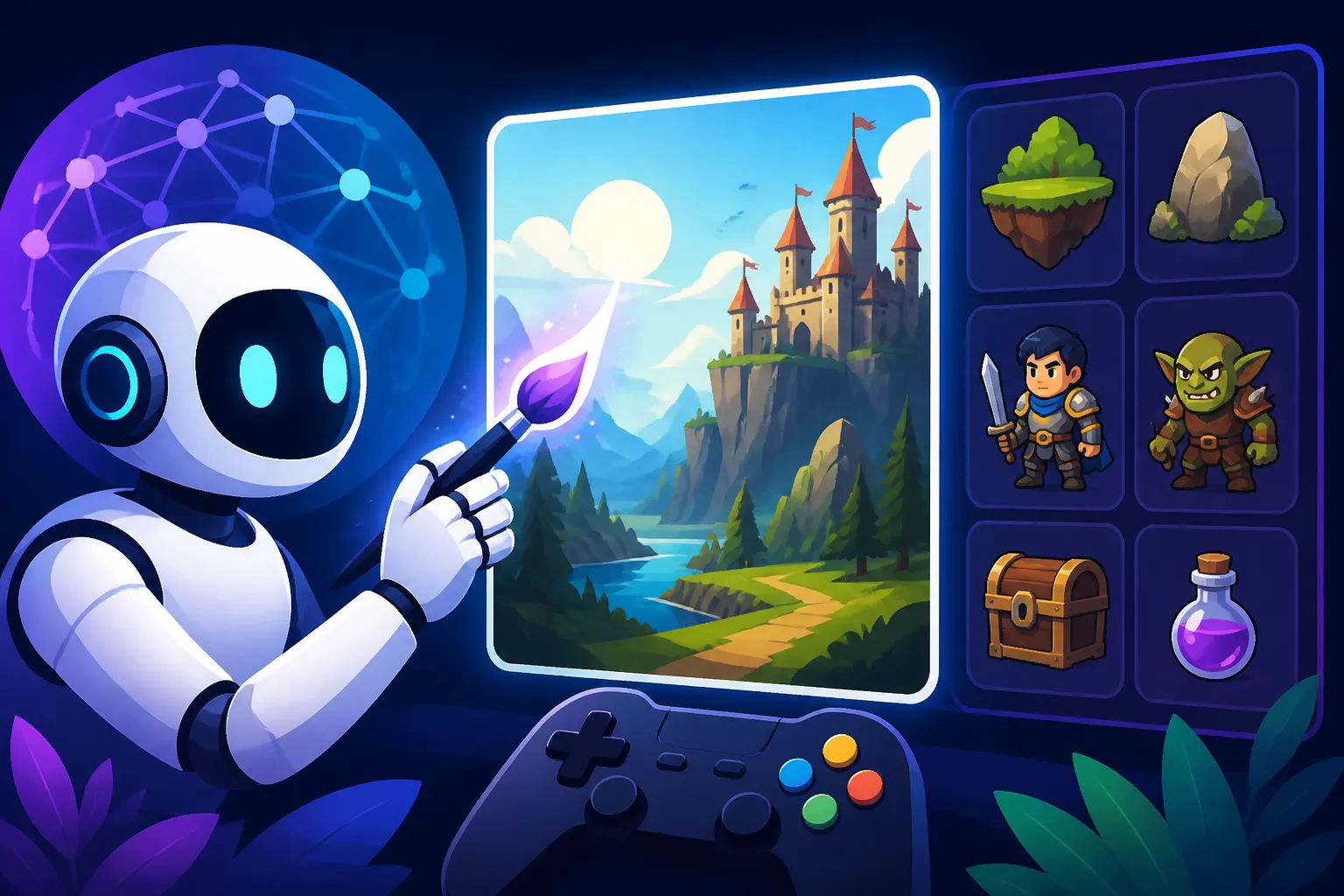
The heart of any game lies in its assets, from the heroes and villains to the worlds they inhabit and the interfaces players interact with. AI image generators are no longer just for abstract art; they are becoming increasingly adept at producing tangible, usable game assets that can be further refined and integrated into your projects.
Character Concepts and Variations
Creating compelling characters is crucial for player engagement, but it’s an incredibly labor-intensive process. Artists often spend weeks on concept art, refining silhouettes, costumes, and facial features. The challenge multiplies when you need variations for different factions, enemy types, or character progression. Historically, this has been a major bottleneck, requiring significant artistic talent and hours of meticulous work.
AI image tools can dramatically accelerate this initial concept phase. You can input a simple description like "a rugged space pirate with cybernetic enhancements" and receive a multitude of interpretations within seconds. Need to see that pirate in different armor? Or with a grimace instead of a smirk? The AI can quickly generate these variations, helping you explore diverse aesthetics and expressions without having to redraw from scratch every time. While AI still has its quirks with perfect anatomical consistency (especially hands, oh those hands!), it's an incredible brainstorming partner. Imagine using AI to generate the base designs for a series of non-player characters, each with slightly different clothing or hairstyles, all from a core prompt. For maintaining a coherent look across your cast, learning How to Prompt for Consistent Characters is an absolute game-changer, allowing you to guide the AI towards a unified style for your entire roster.
Environmental Elements and Props
The environment is the stage where your game's story unfolds, and it demands an enormous quantity of assets: trees, rocks, buildings, furniture, vehicles, and countless other props. Building these from scratch or finding suitable assets can be a developer's nightmare. Achieving variety while maintaining a consistent visual style across an entire game world is a huge undertaking.
AI excels at generating a vast range of environmental elements and props. You can instruct it to create "mossy cobblestone texture, seamless tile," or "a weathered wooden crate, fantasy style," and get high-quality outputs ready for texturing 3D models or using directly as 2D sprites. For 3D game development, the ability to rapidly generate base textures – be it for a volcanic landscape, an ancient ruin, or a futuristic city skyline – is incredibly valuable. Many tools are now capable of generating not just diffuse maps, but also normal, roughness, and metallic maps, essential for Physically Based Rendering (PBR) workflows. If you're looking to create highly realistic or stylized environments, understanding How to Write AI Prompts for 3D Render Images will be key to getting the specific look and feel you're after for your game world. This capability drastically reduces the time spent on repetitive texture creation, allowing artists to focus on more unique, hero assets.
UI/UX Elements and Icons
A game's user interface and experience (UI/UX) are critical for playability and immersion, yet they are often an afterthought until late in development. Designing intuitive menus, visually appealing buttons, and clear icons requires a keen eye for graphic design and a deep understanding of player interaction. It's a specialized skill that smaller teams might lack.
AI can significantly assist in the creation of UI/UX assets, ensuring your menus look professional and consistent. From generating sets of futuristic button designs to crafting distinct icons for inventory items, skills, or status effects, AI can provide a strong starting point or even finished assets. You can prompt for "a set of glowing sci-fi interface icons for health, mana, and stamina" and get several aesthetically cohesive options. This allows developers to quickly test different UI styles and layouts before committing to a final design, ensuring a smoother player experience. It’s also incredibly useful for generating placeholder assets during prototyping, ensuring that even early builds have a functional and visually coherent interface. When it comes to specific interface elements, knowing which tool is the Best AI Tool for Icons in 2027 can save you a lot of time and effort in finding the perfect visual shorthand for your game's mechanics.
Enhancing Game Development Workflows
Beyond generating individual assets, AI image tools can integrate seamlessly into broader game development workflows, fundamentally changing how different stages of production are approached. From initial ideation to polishing the final look, AI can act as a powerful assistant, freeing up human talent for more complex and creative challenges.
Concept Art and Mood Boards
Before a single line of code is written or a 3D model is sculpted, games begin with concepts. Concept artists play a vital role in visualizing the game's world, characters, and overall aesthetic through sketches, paintings, and mood boards. This phase is about exploring ideas, setting the tone, and defining the visual language of the game. It’s often a lengthy, iterative process, where initial ideas are sketched, refined, and presented for feedback.
AI image generators turbocharge this conceptual phase. Instead of waiting days for an artist to produce a handful of concept pieces, a designer can generate hundreds of unique visual ideas in an afternoon. This allows for an unparalleled exploration of themes, settings, and character designs. You can rapidly create mood boards for different biomes ("dense jungle temple at sunset," "steampunk city at night"), visualize potential protagonist appearances, or even preview various architectural styles for an entire civilization. This speed means that the creative team can explore more avenues, discard unpromising ideas earlier, and converge on a strong visual direction much faster. For fantasy-themed games, especially, exploring diverse magical creatures, ancient ruins, or mythical landscapes can be incredibly fast-paced when you leverage AI Prompt Examples for Fantasy Art. This allows the entire team to get on the same page visually, reducing miscommunication and ensuring a cohesive artistic vision from the outset.
Texture Generation and Modification
Textures are the skin of your game world, providing detail, color, and surface properties to 3D models and 2D sprites. Creating high-quality, seamless, and varied textures is a demanding task. Artists often spend hours in programs like Substance Painter or Photoshop, painting and baking details, or meticulously adjusting scanned materials. The need for consistency across different assets while still providing visual interest is a delicate balance.
AI image tools are becoming incredibly adept at texture generation and modification. You can generate entire sets of PBR textures (Albedo, Normal, Roughness, Metallic, Ambient Occlusion) from a single text prompt or an existing image. Imagine needing a "rough concrete wall with peeling paint" or "a shimmering alien crystal surface." The AI can generate these quickly, often with seamless tiling in mind. Furthermore, AI can be used to modify existing textures, adding wear and tear, rust, grime, or moss with remarkable realism. This is fantastic for adding a layer of authenticity and story to your environments without the need for manual painting. By leveraging prompts that focus on material properties and surface details, similar to how one might approach product photography, you can get incredibly specific results. Learning How to Prompt AI for Better Products can even be applied to understanding how light interacts with textures to get the most out of your AI-generated materials for your game.
Skyboxes and Backgrounds
Skyboxes and static backgrounds are crucial for establishing atmosphere, scale, and environmental context in both 2D and 3D games. A breathtaking skybox can transform a mundane level into an epic landscape, while a detailed background can give depth to a side-scrolling platformer. However, creating these expansive, high-resolution images can be a significant artistic challenge, often requiring panoramic rendering or intricate digital painting.
AI image generators can produce stunning skyboxes and backgrounds with relative ease. You can describe the kind of vista you envision – "a nebula-filled alien sky with two moons," "a serene mountain range at dawn," or "a bustling cyberpunk cityscape from above" – and the AI will generate high-resolution images suitable for wrapping around your game world or placing behind your 2D scenes. This is especially powerful for games that need many unique environments or for prototyping new areas quickly. The ability to rapidly generate diverse atmospheric backdrops means that designers can experiment with different moods and settings without heavy artistic investment. For any game aiming for evocative and immersive scenes, mastering How to Write AI Prompts for Landscapes can unlock an endless array of stunning backdrops for your players to explore.
Overcoming Challenges and Maximizing AI's Potential
While AI image tools offer incredible advantages for game development, they aren't a magic bullet. Like any powerful technology, they come with their own set of challenges that developers need to understand and address to truly maximize their potential. It's about working with the AI, not just letting it run wild.
Maintaining Artistic Consistency
One of the most persistent frustrations with AI-generated art, especially when creating multiple assets for a single game, is maintaining a consistent artistic style. AI models, by their nature, are trained on vast datasets and can produce a wide variety of styles. Getting them to adhere strictly to one specific aesthetic across numerous images – say, for every character in a roster or every building in a town – can be a significant hurdle. You might generate a perfect sword, but then struggle to get a shield in the exact same art style. This lack of consistency can break immersion and make a game feel disjointed.
Addressing this requires strategic prompting and an understanding of the AI's capabilities. Using very specific, detailed prompts that define style, lighting, and color palette from the outset is crucial. Many AI tools also offer "seed" values, which allow you to regenerate similar images with slight variations, helping to maintain a baseline. Image-to-image capabilities, where you provide an initial image and guide the AI to generate new content based on its style, are also invaluable. Developers can create a "style guide" image and feed it into the AI alongside text prompts to keep assets cohesive. This might involve creating a few core assets manually or refining initial AI outputs to serve as style anchors. For game developers, truly mastering How to Keep Characters Consistent Across Images is paramount, ensuring that every hero, villain, and NPC looks like they belong in the same universe.
Refining and Integrating AI Assets
While AI can generate impressive initial outputs, it's rare that an AI-generated image is ready for direct implementation into a game without any human intervention. AI-generated art often contains subtle artifacts, anatomical inaccuracies, or compositional quirks that need to be addressed. It might produce a beautiful concept, but then you'll notice a character has too many fingers or an object has a strange distortion. The expectation that AI will deliver perfectly polished, game-ready assets straight out of the box is a common misconception that can lead to disappointment.
This means that AI-generated assets typically require a "human touch" post-processing. This could involve using traditional image editing software like Photoshop to clean up details, correct imperfections, or remove unwanted elements. Upscaling AI images to higher resolutions suitable for game engines is also a common step. Many specialized upscalers can significantly improve the quality and detail of AI outputs, transforming a good image into a great one. Learning How to Upscale AI Images is an essential skill for any developer using AI, ensuring your assets meet the technical demands of your game. Finally, integrating these assets into game engines (like Unity or Unreal Engine) still requires technical expertise—setting up materials, rigging characters, or optimizing textures for performance. AI is a powerful assistant, not a full replacement for skilled artists and technical developers.
Understanding Licensing and Commercial Use
Perhaps one of the most critical, yet often overlooked, aspects of using AI image generators in game development is understanding the legal implications, particularly regarding commercial use. The landscape of AI art licensing is still evolving, and terms of service can vary wildly between different platforms. Some platforms explicitly grant commercial rights for generated images, while others have restrictions or require specific attribution. There's also ongoing debate and legal challenges concerning the copyright of AI-generated content and the datasets used to train these models. The last thing any game developer wants is a legal challenge down the line over their art assets.
Before you commit to using any AI image tool for your commercial game project, it is absolutely essential to thoroughly review its terms of service and commercial licensing policies. Some tools, like Adobe Firefly, offer indemnification, meaning they stand by the commercial safety of images created with their models. Others, especially free tiers, might explicitly state that commercial use is not permitted without a paid subscription, or they may have usage limits. It's crucial to be informed and cautious. When exploring options, pay close attention to platforms that explicitly state their stance on Free AI Image Generators with Commercial Use to ensure you're covered. When in doubt, consulting with a legal professional specializing in intellectual property can provide clarity and peace of mind.
Future Prospects and Specialized Tools
The world of AI image generation is evolving at a breakneck pace, and what might seem futuristic today could be standard practice tomorrow. For game developers, this means a continuous stream of new possibilities and specialized tools designed to further streamline the creative process.
AI for 3D Asset Creation and Generation
Currently, many AI image generators excel at producing 2D images, which are then used as concept art or textures for 3D models. However, the frontier of AI in game development is rapidly expanding into direct 3D asset creation. Imagine typing "a detailed goblin warrior, holding a rusty axe" and having the AI not only generate a 2D concept but also a fully textured 3D model, complete with animations, ready for your game engine. While still in nascent stages, tools are emerging that can generate 3D assets from text prompts or convert 2D images into 3D models and normal maps.
This area holds immense promise for revolutionizing how 3D assets are conceived and produced. It could significantly reduce the need for manual 3D modeling and sculpting for many generic assets, allowing 3D artists to focus on high-impact, unique hero assets. Think of generating variations of environmental props, architectural elements, or even basic character models with unprecedented speed. The ability to generate 3D assets, even simple ones, directly from AI, rather than just 2D textures, marks a significant leap in potential. This could make tasks like creating detailed 3D icons or even generating vector-based logos and UI elements much faster. For instance, exploring tools that help you How to Generate AI Vectors and SVGs could greatly benefit logo and icon creation directly for 3D models.
In-Game AI Asset Generation and Dynamic Worlds
Looking further into the future, the integration of AI image generation could extend beyond the development pipeline and into the games themselves, leading to truly dynamic and procedurally generated worlds. Picture a game where the environment subtly changes its aesthetic based on player actions, time of day, or specific in-game events. Imagine an RPG where character portraits or item icons are dynamically generated based on unique loot parameters, ensuring every player experiences something truly unique.
This could lead to games that offer infinite visual variety, where no two playthroughs look exactly alike. AI could generate new quests, characters, or entire regions on the fly, tailoring the visual experience to individual players. While the technical hurdles are substantial – performance optimization, style consistency, and ensuring generated content aligns with game lore – the potential for unprecedented immersion and replayability is enormous. This vision moves beyond AI as a production tool to AI as an active participant in shaping the player's experience. This kind of integration will likely require advanced AI models that not only generate stunning visuals but also understand context, narrative, and game design principles, pushing the boundaries of what a game can visually represent. Ultimately, the goal is to make the creation of art more accessible and efficient, so developers can focus on the heart of their games: fun and engaging experiences. If you're an artist looking to leverage these advancements, understanding the capabilities of various tools can help you decide which is the Best AI Image Generator for Artists.
| Game Asset Type | Primary AI Use Case | Key Advantages | Considerations |
|---|---|---|---|
| Character Concepts | Rapid visualization of character designs, variations, outfits | Speed in ideation, diverse options, quick iterations | Consistency across multiple images, anatomical accuracy (hands!), unique facial expressions |
| Environmental Textures | Generating seamless PBR textures, material variations | Fast texture creation, unique surfaces, reduced manual painting | Requires cleanup, tiling issues, blending with existing art |
| Props and Objects | Creating various items, furniture, natural elements | High volume of assets, stylistic variations, quick placeholders | Can lack specific detail, may require 3D modeling for integration |
| UI/UX Icons | Designing buttons, menu elements, status indicators | Consistent design themes, quick iteration of interface elements, clear visual language | Ensuring clarity for player, adhering to brand guidelines, text generation quality |
| Concept Art/Moods | Visualizing entire scenes, biomes, atmospheric backdrops | Exploring diverse visual directions, rapid idea generation, team alignment | Can be generic without specific prompting, artistic "soul" |
| Skyboxes/Backgrounds | Producing immersive panoramic scenes, static backdrops | High-resolution scenic elements, establishing atmosphere, fast environment development | Can appear flat if not integrated well, limited interaction |
Disclaimer
The information provided in this guide is for general informational purposes only and does not constitute professional advice. The field of AI image generation is rapidly evolving, and the capabilities, terms of service, and legal implications of AI tools can change frequently. Always refer to the official documentation and licensing agreements of any AI tool before using it for commercial purposes.