AI Image Prompt Cheat Sheet
Ever stare at your AI image generator, type in a seemingly clear prompt, and get back something utterly baffling or just… wrong? It’s a frustrating experience many of us face, feeling like there's a secret language to speak to these powerful tools. If you’ve found yourself pulling your hair out over inconsistent results or images that just don't capture your vision, you're in the right place. This comprehensive guide is your personal AI image prompt cheat sheet, designed to demystify the process and help you generate stunning visuals every single time, turning your creative ideas into digital reality with precision and ease.
Why Your AI Image Prompts Aren't Working and How to Fix It
It's a common story: you have this brilliant image in your head, you type a few words into your favorite AI tool like Midjourney or DALL-E, and what comes back is… a mess. Or it's close, but just not quite right. This isn't a reflection of your creativity, but rather a sign that there's a communication gap between your human imagination and the AI's understanding. Think of AI as a brilliant but literal artist; it needs incredibly specific instructions to truly shine. The frustration of getting generic or nonsensical images often stems from a few key pitfalls in how we phrase our requests.
The Vague Prompt Trap
One of the biggest culprits behind unsatisfactory AI-generated images is the vague prompt. We often assume the AI can infer what we mean, but that's rarely the case. For example, simply typing "a dog" might give you a blurry, uninspired image of a generic dog in an equally generic setting. The AI has billions of "dogs" in its training data, and without further guidance, it defaults to the most average, uninteresting representation. This lack of specificity leaves too much to chance, resulting in outputs that feel bland or completely off-target.
To illustrate, if you want a striking image, "a dog" is miles away from "a loyal Golden Retriever, sitting patiently by a roaring fireplace, warm golden light, cozy atmosphere, photorealistic, 8K, highly detailed." See the difference? The more details you provide, the less the AI has to guess, and the closer it gets to your desired outcome. This is where the magic begins: by moving from broad strokes to intricate details, you start to sculpt the AI's output exactly to your specifications. Many users struggle with this initially, but once you grasp the concept of specificity, your results will dramatically improve.
Missing Key Ingredients
Beyond vagueness, many prompts miss crucial elements that define an image's aesthetic and quality. It's like baking a cake without flour or sugar – you just won't get the desired result. People often focus solely on the subject, forgetting that style, lighting, composition, and even the emotional tone are just as vital. You might describe a "woman in a forest," but without specifying if she's a whimsical fairy, a gritty survivor, or a serene hiker, the AI can't know the mood or genre you're aiming for. The same goes for the environment; a forest can be sun-dappled, misty, or a dark, enchanted wood.
These "missing ingredients" are the descriptors that elevate an image from merely descriptive to truly artistic and evocative. They tell the AI not just what to draw, but how to draw it. Neglecting these aspects is like giving a photographer a subject but no direction on framing, filters, or time of day. The difference between a simple output and a masterpiece often lies in these subtle yet powerful additions. A good prompt acts as a complete blueprint, guiding the AI on every visual decision.
The Iteration Frustration
It's easy to get frustrated when your first, second, or even fifth prompt doesn't hit the mark. The iteration process can feel like a guessing game, especially when you're just randomly changing a word here or there. This often leads to users giving up or settling for "good enough" rather than truly outstanding images. The key frustration here isn't just about tweaking words, but about not knowing which words to tweak or how those changes will influence the output. Without a structured approach, iterating can feel like throwing darts in the dark.
However, viewing each generation as an experiment, rather than a failure, can totally change your perspective. Every slightly off image provides valuable feedback. Did the colors clash? Maybe you need to add "muted tones" or "vibrant primary colors." Was the character too generic? Perhaps "realistic, highly detailed skin texture" or "expressive eyes" is the answer. This systematic approach to refinement is what separates casual users from those who consistently generate stunning results. Don't be afraid to experiment, but do so with a clear understanding of what you're trying to achieve with each tweak. For more on refining your approach, check out our guide on How to Get Better AI Image Results.
The Essential AI Image Prompt Cheat Sheet Formula
Think of this as your secret sauce, your recipe for success in the world of AI art generation. While every AI model has its nuances, a core formula applies across the board, giving you a powerful framework to build compelling prompts. This isn't about rote memorization, but about understanding the components that guide the AI most effectively.
Deconstructing the Perfect Prompt
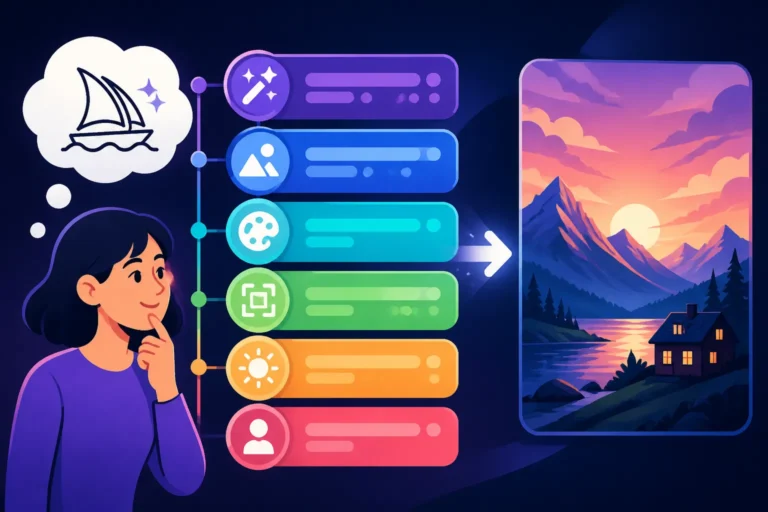
A truly effective AI image prompt isn't just a string of keywords; it's a structured request that leaves little to the AI's interpretation. We can break down most successful prompts into several key components, each playing a vital role in shaping the final image.
-
Subject: This is the absolute core of your image. Who or what is the main focus? Be specific! Instead of "a woman," try "a young woman with fiery red hair." Instead of "a car," specify "a vintage 1960s Ford Mustang."
- Example:
a majestic lion
- Example:
-
Action/Setting: What is the subject doing, and where are they? This provides context and narrative to your image. Is the woman running, sitting, or dreaming? Is the car parked in a city, speeding on a highway, or abandoned in a desert?
- Example:
a majestic lion, roaring on a rocky outcrop at sunset
- Example:
-
Style/Genre: This is where you dictate the artistic direction. Do you want realism, a painting, a sketch, or a specific aesthetic? This is incredibly powerful.
- Keywords:
photorealistic, cinematic, oil painting, watercolor, cyberpunk, anime, impressionist, pixel art, comic book style, digital art, concept art - Example:
a majestic lion, roaring on a rocky outcrop at sunset, **cinematic photorealism**
- Keywords:
-
Lighting: Lighting dramatically impacts mood and realism. Is it bright, dark, dramatic, soft? Consider the time of day or light source.
- Keywords:
golden hour, volumetric lighting, rim lighting, dramatic lighting, soft studio lighting, neon glow, overcast, dappled light, high contrast, low key - Example:
a majestic lion, roaring on a rocky outcrop at sunset, cinematic photorealism, **dramatic golden hour lighting**
- Keywords:
-
Composition/Angle: How is the image framed? This controls the viewer's perspective.
- Keywords:
wide shot, close-up, Dutch angle, eye-level, low angle, overhead shot, rule of thirds, leading lines, symmetrical, macro, portrait shot - Example:
a majestic lion, roaring on a rocky outcrop at sunset, cinematic photorealism, dramatic golden hour lighting, **dynamic low-angle shot**
- Keywords:
-
Color/Mood/Details: Add descriptors for colors, emotional tone, and fine details. These add richness and depth.
- Keywords:
vibrant colors, muted tones, sepia, monochrome, melancholic, ethereal, gritty, futuristic, intricate details, highly textured fur, mist, lens flare - Example:
a majestic lion, roaring on a rocky outcrop at sunset, cinematic photorealism, dramatic golden hour lighting, dynamic low-angle shot, **rich earth tones, powerful and awe-inspiring atmosphere, intricate fur details, dust motes in the air**
- Keywords:
By systematically building your prompt using these components, you move from vague ideas to highly detailed and intentional creations. This foundational structure is key to unlocking the full potential of your AI image tools. For a deeper dive into specific prompt elements, our guide on How to Write AI Image Prompts can be incredibly helpful.
Mastering Modifiers: Keywords for Control
Once you understand the basic structure, the real power comes from mastering specific keywords and modifiers. These are the adjectives, adverbs, and technical terms that allow you to fine-tune every aspect of your image. Think of them as your artistic toolbox, giving you granular control over the AI's output.
Realism & Quality:
photorealistic, hyperrealistic, ultra-detailed, 8K, 4K, sharp focus, professional photography, RAW photo, DSLR photo, award-winning photography, intricate details, highly textured, studio quality
Artistic Styles:
oil painting, watercolor, sketch, line art, digital painting, fantasy art, concept art, abstract, impressionism, cubism, surrealism, manga, anime, cartoon, pixel art, vector art, isometric, minimalist
Lighting & Atmosphere:
cinematic lighting, dramatic lighting, soft lighting, harsh lighting, studio lighting, volumetric lighting, global illumination, ray tracing, chiaroscuro, golden hour, blue hour, overcast, gloomy, ethereal glow, neon light, spotlight, bokeh, foggy, misty, rainy, snowy
Composition & Camera:
wide shot, close-up, extreme close-up, full body shot, portrait shot, landscape shot, bird's eye view, worm's eye view, fisheye lens, macro lens, telephoto lens, rule of thirds, leading lines, symmetry, asymmetrical, depth of field, tilt-shift, panoramic
Color & Tone:
vibrant colors, pastel colors, monochromatic, sepia tone, black and white, warm colors, cool colors, jewel tones, muted palette, high contrast, low saturation, gradient, color splash
Mood & Emotion:
serene, joyful, melancholic, mysterious, epic, dramatic, tranquil, chaotic, intense, peaceful, futuristic, antique, whimsical, gritty
The trick is to combine these modifiers thoughtfully. Don't just dump a list of keywords; integrate them naturally into your descriptive sentences. For instance, instead of dog, forest, scary, dark, try a ferocious black wolf, glowing red eyes, lurking in a dense, moonlit forest, volumetric shadows, high contrast, hyperrealistic, low-angle shot, terrifying atmosphere. This comprehensive approach is what truly makes a difference.
Here's a quick reference table for some potent modifiers:
| Category | Modifiers for Quality/Realism | Modifiers for Artistic Style | Modifiers for Lighting/Atmosphere | Modifiers for Composition/Camera |
|---|---|---|---|---|
| General | 8K, ultra-detailed, sharp focus | concept art, digital painting | cinematic lighting, golden hour | wide shot, close-up, rule of thirds |
| Photography | RAW photo, DSLR photo, studio qual. | macro, portrait, panoramic | bokeh, softbox lighting, lens flare | low-angle, eye-level, aerial |
| Painting/Art | intricate brushstrokes, textured | oil painting, watercolor, anime | chiaroscuro, ethereal glow | leading lines, symmetrical, dynamic |
| Specific Effects | highly reflective, glossy, weathered | cyberpunk, gothic, impressionist | neon, volumetric shadows, foggy | Dutch angle, extreme close-up |
Advanced Prompting Techniques to Elevate Your Creations
Once you've got the basics down, it's time to explore some advanced techniques that will give you even greater control and unlock new creative possibilities. These methods allow you to guide the AI with surgical precision, refining your images to a professional standard.
Leveraging Negative Prompts
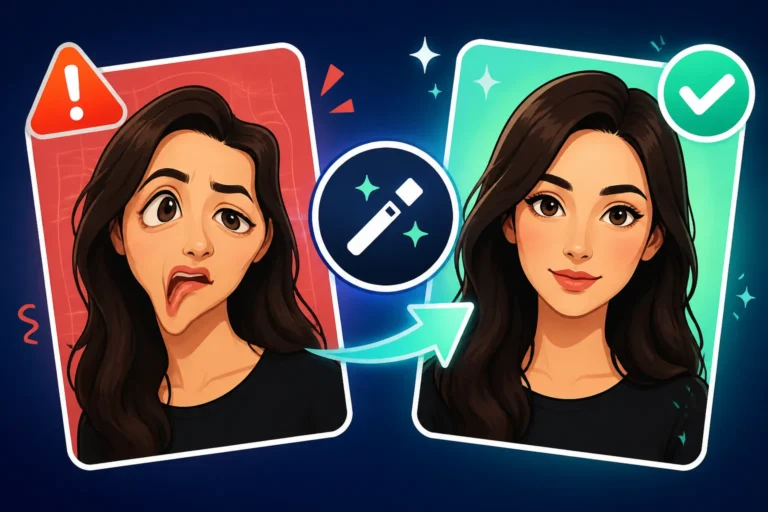
Negative prompts are your secret weapon for telling the AI what not to include. This is incredibly powerful for cleaning up common AI artifacts or guiding the AI away from undesirable elements. For example, if you're trying to generate a realistic human, you might often encounter issues with distorted hands or strange facial features. This is where a negative prompt becomes invaluable.
By adding a --no parameter (or similar syntax, depending on your AI tool like Midjourney, DALL-E, or Stable Diffusion), you instruct the AI to actively avoid generating certain elements.
- Common use cases:
--no blurry, distorted, ugly, extra limbs, bad anatomy, deformed, text, watermark- If you're generating a minimalist scene,
--no clutter, busy background, excessive detailscan keep it clean. - If you want a vibrant image,
--no dull, desaturated, grey tonescan prevent muted outputs.
Consider a scenario where you want a "beautiful woman looking at a sunset," but the AI keeps giving her six fingers. Your positive prompt might be beautiful woman, elegant pose, watching a vibrant sunset over the ocean, golden hour, cinematic lighting, photorealistic, serene expression. To fix the hands, you'd add: --no deformed hands, extra fingers, ugly, mutilated. This direct instruction can dramatically improve the quality and realism of your human subjects. Mastering this technique is crucial for anyone aiming for polished, professional results. Our guide on How to Use Negative Prompts dives deeper into this essential skill.
Understanding Aspect Ratios and Resolution
These technical parameters are often overlooked but are fundamental to the final look and feel of your image, especially for specific use cases. The aspect ratio determines the shape of your image (e.g., square, widescreen, portrait), while resolution affects its clarity and detail.
-
Aspect Ratios (
--arin Midjourney, specific settings in others):1:1(square): Great for social media posts on platforms like Instagram.3:2or4:3(standard photography): Common for photos and print.16:9(widescreen): Ideal for desktop wallpapers, YouTube thumbnails, or cinematic scenes.9:16(portrait): Perfect for vertical social media stories or phone backgrounds.
Choosing the right aspect ratio from the start saves you a lot of cropping and reframing later. Imagine trying to fit a wide landscape into a vertical Instagram story—it just doesn't work well without losing significant parts of the image.
-
Resolution: While you can't always specify exact pixel dimensions directly in a prompt for all tools, using terms like
8K,4K,ultra-detailed, orhigh resolutionoften signals the AI to generate images with more detail and sharpness, allowing for better upscaling later. Many AI image tools have built-in upscalers or allow you to integrate with external ones. For example, after generating a great base image, you might use a dedicated upscaler to boost its resolution. Getting the resolution right ensures your images look crisp, whether displayed on a large monitor or printed out. If you're looking to make your images truly stand out, explore how to Upscale AI Images to their full potential.
Iteration with Purpose: Refining Your Prompts
Randomly changing words in your prompt is a recipe for frustration. True prompt mastery comes from iterating with purpose. This means understanding what each change is likely to affect and keeping track of your experiments.
- Isolate Variables: If you're unhappy with the lighting, focus only on adjusting lighting keywords in your next prompt. Don't change the subject, style, and composition all at once. This helps you understand the impact of each element.
- Use Seeds: Most AI image generators allow you to use a "seed" number. This seed determines the initial noise pattern from which the image is generated. If you find an image you like but want to tweak it slightly (e.g., change the color of a specific element), using the same seed ensures that the overall composition and subject remain consistent while you adjust other parameters. This is incredibly useful for maintaining continuity across a series of images or for making precise modifications without losing the essence of a good generation.
- Analyze and Adjust: Look at what the AI produced. What worked well? What didn't? If the style is too painterly, add
photorealisticor--no brushstrokes. If the mood is off, trysereneinstead ofdramatic. Keep a simple log or mental note of your changes and their effects. This disciplined approach to iteration turns a chaotic process into a systematic one, leading to more predictable and satisfying results over time. Remember, every AI output, even a "bad" one, provides valuable data for your next attempt.
Practical Examples and Scenarios for Real-World Use
Let's put this cheat sheet into action with some real-world examples, tailored for common content creation needs. These scenarios will show you how to apply the formula and modifiers to achieve specific goals, proving that AI image tools are powerful assets for professionals and hobbyists alike.
Generating Stunning Product Photos
Imagine you're an e-commerce business owner on Etsy or Shopify, and you need high-quality product photos without the cost of a professional photographer. AI can be a game-changer for showcasing your items.
Scenario: You're selling a handcrafted ceramic coffee mug and need a hero shot for your product page.
Initial (Bad) Prompt: ceramic coffee mug
- Result: Generic, likely floating in white space, uninspired.
Improved Prompt using the Cheat Sheet Formula:A handcrafted ceramic coffee mug, rustic blue glaze, steaming hot coffee inside, sitting on a natural wood coaster, softly lit kitchen countertop, diffused window light, shallow depth of field, warm and inviting atmosphere, hyperrealistic, studio photography quality, --ar 16:9, --no shadows, ugly, bland
- Breakdown:
- Subject:
handcrafted ceramic coffee mug, rustic blue glaze, steaming hot coffee inside(Specific product details) - Action/Setting:
sitting on a natural wood coaster, softly lit kitchen countertop(Contextual setting) - Lighting:
diffused window light(Creates a pleasant, natural look) - Composition/Angle:
shallow depth of field(Focuses on the mug, blurring background) - Color/Mood/Details:
warm and inviting atmosphere, hyperrealistic, studio photography quality(Aesthetic and quality goals) - Technical:
--ar 16:9(Widescreen for web banner),--no shadows, ugly, bland(Negative prompts for a clean, appealing shot).
- Subject:
This detailed prompt guides the AI to create a professional-looking product shot that resonates with potential customers. This approach is excellent for AI Product Photography Explained and can help you create consistent AI product shots across your entire catalog.
Crafting Engaging Blog Illustrations
For bloggers and content creators, visually appealing images are essential to break up text and keep readers engaged. AI can generate custom illustrations that perfectly match your article's tone and topic.
Scenario: You're writing a blog post about digital detox and need an image that conveys peace and disconnecting from technology.
Initial (Bad) Prompt: person meditating
- Result: Could be anything from a cartoon to a blurry stock photo.
Improved Prompt using the Cheat Sheet Formula:A serene person meditating in a lush, minimalist natural setting, gentle morning light filtering through sparse trees, calm atmosphere, subtle glowing aura around the person, soft pastel colors, digital painting style, clean lines, tranquil, thoughtful, --ar 3:2
- Breakdown:
- Subject:
serene person meditating(Specific action and mood) - Action/Setting:
in a lush, minimalist natural setting, gentle morning light filtering through sparse trees(Detailed environment) - Lighting:
gentle morning light(Establishes mood) - Style/Genre:
digital painting style, clean lines(Desired artistic aesthetic) - Color/Mood/Details:
calm atmosphere, subtle glowing aura, soft pastel colors, tranquil, thoughtful(Enhances the "digital detox" theme) - Technical:
--ar 3:2(Standard blog image ratio).
- Subject:
This prompt yields a bespoke illustration that fits the blog post's theme much better than a generic stock image. It helps in generating high-quality blog images, which can greatly improve reader engagement. If you are a blogger, our article on Best AI Image Generator for Blog Images might be useful.
Designing Unique Social Media Graphics
Social media thrives on eye-catching visuals. Whether it's for Instagram, Facebook, or Pinterest, AI can help you churn out engaging graphics quickly.
Scenario: You're promoting a virtual fitness challenge and need a vibrant, energetic graphic for your social media channels.
Initial (Bad) Prompt: woman exercising
- Result: Unlikely to be dynamic or visually exciting.
Improved Prompt using the Cheat Sheet Formula:A dynamic, energetic woman in athletic wear, mid-jump during a high-intensity workout, vibrant gym setting, neon lights, motion blur effect, sweat glistening, strong determined expression, modern digital art style, bright electric blues and purples, powerful, inspiring, --ar 1:1, --no blurry face, distorted limbs
- Breakdown:
- Subject:
dynamic, energetic woman in athletic wear, mid-jump during a high-intensity workout(Active subject, specific action) - Setting:
vibrant gym setting, neon lights(Energetic, modern environment) - Lighting/Effects:
neon lights, motion blur effect, sweat glistening(Adds dynamism and realism) - Style/Genre:
modern digital art style(Contemporary aesthetic) - Color/Mood/Details:
bright electric blues and purples, strong determined expression, powerful, inspiring(Conveys fitness theme and emotion) - Technical:
--ar 1:1(Square for Instagram),--no blurry face, distorted limbs(Ensures quality of the person).
- Subject:
This prompt ensures a visually striking image that grabs attention on a crowded social media feed. Creating impactful visuals for social media platforms is crucial, and this approach can generate compelling AI Images for Instagram and other platforms.
Disclaimer
The information provided in this guide is for general informational purposes only and does not constitute professional advice. While AI image generation tools are powerful, their capabilities are constantly evolving, and results may vary depending on the specific model, prompt, and parameters used. Users are responsible for understanding and complying with the terms of service and licensing agreements of any AI tools they utilize, especially concerning commercial use and copyright.