AI Image Generators for Logos
Crafting a compelling logo can feel like an insurmountable mountain for many aspiring entrepreneurs, small business owners, and creative individuals. You know your vision, but translating that into a unique, memorable, and professional graphic often comes with daunting costs, steep learning curves for complex software, and endless rounds of revisions. This comprehensive guide is here to demystify the process, showing you exactly how AI image generators can become your secret weapon in creating stunning logos without breaking the bank or your spirit.
The Universal Challenge of Logo Design
Let's be real, the world of graphic design can be incredibly intimidating. For years, if you needed a logo, you had two main paths: hire a professional designer, which can be expensive, or try to DIY it with tools you barely understand, often leading to less-than-stellar results. Both options present their own set of unique frustrations that many of us have faced head-on.
The Cost Barrier for Small Businesses and Solopreneurs
One of the biggest hurdles is, without a doubt, the financial commitment. For a budding startup or a solopreneur pouring their limited funds into operations and marketing, shelling out hundreds or even thousands of dollars for a custom logo just isn't feasible. You might find yourself scouring freelance platforms, trying to balance quality with budget, often feeling like you're compromising on one or the other. It’s not uncommon to see initial quotes for professional logo packages ranging from $500 to $5,000, which is simply out of reach for many. This often forces folks into using generic templates or clipart, which fundamentally undermines the goal of having a unique brand identity. The struggle is real when you’re trying to launch a dream on a shoestring budget, and the last thing you want is for your brand's face to look like everyone else's.
Imagine starting a cozy local coffee shop, "The Daily Grind," in a charming neighborhood. You have your business plan, your bean suppliers, and your perfect espresso machine, but the logo remains an abstract idea. You know you want something rustic yet modern, perhaps incorporating a coffee bean or a steam-billowing mug. However, a quick look at local design agencies reveals prices that could buy you a commercial grinder. You then consider cheaper online services, but worry about the quality and the ability to truly capture the unique vibe of your imagined space. This financial pressure often leads to delaying the logo, which in turn delays marketing and brand recognition.
Lack of Design Skills and Software Proficiency
Beyond the cost, there's the skill gap. Most people aren't trained graphic designers, nor do they have the time or inclination to master intricate software like Adobe Illustrator or Photoshop. These tools, while powerful, have steep learning curves that require dedicated practice and an understanding of design principles like typography, color theory, and composition. Trying to create a logo from scratch using these programs can quickly become a frustrating exercise in futility, leaving you with a half-finished, amateur-looking design that doesn't convey the professionalism your brand deserves. You might spend hours wrestling with bezier curves or trying to align text perfectly, only to end up with something that still looks off.
Consider a passionate chef opening a gourmet food truck called "Flavor Fusion." They're a culinary genius, not a digital artist. They envision a logo that combines abstract elements of fire and water, representing the blend of flavors, but they have no idea how to even begin drawing such a concept in a vector program. They might try free online logo makers, only to find the options limited and the customization clumsy. The result is often a logo that feels uninspired, failing to communicate the innovative and high-quality experience their food truck offers. This can be incredibly disheartening when your passion is so strong, but your technical skills for visual representation fall short.
Time Constraints and Iteration Cycles
Finally, the traditional logo design process is notoriously time-consuming. Even if you hire a designer, the back-and-forth communication, multiple rounds of revisions, and waiting periods can stretch the project out for weeks, sometimes months. When you're trying to launch a product, start a blog, or rebrand your business, these delays can be incredibly disruptive. Every day spent waiting for a new design draft is a day your brand isn't fully out there, making an impression. And if you're trying to DIY, the sheer amount of time you spend researching, experimenting, and redoing elements can quickly eat into other critical tasks, leaving you feeling perpetually behind schedule.
Think of a new online coaching business, "Mindful Momentum," aimed at helping busy professionals. The founder needs a logo that evokes calm, growth, and forward movement—perhaps a stylized wave or a subtle upward arrow. They need it quickly to launch their website and social media presence. If they go the traditional route, the process of briefing a designer, waiting for initial concepts, providing feedback, and then waiting for revisions could easily take 2-4 weeks. In a fast-paced digital world, that's a significant chunk of time where they could have been building brand recognition. The pressure to get something now often leads to settling for a less-than-perfect solution, just to move forward.
How AI Image Generators Revolutionize Logo Creation
Enter AI image generators. These powerful tools are fundamentally changing the landscape of design, making it more accessible, faster, and more creatively liberating than ever before. For anyone who's felt the pinch of traditional logo design, AI offers a refreshing and empowering alternative.
Democratizing Design for Everyone
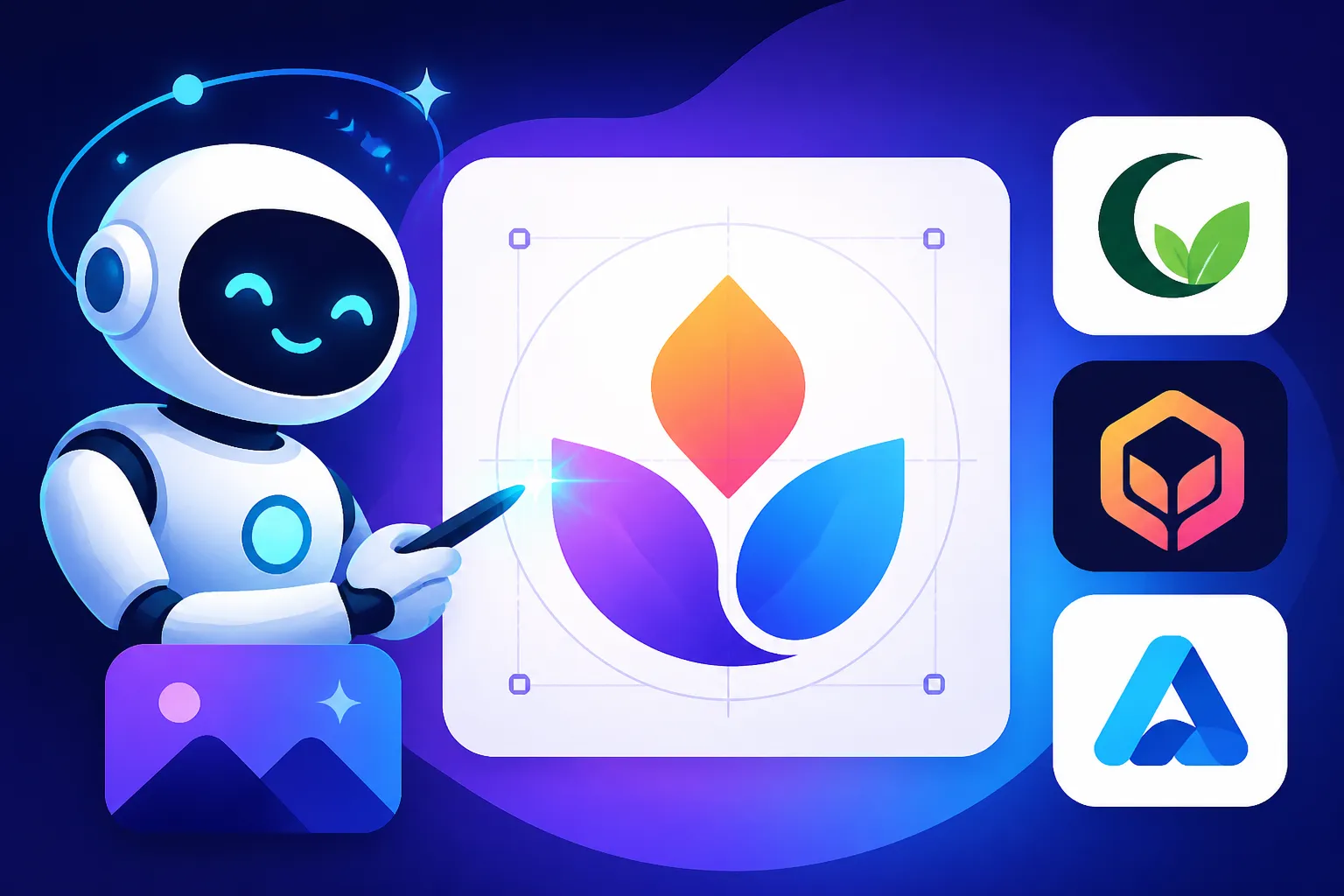
AI image generators have become the great equalizer in the design world. You no longer need a degree in graphic design or years of experience with complex software to create impressive visuals. These tools operate on natural language prompts – you simply describe what you want, and the AI generates it. This capability opens up professional-quality design to entrepreneurs, small business owners, hobbyists, and anyone who has an idea but lacks the traditional design skillset. It means the "Mindful Momentum" coach can describe their vision directly, rather than trying to sketch it or navigate intimidating software. Suddenly, the barriers to entry for creating a distinctive brand identity are significantly lowered, allowing more people to bring their unique visions to life without the overhead.
This democratization extends beyond just creation; it empowers individuals to experiment freely. If your first prompt doesn't hit the mark, you can tweak it, add more details, or change the style parameters without incurring extra costs or waiting for revisions. This iterative process, performed entirely by the user, fosters a deeper understanding of what works visually for their brand. It means the initial concept for "The Daily Grind" coffee shop, which might have been a generic cup, can quickly evolve into a sophisticated emblem featuring minimalist lines and a subtle steam curl, all through a series of refined prompts. The power is truly in your hands, not reliant on external designers or lengthy tutorials.
Speed and Efficiency in Prototyping
One of the most immediate and impactful benefits of using AI for logos is the sheer speed. Traditional design cycles, with their back-and-forth communications and revision rounds, can take weeks. AI image generators can produce multiple logo concepts in minutes, sometimes even seconds. This rapid prototyping capability is invaluable, especially when you're exploring different styles, color palettes, or thematic elements for your brand. You can generate dozens of variations based on a single prompt, quickly identifying directions that resonate with your vision and discarding those that don't. This dramatically accelerates the initial ideation phase, allowing you to focus on strategic decisions rather than logistical delays.
Imagine you're brainstorming a logo for a new tech startup specializing in eco-friendly gadgets, "GreenWave Innovations." You have a few keywords in mind: "sustainable," "tech," "wave," "leaf." With an AI image generator, you can input these keywords, experiment with different styles (minimalist, abstract, geometric), and instantly see a range of visual interpretations. Within an hour, you could have explored more concepts than a human designer might produce in a week, giving you a clear direction much faster. This efficiency is a game-changer for lean operations, enabling quicker market entry and faster feedback loops on branding efforts. This speed not only saves time but also allows for a more expansive creative exploration than typically afforded by budget or time constraints in traditional design.
Unleashing Creative Exploration
AI isn't just about speed; it's a powerful tool for creative exploration. Sometimes, you don't even know exactly what you want until you see it. AI can generate novel combinations of concepts, styles, and elements that you might not have conceived on your own or that a human designer might not suggest due to conventional approaches. This ability to explore unexpected visual territories can lead to truly unique and innovative logos that stand out in a crowded market. It pushes the boundaries of what's possible, encouraging you to think outside the traditional design box and discover fresh visual metaphors for your brand.
Take, for instance, a boutique handmade jewelry brand named "Celestial Spark." While you might initially think of stars or moons, an AI could interpret "celestial" and "spark" in a myriad of ways—perhaps intricate geometric patterns mimicking constellations, or delicate ethereal glows around abstract forms. By experimenting with prompts like "minimalist celestial spark logo, golden ratio, deep blue and silver palette" or "abstract logo combining stardust and intricate jewelry elements, art nouveau style," you can uncover visual ideas that are far more imaginative and distinctive than generic starry motifs. This iterative creative process makes AI a fantastic co-creator, constantly offering fresh perspectives and expanding your visual vocabulary for your brand.
Choosing the Right AI Tool for Your Logo Needs
The world of AI image generators is constantly evolving, with new tools and features emerging regularly. When it comes to logos, different tools excel in different areas. Knowing which one to pick can make a significant difference in the quality and suitability of your final design.
Tools Excelling in Text and Typography
One of the most challenging aspects of AI image generation, historically, has been the reliable rendering of text. AI often produces garbled, unreadable letters. However, some tools have made significant strides in this area, making them far more suitable for logos that prominently feature text or a brand name. If your brand identity heavily relies on a specific wordmark or initial, focusing on these tools is crucial. Ideogram Review: Best for Text in Images is a prime example of a platform that has prioritized and excelled in this domain.
Ideogram.ai, for instance, has gained a strong reputation for its ability to integrate legible text directly into images. This is incredibly valuable for logos where the company name is part of the design itself. While other tools might give you fantastic graphics but struggle with the accompanying words, Ideogram aims to get both right. It’s particularly useful for creating wordmark logos or emblems where the typography needs to be central and perfectly rendered. When crafting prompts for such tools, you'd specify the exact text you need, along with font styles or aesthetic directions like "bold sans-serif," "elegant script," or "retro block letters." This focus makes it a go-to for many who need their brand name to be unmistakable.
Another tool that has shown promise in text rendering is Microsoft Designer, especially when integrated with DALL-E. While not as singularly focused on text as Ideogram, its continuous improvements mean you can often get usable text elements within your logo designs, particularly for shorter words or acronyms. The key here is experimentation and generating multiple options, as text consistency can still vary. However, for a quick and free option to test text-based logo ideas, these platforms offer a much higher success rate than many general-purpose AI image generators. The goal is always to reduce the amount of post-processing needed, and good in-AI text generation saves a lot of time.
Tools for Abstract and Artistic Logos
If your brand leans towards the conceptual, artistic, or highly visual, you'll want tools known for their creative output, aesthetic range, and ability to interpret complex artistic prompts. These generators are less about perfect text and more about breathtaking visuals, unique compositions, and diverse styles. Midjourney Review: Features, Pricing, and Quality and DALL-E Review: Features, Pricing, and Quality are two giants in this space, celebrated for their ability to generate stunning and often surreal imagery.
Midjourney is renowned for its artistic prowess, producing highly aesthetic and imaginative images. It excels at interpreting nuanced stylistic instructions and can generate logos that feel sophisticated, stylized, and truly unique. While it might not reliably render text, it's perfect for creating a distinct emblem, a symbolic mark, or an abstract graphic that represents your brand's essence. Think of a luxury fashion brand needing an elegant, abstract icon, or a gaming studio wanting a fantasy-inspired sigil. Midjourney's strength lies in its ability to translate evocative descriptions into visually rich designs. The key is to focus your prompt on the visual elements, shapes, colors, and artistic movements you want to evoke.
DALL-E, especially through platforms like ChatGPT, is another strong contender for artistic logos. It offers a broad range of styles and often provides more literal interpretations of prompts than Midjourney, which can be advantageous when you have a very specific object or scene in mind for your logo. While its artistic output might be seen as slightly less "polished" than Midjourney's by some, its versatility and ease of use, particularly within a conversational interface, make it excellent for rapid concept generation. You can quickly iterate on ideas, exploring variations of an animal mascot or a symbolic object for your brand. The strength of DALL-E lies in its adaptability and its ability to blend concepts seamlessly.
Tools with Vector Output Capabilities
For any logo, especially one intended for commercial use, having it in a vector format is paramount. Vector graphics are scalable without losing quality, meaning your logo can look sharp on a tiny business card or a massive billboard. Most AI image generators initially produce raster (pixel-based) images. However, some newer tools and workflows are emerging that either generate vectors directly or provide excellent pathways to vectorization. Recraft SVG and Logo Review highlights a tool that focuses on vector creation.
Recraft.ai is specifically designed with vector graphics in mind, making it a standout choice for logo design. It allows users to generate illustrations, icons, and logos that are inherently vector-based, which is a huge time-saver compared to manually vectorizing a raster image. This means your logo will be infinitely scalable and perfect for print, merchandise, and digital applications at any size. Its focus on clean lines and editable shapes makes it incredibly valuable for professional branding efforts where precision and flexibility are key. When using Recraft, you might lean into simpler, more graphic-oriented prompts, as its strength lies in producing scalable, crisp artwork.
Adobe Firefly, especially with its integration into Adobe's creative suite, is another powerful tool to consider. While not all Firefly outputs are directly vector, its features like "Text to Vector Graphic" are specifically tailored for logo design and other scalable assets. This functionality allows you to generate SVG graphics from text prompts, making it exceptionally useful for creating icons, patterns, and logo elements that are immediately production-ready. Given Adobe's strong position in the professional design world, Firefly often comes with better assurances for commercial use and integration into existing workflows, which can be a significant advantage for businesses. Adobe Firefly Review for Commercial Use provides more insights into its capabilities in this regard.
Step-by-Step: Generating Your First AI Logo
Ready to dive in? Generating an AI logo isn't just about typing a few words; it's a creative dialogue with the machine. The better you guide it, the better your results will be. Let's walk through the process, from crafting your initial prompt to refining the output.
Crafting Effective Prompts for Logos
The prompt is your instruction manual for the AI, and for logos, precision and clarity are key. A good prompt for a logo isn't just a description of what you want to see, but also how you want it to look, what style it should embody, and its functional characteristics. Think about the core elements of your brand: your industry, your target audience, your brand's personality (e.g., playful, sophisticated, modern, rustic), and any specific symbols or colors you envision.
Start with a clear descriptor of the type of logo. Do you want an icon, a wordmark, a combination mark, or an emblem? Then, introduce your core concept. For example, instead of just "coffee shop logo," try "minimalist logo for a specialty coffee shop, featuring a stylized coffee bean and steam." Next, add style descriptors: "geometric, flat design, modern, elegant, vintage, cartoonish." Specify colors if you have them in mind: "in shades of deep green and gold" or "monochromatic black and white." Consider the layout or composition: "circular logo," "logo with text below icon," or "abstract emblem." Finally, add any parameters specific to the tool you're using, like aspect ratio or specific artistic filters. A detailed guide like How to Write AI Prompts for Logos can provide even more nuanced strategies.
Here's an example of how a prompt can evolve:
- Too simple: "Dog walking logo." (Likely to be generic)
- Better: "Playful logo for a dog walking service, featuring a happy dog running, cartoon style." (Getting closer)
- Even better: "Modern playful logo for 'Paws & Paths' dog walking, abstract line art style, happy golden retriever silhouette, leash forming a path, vibrant teal and orange color palette, simple, vector illustration." (This gives the AI a lot to work with, combining text, style, subject, and color.)
Iteration and Refinement Strategies
Rarely will your first prompt yield the perfect logo. AI generation is an iterative process, much like working with a human designer, but at hyper-speed. Once you get your initial results, analyze them critically. What works? What doesn't? Are the colors right? Is the style consistent with your brand? Is the text legible?
Based on your observations, refine your prompt. If the style is too realistic, add "minimalist" or "flat design." If the colors are off, explicitly state the desired hex codes or color names. If the composition isn't balanced, try "centered logo," "icon on left, text on right." You can also use negative prompts to tell the AI what not to include, like "–no gradients" or "–no realistic fur." Many tools allow you to use an initial generation as a "seed" or "image reference" to maintain a consistent style while changing other elements, which is invaluable for consistent branding. Don't be afraid to generate many variations; that's the beauty of AI's speed. Learn how to fix blurry AI images or garbled text in AI images through specific prompt adjustments or by selecting tools that excel in those areas.
For example, if your "Paws & Paths" logo initially generates a very detailed, almost photographic dog, you might refine your prompt to: "Modern playful logo for 'Paws & Paths' dog walking, simplified flat design, happy golden retriever silhouette, leash forming a path, vibrant teal and orange color palette, simple, vector illustration, clean lines, minimal detail." If the text comes out wonky, you might switch to a tool known for better text generation, or isolate the graphic and add text in a separate design program later. The goal is to incrementally guide the AI towards your ideal outcome, adjusting parameters and descriptors with each pass until you feel you have a strong foundation.
Incorporating Your Brand Identity
A logo isn't just a pretty picture; it's the visual cornerstone of your brand identity. When generating logos with AI, always keep your overarching brand story, values, and target audience in mind. Your logo should be a visual shorthand for what your business stands for. If your brand is high-end and luxurious, your prompts should include terms like "elegant," "sophisticated," "minimalist," and perhaps "monochromatic" or "gold foil." If your brand is quirky and youth-focused, think "playful," "vibrant," "hand-drawn style," and "bold colors."
Consider your brand's personality: is it trustworthy and traditional, innovative and modern, or fun and approachable? Each of these characteristics should subtly influence your prompt choices for style, font (even if just implied), and color. A logo for a financial advisory firm will look vastly different from a logo for a children's toy store. Using your brand identity as a filter for every prompt decision ensures that the AI-generated logo is not just visually appealing but also strategically aligned with your business goals. This holistic approach ensures the logo serves its purpose as a powerful branding tool, rather than just an isolated piece of art.
For instance, a brand focusing on sustainable, organic skincare called "Earth Nurture" would use prompts like: "Organic minimalist logo for Earth Nurture, featuring a delicate leaf and droplet icon, soft pastel greens and earthy tones, elegant sans-serif typography, feeling natural and serene." This fully communicates the brand's core values through visual cues, ensuring the logo resonates with their eco-conscious target demographic.
Key Elements of a Successful AI-Generated Logo
An AI can generate countless images, but not every image is a good logo. To truly succeed, your AI-generated logo needs to adhere to established design principles that make logos effective and enduring. This means looking beyond the immediate visual appeal to evaluate its practical application and timelessness.
Simplicity and Memorability
The best logos are often the simplest ones. Think of the Nike swoosh, the Apple logo, or the FedEx arrow—they are instantly recognizable and easy to remember. An AI-generated logo, no matter how intricate or beautiful, needs to distill your brand's essence into a simple, clean, and memorable form. Overly complex designs, too many colors, or crowded elements can make a logo difficult to recall, especially when viewed at small sizes. When reviewing AI outputs, ask yourself: could someone draw this from memory? Does it convey its message quickly?
Simplicity also aids in versatility. A simple logo can be easily reproduced across various media, from tiny app icons to large banners, without losing its impact. For example, if your prompt resulted in a highly detailed illustration of a cityscape for a real estate agency, consider prompting for a more abstract skyline silhouette or a stylized house icon. The AI can generate incredibly detailed art, but for a logo, often less is more. Aim for a design that is elegant in its minimalism, allowing the core concept to shine through without unnecessary clutter. This ensures that your brand’s identifier is not only distinctive but also easily absorbed and retained by your audience, an essential trait for any impactful logo.
Versatility Across Platforms
A logo today lives everywhere: on websites, social media profiles, business cards, merchandise, app icons, and more. This means your AI-generated logo must be versatile enough to look great and be legible across all these different contexts and sizes. A logo that works perfectly on a large desktop screen might become unreadable when shrunk down to a favicon or a profile picture.
When evaluating your AI creations, consider how they would appear in black and white, inverted colors, or as a single-color outline. Does it still hold up? A truly versatile logo retains its integrity and recognition regardless of the background or color scheme. Avoid designs that rely heavily on specific textures, gradients, or shadows that might disappear or become messy when simplified or scaled. Test the generated concepts mentally (or even mock them up quickly in an editor) against different backgrounds and in various sizes. A logo that can adapt effortlessly ensures your brand maintains a consistent and professional appearance everywhere it's seen. This adaptability is critical for modern branding, where a single image represents your identity across a diverse digital and physical landscape.
Scalability and Vectorization
This is perhaps the most crucial technical aspect for any professional logo. As mentioned earlier, scalability means the logo can be resized to any dimension—from a postage stamp to a billboard—without becoming pixelated or losing clarity. This is achieved through vector graphics, which use mathematical paths rather than pixels. While many AI image generators produce raster images (like JPEGs or PNGs), a truly successful AI-generated logo needs to end up in a vector format.
If your chosen AI tool doesn't output vectors directly (like Recraft), you'll need to use additional software or services to convert your best raster AI output into a vector file (e.g., SVG, AI, EPS). Programs like Adobe Illustrator, Inkscape (free), or online vectorization tools can perform this task. When selecting an AI-generated image for vectorization, choose one with clean lines, clear shapes, and minimal fuzzy details, as these are easier to trace accurately. Trying to vectorize an overly busy or photographic image will often result in a messy or unusable vector file. The process of converting to vector ensures your logo is future-proof and ready for any professional application, from screen printing to vehicle wraps. Understanding how to generate AI vectors and SVGs is a skill that elevates your AI logo generation to a professional standard.
| Element | Description | Why it's Important for Logos | AI Prompt Considerations |
|---|---|---|---|
| Simplicity | Clean, uncluttered design; easy to understand at a glance. | Aids memorability, prevents visual noise, works well at small sizes. | "Minimalist," "flat design," "simple line art," "abstract icon," "–no complex details" |
| Memorability | Easily recognizable and recallable; stands out from the crowd. | Builds strong brand recognition, leaves a lasting impression. | Focus on unique concepts, iconic symbols, distinct shapes. |
| Versatility | Functions effectively across various sizes, media, and backgrounds. | Ensures consistent brand presence on digital (web, social) and print (merchandise, signs) platforms. | "Scalable," "works in black and white," "single color version," "vector friendly." |
| Scalability | Can be resized infinitely without loss of quality (vector format). | Essential for professional use; allows logo to be printed on anything from a pen to a billboard with clarity. | Prioritize tools with vector output, or designs suitable for easy vectorization. |
| Relevance | Visually communicates the brand's essence and values. | Connects with the target audience, reinforces brand identity. | Include industry, target audience, and brand personality keywords in prompts. |
Beyond Generation: Refining and Using Your AI Logo
Generating a logo with AI is a fantastic first step, but it's rarely the final one. To make your AI-created logo truly shine and function effectively for your business, you'll need to engage in some post-generation work. This ensures it's polished, legally sound, and properly integrated into your brand.
Post-Processing and Editing for Perfection
Even the best AI-generated logo might need a little human touch to reach perfection. AI models are getting incredibly good, but they can still produce slight imperfections: a line might not be perfectly straight, a curve might be a little off, or colors might need minor adjustments to match your exact brand palette. This is where traditional graphic design software, like Adobe Illustrator or even free alternatives like Inkscape, comes into play. You might need to adjust spacing between elements, refine shapes, or clean up any stray pixels or artifacts that the AI might have left. This is particularly important if you plan to use the logo for high-resolution print applications.
For logos that started as raster images, the crucial step is vectorization. As discussed, this conversion allows for infinite scalability. Once vectorized, you have full control to edit every point and path, ensuring crispness and precision. You might also want to add your brand name in a specific font that the AI didn't quite capture perfectly. Even if the AI provides a solid base, the final polish from a human designer, or your own careful hand, elevates it from a good AI output to a truly professional logo. Learning how to make AI images look less AI often involves these post-processing steps, such as subtle color tweaks, sharpening, or adding unique textures manually.
Ensuring Commercial Viability and Licensing
This is a critical, often overlooked, aspect when using AI-generated images for commercial purposes, especially logos. Not all AI image generators grant you full commercial rights to the images you create. While many popular tools do allow commercial use (e.g., Midjourney, DALL-E, Adobe Firefly, Ideogram, Leonardo AI), it's imperative to read the terms of service for each specific tool you use. Licensing agreements can vary widely. Some might require a paid subscription for commercial use, while others offer it even on free tiers. There can also be nuances regarding indemnification for copyright infringement, which is a major concern for businesses.
Before you invest time and resources into building a brand around an AI-generated logo, confirm that you have the necessary commercial rights. This includes the right to use, reproduce, distribute, and modify the logo for your business. Additionally, consider the legal landscape around AI art and copyright. In some jurisdictions, AI-generated art may not be eligible for copyright protection in the same way human-created art is, which could impact your ability to fully protect your logo. While this is an evolving area, choosing tools that provide clear commercial licenses and, ideally, offer some form of IP indemnification (like Adobe Firefly) can provide greater peace of mind. For a deeper dive, check out resources on Best AI Image Generator for Commercial Use.
Integrating Your New Logo into Your Brand
Once you have your perfected, vectorized, and commercially viable AI logo, the final step is to integrate it seamlessly into all aspects of your brand. This means updating your website, social media profiles, email signatures, business cards, merchandise, and any other brand touchpoints. Consistency is key here. Your logo should appear uniform everywhere it's used to build strong brand recognition.
Create a small brand style guide for yourself. This doesn't have to be fancy; a simple document noting your logo variations (full color, black and white, horizontal, vertical), your brand colors (with hex codes), and primary fonts will suffice. This guide ensures that anyone working with your brand, or even just you, uses the logo correctly every time. Remember to save your logo in multiple formats (SVG for vectors, PNG with transparent backgrounds for digital use, JPEG for general purposes) and in different sizes. This preparation makes it easy to deploy your new brand identity quickly and effectively, ensuring your AI-powered logo truly serves as the professional face of your business.
The Future of Logo Design with AI
The integration of AI into the creative process is not a passing fad; it's a fundamental shift. For logo design, this means a continuously evolving landscape that offers both incredible opportunities and important considerations for creators and businesses alike.
Ethical Considerations and Originality
As AI becomes more sophisticated, questions around originality, intellectual property, and ethical use become increasingly prominent. When an AI generates a logo, where does the "originality" truly lie? Is it in the prompt, the AI model itself, or a combination? This is a hot topic in legal and creative circles. While most AI tools operate by learning from vast datasets of existing images, the output, especially with careful prompting, can be unique. However, there's always a theoretical possibility of an AI generating something unintentionally similar to an existing, copyrighted work.
This is why, even with AI, due diligence is crucial. Before finalizing and registering a logo, it's always wise to perform a trademark search to ensure your AI-generated design isn't too close to an existing mark. While AI provides a rapid way to generate ideas, the human responsibility for ensuring originality and legal compliance remains paramount. As AI models become even more advanced, they might incorporate features for originality checks or provide stronger legal indemnification, but for now, the onus is largely on the user. Understanding these nuances is key to leveraging AI responsibly and effectively in your branding efforts.
AI as a Collaborative Design Partner
The most exciting aspect of AI in logo design isn't about replacing human designers, but rather empowering them. Think of AI as an incredibly fast, tireless brainstorming partner. Instead of spending hours sketching concepts or painstakingly mocking up variations, designers can use AI to rapidly generate a multitude of starting points. This frees up human creativity to focus on the higher-level strategic thinking, refinement, and ensuring the logo truly captures the brand's essence. A designer can use AI to explore different stylistic avenues, test color palettes, or generate mood boards at an unprecedented pace.
For instance, a designer working on a logo for a new financial tech company could prompt an AI for "geometric logo concepts for fintech, minimalist, blue and silver, incorporating abstract data flow." The AI might return dozens of options, some of which the designer might never have considered. The designer then curates the best ones, refines them, adds custom typography, and ensures they align perfectly with the client's brand strategy. AI augments human capabilities, making the design process faster, more experimental, and ultimately more innovative. It allows designers to deliver more diverse options to clients and iterate more efficiently, shifting their role from purely generative to more curatorial and strategic. This collaborative future means both seasoned pros and aspiring designers can benefit from the incredible power of these tools.
Disclaimer
The information provided in this article is for general guidance only and does not constitute legal, financial, or professional design advice. While AI image generators offer incredible potential, users are responsible for ensuring their creations comply with all applicable copyright, trademark, and licensing laws. Always review the terms of service of any AI tool you use, especially when generating content for commercial purposes. We recommend consulting with legal counsel for specific advice regarding intellectual property rights and commercial use of AI-generated content.