How to Make AI Game Assets
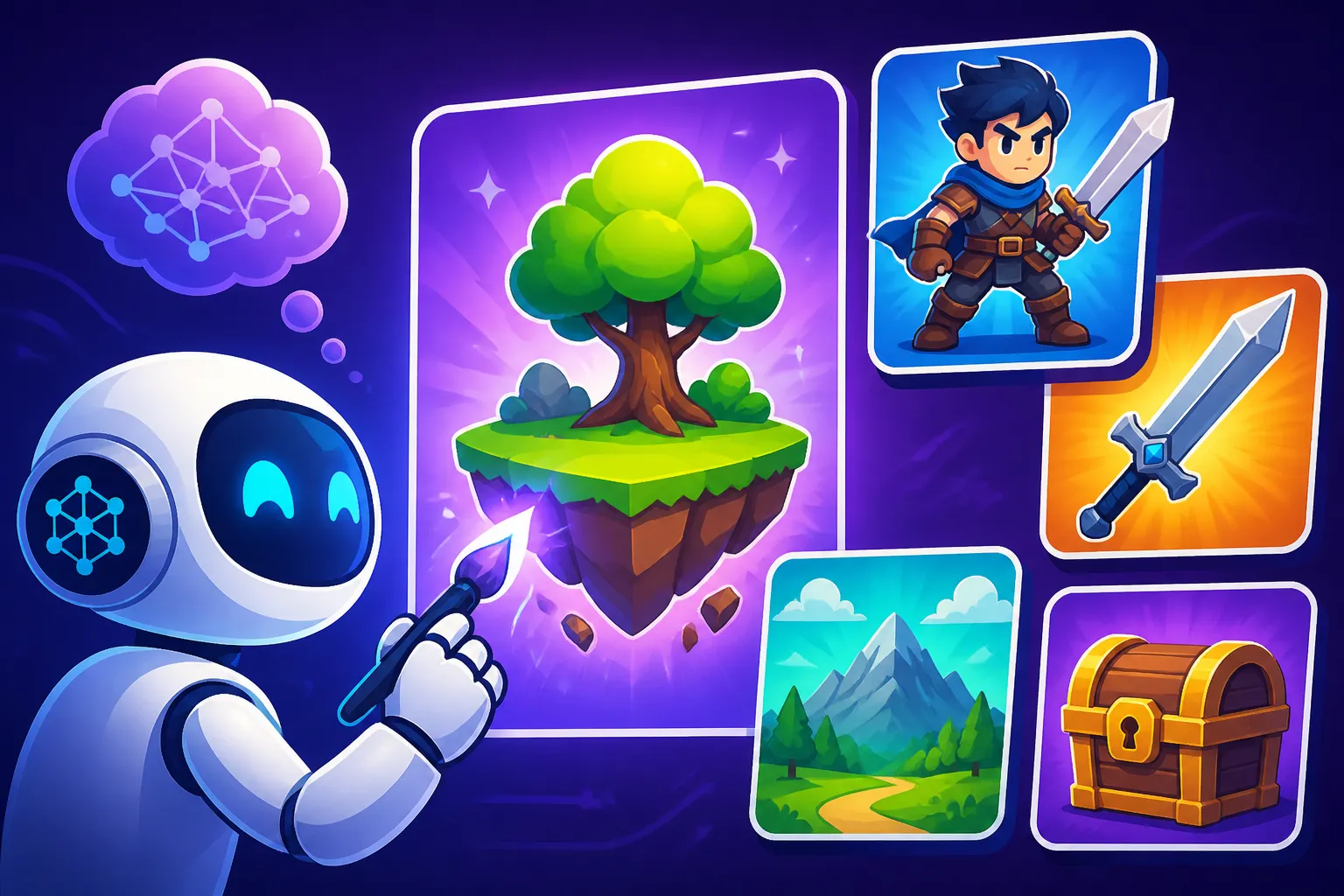
For many aspiring and independent game developers, the dream of creating visually stunning worlds often crashes against the harsh realities of limited budgets and artistic resources. Crafting unique characters, intricate environments, and compelling user interfaces from scratch can be a monumental, time-consuming, and expensive task. This comprehensive guide will show you how AI image generators can become your secret weapon, helping you overcome these hurdles by rapidly creating a vast array of high-quality game assets, even if you’re not a seasoned artist.
Understanding the Landscape of AI for Game Asset Creation
The world of AI image generation has exploded, and it’s not just for pretty pictures anymore. Game developers, from solo indie creators to small studios, are increasingly leveraging these powerful tools to streamline their art pipelines and bring their visions to life without breaking the bank or sacrificing endless hours to manual drawing. It’s about smart creation, not replacing human creativity entirely.
What are AI Image Generators and How They Apply to Games
At its core, an AI image generator is a program that uses artificial intelligence to create images from textual descriptions, known as prompts. You type in what you want to see—say, "a medieval knight with a glowing sword standing on a snowy mountain"—and the AI conjures an image based on its vast training data. For game development, this translates into a powerful engine for generating sprites, textures, character concept art, environmental elements, UI icons, and even entire background scenes. The AI isn't drawing in the traditional sense; it's predicting and assembling pixels based on patterns it has learned, offering a new paradigm for visual asset production. This can dramatically reduce the time spent on initial concepting or even final asset creation.
Advantages for Game Developers
The benefits of integrating AI into your game asset workflow are substantial and can be a game-changer for smaller teams. First and foremost is speed. Imagine needing a hundred variations of a fantasy creature or a specific type of tree. Manually drawing or modeling these would take weeks, but an AI can generate dozens in minutes. This speed also fuels rapid iteration, allowing you to test countless visual styles and concepts before committing, which saves both time and potential rework.
Next is cost-effectiveness. Hiring a dedicated concept artist or a team of texture artists can be incredibly expensive. While AI tools often come with subscription fees, these are typically a fraction of the cost of traditional art services. This democratizes game development, enabling creators with limited financial resources to produce professional-looking visuals. Finally, AI opens up a world of variety. With a slight tweak to a prompt, you can explore endless styles, moods, and aesthetics, giving your game a unique visual identity that might have been impossible to achieve otherwise.
Limitations and Challenges to Be Aware Of
While AI is incredibly powerful, it's not a magic bullet without its quirks. One of the biggest challenges is maintaining consistency. If you generate multiple characters for a game, ensuring they all share the same art style, proportions, and emotional tone can be tricky across different prompts and generation sessions. Similarly, achieving true style coherence for an entire game world—where every rock, tree, and character feels like it belongs together—requires careful prompt engineering and often significant post-processing.
Another common frustration, as many users of tools like Midjourney or DALL-E will tell you, is the infamous issue of hands, anatomy, and fine details. AI models have gotten much better, but they can still struggle with realistic human anatomy, leading to distorted limbs or extra digits. This often necessitates manual touch-ups in an image editor. Finally, commercial rights concerns are a real factor. While many AI tools offer commercial licenses with their paid tiers, it's crucial to understand the terms and conditions of each platform regarding ownership and usage, especially if you plan to sell your game. Always check the fine print to avoid future headaches.
Choosing the Right AI Tool for Your Game Assets
With so many AI image generators on the market, picking the right one can feel like navigating a maze. Each tool has its strengths and weaknesses, making some better suited for specific tasks than others. Your choice will largely depend on your project's needs, your budget, and your desired level of control.
General-Purpose vs. Game-Specific Tools
Many of the most popular AI image generators, such as Midjourney, DALL-E, and Stable Diffusion, are general-purpose tools designed to create a wide variety of images. These are excellent starting points for game assets because of their versatility. For instance, Midjourney is renowned for its artistic quality and ability to generate visually stunning and often evocative images, perfect for concept art or promotional materials. You can find a comprehensive breakdown in our article on Midjourney Review: Features, Pricing, and Quality. DALL-E, especially its integration into platforms like ChatGPT, is known for its understanding of complex prompts and ability to generate diverse styles. For more details, check out DALL-E Review: Is It Worth It.
Then you have tools like Stable Diffusion, which, while also general-purpose, offers a level of customization and open-source flexibility that appeals to many developers. Learn more about it in our Stable Diffusion Review: Free and Customizable article. For game-specific needs, platforms like Leonardo AI or Krea AI are gaining traction. Leonardo AI, for example, often provides features specifically tailored for game art, such as texture generation and more consistent character creation tools, which can be invaluable. You can explore its capabilities in depth through our Leonardo AI Review. These tools often incorporate game-specific models trained on vast datasets of game art, leading to more relevant and usable outputs.
Key Features to Look For
When evaluating an AI image generator for game assets, several features stand out as critical.
- Control and Customization: How much control do you have over the output? Can you influence camera angles, lighting, specific materials, or character poses? Tools with advanced parameters, inpainting (editing specific parts of an image), and outpainting (extending an image beyond its original canvas) are incredibly useful for refining assets.
- Stylization Capabilities: Can the tool consistently generate images in a particular art style—be it pixel art, painterly, isometric, or hyperrealistic? The ability to guide the AI towards a consistent visual language is paramount for game development.
- Consistency Features: Does the tool offer features to maintain character consistency across multiple images, or to apply a specific style reference to new generations? This is vital for character sprites, enemy variations, or sets of UI icons that need to look uniform. Our guide on How to Prompt for Consistent Characters dives deeper into this challenge.
- Upscaling and Resolution: Can the generated images be upscaled to a high resolution suitable for your game without losing quality? This is crucial for larger assets or those that will be viewed up close. Many tools now integrate or offer separate upscaling features.
- Commercial Licensing: As mentioned, ensure the tool's terms allow for commercial use of the assets you create. This is non-negotiable if you plan to sell your game. Many platforms cater to this, but it’s always wise to confirm. You might also want to look into Free AI Image Generators with Commercial Use if budget is a primary concern.
Balancing Cost and Quality
The good news is that there are options for almost every budget. Many AI tools offer free tiers with limited credits or features, which are fantastic for experimenting and getting a feel for the platform. Bing Image Creator, for example, provides free image generation within Microsoft Edge. However, these free options often come with restrictions on commercial use or image resolution.
Paid subscriptions typically unlock more credits, faster generation, advanced features, and, crucially, explicit commercial usage rights. The cost can range from a few dollars a month for basic plans to higher tiers for heavy users or professional studios. When comparing pricing, consider the volume of assets you need, the desired quality, and the specific features that will save you time in the long run. Sometimes, investing a little in a tool like Adobe Firefly, which focuses on commercial safety, can save you significant headaches later.
Here's a quick comparison of popular AI image tools relevant for game assets:
| AI Tool | Primary Strength for Game Assets | Consistency Features | Customization/Control | Commercial Use (Paid Tiers) | Free Tier Available? |
|---|---|---|---|---|---|
| Midjourney | High Artistic Quality, Concept Art | Style references | Good (parameters) | Yes | Limited Trial |
| DALL-E | Understanding Complex Prompts, Diversity | Less explicit | Moderate | Yes | Via ChatGPT/Bing |
| Stable Diffusion | Versatility, Open-Source, Fine-tuning | ControlNet/LoRAs | Extensive | Yes (user's discretion) | Yes |
| Leonardo AI | Game Art Focus, Texture Generation, 3D | Explicit features | Good | Yes | Yes |
| Krea AI | Real-time Generation, Iteration | Less explicit | Moderate | Yes | Limited |
| Adobe Firefly | Commercial Safety, Integration with Adobe | Text prompts | Moderate | Yes (Indemnification) | Yes |
Step-by-Step Guide to Generating AI Game Assets
Generating game assets with AI isn't just about typing a few words and hoping for the best. It's an art in itself, requiring a thoughtful approach to prompting, iteration, and refinement. Think of it as collaborating with a super-fast, incredibly imaginative, but sometimes literal, digital assistant.
Crafting Effective Prompts for Game Assets
The prompt is your primary interface with the AI. A well-crafted prompt is descriptive, specific, and often structured. Instead of "knight," try "a stoic medieval knight, wearing ornate silver and gold plate armor, holding a greatsword, in a dark fantasy setting, 4k, isometric perspective, game asset." This gives the AI much more to work with.
When prompting for game assets, consider these elements:
- Subject: What exactly are you generating? (e.g., "a grumpy goblin," "an ancient stone pillar," "a sci-fi laser pistol").
- Style: This is crucial for game cohesion. Specify the art style. (e.g., "pixel art," "low poly 3D render," "hand-painted fantasy style," "stylized cartoon," "photorealistic").
- Context/Setting: Where would this asset exist? (e.g., "in a dimly lit dungeon," "floating in space," "on a bustling marketplace street").
- Details & Attributes: What are its characteristics? (e.g., "glowing eyes," "mossy texture," "worn leather straps," "futuristic design").
- Perspective/Camera Angle: Is it a top-down sprite, an isometric view, a first-person weapon? (e.g., "isometric perspective," "side-scrolling view," "close-up shot").
- Quality/Resolution: Indicate desired output quality. (e.g., "4k," "high detail," "game asset quality").
Don't forget negative prompts—telling the AI what not to include (e.g., "–no blurry, –no watermark, –no deformed hands"). Learning How to Write AI Image Prompts effectively is perhaps the most important skill in this process, and a good AI Image Prompt Guide for Beginners can be invaluable.
Iterating and Refining Your Generations
Rarely will your first prompt yield the perfect asset. This is where the iterative nature of AI generation shines.
- Generate Variations: Most tools allow you to generate multiple images from a single prompt or create variations of a chosen output. This is vital for exploring different interpretations and finding the best starting point.
- Tweak Prompts: If an image is close but not quite right, modify your prompt. Add more details, change a style element, or remove undesirable traits with negative prompts. Experiment with different keywords.
- Use Seeds: When you get a result you love, most AI tools provide a "seed" number. Using this seed in subsequent generations, especially with slightly modified prompts, can help maintain a degree of consistency, which is golden for asset packs.
- Reference Images: Some advanced tools allow you to upload an image as a style or composition reference. This is powerful for guiding the AI towards a specific aesthetic you've already established for your game.
- Inpainting and Outpainting: If a part of your generated asset isn't quite right (e.g., a character's arm looks odd) or you want to expand a background scene, tools like Stable Diffusion and Adobe Firefly offer inpainting (to edit within an image) and outpainting (to extend an image). Learning How to Edit AI Images with Inpainting can save many assets from the discard pile.
Post-Processing and Integration
Once you have your AI-generated assets, they're often not immediately game-ready.
- Upscaling: Many initial AI outputs might be at a lower resolution. You'll likely need to upscale them to fit your game's resolution requirements. There are dedicated AI upscalers, and many image generators have this feature built-in. Check out our guide on How to Upscale AI Images for best practices.
- Background Removal: For sprites or objects, you'll need to remove backgrounds and ensure transparent PNGs. Standard image editing software like Photoshop or GIMP, or even online tools, can handle this.
- Minor Edits and Touch-ups: This is where human artistic intervention is still crucial. Fix any anatomical oddities, clean up artifacts, adjust colors to match your game's palette, or paint over areas that don't quite fit.
- Exporting to Sprite Sheets/Atlases: For 2D games, you'll compile your individual sprites into sprite sheets or atlases to optimize performance. For 3D games, textures will need to be correctly mapped.
- Normal Maps and Other Maps: For realistic 3D assets, you might need to generate normal maps, roughness maps, or metallic maps from your base textures. Some AI tools can assist with this, or you can use specialized software.
Specific Use Cases for AI-Generated Game Assets
The versatility of AI image generation means it can contribute to almost every visual aspect of your game. It’s not just about one-off images; it’s about creating entire libraries of consistent, high-quality visuals.
Character Concepts and Avatars
One of the most time-consuming aspects of game development is designing characters. AI can accelerate this immensely. You can generate hundreds of unique character concepts based on race, class, personality traits, and armor types in a fraction of the time it would take to sketch them manually.
- Initial Concepting: Prompt for "a cyberpunk bounty hunter, female, with glowing neon dreadlocks and a chrome arm, gritty street background, dark atmosphere."
- Variations: Once you have a base, generate variations to explore different outfits, poses, or expressions. This is excellent for fleshing out non-player characters (NPCs) or enemy types.
- Player Avatars: For games with player customization, AI can generate a range of face types, hairstyles, and accessories that players can choose from, giving them a rich palette to personalize their in-game identity.
Environmental Elements: Backgrounds, Props, and Textures
Building immersive game worlds requires a wealth of environmental assets. AI excels at producing these.
- Backgrounds: Need a sprawling fantasy landscape, a desolate alien planet, or a bustling futuristic city? AI can render detailed backgrounds quickly. Prompt for "a sprawling ancient elven city nestled in a Redwood forest, misty morning, high fantasy art."
- Props: From barrels and crates to magical artifacts and technological gadgets, AI can generate endless unique props. Think "wooden barrel with iron bands, covered in moss, high detail, for an RPG."
- Textures: Seamless textures for floors, walls, rocks, and foliage are easily generated. Specify "seamless cobblestone texture, wet, medieval style, 2048×2048." These can then be applied to 3D models or used as tiling backgrounds in 2D games.
UI/UX Elements: Icons, Buttons, and Splash Screens
The user interface (UI) and user experience (UX) are critical for player engagement, but designing intuitive and attractive UI elements can be challenging.
- Icons: AI is fantastic for generating icons. Need a sword icon for an inventory, a potion bottle for a health item, or a cog for settings? Prompt for "golden sword icon, clean lines, fantasy RPG style, transparent background."
- Buttons: Generate stylized buttons that fit your game's aesthetic. "Glowing blue energy shield button, sci-fi UI, clean vector style."
- Splash Screens and Loading Screens: Create stunning visual art for your game's intro or loading screens. These often require high artistic quality and can be directly generated from a single, well-crafted prompt, such as "a brave knight facing a dragon in a desolate wasteland, epic fantasy illustration, cinematic lighting, game splash screen."
Marketing and Promotional Art
Beyond in-game assets, AI is a powerful tool for generating marketing materials that capture attention.
- Cover Art: Create striking imagery for your game's storefront pages (Steam, Epic Games Store, console stores) or website. These often need to be eye-catching and convey the game's essence.
- Social Media Graphics: Generate dynamic images for Twitter, Facebook, Instagram, and other platforms to announce updates, share concept art, or build hype. Our guide on Best AI Image Generator for Social Media Graphics could be helpful here.
- Trailer Thumbnails: Craft compelling thumbnails for your game trailers on YouTube. A good thumbnail can significantly impact click-through rates. You can learn more about this in our article on Best AI Image Generator for YouTube Thumbnails.
Maintaining Consistency and Style Across Assets
Achieving a unified visual style is paramount for any game. A mismatched aesthetic can break immersion and make your game feel less polished. While AI is great at generating individual pieces, ensuring they all fit together is where your directorial hand comes in.
Using Style References and Control Images
One of the most effective ways to maintain consistency is to establish a strong visual baseline. If you have existing concept art, character designs, or even a mood board, use it as a reference. Many AI tools allow you to upload an image and instruct the AI to generate new content in that style. This is incredibly powerful for character variations, environmental props, or even new UI elements that need to adhere to an established look.
For example, if you've already designed your main character, upload their image and prompt for an NPC "in the style of the uploaded image, a wizened old merchant, wearing a rustic cloak, standing in a cobblestone alley." This helps the AI understand the specific aesthetic you're aiming for, whether it's the brushwork, color palette, or level of detail. Tools like Stable Diffusion, with its ControlNet feature, offer even more granular control over composition and pose, ensuring characters appear consistent across various scenes and actions.
Developing a Consistent Prompt Library
Think of your prompts as a style guide for the AI. Instead of starting from scratch every time, create a "prompt library" with standardized stylistic phrases. For instance, if your game is "hand-painted fantasy," always include "hand-painted fantasy illustration, high detail, vibrant colors, epic atmosphere" in your prompts.
You can create different prompt templates for various asset types:
- Characters:
[Character Description], [Pose/Action], [Emotion], hand-painted fantasy illustration, dynamic lighting, game character asset, 4k. - Environments:
[Scene Description], [Time of Day/Weather], hand-painted fantasy illustration, wide shot, atmospheric, game background asset, 4k. - UI Icons:
[Icon Object], clean lines, hand-painted fantasy UI icon, transparent background.
By consistently using these core stylistic phrases, you guide the AI toward a more uniform output, which makes post-processing and integration much smoother. Remember, you're building a vocabulary that both you and the AI understand.
Leveraging Inpainting and Outpainting for Scene Extension
For larger scenes or assets that need to seamlessly blend into existing environments, inpainting and outpainting are invaluable techniques. If you've generated a stunning landscape, but it doesn't quite fit your desired aspect ratio or needs more foreground elements, outpainting can intelligently expand the image. You provide a prompt for the new area you want to generate (e.g., "add a small ancient ruin in the foreground") and the AI will fill it in, trying to match the existing style.
Similarly, inpainting allows you to select a specific area of an image and regenerate only that part. Let's say a generated character's weapon looks out of place. You can select just the weapon and prompt the AI to replace it with "an ornate runic axe, glowing blue." This precise editing capability means you don't have to discard an otherwise perfect asset for a minor flaw, significantly improving your workflow efficiency. These features are particularly useful in tools that offer robust editing capabilities, like Stable Diffusion, allowing you to refine specific elements without altering the entire image.
Disclaimer
Please remember that the field of AI image generation is rapidly evolving. Information, features, and pricing for specific tools may change. Always verify the latest terms of service and commercial use policies directly with the AI service provider.