Best AI Image Generator for Wallpapers
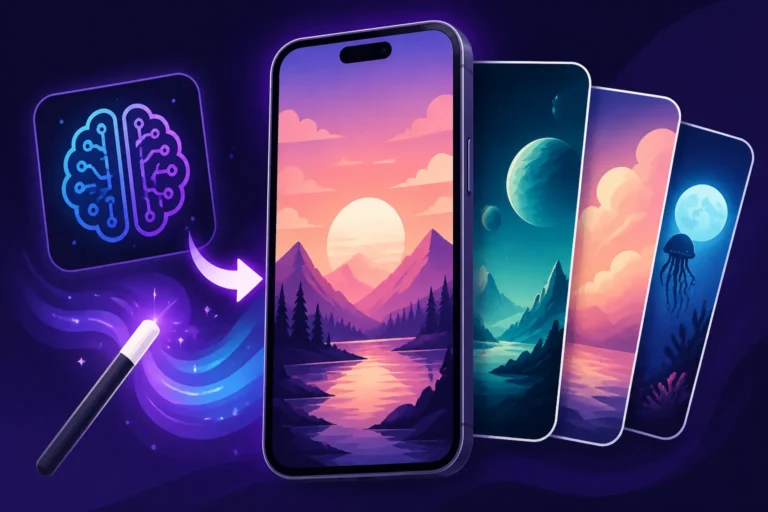
Have you ever spent what feels like an eternity scrolling through wallpaper sites, only to find something almost right, but never quite perfect? You know the feeling – the colors are off, the composition isn't hitting right, or it simply doesn't capture the unique vibe you're going for. It's incredibly frustrating to want a specific aesthetic for your phone, tablet, or desktop background and come up empty-handed. This guide is here to rescue you from that endless scroll, diving deep into the best AI image generators available, showing you how they can transform your digital spaces, and helping you pick the ideal tool to create truly personalized, stunning wallpapers tailored exactly to your vision.
Why AI Image Generators Are a Game-Changer for Wallpapers
For years, getting a unique wallpaper meant either sifting through thousands of stock photos, commissioning an artist (which can be pricey!), or being content with whatever generic options came pre-installed on your device. It was a tedious process often ending in compromise. But in today's digital landscape, that paradigm has shifted dramatically, thanks to the incredible power of artificial intelligence. AI image generators aren't just a novelty; they're fundamentally changing how we approach digital aesthetics, especially when it comes to personalizing our screens.
The Frustration of Finding the "Perfect" Wallpaper
Let's be real, the quest for the perfect wallpaper can feel like searching for a needle in a haystack. You might have a specific mood in mind – maybe a serene, misty forest at dawn, or a vibrant, abstract cyberpunk cityscape – but translating that vague feeling into a precise image has always been a monumental task. Websites are overflowing with collections, but they're often curated for mass appeal, leaving little room for niche or highly personal tastes. You're left with generic landscapes, repetitive patterns, or images that just don't quite align with your personal style or the specific device you're trying to adorn.
This frustration is compounded when you consider different aspect ratios and resolutions. A beautiful image might look fantastic on a desktop monitor, but crop awkwardly or lose quality when stretched to fit a vertical phone screen. Trying to edit these images yourself often requires complex software and a decent amount of graphic design skill, which isn't something everyone has the time or inclination to learn. The desire for something truly yours often bumps up against the limitations of existing content, making the search more of a chore than a creative endeavor.
Unlocking Infinite Creativity and Customization
This is where AI image generators truly shine. Imagine being able to type a few descriptive words and have a unique, high-quality image materialize before your eyes – an image that perfectly matches your imaginative brief. This isn't science fiction anymore; it's the everyday reality of tools like Midjourney, Stable Diffusion, and DALL-E. They put the power of a digital artist, a photographer, and a graphic designer right at your fingertips, democratizing image creation like never before.
With AI, the possibilities are virtually limitless. You're no longer confined to what already exists. You can blend styles, experiment with lighting, invoke specific artistic movements, or even create entirely fantastical scenes that have never been seen before. Want a wallpaper of a holographic koi pond in a neon-lit Tokyo alley? Or a minimalist geometric pattern in calming pastel tones specifically designed for your iPhone 15 Pro Max's aspect ratio? AI makes it not only possible but surprisingly easy. This level of customization means your digital spaces can become true extensions of your personality and current mood.
Key Features to Look for in a Wallpaper AI Generator
When you're trying to pick the best AI image generator for wallpapers, it's easy to get overwhelmed by the sheer number of options and technical jargon. However, focusing on a few critical features will help you narrow down your choices and ensure you end up with a tool that truly meets your wallpaper creation needs. Not all AI generators are created equal, and what works wonderfully for, say, generating product photography might not be ideal for crafting that perfect desktop background.
High Resolution and Aspect Ratio Control
This is arguably the most crucial feature for wallpaper creation. A stunning image is only as good as its resolution and how well it fits your screen. There's nothing worse than finding a beautiful AI-generated image only to realize it's too small and pixelated when set as a background, or it has awkward black bars because the aspect ratio is wrong. The best AI tools will allow you to specify output resolutions that are suitable for various devices – think 1080p, 1440p, 4K, or even higher for large desktop monitors or ultrawide screens.
Beyond resolution, precise aspect ratio control is non-negotiable. Whether you need a 16:9 for a laptop, a 21:9 for an ultrawide gaming monitor, a 9:16 for a standard smartphone, or even a 4:3 for an older tablet, your chosen AI generator should offer intuitive ways to define these dimensions within your prompt or through its interface. Some tools like Midjourney Parameters Explained offer advanced parameters like --ar to dial in exact aspect ratios, which can make all the difference between a passable image and a perfectly composed wallpaper. Without this control, you'll spend more time cropping and resizing manually, defeating the purpose of efficient AI generation.
Style Versatility and Artistic Range
Your personal aesthetic isn't static, and neither should your wallpaper options be. A top-tier AI image generator for wallpapers should be capable of producing a wide array of artistic styles. Do you prefer photorealistic landscapes that look like they were snapped by a professional photographer? Or are you more into abstract expressionism, digital painting, watercolor, cyberpunk, or even whimsical cartoon styles? The more versatile the AI model, the better it can adapt to your changing tastes and specific project needs.
Look for tools that have a reputation for excelling in various genres or offer specific models tuned for different artistic outputs. Some might be renowned for their dreamy, painterly qualities, while others are masters of sharp, realistic imagery. Having this versatility means you won't need to switch between multiple platforms just to explore different artistic directions. It empowers you to generate a gothic cathedral one day and a vibrant, minimalist pattern the next, all from the same powerful interface. This artistic range is what truly unlocks the creative freedom AI promises for wallpaper enthusiasts.
Ease of Use and User Experience
Let's be honest, not everyone wants to delve into complex prompt engineering or navigate convoluted interfaces just to get a pretty picture. While some advanced users thrive on granular control, many just want to articulate their idea and see it come to life quickly and intuitively. The ease of use and overall user experience are paramount, especially if you're new to AI image generation. A great tool should have a clear, welcoming interface, whether it's a web application or a Discord bot.
Consider how easy it is to input prompts, manage your generated images, organize them, and download them in your desired format and resolution. Are there helpful tutorials or an active community to guide you? Features like prompt suggestions, style presets, or iterative refinement tools (where you can easily tweak existing generations) significantly enhance the user experience. You want a tool that gets out of your way and lets your creativity flow, rather than becoming another frustrating barrier. Tools that offer a straightforward path from idea to image, even for complex concepts, are often the most valuable for regular wallpaper creation.
Top Contenders for AI Wallpaper Generation
Now that we know what to look for, let's dive into some of the leading AI image generators that excel in crafting stunning wallpapers. Each has its own strengths and nuances, making them suitable for different artistic preferences and technical requirements. Understanding these differences will help you make an informed decision about which tool will best bring your wallpaper visions to life.
Midjourney: Artistic Excellence and Detail
When it comes to sheer artistic quality and generating visually breathtaking images, Midjourney often stands out. It's renowned for its ability to produce incredibly aesthetic, often surreal, and highly detailed artwork that frequently surpasses other models in terms of raw beauty. Many users find its default outputs to have a unique, dreamlike quality that lends itself exceptionally well to abstract, fantasy, and even photorealistic wallpapers. If you're chasing that "wow" factor, Midjourney is a serious contender. You can read more about its capabilities in this comprehensive Midjourney Review: Features, Pricing, and Quality.
Its strength lies in its ability to interpret abstract concepts and imbue them with an artistic flair that feels almost human-made. For wallpapers, this means generating scenes with rich textures, nuanced lighting, and intricate compositions that can truly transform a screen into a piece of art. It's fantastic for creating epic landscapes, intricate character art, or mood-setting abstract patterns. While it operates primarily through Discord, its command structure is powerful, allowing for precise control over aspect ratios and stylistic variations, making it ideal for crafting high-resolution backgrounds.
Stable Diffusion: Control and Customization
For those who demand granular control over their image generation process, Stable Diffusion is a powerhouse. Unlike some other platforms that are more "black box," Stable Diffusion is open-source, allowing for extensive customization, local installation, and the use of various models (LoRAs, checkpoints) to fine-tune the output to an extraordinary degree. This makes it incredibly flexible for creating wallpapers across a vast spectrum of styles, from hyperrealism to specific anime aesthetics. If you're willing to invest a little time in learning its intricacies, the creative freedom it offers is unparalleled. You can learn more about its open-source nature in this Stable Diffusion Review: Free and Customizable.
The level of control extends to parameters like denoising strength, CFG scale, and negative prompts, which allow users to precisely guide the AI towards their desired result and away from unwanted elements. For wallpaper enthusiasts, this means being able to iterate on a concept until it's absolutely perfect, ensuring every detail aligns with their vision. It's particularly favored by users who want to create very specific moods, match existing art styles, or even generate continuous patterns that can seamlessly tile across multiple monitors. The learning curve might be a bit steeper than some alternatives, but the rewards in terms of unique and tailored output are significant.
DALL-E: Simplicity and Quality
DALL-E, particularly its integration into ChatGPT, offers a fantastic balance of ease of use and respectable quality. If you're someone who prefers a more conversational interface and wants to generate high-quality images without diving deep into complex parameters, DALL-E is an excellent choice. It’s known for its strong understanding of natural language prompts, often interpreting complex descriptions with surprising accuracy and coherence. This makes it very approachable for beginners or those who want to quickly generate wallpaper ideas. If you're wondering if it's worth it, check out our DALL-E Review: Is It Worth It.
For wallpaper creation, DALL-E excels at producing a wide range of styles, from realistic photography to illustrations and abstract art, with consistent quality. Its ability to create distinct objects and scenes from simple prompts means you can easily generate images of specific items, characters, or landscapes for your background. While it might not always have the same artistic flourish as Midjourney or the deep customization of Stable Diffusion, its accessibility and solid output quality make it a strong contender for everyday wallpaper needs. The recent improvements in DALL-E have also made it much better at generating images that are ready to be used as backgrounds with minimal fuss.
Leonardo AI: User-Friendly and Feature-Rich
Leonardo AI has quickly gained popularity as a user-friendly platform that doesn't skimp on powerful features. It offers a comprehensive suite of tools, including custom model training, image prompting (using an existing image as a base), and a vast library of community-trained models (called "Fine-tuned Models" or "LoRAs") that allow users to generate images in very specific art styles or themes. For wallpaper creators, this means an incredible amount of flexibility and a head start if you're aiming for a particular aesthetic. Dive deeper into its offerings with a full Leonardo AI Review.
The platform's intuitive interface makes it easy for newcomers to get started, while its advanced features cater to more experienced users. When generating wallpapers, Leonardo AI provides excellent control over image dimensions and aspect ratios, crucial for fitting various screens. Its diverse model library is a massive advantage, allowing you to generate anything from realistic portraits to stylized fantasy scenes or futuristic cityscapes, all optimized for visual appeal. This combination of ease of use and powerful customization options makes Leonardo AI a standout choice for anyone serious about crafting unique and personalized wallpapers.
Ideogram: Text Integration for Personalized Wallpapers
One of the persistent challenges with many AI image generators has been their struggle with rendering legible text within images. This is where Ideogram shines brightly. If your ideal wallpaper involves custom typography – perhaps a motivational quote, a specific date, or your initials integrated seamlessly into an artistic background – Ideogram is arguably the best tool for the job. It has made significant strides in generating accurate and stylish text, often a make-or-break feature for truly personalized wallpapers. Check out why it's considered excellent for text in our Ideogram Review: Best for Text in Images.
Beyond its text capabilities, Ideogram also offers a robust image generation engine that produces aesthetically pleasing results across various styles, from illustrations to photography. Its interface is straightforward, making it easy to input both visual descriptions and the text you want to include. For those looking to create a wallpaper that combines captivating imagery with a meaningful or decorative textual element, Ideogram provides a unique and highly effective solution that other generators often struggle to match. This focus on typography opens up a whole new realm of possibilities for custom screen backgrounds.
Crafting the Perfect Wallpaper Prompt
Generating an AI image is one thing; generating the perfect wallpaper is another. The secret sauce often lies in the prompt you feed the AI. It’s your instruction manual, your artistic brief, and the more detailed and thoughtful it is, the closer you’ll get to your desired outcome. Don’t just type "cool wallpaper" and expect magic; treat your prompt like a conversation with a highly skilled, but literal, artist. For general advice on prompt writing, check out our How to Write AI Image Prompts guide.
Describing Your Vision: Elements and Aesthetics
When crafting a prompt for a wallpaper, start by clearly defining the core subject or theme. Is it a sprawling landscape? A minimalist geometric design? A portrait of a fantastical creature? Once you have the subject, layer on specific details about its composition, mood, and aesthetic. For example, instead of "forest," try "enchanted, ancient forest at twilight, with glowing bioluminescent fungi and a faint mist rising from the ground." Use adjectives to convey atmosphere: serene, vibrant, moody, futuristic, cozy, ethereal.
Consider the dominant colors you envision. Do you want a monochromatic scheme, a vibrant rainbow, or soft pastels? Specify these. Think about the style: "photorealistic," "oil painting," "digital art," "anime," "pixel art," "watercolor," "vaporwave." The more descriptors you add, the more precisely the AI can interpret your artistic intent. Don't forget elements like depth of field, perspective (e.g., "wide-angle shot," "macro close-up"), and time of day (e.g., "golden hour," "midnight," "stormy afternoon"). Each detail adds richness and guides the AI closer to your unique vision for a stunning background.
Incorporating Technical Specifications
Beyond the artistic vision, technical specifications are paramount for wallpapers. This is where you ensure the image is fit for purpose on your specific device. Always include the desired aspect ratio in your prompt. For instance, --ar 16:9 for a desktop monitor, --ar 9:16 for a smartphone, or --ar 21:9 for an ultrawide screen. Many AI tools, especially those that provide Midjourney Parameters Explained, allow you to specify this directly. If the tool doesn't have an explicit aspect ratio parameter, you might need to use descriptive language like "ultra-wide horizontal image" or "vertical phone wallpaper format."
Resolution isn't always directly controllable in the initial prompt for some generators, but it's important to keep in mind. You might need to generate at a standard resolution and then use an upscaling tool. However, some advanced models allow you to specify resolution goals like "high-resolution," "4K," or "cinematic quality." Also, think about negative prompts. Is there anything you don't want in your wallpaper? "No text," "no human figures," "no bright colors," "no cartoon style." These can be just as important as positive prompts in refining your output and ensuring it's free of unwanted distractions for your perfect screen background.
Comparing the Best AI Image Generators for Wallpapers
When it comes to choosing the absolute "best" AI image generator for wallpapers, there isn't a single, one-size-fits-all answer. It truly depends on your priorities: are you after unparalleled artistic quality, deep customization, ease of use, or the ability to embed text? Let's break down how these top tools stack up against each other specifically for wallpaper creation, considering their performance across various styles and their cost-effectiveness.
Here's a quick comparison table to help visualize the strengths of each platform for wallpaper generation:
| Feature/Tool | Midjourney | Stable Diffusion (local/web UI) | DALL-E (via ChatGPT) | Leonardo AI | Ideogram |
|---|---|---|---|---|---|
| Artistic Quality | Excellent, often surreal | Highly variable, can be excellent | Good, consistent | Excellent, wide range | Very Good, distinct style |
| Control/Customization | Good, via parameters & blends | Best (open-source models, LoRAs) | Limited, prompt-driven | Excellent (fine-tuned models) | Good, prompt-driven |
| Ease of Use | Moderate (Discord bot) | High (web UI) to Very Complex (local) | Very Easy (chat interface) | Very Easy (web UI) | Easy (web UI) |
| Text Generation | Poor | Poor (improves with specific models) | Fair to Good | Fair to Good | Excellent, highly reliable |
| Resolution/Aspect Ratio | Excellent (precise parameters) | Excellent (flexible, upscalers) | Good (default sizes, minimal AR control) | Excellent (presets, custom AR) | Good (presets, custom AR) |
| Ideal For | High-artistic, unique moods | Deep customizers, specific styles | Quick, high-quality general ideas | Balanced features, creative freedom | Text-integrated wallpapers |
| Pricing Model | Subscription (paid) | Free (local) / Paid (web hosts) | Paid (ChatGPT Plus) | Free Tier / Subscription | Free Tier / Subscription |
Performance for Different Wallpaper Styles
Each AI image generator has its sweet spot. If you're looking for breathtaking, almost gallery-worthy art that feels truly imaginative, Midjourney consistently delivers. Its outputs often have a distinct painterly or photographic quality that just pops as a wallpaper. It's particularly strong for fantasy, conceptual art, and vibrant landscape scenes. For example, generating "a shimmering neon-lit cybernetic forest, ethereal mist, ultra-detailed, cinematic lighting –ar 16:9" would likely yield stunning results from Midjourney.
Stable Diffusion, on the other hand, is the chameleon. With the right models and prompts, it can mimic virtually any style – from hyperrealistic portraits to abstract vector art or even specific comic book aesthetics. If you want a wallpaper of a specific character in a particular style, or a very precise pattern, Stable Diffusion's ability to use LoRAs and checkpoints gives you unmatched control. This versatility makes it a favorite for those who like to experiment or have very defined stylistic requirements.
DALL-E is fantastic for getting a good quality image quickly, especially for common concepts. If you need a simple, clean, and aesthetically pleasing image of "a minimalist mountain range at sunrise, abstract geometric style, warm pastel colors" for a casual phone background, DALL-E will usually hit the mark without much fuss. Leonardo AI strikes a great balance, offering a wide array of fine-tuned models for various styles, from cinematic to anime, making it incredibly versatile for both casual users and those with more specific artistic leanings. And, of course, for any wallpaper that needs crisp text, Ideogram is your undisputed champion. It’s hard to beat for "a minimalist wallpaper with the word 'FOCUS' in elegant gold lettering on a dark, textured background."
Cost-Effectiveness and Free Tiers
Budget is always a factor, and thankfully, the AI image generation landscape offers options for every wallet. Stable Diffusion, when run locally on your own hardware, is completely free, though it does require a capable GPU and some technical setup. Many online platforms that host Stable Diffusion, like Playground AI or NightCafe, offer free tiers with daily credits, providing a great way to Generate AI Images for Free. This makes Stable Diffusion a highly cost-effective choice for those with the technical know-how or who are happy with limited free usage on web platforms.
Leonardo AI and Ideogram both offer generous free tiers that provide a good number of daily credits, allowing you to generate quite a few wallpapers without spending a dime. These free credits are often sufficient for casual users who only need a few new backgrounds a week. For more intensive use, both offer affordable subscription plans that unlock more credits, faster generation, and additional features.
Midjourney and DALL-E (via ChatGPT Plus) are primarily paid subscription services. While they don't offer substantial free tiers for ongoing use, their quality and specific strengths often justify the cost for dedicated creators. Midjourney's plans can be found explained in detail in articles like Midjourney Pricing and Plans Explained. It really boils down to how often you plan to generate images and the level of quality and customization you demand. For beginners looking to test the waters, starting with the free tiers of Leonardo AI or Ideogram is an excellent way to dive in without commitment.
Tips and Tricks for Optimizing Your AI-Generated Wallpapers
Generating an image is only the first step. To truly elevate your AI-generated creation into a spectacular wallpaper, a few extra steps and considerations can make all the difference. Think of it as polishing a rough diamond – the AI provides the gem, and these techniques bring out its full sparkle.
Upscaling and Enhancing Details
Even if you prompt for "4K resolution," not every AI generator will consistently deliver pixel-perfect, artifact-free images at ultra-high resolutions directly. Often, the initial output might be good, but closer inspection reveals slight blurriness, minor imperfections, or a lack of crispness that can detract from a wallpaper's appeal on a large screen. This is where dedicated AI upscaling tools become invaluable. Many platforms, or even external tools, offer sophisticated upscalers that can intelligently increase an image's resolution by 2x, 4x, or even 8x, while simultaneously enhancing details and reducing noise. You can learn more about this process in our guide on How to Upscale AI Images.
Look for upscalers that utilize "denoising" and "artifact removal" features. These are crucial for making AI-generated images look less "AI-like" and more like high-quality photography or digital art. Some popular upscalers include Magnific AI, Topaz Photo AI, or even built-in options within platforms like Leonardo AI or Stable Diffusion web UIs. Running your chosen wallpaper through one of these tools can transform a good image into an exceptional one, ensuring it looks sharp and vibrant even on the largest monitors or high-density mobile displays. Don't underestimate the power of a good upscale – it's often the final, critical step in wallpaper perfection.
Experimenting with Variations and Blends
Rarely does the very first image generated perfectly capture your vision. AI image generation is an iterative process, and the best results often come from thoughtful experimentation. Most AI tools offer features to generate "variations" of an existing image, which takes the core elements of a previous output and reinterprets them with slight alterations. This is incredibly useful for finding the ideal composition, subtle color shifts, or alternative artistic angles that you might not have explicitly prompted for initially.
Additionally, many platforms allow for "image blending" or using an existing image as an "image prompt." This means you can take two distinct AI-generated images, or even a photograph and an AI creation, and merge their styles and content. Imagine blending a vibrant abstract pattern with a serene natural landscape to create a unique, harmonious background. This blending capability offers immense creative freedom, allowing you to fine-tune aspects like mood, color palette, or thematic elements until your wallpaper is truly one-of-a-kind. Don't be afraid to generate multiple variations, combine them, and continually refine your prompts – that's how you unlock the full potential of these powerful tools for truly custom and captivating wallpapers.
Disclaimer
The information provided in this article is for general guidance and informational purposes only. The landscape of AI image generation is constantly evolving, with new tools, features, and pricing models emerging regularly. While we strive to provide accurate and up-to-date information, individual experiences with AI tools may vary. Always refer to the official websites and terms of service of any AI image generator for the most current details regarding features, pricing, and usage rights.