Best AI Image Generator for T-Shirt Designs
Trying to constantly come up with fresh, eye-catching designs for your T-shirt brand can feel like an endless uphill battle. You’re always on the hunt for that unique graphic, that perfect slogan, or that specific aesthetic that will resonate with your audience, but time is short, resources are tight, and creative blocks hit harder than a freight train. This guide is here to cut through that frustration, walking you through the very best AI image generators specifically tailored to help you create stunning, commercially viable T-shirt designs efficiently and effectively.
Why AI Image Generators Are a Game-Changer for T-Shirt Design
Let's be real: the world of T-shirt design, especially for independent creators or small businesses, is incredibly competitive. You're not just selling a piece of fabric; you're selling a statement, an emotion, a piece of art that someone wants to wear. But getting to that final, perfect design often involves a lengthy, sometimes expensive, process. This is where AI image generators step in, not to replace human creativity, but to augment it in powerful, practical ways. They're changing the game by offering tools that simplify the design process, making it more accessible and far less intimidating.
Overcoming Creative Blocks and Time Constraints
We've all been there: staring at a blank canvas, a blinking cursor, or an empty sketch pad, feeling absolutely drained of ideas. It’s the dreaded creative block, and it can halt your T-shirt design production entirely. Even when inspiration strikes, the execution can be incredibly time-consuming, from initial sketching to digital rendering, color correction, and mock-ups.
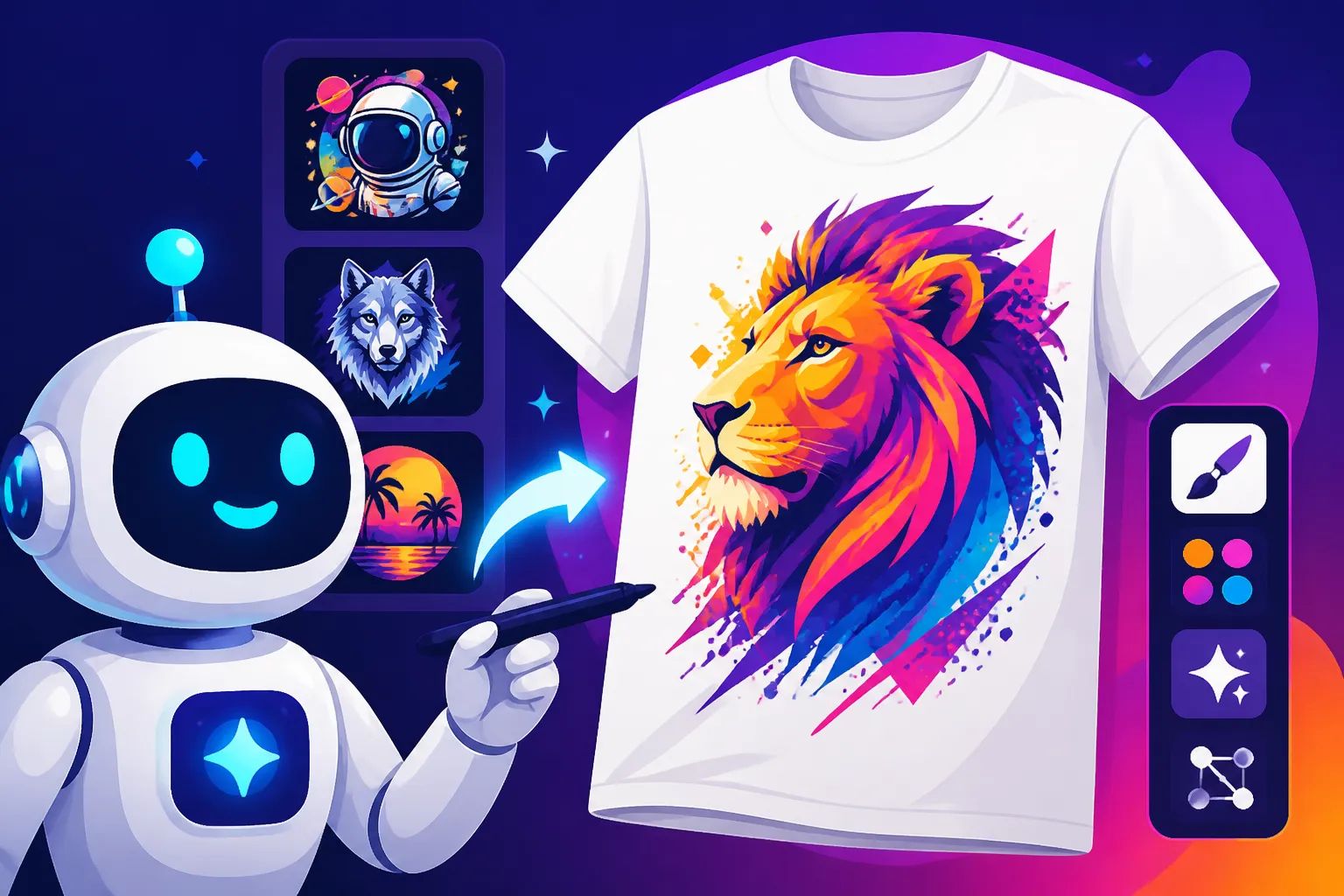
AI image generators can act as a powerful springboard for new concepts. You can type in a rough idea like "vintage sci-fi robot playing guitar on Mars" or "minimalist geometric lion head with a watercolor splash," and within seconds, you'll have a range of visual interpretations. This immediate feedback loop can kickstart your imagination, offering directions you might not have considered on your own. Imagine being able to generate dozens of distinct visual styles for a single concept in minutes, saving you hours, or even days, of manual sketching and digital manipulation. It truly is a lifesaver when deadlines loom large or when you simply need a fresh perspective.
Cost-Effectiveness and Accessibility for All Designers
Hiring a professional graphic designer for every single T-shirt idea can quickly become cost-prohibitive, especially for startups or hobbyists. Even if you're doing it yourself, high-end design software often comes with a steep learning curve and a hefty subscription fee. This creates a barrier to entry for many talented individuals who might have amazing ideas but lack the technical skills or financial means to bring them to life.
AI image generators democratize design. Many offer incredibly generous free tiers or affordable subscription plans, making professional-quality design accessible to virtually anyone with an internet connection. Instead of spending hundreds or thousands on custom illustrations, you can generate unique designs for a fraction of the cost, sometimes even for free. This significantly lowers the barrier to entry for aspiring T-shirt entrepreneurs, allowing them to experiment with different niches and aesthetics without major financial risk. It means you can launch that passion project without needing a massive capital investment in design resources.
Key Features to Look for in an AI Image Generator for T-Shirts
When you're trying to pick the right AI tool for your T-shirt designs, it's easy to get overwhelmed by the sheer number of options out there. But trust me, not all of them are created equal, especially when your end goal is a crisp, printable design that looks fantastic on fabric. You need to consider specific features that cater to the unique demands of apparel printing.
Image Quality and Resolution for Print
This is arguably the most critical factor. What looks decent on a screen might look pixelated, blurry, or muddy when printed on a T-shirt. You need an AI generator that can output high-resolution images, preferably at 300 DPI (dots per inch) or higher, to ensure your designs are sharp and professional. If the tool generates low-resolution images, you’ll spend extra time and potentially money trying to upscale them, which can sometimes introduce artifacts or lose detail.
Think about the size of your T-shirt graphic. A small chest logo will have different resolution requirements than a full-back print. Some AI tools excel at generating stunning visuals but falter when it comes to maintaining fidelity at larger scales. Always check the output capabilities and, if possible, test a few designs by running them through a mock-up generator or even a small test print before committing to a tool. The quality of the final print is a direct reflection of the initial image resolution.
Text Integration and Typography Control
Let's face it: T-shirts often include text. Whether it's a witty slogan, a brand name, or a motivational quote, clear and readable typography is paramount. This is an area where many AI image generators have historically struggled, producing garbled, nonsensical text that looks like an alien language. It's frustrating to get a visually perfect design only to have the text be completely unusable.
However, some advanced AI tools have made incredible strides in this department. When evaluating options, prioritize those that offer robust text rendering capabilities. Look for features that allow you to specify fonts, control text placement, and maintain readability. Tools that can reliably render English words without distortion are invaluable for T-shirt design. Some generators even allow you to combine image generation with text overlays within the same interface, streamlining your workflow considerably. If your T-shirt designs rely heavily on legible text, this feature alone could be a deal-breaker.
Commercial Use Rights and Licensing
This is perhaps the most overlooked, yet vital, consideration for anyone planning to sell T-shirts. Generating a cool image for personal use is one thing; using it to make money is an entirely different legal landscape. Not all free or even paid AI image generators grant you the rights for commercial use. You absolutely must understand the licensing terms before you start selling products with AI-generated designs.
Some platforms offer explicit commercial licenses with their paid plans, providing peace of mind. Others might have restrictions, like requiring attribution, limiting the number of sales, or even prohibiting certain types of merchandise. Always dig into the terms and conditions, often found in the FAQ or "Legal" sections of the AI tool's website. For instance, companies like Adobe with their Firefly models are specifically designed with commercial use in mind, even offering indemnification for paying subscribers, which is a huge bonus for businesses concerned about copyright infringement. Don't risk a costly legal battle down the line by skipping this crucial step. Understanding your rights is as important as the design itself.
Style Versatility and Customization Options
Your T-shirt brand likely has a distinct aesthetic. Perhaps you focus on vibrant, retro designs, or maybe sleek, minimalist graphics are your bread and butter. An ideal AI image generator should be versatile enough to produce a wide range of styles that align with your brand's vision. A tool that only excels at photorealism might not be helpful if your niche is cartoon characters or abstract patterns.
Look for generators that offer style presets, allow for detailed prompt engineering to guide the aesthetic, or even support training custom models on your existing design library. The ability to control elements like color palettes, artistic mediums (e.g., watercolor, oil painting, pixel art), lighting conditions, and composition can significantly impact the final output. Furthermore, customization options like inpainting, outpainting, and iterative refinement features allow you to fine-tune your generated images, ensuring they perfectly match your creative brief. The more control you have over the generated image's style and elements, the more unique and on-brand your T-shirt designs will be.
Top Contenders: Best AI Image Generators for T-Shirt Design
Alright, now that we know what to look for, let's dive into the actual tools that are making waves in the AI image generation space and how they stack up for T-shirt design specifically. Each has its strengths and weaknesses, and what works for one designer might not be the perfect fit for another.
Midjourney: Artistic Flair and Unique Aesthetics
Midjourney has earned a stellar reputation for its ability to produce incredibly artistic, often breathtaking, images with a distinct, polished aesthetic. If your T-shirt brand leans into high-concept art, fantasy, sci-fi, or anything that requires a powerful visual impact, Midjourney could be your best friend. The images often have a painterly quality and depth that other tools struggle to replicate.
One of Midjourney's biggest strengths is its sophisticated understanding of artistic styles and complex prompts. You can achieve very specific looks, from "cyberpunk ramen shop with neon glow" to "whimsical forest creatures celebrating in a magical glade." The detail and composition are usually top-notch, making it ideal for creating eye-catching main graphics. However, it's worth noting that Midjourney operates primarily through a Discord interface, which can be a slight learning curve for some, though a web app is in development. Also, while its artistic output is superb, text rendering can still be a hit or miss, so expect to add text overlays in a separate design program. For a deeper dive into its capabilities, you might want to check out our Midjourney Review: Features, Pricing, and Quality guide. The costs can add up if you're a heavy user, but for unique, high-quality visuals, many consider it well worth the investment.
Ideogram: Mastering Text and Logos
If you've ever battled an AI image generator to accurately spell out a simple word, you'll understand why Ideogram has become such a valuable tool for T-shirt designers. Its standout feature is its uncanny ability to render legible, well-integrated text within images. This is a game-changer for T-shirt designs that rely heavily on slogans, brand names, or specific typography.
Ideogram shines where many others falter, making it a strong contender if clear, crisp text is a non-negotiable part of your designs. Beyond just spelling, it can often mimic requested font styles and integrate the text seamlessly into the overall composition, rather than just slapping it on top. This makes it particularly effective for creating logo designs or T-shirts where the text itself is the primary visual element. While its general image generation capabilities are robust, some argue it might not always reach the sheer artistic flair of a Midjourney, but for designers who prioritize text, it's a clear winner. If you're looking to generate eye-catching text for your designs, our Ideogram Review: Best for Text in Images could be incredibly helpful. It also offers a relatively user-friendly interface, making it accessible even for beginners.
Adobe Firefly: Commercial Safety and Integration
For professional designers and businesses, Adobe Firefly offers a compelling package, largely due to its strong emphasis on commercial safety and seamless integration with the Adobe Creative Cloud ecosystem. Adobe has been very vocal about training Firefly on ethically sourced data, and for paying subscribers, they even offer intellectual property indemnification, which is a huge peace of mind when you're selling products.
Firefly is excellent for those already entrenched in Adobe products like Photoshop or Illustrator, as it can be accessed directly within these applications, streamlining your workflow considerably. It's known for its ability to generate high-quality images, often with a clean, professional aesthetic, and its text-to-image features are steadily improving. The generative fill and expand tools are particularly useful for tweaking T-shirt designs, allowing you to easily adjust compositions or expand backgrounds for different print sizes. While it might not always produce the most "surreal" or avant-garde art, its reliability, commercial safety, and integration make it a top choice for serious T-shirt businesses. You can learn more about its business-friendly features in our Adobe Firefly Commercial Safety Review.
Leonardo AI: User-Friendly and Customizable Models
Leonardo AI has quickly gained popularity for its user-friendly interface and extensive customization options, making it a fantastic choice for T-shirt designers who want more control without needing advanced technical knowledge. It boasts a wide array of pre-trained models and the ability to train your own custom models, which is a huge advantage for maintaining a consistent brand aesthetic across many designs.
The platform allows you to fine-tune your image generation with various settings, styles, and prompt weights, giving you granular control over the output. This means you can create highly specific looks, from photorealistic to anime, abstract, or even 3D renders, making it incredibly versatile for diverse T-shirt niches. The free tier is quite generous, offering a good starting point for exploring its capabilities. For those who want to delve deeper into customizing their AI art, Leonardo AI provides an excellent balance of power and ease of use. If you're curious about getting started without a heavy investment, our Leonardo AI Free Tier Review offers a good overview of what's available.
Stable Diffusion: Open-Source Power and Flexibility
For the more technically inclined or those who crave maximum control and customization, Stable Diffusion is a powerful open-source option. While it might require a bit more setup and understanding of various models and parameters, its flexibility is unmatched. You can run it locally on your own computer (if you have sufficient hardware) or access it through various online interfaces and cloud services.
Stable Diffusion's strength lies in its vast ecosystem of community-contributed models (LoRAs, checkpoints) that can generate almost any style imaginable. This means you can achieve highly specific aesthetics that perfectly match your T-shirt brand, from hyper-detailed illustrations to abstract patterns. It's excellent for designers who are willing to invest time in learning the ropes to gain unparalleled control over their output. Tools like ControlNet allow for precise manipulation of composition and pose, which is invaluable for ensuring your T-shirt graphic fits the intended layout. While it has a steeper learning curve than some other tools, the creative freedom it offers is immense. Our Stable Diffusion Review: Free and Customizable explores how you can leverage this powerful tool.
How to Maximize Your T-Shirt Designs with AI
Simply generating an image with AI is just the first step. To truly excel in T-shirt design, you need to understand how to leverage these tools effectively, from crafting the perfect prompt to refining your designs for print. It's a combination of art and science, where your creative vision meets the power of artificial intelligence.
Crafting Effective Prompts for Apparel Art
The quality of your AI-generated T-shirt design is directly proportional to the quality of your prompt. A vague prompt will yield vague, often unusable, results. Think of your prompt as giving instructions to a highly skilled, but literal, artist. You need to be as specific and descriptive as possible to guide the AI towards your desired outcome.
Start with the core subject of your design, then add descriptive elements like style, color palette, lighting, composition, and even mood. For example, instead of "dog T-shirt design," try "minimalist line art of a French bulldog wearing sunglasses, pastel pink and sky blue, symmetrical composition, vector art style, clean edges, isolated on white background, for T-shirt print." Incorporate keywords that denote the specific aesthetic you're after, such as "vintage," "retro," "abstract," "futuristic," "distressed," or "cartoonish." Experiment with different adjectives and stylistic modifiers. Many AI tools also support negative prompts, allowing you to specify what you don't want to see in the image (e.g., "–no blurry, –no watermarks, –no text distortions"). Taking the time to craft detailed, iterative prompts will save you a lot of time and frustration in the long run. If you want to dive deeper into prompt writing, our How to Write AI Image Prompts guide is a fantastic resource.
Iterating and Refining Designs for Print
Rarely will your first AI-generated image be perfect for print. AI excels at generating initial concepts, but the refining process is where your human design skills truly come into play. You'll likely need to generate several variations of a design, tweak parameters, and then select the best candidates for further editing.
Once you have a promising image, it's crucial to check its resolution and ensure it meets printing standards. Many T-shirt printers recommend at least 300 DPI at the desired print size. If your AI tool produces lower resolution, you might need to use an AI upscaler to enhance the image without losing detail. Then, you'll want to import the image into a traditional graphic design software like Adobe Photoshop or Illustrator. Here, you can perform essential tasks like removing unwanted artifacts, refining edges, adjusting colors to match print profiles (CMYK), adding your brand's specific text (since AI text can still be tricky), and ensuring the design has a transparent background if needed. Remember, AI is a powerful assistant, but the final polish often comes from your expert eye.
Integrating AI into Your Existing Design Workflow
The beauty of AI isn't just in replacing tasks; it's in seamlessly integrating into your current workflow to enhance efficiency and creativity. Think of AI as another tool in your design toolbox, rather than a standalone solution for everything.
For example, you might use an AI image generator like Midjourney to quickly produce a dozen different visual concepts for a new T-shirt line. Once you pick a few favorites, you can take those images into Adobe Illustrator to vectorize them, making them scalable without loss of quality, which is essential for print. If you need specific textual elements, you might use Ideogram to generate the text-heavy portion of the design and then combine it with a graphic from Leonardo AI in Canva. For mock-ups, you could use AI to generate lifestyle images of people wearing your T-shirts, giving your customers a better visual of the product. The key is to identify the strengths of each AI tool and use them where they shine the brightest. This flexible approach allows you to leverage the best of AI while maintaining your established professional design practices. This strategic layering of tools is a hallmark of an efficient creative process.
Challenges and Considerations When Using AI for T-Shirts
While AI image generators offer incredible opportunities for T-shirt designers, it's not all smooth sailing. There are genuine challenges and ethical considerations that you absolutely need to be aware of to protect your brand and ensure the quality of your products. Ignoring these can lead to frustrating technical issues or, worse, legal problems.
Avoiding Common Pitfalls: Blurry Images and Copyright Concerns
One of the most common frustrations new AI users face when designing for print is generating images that look great on screen but turn out blurry or pixelated when printed. As mentioned before, resolution is king for T-shirts. Many free or basic AI tools default to web-friendly resolutions that are far too low for quality apparel printing. Always check your output settings and aim for images that can be upscaled or generated at print-ready sizes.
Beyond technical quality, copyright is a huge, looming concern. The legal landscape around AI-generated art is still evolving, and there's a lot of ambiguity. If you're using a free tool or one with unclear licensing, you might inadvertently use an image that infringes on existing copyrights or is not legally clear for commercial sale. For instance, if your AI generates an image that closely resembles a copyrighted character or logo, you could be in hot water. This is why platforms like Adobe Firefly, which offer clear commercial licenses and even indemnification for paying users, are becoming increasingly attractive for businesses. Always verify the commercial use rights of any AI tool you use, and when in doubt, consult legal counsel or stick to tools with transparent and favorable licensing terms. Understanding these issues is vital for anyone selling apparel, and our guide on Best AI Image Generator for Commercial Use can provide more clarity.
The Importance of Human Touch in AI-Assisted Design
While AI can generate incredible visuals, it often lacks the nuanced understanding of human emotion, cultural context, and brand identity that a human designer possesses. Designs generated purely by AI can sometimes feel generic, soulless, or even unintentionally offensive if not carefully curated. They might miss subtle details, produce anatomical errors (like infamous extra fingers or strange limbs), or fail to convey a specific message with the desired impact.
Therefore, the "human touch" remains incredibly important. AI should be seen as a powerful co-creator, not a replacement for your artistic sensibility. Your role as a designer shifts from manual creation to curation, prompt engineering, and refinement. You'll guide the AI, select the best outputs, make crucial aesthetic decisions, and apply the final polish that ensures the design is not only visually appealing but also resonant and perfectly aligned with your brand's values. This might involve extensive post-processing in traditional design software, adding hand-drawn elements, or simply making critical judgment calls that an AI cannot. The most successful AI-assisted T-shirt designs are often those where the AI does the heavy lifting of concept generation, but a human designer masterfully refines and elevates the output. It's about collaboration, not complete delegation.
Making Your Choice: Which AI Tool Fits Your T-Shirt Brand?
Choosing the "best" AI image generator isn't a one-size-fits-all decision, especially in the diverse world of T-shirt design. Your ideal tool will largely depend on your specific needs, budget, technical comfort level, and the unique aesthetic of your brand. Let's break down how to weigh these factors to make an informed choice.
For the Solo Entrepreneur vs. a Design Agency
If you're a solo entrepreneur just starting out or running a small print-on-demand shop, your priorities might lean towards ease of use, affordability, and quick iteration. You probably don't have the time or resources to delve into complex prompt engineering or intricate model training.
For you, tools like Ideogram could be fantastic if your designs often incorporate text, offering excellent text rendering with a relatively straightforward interface. Leonardo AI is another strong contender due to its user-friendly platform, good free tier, and decent range of customizable models, making it easy to experiment with different styles. These tools allow you to quickly generate ideas and refine them without a steep learning curve or significant financial commitment. The learning curve for Is Midjourney Good for Beginners might be a factor, but its output quality is undeniable if you can navigate Discord.
On the other hand, a design agency or a larger T-shirt brand with an established workflow might prioritize commercial safety, integration with professional tools, and maximum control. In this scenario, Adobe Firefly becomes a very attractive option, especially if the agency already subscribes to Adobe Creative Cloud. The IP indemnification offers a layer of protection that solo entrepreneurs often can't afford. For agencies with dedicated technical staff, Stable Diffusion provides unparalleled flexibility through its open-source nature and the ability to fine-tune models to brand-specific aesthetics. While more complex, the investment in learning Stable Diffusion can yield highly unique and controlled outputs for clients.
Balancing Cost, Quality, and Ease of Use
This is often the core dilemma. It's rare to find a tool that is simultaneously free, produces exceptional quality, and is incredibly easy to use. You'll likely need to make trade-offs based on what matters most to your T-shirt business.
-
Cost: If budget is your absolute top concern, explore the robust free tiers offered by tools like Ideogram (with its focus on text), Leonardo AI, or even Bing Image Creator (powered by DALL-E). These can get you started, but be mindful of limitations like daily credit caps, resolution, or commercial use restrictions. For something more substantial yet still budget-friendly, look at the entry-level paid plans of these services. Remember, sometimes a small monthly investment can dramatically increase your output quality and commercial viability. If you're wondering Is Leonardo AI Worth It, its free tier is a great way to test the waters.
-
Quality: If achieving the highest artistic quality and visual impact is paramount, and you're willing to pay for it, Midjourney is often cited as the leader in generating stunning, imaginative art. Its unique aesthetic can really make your T-shirt designs stand out. For professional-grade output with commercial reliability, Adobe Firefly is a strong contender. Stable Diffusion, with its custom models, can also achieve exceptional quality but requires more skill to harness.
-
Ease of Use: For designers who want a straightforward experience with minimal fuss, Leonardo AI and Ideogram generally offer intuitive web interfaces. Adobe Firefly also integrates well for existing Adobe users. Midjourney's Discord interface can be a barrier for some, but many find it quite powerful once learned. Stable Diffusion is generally the least user-friendly, requiring a more technical approach, but rewards users with immense control.
Ultimately, I recommend trying out the free tiers or trials of a few different tools. Generate some test designs that align with your T-shirt brand's style, assess the output quality, and consider the ease of integration into your workflow. The best AI image generator for your T-shirt designs is the one that empowers your creativity, meets your quality standards, fits your budget, and allows you to confidently bring unique apparel to market.
| Feature / AI Tool | Midjourney | Ideogram | Adobe Firefly | Leonardo AI | Stable Diffusion (via UI) |
|---|---|---|---|---|---|
| Artistic Quality | Excellent, unique style | Good, improving | Good, professional | Very Good, versatile | Excellent (with expertise) |
| Text Rendering | Poor to Fair | Excellent | Fair to Good | Fair to Good | Poor to Fair |
| Ease of Use | Moderate (Discord) | High | High (esp. Adobe users) | High | Low to Moderate (complex) |
| Commercial Use | Clear with paid plans | Clear with paid plans | Excellent (indemnification) | Clear with paid plans | Varies by model/frontend |
| Customization | Good (parameters) | Moderate | Good | Excellent (custom models) | Excellent (models, ControlNet) |
| Price (entry) | Paid plans only | Free tier + Paid plans | Free credits + Paid plans | Free tier + Paid plans | Free (local) + Paid (cloud) |
| Best For | High-art graphics | Slogan-heavy designs, logos | Commercial teams, Adobe users | User-friendly control | Tech-savvy, max flexibility |
Disclaimer
Please note that the field of AI image generation is rapidly evolving. Information regarding features, pricing, and licensing terms can change frequently. Always consult the official websites and terms of service for the most up-to-date and accurate details before making any purchasing or commercial decisions.