Midjourney Web App vs Discord
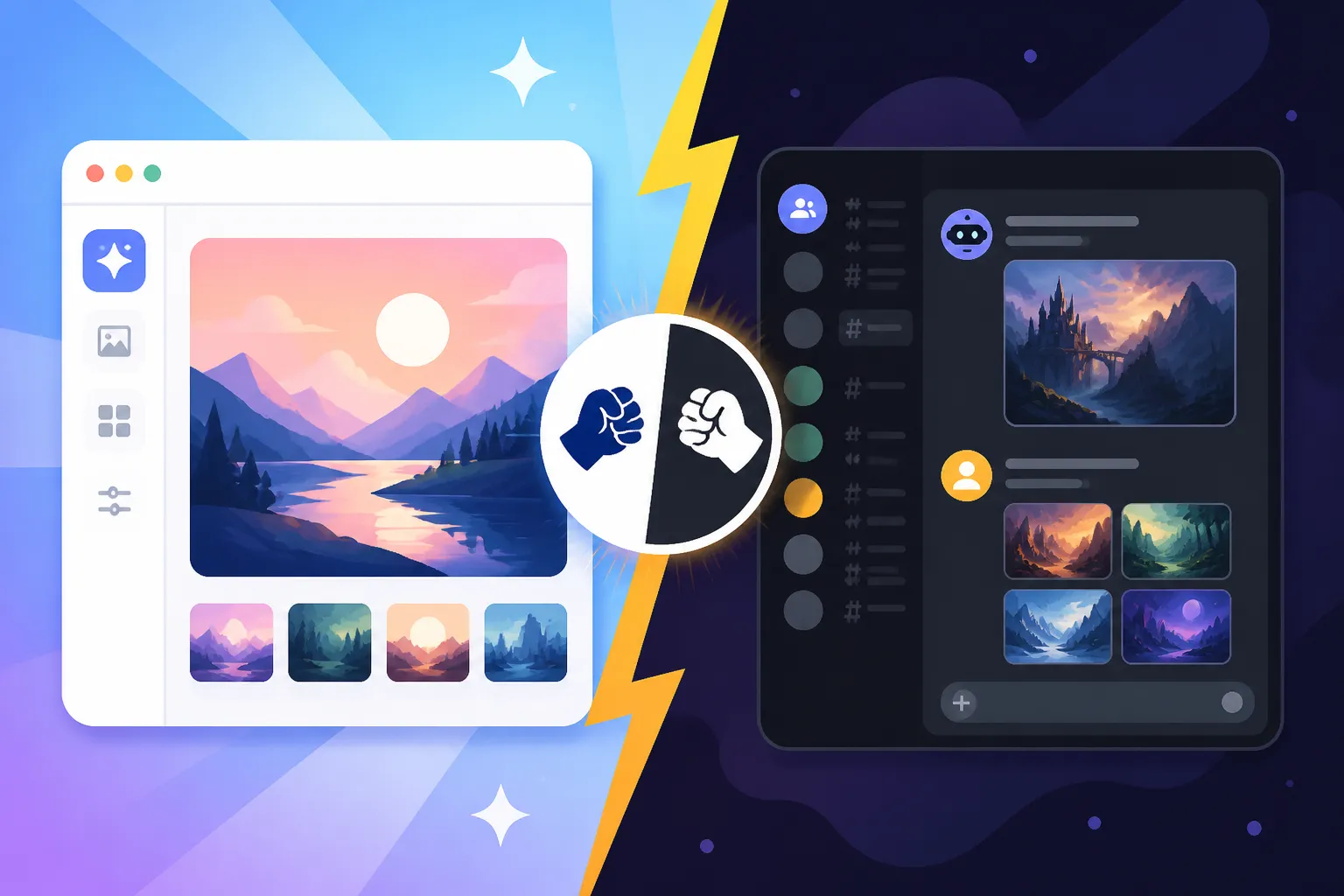
Many creators and enthusiasts who’ve dipped their toes into the world of AI image generation with Midjourney often face a bit of a head-scratcher: should you stick with the familiar, bustling Discord server, or embrace the sleek, evolving new web app? It’s a common dilemma, causing friction as you try to figure out where your creative energy flows best. This guide is here to untangle that confusion, offering a deep dive into both interfaces so you can choose the workflow that genuinely fits your style and needs, without feeling like you're missing out or struggling with an inefficient system.
The Discord Classic: A Familiar Territory for Many
For years, Midjourney was Discord. There was no other way to access it, and for many, it became synonymous with the platform itself. It's where the magic started, and for a lot of us, it still feels like home. But that "home" comes with its own quirks and a very specific way of doing things that might not be for everyone, especially as new alternatives emerge.
Getting Started and Community Vibe
When you first join Midjourney, it's almost always through their Discord server. You accept the invite, land in a general channel, and suddenly you're amidst a whirlwind of images being generated by thousands of other users in real-time. It’s exciting, a little overwhelming, but undeniably vibrant. You find yourself scrolling through newbie channels, witnessing an endless stream of /imagine prompts and the incredible (and sometimes bizarre) outputs. This public, shared experience is a huge part of its charm. You see what others are creating, learn new prompt ideas, and occasionally stumble upon truly inspiring artistry. It’s like a massive, constantly updating art gallery where everyone is both an artist and an observer. This raw, unfiltered access to a global creative community is something truly unique to the Discord experience.
However, this communal aspect can also be a double-edged sword. Your personal generations get buried quickly by other users' creations. If you don't instantly click on your image and send it to your private messages or react to it, it can vanish into the digital ether, forcing you to use the "Jump" button or scroll frantically to find your work. This hunt-and-peck can be frustrating when you're in a flow state and just want to iterate quickly on your own ideas without distractions. Despite these minor annoyances, the sense of camaraderie and shared discovery remains a powerful draw, making it a bustling hub for those who thrive on collective creativity. It's a fantastic place to observe the Best AI Image Generator Overall in action across a vast user base.
Command-Line Power and Flexibility
At its core, Discord interaction with Midjourney is all about commands. You type /imagine, then your prompt, and then you add a string of parameters to fine-tune your output. Want a specific aspect ratio? --ar 16:9. Need higher quality? --q 2. Playing with different styles? --sref or --style raw. This command-line interface, while initially daunting, offers an incredible level of control once you get the hang of it. You can stack parameters, experiment with weights, and literally script your creative vision down to the minute details. For some, this granular control feels incredibly empowering, allowing them to craft highly specific images that might be harder to achieve with a more visual, button-based interface.
The Discord bot environment also allows for a lot of advanced techniques that have evolved over time. You can use multiple image prompts, blend images, use negative prompting, and even generate repeatable images using a specific seed number. This level of depth is what makes Midjourney a favorite for many professional artists and designers who demand precision. Many users have dedicated countless hours to mastering these commands, turning prompt writing into an art form itself. Learning the intricacies of Midjourney Parameters Explained or understanding how to craft the perfect Midjourney Prompt Guide often starts right here on Discord. The power of directly inputting commands offers a direct, albeit text-heavy, path to controlling the AI's output, making it a robust environment for detailed creative exploration.
Challenges and Learning Curve
Let's be honest, for newcomers, stepping into the Midjourney Discord can feel like being dropped into the deep end of a swimming pool without knowing how to swim. The public channels are a blur of rapidly appearing images and text, making it incredibly difficult to track your own generations, let alone understand what's happening around you. Discovering your own images often involves toggling to the "Inbox" or "Mentions" tab, which interrupts your flow. The sheer volume of content can be overwhelming, and finding specific past images or iterating on them can be a tedious process of scrolling through endless chat history.
Beyond the interface challenges, the learning curve for mastering the text-based prompts and parameters can be steep. You need to remember specific command syntax, parameter names, and how they interact. There’s no intuitive dropdown menu or visual aid to guide you, unlike traditional design software. This means relying heavily on community guides, dedicated wikis, and a lot of trial and error. While the community is generally helpful, it's still a significant hurdle for those used to graphical user interfaces. For many who simply want to generate a few images without becoming a "prompt engineer," this barrier can be quite frustrating, and it’s why a streamlined experience is so eagerly anticipated.
Embracing the Future: Midjourney's Web App
After years of being exclusively tied to Discord, the Midjourney team finally launched its official web app, first in alpha and now continuously rolling out new features. This move has been a breath of fresh air for many, promising a more conventional and arguably more efficient way to interact with the powerful AI model.
Streamlined Interface and User Experience
The moment you log into the Midjourney web app, you're greeted with a vastly different experience than Discord. Gone is the chat-based interface; in its place is a clean, modern dashboard designed specifically for image generation and management. The primary focus is your gallery, showcasing your creations in an organized, visual format. You can easily scroll through your past generations, view them in higher resolution, and interact with them using intuitive buttons for variations, upscales, and rerolls. It feels much more like a traditional creative platform, designed with a user's visual workflow in mind.
Prompt input is also more straightforward. While you still type your prompt, the interface often provides suggestions or organized ways to add parameters without needing to remember exact syntax. For instance, selecting aspect ratios or styling modes might be done via dropdowns or toggles rather than typing --ar or --style. This significantly lowers the barrier to entry, making it more accessible for beginners and less frustrating for experienced users who just want to quickly generate an image. It's a far cry from the chaotic public channels of Discord, offering a serene, focused environment for creation. This focus on ease of use makes it a strong contender for those wondering Best AI Image Generator for Ease of Use.
Enhanced Organization and Workflow
One of the biggest advantages of the web app is its superior organization capabilities. Imagine trying to find a specific image you generated three months ago on Discord. You'd be scrolling for ages, potentially losing hours. In the web app, all your images are neatly displayed in a gallery. You can use powerful search filters to find images by keyword, date, aspect ratio, or even style. This makes managing a large library of generated assets a breeze. For professionals or anyone generating images frequently, this feature alone can be a game-changer.
Furthermore, the web app introduces collection features, allowing you to group related images into folders or projects. This is invaluable for designers working on different client projects, artists exploring various themes, or even bloggers creating visuals for different articles. Your prompt history is easily accessible and editable, meaning you can pull up an old prompt, tweak it slightly, and generate a new variation without having to retype everything from scratch. This iterative workflow is significantly more efficient than trying to copy-paste from Discord chat logs, making it ideal for maintaining consistency across a series of images, a crucial aspect often discussed in guides like How to Create Consistent AI Product Shots.
Current Limitations and Evolution
While the web app is a fantastic leap forward, it's still very much in active development and doesn't yet have full feature parity with its Discord counterpart. Initially, some advanced parameters or commands that were available on Discord weren't immediately present or as easily accessible in the web interface. For instance, specific /blend features or intricate /describe commands might have been more robust or simply exclusive to Discord. The team is actively working to bring all functionalities to the web, but as of now, there might be a slight lag.
Another point to consider is the community aspect. While you can view a "community feed" within the web app, it doesn't offer the same real-time, interactive, and chat-based experience as Discord. You can't jump into live conversations about prompts, get instant feedback, or participate in the same kind of collaborative learning. For those who value the social element, the web app can feel a bit isolating. However, it's evolving rapidly. New features are being rolled out constantly, including potential avenues for more social interaction and advanced controls. It’s clear that the web app is the future, but it's a future still being built. Keep an eye on updates, perhaps even checking out a recent Midjourney V7 Features and Updates guide, to see how rapidly it progresses.
Direct Comparison: Discord vs. Web App Features
When you're trying to decide where to focus your Midjourney efforts, it really comes down to what features you prioritize and how you like to work. It’s not necessarily about one being "better" than the other universally, but rather which one aligns more closely with your personal workflow and creative goals.
Feature Parity and Differences
Historically, Discord held the advantage for absolute feature completeness and the most up-to-date model versions due to its rapid deployment cycle. New parameters, algorithms, and model updates like those found in Midjourney V7 Review often hit Discord first before migrating fully to the web app. On Discord, the command line offers an unparalleled level of detailed control, allowing users to chain complex prompts and parameters. You have access to every nuance, every experimental feature, and every tiny adjustment possible with the current model. This raw power is incredibly appealing to those who want absolute mastery over their generations.
The web app, on the other hand, prioritizes user experience and accessibility. While it now includes most essential features and is quickly catching up on others, its strength lies in visual management and streamlined interactions. Things like prompt history, image organization, and upscaling are far more intuitive here. Think of it this way: Discord is a high-performance command-line tool, while the web app is a beautifully designed graphic interface built on top of that same powerful engine. While most core functions are available on both, the method of access and the context of use are fundamentally different. For example, while you can set Midjourney Aspect Ratios Explained on both, on Discord you type --ar 16:9 and on the web app, you might select it from a dropdown.
Here's a quick comparison table:
| Feature/Aspect | Midjourney Discord | Midjourney Web App |
|---|---|---|
| Interface | Chat-based, command-line | Graphical, visual dashboard |
| Ease of Use | Steep learning curve for commands | Intuitive, beginner-friendly |
| Community | Real-time, interactive public channels | Curated community feed, less direct interaction |
| Image Management | Scattered in chat history, requires scrolling/mentions | Organized gallery, search, collections |
| Prompt History | Manual copy-pasting from chat | Dedicated, editable history with visual previews |
| Advanced Controls | Full command-line parameter access, often first to get new features | Increasingly comprehensive, but sometimes lags slightly in new features/complex commands |
| Workflow | Fast, raw generation, less visual organization | Streamlined, organized iteration, visual focus |
| Accessibility | Requires Discord account and understanding of commands | Browser-based, familiar UI, lower barrier to entry |
Workflow Integration and Practical Use Cases
Choosing between the two often boils down to how you integrate AI image generation into your broader creative or professional workflow.
If you're a casual hobbyist who enjoys the serendipity of discovery, or a seasoned "prompt engineer" who relishes the granular control, Discord might still be your preferred playground. It's excellent for rapid experimentation, throwing out a dozen prompts quickly, and seeing what sticks. It's also fantastic for learning by osmosis, seeing what the community is up to, and directly interacting with others' work. Many artists find the real-time feedback and inspiration invaluable. For niche use cases like generating AI Images for Game Development where quick iterations and community input are key, Discord might still reign supreme.
However, if you're a professional designer, a marketer, a blogger creating content, or simply someone who values organization and a smooth workflow, the web app is increasingly indispensable. Imagine creating a series of product photos for an e-commerce client. You need to keep track of prompts, ensure consistency, and easily access past generations for tweaks. The web app's collection features and advanced search make this process infinitely more manageable. For tasks like generating AI Images for Marketing campaigns or designing AI Images for Bloggers, where visual consistency and efficient asset management are critical, the web app pulls ahead significantly. It removes the friction of trying to find an image lost in a chat log and lets you focus purely on the creative output and organization.
Making the Choice: Which Interface is Right for You
Ultimately, there isn't a single "right" answer when it comes to Midjourney's web app vs. Discord. It largely depends on your personal preferences, your goals, and how you learn and create best. Both platforms have evolved and continue to do so, offering distinct advantages.
For Beginners and Casual Users
If you're just starting your journey with AI art, or if you only need to generate images occasionally for personal use, the web app is likely your best bet. It offers a much gentler introduction to Midjourney. The visual interface, organized gallery, and clearer prompt input fields reduce the initial overwhelm that many experience on Discord. You won't get lost in a sea of other users' generations, and finding your own work will be straightforward. It’s an ideal environment to learn the basics of prompting and explore different styles without feeling intimidated by complex commands or the fast-paced nature of Discord chat. For new users, a clear, step-by-step approach is crucial, and the web app delivers on that front. You can start creating beautiful images almost immediately, focusing on your creative vision rather than debugging command syntax. If you're pondering Is Midjourney Good for Beginners, the web app certainly makes a strong case.
For Power Users and Community Engagement
For those who crave the deepest level of control, love tinkering with every parameter, and thrive in a vibrant, interactive community, Discord still holds a special place. Many veteran Midjourney users prefer the speed of typing commands directly and the immediate access to the latest, most experimental features that often debut there. The public channels, despite their chaotic nature, offer a unique opportunity to learn from others, share your work, and get inspiration in real-time. If you're an artist who finds motivation in seeing what others are creating, or a developer who wants to push the boundaries of AI generation with complex scripts and custom parameters, Discord provides that unrestricted access. It’s where a significant portion of the advanced learning and community development still happens. When you want to truly master How to Write AI Image Prompts or delve into intricate style references, Discord offers the playground.
A Hybrid Approach
Perhaps the most effective strategy for many users is to adopt a hybrid approach, leveraging the strengths of both platforms. You might use Discord for initial brainstorming, rapid prototyping, and exploring new features as soon as they drop. When you're in the mood to quickly test a few prompt variations or participate in community challenges, Discord's raw speed and social aspect can be incredibly engaging.
Once you have some promising images, or when you need to organize your work for a specific project, switch over to the web app. Use it for refining your chosen images, creating collections, adding them to specific projects, and managing your output efficiently. For example, you might generate 20 variations on Discord, pick your top 3, and then bring those into the web app for upscaling, final adjustments, and meticulous cataloging. This allows you to harness the exploratory power of Discord with the organizational prowess and streamlined user experience of the web app, giving you the best of both worlds. It truly enables a comprehensive and adaptable creative workflow that can evolve with your needs and the ongoing advancements in Midjourney's offerings.
Disclaimer
The information provided in this article is for general informational purposes only and does not constitute professional advice. AI technology, including Midjourney, is constantly evolving, and features, pricing, and capabilities may change over time. Always refer to the official Midjourney documentation and resources for the most up-to-date and accurate information.