Recraft Review: Is It Worth It in 2026
Trying to navigate the dizzying world of AI image generators can feel like you're constantly playing catch-up, especially when new tools pop up promising the moon. For many of us, the real headache isn't just generating any image, but creating something usable, scalable, and professional, particularly when it comes to vector art, logos, or graphics with integrated text. This is where tools like Recraft come into play, specifically positioning themselves beyond just standard raster image generation. If you're wondering whether Recraft truly delivers on its promises and if it's a worthwhile addition to your creative toolkit in 2026, this guide is designed to cut through the noise and give you a realistic, in-depth look.
Understanding Recraft's Core Offering in 2026
Recraft has carved out a niche for itself in the AI image generation space by focusing heavily on vector graphics, logos, and high-quality design assets. While many AI tools excel at creating stunning photorealistic images or complex artistic scenes, they often fall short when it comes to clean, scalable vector output or precise text rendering. Recraft aims to bridge this gap, offering a suite of features that cater specifically to designers, marketers, and businesses looking for ready-to-use graphic elements.
Vector Art and Logo Generation Capabilities
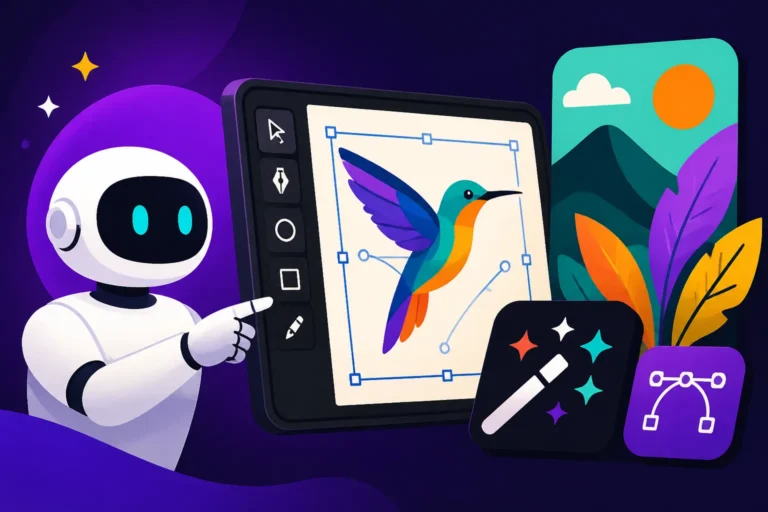
Recraft has really stepped up its game in vector output. Unlike traditional raster image generators that produce pixel-based images (like JPEGs or PNGs) which can lose quality when scaled, Recraft is designed to generate images in vector formats (like SVG). This is a monumental advantage for anyone who needs graphics for print, branding, or web design where scalability without pixelation is paramount. Imagine needing a logo that looks sharp on a business card, a massive billboard, and everything in between. Recraft allows you to prompt for a concept, and it generates an editable vector graphic that you can then tweak in other design software if needed. This functionality is a major selling point, especially for small businesses or freelance designers who might not have the budget for custom vector work every time they need a new icon or a minor branding element. The ability to iterate quickly on logo concepts, explore various color palettes, and then download a scalable file directly saves countless hours and resources.
Recraft’s dedicated features for creating vector art are a game-changer for many. You can start with a simple text prompt, perhaps "a minimalist fox logo with geometric shapes and a warm color palette," and Recraft will attempt to generate vector concepts. It's not always perfect, requiring some prompt refinement or in-app editing, but the foundation is typically a vector file, which is far more useful than a raster image when you're aiming for professional, scalable output.
Image-to-Vector Conversion and Upscaling
Another standout feature that makes Recraft particularly compelling is its robust image-to-vector conversion and upscaling capabilities. Have you ever had a low-resolution JPG that you desperately needed as a crisp, scalable SVG? This is a common pain point for creators inheriting old assets or working with client-provided imagery. Recraft allows users to upload raster images and attempts to vectorize them. While the success rate can vary depending on the complexity and quality of the original image, it's a powerful tool for breathing new life into older graphics or preparing them for different applications.
Beyond vectorization, Recraft also offers impressive upscaling. Even if you're not converting to vector, getting a higher-resolution version of an existing image without significant quality loss is often a challenge. Recraft's upscaler can take a smaller image and intelligently enhance it, making it suitable for larger displays or print. This is especially useful when you've generated something fantastic with another AI tool, like DALL-E or Midjourney, but the initial resolution isn't quite what you need. Instead of regenerating entirely, you can potentially run it through Recraft for a quick boost. For those interested in deeper dives on quality, you might want to read our article on DALL-E Image Quality Tested and Reviewed or explore other upscaling options like the Magnific AI Upscaler Review.
Text and Typography Integration
One of the biggest struggles with many general-purpose AI image generators is their inability to render legible, coherent text within images. It's a common frustration to get an otherwise perfect image marred by garbled, nonsensical lettering. Recraft has made significant strides in this area, positioning itself as a reliable option for integrating text and typography directly into generated graphics. Its text rendering capabilities are among the best for an AI image tool, rivaling even dedicated text-focused generators.
This means you can prompt for a "vintage poster advertising a coffee shop with the text 'Morning Brew' in a cursive font" and have a much higher chance of getting something usable. This capability is incredibly valuable for marketing materials, social media graphics, and even simple informational images where text is a crucial component. While it's not foolproof, and complex layouts might still require manual adjustment, Recraft significantly reduces the need to take your AI-generated image into a separate design tool just to fix the text. This feature alone can save graphic designers and content creators a tremendous amount of time, allowing for more streamlined workflows. If precise text in images is a priority, you might also compare this with tools like Ideogram, which is often praised for its text capabilities, in an article such as Ideogram vs DALL-E for Typography.
The Pros and Cons of Using Recraft
Like any creative tool, Recraft has its strengths and weaknesses. Understanding these can help you decide if it aligns with your specific needs and workflow. It’s not about finding a perfect tool, but finding the right tool for your unique challenges.
Key Advantages for Designers and Marketers
Recraft offers several compelling advantages, especially for professionals working in design, branding, and marketing.
First and foremost, the native vector output is a huge win. For anyone who needs logos, icons, illustrations, or graphics that must scale without loss of quality, Recraft's ability to generate SVGs directly from prompts is incredibly powerful. This feature alone positions it uniquely against many popular AI image generators that primarily produce raster images. Imagine needing a quick icon for a new website feature – with Recraft, you can generate it as an SVG and immediately drop it into your design system, rather than struggling with pixelated images or trying to manually vectorize a complex design. This streamlines the workflow for web designers and app developers significantly.
Secondly, its advanced text rendering is a massive relief for content creators. No more spending hours trying to clean up gibberish text generated by other AIs. Recraft's focus on integrating legible and aesthetically pleasing typography means you can use it confidently for social media posts, banners, and even presentation slides where clear text is non-negotiable. This is a common pain point that many artists and marketers face daily, so having a tool that addresses it effectively makes a real difference. If you're looking for Best AI Image Generator for Text, Recraft is definitely a strong contender.
Third, Recraft provides a user-friendly interface that prioritizes control over elements like color palettes, styles, and negative prompts. This level of granular control helps users steer the AI toward specific aesthetic goals, which is crucial for maintaining brand consistency. For a marketing team, being able to quickly generate multiple variations of an ad creative that adheres to brand guidelines, all while retaining specific color schemes, is invaluable. This control can make your AI Images for Marketing much more effective.
Finally, the image-to-vector and upscaling features add significant utility. Being able to convert existing raster images into scalable vectors, or simply upscaling a lower-resolution image, provides flexibility that many other platforms lack. This is fantastic for repurposing content or ensuring legacy assets meet current quality standards.
Potential Drawbacks and Limitations
While Recraft shines in its specific areas, it's not without its limitations.
One of the primary drawbacks is that Recraft isn't a general-purpose photorealism engine. If your main goal is to generate incredibly lifelike images of people, animals, or complex scenes with intricate details and textures, other tools like Midjourney or Flux AI might still outperform Recraft. While it can produce good quality raster images, its core strength lies in graphic design elements, and pushing it too far into photorealism can sometimes lead to less convincing results. For detailed comparisons, you might want to look into Midjourney vs Flux: Photorealism Showdown.
Another limitation can be the learning curve for optimal vector output. While Recraft makes vector generation accessible, getting truly polished, production-ready vector art often requires a good understanding of prompting techniques specific to its model. You might need to refine your prompts extensively or make further edits in vector software like Adobe Illustrator or Inkscape. It's not always a one-click perfect solution for complex vector illustrations, especially when dealing with nuanced artistic styles or intricate details that might need precise bezier curve control. This is a common challenge with many AI tools for vector creation, as detailed in guides like How to Generate AI Vectors and SVGs.
The credit system and pricing model can also be a consideration. While Recraft often offers a free tier or trial, heavy users, especially agencies or large marketing departments, will need a paid subscription. Understanding how many credits you get for different types of generation (e.g., raster vs. vector) and how quickly those credits deplete is important for budgeting. For a full breakdown of similar models, consider reviewing the Ideogram Pricing and Plans Explained or even broader comparisons of Free vs Paid AI Image Generators.
Finally, while text rendering is good, it's not always perfect. For very specific, complex typographical layouts or stylistic text effects, you might still find yourself needing to manually adjust the output. It's excellent for straightforward headings and simple sentences, but don't expect it to replace a skilled typographer entirely just yet.
Recraft in the Current AI Landscape: Comparisons and Alternatives
The AI image generation market is constantly evolving, with new tools and updates emerging regularly. Understanding where Recraft fits within this dynamic landscape is crucial for assessing its value. It's rarely about one tool doing everything, but rather how tools complement each other.
How Recraft Stacks Up Against Other AI Tools
When we look at Recraft, its direct competitors for vector art and text-in-image capabilities are fewer than for general image generation.
Recraft vs. Ideogram: Both Recraft and Ideogram excel at text rendering, making them top choices for logos, posters, and social media graphics that require clear typography. However, Recraft tends to have an edge in generating actual vector files, whereas Ideogram primarily generates high-quality raster images with excellent text. If your priority is a scalable SVG logo, Recraft often wins. If you need amazing text within a raster image for social media, Ideogram might be slightly more intuitive for that specific task. For a deeper dive, read our Ideogram vs Recraft: Full Comparison or focus on specific use cases like Recraft vs Ideogram for Logos.
Recraft vs. Adobe Firefly: Adobe Firefly, integrated into the Adobe ecosystem, offers impressive generative fill, text-to-image, and vector conversion features. Firefly often provides stronger integration for existing Adobe users, and its commercial safety guarantees are appealing. While Firefly can generate vector graphics, Recraft feels more specialized and often more direct in its vector output, especially for simpler shapes and logos. Firefly is a broader creative suite addition, while Recraft is a focused graphic design AI. You can learn more about Adobe Firefly Review for Commercial Use for comparison.
Recraft vs. General Image Generators (Midjourney, DALL-E, Stable Diffusion): For photorealism, artistic styles, and complex scene generation, tools like Midjourney, DALL-E, and Stable Diffusion are generally more powerful. Recraft isn't designed to compete directly in these areas. Its strength lies in taking a different approach – focusing on structured, clean graphic output. You wouldn't use Recraft to generate a hyper-realistic portrait, just as you wouldn't typically use Midjourney to generate a precise SVG logo with legible text. They serve different purposes. For more on these other tools, check out Midjourney vs DALL-E: Which Is Better or Stable Diffusion Review: Free and Customizable.
Here’s a quick comparison table:
| Feature/Tool | Recraft | Ideogram | Adobe Firefly | Midjourney |
|---|---|---|---|---|
| Primary Output | Vector (SVG), Raster | Raster | Raster, Vector | Raster |
| Vector Focus | High, native SVG generation | Limited (primarily raster) | Good, especially within Adobe ecosystem | Minimal |
| Text Rendering | Excellent | Excellent | Good | Weak, often garbled |
| Photorealism | Moderate | Good | Good | Excellent |
| Artistic Control | Good for graphic styles | Good for various styles | Good, especially with prompts | Excellent |
| Ease of Use | Good, dedicated interface | Good, straightforward | Good, familiar to Adobe users | Moderate (Discord-based) |
| Ideal Use Case | Logos, icons, vector art, text graphics | Social media, posters, text-heavy images | Integrated creative work, commercial use | High-quality art, photorealism, concepts |
Ideal Use Cases Where Recraft Shines
Recraft truly shines in specific scenarios where its unique capabilities address critical pain points for creators.
- Logo and Brand Identity Design: If you're a startup, a small business, or a freelance designer needing to rapidly prototype logo concepts or create secondary brand assets (like icons or brand patterns), Recraft is incredibly powerful. Its vector output ensures that your generated logos are scalable for any application, from web to print. This makes it a contender for the Best AI Image Generator for Logos.
- Marketing and Social Media Graphics: For creating engaging social media posts, banner ads, or promotional materials that require clean text and appealing graphic elements, Recraft's text rendering and stylistic control are invaluable. You can quickly generate graphics with headlines, calls to action, or product names, all within the image.
- UI/UX Design Assets: Developers and UI/UX designers can leverage Recraft to generate scalable icons, button graphics, or simple illustrations for web and mobile applications. The vector output ensures these elements look crisp on any screen size.
- Print-on-Demand and Merchandising: If you're designing T-shirts, mugs, or other merchandise that requires vector graphics for high-quality printing, Recraft can be a fantastic tool for generating initial designs or graphic elements.
- Converting and Upscaling Existing Assets: For anyone with a library of raster images that need to be vectorized or simply brought up to a higher resolution, Recraft offers a practical solution, saving time and potentially costly manual redrawing. This can be especially useful for those looking to expand the usability of their existing creative assets.
Is Recraft Worth It for You? Making the Decision
Deciding whether any AI tool is "worth it" always boils down to your individual needs, your budget, and how it integrates into your existing workflow. In 2026, Recraft has matured into a powerful, specialized tool, but it's not a universal solution.
Considering Your Workflow and Budget
Before you commit to Recraft, take a good, hard look at your creative process.
- What kind of images do you primarily need to generate? If you're constantly creating logos, icons, vector illustrations, or graphics with embedded text, then Recraft’s specialized focus makes it a strong candidate. If your work mostly involves photorealistic images, complex character art, or highly detailed fantasy scenes, then other tools like Midjourney or Stable Diffusion might be a better primary choice, with Recraft perhaps serving as a secondary tool for specific vector needs or text overlays.
- How important is scalability and clean output? For professionals who work with print, branding, or web development, the ability to generate SVG files is non-negotiable. Recraft offers this directly, which can save immense time compared to generating a raster image and then painstakingly vectorizing it yourself or paying someone else to do it.
- What's your budget like? Recraft, like many advanced AI tools, operates on a subscription or credit-based model. Evaluate its pricing plans against the volume and type of images you need to generate. Sometimes, even a paid plan for a specialized tool like Recraft can be more cost-effective than hiring a graphic designer for every small logo or icon, especially for small businesses or solo creators. Consider its value relative to what you'd spend on alternatives or manual processes. For more budget-conscious decisions, you might want to compare with Best Budget AI Image Generators.
- How much time do you spend on text integration and vectorization currently? If you're spending hours cleaning up AI-generated text or manually tracing raster images into vectors, Recraft offers significant time-saving potential. This efficiency can directly translate into cost savings or increased productivity for your business.
Ultimately, for many creators, the value of Recraft comes from its ability to solve very specific, common design problems that general-purpose AI image generators often struggle with.
Who Benefits Most from Recraft
Recraft is not for everyone, but it provides immense value to a specific set of users:
- Graphic Designers: Especially those who frequently create logos, icons, marketing materials, or need to vectorize existing assets. Recraft can serve as an efficient assistant for generating initial concepts or quickly producing scalable elements.
- Brand Managers and Small Business Owners: For those who need to establish or refine their brand identity, Recraft offers an accessible way to generate professional-looking logos and brand elements without needing extensive design software skills or a large budget for a professional designer.
- Marketers and Content Creators: If your job involves constantly producing social media graphics, banner ads, or blog post visuals that require clear text and consistent branding, Recraft’s text integration and stylistic controls will be a huge time-saver. Consider how it can enhance your AI Images for Bloggers.
- UI/UX Designers and Web Developers: For quickly prototyping interface elements like icons, buttons, and simple illustrations that need to be scalable and lightweight, Recraft is a valuable tool.
- Print-on-Demand Entrepreneurs: Anyone selling merchandise that requires vector-based artwork for optimal print quality will find Recraft’s vector capabilities incredibly useful for generating designs.
In conclusion, Recraft has solidified its position as a highly capable and specialized AI tool for vector art, logo design, and text-integrated graphics. If these are your primary needs, and you value clean, scalable output and efficient text rendering, then Recraft is absolutely worth considering. It addresses real frustrations in the creative workflow and offers unique solutions that many other AI image generators simply can't match.
Disclaimer
Please remember that the field of AI is advancing at an incredible pace. While this review reflects the capabilities and value of Recraft in 2026, features, pricing, and performance can change rapidly. Always check the latest information directly from Recraft's official website before making any purchasing decisions.