Canva AI Review: Pros, Cons, and Pricing
Let's be real: for many of us, creating visually stunning content used to feel like an uphill battle. You’d either spend hours wrestling with complex software or fork over a small fortune for a professional designer. Canva swooped in to democratize design, and now, with its ever-expanding suite of AI capabilities, it's aiming to make visual creation even more accessible. This comprehensive guide will deep dive into a thorough Canva AI review, exploring its many pros and cons, and breaking down its pricing structure to help you decide if it's the right creative partner for your needs.
What is Canva AI and How Does It Fit In?
Canva AI isn't a single, monolithic tool; it's a dynamic collection of artificial intelligence features seamlessly woven into the fabric of the existing Canva design platform. Think of it as your super-smart design assistant, living right inside the app you already know and love, ready to lend a hand with everything from generating images to writing copy. It's designed to remove common creative roadblocks, speed up your workflow, and empower even complete beginners to produce impressive visuals.
Seamless Integration with Canva's Design Platform
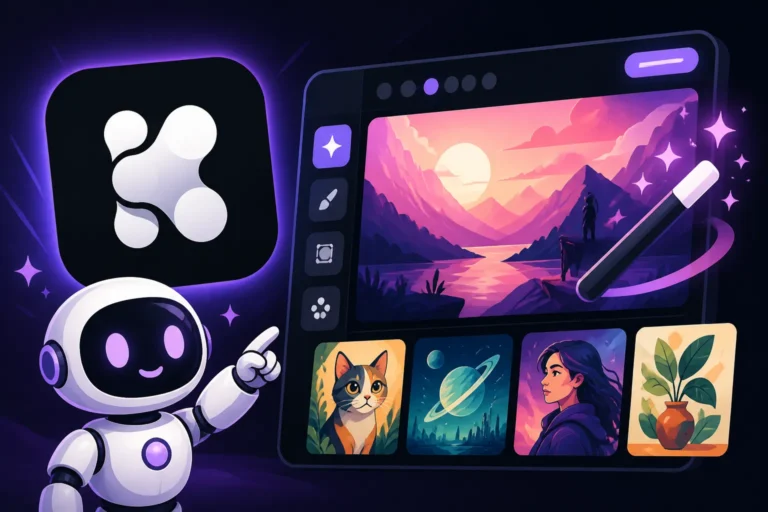
One of the biggest selling points of Canva AI is its incredible integration. Unlike many standalone AI image generators where you have to generate an image, download it, and then import it into your design software, Canva’s AI tools are right there, in context. This means if you’re working on an Instagram post, you can use "Magic Design" to instantly generate layouts, or "Magic Media" (Canva's text-to-image feature) to create a custom image directly within your current project. This cuts down on friction and streamlines the creative process significantly.
Imagine you're designing a new flyer for your local bakery. Instead of hunting for stock photos or trying to sketch something yourself, you can simply type a prompt into Magic Media like "vintage watercolor illustration of a croissant and coffee on a rustic wooden table," and watch as Canva generates options right there, ready to be dropped into your design. This level of integration is incredibly powerful for users who value efficiency and want to keep their entire workflow within one platform, making it a strong contender if you're looking for the Best AI Image Generator for Ease of Use This isn't just about generating images; it's about intelligent resizing, quick background removals, text generation, and even video editing enhancements, all powered by AI to make your design journey smoother.
A Suite of AI-Powered Design Tools
Canva’s AI arsenal is surprisingly diverse, extending far beyond simple text-to-image generation. While "Magic Media" is indeed a highlight, allowing you to create images from scratch using text prompts, there are numerous other "Magic Studio" features that enhance different aspects of design. For instance, "Magic Write" helps you generate text for anything from blog posts to social media captions, ensuring your words are as compelling as your visuals. "Magic Edit" allows you to select an object in an image and replace it with something else entirely, or add new elements, making quick revisions a breeze. "Magic Expand" can intelligently extend the borders of your image to fit different aspect ratios without cropping important details, which is a godsend for adapting content across various social platforms.
These tools work in concert to tackle a wide range of creative tasks. Need to remove a distracting object from a photo? "Magic Eraser" has you covered. Want to quickly animate elements in your presentation? AI-powered animation suggestions can do the trick. The philosophy behind Canva AI seems to be about providing a broad toolkit that addresses common design pain points, making design more intuitive and less intimidating for everyone. It means that whether you’re a small business owner creating marketing materials or a student putting together a presentation, these smart features can significantly reduce the time and effort required, turning what might have been a chore into a more enjoyable and efficient creative endeavor.
The Pros of Using Canva AI
Canva AI brings a lot to the table, especially for individuals and teams who aren't professional designers but need professional-looking results. Its strengths lie in its accessibility, speed, and the sheer convenience of having everything in one place. These benefits address common frustrations faced by non-designers, making complex tasks feel manageable and quick.
Unparalleled Ease of Use for Beginners
If you've ever felt overwhelmed by the steep learning curve of tools like Adobe Photoshop, then Canva AI will feel like a breath of fresh air. It’s built with simplicity at its core. The interface for its AI features is incredibly intuitive; typically, you just type what you want, click a button, and poof, options appear. You don't need to understand complex parameters, seeding, or advanced model tuning to get started. This makes it an ideal entry point for anyone venturing into AI-generated art for the first time.
Consider a small business owner who needs to create engaging social media posts daily. They don't have time to learn intricate prompting techniques or advanced image manipulation. With Canva AI, they can generate an image of, say, "a happy customer enjoying organic coffee in a minimalist cafe," and immediately integrate it into their branded template. The tool handles the heavy lifting, allowing users to focus on their message and brand. This commitment to user-friendliness is why many consider it a top choice for Canva AI Image Generator Review It truly lowers the barrier to entry, empowering a wider audience to leverage AI in their creative workflows without feeling intimidated.
Rapid Content Creation and Idea Generation
Time is money, especially for content creators and marketers. Canva AI is a powerhouse for speeding up the content creation process. Instead of sifting through stock photo libraries or brainstorming design concepts from scratch, you can use AI to generate diverse ideas and visuals in mere seconds. This rapid iteration allows you to explore multiple creative directions without significant time investment.
Think about developing new YouTube thumbnails or Best AI Tool for Blog Images in 2027 You could spend an hour trying to perfect one idea, or you could use Canva AI to generate five distinct concepts in under a minute, giving you a strong starting point or even a ready-to-use asset. The ability to quickly generate variations of text, images, and even entire design layouts means you can maintain a consistent flow of fresh content across all your platforms. This not only boosts productivity but also helps combat creative block, providing endless inspiration at your fingertips. For anyone managing social media, this feature is a game-changer, helping them to Make AI Social Media Graphics
Built-in Commercial Use Considerations
For many content creators and businesses, the commercial viability of AI-generated images is a major concern. Navigating copyright and usage rights can be a headache. Canva, being a platform primarily used for commercial and professional design, has put significant effort into clarifying the commercial use of its AI-generated content. As per Canva's terms, users generally retain ownership of the content they create, and with a paid subscription, commercially generated images are typically permitted for use in your business.
This is a huge relief for small businesses, bloggers, and freelancers who rely on AI for their visual assets. You can create social media ads, product mockups, blog banners, or presentations with greater peace of mind, knowing that the images you generate within Canva are generally safe for commercial application. While it’s always wise to review their most current terms and conditions, this clear stance on commercial use differentiates Canva from some other free or open-source AI tools where usage rights can be murky. This makes it a great option if you're searching for Free AI Image Generators with Commercial Use
The Cons of Canva AI
While Canva AI offers incredible convenience and accessibility, it’s important to have a realistic understanding of its limitations. No tool is perfect for every task, and Canva AI, despite its strengths, does have areas where it falls short, especially when compared to more specialized AI image generation platforms.
Limited Customization and Advanced Control
For seasoned digital artists, graphic designers, or users who crave granular control over every aspect of their generated images, Canva AI might feel somewhat restrictive. Unlike dedicated AI art generators such as Midjourney or Stable Diffusion, which offer a plethora of advanced parameters, negative prompts, seed control, and custom model training, Canva AI keeps things intentionally simple. You type a prompt, and it gives you results. There's not much room to fine-tune the artistic direction, composition, lighting, or specific style beyond basic text commands.
This means if you're trying to achieve a very specific artistic vision—say, a hyper-realistic portrait with a particular lens flare, depth of field, and brushstroke texture—you might find Canva’s AI struggles to deliver the exact output you envision. The simplicity that makes it so accessible can also be its greatest limitation for power users. While it's great for quick, general-purpose images, it might frustrate those who need precise creative control or are looking to push the boundaries of AI art, as detailed in various discussions like Is Canva AI Good Enough for Pros
Occasional Quality Inconsistencies
Let's face it, AI image generation is still an evolving technology, and consistency can be a challenge across all platforms, including Canva. While many of Canva AI's outputs are impressive, you might encounter instances of odd anatomy, strange textures, or illogical compositions, especially with complex or abstract prompts. The results can sometimes have that "AI look" that some users are trying to avoid. This isn't unique to Canva, but it's a reality you'll face.
You might prompt for "a person laughing joyfully," and sometimes the AI might generate slightly distorted facial features or unnatural expressions. This necessitates multiple generations, tweaking your prompt, or even resorting to manual edits within Canva, like using the "Magic Edit" tool to correct imperfections. While the ability to make quick edits within the platform is a partial remedy, it doesn't entirely negate the fact that the initial output might not always be perfect or exactly what you had in mind, particularly if you’re trying to generate very specific images repeatedly.
Not a Standalone AI Art Generator
It's crucial to understand that Canva AI is primarily an enhancement to a design platform, not a standalone, dedicated AI art generator in the vein of a Midjourney or DALL-E. While it has robust image generation capabilities with Magic Media, its core strength remains its broader design ecosystem. If your sole purpose is to create high-concept, unique, and complex AI art pieces without any intention of integrating them into a larger design project, you might find more advanced and specialized tools offer greater depth and more cutting-edge models.
Canva AI shines when you need to quickly generate visuals for a social media post, a presentation slide, or a marketing banner. It’s less about being the absolute best pure image generator and more about being the best integrated image generator for a complete design workflow. Therefore, if you're a serious AI artist looking for the most advanced algorithms, intricate control, or the latest experimental features in AI art, you might eventually look for alternatives or supplement your Canva usage with other tools, which is often discussed in comparisons like Canva AI vs Adobe Firefly: Full Comparison
Canva AI Pricing Explained
Understanding Canva’s pricing structure is key to maximizing its AI capabilities. While Canva famously offers a robust free tier, many of its most powerful AI features, or at least the unrestricted usage of them, are tied to its paid subscriptions. It’s all about finding the right balance between cost and the level of AI assistance you need.
Understanding the Free Tier's AI Capabilities
Canva's free tier is incredibly generous, providing access to a vast library of templates, stock photos, and design elements. Many basic AI features are available here, but with certain limitations. For instance, the "Magic Media" text-to-image generator is often included in the free plan, but with a restricted number of "credits" per month. Once you run out, you'll need to wait for them to replenish or upgrade to a paid plan. Features like "Magic Write" (AI text generation) also come with credit limits.
This free access is fantastic for casual users, students, or those who only need AI assistance occasionally. It allows you to experiment with AI image generation and experience the magic of intelligent design without any financial commitment. For example, if you only need a few unique images for personal projects or a school presentation each month, the free tier might be perfectly adequate. However, if you’re creating content regularly and find yourself constantly hitting those credit limits, it's a clear sign that a paid subscription would be more beneficial. You can learn more about these limitations in articles like Canva AI Free Image Limits
Exploring Canva Pro and AI Features
Canva Pro is where the platform truly unlocks its full AI potential for individual users. For a monthly or annual subscription fee, you gain significantly increased AI credits, often making many AI features practically unlimited for most users. This tier typically includes enhanced access to "Magic Media," "Magic Edit," "Magic Write," "Magic Expand," and other intelligent tools without the constant worry of hitting usage caps.
Beyond AI, Canva Pro offers a wealth of additional features: brand kits, background remover for any image, unlimited cloud storage, scheduled social media posting, and access to a much larger library of premium templates, stock elements, and audio tracks. For small businesses, freelancers, and dedicated content creators, the Pro plan usually provides the best value, offering a powerful combination of advanced design tools and extensive AI capabilities. This plan is designed for those who rely on Canva daily to streamline their creative workflow and maintain a consistent brand presence, especially for tasks like Best AI Image Generator for Social Media Graphics
Canva for Teams and Enterprise AI Solutions
For larger organizations, marketing agencies, or businesses with multiple users needing access to shared brand assets and collaborative design, Canva offers "Canva for Teams" and "Canva Enterprise." These plans build upon the Pro features, providing additional functionalities geared towards team collaboration, brand control, and scalability, all while maintaining robust AI access.
"Canva for Teams" allows multiple users to share a single account, access shared brand kits, collaborate on projects in real-time, and manage approvals—all with the expanded AI capabilities inherited from the Pro plan. "Canva Enterprise" takes this even further with advanced security, single sign-on (SSO), dedicated account management, and unlimited storage. For these larger entities, the AI features become powerful tools for ensuring brand consistency across diverse teams and rapidly scaling content production. Imagine a marketing department generating dozens of unique ad creatives for various campaigns, all while maintaining brand guidelines and collaborating seamlessly. These plans make that possible, turning Canva AI into an invaluable asset for organizational efficiency and creativity.
Here’s a quick overview of Canva’s main pricing tiers and their typical AI feature access:
| Plan | Price (Approx. Monthly, Annually Billed) | Key AI Features Included | AI Credit/Usage Limitations | Best For |
|---|---|---|---|---|
| Free | $0 | Magic Media (text-to-image), Magic Write (text gen), Magic Edit (basic) | Limited credits per month for most AI features | Casual users, students, occasional projects |
| Pro | $12.99 | Extensive Magic Studio suite, Magic Media, Magic Write, Magic Edit, Magic Expand, etc. | Significantly more credits, often "unlimited" for typical use | Individuals, freelancers, small businesses |
| Teams | $14.99 per person (2+ people) | All Pro AI features | Shared, high volume AI credits | Small teams, agencies, collaborative projects |
| Enterprise | Custom Quote | All Teams AI features, advanced | Enterprise-level, very high volume AI credits | Large organizations, corporations |
Note: Pricing and specific AI feature access can vary and are subject to change by Canva. Always check their official website for the most current information.
Who is Canva AI Best Suited For?
Canva AI isn't a one-size-fits-all solution, but it truly excels for specific user demographics and use cases. Its integrated nature and ease of use make it particularly powerful for individuals and small teams who need to produce a high volume of visual content without specialized design skills.
Small Business Owners and Solopreneurs
If you're running a small business or working as a solopreneur, you wear many hats. Designer, marketer, content creator, salesperson—the list goes on. You often don't have the budget for a dedicated graphic designer, nor do you have the time to learn complex design software. This is precisely where Canva AI shines. It acts as your virtual design team, allowing you to quickly generate eye-catching graphics for social media, promotional flyers, business cards, website banners, and more.
Imagine a boutique owner needing engaging visuals for their holiday sales campaign. With Canva AI, they can effortlessly generate unique product mockups, festive banners, and compelling ad creatives in minutes. The "Magic Resize" tool can instantly adapt designs for Instagram Stories, Facebook ads, and email headers, ensuring brand consistency across platforms. This incredible efficiency means you can focus more on running your business and less on the technicalities of design, allowing you to leverage powerful visuals without breaking the bank or sacrificing precious time. It’s an invaluable tool for maintaining a professional online presence.
Social Media Managers and Content Creators
The demand for fresh, engaging content on social media is relentless. Social media managers and content creators are constantly under pressure to produce a high volume of diverse visuals that capture attention. Canva AI is a lifesaver in this fast-paced environment. Its ability to rapidly generate images, captions, and design variations significantly streamlines the content pipeline.
Whether you're crafting posts for Instagram, TikTok, Facebook, or Pinterest, Canva's AI can help you quickly create custom graphics, adjust aspect ratios, and even generate ideas for new content themes. The Best AI Image Generator for Social Media Graphics isn't necessarily the one with the most advanced artistic output, but the one that integrates seamlessly into a fast-paced workflow. Features like "Magic Media" allow you to generate unique images that stand out from generic stock photos, while "Magic Write" can help you craft compelling accompanying text. This synergy of visual and textual AI allows content creators to be more productive and creative, ensuring their feeds always look fresh and professional.
Educators and Non-Designers
For educators, students, and anyone who isn't formally trained in graphic design but needs to create visually appealing materials, Canva AI is an empowering tool. Teachers can quickly generate custom illustrations for lesson plans, create engaging presentations, or design informative handouts without spending hours on image sourcing or complex layouts. Students can create professional-looking reports, presentations, and project visuals that make their work shine.
The ease of use and the intuitive nature of Canva's AI tools mean that even those with no prior design experience can produce impressive results. It removes the intimidation factor that often comes with visual creation, allowing individuals to focus on their message and content rather than grappling with software. This democratizes design, ensuring that everyone has the tools to express their ideas effectively through compelling visuals, whether for a classroom project or a community event. It's truly among the Best Free AI Image Generator for Beginners due to its gentle learning curve.
Comparing Canva AI to Other Tools
It's natural to wonder how Canva AI stacks up against the crowded field of other AI image generation tools. The landscape is vast, ranging from highly specialized art generators to other design platforms incorporating AI. Understanding these comparisons helps position Canva AI in its unique niche.
Canva AI vs. Dedicated AI Art Generators
When you pit Canva AI against dedicated AI art generators like Midjourney, DALL-E, or Stable Diffusion, it's like comparing a multi-tool to a specialized instrument. Tools like Midjourney are designed from the ground up to generate stunning, high-fidelity, and often artistically nuanced images based on intricate text prompts. They offer a much deeper level of control through parameters, seeds, and advanced model options, catering to users who prioritize artistic quality, unique aesthetics, and granular manipulation. For example, if you want to explore the nuances of a specific artistic style or generate complex fantasy landscapes with hyper-realistic detail, Midjourney or Stable Diffusion will likely give you more precise and often breathtaking results.
Canva AI, while capable of generating impressive images, generally doesn't reach the same level of artistic sophistication or offer the same depth of control. Its outputs tend to be more functional and generalized, perfect for quick integration into existing designs. It's less about pushing the boundaries of AI art and more about practical, efficient visual content creation. For someone whose primary goal is to create compelling visual assets quickly for marketing or communication purposes, Canva AI's integrated approach often beats the workflow of generating images externally and then importing them. However, for a pure artist focused on the generated image as the final product, tools like Midjourney Review: Features, Pricing, and Quality would likely be a more fitting choice.
Canva AI vs. Other Design Tools with AI
The competition isn't just from standalone AI art generators; other comprehensive design platforms are also integrating AI. Adobe Firefly is a prime example. Firefly is integrated into Adobe's ecosystem, similar to how Canva AI is part of Canva. Firefly often excels in image manipulation, like generative fill and generative expand, leveraging Adobe's long-standing expertise in photo and design editing. It also offers advanced features for vector graphics and text effects, often favored by professional designers who are already deep within the Adobe Creative Cloud.
The key difference often boils down to the target user and the overall ecosystem. Canva AI is designed for ease of use, speed, and accessibility for non-designers or those needing quick, functional graphics. Adobe Firefly, while also powerful, often requires a greater familiarity with professional design principles and tools. If you're a professional graphic designer already using Photoshop or Illustrator, Firefly might be a natural extension of your workflow. But if you’re a blogger creating visual content for a website or a social media manager churning out daily posts, Canva AI’s simpler interface and all-in-one approach often win out for sheer efficiency and lower learning curve. For a comprehensive look, you can check out Adobe Firefly Review for Commercial Use to see how it compares for professional applications.
Disclaimer
The information provided in this guide is for general informational purposes only. While we strive to keep the content accurate and up-to-date, features, pricing, and terms of service for AI image generation tools like Canva AI can change frequently. Always refer to Canva's official website and terms of service for the most current and authoritative information.