DALL-E Prompt Tips for Beginners
It’s a common scenario: you finally get access to DALL-E, you type in a simple idea, and what comes back is… not quite what you had in mind. It can feel like you’re speaking a different language to the AI, and the frustration of generic or weirdly distorted images is real. This guide is here to bridge that communication gap, offering practical DALL-E prompt tips for beginners to help you unlock the true creative potential of this incredible tool.
Understanding the Basics of DALL-E Prompting
When you first start with an AI image generator like DALL-E, it’s easy to feel overwhelmed or underwhelmed by the results. The secret isn't just knowing what you want, but how to ask for it. Think of DALL-E as an incredibly talented artist who understands millions of concepts but needs extremely clear direction. A vague prompt will lead to vague art.
Learning to prompt effectively is a skill in itself, much like learning to compose a photograph or draw a sketch. It requires breaking down your vision into discrete, understandable components that the AI can process. We're aiming for precision without losing the creative spark. And remember, the journey from a basic idea to a stunning visual is often one of iteration and refinement, so don't get discouraged if your first few tries aren't perfect.
Starting Simple and Specific
One of the biggest mistakes beginners make is either being too vague or trying to cram too many complex ideas into one initial prompt. When you're just starting out, it's best to begin with a clear, concise subject and then progressively add layers of detail. Think about what the absolute core of your image needs to be. Is it a dog? A city street? A fantasy castle? Pin that down first.
Once you have your subject, immediately start thinking about specifics. Instead of "a dog," consider "a golden retriever." But don't stop there. What kind of golden retriever? "A playful golden retriever puppy." Where is it? "A playful golden retriever puppy running in a park." What's the lighting like? "A playful golden retriever puppy running in a sunlit park during autumn." Each added detail helps DALL-E narrow down the possibilities and get closer to your mental image. This incremental approach allows you to see how each word influences the output, building your intuition about what works.
The goal here isn't to write a novel, but to provide enough key descriptive terms that paint a vivid picture in the AI's mind. Imagine you're describing the scene to someone who can only visualize based on your words, without any other context. The more specific nouns, adjectives, and verbs you use, the better.
The Power of Keywords and Details
Keywords are the bread and butter of effective DALL-E prompting. These aren't just arbitrary words; they are the descriptive elements that define your image's subject, style, mood, and composition. Think about breaking down your desired image into categories:
- Subject: What is the main thing or person in the image? (e.g., "a wizard," "a spaceship," "a cup of coffee")
- Action/Pose: What is the subject doing? (e.g., "casting a spell," "flying through space," "steaming on a table")
- Environment/Setting: Where is it taking place? (e.g., "in a mystical forest," "above a red desert planet," "on a rustic wooden table")
- Style/Artistic Medium: How should it look? (e.g., "digital painting," "photorealistic," "watercolor sketch," "sci-fi concept art")
- Lighting/Atmosphere: What's the mood and lighting? (e.g., "golden hour," "dramatic chiaroscuro," "soft ambient light," "gloomy and foggy")
- Color Palette: Are there specific colors you want to emphasize? (e.g., "vibrant blues and purples," "muted earth tones," "monochromatic")
By consciously selecting keywords from these categories, you give DALL-E a much richer understanding of your vision. For instance, "A lone wizard casting a powerful spell in a mystical, overgrown forest, illuminated by eerie blue magical light, in the style of a dark fantasy digital painting" is far more effective than just "wizard in forest." Experiment with different adjectives and artistic terms. You might be surprised at how much difference a word like "cinematic," "ethereal," or "gritty" can make. If you're looking for more general guidance, check out our broader article on How to Write AI Image Prompts.
Common Pitfalls to Avoid
As a beginner, it's easy to fall into certain traps that lead to less-than-ideal results. Being aware of these common pitfalls can save you a lot of frustration and credits. One major issue is vague or ambiguous language. DALL-E is a powerful tool, but it can’t read your mind. If you say "beautiful scenery," it has no idea what "beautiful" means to you. Does it mean mountains, oceans, forests, or a city skyline? Be specific!
Another common pitfall is conflicting concepts. Trying to combine too many disparate ideas without enough guiding context can confuse the AI, leading to jumbled or nonsensical images. For example, "a medieval knight in a futuristic spaceship eating sushi in an ancient Roman coliseum" is likely to result in a visual mess because the elements clash severely. While DALL-E can handle creative blends, there needs to be some logical (even if fantastical) connection or a very clear directive on how these elements should interact. Focus on one or two core ideas and elaborate on them, rather than throwing everything at the wall.
Finally, lack of iteration is a pitfall. Many beginners generate one image, decide it's not good enough, and move on. The truth is, mastering DALL-E is a process of trial and error. You'll rarely get your perfect image on the first try. Instead of giving up, analyze what went wrong. Was it the lighting? The style? The composition? Tweak your prompt, regenerate, and observe the changes. This iterative process is crucial for learning what works and refining your technique. Think of each generation as a step closer to your final masterpiece.
Structuring Your DALL-E Prompts for Success
Once you understand the basic components, the next step is to learn how to arrange them. Just like a well-written sentence has a subject, verb, and object, a good DALL-E prompt often follows a structure that helps the AI process information efficiently. This isn't a rigid grammar rule, but more of a helpful framework to ensure clarity and comprehensive description.
The Subject-Style-Setting Framework
A highly effective way to structure your DALL-E prompts, especially for beginners, is to follow a Subject-Style-Setting framework. This ensures that you cover the three most critical aspects of your desired image in a logical flow.
- Subject (What): Start with the main focus of your image. Who or what is the primary element? Be as descriptive as possible here.
- Example: "A majestic dragon flying"
- Enhanced: "A majestic emerald dragon with scales shimmering, flying"
- Style (How): Next, tell DALL-E how you want the image to look in terms of artistic style or medium. This is where you dictate the aesthetic.
- Example: "A majestic emerald dragon with scales shimmering, flying, digital painting"
- Enhanced: "A majestic emerald dragon with scales shimmering, flying, highly detailed digital painting by Frank Frazetta"
- Setting/Context (Where/When): Finally, describe the environment, background, or overall context for your subject. This gives the image depth and atmosphere.
- Example: "A majestic emerald dragon with scales shimmering, flying, highly detailed digital painting by Frank Frazetta, over a volcanic mountain range"
- Enhanced: "A majestic emerald dragon with scales shimmering, flying, highly detailed digital painting by Frank Frazetta, over a volcanic mountain range at sunset, with fiery orange clouds"
This framework provides a clear path for DALL-E to follow, ensuring that all crucial aspects are covered without confusion. You can also reverse the order for different effects, sometimes putting the style first, but for beginners, Subject-Style-Setting is a solid starting point. Learning to use DALL-E effectively can truly elevate your content creation, as highlighted in guides like DALL-E Pros and Cons for Creators.
Controlling Lighting and Mood
Beyond just what’s in the image, how it's lit and the overall mood it conveys are crucial for creating impactful visuals. DALL-E is remarkably adept at interpreting lighting conditions and emotional tones if you describe them well. Don't underestimate the power of these elements; they can transform a flat image into a dynamic one.
Consider common lighting terms:
- "Golden hour" creates warm, soft light often associated with sunsets or sunrises.
- "Dramatic studio lighting" can give a professional, high-contrast look.
- "Ethereal glow" suggests softness, light diffusion, and a dreamlike quality.
- "Chiaroscuro" (referencing a Renaissance painting technique) implies strong contrasts between light and shadow.
- "Cyberpunk neon glow" immediately brings to mind vibrant, artificial lights.
Similarly, descriptive mood words can steer the AI:
- "Mysterious atmosphere"
- "Joyful and vibrant"
- "Melancholy and solemn"
- "Gritty and dark"
- "Serene and peaceful"
Combining these can lead to incredibly evocative results. For example, "A detective walking down a rainy, neon-lit alley at midnight, gritty film noir aesthetic, dramatic shadows, mysterious atmosphere." This comprehensive description allows DALL-E to understand the visual and emotional context. For more on creating specific moods, you might find our guide on How to Prompt for Different Moods useful.
Incorporating Artistic Elements
DALL-E has been trained on a vast dataset of images, including countless works of art across different styles, mediums, and historical periods. This means you can tap into this knowledge by explicitly asking for specific artistic elements. This is where you can truly unleash your creativity and guide DALL-E to produce unique aesthetics.
Here are some categories of artistic elements you can experiment with:
- Art Style: "Impressionistic," "cubist," "art deco," "surrealism," "minimalist," "pop art," "anime," "cartoon," "fantasy art," "sci-fi art."
- Art Medium: "Oil painting," "watercolor," "charcoal sketch," "linocut print," "digital art," "photorealism," "pencil drawing," "pixel art."
- Artists/Photographers: While you can try naming specific artists (e.g., "by Van Gogh," "in the style of Ansel Adams"), be aware that this can sometimes lead to copyright concerns or simply produce an homage rather than a true replication. Use it judiciously.
- Photography Terms: "Macro photography," "wide-angle shot," "bokeh effect," "shallow depth of field," "long exposure," "anamorphic lens flare."
Let’s say you want a picture of a bustling market. You could try "A vibrant street market in Marrakesh, intricate details, photorealistic, cinematic shot, warm golden hour lighting." Or, for a different feel: "A whimsical street market scene, watercolor illustration, soft pastel colors, storybook aesthetic." The specific artistic elements you choose will dramatically alter the final output, giving your image a distinct personality. If you're particularly interested in generating realistic images, you'll want to dive into resources like How to Write AI Prompts for Photorealistic Images.
Advanced DALL-E Prompting Techniques for Better Results
Once you've got the hang of the basics, it's time to explore some more advanced techniques that can give you even finer control over DALL-E's output. These methods move beyond simple description to introduce modifiers and iterative strategies that can help you sculpt your perfect image.
Utilizing Negative Prompts for Refinement
Negative prompts are a game-changer when you're trying to refine your images and steer DALL-E away from undesirable elements. Essentially, a negative prompt tells the AI what not to include in the generated image. This is incredibly useful for fixing common AI quirks or ensuring your image meets specific artistic requirements.
For example, DALL-E (especially older versions) sometimes struggles with generating perfect hands or accurate text. If you consistently find extra fingers or gibberish text in your images, you could add a negative prompt like: --no distorted hands, ugly faces, bad typography, blurry, watermark. Note: DALL-E 3, especially when accessed through tools like ChatGPT, has significantly improved its ability to render text, but negative prompting can still be useful for subtle refinements.
You can also use negative prompts for artistic control. If DALL-E keeps generating images with too much green when you want a warm palette, you could try --no green, cool tones. This allows for a more precise way to guide the AI, reducing the need for constant regeneration. Understanding how to use negative prompts is a powerful step in mastering AI image generation. Our dedicated guide on How to Use Negative Prompts can provide even more in-depth strategies.
Aspect Ratios and Composition Control
The aspect ratio refers to the proportional relationship between an image's width and its height. This is a fundamental concept in photography and design, and controlling it in DALL-E is vital for ensuring your images fit your intended use, whether it's a social media post, a website banner, or a print. Most DALL-E interfaces allow you to specify aspect ratios, often with options like 1:1 (square), 16:9 (widescreen), 9:16 (portrait), or 4:3.
Beyond aspect ratio, controlling composition involves directing the placement of elements within the frame. While DALL-E doesn't offer explicit commands like "rule of thirds," you can influence composition through descriptive language:
- Subject Placement: "A character standing prominently in the foreground," "A sprawling landscape with a small cabin in the distance," "A close-up portrait."
- Camera Angles: "Bird's eye view," "low-angle shot," "eye-level perspective."
- Framing: "Framed by archways," "silhouetted against the sunset."
For example, instead of just "a cat," try "A fluffy orange cat looking directly at the viewer, perfectly centered, shot with a shallow depth of field, 16:9 aspect ratio." Being deliberate about these compositional elements ensures DALL-E generates images that are not only visually appealing but also functionally suitable for your projects. You might notice differences in quality when using DALL-E through various platforms, as discussed in DALL-E in ChatGPT: How Good Is It.
Iteration and Experimentation
The journey to generating perfect images with DALL-E is rarely a straight line. It's an iterative process of trying, observing, tweaking, and trying again. Embrace experimentation! Don't be afraid to significantly alter your prompts, even if the first results aren't what you expected. Often, a slight change in wording, adding a new adjective, or specifying a different artistic style can lead to surprisingly different and often better outcomes.
Here's how to approach iteration effectively:
- Analyze the Output: Look at the images DALL-E generates. What do you like? What do you dislike? What's missing?
- Identify Key Variables: Pinpoint the parts of your prompt that need adjustment. Is the color off? Is the style wrong? Is the subject not prominent enough?
- Make Targeted Adjustments: Don't change everything at once. Modify one or two elements in your prompt and regenerate. This helps you understand the impact of each change.
- Try Variations: Many DALL-E interfaces offer options to generate variations of a particular image. This is excellent for exploring subtle shifts without rewriting your entire prompt.
- Keep a Prompt Journal: For more complex projects, keeping a record of successful prompts and the elements that produced them can save you time in the long run.
Think of it like a conversation with the AI. You make a suggestion, DALL-E shows you something, and then you give feedback. The more you practice this dialogue, the better you'll become at guiding DALL-E to realize your vision. If you find yourself consistently getting undesirable results, you might want to consult a guide on How to Fix Bad AI Image Results.
Practical DALL-E Prompt Examples for Various Scenarios
Let's put all these tips into action with some concrete examples. These aren't rigid templates, but starting points you can adapt and expand upon to suit your specific creative needs. The beauty of DALL-E is its versatility, allowing you to generate everything from hyperrealistic photographs to whimsical illustrations.
Generating Realistic Imagery
Achieving photorealism with DALL-E means focusing on details that trick the eye into believing the image is a photograph. This involves specific photographic terminology and attention to natural elements.
| Element | Keywords for Realism |
|---|---|
| Overall Style | photorealistic, ultra realistic, professional photography, HD, 8k, shot on DSLR |
| Lighting | natural light, soft diffused light, golden hour, harsh sunlight, overcast day |
| Composition | close-up shot, wide-angle, candid photo, street photography, portrait photography |
| Details | skin texture, individual hair strands, water droplets, subtle reflections |
| Camera | shot on Canon EOS R5, Fujifilm X-T4, 35mm lens, f/2.8 aperture |
Example Prompt 1: Realistic Portrait
"A candid photograph of an elderly woman with deep laugh lines, wearing a knitted sweater, sitting by a window, soft natural light filtering in, shallow depth of field, shot on a Fujifilm X-T4 with a 50mm lens, photorealistic, ultra HD."
Example Prompt 2: Realistic Landscape
"A breathtaking shot of a glacial lake reflecting snow-capped mountains at sunrise, perfectly still water, mist rising from the surface, vibrant colors, golden hour lighting, wide-angle landscape photography, ultra realistic, 8k."
Remember, it's about layering those realistic details. Think about what makes a real photograph compelling: the imperfections, the specific kind of light, the lens used. The more you specify, the more likely DALL-E is to nail the realism. For a deeper dive into how this tool performs, check out DALL-E Image Quality Tested and Reviewed.
Crafting Stylized Illustrations
DALL-E excels at producing a vast array of artistic styles. When you want something stylized, you need to be very explicit about the artistic direction, medium, and overall aesthetic you're aiming for. This is where your inner art director gets to shine.
Example Prompt 1: Whimsical Children's Book Illustration
"A friendly anthropomorphic fox wearing a tiny backpack, skipping through a field of oversized wildflowers, vibrant pastel colors, soft edges, whimsical children's book illustration style, detailed and charming."
Example Prompt 2: Gritty Cyberpunk Cityscape
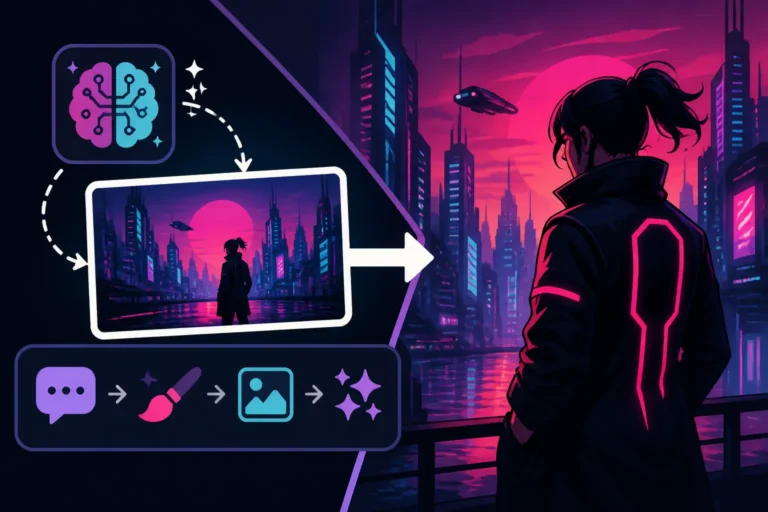
"A sprawling cyberpunk cityscape at night, dense with towering skyscrapers and glowing neon signs, flying vehicles zipping through the air, gritty and dark aesthetic, digital painting, dramatic cinematic lighting, wide shot."
Example Prompt 3: Watercolor Landscape
"A serene Tuscan landscape, rolling hills with cypress trees and an ancient farmhouse, soft brushstrokes, muted earth tones, delicate watercolor painting style, dreamy and peaceful."
The key here is using strong, evocative adjectives that define the specific style you envision. Don't just say "cartoon"; specify "Disney animated movie style" or "vintage rubber hose cartoon style" to get closer to your desired outcome.
Creating Images with Specific Text
Historically, AI image generators struggled significantly with rendering accurate, legible text within images. DALL-E 3, particularly when integrated with platforms like ChatGPT, has made remarkable strides in this area. While it’s still not 100% foolproof, it’s vastly improved and can now generate short, clear phrases with surprising accuracy. The trick is to make the text the primary focus of your prompt and provide ample context.
Tips for Text Generation:
- Place text early in the prompt: Make it clear that text is an important element.
- Keep it short and simple: Single words or short phrases work best.
- Specify font style/aesthetic: "Bold sans-serif," "elegant calligraphy," "handwritten script."
- Provide context for placement: "On a vintage neon sign," "on a chalkboard," "etched into a stone tablet."
- Use quotation marks: Clearly delineate the exact text you want.
Example Prompt 1: Poster with Slogan
"A retro travel poster for 'Paris,' with the Eiffel Tower in the background at dusk, bold art deco font for the text 'Visit Paris,' vibrant colors, classic poster art style."
Example Prompt 2: Product Label with Brand Name
"A minimalist white coffee mug with the black text 'Morning Brew' in a clean sans-serif font, against a simple wooden background, studio lighting, photorealistic product shot."
Example Prompt 3: Street Sign
"A weathered wooden street sign pointing left, with the text 'Whispering Woods' carved into it, set in a mystical forest, fantasy illustration style, soft dappled sunlight."
While DALL-E 3 is a leap forward for text, it's still good practice to double-check results and be prepared for minor corrections if absolute perfection is required. For understanding the full scope of DALL-E's capabilities, including its evolution, you might want to read up on DALL-E Review: Is It Worth It in 2026.
Disclaimer
The information provided in this article is for general guidance and informational purposes only. While AI image generation tools like DALL-E are powerful, their capabilities and outputs can change rapidly with updates. Always review the terms of service and usage policies of any AI tool you use, especially for commercial applications, to ensure compliance with intellectual property rights and ethical guidelines.