Krea AI Realtime Generation Review
It can be incredibly frustrating to have a brilliant visual idea in your head, type out a prompt, and then wait… and wait… only to get an image that's completely different from what you envisioned. The traditional AI image generation process often feels like a slow game of trial and error, a painstaking dance of tweaking prompts and regenerating until you get something halfway decent. This guide is here to cut through that frustration by diving deep into Krea AI's Realtime Generation, exploring how this innovative feature works, what makes it so exciting, and if it's truly the game-changer many artists and creators hope it is.
Understanding Krea AI's Realtime Generation
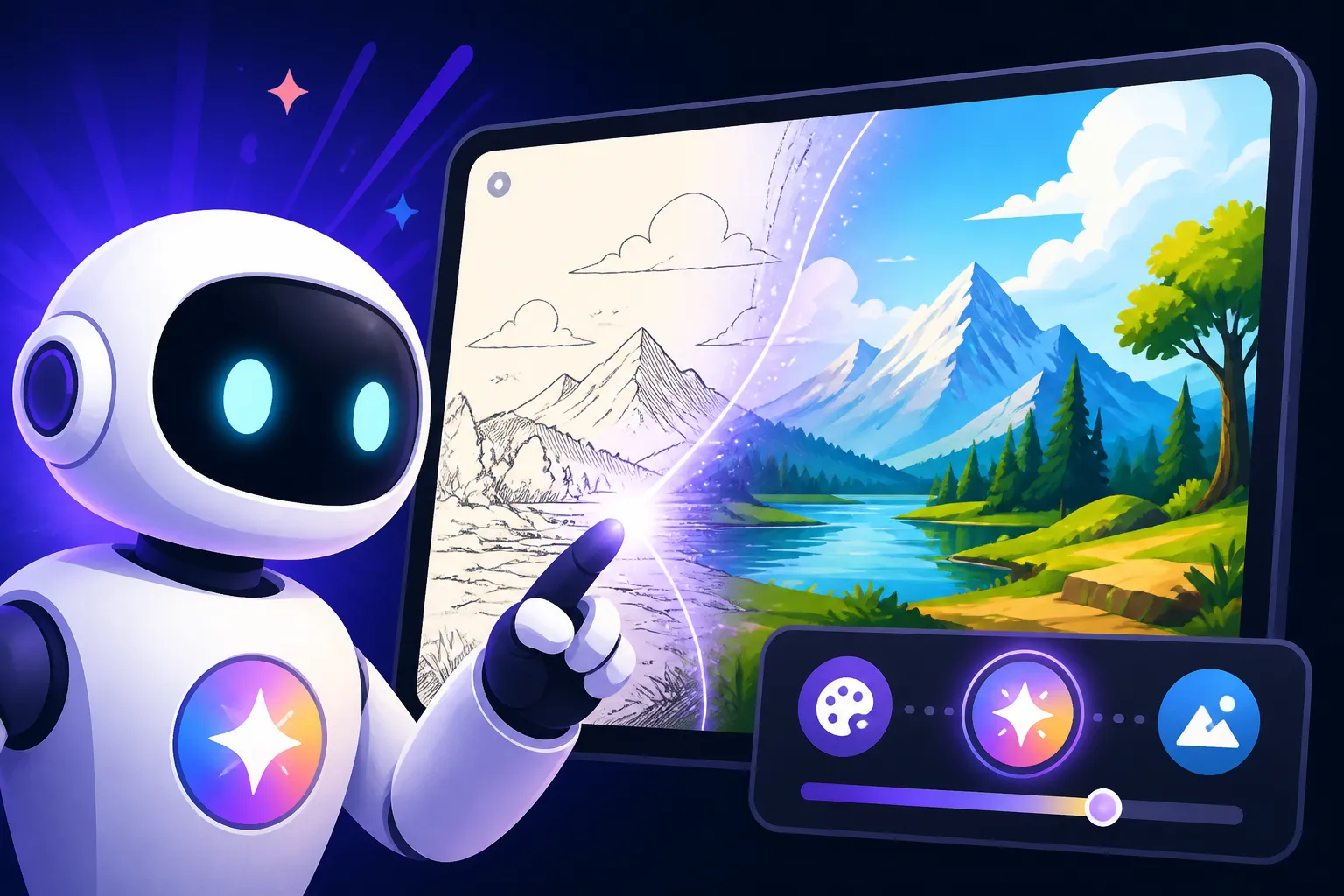
Krea AI has been making waves in the AI art community, particularly with its focus on speed and interactivity. Unlike many other platforms where you type a prompt and hit generate, then wait for several seconds or even minutes for a batch of images to appear, Krea AI's Realtime Generation offers an almost instantaneous visual feedback loop. It's like sketching with a digital pen, but instead of drawing pixels, you're guiding an AI to manifest your vision in real-time.
This feature is designed to bridge the gap between human intuition and AI processing power. Imagine you're trying to design a new logo or visualize a character for a story. In a traditional setup, you'd write a prompt, generate, critique, edit the prompt, generate again. With Krea AI's real-time capabilities, you can actually see the image forming and changing as you type, almost like a visual stream of consciousness. This immediate visual response makes the creative process feel much more fluid and organic, allowing for rapid iteration and experimentation that simply isn't possible with slower, batch-processing tools. It's a fundamental shift in how we interact with generative AI, moving from a command-and-wait model to a truly collaborative, dynamic experience.
How Realtime Generation Transforms the Creative Workflow
The immediate feedback loop offered by Krea AI's Realtime Generation fundamentally alters how artists and designers approach AI image creation. Instead of meticulous prompt crafting from the outset, you can start with a rough idea and refine it visually. For instance, if you're trying to create a "futuristic cityscape at sunset," you might type just "cityscape" and immediately see initial interpretations. Then, as you add "futuristic," the buildings shift, and adding "sunset" brings in dynamic lighting and colors, all updating before your eyes. This empowers creators to explore many more conceptual avenues in a fraction of the time, almost like brainstorming visually with an extremely fast assistant.
Consider a scenario where you're struggling to nail down a specific mood or lighting for a scene. With traditional tools, you might have to generate a dozen variations, each taking time, only to realize the prompt wasn't quite right. Krea AI allows you to continuously adjust keywords related to mood or lighting—like "moody," "vibrant," "chiaroscuro lighting," or "golden hour"—and watch the image adapt instantly. This makes experimenting with subtle nuances incredibly efficient. It's a stark contrast to the often frustrating cycle of regenerate-and-wait that plagues other platforms, often leading to creators giving up on an idea simply because the iteration cycle is too slow. This real-time interaction means you spend less time guessing and more time actively shaping the output.
The Technology Behind the Instant Visuals
At its core, Krea AI's Realtime Generation leverages advanced latent diffusion models optimized for speed and efficiency. Unlike models that process a prompt in a single, high-computation burst, real-time models are designed to progressively refine an image based on continuous input. As you type, the model isn't just generating a new image from scratch with each keystroke; it's intelligently updating the existing visual, adding details and adjusting compositions based on your evolving prompt. This requires highly optimized algorithms and often significant computational resources working in the background to maintain that seamless, low-latency experience.
Furthermore, Krea AI likely uses techniques that prioritize visual coherence and rapid interpolation between states. This means that as you add or remove words from your prompt, the image doesn't jarringly jump from one concept to another. Instead, it fluidly transforms, maintaining a sense of continuity. This is crucial for a positive user experience, as sudden, unpredictable changes would hinder creativity rather than enhance it. The underlying architecture is carefully tuned to balance speed with artistic quality, ensuring that even in its rapid iterations, the output remains recognizably related to your intentions. This commitment to a smooth, responsive interface is what sets Krea AI apart and why so many find its Krea AI Review to be positive.
Advantages of Realtime Image Generation
The benefits of Krea AI's Realtime Generation extend far beyond mere speed. It unlocks new ways of thinking about and interacting with generative AI, making the entire process more intuitive, exploratory, and ultimately, more enjoyable. For anyone who has felt bogged down by slow render times or the disconnect between prompt and output, this feature feels like a breath of fresh air.
Unprecedented Speed and Iteration
The most obvious and perhaps most compelling advantage of Krea AI's real-time feature is its sheer speed. Imagine you're on a tight deadline for a client presentation and need several visual concepts for a new ad campaign. Instead of spending hours meticulously crafting prompts for a tool like Midjourney or DALL-E and waiting for each batch, you can literally sketch ideas with words in Krea AI and see them materialize instantly. This allows you to explore dozens of variations in minutes, pinpointing the visual direction you want to pursue with unparalleled efficiency. The speed essentially removes the creative friction of waiting, allowing your ideas to flow directly into visual form.
This rapid iteration cycle is invaluable for brainstorming and concept development. Let's say you're trying to visualize a "cyberpunk detective in a neon-lit alley." You can quickly experiment with different camera angles ("low angle," "wide shot"), lighting conditions ("rainy night," "foggy"), and character poses ("walking purposefully," "leaning against a wall") by simply adding or removing keywords. The immediate visual feedback means you don't have to hold multiple mental images in your head or try to remember what a previous generation looked like. You're constantly building on what you see, making the design process highly dynamic and responsive. For many, this responsiveness is the core reason to delve into a Krea AI Review.
Enhanced Creative Flow and Exploration
The real-time nature of Krea AI fosters a much more organic and intuitive creative process. It reduces the cognitive load associated with prompt engineering, allowing artists to focus more on the visual outcome rather than the precise syntax of their instructions. Think of it like this: if you're sketching on paper, you don't overthink every pencil stroke; you react to what appears on the page. Krea AI brings that same reactive, exploratory freedom to AI art. You can follow your instincts, try out unusual combinations of words, and discover unexpected visual results that you might never have thought to explicitly prompt for in a slower system.
This enhanced creative flow is particularly beneficial for those who struggle with writer's block or finding the "right" prompt. Instead of staring at a blank prompt box, you can start with a single word and let the AI guide your exploration. Maybe you type "forest," then add "ancient," then "glowing mushrooms," and suddenly you've stumbled upon a magical scene that inspires a whole new story. It's a dialogue with the AI, where each visual output informs your next textual input. This fluid exchange often leads to more unique and personalized results, as the tool becomes an extension of your own creative subconscious. It's certainly one of the strongest arguments for Who Should Use Leonardo AI: An Honest Take or other highly interactive tools.
Bridging the Gap Between Concept and Execution
One of the biggest challenges in any creative endeavor is translating a nebulous idea into a concrete visual. Krea AI's Realtime Generation acts as an incredibly effective bridge in this regard. Instead of imagining what "a majestic eagle soaring over snow-capped mountains at dawn, cinematic lighting" might look like, you can see it unfold as you type each descriptor. This immediate materialization of your thoughts helps to solidify concepts rapidly and allows for precise adjustments. If the eagle looks too small, you add "close-up." If the dawn isn't vibrant enough, you add "vibrant colors."
This direct connection between thought and image is a godsend for designers, marketers, and content creators who need to quickly visualize ideas for clients or internal teams. You can use it as a live presentation tool, literally crafting images on the fly based on feedback from a room full of stakeholders. This interactive element streamlines the approval process and ensures everyone is on the same page visually, reducing misunderstandings and costly revisions down the line. It's akin to having a super-fast concept artist on call, ready to bring any vision to life in seconds. Many professionals find that exploring How to Get Better AI Image Results starts with understanding tools like Krea AI.
Limitations and Challenges of Realtime Generation
While Krea AI's Realtime Generation is undeniably impressive, it's not a magic bullet. Like any cutting-edge technology, it comes with its own set of trade-offs and challenges that users need to be aware of. Understanding these limitations is crucial for managing expectations and knowing when to use real-time generation versus more traditional, slower methods.
Quality vs. Speed Trade-offs
The most significant trade-off with real-time generation is often image quality. To achieve such blistering speed, the underlying AI models sometimes have to sacrifice a degree of detail, coherence, or photorealism. You might notice that while the general composition and subject matter appear quickly, finer details—like intricate textures, perfect anatomy, or complex lighting—can be less refined compared to images generated by slower, more powerful models like Midjourney V7 or the latest versions of Stable Diffusion. For quick concepting or stylized art, this might not be an issue, but for high-fidelity marketing assets or professional illustrations, the initial real-time outputs might require significant post-processing or a switch to a higher-quality, slower generation mode within Krea AI itself.
Think of it like sketching versus a finished painting. Real-time generation excels at giving you the sketch—the core idea and composition—very quickly. However, if you need the polished, museum-quality painting, you'll likely need to either slow down the process within Krea AI, use its upscale features, or export the concept to another tool for final rendering. This isn't a flaw, but a design choice that prioritizes rapid feedback over ultimate pixel perfection. Therefore, if your primary goal is absolute top-tier image quality, you might find yourself needing to move to another tool, or using Krea's real-time to nail the concept before using a higher quality generator. This is why many compare Krea AI Realtime vs Batch Review to understand these nuances.
Maintaining Specificity and Control
While real-time generation is fantastic for exploration, maintaining absolute specificity and granular control can be more challenging. As the image constantly updates, it can sometimes be difficult to "lock in" certain elements or prevent the AI from reinterpreting parts of your prompt as you type. For instance, if you're trying to generate a very specific type of vintage car from a particular angle, the fluid nature of real-time generation might mean that as you add details about the background or lighting, the car itself subtly shifts in style or perspective, even if you didn't intend it to. This requires constant vigilance and quick adjustments.
Traditional AI image generators, especially those that allow for extensive parameter tuning or rely heavily on negative prompting, often offer more precise control once you've committed to a generation. With Krea AI's real-time, the control is more dynamic and reactive, which can be both a blessing and a curse depending on your needs. For highly detailed or technically precise compositions, you might find yourself wrestling with the real-time updates more than you'd like, potentially leading to frustration if you're aiming for absolute pixel-level accuracy right from the start. Learning How to Prompt for Specific Art Styles or How to Control Composition in Prompts can help mitigate some of these challenges across various tools.
Resource Demands and Accessibility
To deliver such a responsive experience, real-time AI image generation requires significant computational resources. While Krea AI handles much of this on its servers, the demands on your internet connection and potentially your local browser can still be notable. Users with slower internet speeds might experience lag or less fluid updates, diminishing the "real-time" feel. Furthermore, continuous, high-speed generation can consume credits or processing time quickly, even if you're just exploring concepts. This means that while the Krea AI Free Tier Explained might offer a taste, heavy users will likely need a paid subscription to fully leverage the real-time capabilities without interruption.
This resource demand can also influence the accessibility of the tool. Not everyone has access to a robust internet connection or a powerful enough device to handle the continuous streaming and rendering without a hitch. While Krea AI strives for optimization, the underlying technological requirements are still a factor. This makes it crucial for users to understand the technical overhead involved and determine if their setup can comfortably support such a demanding yet exhilarating feature.
Practical Applications for Krea AI Realtime
Despite its limitations, Krea AI's Realtime Generation opens up a world of practical applications, especially for those in fast-paced creative industries or anyone looking to inject more spontaneity into their visual workflow. It's not just a novelty; it's a tool that can genuinely enhance productivity and spark new ideas.
Rapid Concepting and Ideation
One of the most powerful uses for Krea AI's real-time feature is rapid concepting. Imagine you're a graphic designer needing to present three distinct visual directions for a client's new website header. Instead of spending hours on each concept in Photoshop or a traditional AI generator, you can use Krea AI to generate dozens of distinct ideas in minutes. You might start with "sleek modern office building" and then instantly add "city skyline background," "dynamic lighting," and "corporate blue palette," watching each element transform the image. This speed allows for broader exploration in the initial stages of a project, ensuring you haven't missed a potentially great idea.
For storyboard artists or game developers, Krea AI can be a game-changer. They can quickly visualize scenes, character poses, or environmental elements, getting a sense of composition and mood before committing to more detailed work. This iterative visual feedback loop accelerates the pre-production phase, helping teams align on visual direction much faster. It's essentially a lightning-fast visual brainstorming partner, capable of manifesting abstract ideas into tangible imagery with incredible speed. For artists exploring tools, considering the Best AI Image Generator for Artists often comes down to tools that can facilitate such rapid concepting.
Enhancing Live Presentations and Workshops
Krea AI's Realtime Generation offers a unique opportunity to make presentations and workshops far more engaging and interactive. Picture yourself leading a brainstorming session for a new product launch. Instead of showing static mood boards, you can ask the team for keywords—"futuristic," "eco-friendly," "luxury," "minimalist"—and generate visuals in real-time, right before their eyes. This level of responsiveness makes the audience feel directly involved in the creative process, turning passive viewing into active participation.
This is especially impactful for client meetings. Imagine a client struggling to describe their vision for a marketing campaign. You can prompt Krea AI with their descriptors and instantly show them visual interpretations, allowing them to react, refine, and co-create on the spot. This immediate validation and feedback can significantly speed up the approval process and build stronger rapport, as clients see their ideas come to life instantly. This interactive element sets a new standard for creative collaboration.
Overcoming Creative Blocks
We've all been there: staring at a blank canvas or an empty document, feeling utterly stuck. Creative blocks are a universal frustration, but Krea AI's Realtime Generation can act as a powerful catalyst to overcome them. Instead of forcing an idea, you can simply start typing a random word related to your project—"mountain," "ocean," "robot"—and let the AI generate a starting point. From there, you can iteratively add details, change styles, or introduce new elements, letting the evolving image spark your imagination.
The low-pressure, exploratory nature of real-time generation encourages playfulness. There's no expectation to get it "right" on the first try because adjustments are so effortless. This reduces the fear of failure that often accompanies creative work, allowing for more spontaneous and intuitive experimentation. Often, just seeing an unexpected visual twist can unlock a completely new direction for a project, pulling you out of a creative rut. Many find that actively using tools like Krea AI is one of the best ways to explore How to Create Image Variations and push through creative barriers.
Krea AI Realtime vs. Traditional Generation Methods
Understanding where Krea AI's Realtime Generation fits into the broader landscape of AI image tools requires a comparison with traditional batch generation methods. Each approach has its strengths and ideal use cases, and knowing the difference helps creators choose the right tool for the job.
The Iterative Loop Versus Batch Processing
Traditional AI image generators, such as DALL-E or most configurations of Stable Diffusion, typically operate on a batch-processing model. You input a prompt, select parameters, and then wait for the system to generate a set of images—usually 1 to 4—after which you review them, pick the best, or refine your prompt for another batch. This process can be slow, with each generation cycle taking anywhere from a few seconds to several minutes, depending on the complexity, server load, and your subscription tier. The emphasis here is often on producing high-quality, fully rendered images in distinct groups.
Krea AI's Realtime Generation, conversely, focuses on an iterative loop. The image is continuously evolving as you type, offering immediate visual feedback. There isn't a "batch" to wait for; the generation is always happening. This makes it phenomenal for discovery and rapid prototyping. While you can save images at any point, the primary interaction isn't about generating a fixed output, but rather about dynamically shaping one. This distinction in workflow means that Krea AI shines when you're unsure of your final vision and want to explore, whereas traditional methods are often preferred when you have a clearer idea of what you want and need highly polished outputs. This is a core part of the discussion when people review DALL-E Review: Pros, Cons, and Pricing against more real-time focused tools.
When to Choose Each Approach
Knowing when to deploy Krea AI's real-time capabilities versus a traditional generator is key to optimizing your workflow.
Choose Krea AI Realtime when:
- You're in the ideation or brainstorming phase: You need to explore many different visual concepts quickly without committing to a specific direction.
- You need immediate visual feedback: You want to see how each word in your prompt affects the image instantly.
- You're battling a creative block: You need a dynamic tool to spark new ideas and break through mental barriers.
- You're making a live presentation: You want to interactively create visuals with an audience or client.
- Speed is your top priority for concepting: You're on a tight deadline and need to generate multiple rough ideas quickly.
Choose Traditional Batch Generators (e.g., Midjourney, DALL-E, Adobe Firefly) when:
- High-fidelity, polished output is paramount: You need the absolute best image quality, intricate details, and photorealism for final assets.
- You have a very specific vision: You know exactly what you want and are willing to fine-tune prompts to achieve precise results.
- You require granular control: Tools with extensive parameters, negative prompting, and advanced editing features are necessary for exact specifications.
- You need consistent style or characters: While Krea can help, traditional tools often have more robust features for maintaining consistency across multiple generations. For example, exploring Adobe Firefly Commercial Safety Review might be important for consistent branding.
- You're less concerned with iteration speed: You don't mind waiting longer for a superior, more refined result.
Here's a quick comparison table to help visualize the differences:
| Feature | Krea AI Realtime Generation | Traditional Batch Generation (e.g., Midjourney, DALL-E) |
|---|---|---|
| Speed | Instantaneous visual updates as you type | Several seconds to minutes per batch of images |
| Iteration Cycle | Continuous, fluid, and highly exploratory | Discrete steps: prompt > generate > review > refine > regenerate |
| Primary Use Case | Rapid concepting, ideation, brainstorming, overcoming blocks | Final asset creation, high-fidelity renders, precise execution |
| Control & Specificity | Dynamic, reactive; good for exploration, less for pixel-perfect | More granular, detailed control via extensive parameters and negative prompts |
| Output Quality (Raw) | Good for concepts, may require refinement for final polish | Often higher fidelity, more detailed, professional-grade |
| Creative Flow | Highly intuitive, encourages spontaneous discovery | More deliberate, analytical, focused on prompt engineering |
| Resource Demands | Constant, potentially high internet/server load | Bursty, processing power concentrated per batch |
Ultimately, Krea AI's Realtime Generation isn't meant to replace the painstaking precision of a tool like Midjourney V7 for a magnum opus, but rather to complement it. It's a fantastic addition to any creative's toolkit, offering a unique blend of speed and interactivity that significantly enhances the early stages of visual production. For those truly serious about their craft, using a combination of tools might be the Best Two-Tool AI Image Stack to maximize both speed and quality.
Getting Started with Krea AI Realtime
Diving into Krea AI's Realtime Generation is surprisingly straightforward, even for beginners. The platform is designed with an intuitive interface that makes it easy to jump in and start creating without a steep learning curve. If you've ever felt intimidated by complex prompt parameters or Discord bots, Krea AI offers a refreshing alternative that prioritizes ease of use.
Accessing the Realtime Interface
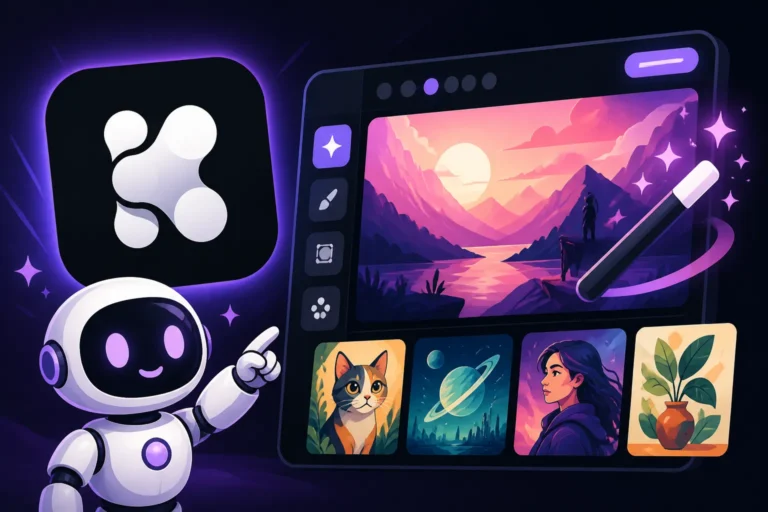
To begin your Krea AI journey, you'll typically navigate to their web-based platform. Once you've created an account (which often offers a Krea AI Free Tier Explained with a certain number of free credits or generations), you'll likely find a dedicated section or mode for "Realtime Generation" or "Live Canvas." The interface usually presents a large canvas area where your images will appear, a text input box for your prompts, and often some basic controls for style, aspect ratio, or image strength.
The beauty of Krea AI's design is its directness. There's no need to learn intricate commands or remember specific syntax upfront. You just start typing, and the magic unfolds. Many users appreciate this low barrier to entry, as it allows them to immediately experiment and understand how the real-time feature works without feeling overwhelmed. It's a testament to good UX design that prioritizes the creative process over technical hurdles.
Tips for Effective Realtime Prompting
While Realtime Generation is forgiving, a few tips can help you get the most out of your experience:
- Start Broad, Then Refine: Don't try to cram every detail into your initial prompt. Begin with a core subject (e.g., "enchanted forest"), see what appears, then gradually add modifiers ("glowing mushrooms," "ancient trees," "misty atmosphere"). This iterative approach is where real-time truly shines.
- Focus on Keywords: The AI reacts strongly to individual words. Use strong descriptive keywords that convey style, mood, lighting, and specific elements. Instead of "a pretty place," try "serene lake, foggy sunrise, watercolor painting."
- Experiment with Adjectives: Adjectives are your best friends here. Words like "dynamic," "ethereal," "gritty," "minimalist," "vibrant," or "subtle" can dramatically alter the output in real-time.
- Observe and React: Pay close attention to how the image changes with each word you add or delete. If something unexpected but interesting appears, lean into it! That's the exploration part. If it's going off track, quickly delete the last few words and try a different approach.
- Use Style Modifiers Liberally: Krea AI often responds well to artistic style descriptors. Try adding "oil painting," "digital art," "anime style," "photorealistic," or "sci-fi concept art" to guide the aesthetic. You can learn more about this by exploring resources on How to Prompt for Specific Art Styles.
- Consider Aspect Ratios: Most real-time interfaces will allow you to quickly switch aspect ratios (e.g., 1:1, 16:9, 9:16). Experiment with these early on to see how they frame your composition.
- Don't Be Afraid to Delete and Restart: If an image goes completely off the rails and you can't steer it back, simply clear your prompt and start fresh. The speed makes this a low-cost operation.
- Leverage Reference Images (if available): Some real-time tools allow you to upload an image to influence the generation. This can be incredibly useful for style transfer or generating variations of an existing concept. For more on this, check out How to Use Reference Images in Prompts.
The most important advice is simply to play. Krea AI Realtime Generation is about exploration and discovering the unexpected. The more you experiment, the more you'll learn how the AI interprets your words and how you can guide it to your desired outcome.
Conclusion
Krea AI's Realtime Generation is more than just a flashy feature; it represents a significant leap forward in how we interact with generative AI for visual creation. By offering instantaneous visual feedback, it transforms the often-slow and frustrating process of AI image generation into a fluid, intuitive, and highly iterative experience. While it certainly comes with trade-offs in terms of raw image fidelity compared to slower, more compute-intensive methods, its benefits for rapid concepting, creative exploration, and live collaboration are undeniable.
For artists looking to quickly brainstorm, designers needing multiple concepts on a tight deadline, or anyone simply seeking to break through creative blocks, Krea AI's real-time capabilities are a powerful tool. It fosters a dynamic dialogue between human and AI, allowing ideas to manifest as quickly as they form in your mind. While you might still turn to other robust platforms for your final, polished masterpieces, Krea AI provides an invaluable stage for the initial spark, the rough sketch, and the joyful discovery that lies at the heart of all creative endeavors. It's a testament to the idea that sometimes, speed and responsiveness are just as vital as ultimate quality in the pursuit of visual innovation.
Disclaimer
The information provided in this article is for general informational purposes only and does not constitute professional advice. AI image generation technology is rapidly evolving, and features, pricing, and capabilities of specific tools like Krea AI may change over time. Always verify the latest information directly from the official Krea AI website or other reputable sources.