Krea AI Review
It's incredibly frustrating when you have a brilliant visual idea in your head, but translating it into an actual image feels like pulling teeth. You try searching stock photo sites, fumbling with complex design software, or even attempting to sketch it yourself, only to end up with something that just doesn't quite capture your vision. This guide is here to dive deep into Krea AI, an emerging tool that promises to revolutionize how quickly and intuitively you can generate and refine stunning visuals, helping you overcome those creative roadblocks without the steep learning curve or endless searching.
What is Krea AI and Why It's Turning Heads?
Krea AI isn't just another name in the ever-growing list of AI image generators; it's carving out a unique niche with its focus on real-time feedback and dynamic interaction. While many tools operate with a "prompt, generate, wait, repeat" cycle, Krea AI feels more like a direct extension of your creative thought process. It's designed for speed and iterative design, allowing you to see your ideas take shape instantly as you type or sketch, which is a massive game-changer for anyone who values flow in their workflow.
Think about it: instead of typing out a detailed prompt like "a whimsical forest scene at dusk with fireflies and a hidden gnome village" and then waiting thirty seconds to a minute to see the result, Krea AI starts generating as you type each word. This immediate visual response helps you course-correct, refine, and iterate in real-time, making the creative process feel far more organic and less like a command-line interaction. This immediacy is truly what sets it apart and why so many artists, designers, and marketers are starting to pay serious attention.
The Philosophy Behind Krea's Real-time Approach
At its heart, Krea AI embraces a philosophy of instant gratification and continuous refinement. The developers understood a core pain point with traditional AI generation: the disconnect between inputting a prompt and receiving an output. This gap often leads to frustration, wasted credits, and a slow, disjointed creative process. Krea AI bridges this gap by prioritizing a live, interactive canvas.
Imagine you're trying to design a logo or a social media graphic. With other tools, you might generate several options, pick the closest one, then try to refine it with more prompts. Krea AI, however, allows you to sketch a rough shape, add a few keywords, and watch the AI instantly interpret and render it. You can then continue drawing over it, adding colors, or modifying text, and the AI adapts on the fly. This isn't just a minor tweak; it's a fundamental shift in how you interact with generative AI, turning it into a collaborative partner rather than just a tool you issue commands to. It’s like having an incredibly fast digital assistant that understands your messy scribbles and vague ideas and instantly tries to make sense of them, allowing you to guide it moment by moment.
Core Features: Beyond Basic Image Generation
While real-time generation is its flagship, Krea AI packs several other powerful features that make it a robust tool for various creative needs. It’s not just about whipping up quick visuals; it’s also about enhancing and transforming existing ones.
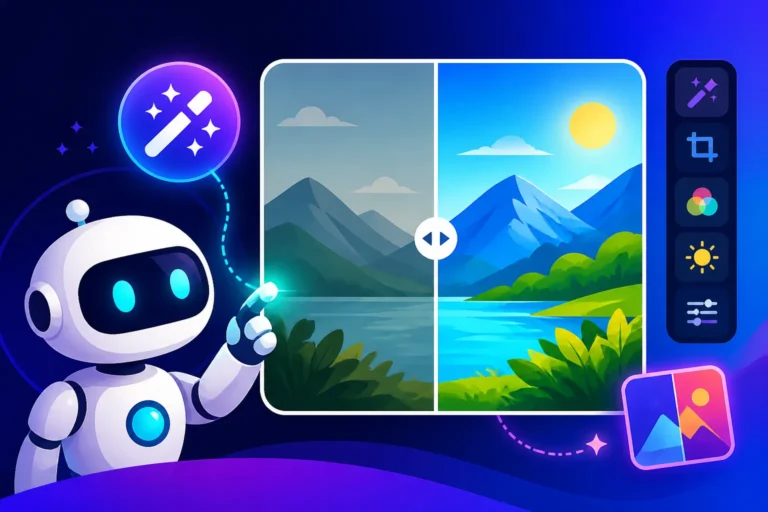
One standout feature is its advanced upscaling and enhancement capabilities. We've all generated a cool image only to find it's too low-resolution for print or detailed work. Krea AI offers some seriously impressive AI-powered upscaling that can not only increase resolution but also intelligently add detail, sharpening edges and enriching textures without making the image look artificial or blurry. This means you can take a rough concept and turn it into a high-fidelity asset. Additionally, features like "Logo Illusions" allow you to embed text or hidden patterns into artistic images, creating striking and memorable visuals that are truly unique. And for those looking to add a touch of dynamism, the "Animate" feature (still in beta) lets you breathe subtle motion into still images, opening up new possibilities for social media content or dynamic presentations. It’s clear that Krea AI is trying to offer a comprehensive suite, moving beyond just raw image creation to encompass transformation and animation as well.
Diving Deep into Krea AI's Key Features
Krea AI stands out because it's not just another "type-and-wait" image generator. Its suite of tools is designed to empower a more fluid and interactive creative process, making it particularly appealing for iterative design and rapid prototyping. Let's break down the individual features that truly define the Krea AI experience.
Real-time Text-to-Image and Image-to-Image Generation
This is where Krea AI really shines and offers a truly distinct experience compared to many competitors like Midjourney vs DALL-E: Which Is Better. Instead of waiting for a batch of images to render after you've submitted a complete prompt, Krea AI begins generating visuals the instant you start typing. Imagine an empty canvas, and as you type "a futuristic cityscape," subtle lines and shapes begin to form. Add "at sunset," and the colors shift, light rays appear, all in real-time. This dynamic feedback loop is incredibly powerful.
It’s not just for text, either. The real-time image-to-image feature allows you to upload an existing sketch, photo, or even a rough doodle, and then use text prompts or further drawing to instantly transform it. You could upload a simple line drawing of a character and, by typing "cyberpunk style, neon lights, rainy street," watch it come to life with incredible detail and atmosphere. This makes it an invaluable tool for artists looking to quickly explore variations of their initial concepts or for designers needing to iterate rapidly on mood boards or character designs. The responsiveness is genuinely impressive, making the creative process feel less like programming and more like sculpting.
The Power of AI Upscaling and Enhancement
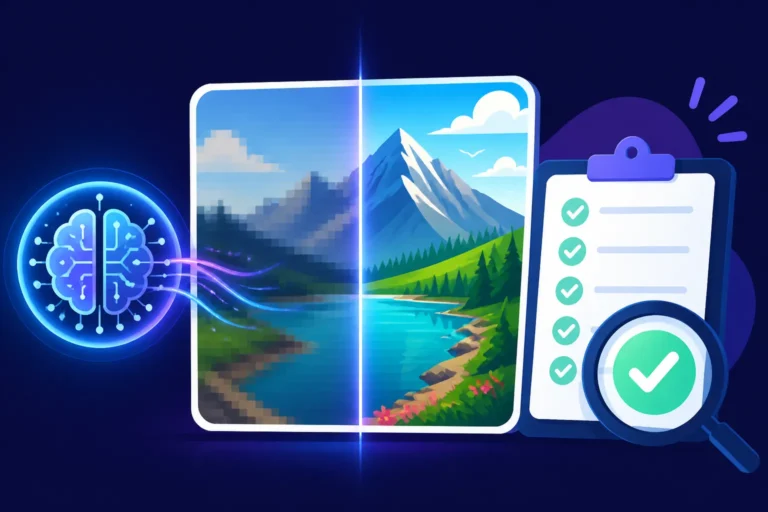
One of the often-overlooked but incredibly practical features of Krea AI is its robust AI upscaler and enhancer. It’s a common scenario: you generate an amazing image with an AI tool, but it's too small or lacks the crisp detail needed for professional use or high-quality prints. This is where Krea AI steps in. Its upscaler doesn't just enlarge pixels; it intelligently reconstructs and adds detail, often making the image look better than the original low-resolution output.
For example, if you generate an image of a textured fabric, the upscaler can enhance the weave pattern, making it more discernible and realistic. If there's a character in the image, facial features and hair textures often gain an impressive level of definition. This isn't always something you get with free AI image generators; often, free upscalers simply stretch the image. Krea AI's approach ensures that your initial creative spark can be polished into a high-resolution, production-ready asset. This is particularly useful for graphic designers, content creators, and even small businesses preparing images for their websites or marketing materials, as it drastically reduces the need for external upscaling tools or complex Photoshop work. It can transform a rough concept into something truly refined, saving hours of post-processing.
Unique Offerings: Logo Illusions and Krea Animate
Beyond the core generation and enhancement tools, Krea AI has developed a couple of truly distinctive features that showcase its innovative edge: Logo Illusions and Krea Animate.
Logo Illusions are a creative marvel. Imagine embedding your brand name or a hidden message into a complex, visually stunning image in a way that’s artistic and subtle, rather than just overlaying text. This feature allows you to input text or a simple shape, and Krea AI then generates an image that subtly incorporates that input into its patterns, textures, or overall composition. For instance, you could generate a landscape where the swirling clouds subtly form the letters of your company's name, or a mosaic where the tiles reveal a hidden pattern. This is an incredibly powerful tool for marketers and branding experts looking to create unique, memorable, and shareable visual content. It transforms branding into an art form, making the viewer discover the message rather than just read it. It’s a fantastic way to generate Best AI Image Generator for Text and unique Best AI Image Generator for Logos.
Krea Animate (currently in beta) is another exciting development, signaling Krea AI's ambition to move beyond static images. This feature allows users to take a still image and apply subtle, dynamic animations to it, bringing it to life. Think of a static portrait where the eyes subtly blink, or a landscape where the leaves gently sway. While it's not full-blown video generation, it adds an incredible layer of engagement to existing visuals, perfect for social media posts, website hero sections, or digital presentations. This ability to easily add motion without complex animation software is a huge benefit for content creators who want to make their visuals pop and capture audience attention more effectively. It’s a clear indicator that Krea AI is thinking about the broader lifecycle of digital assets, from creation to dynamic presentation.
User Experience: Is Krea AI Easy to Master?
One of the biggest hurdles with many advanced AI tools is the learning curve. You might have seen incredible outputs from tools like Stable Diffusion Review: Free and Customizable, but then felt overwhelmed by the technical jargon, parameters, and multiple models. Krea AI, thankfully, aims for a more approachable experience while still offering powerful capabilities. Its real-time nature inherently makes it more intuitive for many users, as you get immediate feedback on your actions.
However, "easy to master" is relative. While getting started is simple, truly harnessing Krea AI's full potential still requires understanding some principles of prompt engineering and visual design. It's not a magic button that instantly reads your mind, but it significantly lowers the barrier to entry for effective AI image creation.
Navigating the Krea AI Interface
The Krea AI interface is generally clean and user-friendly, prioritizing a central canvas where the magic happens. When you first log in, you're usually greeted with options for real-time generation, upscaling, or perhaps a gallery of community creations. The main workspace for real-time generation is typically split into a drawing area (or image upload section), a text prompt input field, and various sliders or settings panels.
The layout is intuitive: what you type or draw influences the image you see forming instantly on the canvas. Adjusting parameters like "creativity," "detail," or "fidelity" is usually done via easy-to-understand sliders, allowing for quick experimentation without diving into complex menus. For those used to tools that scatter options across multiple tabs or require specific syntax, Krea AI's integrated approach is a breath of fresh air. It feels more like a digital art studio than a piece of software, encouraging playful exploration rather than rigid adherence to commands. This streamlined design helps reduce cognitive load, allowing users to focus more on their creative ideas and less on deciphering the tool itself.
Prompting for Success: Tips and Tricks
Even with real-time feedback, effective prompting is key to getting the best results from Krea AI. While you can certainly just type a few words and get something, a little strategy goes a long way. The real-time nature encourages a conversational approach to prompting.
Instead of trying to cram every detail into one long prompt upfront, think of it as an iterative conversation. Start with the core subject (e.g., "a majestic lion"). Then, refine it with adjectives (e.g., "a majestic, regal lion with a flowing mane"). Next, add context or style (e.g., "a majestic, regal lion with a flowing mane, cinematic lighting, African savannah"). You'll see the image evolve with each addition, allowing you to stop when it matches your vision. Experiment with negative prompts to tell the AI what not to include (e.g., "no cartoon elements, no blurry background"). Also, don't underestimate the power of starting with a simple sketch; even rough shapes can guide the AI immensely. For deeper dives into getting better results, exploring resources like How to Write AI Image Prompts can provide valuable techniques applicable to Krea AI's real-time environment. Remember, it's about guiding, not commanding, especially with a tool this interactive.
Challenges and Learning Curve
While Krea AI is remarkably intuitive for basic use, mastering it still presents a few challenges. The sheer speed can sometimes be overwhelming, as the image constantly shifts and changes, making it hard to "lock down" a specific element if you're not careful with your prompts or drawing inputs. Achieving highly specific, photorealistic results that require precise control over every minute detail might still be more attainable with more granular tools, though Krea AI is constantly improving.
Another aspect is understanding the nuances of the "creativity" or "fidelity" sliders. Pushing creativity too high might lead to unexpected or abstract results, while too much fidelity might restrict the AI from exploring unique interpretations. Learning to balance these settings for your desired output takes practice. Furthermore, the "Animate" feature, being in beta, can sometimes yield less predictable results and might require some trial and error to get the desired motion effects. For those expecting immediate perfection without any input refinement, there might be a slight learning curve in adapting to its real-time, iterative nature. However, for users willing to experiment and play, these challenges quickly transform into opportunities for discovery. And if you run into images that just aren't working, learning How to Fix Bad AI Image Results can be incredibly helpful.
Krea AI's Performance: Quality, Speed, and Versatility
When it comes to AI image generation, what truly matters is the output. Is it good? Is it fast? Can it do what you need it to do? Krea AI aims to hit all these marks, but like any tool, it has its strengths and specific areas where it truly shines, as well as situations where alternatives might be a better fit. Its real-time nature dictates much of its performance profile, making it a frontrunner in certain aspects while presenting trade-offs in others.
Assessing Image Output Quality Across Styles
Krea AI produces images that are generally quite impressive, especially considering the speed at which they're generated. For many common styles – digital art, illustrations, abstract concepts, and even stylized photorealism – Krea AI delivers solid results. The upscaler further refines these, adding a layer of polish. However, it's important to set expectations. While Krea AI excels at capturing the essence and mood of a prompt quickly, achieving the hyper-realistic, minute-detail perfection often seen from top-tier, slower models like Midjourney V7 might require more finessing or specific prompting.
For instance, if you're looking for highly realistic human faces with perfect anatomical accuracy in complex poses, Krea AI might occasionally produce artifacts or slight distortions that require further editing. For intricate, fine-art-level details, some users might find that other tools offer a bit more control or a higher baseline quality in specific scenarios. However, for a wide range of creative tasks, from concept art to social media graphics, the quality is more than adequate, especially when you factor in the speed of generation and the iterative nature of its workflow. It strikes a balance between artistic flair and functional output.
Speed and Efficiency for Creative Workflows
This is undeniably Krea AI's superpower. The real-time generation feature fundamentally changes the efficiency of many creative workflows. Imagine a designer needing to create multiple variations of a background for an advertisement. Instead of generating a dozen images one by one, Krea AI allows them to instantly adjust the prompt or drawing input and see the changes reflected live. This drastically cuts down the time spent waiting and allows for a much more fluid exploration of ideas.
For content creators, social media managers, and even hobbyists, this means less time staring at a loading bar and more time actively creating and refining. The ability to instantly validate or pivot on an idea saves countless hours. If speed is your top priority, especially for concepting, rapid prototyping, or producing a high volume of varied visuals, Krea AI is a strong contender. It certainly ranks high when considering the Best AI Image Generator for Speed. This efficiency translates directly into more creative output in less time, making it a valuable asset for anyone working under tight deadlines or with a high demand for fresh visuals.
Use Cases Where Krea AI Shines (and Where It Doesn't)
Krea AI's unique capabilities make it ideal for several specific use cases:
Where Krea AI Shines:
- Concept Art & Iterative Design: Artists and designers can rapidly prototype ideas, characters, and environments, quickly exploring different styles and compositions. Its real-time feedback loop is a dream for conceptualization.
- Social Media Content: Generating engaging, eye-catching graphics for platforms like Instagram, Facebook, and Pinterest is incredibly fast. The ability to quickly create multiple variations or experiment with different visual hooks is invaluable.
- Mood Boards & Visual Inspiration: Need a quick collection of images to convey a particular aesthetic or theme? Krea AI can whip these up in minutes.
- Logo Illusions & Branded Content: For unique branding opportunities where text is subtly integrated into art, Krea AI's Logo Illusions feature is unparalleled.
- Upscaling & Enhancement: Taking lower-res images, whether AI-generated or otherwise, and giving them a professional polish is a significant advantage.
Where Krea AI Might Not Be the Absolute Best Fit (yet):
- Hyper-realistic Photography Replacements: While it can do stylized realism, achieving perfectly indistinguishable-from-photo results with extreme anatomical precision or lighting nuance might still lean towards tools like Midjourney or highly tuned Stable Diffusion models.
- Complex Scene Generation with Exact Control: For scenes requiring extremely precise placement of multiple objects, specific character interactions, or highly detailed foreground/background separation, tools with more advanced control mechanisms (like ControlNet in Stable Diffusion) might offer greater accuracy.
- Commercial Use Requiring IP Indemnification: While Krea AI offers commercial use in its paid tiers, if your commercial work absolutely requires the strongest possible IP indemnification against copyright claims, a solution like Adobe Firefly Review for Commercial Use might be a safer bet due to Adobe's specific corporate guarantees.
Ultimately, Krea AI excels in speed, creative exploration, and unique features, making it a fantastic addition to a creator's toolkit, especially for those who value an interactive and dynamic workflow.
Krea AI Pricing and Accessibility
Understanding the cost and what you get for your money is always a critical factor when choosing an AI tool. Krea AI, like many other advanced image generators, operates on a freemium model, offering a taste of its capabilities for free while reserving its most powerful features and commercial rights for paying subscribers. This approach makes it accessible for casual users to experiment, while providing a clear upgrade path for professionals.
Free Tier vs. Paid Subscriptions: What You Get
Krea AI's free tier is an excellent entry point, allowing users to experience the magic of real-time generation and basic upscaling without committing any financial resources. Typically, the free tier comes with a set amount of daily credits or limited access to certain features. For example, free users might have lower resolution outputs, slower generation speeds, or restrictions on the number of images they can upscale. This is perfect for someone looking to quickly mock up a few ideas, test out the interface, or simply have some fun. It's one of the Best Free AI Image Generators in terms of its unique real-time capability.
However, for anyone serious about incorporating Krea AI into their workflow, a paid subscription becomes essential. Paid plans generally unlock:
- Higher Resolution Outputs: Crucial for print, detailed web graphics, or professional presentations.
- More or Unlimited Credits: Allowing for extensive experimentation and generation without worrying about hitting daily limits.
- Faster Generation Speeds: Prioritized processing for quicker results.
- Access to Advanced Features: Such as more powerful upscaling models, the beta Animate feature, or more intricate control options.
- Commercial Use Rights: This is paramount for freelancers, businesses, and content creators who intend to monetize their generated images.
The tiered pricing usually scales with the volume of images and features you need, offering flexibility for different user types, from independent artists to small agencies. It's always a good idea to check Krea AI's official website for the most current pricing structure and feature breakdown, as these can evolve. For a detailed breakdown of how its free tier specifically works, you might find a Krea AI Free Tier Explained guide helpful.
Commercial Use and Licensing Considerations
For many professionals, the ability to use AI-generated images for commercial purposes is non-negotiable. This means using them in advertisements, products, client work, or anything that generates revenue. Krea AI generally grants commercial rights to its images for paying subscribers, which is a standard practice among professional AI tools. This is a significant difference from many truly free AI tools that may restrict commercial use or attach specific attribution requirements.
It's absolutely vital to thoroughly read Krea AI's terms of service and licensing agreements before using any generated content for commercial projects. Pay close attention to clauses regarding ownership, indemnification, and any potential restrictions. While Krea AI provides commercial licenses for its paid users, it's rare for any AI image generator to offer full legal indemnification against potential copyright claims, especially concerning image inputs that might resemble existing copyrighted works. If you're using Krea AI for client work or projects with high legal sensitivity, it's always wise to understand the limitations and perhaps consult with legal counsel if you have specific concerns. For most small businesses and content creators, however, the commercial license offered with paid plans provides sufficient peace of mind for their marketing and creative needs.
How Krea AI Stacks Up Against the Competition
The AI image generation landscape is bustling, with new tools and updates popping up constantly. Krea AI isn't operating in a vacuum; it's competing for attention with established giants and innovative newcomers alike. Understanding its position relative to its peers helps in deciding if it's the right tool for your specific needs.
Krea AI vs. Midjourney and DALL-E: A Feature Showdown
When we talk about top-tier AI image generation, Midjourney and DALL-E are often the first names that come to mind for many. Let's see how Krea AI compares:
| Feature | Krea AI | Midjourney | DALL-E (often integrated with ChatGPT/Microsoft) |
|---|---|---|---|
| Generation Style | Real-time, iterative, dynamic | Batch generation, highly artistic, consistent style | Batch generation, good general-purpose, object focus |
| Speed | Extremely fast, instant visual feedback | Fast for batch, but still a wait time per generation | Moderate, a few seconds per generation |
| Image Quality | Good, enhanced by strong upscaler, evolving | Excellent, often considered industry-leading artistic quality | Very good, especially for defined objects and scenes |
| Control | Interactive drawing, text prompts, sliders | Detailed parameters, style references, weights | Natural language prompts, inpainting/outpainting edits |
| Unique Features | Real-time creation, Logo Illusions, Animate | Vibe parameters, unique artistic interpretations | Integrated into chat, robust inpainting/outpainting |
| Ideal For | Rapid prototyping, concept art, quick edits, unique branding, speed | High-quality artistic output, complex compositions, brand consistency | General content, specific object generation, quick edits from chat |
Krea AI vs. Midjourney: Midjourney excels at producing breathtakingly artistic and cohesive images with a distinct aesthetic. Its results often feel polished and high-end, making it a favorite among professional artists and designers. However, it operates on a "generate and wait" model, meaning iteration isn't real-time. Krea AI, on the other hand, prioritizes that immediate feedback. If you're exploring ideas rapidly and want to see changes instantly, Krea AI wins on speed and flow. If you need ultimate artistic quality and consistent style across diverse prompts, Midjourney might still hold an edge, especially with its advanced parameters. Many find a Midjourney Review: Features, Pricing, and Quality useful for understanding its depth.
Krea AI vs. DALL-E: DALL-E, especially through interfaces like ChatGPT or Microsoft Designer, is often praised for its ability to understand complex natural language prompts and its strong performance with specific object generation and composition. Its inpainting and outpainting features are also incredibly robust for editing existing images. Krea AI's real-time interaction is still its primary differentiator. While DALL-E is great for generating specific things, Krea AI is better for evolving images live. If you're primarily generating from text prompts and value integration with a chat interface, DALL-E is excellent. If you're a visual thinker who wants to draw and type simultaneously to guide the AI, Krea AI is a more direct creative partner.
Krea AI vs. Stable Diffusion and Other Open-Source Options
The world of open-source AI image generation, largely spearheaded by Stable Diffusion, offers a different proposition altogether. These tools often allow for unparalleled customization and control, but typically come with a steeper learning curve.
Krea AI vs. Stable Diffusion: Stable Diffusion is incredibly powerful, especially for users who want to run models locally, fine-tune them with custom datasets (LoRAs), or utilize advanced control mechanisms like ControlNet for precise pose, composition, and style transfer. The level of granular control is unmatched, making it a favorite for experienced artists and developers. However, setting up and optimizing Stable Diffusion can be complex, requiring technical know-how and powerful hardware, or reliance on third-party web interfaces that might negate some of the "free" benefits. Krea AI, by contrast, is a fully managed, web-based service that offers immediate gratification. It sacrifices some of the deep customization of Stable Diffusion for ease of use and instant results. If you need a plug-and-play solution with real-time feedback and don't want to get bogged down in technical configurations, Krea AI is superior. If you demand absolute control and are willing to invest time in learning and setup, Stable Diffusion might be your choice. Many find Stable Diffusion Alternatives useful for comparing options.
Krea AI vs. Other Open-Source/Smaller Players (e.g., Leonardo AI, Playground AI): Tools like Leonardo AI and Playground AI often occupy a middle ground, offering more features and customization than basic free tools, but still striving for user-friendliness. Leonardo AI, for example, is known for its community features and model fine-tuning capabilities, making it a strong contender for artists who want some control without the full complexity of local Stable Diffusion. Krea AI's real-time element still gives it a unique edge over these, as most still operate on a prompt-and-generate model. If you prioritize an interactive, fluid creative process above all else, Krea AI is a standout. If you need a balance of features, community, and model customization at a potentially lower cost, Leonardo AI Review or Playground AI might be worth exploring.
In summary, Krea AI carves out its space by prioritizing real-time interaction and speed. It's an excellent choice for dynamic ideation, rapid design iterations, and creating unique branded content, especially for those who value an intuitive, collaborative creative flow. While other tools might offer superior artistic refinement or granular control in specific niches, Krea AI's user experience is hard to beat for speed and direct interaction.
Disclaimer
The information provided in this review about Krea AI is based on general knowledge available up to the present and may not reflect the absolute latest features, pricing, or terms of service, as AI technologies and their offerings are subject to rapid change. Users should always consult Krea AI's official website for the most accurate and up-to-date information regarding its services, pricing, and commercial use policies before making any decisions or purchases.