How to Use AI Images in Client Work
Working with clients can be a whirlwind, can't it? You're constantly juggling their vision, your creative process, tight deadlines, and often, even tighter budgets. The pressure to deliver high-quality, unique visuals quickly is immense, and it’s no surprise many of us are turning to AI image generators to help. But how do you actually incorporate these powerful tools into client work without creating more headaches than solutions, especially around those tricky legal and ethical questions? This guide is here to walk you through exactly that, helping you navigate the complexities and confidently use AI images in your professional projects.
Understanding Client Needs and AI Capabilities
It's a familiar scenario: a client comes to you with an idea, maybe a few vague references, and a deadline that feels impossible. Your job is to translate that amorphous concept into something tangible and visually compelling. This is where AI image generators can feel like a game-changer, but only if you approach it strategically.
Aligning Vision with AI Capabilities
Clients often struggle to articulate their exact visual desires. They might say, "I want something modern and edgy," or "Make it feel luxurious, but not too over-the-top." As creatives, we’ve always been the bridge between these abstract notions and concrete designs. AI can now act as an incredibly fast sketching tool, helping to rapid-prototype visual concepts.
Imagine you're designing social media graphics for a new local coffee shop, "The Daily Grind," opening in downtown Portland. The client loves rustic vibes but also wants a hint of industrial chic. Instead of spending hours illustrating or sifting through stock photos that don't quite hit the mark, you can use an AI tool to generate dozens of concepts almost instantly. A prompt like, "Rustic industrial coffee shop interior, warm lighting, exposed brick, latte art close-up, cozy atmosphere, highly detailed, photorealistic" could give you a fantastic starting point. This quick visualization helps the client see possibilities they might not have imagined, and it clarifies their preferences much faster than traditional methods. However, it's crucial to understand that AI is a tool for generation, not mind-reading. It won't inherently understand nuanced brand guidelines or deep emotional context without very specific prompting and iteration from you.
Setting Expectations and Managing Scope
The biggest pitfall many creatives fall into when introducing AI is not managing client expectations. AI image generation isn't a magic button that spits out perfect, ready-to-use assets every single time. It's an iterative process, much like traditional design, but at hyperspeed. If your client expects perfectly polished, brand-compliant images straight out of the AI generator without any human intervention, you're setting yourself up for disappointment.
It's vital to frame AI as an accelerator and a conceptual aid. Explain that you'll be using AI to explore ideas, create mood boards, or generate initial drafts to quickly iterate on concepts. For instance, if you’re working on a new website design for a boutique hotel in Santa Monica, you might use AI to generate various lobby concepts or room aesthetics. You can tell the client, "We'll use AI to quickly visualize several design directions for the hotel lobby, allowing us to narrow down your preferences much faster. Once we have a clear direction, I'll take those AI-generated concepts and refine them to perfection using traditional design software to ensure they align perfectly with your brand." This honest approach not only manages expectations but also highlights your expertise in integrating new technology with established design principles. Remember that even with advanced AI, human oversight for quality, brand fit, and aesthetic appeal remains indispensable.
Identifying Suitable Projects for AI Integration
Not all client projects are created equal when it comes to AI integration. Some are perfectly suited for it, while others might still be better off with traditional methods. Knowing the difference is key to efficiency and client satisfaction.
Where AI Shines:
- Concept Art & Mood Boards: For early-stage projects, AI is incredible for generating diverse visual ideas and building mood boards quickly. Think about creating a visual aesthetic for a new video game or a branding campaign for a startup.
- Social Media Graphics: Need a quick stream of unique, eye-catching images for daily posts? AI can generate variations on a theme faster than you can say "engagement rate." Check out our guide on How to Use AI Image Generators for Social Media Graphics for more insights.
- Blog & Article Imagery: For content creators, generating unique featured images and in-post visuals is a breeze. No more relying on generic stock photos that everyone else is using. You can learn more about this in our guide on How to Use AI Image Generators for Blog Images.
- Rapid Prototyping: Testing different visual styles for product photography or website layouts can be done in minutes, not hours.
- Image Variants: If you have a core image but need slight variations in lighting, pose, or background, AI can often deliver.
Where AI Can Be Tricky (Requires More Oversight):
- Logos with Precise Typography: While tools like Ideogram are improving rapidly, AI still struggles with consistent, perfect text rendering and highly specific brand guidelines for logos. For intricate logo design, human touch is often irreplaceable.
- Highly Specific Brand Assets: If a client needs a character drawn in a very particular style that perfectly matches existing intellectual property, AI might generate close approximations but rarely exact replicas without extensive training or careful inpainting/outpainting work.
- Commercials with Strict Model Rights: Using AI-generated faces for commercials can be legally complex regarding model releases and rights. It's safer to use stock photography or hire models for these specific scenarios unless you have clear legal counsel.
By understanding these distinctions, you can strategically introduce AI where it offers maximum benefit, saving time and resources for both you and your client.
Navigating the Legal and Ethical Landscape
This is often the part that makes creatives anxious. The legal and ethical implications of AI-generated content are still evolving, and it’s a minefield if you’re not careful. When working with clients, clarity and caution are your best friends.
Copyright and Ownership Concerns
The biggest question mark in the world of AI art is often, "Who owns this?" And frankly, the answer isn't always clear-cut. In many jurisdictions, including the United States, AI-generated images that lack sufficient human authorship are generally not eligible for copyright protection. This means if an AI tool creates an image from scratch with minimal human input (beyond a basic prompt), that image might be considered public domain.
However, if you're using AI as a tool, much like Photoshop, to create a derivative work or to heavily modify and refine an AI-generated base image, your creative input can establish a claim to copyright. This is a nuanced area, and laws are still being written and challenged.
What does this mean for client work?
- Understand Tool-Specific Terms: Many AI image generators have different terms of service regarding commercial use. Some, like Adobe Firefly, explicitly offer indemnification for commercial use, providing a layer of protection against copyright claims. Other tools might state that you own the output, but that doesn't necessarily mean it's copyrightable. Always check the specific tool's terms. Our Adobe Firefly Commercial Safety Review dives deeper into these aspects.
- Disclosure is Key: Even if the legal waters are murky, being transparent with your clients is paramount. Inform them if you're using AI to generate parts or all of their visual assets. This builds trust and allows them to make informed decisions.
- Risk Assessment: For high-stakes projects where absolute, unimpeachable copyright ownership is critical (e.g., a core brand logo that needs to be legally protected), you might want to lean more heavily on traditional human-created assets or ensure your AI workflow involves significant transformation and human authorship. For less critical assets like blog headers, the risk might be acceptable.
- "Derived From" vs. "Created By": If you're heavily editing an AI-generated image in Photoshop, you can argue your creative input. If you're simply taking an AI output and handing it over, the copyright claim becomes weaker.
The landscape is changing fast. For instance, the U.S. Copyright Office has clarified that merely prompting an AI is not enough for copyright, but significant human modification or arrangement of AI elements can be. Always stay updated and err on the side of caution when intellectual property is involved.
Transparency and Disclosure to Clients
This point ties directly into the legal aspects but also extends to professional ethics. The simple rule: be honest. If you're leveraging AI in their project, tell them.
Why is transparency so crucial?
- Trust Building: Clients hire you for your expertise and your creative integrity. Discovering you used AI without their knowledge could erode that trust. Imagine a client finding out the "hand-drawn illustration" they paid a premium for was actually an AI output with minimal tweaks. That’s a fast track to a damaged reputation.
- Informed Consent: Clients have a right to know how their project is being executed, especially when new technologies with evolving legal and ethical frameworks are involved. Some clients might have strong opinions about AI, either positive or negative. Giving them the choice ensures they’re comfortable with the process.
- Legal Protection: In the event of a copyright challenge or other legal issue, having documented proof that the client was aware of and approved the use of AI can provide a layer of protection for you.
- Managing Expectations: As discussed earlier, AI isn't perfect. Explaining its role upfront allows you to manage their expectations about the output and the iterative process.
Your approach to disclosure can be something like, "To provide you with the most efficient and cost-effective solutions, I'll be using advanced AI tools to generate initial concepts and explore various visual directions. This allows us to quickly iterate and find the perfect look before I apply my final artistic polish." This frames AI as a valuable tool, not a shortcut that compromises quality. For projects where originality and human artistry are paramount, such as a gallery exhibition piece for a client, you might choose not to use AI at all, or limit it to very early brainstorming stages that aren't part of the final deliverable.
Ethical Considerations and Bias
Beyond the legalities, there are important ethical considerations when using AI images, especially in client work. AI models are trained on vast datasets of existing images, and these datasets can sometimes contain biases that reflect societal inequalities or stereotypes.
For example, if an AI model is predominantly trained on images featuring light-skinned individuals in professional roles, it might struggle to generate diverse representations without explicit prompting. If you're creating images for a client promoting diversity or targeting a specific demographic, you need to be hyper-vigilant about the outputs.
What to watch out for:
- Stereotypes: AI can sometimes fall into stereotypical representations based on gender, race, age, or profession. Always scrutinize generated images for unintended biases.
- Uncanny Valley: Especially with human faces, AI can sometimes produce images that look almost real but have subtle, unsettling flaws (e.g., extra fingers, distorted eyes, unusual proportions). This is where your editorial eye is critical. Many artists struggle with these issues, and our guide on How to Fix Bad AI Image Results can be a lifesaver.
- Appropriation Concerns: If your AI is trained on copyrighted or culturally sensitive material, there's a risk of it generating images that might infringe on rights or disrespect cultural heritage. Be aware of the source data claims of the AI tools you use.
Your role as a designer isn't just to generate images; it's to curate and ensure the images you deliver are appropriate, inclusive, and reflect the client's values responsibly. This means critically evaluating every AI output and making manual adjustments when necessary. It’s an ongoing process of learning, prompting, and refining to ensure your client work is not only effective but also ethically sound.
Practical Strategies for Implementing AI Images in Your Workflow
Alright, so we've talked about the why and the what. Now, let's get into the how. Integrating AI images into your actual day-to-day workflow for client projects requires a strategic approach, blending the speed of AI with your expertise.
The Prompt Engineering Workflow
At its core, generating AI images is all about prompt engineering – crafting the right text inputs to guide the AI to produce what you want. This is far more than just typing a few words; it's a skill in itself, almost like learning a new language.
Think of it like this: your client wants a website banner for their new organic bakery. Instead of just "bakery banner," you'd break it down into components.
- Subject: "Artisan bread, sourdough, pastries, coffee cup"
- Style: "Rustic, warm, inviting, golden hour lighting, soft focus"
- Composition: "Close-up, top-down shot, bokeh background, wooden table"
- Details: "Flour dust, crumbs, natural light, steam from coffee"
- Quality/Enhancements: "High resolution, photorealistic, DSLR quality"
A complete prompt might look like: "Close-up, top-down shot of artisan sourdough bread, croissants, and a steaming coffee cup on a rustic wooden table, golden hour lighting, soft focus, bokeh background, flour dust, crumbs, natural light, photorealistic, highly detailed, DSLR quality."
You'll quickly realize that iteration is key. You might generate several versions, then refine the prompt based on what worked and what didn't. Maybe the bread looks too cartoonish, or the lighting is off. You’d then adjust, adding "ultra-realistic" or specifying "cinematic lighting." Tools like Midjourney, DALL-E, and Stable Diffusion each have their nuances and parameters you can learn to master. Our How to Write AI Image Prompts guide is an excellent resource for getting started, and you can also check out specific guides like the Midjourney Prompt Guide or DALL-E Prompt Guide to dive deeper into particular platforms. The more specific and descriptive you are, the better the AI can understand and execute your vision.
Editing and Refining AI Outputs
Let's be real: AI-generated images aren't always perfect right out of the gate. You'll often find glitches, strange artifacts, or elements that just don't quite fit. This is where your traditional design skills become indispensable. AI generates the raw material; you become the master sculptor.
Common Refinements You'll Make:
- Upscaling: Many AI tools generate images at a lower resolution initially. For client work, especially for print or large digital displays, you’ll need to upscale them. Tools like Magnific AI or even features within Adobe Photoshop can do this effectively without losing detail. Our guide on How to Upscale AI Images offers practical advice here.
- Inpainting and Outpainting: Need to remove a strange background element? Or extend an image to fit a specific aspect ratio? Inpainting (editing within an existing area) and outpainting (extending the image beyond its original boundaries) are powerful techniques.
- Color Correction and Grading: AI images can sometimes have inconsistent color profiles or lack the specific mood you're going for. Adjusting saturation, contrast, and color balance in Photoshop or similar software is a must.
- Compositing: Often, the best results come from generating multiple AI elements and compositing them together with traditional tools. Maybe the AI generated a perfect background, but the foreground object needs to come from another generation or a photo.
- Fixing Anomalies: Those infamous extra fingers, weird eyes, or bizarre textures? You'll be spending time meticulously correcting these imperfections using cloning, healing, and painting tools. Our guide on How to Fix Bad AI Image Results addresses these common frustrations directly.
The goal isn't to rely solely on AI for perfect output, but to use it as a highly efficient first pass. Your expertise then comes in to refine, polish, and bring the image to a professional standard that aligns with your client's brand and quality expectations.
Integrating AI Images into Existing Workflows
For many of us, design workflows are already established. The question isn't whether to replace everything with AI, but how to seamlessly integrate it.
Here’s how it can look in practice:
- Concept & Brainstorming: Start with AI. Before you even open your main design software, use AI to generate mood boards, character concepts, or various product mockups. This is incredibly fast for visual exploration and validating ideas with the client. It’s a great way to explore options from our Best AI Image Generator Comparison list.
- Rough Drafts & Layouts: Use AI-generated images as placeholders in your initial layouts. If you’re designing a website, AI can quickly fill image blocks with relevant visuals, giving the client a much better sense of the final look than gray boxes.
- Refinement in Traditional Software: Once the AI has given you a solid foundation, bring those images into your preferred design suite (Adobe Photoshop, Illustrator, Figma, Canva, etc.). This is where you’ll do the detailed editing, branding, typography, and compositing with other elements.
- Batch Processing: For clients needing a high volume of similar assets (e.g., a series of product images with different backgrounds), AI can generate the base images, and then you can use batch editing features in your design software for consistency. Check out How to Create Consistent AI Product Shots for more on this.
The key is to view AI as an assistant that handles the initial heavy lifting of image creation, freeing you up to focus on the higher-level design thinking, branding, and meticulous refinement that clients truly value.
Selecting the Right AI Tool for the Job
Just as you wouldn't use a hammer to drive a screw, you shouldn't use a single AI image generator for every single client task. Different tools excel in different areas.
Consider these popular options and their strengths (without making them core solutions):
- Midjourney: Often praised for its artistic, aesthetically pleasing, and sometimes surreal outputs. Great for concept art, expressive visuals, and generating images with a distinct "feel."
- DALL-E: Excellent for specific object generation and often good at understanding complex prompts, especially when integrated into tools like ChatGPT. It's solid for generating diverse concepts quickly. You can see how it stacks up in a Midjourney vs DALL-E: Which Is Better comparison.
- Stable Diffusion: Highly customizable and open-source, making it popular for those who want deep control, fine-tuning, and running models locally. It requires more technical know-how but offers immense flexibility.
- Ideogram: Shines when it comes to generating images with text. If your client needs a banner with a specific phrase or a logo concept incorporating words, Ideogram is often a top contender.
- Adobe Firefly: Integrated into Adobe Creative Cloud, it's particularly appealing for designers already in that ecosystem. Its strong stance on commercial safety and indemnification makes it a compelling choice for businesses. You can explore its commercial safety in detail with the Adobe Firefly Commercial Safety Review.
- Leonardo AI: Offers a great balance between ease of use and powerful features, with various models optimized for different styles like photography, concept art, and even 3D renders. Many find its free tier quite generous.
When choosing, think about:
- Output Style: Do you need photorealism, illustrative, painterly, or something else?
- Text Integration: Is accurate text in the image a requirement?
- Control Level: Do you need deep technical control or a more user-friendly interface?
- Commercial Rights: What are the terms for using generated images in client projects?
- Cost: Free tiers, subscriptions, or pay-per-use models vary significantly. Our Best AI Image Generator for Commercial Use guide can help narrow down choices based on your needs.
By understanding the strengths of various platforms, you can pick the right tool for each specific client request, leading to more efficient and higher-quality results.
Best Practices for Client Communication and Project Delivery
Successfully using AI in client work isn't just about the technology; it's about how you communicate and manage the project from start to finish. Transparency, clarity, and setting realistic expectations are crucial.
Presenting AI Concepts to Clients
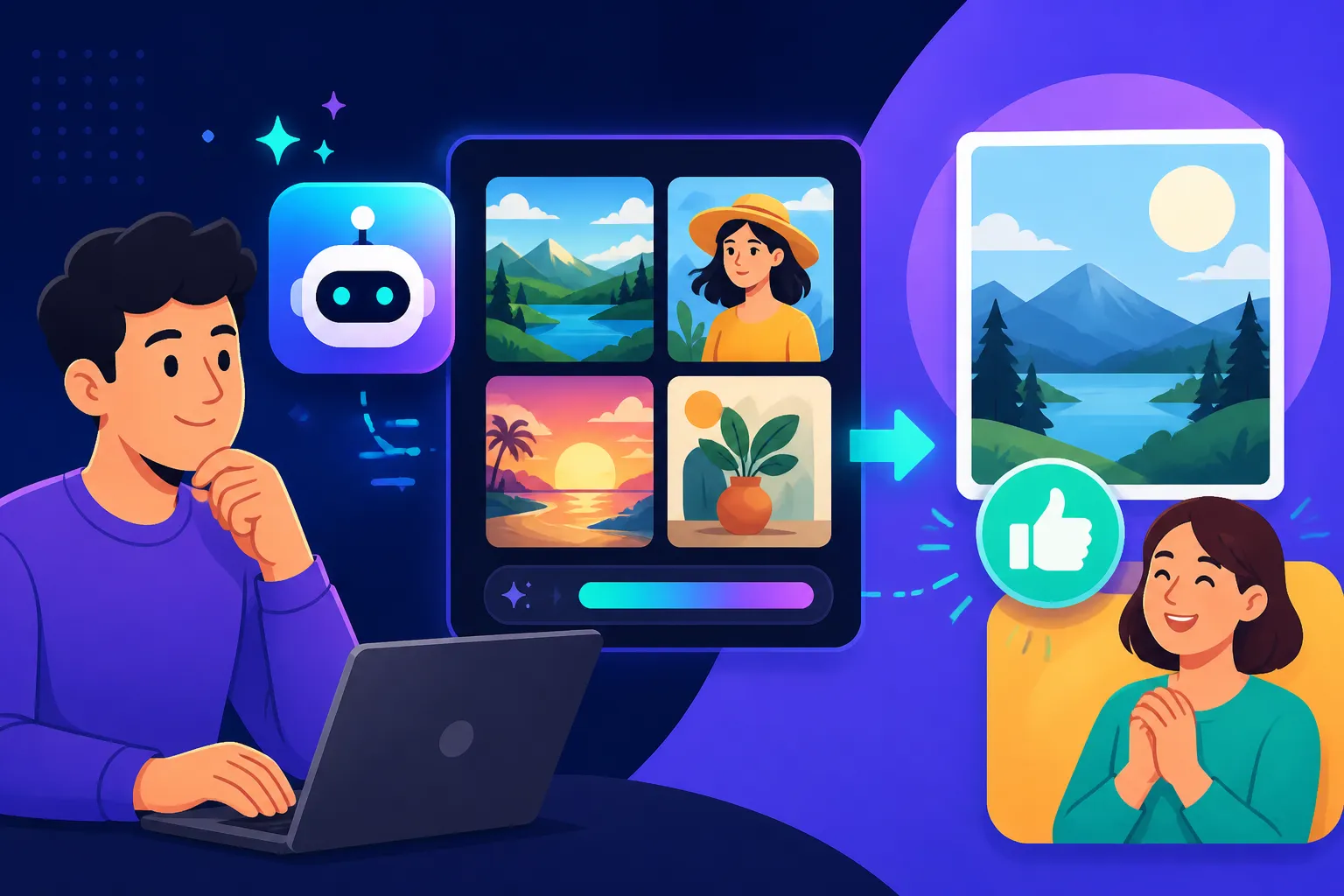
When it comes time to show your client those initial AI-generated concepts, your presentation matters. Don't just dump a folder full of raw AI images on them. Frame it correctly.
- Curate and Select: The AI might generate 100 images; you might present the best 5-10. Your role as a designer includes curation. Show them the strongest, most relevant options that align with the brief.
- Frame as "Exploration": Introduce the images as "conceptual explorations" or "visual directions" made possible by AI's speed. Emphasize that these are starting points, not final products. For instance, you could say, "Using AI, I've generated these initial concepts for your new brand's visual identity. This helps us quickly explore different moods and styles. Which of these resonate most with your vision?"
- Highlight the "Why": Explain why you chose AI for this stage – to save time, explore more options, or visualize complex ideas faster. This reinforces your professionalism and efficient use of tools.
- Point Out Future Refinements: Be proactive. If an AI-generated image has a minor flaw but the overall concept is strong, point it out and explain how you'll refine it in the next stage. "I love the composition here, but we'll polish the background elements in post-production to make it absolutely perfect."
By presenting AI outputs thoughtfully, you empower the client to give more focused feedback and reinforce your value as the creative director steering the project, not just a button-pusher.
Managing Revisions and Feedback Loops
AI can speed up the generation process, but it doesn't necessarily shorten the client feedback and revision loop. In fact, it can sometimes make it more complex because you can generate so many options.
- Structured Feedback: Encourage clients to provide specific, actionable feedback. Instead of "I don't like it," ask "What elements aren't working? What feeling are we missing?" This helps you adjust your prompts more effectively.
- Limit Rounds of AI Generation: Just like traditional design, set clear boundaries on the number of AI generation rounds you'll provide before moving to refinement in traditional software. Otherwise, you might get stuck in an endless loop of minor prompt tweaks.
- Translate Feedback into Prompts: Your skill here is to take client feedback (e.g., "Make it more vibrant," or "Can we get a sense of urgency?") and translate that into effective AI prompts or editing instructions. If the client wants "more vibrant," you might add "vibrant colors, high saturation" to your prompt, or adjust the colors manually in post-processing.
- Know When to Step Away from AI: Sometimes, further AI generation isn't the answer. If the client's feedback points to a need for intricate detail, precise control over a specific element, or a complete style shift, it might be time to move entirely into traditional design software to execute those changes manually.
Effective management of feedback means leveraging AI's speed for broad strokes and conceptual changes, then transitioning to manual refinement for detail and precision.
Final Deliverables and Documentation
The final stage is delivering the polished assets. This is where attention to detail regarding file formats, resolution, and documentation is critical.
- High-Resolution Output: Ensure all final images are upscaled and refined to the highest resolution required by the client (e.g., 300 DPI for print, specific pixel dimensions for web).
- Appropriate File Formats: Deliver in the requested formats (JPEG, PNG, TIFF, SVG if applicable, though AI struggles with native SVG).
- Commercial Viability: Double-check that all delivered images are commercially safe and free of any obvious AI artifacts or problematic content. If you're using a tool with indemnification, ensure you understand its scope. For images created through heavy modification of AI outputs, ensure your legal counsel on copyright stands firm. Our How to Use AI Images Commercially Safe guide is a must-read for this.
- Documentation: This is often overlooked but incredibly important for AI-integrated projects. Create a simple document that outlines:
- Which AI tools were used for which assets.
- A brief explanation of your workflow (e.g., "AI-generated base image, heavily edited and composited in Photoshop").
- Any specific licenses or commercial terms related to the AI tool's usage (if relevant).
- Confirmation of client approval regarding AI use.
- Your own copyright claims on the final, human-edited works.
This documentation not only protects you but also provides the client with a clear record for their own internal processes or future legal inquiries. By meticulously handling final deliverables and providing thorough documentation, you solidify your professional standing and demonstrate your commitment to quality and transparency in the evolving world of AI-assisted design.
| Aspect of Client Work | How AI Images Help | Considerations & Challenges |
|---|---|---|
| Concept Generation | Rapidly explore diverse ideas, create mood boards quickly. | Can generate too many options; requires strong curation. |
| Visual Brainstorming | Quickly visualize client's abstract ideas, narrow down preferences. | AI interpretations may deviate; human oversight needed for accuracy. |
| Social Media Graphics | Produce high volume of unique, engaging visuals fast. | Consistency in branding/style may require post-processing. |
| Blog/Article Imagery | Generate relevant, unique images, avoiding generic stock. | Image quality and context often need human adjustment. |
| Product Mockups | Test various backgrounds/settings for products efficiently. | Can struggle with precise product details or brand consistency. |
| Saving Time & Cost | Reduces hours spent on manual illustration or searching stock. | Time saved might be redirected to prompt engineering and refinement. |
| Client Revisions | Faster iteration on visual concepts for feedback. | Clients might expect infinite revisions; need clear scope definition. |
| Copyright & Ownership | Some tools offer commercial rights; can be used as a base for derivative works. | Legal status is evolving; transparency and strong human authorship are key. |
| Ethical Considerations | Can create diverse imagery with careful prompting. | Potential for bias, stereotypes, or "uncanny valley" results. |
Disclaimer
The information provided in this article is for general informational purposes only and does not constitute legal, financial, or professional advice. The field of AI image generation and its legal landscape are rapidly evolving. Always consult with qualified professionals for advice tailored to your specific situation and jurisdiction, especially regarding copyright and commercial use in client work.