How to Use AI Image Generators for T-Shirt Designs
It can feel incredibly daunting to consistently come up with fresh, eye-catching designs for T-shirts, especially when you're managing a bustling print-on-demand shop or a small clothing brand. The constant demand for new, unique graphics can be a real time-sink and creativity drain. This comprehensive guide will walk you through exactly how to leverage AI image generators to effortlessly create stunning T-shirt designs, helping you stay ahead of trends and keep your creative wellspring overflowing.
Understanding the Potential of AI for T-Shirt Design
The world of T-shirt design has been completely revolutionized by artificial intelligence. What once took hours of sketching, digitizing, and refining can now be achieved in minutes, opening up incredible possibilities for creators of all skill levels. It’s not about replacing human creativity, but augmenting it, giving you a powerful co-pilot in your design journey.
Why AI is a Game-Changer for T-Shirt Creators
For anyone involved in T-shirt production, from independent artists on platforms like Etsy to established apparel brands, AI image generators are transforming workflows. Think about the sheer volume of designs you might need for different seasons, niches, or target audiences. Manually creating these can be exhausting and expensive, often requiring outsourcing design work. AI tools allow for rapid ideation and iteration. You can generate dozens of concepts in the time it used to take to perfect one, giving you an unparalleled competitive edge. This means more diverse product offerings, quicker response to market trends, and a significant reduction in design costs. It's truly a leap forward for accessibility, enabling individuals without formal graphic design training to bring their visions to life with professional-looking results.
Common Design Challenges AI Can Solve
Every T-shirt designer, no matter their experience, hits creative blocks or faces technical hurdles. One of the biggest frustrations is often translating a vague idea into a concrete visual. You might have a concept like "a retro-futuristic robot meditating," but struggle to render it in a consistent style or generate enough variations. AI excels here. It can interpret complex textual descriptions and instantly produce multiple visual interpretations, allowing you to quickly explore different aesthetics—from abstract to photorealistic.
Another common challenge is creating consistent imagery across a collection. Perhaps you want a series of designs featuring specific characters or objects, but ensuring they look cohesive can be tough. AI, through careful prompting and iteration, can help maintain visual themes, color palettes, and stylistic elements across different pieces. Plus, for those struggling with intricate details or specific artistic styles they haven't mastered yet, AI can bridge that gap, generating designs that would otherwise require advanced illustration skills or specialist software. The ability to generate AI images for logos or AI images for product photography further extends its utility for a complete brand presence.
Step-by-Step Guide to Generating T-Shirt Designs with AI
Diving into AI T-shirt design can seem a bit overwhelming at first, but with a structured approach, you'll be creating awesome graphics in no time. It's less about being an artist and more about becoming a skilled director, guiding the AI to produce exactly what you envision.
Crafting Effective Prompts for T-Shirt Graphics
The secret sauce to incredible AI-generated T-shirt designs lies almost entirely in your prompts. Think of a prompt as your creative brief to a highly efficient, albeit literal, design assistant. You need to be clear, descriptive, and specific about your vision. Start by defining your core subject – a cat wearing sunglasses, a geometric mountain range, a vintage car. Then, layer on stylistic elements: "vector illustration," "distressed screen print," "pixel art," "minimalist line art." Don't forget color palettes, background considerations (often "transparent background" or "no background" is crucial for T-shirts), and even emotional tones like "playful," "grungy," or "elegant."
For example, instead of "cool cat," try something like: "A mischievous Siamese cat wearing oversized neon pink sunglasses, sitting on a skateboard, in a vibrant 80s vaporwave style, vector illustration, transparent background, bright pastel colors." The more detail you provide about the style, composition, and specific elements, the closer the AI will get to your desired outcome. Remember to iterate; if the first few results aren't perfect, tweak a word or add another descriptive phrase. Exploring resources like an AI image prompt guide for beginners can give you a solid foundation, and you can also learn how to write AI image prompts that really hit the mark.
Iterating and Refining Your AI Designs
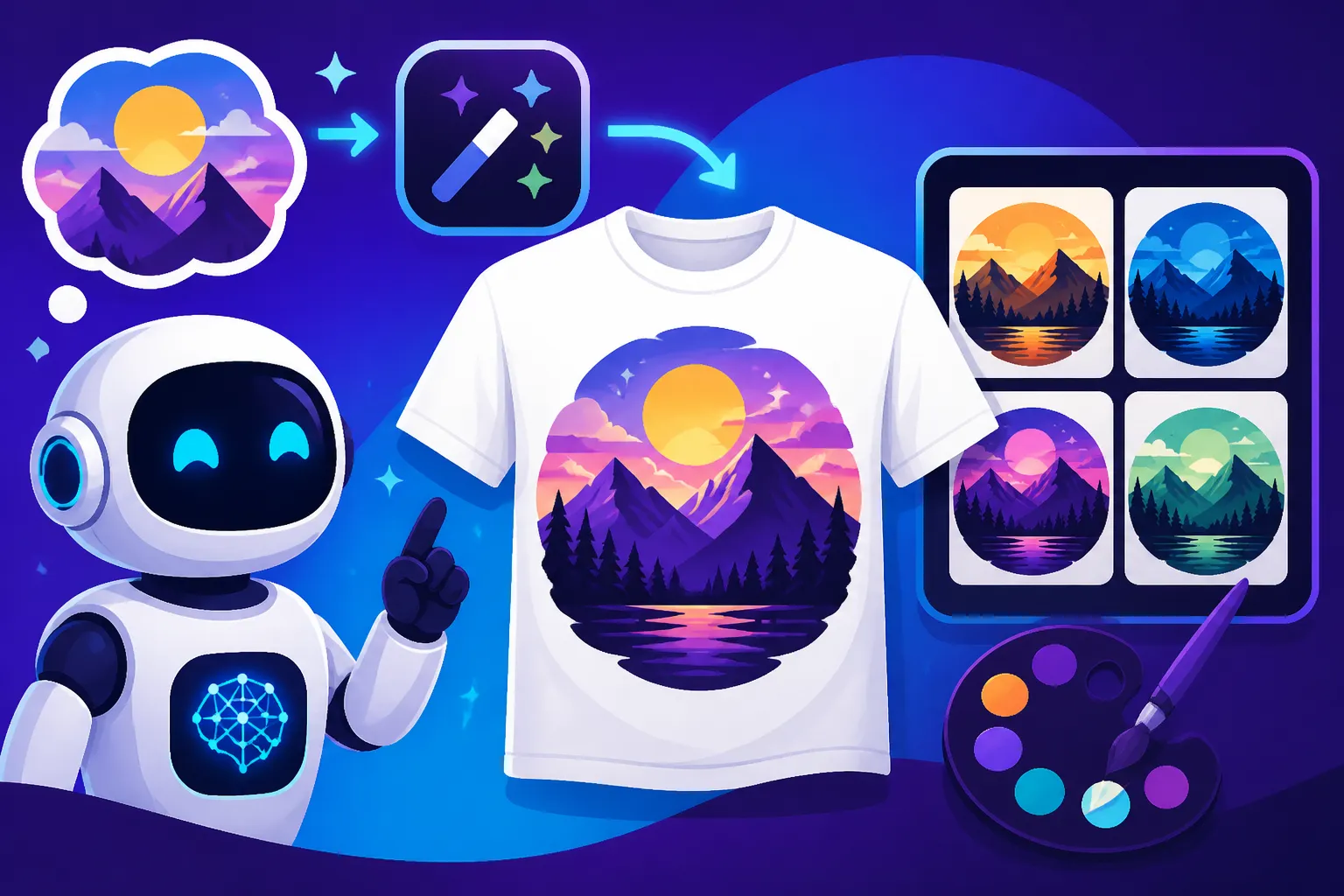
Rarely will your first AI-generated image be perfect, and that's completely normal. The real magic happens in the iteration and refinement process. Once you have an initial set of images, analyze them. What works? What doesn't? Most AI tools offer features to generate variations of a specific image you like. This is your chance to explore subtle changes in composition, color, or detail without starting from scratch.
You can also modify your original prompt by adding or removing keywords. For instance, if the cat is too cartoonish, you might add "realistic texture" or "photorealistic." If the colors are too muted, try "vibrant color palette." Tools like Midjourney allow for detailed parameter adjustments, while others like DALL-E or Ideogram might focus more on prompt-based alterations. Don't be afraid to experiment with negative prompts (e.g., "–no text" if you're getting unwanted words). Sometimes, a design might be almost perfect, but needs a small adjustment. Many AI tools are now integrating light editing capabilities, such as inpainting (filling in a selected area) or outpainting (extending the canvas). If your chosen tool doesn't offer this, you can always export the image and use traditional graphic design software to make final tweaks or to fix bad AI image results.
Preparing Your AI-Generated Art for Print
This is a critical step that many new AI T-shirt designers overlook. An image that looks fantastic on screen might not translate well to print if it's not properly prepared. The main concern is resolution. For high-quality T-shirt printing, you generally need a resolution of at least 300 DPI (dots per inch) at the final print size. Most AI generators, especially free tiers, might output images at lower resolutions or smaller dimensions.
This is where upscaling comes in. Several tools and services specialize in increasing image resolution without significantly losing quality. Some AI image generators, like Leonardo AI, offer built-in upscaling features. If yours doesn't, dedicated AI upscalers like Magnific AI can take a lower-resolution image and intelligently add detail, making it suitable for larger prints. You'll also need to consider file format. PNG is usually preferred for T-shirt designs due to its support for transparency, which is essential for placing graphics on colored shirts. If your design is simple and geometric, you might consider vectorizing it using external tools, as vector graphics can be scaled indefinitely without pixelation, though AI typically generates raster images. Lastly, be mindful of color profiles; print shops usually work with CMYK, while AI tools often generate in RGB. A professional print service can handle the conversion, but understanding the difference can help you anticipate potential color shifts.
Choosing the Right AI Image Generator for Apparel
With so many AI image generators popping up, it can feel like a minefield trying to pick the best one for your T-shirt design needs. Each tool has its unique strengths and weaknesses, and what works for one person might not be ideal for another.
Key Features to Look for in an AI Tool
When you're hunting for the perfect AI image generator for T-shirt designs, there are a few features that should be at the top of your checklist:
- Commercial Use Rights: This is non-negotiable if you plan to sell your T-shirts. Always check the terms of service. Most paid subscriptions to tools like Midjourney, DALL-E, or Adobe Firefly offer clear commercial rights, but free tiers can be more restrictive. Understanding how to use AI images without copyright issues is paramount.
- Image Quality and Style Versatility: Look for a tool that can produce high-quality, detailed images in a wide range of styles relevant to T-shirt design, from bold graphics to intricate illustrations. Some excel at photorealism, while others are better for cartoons or abstract art.
- Text Generation: Adding text to T-shirt designs is common. Many AI tools struggle with accurate, legible text, often producing "gibberish." Ideogram is a standout in this area, making it a strong contender for text-heavy designs.
- Upscaling Capabilities: As discussed, high resolution is key for print. Built-in upscaling is a huge plus.
- Ease of Use and Workflow: How intuitive is the interface? Can you easily generate variations, remove backgrounds, or make minor edits within the platform? A smooth workflow can save you tons of time.
- Community and Resources: A strong community (like Midjourney's Discord) can offer prompt ideas, tutorials, and support, which is invaluable when you're learning.
Free vs. Paid Options for T-Shirt Design
The choice between free and paid AI image generators often comes down to your budget, usage volume, and the desired quality and commercial flexibility.
Free Options:
Many tools offer generous free tiers that are fantastic for beginners, hobbyists, or those with very limited budgets.
- Bing Image Creator (powered by DALL-E 3): Offers excellent image quality and ease of use, with decent text generation compared to older DALL-E versions. It's free with a Microsoft account and provides "boosts" for faster generation.
- Ideogram AI: Known for its superior text rendering, Ideogram's free tier is a favorite for T-shirt designers who frequently incorporate words into their graphics. It's user-friendly and produces high-quality results.
- Leonardo AI: Provides daily credits for its free tier and offers a good balance of artistic control and diverse models, making it a solid choice for exploring different styles.
- Canva AI: Integrated into the popular design platform, Canva's AI image generator is perfect for those already using Canva for other design needs, offering simplicity and ease of integration into existing projects.
While these are great starting points, free tiers often come with limitations: daily credit caps, slower generation speeds, restricted commercial use, or watermarks.
Paid Options:
For serious T-shirt designers, businesses, or those requiring high volume and top-tier quality, a paid subscription is often worth the investment.
- Midjourney: Often considered the industry leader for artistic quality and aesthetic appeal, Midjourney excels at generating stunning, unique images. Its paid plans offer robust commercial rights and faster generation. However, it still largely operates via Discord, which can be a learning curve for some, and text generation is a known weakness. A detailed Midjourney review: features, pricing, and quality can help you decide if it's for you.
- Adobe Firefly: Integrates seamlessly with Adobe's creative suite, making it ideal for designers already in that ecosystem. Firefly emphasizes commercial safety with its IP indemnification for certain generated images, which is a huge benefit for businesses. Its generative fill and other editing features are powerful. You can read an Adobe Firefly review for commercial use for more insights.
- DALL-E (via ChatGPT Plus): With DALL-E 3 now integrated into ChatGPT Plus, it's highly accessible and offers much-improved prompt understanding and text generation. While it may not always match Midjourney's artistic flair, its ease of use and contextual understanding are strong advantages.
- Stable Diffusion: This open-source model offers unparalleled customization if you're willing to delve into its technical aspects, often run locally on powerful computers. While there are web-based interfaces, the true power lies in its flexibility for specific artistic styles and models. Stable Diffusion review: free and customizable gives you a deeper look.
Choosing between free and paid really depends on your specific needs, but for anyone looking to scale a T-shirt business, a paid tool often provides the necessary quality, commercial safety, and flexibility.
| Feature / Tool Type | Free AI Generators (e.g., Bing, Ideogram Free, Leonardo Free) | Paid AI Generators (e.g., Midjourney, Adobe Firefly, DALL-E 3 via ChatGPT Plus) |
|---|---|---|
| Commercial Use | Often limited or requires careful checking; may have watermarks | Generally included with subscriptions, often with IP indemnification (Firefly) |
| Image Quality | Good, but can be inconsistent or lower resolution | High to exceptionally high, professional-grade output |
| Text Generation | Varies, Ideogram is excellent, others can struggle | Improved in DALL-E 3 and Firefly; Midjourney struggles |
| Upscaling | Sometimes included, or requires external tools | Often built-in or with high-quality options |
| Speed | Can be slower due to demand or credit limits | Significantly faster, prioritized access |
| Customization | Limited control over models and advanced parameters | Extensive control, access to diverse models, advanced prompting features |
| Cost | Free | Monthly/yearly subscription fees |
Best Practices and Advanced Tips for AI T-Shirt Creation
Generating designs is just the beginning. To truly succeed in the T-shirt market with AI, you need to think strategically about brand, audience, and the practicalities of commercial use.
Maintaining Brand Consistency and Style
One of the biggest challenges for any brand, especially when using AI, is maintaining a consistent visual identity. You don't want your T-shirt designs to look like a random assortment of images; they should feel cohesive and instantly recognizable as your brand. To achieve this with AI, start by defining your brand's aesthetic. Is it minimalist? Grungy? Whimsical? Realistic?
Once you have a clear style guide, incorporate these elements into your prompts. Use consistent keywords for style, color palettes, and recurring motifs. For example, if your brand uses a specific illustration style, you might always include "vintage comic book style" or "detailed botanical illustration" in your prompts. Some advanced AI tools allow you to use "style reference" images (like Midjourney's --sref parameter) to guide the AI towards a particular aesthetic. This helps ensure that even when generating completely new designs, they retain your brand's signature look. Regularly reviewing your generated designs against your brand guidelines is also crucial.
Leveraging AI for Niche Markets and Trends
The T-shirt market is heavily driven by niches and trends. AI image generators are incredibly powerful tools for tapping into these quickly. Did you just see a new meme explode online? Or is there a growing interest in a specific subculture, like "dark academia" or "cottagecore" aesthetics? AI can help you generate relevant designs almost immediately, allowing you to capitalize on fleeting trends before the competition.
Think about holidays, seasonal events, or even hyper-local themes. You could create T-shirts featuring "San Diego beach vibes" or "autumn pumpkin spice lattes." By crafting prompts that combine popular keywords with your desired art style, you can produce designs that resonate deeply with specific audiences. This agility is where AI truly shines, enabling you to test market new ideas with minimal upfront design investment, potentially leading to more sales and a highly engaged customer base. Consider how you could integrate these designs into AI images for social media graphics to promote your new collections.
Avoiding Common Pitfalls and Copyright Concerns
While AI offers immense creative freedom, it's not without its challenges and potential pitfalls. One of the most significant is copyright and intellectual property. When using AI image generators for commercial purposes, you absolutely must ensure you have the commercial rights to the images you create. As mentioned, most paid plans grant these rights, but free plans can be murky. Always read the terms of service carefully.
Beyond the AI tool's own terms, there's the broader issue of derivative works. If your prompt asks the AI to generate an image "in the style of Disney" or to create a "Harry Potter character," you could be infringing on existing copyrights or trademarks, even if the AI generates something technically original. Be mindful of brand names, logos, or characters that are protected. It's generally safer to focus on original concepts, generic styles, or public domain influences.
Another pitfall is image quality. As discussed, low resolution can lead to pixelated prints. Always check resolution and upscale when necessary. Finally, beware of the "AI look" – sometimes AI-generated images can have subtle quirks, distortions, or a generic feel that makes them less appealing. This is where your human eye for refinement and the iteration process become vital. Learn how to make AI images look less AI to ensure your designs have that authentic, desirable touch.
Disclaimer
Please note that the field of AI image generation is rapidly evolving. Information regarding tool features, pricing, terms of service, and commercial use policies can change frequently. Always consult the official websites and terms of individual AI image generators for the most up-to-date and accurate information before making any purchasing decisions or using generated content for commercial purposes. This guide provides general advice and recommendations based on current trends and common practices.