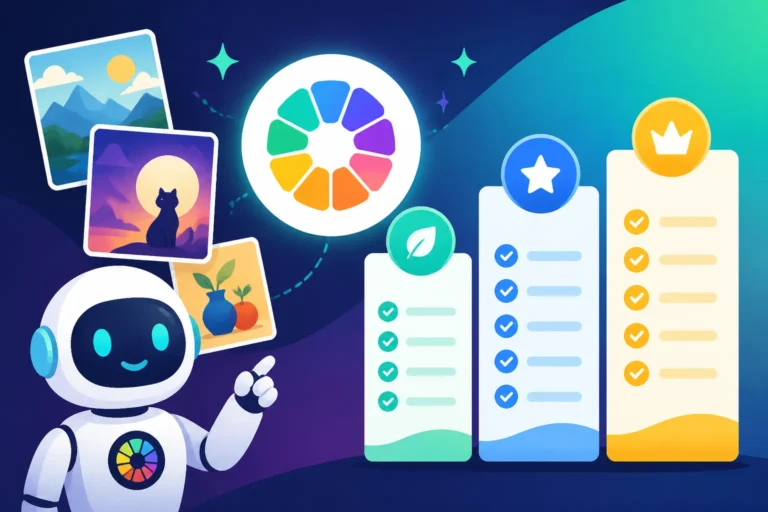
Best Midjourney Plan for Your Needs
Navigating the world of AI image generation can feel like stepping into a labyrinth, especially when it comes to understanding pricing structures and figuring out which plan actually makes sense for your unique creative flow. It’s a common frustration to look at a list of subscriptions and feel like you need a degree in finance just to pick the right one. This guide is here to cut through the confusion and help you determine the best Midjourney plan for your specific needs, so you can focus on creating stunning visuals without worrying about hidden costs or underutilized features.
Understanding Midjourney's Core Offerings and Why Plans Matter
When you first dip your toes into Midjourney, it's easy to get excited about the incredible images you can conjure with just a few words. But then you hit the wall: the free trial runs out, and suddenly you're faced with a choice of subscription plans. Many folks find themselves scratching their heads, wondering if they’ll really use all those "GPU hours" or if they’re overpaying for features they don't need. It’s not just about the monthly fee; it's about optimizing your creative output and getting true value from your investment.
The Frustration of Unclear Credit Systems
One of the biggest pain points for new Midjourney users, and even some veterans, is the concept of "GPU hours" or "fast hours." It's not as straightforward as simply paying for a certain number of images. Instead, you're paying for computational time on their powerful servers. This can feel abstract: how many images does one "fast hour" actually translate to? Does a complex prompt use more time than a simple one? The uncertainty often leads to two extremes: either you're constantly worried about burning through your precious fast hours, or you pick a plan that's far too generous for your actual usage and end up paying for resources you don't fully exploit. We'll break down what these hours mean in practical terms to alleviate that common headache.
Think of it like this: if you're working on a detailed, multi-layered digital painting, it's going to take your computer's graphics card more processing power and time than sketching a simple doodle. Midjourney operates similarly. The more intricate your prompt, the more iterations you run, or the higher resolution you demand, the more "fast GPU hours" you consume. This system, while efficient for Midjourney, often leaves users guessing about their consumption, leading to unexpected limits or feeling like you're playing a high-stakes game with your credits. Understanding this underlying mechanism is crucial to making an informed decision about your subscription.
What Exactly Are "Fast" and "Relax" GPU Hours?
Midjourney cleverly offers two distinct modes for processing your image generation requests: Fast mode and Relax mode. Fast GPU hours, as the name suggests, prioritize speed. When you use Fast mode, your image generation requests are given high priority on Midjourney's GPUs, meaning you typically get your results back in seconds. This is invaluable when you're brainstorming rapidly, iterating quickly on a design, or working against a tight deadline. For professional creators or those in high-volume situations, Fast mode is often the default choice. However, these are the hours that are counted against your monthly allocation.
Relax mode, on the other hand, is a more leisurely pace. When you're in Relax mode, your jobs are queued up and processed only when GPU resources are available, often after Fast mode jobs have been completed. This means generation times can vary significantly, sometimes taking minutes rather than seconds. The huge benefit? Relax mode doesn't consume your valuable Fast GPU hours. It's essentially unlimited image generation, provided you're willing to wait. This mode is perfect for personal projects, casual exploration, or when you have plenty of time and don't need instant results. Knowing when to toggle between these two modes can significantly extend the value of your Midjourney subscription. For those interested in a deeper dive into how Midjourney works under the hood, exploring the specifics of Midjourney V7 Features and Updates can offer valuable context.
A Deep Dive into Midjourney's Subscription Tiers
Midjourney currently offers several subscription plans, each designed to cater to different levels of usage and professional needs. Deciding between them means weighing your budget against your creative demands. Let's walk through each plan to see which one aligns best with your artistic or commercial ambitions.
The Basic Plan: Is It Enough for Casual Users?
The Basic Plan is Midjourney's entry-level offering, priced at a modest $10 per month (or $96 annually, saving you a bit). It typically provides you with around 3.3 hours of Fast GPU time. For someone just exploring AI art, generating images for personal use, or creating occasional social media posts, this can be quite sufficient. If you're only generating a handful of images a day – maybe 10-20, depending on complexity and how many variations you run for each prompt – you might find this plan hits the sweet spot without breaking the bank.
However, the Basic Plan comes with a significant limitation: it doesn't include unlimited Relax mode. Once your 3.3 Fast GPU hours are depleted, you're essentially out of generation capacity until your next billing cycle, unless you opt to purchase additional Fast hours at an extra cost. This can be a real bummer if you suddenly get a burst of inspiration or have an urgent project come up. So, if you're a casual user but anticipate needing more flexibility or the ability to generate images without constant vigilance over your hours, this might quickly feel restrictive. For many, the question of Is Midjourney Worth the Subscription often starts with assessing whether this basic tier truly delivers on its promise for their specific workflow.
The Standard Plan: The Sweet Spot for Most Creators?
Stepping up to the Standard Plan, priced at $30 per month ($288 annually), usually gets you about 15 hours of Fast GPU time. This is a considerable jump from the Basic Plan and, crucially, includes unlimited Relax GPU time. This combination makes the Standard Plan incredibly appealing for a vast majority of users, from dedicated hobbyists to burgeoning freelancers. With 15 hours of Fast time, you have ample room for quick iterations, experimenting with new styles, and generating high-priority images.
The inclusion of unlimited Relax mode is the game-changer here. It means that even if you exhaust your Fast hours during a particularly intense creative sprint, you can still continue generating images without additional cost, albeit at a slower pace. This removes the anxiety of hitting a hard limit and allows for continuous experimentation. Many users find that the Is the Midjourney Standard Plan Enough question is answered with a resounding "yes" due to this flexibility, making it arguably the most balanced and versatile option for creators who need a reliable, ongoing supply of AI-generated visuals.
The Pro Plan: For Power Users and Professionals
For the serious content creator, professional artist, or small agency, the Pro Plan is often the logical next step. At $60 per month ($576 annually), it boosts your Fast GPU hours to a generous 30 and, like the Standard Plan, includes unlimited Relax GPU time. Beyond the increased Fast hours, the Pro Plan introduces a critical feature for professionals: Stealth Mode. This mode ensures that your generated images are not publicly visible on the Midjourney website, which is essential for client work, proprietary projects, or simply maintaining creative privacy.
Another significant advantage of the Pro Plan is the ability to have more concurrent jobs running – typically up to 12 fast jobs and 3 relax jobs simultaneously, compared to 3 fast jobs on the Standard Plan. This means less waiting around and more efficient batch processing, which can drastically speed up workflow for high-volume users. For those whose livelihood depends on creating unique, high-quality images efficiently and discreetly, understanding Midjourney Pricing and Plans Explained reveals why the Pro Plan's blend of speed, capacity, and privacy features makes it an indispensable tool for many.
The Mega Plan: Unlimited Power, Unlimited Possibilities
At the top of the spectrum is the Mega Plan, priced at $120 per month ($1152 annually). This tier is designed for the absolute power user, large studios, or enterprises with extremely high image generation demands. It provides a whopping 60 Fast GPU hours, along with unlimited Relax mode and all the benefits of the Pro Plan, including Stealth Mode and increased concurrent jobs.
The Mega Plan essentially offers the most extensive resources available directly from Midjourney, minimizing any potential bottlenecks for intensive projects. If you're constantly churning out hundreds or thousands of images, conducting extensive visual research, or managing a team of creators all utilizing Midjourney, this plan provides the headroom you need. While the price point is substantial, for those who truly maximize its capabilities, the question of Is the Midjourney Mega Plan Worth It often comes down to the sheer volume and speed required to meet demanding creative pipelines.
Factors to Consider When Choosing Your Midjourney Plan
Choosing the right Midjourney plan isn't a one-size-fits-all decision. It requires a thoughtful assessment of your personal workflow, project needs, and financial boundaries. There are several key factors that should influence your choice, moving beyond just the raw number of GPU hours.
Your Daily Image Generation Needs
This is perhaps the most critical factor. How many images do you genuinely need to generate on an average day or week? Are you just dabbling, creating a few profile pictures or art pieces for fun? Or are you a content creator churning out dozens of images for blog posts, social media, or marketing campaigns? If you typically generate fewer than 20-30 images daily, including variations and upscales, the Basic or Standard Plan might be perfectly adequate. However, if you find yourself constantly hitting limits, waiting for Relax mode to process, or needing to quickly generate several options for a client review, you're looking at the higher tiers.
Consider not just the final output, but also your process. Do you iterate extensively, generating many variations of a prompt before settling on one? Do you use features like Remix or Pan, which consume additional GPU time? These activities quickly add up. A good exercise is to track your usage for a week or two on a free trial (if available for other tools, or even just mentally estimating) to get a realistic picture of your consumption. This practical insight will be far more valuable than a theoretical guess. For tips on refining your process, consider guides like How to Write AI Image Prompts to get more out of each generation.
Commercial Use and Privacy Concerns
If you intend to use your Midjourney-generated images for commercial purposes—selling them, using them in advertisements, or incorporating them into client projects—then specific plans become more suitable. While Midjourney's terms generally allow commercial use across all paid plans, the privacy aspect is where differences emerge. The Basic and Standard Plans typically mean your images are publicly viewable on the Midjourney website or through the community feed. For a hobbyist, this isn't an issue; in fact, it's a great way to share and get feedback.
However, for commercial ventures, especially those involving client confidentiality or proprietary branding, the public visibility of your creations is a non-starter. This is where the Pro and Mega Plans shine, offering Stealth Mode. This feature is not just a nice-to-have; it's a crucial professional requirement for many. If your work needs to remain private, or if you're dealing with sensitive projects, investing in a plan that includes Stealth Mode is non-negotiable. This directly ties into considerations for those asking about the Best AI Image Generator for Commercial Use.
Budgetary Constraints and Long-Term Value
Naturally, your budget plays a significant role in this decision. While the monthly cost is clear, it's also worth looking at the annual subscription options, which often provide a discount over paying month-to-month. Beyond that, consider the value you're getting. Is paying $10 a month for 3.3 Fast hours a better value than $30 a month for 15 Fast hours plus unlimited Relax mode? For many, the ability to switch to Relax mode without additional cost offers far greater peace of mind and flexibility, making the Standard Plan feel like a better long-term investment even at a higher price point.
Think about how much you would spend on stock photos or hiring a graphic designer for the same volume and quality of images you can generate with Midjourney. When viewed through that lens, even the Pro or Mega plans can present significant savings for businesses with high visual content needs. However, if your image needs are truly minimal, and you're just exploring, even a free alternative might be worth considering before committing to any paid plan. While Midjourney doesn't offer a free tier anymore, investigating Best Free AI Image Generators can show you what's out there.
| Midjourney Plan | Monthly Cost (Annual) | Fast GPU Hours | Relax Mode | Stealth Mode | Concurrent Fast Jobs |
|---|---|---|---|---|---|
| Basic | $10 ($96) | ~3.3 | No | No | 3 |
| Standard | $30 ($288) | ~15 | Unlimited | No | 3 |
| Pro | $60 ($576) | ~30 | Unlimited | Yes | 12 |
| Mega | $120 ($1152) | ~60 | Unlimited | Yes | 12 |
Making the Right Choice: Scenarios and Recommendations
Now that we've broken down each plan and the factors to consider, let's look at some common user scenarios to help you pinpoint the best Midjourney plan for your specific situation. Remember, your needs might evolve, so it's always possible to upgrade or downgrade your plan as your usage changes.
I'm Just Starting Out or Only Need a Few Images
If you're completely new to AI image generation, or your needs are very minimal – perhaps just generating a couple of unique profile pictures, a few bespoke greeting cards, or trying out a handful of artistic concepts each month – then the Basic Plan is likely your best bet. It's the most affordable entry point into the Midjourney ecosystem.
However, it's crucial to understand its limitations. With only about 3.3 Fast GPU hours, you'll need to be mindful of your usage. This plan is ideal for users who generate images sporadically and don't require high volumes or constant iteration. If you find yourself consistently running out of hours and needing to buy add-ons, that's a clear signal it might be time to consider the next tier. For those still on the fence about paying, investigating Midjourney Alternatives Worth Testing could be a valuable exercise before committing.
I'm a Hobbyist or Small Creator with Regular Needs
This is where many enthusiastic creators find themselves. You're past the initial experimentation phase, you love what Midjourney can do, and you want to integrate it regularly into your personal projects, blog, or small online presence. You might be designing art for a personal game, creating graphics for a niche Instagram account, or illustrating a personal story. For this group, the Standard Plan is almost universally recommended as the sweet spot.
The 15 Fast GPU hours provide a healthy buffer for most daily creative tasks, allowing you to generate and refine images without too much concern. But the real clincher is the unlimited Relax mode. This feature alone drastically reduces stress about hitting limits. If you need a sudden influx of images but aren't in a rush, you can switch to Relax mode and keep creating. This flexibility offers immense value, making the Standard Plan a robust choice for ongoing creative work where privacy isn't a primary concern. Many creators find this plan offers the ideal balance, as detailed in Midjourney Pros and Cons for Creators.
I'm a Freelancer or Agency Needing Professional Features
For individuals or small teams whose income depends on delivering visual content, the demands are higher. You're likely working on client projects, need consistent output, and confidentiality is often a key requirement. Speed, volume, and privacy become paramount. In this scenario, the Pro Plan truly becomes indispensable.
The 30 Fast GPU hours provide ample capacity for professional workflows, allowing for rapid prototyping, client revisions, and high-volume asset creation. More importantly, the inclusion of Stealth Mode ensures that your client's proprietary work remains private, a non-negotiable for many contracts. The ability to run more concurrent jobs also means you can be significantly more productive, handling multiple prompts or variations simultaneously. If you're using Midjourney for commercial endeavors, and especially if client privacy is a factor, the Pro Plan is generally the minimum viable option. For creators looking to truly maximize their output and efficiency, learning How to Upscale AI Images can further enhance the professional quality of their work generated on this plan.
I'm a Large Studio or Power User with Massive Demands
If you're operating at an extremely high volume, perhaps as part of a large media company, a game development studio, or an enterprise-level content creation team, your needs will dwarf what the other plans can offer. You're generating images in the hundreds or even thousands daily, pushing the boundaries of AI art for major projects, or have multiple team members simultaneously utilizing the tool. For this elite tier of users, the Mega Plan is the only logical choice.
With 60 Fast GPU hours and all the benefits of the Pro Plan, the Mega Plan is built for scale and relentless production. It minimizes any potential for hitting resource ceilings, ensuring that your creative pipeline remains unhindered. While it carries the highest price tag, the sheer volume of output and the peace of mind it offers in a high-stakes environment make it a necessary investment. When you're managing complex projects that require constant, high-quality visual assets, this plan guarantees you have the computational horsepower to meet those demands, solidifying why it's considered for those truly leveraging AI at scale.
Disclaimer
The information provided in this guide is based on currently available public data regarding Midjourney's subscription plans. Pricing, features, and terms of service are subject to change by Midjourney at any time. Always check the official Midjourney website for the most up-to-date and accurate information before making any purchasing decisions. This content is for informational purposes only and does not constitute financial or professional advice.