How to Create AI Images for Ebooks
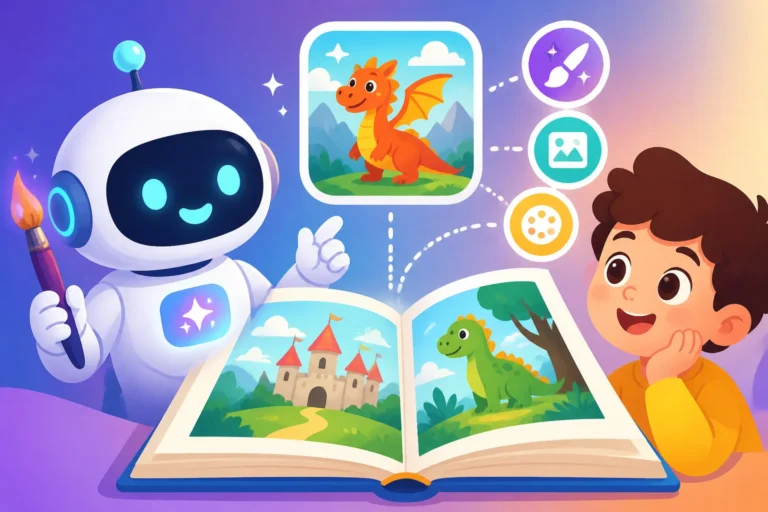
Creating a compelling ebook often feels like a balancing act: you've poured your heart and soul into the words, but then you hit the wall of visuals. Finding the right images—ones that match your tone, don't break the bank, and aren't generic stock photos everyone else is using—can be incredibly frustrating and time-consuming. This guide is here to walk you through exactly how to leverage AI image generators to effortlessly create stunning, unique visuals for your ebooks, making your content truly stand out.
The Challenge of Ebook Visuals
Let's be honest, for many authors and content creators, the visual aspect of an ebook is often an afterthought or a massive headache. You've spent countless hours meticulously crafting your chapters, refining your arguments, and polishing your prose, only to realize that a wall of text, no matter how brilliant, won't capture your audience's attention in today's visually-driven world. But then you look at the options available, and the solutions often feel inadequate or overly complex.
Why Traditional Ebook Images Fall Short
When you think about traditional methods for sourcing ebook images, several common pitfalls quickly emerge. The most accessible option for many is royalty-free stock photography websites. While these platforms offer a vast array of choices, there's a significant downside: ubiquity. How many times have you scrolled through an ebook or blog post and seen the exact same smiling professional, the same stylized coffee cup, or the same generic meeting room? It's a common experience, and it immediately cheapens your content, making it feel less unique and less authoritative. Your readers might subconsciously feel that if your visuals are recycled, perhaps your content is too.
Another issue with stock photos is the struggle to find images that perfectly align with your niche or specific chapter themes. You might be writing a deeply personal memoir, a highly technical guide on quantum physics, or a whimsical fantasy novel. Trying to find a stock image that perfectly encapsulates the specific emotion, concept, or world you've created can be like searching for a needle in a haystack. You often end up settling for "good enough" rather than "perfect," which is a disservice to your hard work. Furthermore, if you're writing a series of ebooks, maintaining a consistent visual style across multiple covers and internal images using disparate stock photos becomes an almost impossible task, leading to a disjointed brand aesthetic.
The Cost and Time Burden for Authors
Beyond the aesthetic limitations, traditional image sourcing imposes a significant financial and time burden, especially on independent authors and small publishers. Hiring a professional illustrator or graphic designer, while ideal for bespoke artwork, can be prohibitively expensive. We're talking hundreds, if not thousands, of dollars per illustration, which is simply not feasible for most self-published authors operating on a tight budget. Even if you budget for it, the back-and-forth communication, revisions, and lead times can add weeks or even months to your publication schedule. Imagine having your entire manuscript ready to go, but you're stuck waiting for that one crucial image to be finalized. It's enough to make any author pull their hair out.
Then there's the cost of premium stock photo subscriptions or individual licenses. While more affordable than hiring a designer, these costs add up quickly, especially if you need a dozen or more images for a single ebook, plus a distinct cover. Many platforms operate on credit systems, and you might find yourself constantly monitoring your usage, hesitant to download an image unless you're absolutely sure it's "the one." This creates a bottleneck in your creative flow, turning what should be an enjoyable design process into a cautious, budget-conscious exercise. And for authors who juggle writing with marketing, editing, and life, the sheer time spent sifting through endless galleries, trying to find something remotely suitable, can feel like wasted hours that could have been spent writing your next book or connecting with your audience. It's a frustrating cycle that often leads to compromises on visual quality, which ultimately impacts reader engagement.
Understanding AI Image Generators for Ebooks
The advent of AI image generators has been nothing short of revolutionary, especially for content creators and authors grappling with the challenges we just discussed. These tools aren't just a novelty; they're becoming an indispensable part of the creative toolkit, offering a powerful alternative to traditional image sourcing methods.
How AI Tools Work for Visual Creation
At their core, AI image generators use sophisticated algorithms and vast datasets of existing images and text to understand patterns, styles, and concepts. When you provide a text description—what we call a "prompt"—the AI processes this information and generates a brand-new image that attempts to match your specifications. It's like having an infinitely skilled, incredibly fast artist at your fingertips, ready to create almost anything you can describe. This means you can move beyond generic stock photos and commission truly unique pieces of art specifically tailored to your ebook's narrative.
The magic happens behind the scenes with complex neural networks. These networks have "learned" from billions of images, understanding how different elements (colors, textures, objects, scenes, artistic styles, lighting conditions) combine to form coherent visuals. So, when you type a prompt like "a lone wizard studying ancient scrolls in a dimly lit, cozy library, fantasy art style," the AI doesn't just pull up a pre-existing image of a wizard. Instead, it generates one from scratch, composing the scene, choosing the color palette, applying the requested art style, and rendering the details based on its learned understanding of what those elements typically look like. The output is often a set of variations, allowing you to choose the one that best fits your vision and then iterate further. This level of customization and originality is precisely what makes these tools so valuable for distinguishing your ebook in a crowded market. You can delve deeper into how to effectively communicate your vision by learning How to Write AI Image Prompts.
Key Considerations for Ebook Authors
Before you dive headfirst into the exciting world of AI image generation for your ebooks, there are several crucial factors to keep in mind. Understanding these considerations will help you maximize the benefits and navigate any potential pitfalls.
First, cost and accessibility vary widely. While some robust tools, like Midjourney, operate on a subscription model, offering advanced features and incredible quality, many others have generous free tiers or offer competitive pricing. For instance, you might explore options like Leonardo AI Free Tier Review or investigate if Bing Image Creator Really Free. Many platforms like Ideogram also offer a free plan with daily credits. This means that even authors on a shoestring budget can produce high-quality visuals without significant upfront investment. It’s worth checking out different platforms to see which one aligns with your budget and needs, considering the number of images you anticipate needing and the required resolution.
Second, quality and style consistency are paramount for ebooks. A visually jarring ebook, with images ranging from photorealistic to cartoonish, will detract from the reading experience. While AI can generate diverse styles, your goal should be to maintain a cohesive aesthetic throughout your book and its cover. This often involves using similar phrasing in your prompts, specifying a consistent art style (e.g., "watercolor illustration," "cinematic photography," "vector art"), and potentially using the same AI model or a specific style reference feature if the tool offers it. Learning How to Prompt for Specific Art Styles is key here.
Third, commercial rights and licensing are absolutely non-negotiable for anything you plan to sell. Before using any AI-generated image in your ebook, you must verify the terms of service of the AI tool. Most reputable paid AI image generators offer commercial use rights with their subscriptions. However, free tiers might have more restrictive licenses or require attribution. You don't want to invest time and effort only to find out you can't legally sell your ebook with those images. Always read the fine print! Generally, for commercial purposes, a paid subscription to a tool like Adobe Firefly or Midjourney often provides clearer commercial usage rights.
Finally, consider the learning curve. While generating a basic image is straightforward, mastering the art of prompt engineering—writing effective descriptions to get precisely what you envision—takes practice. Don't expect perfect results on your first try. Be prepared to experiment, iterate, and refine your prompts. Thankfully, there are many resources like an AI Image Prompt Guide for Beginners to help you get started.
Step-by-Step Guide to Generating Ebook Images with AI
Now that we understand the basics, let's roll up our sleeves and get into the practical steps of using AI image generators for your ebooks. This process is highly iterative, so embrace experimentation!
Crafting Effective Prompts for Ebook Imagery
The quality of your AI-generated images hinges almost entirely on the quality of your prompts. Think of your prompt as your instruction manual to the AI artist. A vague instruction leads to a vague result; a detailed, well-structured prompt guides the AI to produce something much closer to your vision.
To start, break down your desired image into key components:
- Subject: Who or what is the main focus? (e.g., "a young woman reading," "a sleek, futuristic car").
- Action/Context: What are they doing, or what's happening around them? (e.g., "…reading under a tree in autumn," "…driving through a neon-lit city at night").
- Environment/Setting: Where is this taking place? (e.g., "…cozy cafe," "ancient ruins").
- Art Style/Medium: This is crucial for consistency! (e.g., "oil painting," "digital illustration," "photorealistic," "watercolor art," "comic book style").
- Mood/Atmosphere: How do you want the image to feel? (e.g., "serene," "dramatic," "mysterious," "energetic").
- Technical Details: Lighting, camera angle, color palette, aspect ratio (e.g., "golden hour lighting," "cinematic," "wide shot," "pastel colors," "16:9 aspect ratio").
Let's say you're writing a self-help ebook about mindfulness. A basic prompt might be: "Woman meditating." The AI would give you something generic. Now, let's make it effective:
"A serene young woman meditating in a tranquil Japanese garden, dappled sunlight filtering through bamboo, soft pastel colors, realistic photography, wide shot, peaceful atmosphere, high detail."
This prompt provides specific details that guide the AI to a much more refined and suitable image. For a fantasy ebook, you might try:
"An ancient wizard with a long white beard, sitting cross-legged atop a moss-covered ruin, gazing at a floating magical orb, dramatic volumetric lighting, highly detailed fantasy digital painting, epic atmosphere, 4k."
Experimentation is key here. Don't be afraid to try different combinations and add more descriptive adjectives. Learning How to Write a Detailed Image Prompt will drastically improve your output. Many tools allow for negative prompts too, where you can tell the AI what not to include (e.g., "no blurry background," "no extra limbs"), which can be incredibly useful for refining results and avoiding common AI quirks like strange hands.
Refining and Enhancing Your AI-Generated Images
Once you've generated your initial batch of images, it's time to refine them. Rarely will the very first image be perfect, and that's completely normal. Most AI tools offer various options for iteration and enhancement.
First, generate variations. Many platforms provide buttons like "V1," "V2," "V3," "V4" (common in Midjourney) or similar functions that allow you to create new images based on the style and composition of a selected output. This is incredibly helpful for exploring slight differences in pose, lighting, or minor details while maintaining the overall theme. If you're struggling to get exactly what you want, you might need to adjust your original prompt slightly and generate a new set of images.
Second, consider upscaling and editing. Ebooks, especially those with high-resolution displays or destined for print-on-demand, require crisp, clear images. Many AI tools include built-in upscaling features that can increase the resolution without losing quality. For minor touch-ups or to add specific elements that the AI missed, you might need to export the image and use an external photo editor like Adobe Photoshop or GIMP. Some advanced AI tools, however, are starting to integrate editing features like "inpainting" (adding or changing specific areas of an image) or "outpainting" (extending the canvas of an image), allowing you to make these adjustments directly within the platform. For more on this, check out guides like How to Upscale AI Images or How to Enhance AI Image Details.
A common challenge is maintaining character consistency across multiple images, especially if your ebook features recurring characters. This is a more advanced technique, but some AI tools allow you to use "seed" values or reference images to help maintain certain characteristics. For a detailed walkthrough, you can explore guides like How to Keep Characters Consistent Across Images. It takes practice, but it's entirely achievable with patience and strategic prompting.
Integrating AI Images into Your Ebook Design
The final step is seamlessly integrating your beautifully generated AI images into your ebook. This isn't just about dropping them in; it's about making them part of a cohesive reading experience.
Image Placement and Flow: Think about how the images enhance your text. Do they break up long blocks of copy? Do they illustrate a complex concept? Do they set the mood for a new chapter? Avoid placing images randomly. Instead, position them strategically where they add value, reinforce a point, or simply provide a visual respite. For example, a full-page spread could introduce a new section, while smaller, inline images could illustrate specific examples.
File Formats and Optimization: Most ebook publishing platforms (like Kindle Direct Publishing, Apple Books, Kobo, etc.) have specific requirements for image file types and sizes. Generally, JPEG is suitable for photographic images, and PNG is better for images with transparent backgrounds or sharp lines. Always optimize your images for web and ebook use to ensure fast loading times without sacrificing too much quality. Large, unoptimized images can bloat your ebook file size, leading to slower downloads and a poorer reader experience. Aim for a balance between visual fidelity and file size. Most AI tools will output in standard formats, but ensure they meet the specific platform guidelines.
Captioning and Accessibility: Don't forget captions! A brief caption under each image can provide context, credit the source (if required by the AI tool's terms, or if you simply wish to acknowledge the AI's role), or add a little extra information. Crucially, consider accessibility. For readers with visual impairments, ensuring that your ebook software can read out "alt text" descriptions for your images is vital. Many ebook creation tools allow you to add this descriptive text, which helps convey the image's content to those who cannot see it. This not only makes your ebook more inclusive but also generally improves its overall quality and professionalism.
| Step | Description | Key Outcome |
|---|---|---|
| 1. Conceptualize | Determine image needs: subject, style, mood for each chapter. | Clear vision for visuals. |
| 2. Prompt Drafting | Write detailed text prompts for each image, including style and specifics. | AI-ready instructions. |
| 3. Generate & Iterate | Use AI tool to create images, then generate variations or adjust prompts. | Initial set of images, closer to desired output. |
| 4. Refine & Enhance | Upscale images, perform minor edits, or fix imperfections. | High-resolution, polished images. |
| 5. Optimize & Integrate | Format images correctly, add captions, and place strategically in ebook. | Visually cohesive, accessible ebook. |
Best Practices for Ebook Image Success
Creating stunning AI images is one thing; using them effectively and responsibly in your ebooks is another. These best practices will ensure your visuals not only look great but also contribute positively to your author brand and reader experience.
Ensuring Consistency and Brand Identity
When leveraging AI for your ebook visuals, consistency is the bedrock of strong brand identity. Your images should feel like they belong together, telling a coherent visual story that complements your written narrative. Imagine an ebook where every other page has a wildly different art style—it would be jarring and unprofessional, right?
To achieve this, start by defining a clear visual style from the outset. Before you even type your first prompt, decide on the overall aesthetic you want. Is your ebook a gritty sci-fi thriller that needs dark, cinematic renders? Or a whimsical children's story better suited to bright, cartoonish illustrations? Perhaps a business guide that demands clean, minimalist vector graphics? Once you've chosen a style, stick to it. Use similar stylistic cues in all your prompts. For instance, if you decide on "oil painting, impressionistic style," include that phrase consistently in every image prompt for that book. This repetition helps the AI maintain a similar output style across different scenes or subjects.
Next, consider color palettes and thematic elements. Even within a chosen style, you can guide the AI to use a consistent color scheme. Specifying "warm earthy tones" or "cool blue and silver palette" can help unify your visuals. Furthermore, if your book has recurring motifs or symbols, try to incorporate them into your image prompts to reinforce your themes visually. For instance, if your fantasy novel features a prominent celestial compass, ensure that any relevant images subtly include this element. Utilizing features like How to Create Image Variations can also help you explore slightly different takes on a consistent theme or subject without losing the core aesthetic. This meticulous attention to detail ensures that your ebook feels like a thoughtfully curated experience, not a random collection of images.
Legal and Ethical Considerations for AI Art
While AI image generators are incredibly powerful, it's crucial to navigate their use with a strong understanding of legal and ethical responsibilities. Ignoring these can lead to serious repercussions for your publication and your reputation as an author.
The most critical legal aspect is commercial usage rights. As mentioned earlier, always, always check the terms and conditions of the specific AI tool you're using. Many free tiers do not grant commercial rights, or they require specific attribution that might not fit your ebook's aesthetic. Paid subscriptions typically offer clearer commercial licenses, often granting you full ownership or a broad license to use the generated images for your published works. For instance, tools like Adobe Firefly are designed with commercial use in mind and often provide intellectual property indemnification, which means they stand behind the commercial safety of images generated on their platform. This is a huge benefit for professional authors. You really don't want to accidentally infringe on someone's copyright because you used an image from a free tool that had restrictive terms. A deeper dive into topics like Adobe Firefly Commercial Safety Review or Free AI Image Generators with Commercial Use can provide vital insights here.
Beyond the legalities, there are important ethical considerations. The datasets used to train these AIs are vast and come from various sources, some of which may include copyrighted material or works by living artists who did not consent to their art being used for training. While the AI generates new images, the ethical implications of this training data are still a subject of ongoing debate in the creative community. As an author, it's worth being aware of this discourse. Some artists feel that AI art devalues human creativity or exploits their work without compensation. While you're not directly responsible for the AI's training data, being mindful of these concerns means avoiding prompts that explicitly try to mimic a living artist's unique style too closely, out of respect for their original creations. Instead, focus on broader styles (e.g., "impressionistic," "cubist") rather than attempting to replicate specific artists' works. Transparency is also gaining traction; some authors choose to explicitly state in their ebook's front matter that AI tools were used to generate some or all of the illustrations. This can build trust with your readers and the broader creative community, especially as AI technology continues to evolve and its role in content creation becomes more prevalent.
Disclaimer
Please note that the information provided in this article is for general guidance only and does not constitute legal, financial, or professional advice. The landscape of AI technology, including its legal and ethical implications, is rapidly evolving. Always consult the specific terms of service and licensing agreements of any AI image generator you use, especially for commercial projects.