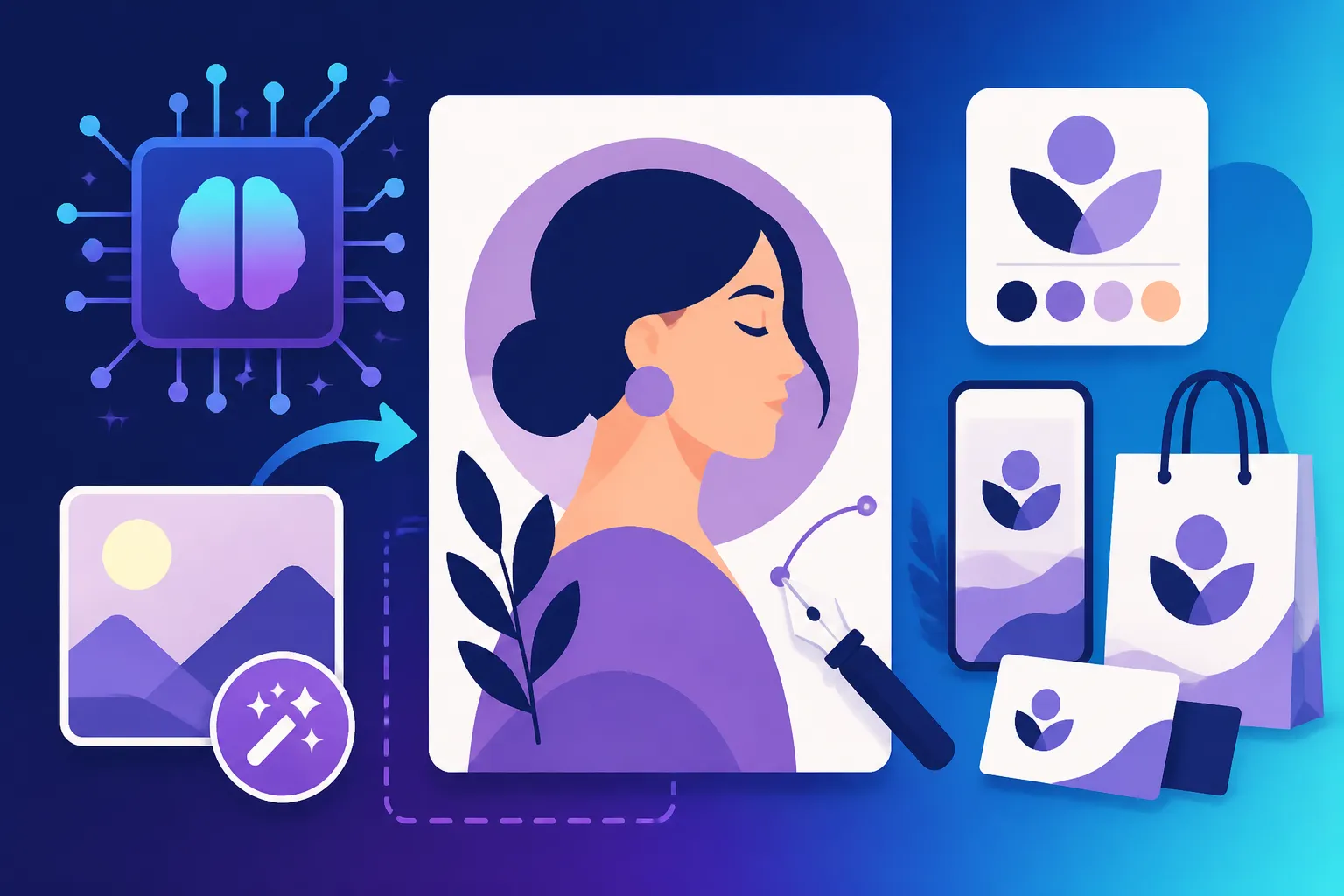
How to Create a Visual Identity with AI
Establishing a strong, recognizable visual identity for your brand, business, or personal project can feel like an insurmountable mountain to climb. You know you need a cohesive look and feel that speaks to your audience, but translating abstract ideas into tangible images, logos, and color schemes often involves significant time, skill, and sometimes, a hefty budget for designers. This guide is all about cutting through that complexity, showing you exactly how artificial intelligence can be your powerful partner in crafting a distinct and impactful visual identity, making the process more accessible and efficient than ever before.
Understanding the Core Elements of a Visual Identity
Before you dive headfirst into generating images, it's crucial to understand what makes a visual identity truly effective. It’s not just about pretty pictures; it’s about a deliberate, strategic collection of elements that communicate your brand's essence without uttering a single word. Think of it as the silent ambassador for your message, and getting it right means laying down solid groundwork.
Defining Your Brand's Personality and Values
Every great visual identity starts with a clear understanding of what you stand for and who you are trying to reach. What kind of personality does your brand embody? Is it playful and whimsical, serious and authoritative, innovative and cutting-edge, or warm and comforting? These aren't just buzzwords; they are the guiding stars for every visual choice you'll make. AI can be incredibly helpful in this early, abstract phase by helping you brainstorm and articulate these concepts.
For instance, imagine you're opening a new eco-friendly cafe in a bustling urban neighborhood. You envision a space that feels calm, organic, and inviting, a sanctuary from the city's hustle. Your core values might revolve around sustainability, community, and natural goodness. Without AI, you might struggle to connect these ideas to visual elements. But with AI, you can start by prompting it with descriptions like "sustainable cafe brand identity," "organic coffee shop aesthetic," or "community-focused eatery branding with natural elements." The AI won't just spit out a logo; it can help generate mood boards, suggest color palettes that evoke earthy tones and tranquility, and even propose font styles that feel handcrafted yet modern. It's like having a virtual brainstorming partner that understands visual language.
This early definition phase is critical because it sets the tone for everything else. If your brand is about high-tech innovation, a rustic, hand-drawn look wouldn't make sense. If it's about comfort and nostalgia, ultra-modern, sharp lines might miss the mark. AI can process vast amounts of data and examples to help you see patterns and possibilities you might not have considered, quickly validating or redirecting your initial thoughts. It provides a visual springboard, allowing you to quickly iterate on concepts until you truly feel like the essence of your brand is being captured.
The Role of Color Palettes and Typography
Once you have a handle on your brand's personality, the next tangible steps often involve selecting your primary color palette and typography. These two elements are incredibly powerful because they carry emotional weight and impact readability, both of which are fundamental to how your brand is perceived. Color psychology is a real thing – blues can evoke trust and stability, greens suggest nature and growth, and reds can signify energy and passion. Similarly, a sleek sans-serif font communicates modernity, while a decorative script font hints at elegance or tradition.
AI tools are fantastic for exploring these visual languages. Instead of poring over thousands of fonts on a design website or endlessly experimenting with color combinations, you can feed your brand's descriptive words into an AI image generator or a dedicated AI color palette tool. For a tech startup aiming for a modern, bold, and reliable look, you might prompt an AI for "brand colors for innovative tech company," "sleek typography for future-focused startup," or "digital aesthetic color palette with strong contrasts." The AI can present you with various options, from vibrant blues and purples to sophisticated grays and sharp blacks, paired with a range of crisp, legible typefaces.
Many AI tools can even analyze existing images or mood boards you provide, extracting dominant colors and suggesting complementary ones. Some, like the features found within platforms like Adobe Firefly or even simpler tools like Canva AI, can seamlessly integrate color suggestions with font pairings, offering a holistic view. This not only saves immense time but also opens up possibilities you might not have considered. You can quickly see how different hues and type styles interact, ensuring that the chosen combination creates a harmonious and memorable experience for your audience. For a deep dive into how different tools approach these choices, you might find valuable insights in our article on Is Canva AI Good Enough for Pros.
Leveraging AI for Core Visual Assets
Once you have a clear idea of your brand's personality, values, colors, and typography, it’s time to move into creating the tangible assets that form the backbone of your visual identity. This is where AI truly shines, enabling you to generate professional-grade logos, consistent imagery, and graphics without needing advanced design skills or a significant budget.
Designing Your Logo with AI
Your logo is often the most critical component of your visual identity—it's the face of your brand. In the past, creating a good logo meant hiring a professional designer or spending countless hours learning graphic design software. Now, AI logo generators have democratized this process, allowing anyone to conceptualize and refine a logo relatively quickly. These tools work by taking your brand name, industry, keywords, and aesthetic preferences and generating a variety of design options.
Consider a freelance writer who wants a distinctive personal brand logo that conveys creativity and professionalism, perhaps with a touch of elegance. Instead of sketching ideas or trying to manipulate vector graphics, they could use an AI tool to prompt "elegant minimalist logo for a freelance writer," "pen and paper icon with a modern twist," or "abstract logo representing storytelling." The AI would then present numerous options, ranging from text-based logotypes to symbolic marks or combined emblems. The writer can then select the one that resonates most, often customizing fonts, colors (using the palette already established!), and minor graphic elements within the tool. This iterative design process, where you generate, review, and refine, is incredibly efficient. To explore this further, check out our guide on How to Make AI Logos for a Business. Tools like Ideogram are particularly strong at incorporating text, which is vital for many logos.
The beauty of AI in logo design isn't just speed; it's the sheer breadth of options it can generate in minutes. You might start with one idea and end up with a concept you hadn't even considered, all thanks to the AI's ability to explore different stylistic interpretations of your prompt. While it's wise to review and potentially tweak the final output in a dedicated design program for perfect pixel placement, AI provides an unbeatable starting point, drastically reducing the initial design hurdle and allowing even non-designers to create compelling brand marks.
Generating Consistent Imagery and Graphics
Beyond the logo, maintaining a consistent visual style across all your imagery and graphics is paramount for a strong visual identity. This is where many creators stumble, as it's easy for photos, illustrations, and social media posts to look disjointed without a clear creative brief or a dedicated art director. AI image generators excel at maintaining this consistency, provided you use effective prompt engineering.
Imagine an online boutique selling artisanal candles. They need product photos, lifestyle shots, and graphics for promotions. Historically, this meant multiple photoshoots or commissioning various illustrations, all with the challenge of ensuring they look like they belong to the same brand. With AI, you can establish a "style seed" or use specific recurring elements in your prompts. For instance, you could prompt "product shot of an artisanal lavender candle, minimalist white background, soft natural light, shallow depth of field, Scandinavian aesthetic" and then reuse variations of this prompt for different products, only changing the candle type. This approach helps ensure that all your visuals share a similar lighting, composition, and overall aesthetic. Our article on How to Create Consistent AI Product Shots delves into this technique.
AI tools allow you to specify artistic styles (e.g., "watercolor illustration," "photorealistic render," "vector art," "cinematic photography"), color schemes, camera angles, and even specific moods ("serene," "vibrant," "mysterious"). By consistently applying these parameters in your prompts, you effectively train the AI to understand your brand's visual language. This leads to a cohesive gallery of images, whether for a website, blog, or social media, all of which reinforce your established visual identity. If you're struggling to keep everything looking uniform, our post on How to Keep Brand Consistency with AI Images offers further strategies.
AI doesn't just generate; many platforms offer in-built editing capabilities, allowing you to make minor adjustments, remove backgrounds, or even upscale images to higher resolutions, further refining your consistent visual output. This means less reliance on external software and a more streamlined workflow for developing all the visual content your brand needs.
Expanding Your Visual Identity Across Platforms
A truly effective visual identity isn't confined to a single logo or a few images; it’s a comprehensive system that extends across every touchpoint your audience interacts with. This means your brand’s look and feel should be consistent on your website, social media channels, marketing materials, and any other platform where your presence is felt. AI significantly simplifies this cross-platform consistency.
Creating Social Media Graphics and Banners
Social media is a highly visual medium, and standing out requires a steady stream of engaging, on-brand graphics. Manually creating these can be a huge time sink, especially if you're managing multiple platforms like Instagram, Facebook, and X (formerly Twitter), each with different aspect ratio requirements. This is where AI becomes an invaluable asset for efficiency and consistency.
Imagine a lifestyle blogger who needs to post daily engaging content. They need attractive post images, story graphics, and perhaps a fresh banner for their profile every quarter. Instead of starting from scratch each time or relying on generic templates, they can use AI to generate variations of their core visual identity. By feeding the AI prompts that include their brand colors, preferred photographic style (e.g., "bright, airy, natural light"), and thematic elements (e.g., "cozy home decor," "healthy recipes"), the AI can rapidly produce a suite of images that fit their brand. They can then take these outputs and easily add text overlays in tools like Canva or even within some AI platforms. Check out How to Make AI Social Media Graphics for detailed tips on this.
Many AI-powered design tools come with built-in templates and automatic resizing features, ensuring that a single design concept can be adapted for a square Instagram post, a vertical Instagram Story, or a horizontal Facebook banner in moments. This not only saves immense time but also guarantees that your brand message looks polished and professional, regardless of the platform. The ability to quickly generate multiple design options for A/B testing or simply to have a rich library of consistent content is a game-changer for anyone managing a social media presence.
Developing Website and Marketing Collateral
Your website, landing pages, and marketing advertisements are critical touchpoints where your visual identity needs to shine. These are often where customers make purchasing decisions, so having high-quality, on-brand imagery is non-negotiable. AI is transforming how businesses create everything from hero images to compelling ad creatives.
Consider an e-commerce store launching a new line of sustainable fashion. They need stunning hero images for their website's homepage, banners for specific product categories, and a series of ad creatives for various campaigns. Traditionally, this would involve expensive photoshoots and graphic design work. With AI, the store can prompt for images that perfectly match their brand's aesthetic: "fashion model wearing minimalist organic linen dress, standing in a sunlit natural setting, soft focus, earthy tones," or "sustainable fashion website banner, clean design, featuring eco-friendly fabric textures." Our article on How to Make AI Images for Landing Pages can provide specific guidance here.
The real power here lies in iteration and scale. You can generate dozens of variations of a hero image in minutes, allowing you to pick the absolute best one or even A/B test different options to see what resonates most with your audience. For marketing ads, AI can generate multiple creative concepts, ensuring your ad creatives align with your overall brand image while also being tailored for different platforms or target demographics. For marketers, learning how to leverage these tools is essential; find more insights in Best AI Image Generator for Marketing Images. The key is to embed your defined color palettes, typography principles, and overall aesthetic into your prompts, ensuring that every piece of marketing collateral consistently communicates your brand's unique visual identity.
Best Practices and Tools for AI-Powered Visual Identity
Embracing AI for your visual identity isn't just about plugging in a few words and hoping for the best. To truly harness its power, you need a strategic approach that combines smart prompting with critical human oversight. Think of AI not as a replacement, but as an incredibly powerful co-pilot that can amplify your creative vision.
Prompt Engineering for Brand Cohesion
The quality and consistency of your AI-generated visuals depend almost entirely on how effectively you communicate your vision through prompts. This is where "prompt engineering" comes into play – learning the art and science of writing instructions that guide the AI to produce results aligned with your brand's established visual identity. It’s like being a director on a film set, giving specific instructions to your crew.
For instance, simply asking for "a cat" will give you an infinite variety of feline images. But if your brand features a specific type of cat, in a certain artistic style, with particular lighting, your prompt needs to reflect that: "Siamese cat, elegant pose, illustrated in a minimalist line art style, soft pastel color palette, illuminated by warm morning light, isolated on a light background." The more detail you provide, and the more consistently you apply those details, the more cohesive your outputs will be. Our comprehensive guide on How to Write AI Image Prompts is an excellent resource for mastering this.
This is especially crucial when you're trying to maintain consistent elements across multiple images, like a brand mascot or a recurring character. If your brand uses a distinct character, you need to describe them consistently in every prompt to ensure they look the same across different scenarios. Our deep dive into How to Keep Characters Consistent Across Images offers practical strategies for this often-tricky task. Experiment with keywords related to art styles (e.g., "watercolor," "cyberpunk," "photorealistic"), lighting conditions (e.g., "golden hour," "studio lighting," "dramatic shadows"), and composition (e.g., "wide shot," "close-up," "from above"). Keep a prompt library of your successful formulas. This ensures that even as you generate new assets, they all carry the DNA of your core visual identity.
Combining AI with Human Oversight
Despite the incredible advancements in AI, it’s not a magic bullet. The most successful visual identities created with AI are a result of a thoughtful collaboration between human creativity and artificial intelligence's generative power. AI is fantastic at generating initial concepts and variations, but human judgment, taste, and refinement are still indispensable for a truly polished and professional outcome.
Think of an interior designer using AI to generate conceptual renderings for a client. The AI might produce stunning images, but the human designer will then analyze them for practical considerations, brand alignment, and subtle aesthetic nuances that the AI might have missed. They might see an image that's 90% perfect but has an odd artifact, a slightly distorted element, or a color that's just a shade off. This is where your design eye, developed from understanding your brand and audience, comes into play. You might need to use traditional design software to make final tweaks, clean up imperfections, or overlay specific brand elements that the AI couldn't perfectly replicate. If you encounter issues, How to Fix Bad AI Image Results can help.
Furthermore, ensure that the AI tools you choose offer commercial use rights for the images generated. While many popular tools like Midjourney, DALL-E, and Adobe Firefly generally allow commercial use with a paid subscription, it's always wise to check their specific terms. Adobe Firefly Commercial Safety Review provides detailed information on this for one prominent tool. The goal is to leverage AI to accelerate the brainstorming and production of visual assets, freeing you up to focus on the higher-level strategic decisions and the final artistic refinements that elevate your visual identity from merely "generated" to truly "branded."
Here's a quick look at how some popular AI tools might fit into different aspects of creating a visual identity:
| AI Tool | Best For | Strengths for Visual Identity | Potential Considerations |
|---|---|---|---|
| Midjourney | Artistic quality, abstract concepts, photorealism | High-quality, aesthetic outputs; great for mood boards and brand imagery. | Requires Discord; less direct control over specific elements for beginners. |
| DALL-E | General-purpose image generation, variations | Good for quick concepts, editing existing images (inpainting). | May require more specific prompting for consistent artistic style. |
| Ideogram | Text in images, logos, typography-focused designs | Excels at rendering text accurately within images, useful for branding with slogans. | Image generation quality can be less refined than Midjourney for complex scenes. |
| Adobe Firefly | Commercial safety, creative suite integration | Strong focus on commercial use, integration with Adobe apps; excellent for quick variations. | May require an Adobe subscription for full functionality; specific style might be less diverse. |
| Leonardo AI | Customization, game assets, stylized art | Offers many models and controls for specific art styles; good for developing unique brand aesthetics. | Can have a learning curve with model selection; less mainstream than Midjourney/DALL-E. |
Ultimately, creating a robust visual identity with AI is an ongoing process of experimentation, learning, and refinement. The tools are there; it's up to you to wield them wisely, combining technological prowess with your unique creative vision.
Disclaimer
The information provided in this article is for general informational purposes only and does not constitute professional design, legal, or financial advice. While AI image generation tools offer powerful capabilities, users should always review the terms of service and licensing agreements of any platform used, especially when generating content for commercial purposes, to ensure compliance with copyright and usage rights. Always exercise human judgment and critical review over AI-generated outputs.