How to Sell AI Art on Etsy
So, you're curious about diving into the world of selling AI-generated art on Etsy, huh? It's a fantastic thought, especially with how accessible and powerful AI image tools have become. But let's be real, the whole landscape feels like a Wild West sometimes. You're probably wondering, "Is this even allowed?" "Will I get in trouble?" "How do I even make money from this?" It's a valid set of concerns, and many creators just like you feel a bit lost in the ethical and practical maze. This comprehensive guide is here to cut through the confusion, offering a realistic, step-by-step roadmap to successfully selling your AI art on Etsy, navigating the rules, and setting your unique creations apart.
Understanding Etsy's Stance on AI Art and What It Means for You
Before you even think about setting up your first listing, it's absolutely crucial to understand Etsy's policies regarding AI art. This isn't just about playing by the rules; it's about protecting your shop and reputation. Many sellers get tripped up here, feeling frustrated that their incredible digital creations don't fit neatly into traditional categories.
The Current Policy Landscape
Etsy has always prided itself on being a marketplace for "handmade" items, vintage goods, and craft supplies. When it comes to something as cutting-edge as AI art, it doesn't always fit that traditional "handmade" definition, and that's where the confusion often begins. Officially, Etsy states that items must be handmade, vintage (at least 20 years old), or a craft supply. For handmade items, you, the seller, must be the designer and/or the maker.
Now, here's the kicker: if you're using a tool or service that helps produce your item, Etsy considers that a "production partner." Think of it like a print shop that prints your designs on t-shirts. In the context of AI art, the AI image generator itself can be viewed as a sophisticated production partner. This means transparency is key. You cannot simply claim an AI-generated image as "handmade" in the traditional sense without acknowledging the AI's role. Etsy requires sellers to disclose any production partners involved in creating their items. Failing to do so can lead to listing removals, shop suspensions, or even permanent bans.
This requirement often frustrates artists who feel their creative input in prompting, refining, and editing AI outputs is equivalent to traditional artistry. However, for Etsy, the distinction lies in the literal "making" process. Your unique artistic vision, the hours you spend crafting prompts, selecting the best outputs, and refining them post-generation are undeniably creative acts. This guide will help you frame that creative journey within Etsy's disclosure framework.
Navigating Copyright and Commercial Use
The legal landscape surrounding AI art and copyright is, frankly, still quite hazy and evolving rapidly. This is probably one of the biggest headaches for anyone looking to monetize their AI creations. Different countries and legal systems are grappling with who "owns" the copyright to something generated by an AI, especially when the AI was trained on existing artwork.
For your purposes on Etsy, the most immediate concern is the Terms of Service (ToS) of the specific AI image generator you are using. Not all AI tools offer the same commercial use rights, and some have stricter limitations than others. For instance:
- Some tools might explicitly grant you full commercial rights to images generated while you are a paying subscriber, assuming you adhere to their content guidelines.
- Other tools might have different tiers of access, where only certain subscription levels allow commercial use.
- Free versions of tools often come with very limited or no commercial rights, or may require attribution.
Before you list anything, you absolutely must read and understand the ToS of your chosen AI image generator. If you use a tool like Stable Diffusion, which is often open-source and run locally, you might have more freedom, but you still need to be aware of the specific model's license. If you're using a web-based service, check their FAQ or legal pages thoroughly. Remember, ignorance of the terms is not a defense if a copyright issue arises.
Additionally, be mindful of prompting copyrighted characters, styles, or designs. Even if an AI generates an image that looks like a famous cartoon character, that doesn't mean you have the right to sell it. Stick to original concepts and ideas to minimize legal risks. The goal is to create something truly unique, even with AI as your powerful assistant.
Preparing Your AI Art for Sale on Etsy
Once you've wrapped your head around the policies, it's time for the fun part: preparing your creations! Simply generating an image and uploading it is rarely enough to stand out in a crowded marketplace like Etsy. This is where your true artistry, combined with the power of AI, shines.
Refining Your AI Creations for Market
This step is arguably the most critical for elevating your AI-generated art from a mere output to a marketable product. Think of the AI as your incredibly talented, but sometimes unpolished, intern. You, the artist, are the creative director who refines, guides, and perfects the final piece.
-
Post-Processing is Non-Negotiable: Very rarely will an AI-generated image be perfect straight out of the "oven." You'll want to take it into a photo editor like Adobe Photoshop, GIMP, or even Canva to make crucial adjustments. This includes:
- Upscaling: AI images often generate at lower resolutions initially. Tools like Magnific Upscaler: Worth the Price or others can significantly boost resolution, making them suitable for high-quality prints without pixelation.
- Color Correction: Adjusting hues, saturation, and contrast to make your image pop and ensure color accuracy across different screens.
- Compositional Tweaks: Cropping, resizing, or even adding elements to improve the overall composition.
- Fixing AI Artifacts: Let's be honest, AI isn't perfect. Sometimes you get distorted hands, weird anatomical quirks, or strange background anomalies. These need to be meticulously cleaned up.
- Adding Your Own Touch: This is where you truly make it your art. Add textures, paint over certain areas, blend elements, or integrate hand-drawn details. This step not only improves quality but also reinforces your creative contribution.
-
Emphasizing Uniqueness: The digital art space is flooded. To make your AI art truly sell, it needs to be distinctive. Don't just rely on generic prompts like "fantasy landscape." Dive deeper. Explore specific styles, themes, and moods that resonate with your personal aesthetic. Learning How to Write AI Image Prompts effectively is a game-changer. Experiment with detailed descriptive elements, unique artists' styles, lighting conditions, and camera angles. Think about how your pieces tell a story or evoke a specific emotion. A great resource for this is experimenting with different approaches to Best AI Image Prompt Formulas.
-
Maintaining Consistency (if applicable): If you plan to sell a series of related pieces or build a cohesive brand, visual consistency is vital. This means aiming for a similar style, color palette, or thematic approach across your listings. This helps customers recognize your "signature" and fosters brand loyalty.
Choosing What to Sell: Digital vs. Physical Products
The beauty of AI art is its versatility. You can sell it in many forms, each with its own advantages and disadvantages.
Digital Products
These are files that customers download directly after purchase.
- Pros:
- Instant Delivery: Customers get their art immediately.
- Passive Income: Once created, you don't need to physically manage inventory or shipping.
- Global Reach: No shipping limitations.
- Lower Overhead: No printing or material costs.
- Cons:
- Lower Price Point: Generally, digital prints sell for less than physical items.
- Easy to Copy: While watermarks can help, digital files are more easily pirated or redistributed.
- Customer Support: You might still need to assist with download issues or printing advice.
- Examples: Printable wall art, digital stickers, phone wallpapers, social media graphics, desktop backgrounds, digital planners.
Physical Products
These are tangible items that you ship to the customer.
- Pros:
- Higher Perceived Value & Price Point: People are willing to pay more for a physical item.
- Tangible Experience: Customers receive a physical product, which can feel more substantial.
- Gift Potential: Physical items are popular gifts.
- Cons:
- Inventory & Production: You either need to print/produce items yourself or work with a production partner.
- Shipping & Logistics: Packaging, shipping costs, tracking, and potential damage or loss in transit.
- Higher Overhead: Material costs, printing costs, shipping supplies.
- Returns & Exchanges: More complex to handle.
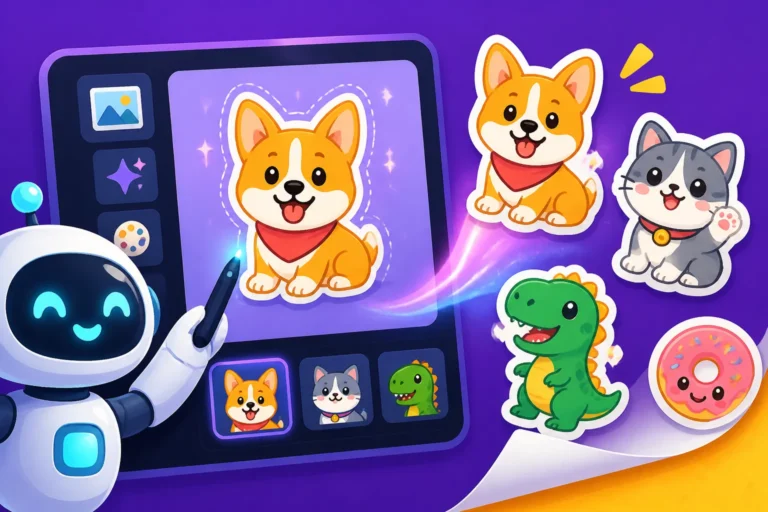
- Examples: Art prints (canvas, paper, metal), framed artwork, custom t-shirts (How to Design AI T-Shirts That Sell), mugs, phone cases, notebooks, stickers (How to Make AI Stickers to Sell).
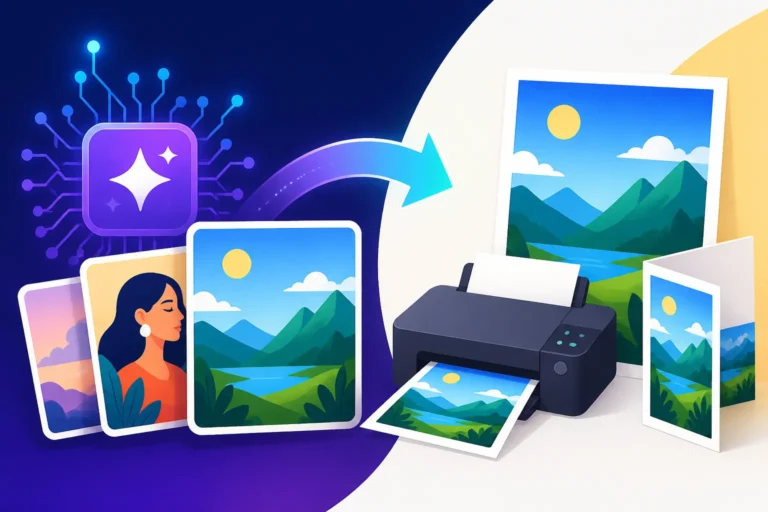
- If going the physical route, consider Print-on-Demand (POD) services. These services print your designs on products and ship them directly to customers, reducing your inventory risk. Platforms like Printful or Printify integrate well with Etsy. Remember, if you use a POD service, you must list them as a "production partner" on Etsy!
Crafting Compelling Listings
Your product listings are your storefront. They need to be engaging, informative, and inspire confidence.
- High-Quality Mockups and Photos: For digital products, show your art in context. Use realistic mockups of framed prints in beautiful rooms, or phones displaying your wallpaper designs. For physical products, clear, well-lit photos of the actual item are essential. If using POD, many services offer mockup generators.
- Detailed and Transparent Descriptions: This is where you address Etsy's policies head-on.
- Clearly state that the art is "AI-generated" or "AI-assisted."
- Explain your creative process: "I use advanced AI models to generate initial concepts, which I then meticulously refine, upscale, and digitally enhance using professional editing software."
- Provide all necessary details: file types (PNG, JPG), resolution, dimensions (e.g., "perfect for printing up to 24×36 inches"), any usage restrictions for digital files.
- Use strong, descriptive keywords that potential buyers might use to search for your art. Think about the style, subject matter, and mood.
- Strategic Pricing: Research what similar AI art or digital prints are selling for on Etsy. Don't undersell yourself, but be competitive. Consider the time you put into prompting and post-processing, the commercial rights of your AI tool, and the uniqueness of your pieces. Offering introductory pricing can attract early buyers.
Setting Up Your Etsy Shop and Marketing Your AI Art
Getting your art ready is one thing; getting it seen and sold is another. A thoughtful shop setup and a smart marketing strategy will make all the difference.
Shop Setup and Disclosure
Setting up your Etsy shop is fairly straightforward, but pay close attention to the details, especially regarding AI.
- Shop Details: Choose a memorable shop name that reflects your artistic style. Fill out your "About" section comprehensively. This is a great place to share your artistic vision, your passion for AI as a creative tool, and a general overview of your process. This transparency helps build trust with potential customers.
- The "Production Partner" Field: This is critical. For any item where AI played a role in generating the base image, you must disclose it. When creating or editing a listing, look for the "Production Partner" section. You can add "AI Image Generator" or the specific tool's name (e.g., Midjourney, DALL-E) as a production partner. Briefly explain its role, such as "Generative AI for initial image creation." This fulfills Etsy's requirement and sets realistic expectations.
- Branding Your Shop: Even if your art is AI-generated, your shop needs a distinct brand identity. Design a unique logo, choose a consistent color palette for your shop banner and listing images, and maintain a clear voice in your descriptions. This establishes you as a curated artist, not just a reseller of AI outputs.
Marketing Your Unique AI Vision
Just like any other business, marketing is essential for driving traffic to your Etsy shop. You've got incredible art; now let's get it in front of people!
- Etsy SEO: This is your first line of defense.
- Titles: Use keyword-rich titles that accurately describe your art (e.g., "Abstract Digital Wall Art | Boho Mountain Landscape Print | Modern Home Decor").
- Tags: Use all 13 available tags! Think like a buyer. What would they type into the search bar? Mix broad terms with niche-specific ones. For instance, if you're selling a whimsical unicorn image, tags could include "unicorn art," "fantasy nursery decor," "magical creature print," "kids room decor," "digital download."
- Attributes: Fill out all relevant attributes (color, theme, room, etc.) as these help Etsy categorize your listing and show it to relevant buyers.
- Social Media Promotion: Platforms like Pinterest, Instagram, and TikTok are visual powerhouses perfect for showcasing digital art.
- Pinterest: Create beautiful pins linking directly to your Etsy listings. Curate boards around themes related to your art (e.g., "Boho Decor Ideas," "Sci-Fi Art Prints").
- Instagram: Share your final art, but also consider sharing snippets of your creative process. People love seeing the "making of," even if the "making" involves crafting clever prompts for the AI. Show your prompt, the raw AI output, and your refined final piece. Use relevant hashtags.
- TikTok: Short, engaging videos showing the transformation of a prompt into a finished piece, or time-lapses of your post-processing, can go viral.
- Building a Brand Narrative: In a world where AI can generate anything, your story becomes a powerful differentiator. Talk about what inspires your prompts, the artistic choices you make in refining the images, and the journey of creating each piece. Are you exploring themes of nature, futurism, abstract beauty? Emphasize your unique artistic eye and how you leverage AI as a sophisticated brush or canvas. Consider writing a blog post or an "About" section that delves into Who Should Use Midjourney: An Honest Take or similar tools, explaining your choice of AI and what it brings to your artistic workflow.
Common Challenges and Best Practices for AI Art Sellers
The world of AI art is dynamic and comes with its own set of unique hurdles. Being prepared can help you turn challenges into opportunities.
Dealing with Ethical Debates and Customer Questions
AI art generation is a hot topic, and opinions are varied. You might encounter customers who are curious, skeptical, or even critical of AI-generated work. Don't take it personally.
- Be Prepared to Educate, Not Confront: If a customer asks, "Is this truly art?" or "Did a human make this?" view it as an opportunity to educate them. Explain your process with transparency: "Yes, this piece began with an AI model, but my artistic vision, carefully crafted prompts, and extensive post-processing in tools like Adobe Photoshop transformed it into the final artwork you see. I consider AI a powerful tool, much like a camera or digital canvas, that expands creative possibilities."
- Highlight Your Unique Contribution: Emphasize the skill involved in prompt engineering, artistic direction, curation, and the hours of refinement that go into each piece. Your role is no less valid than a photographer who uses a camera, or a digital painter who uses software.
- Focus on the Art Itself: Ultimately, if the art resonates with someone, its origin often becomes secondary. Focus on the beauty, emotion, and aesthetic appeal of your creations.
Staying Ahead of the Curve
The AI landscape changes at lightning speed. What's cutting-edge today might be standard tomorrow. To remain competitive and relevant:
- Keep Learning and Experimenting: New AI models, features, and techniques are released constantly. Stay updated on advancements, such as new versions like Midjourney V7 Features and Updates or specific model improvements for photorealism or text rendering. Dedicate time to experimenting with new prompting strategies, parameters, and post-processing methods.
- Master Advanced Prompting: Don't just stick to basic commands. Dive into advanced prompt engineering to achieve specific styles, compositions, and details. Learn How to Write AI Prompts for Photorealistic Images or How to Prompt for Consistent Characters if you're building a brand around certain characters or realistic imagery.
- Diversify Your Offerings: Don't put all your eggs in one basket. Explore different styles, themes, and product types. If digital prints are selling well, consider adding a few physical products via a POD service. If you're currently focused on landscapes, try exploring abstract art or character designs. The more diverse your portfolio, the wider your potential audience. This also allows you to test what resonates most with Etsy buyers.
- Engage with the AI Art Community: Join online forums, Discord servers, and social media groups dedicated to AI art. This is a great way to learn new tricks, get feedback, and stay informed about trends and policy changes.
By embracing transparency, continuously refining your craft, and strategically marketing your unique vision, you can absolutely carve out a successful niche for your AI-generated art on Etsy.
| Feature / Aspect | Digital AI Art Products | Physical AI Art Products |
|---|---|---|
| Product Type | JPEG, PNG, SVG files for download | Prints, canvases, mugs, apparel, stickers |
| Production | AI generation + digital post-processing | AI generation + digital post-processing + printing/manufacturing |
| Inventory | None (once listed, it's always available) | Requires stock or print-on-demand (POD) partner |
| Shipping | Instant digital delivery | Physical shipping required (costs, logistics, time) |
| Price Point | Generally lower (e.g., $5-$20) | Generally higher (e.g., $20-$100+) |
| Profit Margins | Higher percentage margin (after initial creation) | Varies based on production/material costs |
| Customer Service | Technical help with downloads/printing | Tracking, shipping issues, product defects |
| Scalability | Very high (create once, sell infinitely) | High, especially with POD partners |
| Transparency Need | Disclose AI as "production partner" in listing | Disclose AI and any POD partner |
| Commercial Use | Depends on AI tool's ToS for digital distribution | Depends on AI tool's ToS for tangible goods |
Disclaimer
The information provided in this guide is for general informational purposes only and does not constitute legal or financial advice. The legal and ethical landscape surrounding AI-generated art, including copyright and commercial use, is rapidly evolving. Always consult with legal professionals regarding specific copyright concerns and ensure you thoroughly review the terms of service for any AI tools or platforms you use, as well as Etsy's most current seller policies, before listing and selling your products.