How to Make AI Logos for a Business
Struggling to get a professional, eye-catching logo for your new business or project without breaking the bank or navigating complex design software? You're not alone. Many entrepreneurs and small business owners face the daunting task of creating a visual identity that stands out, often feeling limited by budget or a lack of design skills. This comprehensive guide will walk you through the exciting world of AI logo generation, showing you exactly how to leverage these innovative tools to craft a unique and effective logo for your business.
The Appeal of AI for Business Logo Design
Let's be real: professional graphic designers are fantastic, but their services often come with a price tag that can be a significant hurdle for startups or small businesses operating on a lean budget. Then there's the alternative: trying to piece something together yourself with generic templates, which can leave your brand looking… well, generic. This is where AI image generators swoop in like a digital hero. They democratize logo design, offering an accessible, often more affordable, and incredibly fast way to generate design concepts.
Think about it: in the past, you'd spend hours sketching, researching fonts, or trying to explain your vision to someone else. With AI, you can articulate your idea in plain language, hit "generate," and within moments, have a myriad of unique options to explore. This speed and flexibility are game-changers, allowing you to iterate on ideas rapidly and experiment with different styles without incurring additional costs for every revision. It’s like having a design intern who never sleeps and works for pennies on the dollar.
AI doesn't just cut costs; it also sparks creativity. Sometimes, you don't even know what you want until you see it. AI tools can present design directions you might never have considered, pushing the boundaries of your initial concept. For a small bakery owner in Portland, Oregon, who needed a logo that combined a whimsical cupcake with a sturdy, handcrafted feel, an AI tool could generate dozens of interpretations that would have taken days for a human designer to mock up, offering surprising angles and color palettes.
Selecting the Right AI Tool for Logo Generation
The sheer number of AI image generators available today can be overwhelming, each with its own strengths and weaknesses. For logo design, certain features are absolutely critical. You’re not just looking for a pretty picture; you need something functional, scalable, and legally sound for commercial use. This means diving into the specifics of what each tool offers beyond basic image generation.
Key Features to Priorize for Logos
When you're trying to create a logo for your brand, several technical aspects become paramount. First and foremost, consider the tool's ability to handle text rendering. Logos often involve text – a business name, a tagline, or a key initial. Many early AI image generators struggled with legible text, producing "gibberish" or distorted letters. However, newer models are getting significantly better. Tools like Ideogram are specifically designed with strong text rendering capabilities, making them a top contender for logo creation. You can find out more by exploring our Ideogram Review: Best for Text in Images.
Next, think about vector output. Raster images (like JPEGs or PNGs) are made of pixels, and they lose quality when scaled up. Vector graphics, on the other hand, are mathematical paths and can be scaled infinitely without pixelation. For a logo that needs to appear crisp on everything from a tiny business card to a massive billboard, vector output is non-negotiable. While many AI tools primarily generate raster images, some are starting to offer vectorization capabilities or integrations. Services like Recraft are pushing boundaries here, and you might want to check out Recraft Review for Vector Art to see how it can benefit your logo work.
Finally, and perhaps most importantly for any business, you need to understand the commercial use rights. Can you legally use the logo the AI generates for your business, on your products, and in your marketing? This isn't a minor detail; it's fundamental. Some free tools may restrict commercial use or require attribution, while paid subscriptions often grant full commercial rights. Always read the terms of service carefully. A tool like Adobe Firefly, for instance, offers IP indemnification on commercially generated assets, which can be a huge relief for businesses. Learning more about this can be found in our Adobe Firefly Commercial Safety Review.
Here's a quick comparison of popular AI tools and their suitability for logo design:
| AI Tool | Primary Strength for Logos | Text Quality | Vector Output | Commercial Use (Typical) | Ease of Use |
|---|---|---|---|---|---|
| Ideogram | Text rendering, typography | Excellent | Limited/Raster | Varies by plan | High |
| Midjourney | Artistic style, unique concepts | Fair (improving) | Raster | Varies by plan | Medium (Discord) |
| DALL-E 3 (via ChatGPT) | Creative concepts, integration | Good | Raster | Varies by plan | High |
| Adobe Firefly | Commercial safety, integration | Good | Improving | Often indemnified | High |
| Canva AI | Ease of use, design integration | Good | Limited/Raster | Varies by plan | Very High |
| Leonardo AI | Custom models, stylistic range | Fair | Raster | Varies by plan | Medium |
Researching and Testing Potential Candidates
Once you have a better understanding of what features matter, it's time to do a little research. Look for articles like Best AI Image Generator for Logos or Best AI Image Generator for Commercial Use to get curated recommendations. Many AI tools offer free trials or free tiers with limited credits. This is your golden opportunity to test them out without commitment. Try generating a few logo concepts for your business idea. Pay close attention to:
- Prompt adherence: Does the AI accurately interpret your instructions?
- Aesthetics: Do the generated logos align with your brand's desired style (modern, vintage, minimalist, etc.)?
- Usability: How easy is it to refine images, remove backgrounds, or make minor adjustments?
- Output quality: Are the images high-resolution enough for your needs? Can you easily upscale them if not?
Don't be afraid to experiment with different platforms. What works best for one type of visual might not be ideal for another, and this is especially true when precision and textual accuracy are important, like with logos.
Crafting Your Business Logo with AI: A Step-by-Step Guide
Now that you have a grasp of the tools, let's get down to the exciting part: actually creating your logo! This process involves more than just typing a few words; it’s about strategic prompting and refining. Think of yourself as a director, guiding the AI to produce exactly what you envision.
Step 1: Define Your Brand Identity and Logo Vision
Before you even touch an AI tool, you need a crystal-clear idea of what your brand represents and what message your logo should convey. This might seem obvious, but skipping this crucial first step is where many people go wrong. Ask yourself:
- What is your business name and tagline?
- What industry are you in? (e.g., tech, artisan crafts, fitness, food service)
- Who is your target audience? (e.g., young professionals, families, luxury consumers)
- What emotions or feelings should your logo evoke? (e.g., trust, excitement, reliability, playfulness)
- What existing logos or aesthetics do you admire (or dislike)? Gather some visual inspiration.
- What colors are associated with your brand? Even if you don't use them directly in the prompt, knowing them helps shape the overall vibe.
For instance, if you're starting an eco-friendly pet supply store called "Green Paws," you might envision a logo that combines natural elements with an animal silhouette, using earthy tones. Your goal is to translate these abstract ideas into concrete keywords for the AI.
Step 2: Write Effective AI Prompts for Logos
This is where the magic happens, but it often requires a bit of trial and error. Writing good prompts is a skill in itself, and there's a good reason why guides like How to Write AI Image Prompts exist! For logos, you want to be concise yet descriptive. A structured approach often yields the best results.
Start with the core concept: What is the primary subject or symbol of your logo?
- Example: "minimalist logo for a coffee shop"
Then, add style modifiers to dictate the aesthetic:
- Example: "minimalist logo for a coffee shop, line art, flat design, clean lines"
Incorporate specific elements or icons:
- Example: "minimalist logo for a coffee shop, line art, flat design, clean lines, featuring a coffee bean and a steaming cup"
Crucially, include text and font style if your chosen AI tool handles text well. This is often where tools like Ideogram shine.
- Example: "minimalist logo for a coffee shop, line art, flat design, clean lines, featuring a coffee bean and a steaming cup, text 'The Daily Grind' in a modern sans-serif font"
Don't forget color palettes or moods:
- Example: "minimalist logo for a coffee shop, line art, flat design, clean lines, featuring a coffee bean and a steaming cup, text 'The Daily Grind' in a modern sans-serif font, earthy tones, warm brown and beige, cozy, inviting"
And finally, consider negative prompts to tell the AI what not to include (e.g., "no cartoon elements," "no complicated details," "no shadows"). This is particularly useful for achieving a clean, professional look often desired in logos. You can learn more about this in How to Use Negative Prompts.
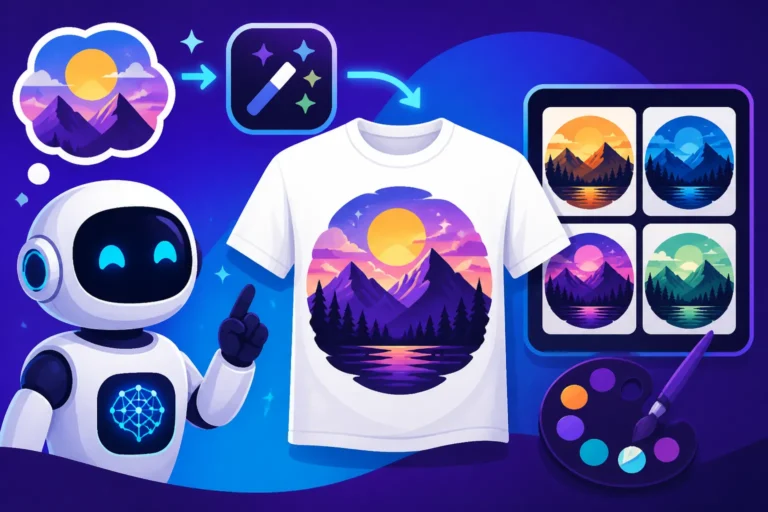
Pro-Tip: Generate multiple variations. Most AI tools allow you to generate 4-8 images per prompt. Don't stop at the first batch! Tweak your prompt, change a few words, or try different style modifiers to see a wider range of possibilities. If you're struggling to get the text right, remember to reference How to Prompt for Logos for more specific guidance.
Step 3: Iterate and Refine Your AI-Generated Logos
Once you have a few promising candidates, it's time to refine them. This isn't usually a one-and-done process. You'll often find elements you like in one image and other elements you prefer in another.
- Upscaling: Many initial AI generations are lower resolution. Use the tool's upscaling feature (or a dedicated upscaler like Magnific AI) to get a high-resolution version suitable for print and digital use.
- Variations: If one design is almost perfect but needs a slight tweak, use the "make variations" feature if available. This can help you explore subtle changes in color, composition, or element placement.
- External Editing: Sometimes, the AI gets 90% of the way there, but you need that last 10% of precision. This is where you might take your AI-generated image into a traditional graphic design software like Adobe Illustrator or Affinity Designer. Here, you can vectorize raster images, adjust specific lines, fine-tune colors, or perfect text alignment. Even simple tools like Canva, which now has its own AI features, can be great for minor tweaks or combining elements. You can explore its capabilities in our Canva AI Image Generator Review.
- Feedback: Don't be afraid to get feedback from trusted friends, colleagues, or potential customers. A fresh pair of eyes can spot things you might have missed.
Legal and Practical Considerations for AI Logos
While AI offers incredible convenience, using AI-generated logos for a business comes with a unique set of legal and practical considerations that you absolutely cannot ignore. These points are crucial for protecting your brand and ensuring smooth operations.
Understanding Commercial Use Rights and Licensing
This cannot be stressed enough: always verify the commercial use rights of any AI-generated image you plan to use for your business logo. The landscape around AI image copyright is still evolving, but generally, the terms of service of the specific AI tool you use will dictate what you can and cannot do.
- Free Tiers vs. Paid Subscriptions: Many free tiers of AI generators explicitly state that generated images are not for commercial use or require prominent attribution. Paid subscriptions, on the other hand, typically grant commercial licenses, often giving you full ownership of the images you create. For example, a basic Free AI Image Generators with Commercial Use article might list tools, but you still need to dive into their specific terms.
- Attribution: Some tools might require you to state that the image was AI-generated. This might be acceptable for some uses, but for a brand logo, it's usually not ideal as it can detract from brand professionalism.
- IP Indemnification: As mentioned earlier with Adobe Firefly, some enterprise-level tools offer IP (Intellectual Property) indemnification, meaning they will defend you if there are copyright infringement claims related to images generated by their tool. This is a significant benefit for businesses worried about legal risks. Without it, you might find yourself in hot water if your AI-generated logo inadvertently resembles an existing trademark. For crucial insights, review How to Use AI Images Without Copyright Issues.
Always consult the specific platform's terms of service and, if in doubt, seek legal counsel. Don't assume anything, especially when it comes to your brand's legal standing.
Trademarking and Brand Uniqueness
Once you have an AI-generated logo you love, the next step for any serious business is to consider trademarking it. This protects your brand's unique identifier and prevents others from using a similar mark. However, a potential issue with AI-generated logos is their originality.
- Generative AI's Training Data: AI models are trained on vast datasets of existing images. While they create new combinations, there's always a slim chance that an AI might generate a design that is too similar to an existing, protected trademark. This is why a thorough trademark search is essential before you commit to and invest in a new logo.
- Designing for Uniqueness: To mitigate this, encourage the AI to generate highly unique concepts by using very specific and perhaps abstract prompts that aren't easily found in common design libraries. After generating a logo, perform a reverse image search on Google Images and specialized trademark databases (like the USPTO database in the US) to check for similar designs. The more distinct your logo, the stronger your trademark claim will likely be. AI Image Generators for Logos can sometimes provide inspiration, but true uniqueness comes from your prompt engineering.
Integration and Brand Consistency
A logo is just one piece of the branding puzzle. Your AI-generated logo needs to integrate seamlessly across all your marketing materials, from your website to social media, business cards, and merchandise.
- Brand Guidelines: Once finalized, create simple brand guidelines. This document should specify the logo's approved colors (hex codes, RGB values), safe space, minimum size, and correct usage (e.g., on light backgrounds vs. dark backgrounds). This ensures consistency, whether you're creating AI images for social media or designing AI Images for Marketing.
- File Formats: Ensure you have your logo in various essential file formats. For raster, this includes high-resolution PNGs (with transparent backgrounds) and JPEGs. For vector, an SVG or EPS file is ideal, as these are infinitely scalable. If your AI tool doesn't provide vector output directly, consider using a third-party vectorization service or design software to convert it.
- Beyond the Logo: Remember that your logo is part of a larger visual identity. Use AI to generate other brand assets that complement your logo, such as icons, patterns, or header images. Consistency across these elements will solidify your brand's professional image.
Ultimately, AI is a powerful tool in your entrepreneurial arsenal. When used wisely and with an understanding of its capabilities and limitations, it can empower you to create compelling and professional brand identities without the traditional barriers.
Disclaimer
The information provided in this guide is for general informational purposes only and does not constitute legal, financial, or professional advice. Always consult with qualified professionals for advice tailored to your specific situation, especially regarding legal matters like copyright and trademark. AI technology is constantly evolving, and information may become outdated.