Best AI Tool for Ad Creatives in 2027
If you're in marketing, content creation, or running a small business, you know the constant pressure of needing fresh, eye-catching ad creatives that truly resonate with your audience. It feels like a never-ending cycle of design, testing, and iterating, often limited by budget, time, or creative bottlenecks. This guide is here to cut through the noise, helping you pinpoint the best AI tool that can streamline your ad creative workflow and give your campaigns the visual edge they need.
The Unique Demands of Ad Creative Generation
Creating effective ad creatives isn't just about making pretty pictures; it's about conveying a message, driving an action, and standing out in a crowded digital landscape. This requires a very specific set of capabilities from any tool, and AI image generators are no exception. Generic image tools, while powerful for general art, often fall short when it comes to the nuanced needs of advertising.
Think about it: an ad creative needs to immediately grab attention, communicate a specific product or service, often include clear, legible text, and be optimized for various platforms like Instagram feeds, Facebook banners, or Google Display Network ads. Each of these platforms has its own aspect ratio requirements, safe zones for text, and even unspoken aesthetic conventions. Plus, there's the critical legal aspect of commercial usage rights – you can't just slap any AI-generated image onto a paid campaign without understanding the licensing.
For example, imagine you're launching a new line of organic skincare. Your ad creative needs to evoke natural beauty, highlight key ingredients, and clearly display a call to action. If your AI tool struggles with realistic textures, generates inconsistent product packaging, or makes text look like a garbled mess, it's not just a minor inconvenience; it's a direct hit to your campaign's potential ROI. The frustration of spending hours prompting, only to get images that are beautiful but unusable for an ad, is a common pain point many creators face.
Essential Features for AI Ad Creative Tools
When you're evaluating AI image generators specifically for ad creatives, you need to look beyond just "pretty pictures." The truly great tools offer a suite of features designed to meet the rigorous demands of advertising. These aren't just nice-to-haves; they're deal-breakers that can make or break your ability to produce high-quality, commercially viable ad assets efficiently.
Robust Commercial Licensing and Indemnification
This is, hands down, the most crucial feature for any business owner or marketer. Generating an image is one thing; using it legally for profit is another. Many free or lower-tier AI tools come with restrictive commercial licenses, or worse, none at all. This means you could be unknowingly infringing on intellectual property if the AI was trained on copyrighted data and you use its output for your paid campaigns.
Tools like Adobe Firefly stand out here because Adobe explicitly offers IP indemnification for content generated within Firefly. This means they back you financially if a third party claims your Firefly-generated content infringes on their IP. This level of assurance is invaluable for businesses that simply cannot afford legal headaches. Understanding the nuances of commercial use is paramount; you can delve deeper into Adobe Firefly Commercial Safety Review to see why this matters so much. Always check the terms of service of any AI tool before committing to using its output for commercial purposes.
Superior Text Generation Capabilities
Have you ever seen an AI-generated image with text that looks like a foreign language written by a toddler? It's a common issue! For ad creatives, clear, legible, and aesthetically pleasing text is non-negotiable. Whether it's a product name, a catchy headline, or a call to action, the text needs to be perfect.
Some AI image generators are notoriously bad at this, often producing distorted or nonsensical words. However, tools like Ideogram have made significant strides in this area, specifically focusing on typography and integrating text seamlessly into images. While no AI is 100% perfect all the time, a tool that offers reliable text rendering capabilities will save you countless hours of post-processing in Photoshop or Canva. This is especially true for things like logos or social media banners where text is central to the message. You might want to compare it further with other tools focused on text in Ideogram vs DALL-E for Typography.
Consistent Style and Brand Identity Generation
Maintaining brand consistency across all your marketing materials is vital. Your ad creatives should instantly be recognizable as belonging to your brand, whether through color palettes, typography, or visual style. This is a significant challenge with AI, as models often generate vastly different images even with similar prompts.
The best tools offer features like "style reference" (seen in Midjourney) or custom model training (more common with open-source Stable Diffusion deployments or advanced platforms like Leonardo AI) that allow you to feed the AI examples of your existing brand assets. This helps the AI learn and replicate your unique aesthetic, ensuring that all your new ad creatives feel cohesive. Without this, you risk your audience not recognizing your brand across different campaigns, diluting your marketing efforts. Learning How to Keep Brand Consistency with AI Images can be a game-changer for your brand.
Advanced Editing and Upscaling Features
Once you've got a great base image, you'll often need to refine it. Ads frequently require specific aspect ratios, subtle adjustments, or higher resolutions for different placements. Tools that offer built-in editing features like inpainting (to change parts of an image), outpainting (to extend an image), and robust upscalers are invaluable.
An image might look good at 1024×1024 pixels, but if you need it for a high-resolution print ad or a large display banner, you'll need a way to upscale it without losing quality or introducing artifacts. Tools like Magnific AI Upscaler are dedicated to this, but many top AI image generators are integrating better upscaling directly. Additionally, the ability to make quick edits to change a product color or remove a distracting element directly within the AI platform speeds up your workflow significantly, preventing you from having to export to external editing software every time.
Leading AI Tools for Crafting Ad Creatives in 2026
The landscape of AI image generation is constantly evolving, but today, several tools have emerged as frontrunners for creating compelling ad creatives. Each has its unique strengths and weaknesses, making the "best" choice highly dependent on your specific needs, skill level, and budget.
Adobe Firefly
Why it shines for ads: Adobe Firefly, deeply integrated within the Adobe Creative Cloud ecosystem, is a strong contender, particularly for professionals already using Photoshop, Illustrator, or Canva. Its key advantage for ad creatives is the explicit commercial safety and IP indemnification offered by Adobe, a huge relief for businesses concerned about legal ramifications. This feature alone makes it incredibly appealing. Firefly also excels at generating variations of existing images, applying specific styles, and its text effects are robust, allowing you to incorporate creative typography directly into your designs. Its "Generative Fill" and "Generative Expand" features are fantastic for quickly adapting images to different ad dimensions or extending backgrounds for specific layouts.
Considerations: While Firefly is powerful, its generation style can sometimes feel a bit "clean" or "safe" compared to the raw artistic flair of some other tools. It's often bundled with Creative Cloud subscriptions, which might be a higher barrier to entry for solo entrepreneurs compared to freemium models. However, for seamless workflow integration with design professionals, it's hard to beat. You can explore Adobe Firefly Review for Commercial Use for a deeper dive into its benefits.
Midjourney
Why it shines for ads: Midjourney is renowned for its stunning, often artistic, and hyper-realistic image generation capabilities. For ad creatives that need a strong visual impact or a highly specific aesthetic, Midjourney is a powerhouse. Its ability to interpret complex prompts and produce incredibly high-quality, visually rich images makes it ideal for capturing attention in crowded feeds. It excels at creating conceptual imagery, mood-setting visuals, and unique character designs that can form the backbone of a memorable ad campaign. The new "style reference" features allow for more consistent brand aesthetics, a huge plus for ad work.
Considerations: Midjourney's primary interface is still Discord, which can be a learning curve for those unfamiliar with the platform. While its artistic output is exceptional, accurately rendering text within images can still be a challenge, requiring post-processing. Additionally, while its commercial terms are generally favorable for paid users, it doesn't offer the same explicit IP indemnification as Adobe Firefly. For a closer look, consider reading Is Midjourney Worth the Subscription.
DALL-E (via ChatGPT)
Why it shines for ads: DALL-E, especially when accessed through ChatGPT, offers incredible ease of use and natural language understanding. For marketers who want to quickly iterate on concepts without deep prompt engineering knowledge, DALL-E is fantastic. Its strength lies in its ability to follow instructions very literally and to integrate specific elements clearly. It’s also surprisingly good at creating variations and exploring different visual themes based on a simple prompt. For A/B testing different ad visual concepts rapidly, DALL-E’s speed and directness are a huge asset.
Considerations: While DALL-E has improved significantly, its output quality, particularly for photorealism, can sometimes lag behind Midjourney. Text rendering is still an area where it can struggle, although it's getting better. The commercial rights are generally clear for paid users, but like Midjourney, it lacks explicit indemnification. For those focused on quick iterations and straightforward concepts for social media ads, DALL-E is a strong, accessible choice. You can learn more about its capabilities through DALL-E in ChatGPT: How Good Is It.
Ideogram
Why it shines for ads: When your ad creative absolutely needs perfect text, Ideogram is often the first tool recommended. It was built with text generation in mind, and it shows. For designing simple ads that feature a clear slogan, product name, or call to action directly within the image, Ideogram is incredibly effective. It's also user-friendly and offers various stylistic options, making it versatile for different branding needs. For logos, posters, or social media graphics where typography is key, Ideogram can be a lifesaver.
Considerations: While stellar with text, Ideogram's overall image generation quality (photorealism, artistic detail) might not always match the peak performance of Midjourney or some advanced Stable Diffusion models. Its focus on text sometimes means other image elements can be less refined. However, for a marketer whose biggest headache is often garbled text in AI images, Ideogram solves a critical problem directly. Its free tier is also quite generous, making it accessible for many. Explore Ideogram Review: Best for Text in Images for more details.
Canva AI
Why it shines for ads: For small businesses, social media managers, and anyone who values an all-in-one design solution, Canva AI is an excellent choice. It’s integrated directly into the Canva platform, meaning you can generate images and immediately drop them into your ad templates, social posts, or marketing materials. This seamless workflow is incredibly powerful for efficiency. Canva AI is constantly improving its image generation, and its ease of use is unmatched, allowing even non-designers to create professional-looking ad creatives quickly.
Considerations: While convenient, Canva AI's raw image generation capabilities, in terms of complexity and photorealism, might not always rival dedicated tools like Midjourney or Stable Diffusion. It's fantastic for quick, clean, and template-based designs, but if you need highly intricate or novel artistic concepts, you might find its output a bit more generic. However, for sheer speed and integration into a design workflow, it’s a top pick. Find out if Is Canva AI Good Enough for Pros in the wider design context.
Here's a quick comparison of these leading tools for ad creatives:
| Feature/Tool | Adobe Firefly | Midjourney | DALL-E (via ChatGPT) | Ideogram | Canva AI |
|---|---|---|---|---|---|
| Commercial Rights | Strong, with indemnification | Clear (paid tiers) | Clear (paid tiers) | Clear (paid tiers) | Clear (paid tiers) |
| Text Generation | Excellent, creative text effects | Fair (often requires post-processing) | Good (improving) | Excellent (core strength) | Good (improving) |
| Image Quality (Artistic/Photorealism) | Very Good | Excellent | Good | Good | Good |
| Ease of Use | Very Good | Moderate (Discord-based) | Excellent | Very Good | Excellent |
| Brand Consistency | Good (through style prompts, Generative Recolor) | Excellent (with style reference) | Fair | Good | Very Good (templates) |
| Editing/Upscaling | Excellent (Generative Fill/Expand) | Good (Upscalers, Vary) | Good (Variations, Edit) | Basic | Good (Canva editor) |
| Workflow Integration | Seamless with Adobe CC | External (Discord) | Integrated with ChatGPT | Web-based | Seamless with Canva |
Practical Strategies for AI-Powered Ad Campaigns
Now that you know which tools are leading the charge, let's talk about how to actually use them to elevate your ad campaigns. It's not just about hitting "generate"; it's about smart prompting, strategic testing, and integrating AI into your existing marketing funnel.
Master the Art of Prompt Engineering for Ads
Getting stellar results from AI image generators, especially for something as specific as an ad creative, boils down to your prompts. Think like a director describing a scene to an artist. Be specific, but also understand the nuances of what each AI model interprets best. For instance, when aiming for a product shot, don't just say "shoe." Instead, try something like: "A sleek, minimalist running shoe, vibrant orange, glowing against a stark white studio background, dynamic angle, high-key lighting, product photography, 8K, commercial advertising."
Remember to include details about:
- Subject: What specifically are you promoting? (e.g., "luxurious silk scarf," "eco-friendly water bottle")
- Style: What aesthetic are you aiming for? (e.g., "cinematic," "flat lay," "3D render," "watercolor illustration")
- Composition & Camera Angle: How should it be framed? (e.g., "close-up," "wide shot," "overhead view," "from eye-level")
- Lighting & Mood: What kind of atmosphere? (e.g., "golden hour," "neon glow," "soft studio lighting," "dramatic shadows")
- Key Descriptors for Ads: Phrases like "commercial photography," "advertising campaign," "marketing visual," "eye-catching," "high conversion rate."
Experiment with different phrasing and parameters unique to each tool. Midjourney, for example, uses aspect ratio commands (--ar), while DALL-E often responds well to very descriptive scene-setting. You can find excellent advice on How to Write AI Prompts for Product Photos to refine your prompting skills specifically for e-commerce and ad images.
Leverage AI for A/B Testing and Iteration
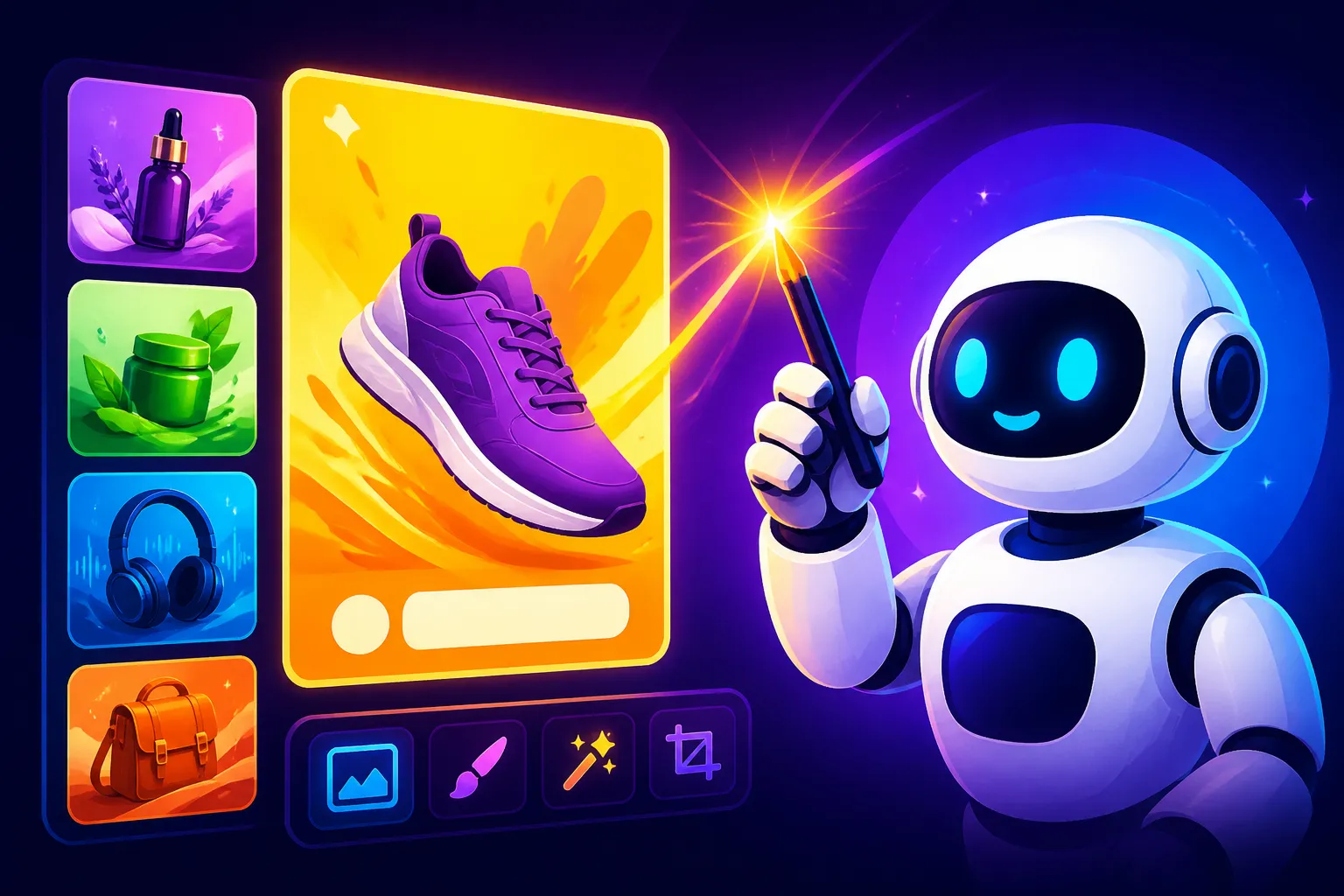
One of the biggest advantages of AI in ad creatives is the sheer volume and variety of options you can generate in minutes. This is a goldmine for A/B testing. Instead of commissioning one or two images, you can create dozens of variations of a single concept, each with subtle differences in color, composition, or focal point.
For example, for a Facebook Ad campaign, you could generate five different versions of an image promoting the same product:
- Version A: Bright, high-energy image.
- Version B: Muted, calming image.
- Version C: Product in context (lifestyle shot).
- Version D: Product on a clean, simple background.
- Version E: Image with a prominent text overlay.
Then, run small-scale A/B tests to see which image performs best in terms of click-through rate (CTR) or conversion. This data-driven approach allows you to quickly identify what resonates with your audience, saving you time and money on ineffective creative. Tools like DALL-E and Canva AI are excellent for this rapid iteration due to their speed and user-friendly interfaces. To truly hone your ad strategies, consider how to effectively How to A/B Test AI Ad Images.
Integrate AI Images into Your Workflow
The goal isn't just to make cool images; it's to make them work for your entire marketing strategy. Consider how your AI-generated visuals will fit into your broader content calendar and brand guidelines.
- Social Media: Generate a week's worth of diverse social media graphics in an hour, ensuring they adhere to your brand's color palette and style.
- Landing Pages: Create bespoke hero images that perfectly match the call to action and messaging of your landing pages, enhancing conversion rates.
- Email Marketing: Design engaging visuals for your email newsletters, making them more visually appealing and increasing open rates.
- Product Launches: Produce a consistent visual theme for a new product, from teaser campaigns to launch announcements, all powered by AI.
Remember that while AI can generate the image, tools like Canva or Adobe Express are often still needed for final touches, overlays, specific branding elements, and assembly into a complete ad unit. The best workflow often involves a combination: generating the core visual with a powerful AI tool like Midjourney or Adobe Firefly, then refining and adding text/branding in a dedicated design platform.
Addressing Common AI Image Challenges for Ads
Even the best AI tools aren't perfect. You'll likely encounter common issues like "AI hands" (distorted hands or limbs), garbled text, or slight imperfections. Learning to work around these is part of the process.
- Garbled Text: If your chosen AI tool (other than Ideogram) struggles with text, plan to leave space in your image for text to be added later in a dedicated design tool like Canva or Photoshop. This ensures your key messages are always legible. Check out tips on How to Fix Garbled Text in AI Images.
- Minor Imperfections: For subtle flaws, especially in photorealistic images, tools with inpainting features (like Adobe Firefly or Stable Diffusion) allow you to "paint over" and regenerate specific areas without affecting the rest of the image. For more significant issues, sometimes it's faster to simply regenerate a new image with a refined prompt.
- Consistency: For campaigns requiring consistent characters or products, explore "style reference" features or prompt with very specific descriptors of your brand elements. Building a library of your best prompts that yield consistent results is also a smart long-term strategy.
By adopting these strategies and choosing the right AI tools, you can transform your ad creative process from a bottleneck to a dynamic, iterative engine that consistently produces compelling visuals, allowing your campaigns to shine and truly connect with your audience.
Disclaimer
Please note that the information provided in this article is for general guidance only. The field of AI image generation is rapidly evolving, and tool features, pricing, and terms of service (especially regarding commercial use and intellectual property) can change frequently. Always consult the latest terms and conditions directly from the AI tool providers before making any decisions or using AI-generated content for commercial purposes.