Best AI Image Generator for Album Art
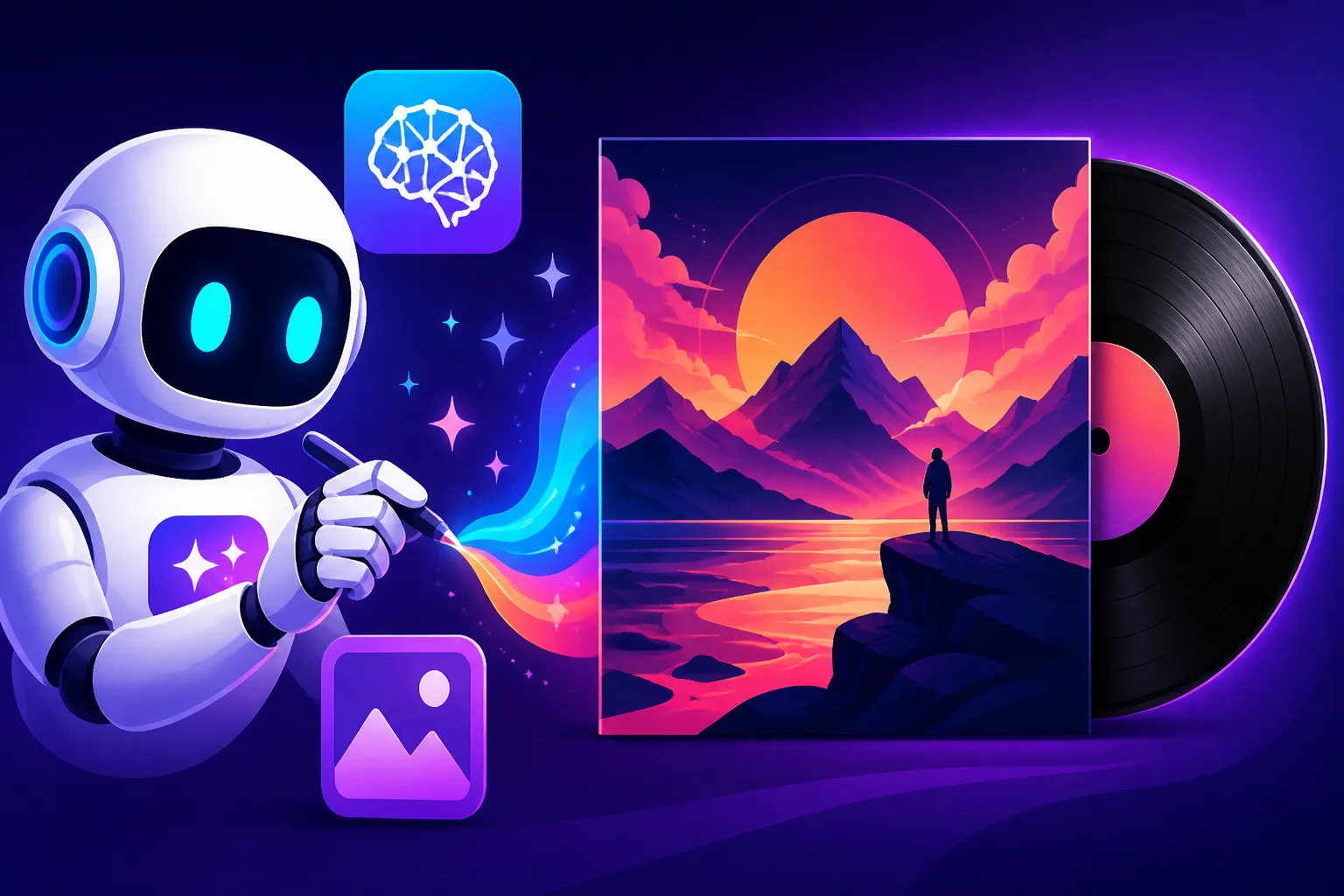
Creating compelling album art can feel like a monumental hurdle for musicians and independent artists. You pour your heart and soul into your music, only to face the daunting task of visually representing it in a way that truly captures its essence, stands out in a crowded market, and doesn't break your already tight budget. This guide is here to unravel that challenge, diving deep into how modern AI image generators can become your most valuable design partner, helping you craft stunning and unique album covers that resonate with your sound.
Why AI is a Game-Changer for Album Art Creation
The digital age has democratized music creation, but visual design often remains a bottleneck. Historically, securing high-quality album art meant hiring a graphic designer or artist, which can be expensive and time-consuming, especially for independent musicians or those experimenting with new sounds. This is where AI image generators step in, offering a revolutionary solution that empowers artists to visualize their musical narratives with unprecedented ease and flexibility. It's not about replacing human creativity, but augmenting it, providing a powerful tool to bring abstract musical concepts into tangible visual forms.
The Creative Freedom and Speed You've Been Waiting For
Think about those moments when a melody or lyric sparks a vivid image in your mind – a sprawling desert landscape, a neon-drenched cityscape, or an abstract swirl of emotions. Translating these fleeting visions into concrete art can be incredibly difficult and often requires specialized skills you might not possess. AI image generators shatter these barriers, allowing you to describe your vision in plain language and see it manifest almost instantly. You can iterate endlessly, tweaking details like lighting, style, and composition with just a few changes to your prompt, a process that would take hours or days with traditional methods. This rapid prototyping means you can explore countless artistic directions for your album without committing significant time or resources, ensuring that the final artwork truly aligns with your artistic intent. For those working on a tight release schedule, the speed of generation is simply invaluable, helping you meet deadlines without sacrificing quality.
Cost-Effectiveness for Indie Artists and Small Labels
Let's be real, budget is a massive concern for most independent musicians. Professional graphic design services, while excellent, can easily run into hundreds or even thousands of dollars for a single album cover. This financial barrier often forces artists to compromise on their vision, settling for generic stock photos or less-than-ideal designs. AI image generators drastically reduce this cost, often offering free tiers or affordable subscription models that provide access to powerful creative tools. For a fraction of the price of hiring a designer, you can generate a plethora of high-quality, unique images. This economic advantage is a huge boon, allowing artists to invest more in their music production, marketing, or touring, while still presenting a polished and professional visual identity to their audience. It levels the playing field, making professional-grade visuals accessible to everyone, regardless of their financial backing.
Key Features to Seek in Album Art AI Generators
When you're sifting through the many AI image generators out there, it can feel overwhelming. Not all tools are created equal, especially when your goal is something as specific and emotionally resonant as album art. To make an informed choice, you need to understand which features truly matter for this particular use case. It’s not just about generating any image; it’s about generating the right image that speaks to your music.
Artistic Style and Versatility for Diverse Genres
Every musical genre has its own visual language, from the gritty realism of punk rock to the ethereal dreamscapes of ambient music, or the sharp, clean lines of electronic dance music. A good AI image generator for album art should be a chameleon, capable of producing a vast array of artistic styles. You'll want a tool that can convincingly render everything from photorealistic scenes to abstract paintings, intricate digital illustrations, or even vintage-inspired aesthetics. The ability to specify artists, art movements, or photography techniques in your prompts is crucial here. For instance, if you're making a folk album, you might want art reminiscent of classic album covers from the 70s, or perhaps a hand-drawn, whimsical feel. If it's a synth-wave project, you're likely aiming for vibrant neon, futuristic cityscapes, or retro-futuristic vibes. Look for tools that demonstrate strong capabilities across diverse styles, allowing you to truly match the visual mood to your sonic palette. Platforms like Midjourney, for example, are renowned for their artistic output and aesthetic range, often celebrated for their ability to interpret complex artistic directives.
Text Integration and Typography that Sings
This is often the Achilles' heel of many AI image generators: text. Album art almost always needs text – the artist's name, album title, and sometimes track listings or parental advisory labels. Historically, AI has struggled with rendering legible and aesthetically pleasing text, often producing garbled, distorted, or nonsensical characters. However, some tools have made significant strides in this area. When evaluating an AI for album art, pay close attention to its text capabilities. Can it integrate text directly into the image in a way that looks natural and intentional, rather than an afterthought? Can you specify fonts, sizes, and placements? Or will you need to generate the image and then add text in a separate graphic design program like Adobe Photoshop or Canva? Tools like Ideogram have really pushed the boundaries here, often making it much easier to embed text directly into your generated images, which can save a lot of post-processing time. Understanding How to Prompt for Text in Images is a skill that can greatly improve your results, regardless of the tool.
High Resolution and Commercial Rights: Essential for Distribution
You've generated the perfect image – now what? For album art, resolution is non-negotiable. Whether it's for digital streaming platforms like Spotify or Apple Music, or physical formats like CDs and vinyl, you need high-resolution images that look crisp and professional. Blurry or pixelated art will instantly undermine the quality of your music. Therefore, ensure the AI generator you choose can output images at a resolution suitable for your intended use, often requiring at least 300 DPI for print and sufficiently large dimensions for digital platforms. Many tools also offer upscaling features, which can be incredibly helpful for boosting image quality. Beyond resolution, commercial rights are paramount. As a musician, you intend to sell or distribute your music, meaning you need to ensure you have the legal right to use the AI-generated artwork for commercial purposes. Always check the terms of service for each AI tool. Some offer clear commercial licensing, while others may have restrictions, especially on free tiers. Adobe Firefly, for instance, has been developed with commercial safety in mind, offering indemnification for certain uses, which can provide significant peace of mind for artists. For a broader understanding of legal usage, you might want to look into Best AI Image Generator for Commercial Use.
Top AI Image Generators for Album Art
Choosing the right AI image generator for your album art can feel like navigating a maze, given the sheer number of options available. Each tool has its unique strengths, a distinct "flavor" that can make it better suited for certain artistic visions. Here, we'll break down some of the most popular and effective AI image generators, specifically highlighting what makes them great for crafting album covers.
Midjourney for Artistic Expression and Unparalleled Aesthetics
When it comes to raw artistic prowess and generating breathtaking, often surreal or hyper-stylized imagery, Midjourney often leads the pack. Users consistently praise its ability to interpret abstract concepts and produce results that feel genuinely artistic and emotionally resonant. If your music thrives on atmosphere, complex visual metaphors, or a unique aesthetic that pushes boundaries, Midjourney is an incredibly strong contender. It excels at creating painterly styles, intricate character designs, and elaborate landscapes that can instantly capture a listener's imagination. Its community-driven development and Discord-based interface have fostered a culture of prompt sharing and exploration, allowing users to discover new artistic avenues.
The downside, historically, has been its less intuitive text generation and slightly steeper learning curve for prompt crafting compared to some other tools. However, for sheer visual impact and the ability to produce truly memorable, high-concept artwork, it's hard to beat. Artists often use Midjourney to generate the core visual idea, then take it into photo editing software to add text and refine details. For those serious about pushing the visual envelope, a deep dive into Midjourney Review: Features, Pricing, and Quality is highly recommended.
Ideogram for Text-Heavy Designs and Logos
As mentioned before, text is a critical component of album art, and this is where Ideogram shines. Unlike many other AI generators that struggle with legible typography, Ideogram has been specifically engineered to handle text integration with remarkable accuracy and style. If your album art concept heavily relies on well-rendered titles, artist names, or even lyrical excerpts woven into the design, Ideogram offers a significant advantage. It allows for more control over font style, placement, and overall legibility, making it an excellent choice for designs where the text itself is an integral visual element rather than just an overlay.
Beyond text, Ideogram is also quite versatile in generating logos and clean graphic designs, which can be incredibly useful for developing a consistent brand identity around your album. While its general image generation might not always reach the same level of artistic nuance as Midjourney, its unique strength in typography makes it indispensable for certain album art needs. To understand its capabilities fully, checking out Ideogram Review: Best for Text in Images would be beneficial.
Stable Diffusion for Unmatched Customization and Control
For those who crave ultimate control and are willing to delve into a more technical workflow, Stable Diffusion offers unparalleled customization. As an open-source model, it can be run locally on your own machine (if you have the right hardware) or accessed through various web interfaces and services. Its strength lies in its vast ecosystem of community-developed models, LoRAs (Low-Rank Adaptation), and ControlNet features, which allow you to dictate everything from specific art styles and character poses to image composition with incredible precision.
This level of control is invaluable for artists who have a very specific vision and want to iterate on a concept with fine-tuned adjustments. You can train custom models based on your own artwork or reference images, ensuring a unique and consistent aesthetic. While it requires more technical know-how to master, the creative freedom it offers is immense. You can achieve highly stylized results, photorealistic depictions, or anything in between, making it a robust choice for truly bespoke album art. For more details on its flexibility, consider reading Stable Diffusion Review: Free and Customizable.
DALL-E for Broad Creativity and User-Friendliness
DALL-E, particularly its integration into platforms like ChatGPT, offers a fantastic balance of creative power and user-friendliness. It's often praised for its ability to generate a wide array of concepts from relatively simple prompts, making it very accessible for beginners. If you're looking for a tool that can quickly generate diverse ideas across different styles without requiring extensive prompt engineering, DALL-E is a solid choice. Its strength lies in its broad understanding of concepts and ability to combine them in novel ways.
While it might not always achieve the same level of artistic polish or hyper-realism as Midjourney, or the granular control of Stable Diffusion, its ease of use and conceptual breadth make it excellent for brainstorming initial ideas or generating abstract art that fits a mood. It's a great starting point for exploring various visual themes for your album before diving into more specialized tools. Curious about its overall value? Check out DALL-E Review: Is It Worth It.
Adobe Firefly for Commercial Safety and Creative Integration
Adobe Firefly stands out primarily for its strong focus on commercial viability and its seamless integration within the Adobe ecosystem. For artists already working with Photoshop, Illustrator, or other Adobe creative suite tools, Firefly offers an incredibly smooth workflow, allowing you to generate images directly within your design environment. This means less jumping between applications and a more integrated creative process.
Crucially for musicians, Adobe has emphasized that Firefly's models are trained on licensed content and public domain images, reducing the risk of copyright infringement. Furthermore, Adobe offers indemnification for certain commercial uses of Firefly-generated images, which can be a significant advantage and peace of mind when you're preparing art for public distribution. While it might not have the same unique aesthetic "signature" as Midjourney or the text prowess of Ideogram, its reliability, commercial safety, and integration make it a very practical choice for professional artists and labels. A deeper dive into Adobe Firefly Review for Commercial Use will give you a complete picture.
Here's a quick comparison of these top tools for album art:
| Feature/Tool | Midjourney | Ideogram | Stable Diffusion | DALL-E | Adobe Firefly |
|---|---|---|---|---|---|
| Artistic Quality | Excellent, unique styles | Good, especially graphic | Excellent (with control) | Good, diverse concepts | Good, professional looks |
| Text Integration | Weak, post-processing needed | Excellent, integrated | Requires external tools/LoRAs | Generally weak, basic | Moderate, improving |
| Customization | Moderate (parameters) | Moderate (text styles) | High (models, ControlNet) | Moderate | Moderate (within Adobe) |
| Ease of Use | Moderate (Discord-based) | High | Low (technical) | High (web/ChatGPT) | High (Adobe ecosystem) |
| Commercial Rights | Clear, check tiers | Clear, check tiers | Varies (model-dependent) | Clear, check tiers | Strong, indemnification |
| Best For | High-art, abstract, surreal | Text-heavy designs, logos | Bespoke art, specific styles | Quick concepts, broad ideas | Integrated workflow, commercial safety |
Crafting the Perfect Prompt for Album Art
Think of your prompt as the conductor's baton for an orchestra. The more precise and nuanced your gestures, the more harmonious and specific the resulting music will be. Writing effective AI image prompts for album art is less about luck and more about understanding how to communicate your artistic vision to the AI. It's an art in itself, and mastering it will unlock incredible creative potential. For general guidance, checking out How to Write AI Image Prompts is a great start.
Deconstructing Your Musical Genre and Theme
The first step in crafting a compelling prompt is to deeply analyze your music. What genre is it? What are the overarching themes, moods, and stories you're trying to convey?
- Genre Clues: Is it a dreamy synth-pop album? A gritty blues-rock record? A contemplative classical piece? Use keywords related to your genre directly in your prompt. For synth-pop, you might use "neon glow, retro-futuristic, vaporwave aesthetic, chrome reflections." For blues-rock, maybe "gritty textures, worn leather, smoky bar, faded photographs."
- Emotional Palette: Beyond genre, what emotions does your music evoke? Is it melancholic, joyful, angry, introspective, triumphant? Describe these emotions using evocative adjectives. "A serene, calming forest scene," or "a chaotic, explosive urban landscape."
- Narrative Elements: Does your album tell a story? Are there recurring motifs or characters? Integrate these. If your album is about a journey, describe the journey's visual equivalent: "a lone traveler on a dusty road at sunset, sparse desert landscape."
The more clearly you can articulate the essence of your music, the better the AI can translate it visually. Don't be afraid to list out adjectives, nouns, and verbs that spring to mind when you listen to your tracks.
Incorporating Visual Elements, Styles, and Moods
Once you have your core theme, it's time to build out the visual details. This is where you guide the AI on how to present your theme.
- Specific Art Styles: Do you envision your album art as an oil painting, a digital illustration, a photograph, or something else entirely? Specify the style: "oil painting by Vincent van Gogh," "hyperrealistic digital art," "surreal photography," "1980s anime style." You can even mention specific artists or art movements that inspire you.
- Color Palette: Colors play a huge role in setting the mood. Describe your desired color scheme: "deep blues and purples with silver highlights," "warm earthy tones with splashes of vibrant orange," "monochromatic black and white with a single red accent."
- Lighting and Atmosphere: Lighting can drastically alter an image's feel. "Golden hour lighting, soft shadows," "dramatic chiaroscuro lighting," "mysterious foggy atmosphere," "bright, energetic studio lighting."
- Composition and Framing: Think about how the elements should be arranged. "Close-up portrait," "wide-angle landscape," "symmetrical composition," "dynamic diagonal lines." While more advanced, some tools and techniques, especially with Stable Diffusion's ControlNet, allow for finer control over composition.
- Medium/Texture: "Textured canvas," "smooth digital render," "grainy film photography," "distressed paper."
Combine these elements in a descriptive, comma-separated list. For example: "A lone figure standing on a desolate alien planet, neon pink and blue glow, hyperrealistic digital painting, dramatic shadows, wide shot, cyberpunk aesthetic." Remember, experimentation is key; tweak one element at a time to see how it influences the output.
Iteration and Refinement: The Path to Perfection
The first image an AI generates is rarely perfect, and that's completely normal. The real magic happens in the iteration phase. This isn't a one-shot process; it's a conversation with the AI.
- Analyze the Output: Look at the generated images. What do you like? What needs to change? Is the mood right? Is the subject clear? Is the style consistent with your vision?
- Refine Your Prompt: Based on your analysis, go back and adjust your prompt.
- Add detail: If something is missing, describe it.
- Remove distractions: If an unwanted element appeared, try adding a "negative prompt" (e.g., "–no text" or "ugly, blurry, deformed") if the tool supports it. Understanding How to Use Negative Prompts can dramatically improve your results.
- Change keywords: Experiment with synonyms or different phrasing. Instead of "happy," try "joyful," "elated," or "euphoric" to see variations.
- Adjust weights (if applicable): Some tools allow you to assign weights to different parts of your prompt to emphasize certain elements.
- Upscaling and Post-Processing: Once you have a strong candidate, use the tool's upscaling feature to get a high-resolution version. Then, bring it into a traditional image editor (like Photoshop, Affinity Photo, or GIMP) for final touches. This is where you'll add your album title and artist name (if the AI didn't handle it perfectly), adjust colors, fix minor imperfections, or add any final graphic elements. Don't underestimate the power of a good Magnific Upscaler: Worth the Price for that final polish. This blend of AI generation and human refinement is often the secret to truly outstanding album art.
Challenges and Considerations When Using AI for Album Art
While AI image generators offer incredible opportunities for musicians, it's not all smooth sailing. There are genuine challenges and ethical considerations that every artist should be aware of before relying solely on AI for their album art. Navigating these aspects thoughtfully is crucial for maintaining artistic integrity and avoiding potential pitfalls.
Avoiding Generic or "AI-Look" Images
One of the most common critiques of AI-generated art is that it can sometimes look "generic," "soulless," or overtly "AI." This often happens when prompts are too vague, or users don't push the boundaries of the tool. The algorithms, by nature, draw from vast datasets, and without specific direction, they can lean towards producing visually appealing but unoriginal compositions. Your album art should be as unique as your music, reflecting your individual sound and message.
To counteract the "AI-look," you need to be deliberate:
- Be hyper-specific with your prompts: Avoid broad terms. Instead of "a city," try "a dystopian city skyline at twilight, with rain-slicked streets reflecting neon signs, volumetric fog, gritty textures, cinematic lighting."
- Incorporate unique references: Mention obscure artists, niche art movements, or specific cultural aesthetics if they align with your music.
- Use negative prompts: Actively tell the AI what not to include (e.g., "–no bland, generic, ugly, poorly rendered").
- Add "human touches": After generating the core image, bring it into a traditional editor. Add a subtle filter, a custom texture overlay, unique typography, or hand-drawn elements. This blending of AI and human craftsmanship often yields the most compelling and least "AI-looking" results. Learning How to Make AI Images Look Less AI is a key skill here.
Copyright and Ownership Concerns in the AI Era
The legal landscape around AI-generated content, especially regarding copyright and ownership, is still evolving and can be quite murky. This is a significant concern for musicians whose livelihoods depend on intellectual property. Who owns the copyright to an image generated by an AI? The user who wrote the prompt? The company that created the AI model? Or is it uncopyrightable?
- Terms of Service (TOS) are King: Always, always read the terms of service of any AI image generator you use for commercial work. Many platforms, like Midjourney, Adobe Firefly, and DALL-E, have specific clauses regarding commercial use, attribution, and ownership, often tied to your subscription tier. Some clearly grant commercial rights to paying subscribers, while others might have more restrictive licenses or even state that the AI output is not copyrightable.
- Training Data Concerns: Some AI models are trained on vast datasets that may include copyrighted artwork without the original artists' consent. This raises ethical questions and potential legal challenges down the line. While platforms like Adobe Firefly are taking steps to mitigate this by training on licensed content, it's an ongoing debate.
- Originality and Transformative Use: Legal interpretations may hinge on how "transformative" your AI-generated image is. If it's a direct copy or too similar to existing copyrighted work, it's problematic. If it's a truly novel creation inspired by your prompts, it's generally on safer ground.
For album art, where commercial distribution is the goal, err on the side of caution. Choose tools with clear commercial licensing, and if in doubt, consult legal counsel. This is not a situation where you want to cut corners.
The Human Touch and the Future of Design Collaboration
While AI can generate stunning visuals, it currently lacks genuine understanding, intent, and the nuanced emotional intelligence of a human artist. It cannot truly comprehend the deeper meaning of your lyrics or the subtle emotional arc of your album in the way a human collaborator can. This means that while AI is an incredible tool, it functions best as a co-pilot, not a replacement for human creativity and oversight.
- Curatorial Role: Your role as the artist shifts to that of a curator and director. You guide the AI, select the best outputs, and inject your unique perspective and narrative into the final piece.
- Blending with Traditional Skills: The best AI album art often combines AI generation with traditional graphic design skills. Use the AI to create complex backdrops, character concepts, or atmospheric elements, then use tools like Photoshop to add typography, subtle adjustments, and integrate elements to create a cohesive, branded look.
- The Value of Human Collaboration: For certain projects, especially those with very specific conceptual needs or a strong brand identity to maintain, collaborating with a human designer who also uses AI tools might be the optimal approach. They can leverage AI's speed while adding their own creative expertise and understanding of design principles. Ultimately, AI enhances the creative process, but the discerning eye and emotional intelligence of a human artist remain invaluable.
Step-by-Step Workflow for Creating Album Art with AI
So, you're ready to dive in and create some incredible album art with AI? Fantastic! Having a structured approach can make the process smoother, more efficient, and lead to better results. Think of this as your creative roadmap, guiding you from initial idea to a polished, ready-to-distribute cover.
Ideation and Concept Development: The Foundation
Before you even open an AI generator, take some time for introspection and brainstorming. This foundational step is critical for avoiding generic outputs and ensuring your album art truly reflects your music.
- Listen to Your Music (Objectively): Play your album (or key tracks) repeatedly. What emotions surface? What stories are being told? What visual metaphors come to mind? Jot down every adjective, noun, color, and scene that your music evokes. Is it "energetic," "melancholic," "futuristic," "organic," "minimalist," "chaotic"?
- Research Visual Inspiration: Look at album art you love, both within and outside your genre. Collect images, paintings, photography, and graphic designs that resonate with your music's mood. Create a mood board. Don't limit yourself to just album art; think about movie posters, fashion, architecture, or even nature photography. This helps you identify specific styles and visual cues to reference later.
- Define Your Core Concept: Based on your music and inspiration, distill your ideas into a core concept or theme. Is it about transformation? Isolation? Celebration? A specific historical era? A surreal dreamscape? Having a clear central idea will make your prompts much more focused. For a broader perspective on using AI for creative projects, consider reading AI Image Generators for Every Use Case.
- Sketch (Mentally or Physically): Even a rough stick-figure sketch can help you visualize layout, composition, and where text might go. Do you want a central figure? A sweeping landscape? An abstract pattern?
Generation and Selection: Bringing Ideas to Life
Now for the fun part – putting your ideas into action with the AI. This stage is all about experimentation and narrowing down your options.
- Draft Your Initial Prompts: Based on your ideation, craft several detailed prompts. Start by describing the core subject, then add elements of style, mood, lighting, color, and composition. Remember to include your desired aspect ratio (e.g., 1:1 for squares, 2:3 for vertical, 3:2 for horizontal) right from the start if your tool supports it. For example: "/imagine a lone astronaut gazing at a kaleidoscopic nebula, retro-futuristic art style, vibrant neon colors, cinematic lighting, wide angle, 8K, 3:2 aspect ratio –v 5.2" (example for Midjourney).
- Generate Multiple Variations: Don't settle for the first result. Generate several variations for each prompt. Most AI tools provide multiple options per generation, and you can often "vary" or "remix" specific images to explore similar aesthetics.
- Critique and Refine (Iterative Process): Analyze the generated images against your core concept and mood board.
- Which images best capture the essence of your music?
- Are there any unintended elements or "AI glitches" you need to address? How to Fix Bad AI Image Results can guide you here.
- Adjust your prompts based on what you see. If the image is too dark, add "brightly lit" to your prompt. If the style isn't quite right, adjust your artistic keywords. This back-and-forth is where the magic happens.
- Select Your Top Candidates: From the dozens (or hundreds!) of images you might generate, narrow it down to your top 3-5 favorites. These are the ones that have the most potential for the final album art.
Post-Processing and Refinement: The Polish
The AI-generated image is a strong starting point, but the final, professional touch often comes from human editing.
- Upscale for Quality: Even if your AI tool generates good resolution, upscaling can often enhance details and prepare the image for print. Use the tool's built-in upscaler, or external services like Magnific AI. High-quality images are crucial for distribution. Learning How to Upscale AI Images effectively is an important final step.
- Add Text and Typography: This is where you'll integrate your album title, artist name, and any other necessary text. If your AI tool (like Ideogram) did a good job, you might just need minor tweaks. Otherwise, import your upscaled image into a graphic design program (Adobe Photoshop, Affinity Photo, GIMP, Canva) and add your text. Pay close attention to:
- Font Choice: Does the font match the mood of your music and the visual style of the art?
- Legibility: Is it easy to read, even at small sizes?
- Placement: Does it complement the image without obscuring key elements?
- Color and Effects: Use colors that stand out but don't clash, and consider subtle effects like shadows or outlines to help text pop.
- Final Adjustments and Enhancements:
- Color Correction: Tweak brightness, contrast, saturation, and color balance to achieve a cohesive look.
- Cropping and Composition: Refine the crop to emphasize key elements or create visual tension. Ensure it fits various aspect ratio requirements (e.g., square for Spotify, rectangular for some promotional materials).
- Minor Retouching: Remove any lingering AI artifacts, blur distracting backgrounds, or subtly enhance focal points.
- Add Overlays/Textures (Optional): A subtle film grain, light leak, or texture overlay can add character and further disguise any "AI-look."
- Export for Various Platforms: Save your final album art in the correct file formats and resolutions for all your distribution channels – high-res JPEG/PNG for streaming services, print-ready TIFF for physical releases, and optimized versions for social media promotion.
By following this comprehensive workflow, you'll be well-equipped to leverage AI image generators to create truly impactful and professional album art that perfectly encapsulates your musical vision.
Disclaimer
The information provided in this guide is for general informational purposes only. While we strive to provide accurate and up-to-date content, the field of AI technology, including its capabilities, terms of service, and legal implications (especially regarding copyright and commercial use), is rapidly evolving. Always consult the most current terms and conditions of any AI image generation service you use, and seek professional legal advice regarding intellectual property rights for commercial projects.