Midjourney V7 vs V6: What Improved
It’s easy to feel like you just got a handle on the latest AI image generator, only for a new, even more powerful version to drop. This rapid evolution can be both exciting and a little frustrating, leaving many creators wondering if the upgrade is truly worth it or just another incremental tweak. This guide dives deep into the improvements and changes between Midjourney V6 and Midjourney V7, helping you understand what's new and how these updates can elevate your creative workflow.
The Evolution of Midjourney: V6 to V7 Overview
Midjourney has always been at the forefront of AI image generation, pushing boundaries with each new iteration. When Midjourney V6 arrived, it felt like a monumental leap, especially in its ability to understand complex prompts and generate incredibly realistic images. People were finally getting consistent results, even with intricate text. But the world of AI doesn't stand still, and the arrival of Midjourney V7 promises to build on that strong foundation, addressing lingering frustrations and opening up new creative avenues.
Initial Impressions and User Expectations from V6
Before V6, many of us struggled with AI image generators producing images that felt a little…off. Hands were contorted, text was gibberish, and achieving true photorealism often required an encyclopedic knowledge of prompt engineering. V6 changed a lot of that. It introduced remarkable improvements in realism, allowing for more precise control over aspects like lighting, composition, and even minor details like facial expressions. Suddenly, creating images that mimicked high-quality photography was within reach for many. It was a game-changer for content creators, artists, and marketers alike, who finally saw a viable way to generate stunning visuals quickly.
The bar was set incredibly high by V6. Users began to expect even more, especially regarding absolute control over every pixel, flawless consistency across different generations, and even faster processing times. We wanted the uncanny valley to vanish completely, for the AI to intuit our intentions even with simpler prompts, and for the overall workflow to feel even more seamless. The community's whispers and wish lists were undoubtedly heard, providing a clear roadmap for what V7 needed to deliver.
Core Philosophy Behind V7's Development
The developers behind Midjourney have a clear vision: to empower creators with tools that feel less like a black box and more like a collaborative artistic partner. With V7, the core philosophy seems to be centered around refining the realism that V6 introduced while simultaneously enhancing user control and prompt accuracy. It’s about making the AI more intuitive to work with, minimizing the amount of trial-and-error often associated with AI generation, and allowing creators to focus more on their artistic vision rather than wrestling with complex prompt syntax.
Think of it as moving from an incredibly talented apprentice who still needs very explicit instructions, to one who now anticipates your needs and understands subtle cues. The goal is to make the images generated by V7 indistinguishable from real photographs or professional artwork, while also ensuring that the creative process is smoother and more efficient. This focus on both output quality and user experience is crucial for keeping Midjourney competitive and beloved by its growing user base.
Key Improvements in Midjourney V7
Midjourney V7 brings a host of enhancements designed to push the boundaries of what's possible with AI image generation. While V6 was a strong contender, V7 refines many aspects, making the entire experience more powerful and precise. Let's delve into the specific areas where V7 truly shines.
Enhanced Photorealism and Image Quality
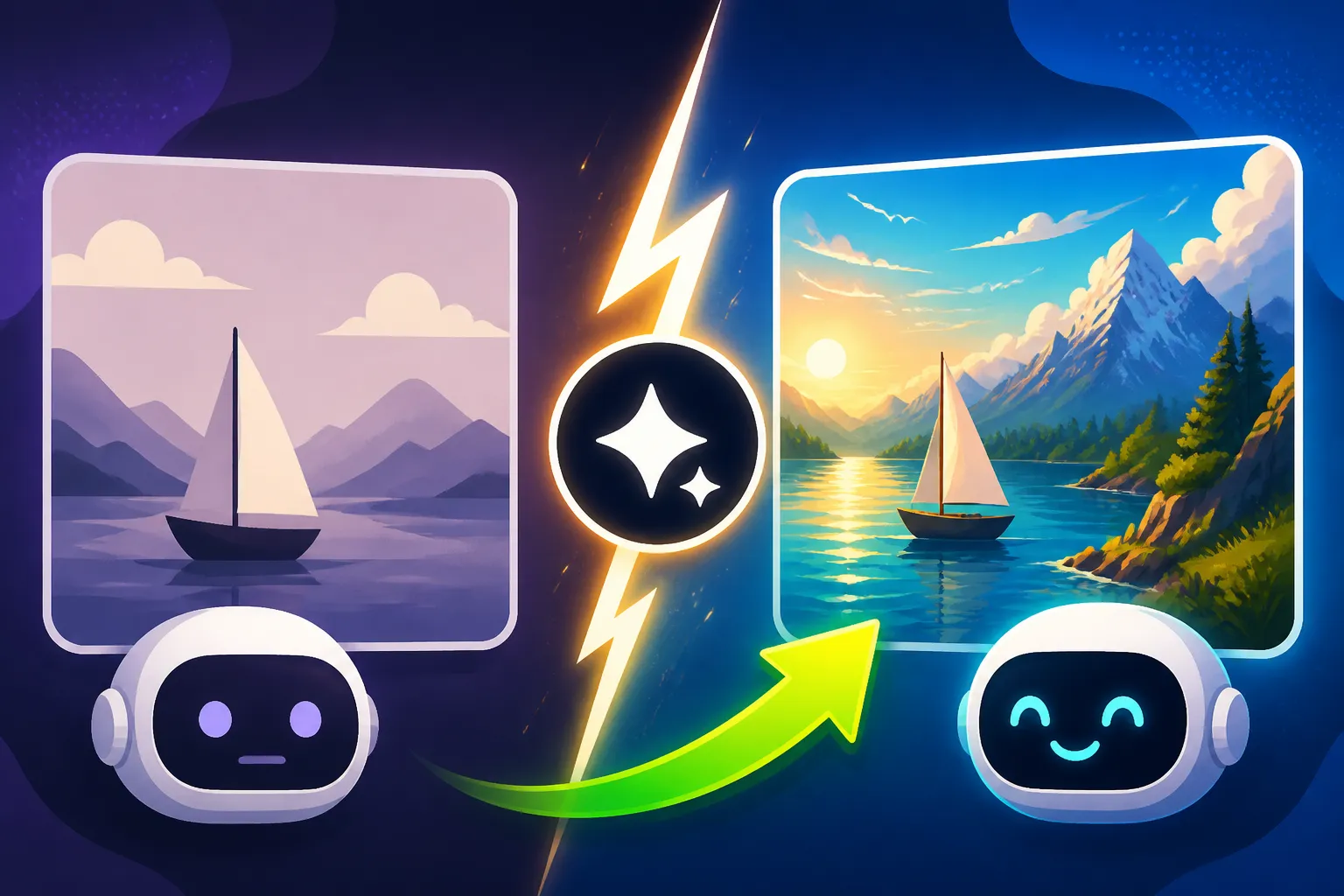
One of the most striking improvements in Midjourney V7 is the leap in photorealism. While V6 could produce stunningly realistic images, V7 elevates this even further. We’re talking about incredibly nuanced textures, more natural lighting, and a depth of field that truly rivals professional camera work. For instance, if you're generating an image of a bustling city street at dusk, V7 can render the subtle reflections on wet pavement, the glow of streetlights hitting raindrops, and the realistic blurring of distant cars with unprecedented fidelity.
The anatomical accuracy for figures and faces has also seen a noticeable bump. Those lingering issues with hands, often a tell-tale sign of AI generation, are significantly reduced in V7. Faces appear more expressive and lifelike, with finer details in skin texture, hair, and eyes. This means less time spent refining prompts to fix minor imperfections and more time enjoying truly polished results. This makes it an even stronger contender for generating content that requires a high degree of visual believability, like product photography or marketing materials. If you're looking for the Best AI Image Generator for Quality or want to know How to Write AI Prompts for Photorealistic Images, V7 is definitely setting a new benchmark.
Greater Prompt Understanding and Nuance
Midjourney V6 was already quite adept at interpreting prompts, but V7 takes this to another level. The model is now even better at understanding complex, multi-layered instructions and discerning the subtle nuances in your language. This means you can often achieve your desired results with simpler, more direct prompts, reducing the need for extensive negative prompting or iterative adjustments. For example, describing "a whimsical cottage nestled in a forest clearing, with smoke curling from the chimney, in the style of a Hayao Miyazaki film" will yield a much more cohesive and accurate interpretation in V7, capturing both the whimsical nature and the specific artistic style without needing to break down each element into separate clauses.
The AI's ability to grasp the intent behind your words, rather than just the literal interpretation, is a game-changer. It can better connect abstract concepts with visual representations, leading to less "prompt engineering" and more natural language interaction. This makes the tool far more accessible for beginners while still providing the depth of control that advanced users crave. If you're struggling to get the AI to understand your vision, V7's improved comprehension is a huge advantage.
Improved Coherence and Consistency Across Generations
Maintaining consistency for characters, objects, or even entire scenes across multiple image generations has always been one of the toughest challenges in AI art. V6 made strides, but it still required careful use of seeds and specific parameters. Midjourney V7 significantly improves this aspect. It's now much easier to generate a series of images featuring the same character, with consistent features, clothing, and even expressions, from various angles or in different scenarios. This is invaluable for storytelling, creating comic strips, or developing a cohesive brand identity where consistent visuals are paramount.
Imagine you're designing a series of social media graphics featuring a specific brand mascot. With V6, you might get slight variations in the mascot's appearance or pose between images, requiring manual adjustments. V7 aims to minimize these discrepancies, allowing for a more uniform output that truly reflects your artistic direction. This newfound consistency drastically cuts down on post-generation editing time and ensures that your visual narrative remains strong and unbroken.
Deeper Control for Creators
Beyond just better image quality and prompt understanding, Midjourney V7 empowers creators with more granular control over the generation process. This means more intentional design decisions and less reliance on lucky rolls of the dice.
New Parameters and Options
Every major Midjourney update brings new tools to the prompt engineer's arsenal, and V7 is no exception. While specific new parameters are often revealed incrementally, the general trend points towards more refined control over elements previously difficult to manage. This could include enhanced --stylize options for varying artistic intensity, more sophisticated --chaos controls for managing randomness, or even new ways to manipulate depth of field or focal points. These new options allow creators to move beyond basic image generation and sculpt their visions with much greater precision.
For example, if you wanted to generate a hyper-realistic product shot, V7 might offer finer control over the reflectivity of surfaces or the subtle shadows cast by an object, allowing you to mimic a professional studio setup more effectively. Exploring these new parameters is key to unlocking the full potential of V7, letting you dial in the exact aesthetic you're striving for. For those who dive deep into the technical aspects, understanding Midjourney Parameters Explained becomes even more critical with each update.
Speed and Efficiency Upgrades
In the fast-paced world of content creation, speed is often as important as quality. Nobody wants to wait ages for an image to generate, especially when iterating on ideas. Midjourney V7 boasts significant optimizations in its processing speed, meaning quicker generation times for your images. This isn't just about saving a few seconds; it means a more fluid creative workflow, allowing you to experiment more, generate more variations, and ultimately arrive at your perfect image much faster.
Imagine you're on a tight deadline for a client project and need to generate several design concepts. The improved efficiency of V7 means you can explore more avenues in less time, presenting a wider range of high-quality options. This makes V7 a powerful tool for professionals who rely on quick turnaround times and high-volume image generation. If you're constantly weighing options like Midjourney vs Flux: Photorealism Showdown or searching for the Best AI Image Generator for Speed, V7 certainly makes a compelling case for efficiency.
Advanced Editing Capabilities
While Midjourney's primary strength lies in generation, V7 is also likely to bring enhancements to in-platform editing or at least a smoother integration with external tools. While specific features might vary, the trend in AI image tools is towards more direct manipulation of generated content. This could mean improved inpainting and outpainting features directly within the Midjourney interface or better tools for manipulating specific elements of an image without regenerating the entire thing.
This means if you've almost got the perfect image but need to tweak a minor detail, like changing the color of a specific object or adding a small element, V7 aims to make that process more intuitive. This reduces the need to export your image to another editing software, saving valuable time and maintaining your creative flow within the Midjourney ecosystem. These kinds of updates move Midjourney closer to being an all-in-one solution for visual creators.
User Experience and Accessibility Enhancements
The best AI tool isn't just about raw power; it's also about how easy and enjoyable it is to use. Midjourney V7 continues to refine the user experience, making it more intuitive for both newcomers and seasoned professionals.
Web Interface Enhancements
For a long time, Midjourney was primarily accessed via Discord, which, while powerful, could be a barrier for some users. The ongoing development of the dedicated web interface is a massive step forward, and V7 likely coincides with significant enhancements to this platform. Expect a more streamlined, user-friendly interface that offers easier access to all of Midjourney's robust features without the complexities of a chat-based environment.
Imagine browsing your past creations, organizing them into folders, and discovering new prompts and styles through a more visually appealing and organized dashboard. This shift from Discord to a dedicated web app makes Midjourney much more accessible and aligns with how many creative professionals prefer to work. Comparing Midjourney Web App vs Discord highlights just how crucial these interface improvements are for broader adoption and a more professional workflow. It streamlines the entire process, from prompting to managing your vast library of generated images.
Expanded Style Variety and Control
One of the continuous requests from the Midjourney community is for more diverse and controllable art styles. V7 doesn't just improve realism; it also expands the stylistic range available and gives users finer control over how these styles are applied. This means a richer palette of artistic expressions, from highly stylized illustrations to abstract art, all while maintaining the core quality Midjourney is known for.
This expanded variety means less time trying to coax a specific aesthetic out of the AI and more time simply choosing from a wider, more refined set of options. Whether you're looking for a detailed cyberpunk cityscape, a soft watercolor portrait, or a stark minimalist design, V7's enhanced stylistic controls make it easier to achieve your vision. This flexibility solidifies Midjourney's position as a versatile tool for various artistic and commercial applications, from a hobbyist creating personal art to a marketer needing diverse visuals.
Community and Moderation Aspects
Midjourney has always fostered a strong, vibrant community, especially on Discord. With V7, there's likely an ongoing emphasis on maintaining a positive and collaborative environment. This includes continuous efforts in content moderation to ensure that the platform remains safe and respectful for all users. These efforts are crucial, especially as AI technology becomes more powerful and widely adopted.
The developers understand that a supportive community where users can share tips, showcase their work, and learn from each other is a huge part of the Midjourney experience. Expect continued improvements in how users can interact, collaborate, and access resources, solidifying Midjourney as not just a tool, but a creative ecosystem. For those interested in the broader landscape, understanding Midjourney Pros and Cons for Creators often touches upon the community aspect as a major positive.
Midjourney V6 vs. V7: A Feature Comparison
To help you visualize the advancements, let's look at a quick comparison table highlighting the key differences and improvements between Midjourney V6 and V7.
| Feature Area | Midjourney V6 | Midjourney V7 |
|---|---|---|
| Photorealism | High, often required detailed prompting for perfection | Significantly enhanced, incredibly lifelike textures & lighting |
| Prompt Understanding | Very good, but could sometimes miss subtle nuances | Excellent, more intuitive grasp of complex and abstract prompts |
| Image Coherence | Good, but maintaining consistency across generations could be challenging | Notably improved, better consistency for characters and scenes |
| Anatomical Accuracy | Strong, but minor issues with hands/faces occasionally | Highly refined, near-flawless rendering of anatomy |
| Control Parameters | Extensive, with many options for fine-tuning | Expanded with new, more granular controls for advanced customization |
| Generation Speed | Fast, suitable for most workflows | Optimized for even faster output, boosting efficiency |
| Web Interface | Developing, with core functionality available | Enhanced, offering a more robust and user-friendly experience |
| Artistic Style Range | Broad, but some styles required extensive prompt crafting | Wider, with finer control for specific artistic expressions |
| Text Rendering | Good, but sometimes garbled text was an issue | Improved, clearer and more consistent text within images (where applicable) |
This table clearly illustrates that V7 isn't just a minor update; it's a comprehensive refinement that touches almost every aspect of the Midjourney experience, making it more powerful, efficient, and user-friendly. For those wondering Is Midjourney Worth the Subscription or exploring pricing plans, the enhanced capabilities of V7 certainly add significant value.
Making the Most of Midjourney V7
With a new, more powerful version at your fingertips, you'll want to leverage its capabilities fully. The key to unlocking V7's potential lies in understanding how its improvements translate into better prompting and workflow.
Adapting Your Prompting Strategy
If you're coming from V6, you might find that your old prompts work even better in V7. However, the improved prompt understanding means you can often simplify your prompts and still achieve superior results. Experiment with more natural language descriptions rather than overly complex, keyword-stuffed prompts. Think about the intent and emotion you want to convey, and let V7's advanced interpretation handle the heavy lifting.
For example, instead of "/imagine a highly detailed, volumetric light, cinematic, 8k render of a majestic lion in a savanna, golden hour, dust particles, shallow depth of field, high contrast", you might try something more concise like "/imagine a majestic lion roaming a sun-drenched savanna at golden hour, epic cinematic shot." V7 is better equipped to fill in those implicit details. Don't forget to consult updated resources like the Midjourney Prompt Guide as the community discovers new optimal prompting techniques.
Leveraging Enhanced Consistency for Projects
For projects requiring multiple images with a cohesive visual theme, V7's improved consistency is a game-changer. This is particularly valuable for creating marketing campaigns, storyboards, or even character sheets for games or animations. Take advantage of the new version's ability to maintain character traits and object appearances across different prompts.
Plan your series of images in advance, starting with a strong base prompt for your primary subject, then build variations by altering backgrounds, poses, or interactions. The aim is to minimize the need for manual touch-ups in external software, saving you hours of work. This consistency can be a huge asset for brand storytelling or sequential art, where a unified look is essential. Whether you're making a series of social media posts or illustrating a book, V7 can streamline your process significantly.
Exploring New Artistic Avenues
The expanded style variety and enhanced controls in Midjourney V7 invite you to experiment with new artistic avenues that might have been challenging to achieve in V6. Don't be afraid to push the boundaries of your typical styles. Try out new --stylize values or experiment with mixing different artistic influences in your prompts.
Perhaps you've always wanted to create images in a specific historical art movement, or blend photographic realism with painterly touches. V7 provides a more robust foundation for such experimentation. This is where you can truly differentiate your work and explore unique visual languages. Keep an eye on community showcases and official announcements for new techniques and styles that emerge as users explore V7's capabilities. Remember, tools like Best AI Image Generator Overall are constantly evolving, and staying curious will keep your creations fresh.
Final Thoughts on the Midjourney V7 Upgrade
The jump from Midjourney V6 to V7 is a testament to the relentless pace of innovation in AI image generation. It's not just an incremental step; it’s a significant stride forward in realism, control, and user experience. For anyone deeply invested in creating stunning visuals, whether for personal projects or commercial ventures, V7 offers a more refined, intuitive, and powerful toolset.
The enhanced photorealism means you can achieve images that are increasingly indistinguishable from real-world photography, saving you time and resources typically spent on stock photos or elaborate shoots. The improved prompt understanding makes the creative process smoother and more accessible, allowing you to focus on your vision rather than wrestling with AI syntax. And the boost in consistency across generations finally addresses a long-standing challenge for sequential art and brand cohesion.
Ultimately, Midjourney V7 empowers you to do more, and do it better, faster, and with more confidence. It's an exciting time to be a creator using AI tools, and V7 solidifies Midjourney's position as a leading innovator in this space. For those who rely on high-quality, consistent, and controllable AI images, the upgrade is not just welcome, but essential.
Disclaimer
The information provided in this article is for general informational purposes only and does not constitute professional advice. While we strive to provide accurate and up-to-date information, the field of AI image generation is rapidly evolving. Features, pricing, and performance of AI tools can change frequently. Always refer to the official websites and documentation of the respective AI image generators for the most current and precise details.